Website profiles · Technology insights · Alternatives

simulator.money

A browser based, retro sandbox game that let's you see the impact of your financial decisions

No paid content found
Visit website
Profile views 1 Outbound visits 2 Normal
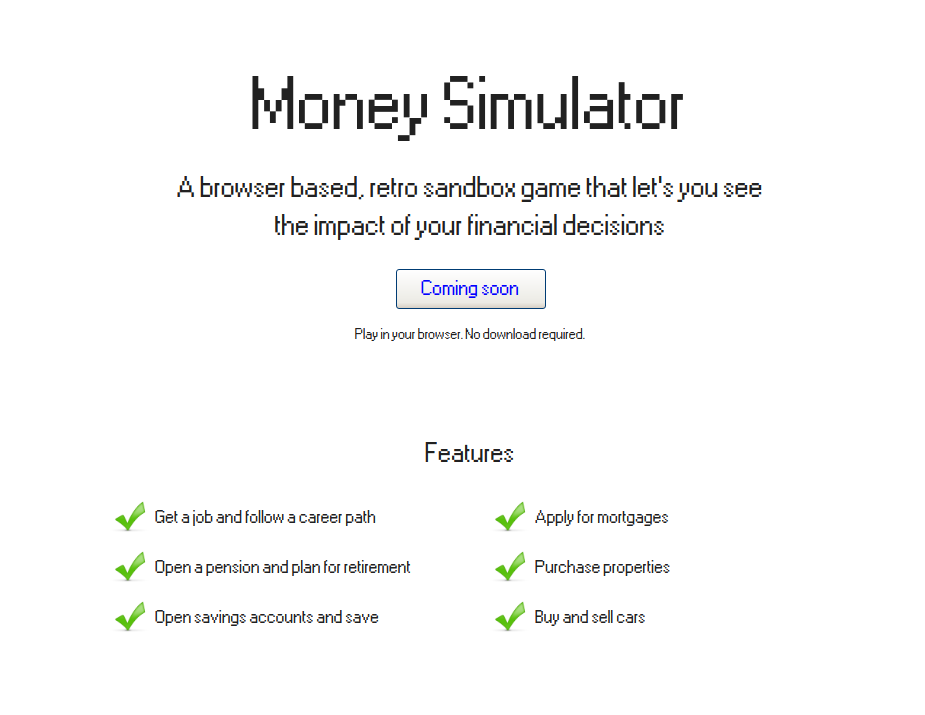
Money Simulator: A browser based, retro sandbox game that let's you see the impact of your financial decisions Full homepage screenshot

At a glance

Category
Games & Board Games
Language
English
Paid-content signal
No paid content foundObserved
Registered
2021
Hosting
Akamai Connected CloudInferred
HTTPS certificate trusted
PassedObserved
Last updated

Website review

This review may include AI-generated content and is not individually verified. Domain, certificate and other facts come from the observed data on this page.

What is Money Simulator?

Money Simulator is a free browser-based sandbox game that lets you test financial decisions in a retro-styled simulation. According to its page, you can get a job and follow a career path, open a pension and plan for retirement, open savings accounts, apply for mortgages, buy properties, and buy and sell cars. It runs in your browser with no download required and is currently at version 0.11.1.

The point is experimentation: try a career move, a mortgage, or a savings plan and watch the consequences play out. The site is explicit that it is not a prediction tool and should not be used as the basis for real financial decisions.

Who it suits

  • Curious beginners who want a low-stakes way to see how jobs, savings, pensions and property interact.
  • Game-minded learners who prefer a sandbox over worksheets or calculators.
  • Anyone exploring "what if" scenarios before looking at serious planning tools.

Trade-offs to keep in mind

  • It is a game, not a financial adviser; outcomes are illustrative, not forecasts.
  • It is an early version (0.11.1), so features and balance may change.
  • It covers broad life-finance themes rather than deep tax or investment modelling.

A useful next step: pick one decision you are actually weighing—such as renting versus buying, or saving more versus starting a pension—and run both paths in the simulator. Treat the result as a conversation starter, then check the numbers against a dedicated planning tool or qualified adviser before acting.

How do I start playing Money Simulator in my browser without downloading anything?

Open Money Simulator in a modern browser and select Play for free. The page states the game runs in your browser with no download required, so there is no installation step. No account or signup is mentioned on the page, so you should be able to start a run directly from the homepage.

Once in, expect a retro sandbox built around life-sized financial choices. The listed features include getting a job and following a career path, opening a pension, using savings accounts, applying for mortgages, buying property, and buying or selling cars. A sensible first session is to take a job, open a savings account, and then try one larger decision such as a mortgage or property purchase to see how the simulation responds.

Treat it as a sandbox for exploring trade-offs, not a planning tool. The site itself notes that real life cannot be predicted with full accuracy and that you should not base financial decisions on the simulation's outcomes.

If the game does not load, the usual browser checks apply: update your browser, disable extensions that block scripts, and try a private window. The page shows a version number (V0.11.1) and a release notes link, which is worth checking if features behave differently from older descriptions you may have read.

How does the game model the long-term impact of taking a job versus pursuing a career path?

The page doesn't distinguish between "taking a job" and "pursuing a career path" as two separate models. It describes a single feature: "Get a job and follow a career path." In other words, employment and career progression are handled together as one system rather than as competing options you choose between.

What the page supports

  • Careers are a progression, not a one-off choice. The wording "follow a career path" suggests income and outcomes change over time as you move along that path, which is what makes long-term comparison possible at all.
  • Career decisions sit alongside long-term systems. Pensions and retirement planning, savings accounts, mortgages and property purchases are all listed features. The long-term impact of a career is therefore something you observe through how it feeds those systems — retirement savings, affordability of a mortgage, property ownership — rather than through a standalone career score.
  • The simulation is explicitly not a forecast. The site states that although it mimics real life, nothing can be predicted with 100% accuracy, and you should not base financial decisions on its outcomes. Treat any long-term result as an illustration of compounding and trade-offs, not a projection.

What the page does not say

There is no published detail on salary curves, promotion mechanics, how career switches are handled, or how the game computes lifetime earnings. Specific comparisons between "job" and "career" outcomes can't be drawn from the available description.

A practical way to use it

If you want to explore this question, run two playthroughs in the browser version: one where you stay in an early role, and one where you invest in progression (training, role changes) at the cost of short-term income. Compare the retirement and property positions at the end. That contrast — short-term cash versus long-term compounding — is the trade-off the simulator is best placed to make visible.

For a different angle on long-term investing mechanics, Example is not a verified source here, so stick with the simulator's own release notes for version changes (currently V0.11.1) before drawing conclusions.

How can I use the pension and retirement planning features to compare different saving strategies?

Use the pension and retirement planning features as a sandbox for testing scenarios, not for predicting outcomes. The site describes a browser-based game where you get a job and follow a career path, open a pension, plan for retirement, and open savings accounts. Run the same starting conditions twice with one variable changed, then compare the retirement results side by side.

A practical comparison method

  1. Fix a baseline: same job, career path, salary progression, and starting savings. Note the retirement outcome.
  2. Change one thing: contribution rate, the age you start contributing, or how much goes to savings versus pension.
  3. Repeat: run at least three variants per variable so you can see a trend rather than a single result.
  4. Record what you changed and what happened: the comparison only means something if you can trace the difference back to one decision.

What to compare

Strategy question What to hold constant What the run shows you
Start contributing earlier vs. later Salary path, total contribution amount Whether time in the pension matters more than the amount
Higher pension contribution vs. higher savings Total money set aside each period The trade-off between retirement income and accessible cash
Steady contributions vs. late catch-up Career path and end age How much catching up costs in monthly terms

The trade-off worth watching is liquidity versus retirement income: money in savings accounts is generally more accessible, while pension money is locked toward retirement. The simulator lets you feel that tension by running both paths.

Who this suits

  • People who learn by doing: seeing a retirement number change when you move a slider is more concrete than reading about compounding.
  • People weighing a pension increase against building savings: useful for framing the question before talking to a professional.
  • People who want a quick, no-download session: it runs in the browser, so trying a scenario costs little time.

It is less suited to anyone needing precise projections. The site itself warns that real life cannot be predicted with 100% accuracy and says you should not base financial decisions on the simulation's outcome. Treat the results as a way to compare directions, then check real figures with a regulated adviser or your pension provider. For background on how pensions work generally, GOV.UK covers UK pension basics, and MoneyHelper offers free guidance on retirement planning.

Next step: pick one decision you are actually weighing, such as raising your pension contribution by a set amount, and run it against your current path twice. If the difference is small in the simulation, the decision probably hinges on factors the game does not model, such as tax relief, fees, or employer matching.

What can I learn about mortgages and property purchases by simulating them in the game?

Simulating mortgages and property purchases in Money Simulator lets you see how a deposit, monthly repayment and rental or resale outcome interact over time before you commit real money. The game's listed features include opening savings accounts, applying for mortgages and buying properties, so you can test a purchase sequence—save, borrow, buy, then watch the effect on your wider finances—rather than treating a mortgage as an isolated number.

What the simulation is good for

  • Seeing the full chain. Saving for a deposit, applying for a mortgage and buying a property are separate steps in the game, so you can observe how each one constrains the next. A reader weighing a first flat against renting another year can run both paths and compare where they end up.
  • Stress-testing a repayment. Because the game also covers jobs, careers and pensions, a mortgage payment sits alongside income changes and retirement planning. That makes it easier to picture what a rate rise or a job move does to a budget, which a standalone mortgage calculator rarely shows.
  • Practising the decision, not the paperwork. The value is in the habit of asking "what does this do to everything else?" before buying.

What it cannot tell you

The site itself warns that life cannot be predicted with 100% accuracy and that you should not base financial decisions on the simulation's outcome. Treat it as a sandbox for intuition, not a forecast: real lenders, fees, taxes and local market conditions are outside what a retro browser game models. The testimonials quoted on the page ("really fun", "a lot of potential") speak to engagement, not accuracy.

A practical next step

Pick one concrete scenario—say a 10% versus 20% deposit on the same property—and run both in the simulator, noting how the monthly payment and remaining savings differ. Then check the real figures with a lender or an independent mortgage calculator before acting. For background on how mortgages work, GOV.UK and the MoneyHelper service from the Money and Pensions Service are useful starting points.

How realistic are the game's financial outcomes, and should I rely on them for real-life decisions?

The simulator is a plausible sandbox, not a forecast. It models the mechanics of personal finance—income, a career path, pensions, savings accounts, mortgages, property purchases and car buying/selling—so you can see how those pieces interact over time. It does not, and does not claim to, reproduce real market returns, tax codes, interest-rate paths or inflation with accuracy. The site itself states that life cannot be predicted 100% accurately and that you should not base financial decisions on the simulation's outcomes. Treat it as a way to build intuition, not to produce numbers you act on.

What it's genuinely useful for

  • Seeing compounding and trade-offs. Watching a pension or savings balance grow (or a mortgage balance shrink) over simulated years makes the cost of delaying saving concrete in a way a spreadsheet often doesn't.
  • Testing sequencing decisions. Comparing "save more now vs. buy a property sooner vs. change career" in a low-stakes environment helps you notice which levers matter most to you.
  • Learning the vocabulary and structure. Mortgages, pensions and property are abstractions until you've clicked through them; a sandbox is a cheap place to get oriented before talking to a lender, pension provider or adviser.

Where it stops being reliable

  • Specific numbers. Any projected balance, return or affordability figure is a game output, not a quote. Real rates, fees, taxes and eligibility rules vary by country and change over time.
  • Rare or personal events. Job loss, illness, relationship changes and policy shifts are hard to model and often dominate real outcomes.
  • Regulatory detail. Real pensions and mortgages carry rules (contribution limits, early-withdrawal penalties, fixed-rate expiry) that a general simulator is unlikely to capture fully.

A practical way to use it

Pick one real decision you're weighing—say, whether to overpay a mortgage or increase pension contributions. Run both paths in the simulator, note which direction the outcome moves and why, then verify the actual figures with a calculator using your real rates and tax situation, or with a regulated adviser for anything large. If the game's answer and your real-world calculation disagree, trust the calculation.

For complementary perspectives, Website Name is a placeholder pattern only—check official consumer-finance bodies in your country (for example a national money-advice service) for authoritative guidance rather than relying on any single simulator.

Related questions

More questions →
Can Money Simulator Results Be Used for Real Financial Planning?

No. Money Simulator is a browser-based retro sandbox game for exploring how financial decisions might play out, but its own site states that life cannot be predicted with 100% accuracy and that you should not base real financial decisions on the simulation's outcome. Use it to learn and experiment, not as a substitute for financial advice.

What the Site Says About Reliability

The site describes Money Simulator as a game "meant to mimic real life," then adds a direct caveat: because nothing in life can be predicted with 100% accuracy, the simulation's outcome should not drive real financial decisions. That is the clearest signal about how to treat the results — as an illustration of possible paths, not a forecast.

The game is a project by Chris Pattle, currently at version V0.11.1, with release notes available on the site. A version number below 1.0 is a useful reminder that mechanics and balance may still change.

What You Can Practice in the Simulator

The site lists these in-game actions:

  • Get a job and follow a career path
  • Open a pension and plan for retirement
  • Open savings accounts and save
  • Apply for mortgages
  • Purchase properties
  • Buy and sell cars

These cover the broad shape of personal finance decisions — earning, saving, borrowing, and buying — which makes the game useful for seeing how choices interact over time. For example, you can compare what happens when you prioritize saving versus taking on a mortgage early, and watch the downstream effects in the simulation.

How to Use It Sensibly

Treat Money Simulator as an educational or exploratory tool:

  1. Play for free in your browser. The site says no download is required.
  2. Pick one decision to test. Change a single variable — such as when you start saving or whether you buy a property — and observe the difference.
  3. Read results as scenarios, not predictions. The game shows one possible outcome under its own rules, not what will happen in your life.
  4. Verify anything real elsewhere. For actual mortgages, pensions, or savings products, check the terms with the provider or a qualified adviser.

When It Is and Isn't the Right Tool

Your goal Is Money Simulator a fit?
Understand how saving, borrowing, and buying interact Yes — it is built for this kind of exploration
Compare possible life paths in a low-stakes game Yes
Decide whether to take a specific real mortgage or pension No — the site explicitly warns against this
Get personalized financial advice No — it is a game, not an advisory service

The site does not state pricing beyond "Play for free," so treat that as the only confirmed cost information. If you want a hands-on way to build intuition about financial trade-offs, the simulator is a reasonable starting point; for decisions with real money at stake, rely on product terms and professional guidance instead.

What Is Money Simulator and What Can You Do in It?

Money Simulator is a free, browser-based retro sandbox game that lets you see how financial decisions play out over time. You can play it in your browser with no download required. It is a simulation, not a prediction tool: the site states that nothing in life can be predicted with 100% accuracy, so you should not base real financial decisions on the outcome of the simulation.

What you can do in the game

The game is built around a set of everyday financial activities. According to the site, you can:

  • Get a job and follow a career path
  • Open a pension and plan for retirement
  • Open savings accounts and save
  • Apply for mortgages
  • Purchase properties
  • Buy and sell cars

The idea is to let you try out these decisions in a sandbox and watch their impact, rather than just reading about them.

How to start playing

  1. Go to simulator.money in your browser.
  2. Select the option to play for free. The site says no download is required.
  3. Start with a basic decision, such as getting a job, then move on to savings, pensions, or property as you go.

The site lists the current version as V0.11.1, with release notes available on the page.

What it is and is not

It is It is not
A browser-based retro sandbox game A financial advice service
A way to explore the impact of decisions like jobs, savings, pensions, mortgages, and cars A tool that predicts real-life outcomes accurately
Free to play in your browser, per the site A substitute for professional financial guidance

The site's own disclaimer is the key point: treat the results as a game, not as a basis for real financial choices. Money Simulator is a project by Chris Pattle.

How to Play Money Simulator (and Whether You Need to Install Anything)

You can play Money Simulator directly in a web browser — no download or installation is required. The site presents it as a free, retro-style sandbox game where you make financial decisions and see their impact. To start, open the site and use the “Play for free” option; the page also notes “Play in your browser. No download required.”

What you need to get started

  • A modern web browser — the game is browser-based, so you don’t install a separate app.
  • No download step — the page explicitly says no download is required.
  • No account requirement is stated on the page — the page does not mention signing in, so don’t assume one is needed or that progress is saved.
  • Awareness that it’s a simulation — the site cautions that life can’t be predicted 100% accurately and says you should not base real financial decisions on the simulation’s outcome.

What you can do in the game

The page lists these activities:

  • Get a job and follow a career path
  • Open a pension and plan for retirement
  • Open savings accounts and save
  • Apply for mortgages
  • Purchase properties
  • Buy and sell cars

These are the decisions the simulator is built around. The game is described as a sandbox, so the point is to experiment with choices and observe the results rather than follow a single scripted path.

Step-by-step: playing for the first time

  1. Open the site in your browser. Go to simulator.money.
  2. Choose the play option. The page shows “Play for free” and “Play in your browser. No download required.”
  3. Expect a retro sandbox style. The site describes the game as “retro” and “sandbox,” so the interface and presentation follow that style rather than a modern dashboard look.
  4. Start with a basic decision. A practical first move is to get a job and follow a career path, since income affects the other options (savings, pension, mortgage, property, cars).
  5. Try one financial decision at a time. For example, open a savings account and save, then compare how that changes your situation before applying for a mortgage or buying property.
  6. Check the version and release notes. The page shows V0.11.1 and links to release notes, which tells you the game is still evolving — features and behavior can change between versions.

Verification: how to know it’s working

  • The game loads and runs inside the browser tab without a separate installer.
  • You can reach the listed activities (job/career, pension, savings, mortgage, property, cars) from within the game.
  • The page displays the version number (V0.11.1) and a release notes link.

Common sticking points

  • Assuming you need to download something. The page says the opposite: it runs in the browser with no download required.
  • Treating results as financial advice. The site states the simulation can’t predict life 100% accurately and that you should not base financial decisions on its outcome. Use it to explore trade-offs, not to plan real finances.
  • Expecting a finished product. The visible version number (V0.11.1) and release notes suggest an evolving game, so some features or behaviors may change.
  • Assuming saved progress or accounts. The page doesn’t mention accounts or saving progress, so don’t count on picking up where you left off unless the game itself shows that.

Is it free?

The page says “Play for free,” so the stated entry point is free to play. The page does not list prices, subscriptions, or payment platforms, so there’s no basis to describe paid tiers or in-game purchases.

Who it’s for

Money Simulator fits people who want a low-commitment way to experiment with financial choices — career paths, saving, pensions, mortgages, property, and cars — in a retro sandbox format. It’s a game, not a planning tool: the site’s own caution makes that clear. If you want to try it, open the site in your browser and start with a job and career path, then layer in savings or a pension before testing bigger commitments like a mortgage or property purchase.

What financial decisions can you practice in Money Simulator?

Money Simulator lets you practice four broad areas of personal finance in a browser-based, retro-style sandbox: earning income through a career, planning for retirement with a pension, building savings, and taking on major purchases like a mortgage, property, and cars. It runs for free in your browser with no download required (version 0.11.1), so you can try these decisions without real money at stake. Treat it as a way to explore how choices connect, not as a prediction of your own outcomes — the site itself notes that nothing in life can be predicted with 100% accuracy and that you should not base real financial decisions on the simulation's results.

The four decision areas

Area What you can do What it lets you explore
Career Get a job and follow a career path How income changes over time and what a career track implies for the rest of your plan
Retirement Open a pension and plan for retirement How long-term planning interacts with the income you earn
Savings Open savings accounts and save How regular saving builds up alongside other commitments
Major purchases Apply for mortgages, purchase properties, buy and sell cars How large, financed purchases affect your overall position

How the areas connect

The value of the simulator is that these decisions are not isolated. A career path sets your income; that income feeds savings and pension contributions; and a mortgage or car purchase competes for the same money. Because it is a sandbox, you can make a choice, see the impact, and then try a different path — which is the point of the "see the impact of your financial decisions" framing.

For example, if you want to understand whether buying a property fits alongside retirement saving, you could take a job, open a pension and a savings account, then apply for a mortgage and purchase a property, and observe how the combined commitments play out. The same applies to buying or selling a car as a recurring large expense.

What it is and is not good for

  • Good for: getting a feel for how income, saving, pensions, and big purchases interact; experimenting with different sequences of decisions at no cost; a low-pressure way to start thinking about long-term planning.
  • Not for: forecasting your actual finances. The site explicitly warns that the simulation cannot mimic real life with full accuracy and should not be the basis for real financial decisions.

Practical notes before you start

  • It is browser-based, so no installation is needed; the site lists it as free to play.
  • The current version shown is V0.11.1, and release notes are available from the site — useful if features change between versions.
  • Player feedback quoted on the site is positive but informal ("really fun," "actually good," "a lot of potential"), which fits its status as an early-version sandbox rather than a finished planning tool.

If your goal is to explore how a career, pension, savings, and major purchases fit together before committing real money, Money Simulator gives you a free, no-download space to try those combinations — just keep its own caveat in mind and use it for learning, not for real financial planning.

Website Overview

Identifiable technologies and additional version or configuration signals make the service easier to fingerprint, which may help targeted scanners narrow their checks. Several search or sharing settings need attention. Together they may make snippets, preview images or preferred URLs less consistent across platforms.

Domain and Registration

Transfer-protection status is present, helping reduce the risk of unauthorized domain transfers. The domain has about 5 years of registration history; its current configuration provides more context than age alone. The registrar is NameCheap, Inc., a widely used domain service provider. The domain uses the common .money extension, which is not an independent safety signal.

DNS and Email

MX records exist, but SPF, DKIM and DMARC were not detected. Protection against domain impersonation may be incomplete. Nameservers are provided by linode.com, indicating managed DNS hosting. MX records point to the simulator.money email service. No CNAME was found; the observed records resolve directly to addresses. DNSSEC signatures were not detected, so this additional DNS authenticity protection is not confirmed.

TLS and Certificates

The certificate uses an RSA 2048-bit public key, offering broad client compatibility. The server supplied a complete certificate chain. No organization name is present in the certificate; the available fields are consistent with domain validation. The certificate was issued by Let's Encrypt, commonly associated with automated certificate services. The certificate's total validity is about 89 days, consistent with a short renewal cycle.

HTTP and Browser Security

The Server header exposes the software version: Apache/2.4.41 (Ubuntu). This makes version-targeted checks easier, but is not proof of an exploitable vulnerability. The response lacks these common security headers: HSTS, CSP, Referrer-Policy, Permissions-Policy, clickjacking protection. No X-Powered-By header was found, reducing one common source of backend fingerprinting information. No obvious internal addresses or debug information were found in the headers. Cookie security attributes are unknown.

Technology Stack Analysis

The public page identifies Google Analytics, Apache 2.4.41, with exact versions exposed for 1 technologies. These details can narrow vulnerability checks, although exposure alone is not a vulnerability.

Search and Social Sharing

The title has 110 characters and may be truncated in search results. No homepage canonical URL was detected. If duplicate URLs exist, consolidation may be less explicit. No Open Graph metadata was detected, so social previews may depend on platform inference. Twitter Card metadata is configured. A meta description is present, with 93 characters.

Hosting and Email

DNSlinode.com
HostingAkamai Connected Cloud
Emailsimulator.money
Approximate IP geolocation (inferred; a CDN or proxy may differ from the origin server) United Kingdom flagLondon, England, United Kingdom Inferred 176.58.98.130

Registration details

RDAP / WHOIS

RegistrarNameCheap, Inc.
Registered2021-02-14
Expires2027-02-14
Domain statusclient transfer prohibited
Nameserversns1.linode.com、ns2.linode.com、ns3.linode.com、ns4.linode.com、ns5.linode.com
DNSSECunsigned

DNS records

DNS

TypeNameValueTTLPriority
Asimulator.money176.58.98.13086400—
AAAAsimulator.money2a01:7e00::f03c:91ff:fe70:dec286400—
MXsimulator.moneymail.simulator.money8640010
NSsimulator.moneyns1.linode.com86400—
NSsimulator.moneyns2.linode.com86400—
NSsimulator.moneyns3.linode.com86400—
NSsimulator.moneyns4.linode.com86400—
NSsimulator.moneyns5.linode.com86400—

TLS and certificates

TLS / SSL

AssessmentNormal configuration
Supported protocolsTLSv1.2、TLSv1.3
Negotiated protocolTLSv1.3
Certificate subjectwww.simulator.money
IssuerLet's Encrypt
Valid until2026-12-16T06:24 · Remaining when checked: 54 days
Verification detailsCertificate trust: Passed · Hostname match: Passed

HTTP response headers

HTTP

HeaderValue
content-typetext/html; charset=UTF-8
cache-controlno-store, no-cache, must-revalidate
serverApache/2.4.41 (Ubuntu)
x-content-type-optionsnosniff
set-cookieRedacted

Identified technologies

Google AnalyticsApache 2.4.41

Pages, Search and Sharing

Meta descriptionA browser based, retro sandbox game that let's you see the impact of your financial decisions
Canonical URLNot detected
LanguageEnglish (default)
Twitter Cardsummary_large_image
All bots 1 allowed · 0 disallowed
  • Allow/

No sitemaps found

User reviews (0)

  • No reviews yet.