Website profiles · Technology insights · Alternatives

soundscape.world

The immersive music visualizer that lets you build your own beats.

No paid content found
Visit website
Profile views 2 Outbound visits 1 Normal
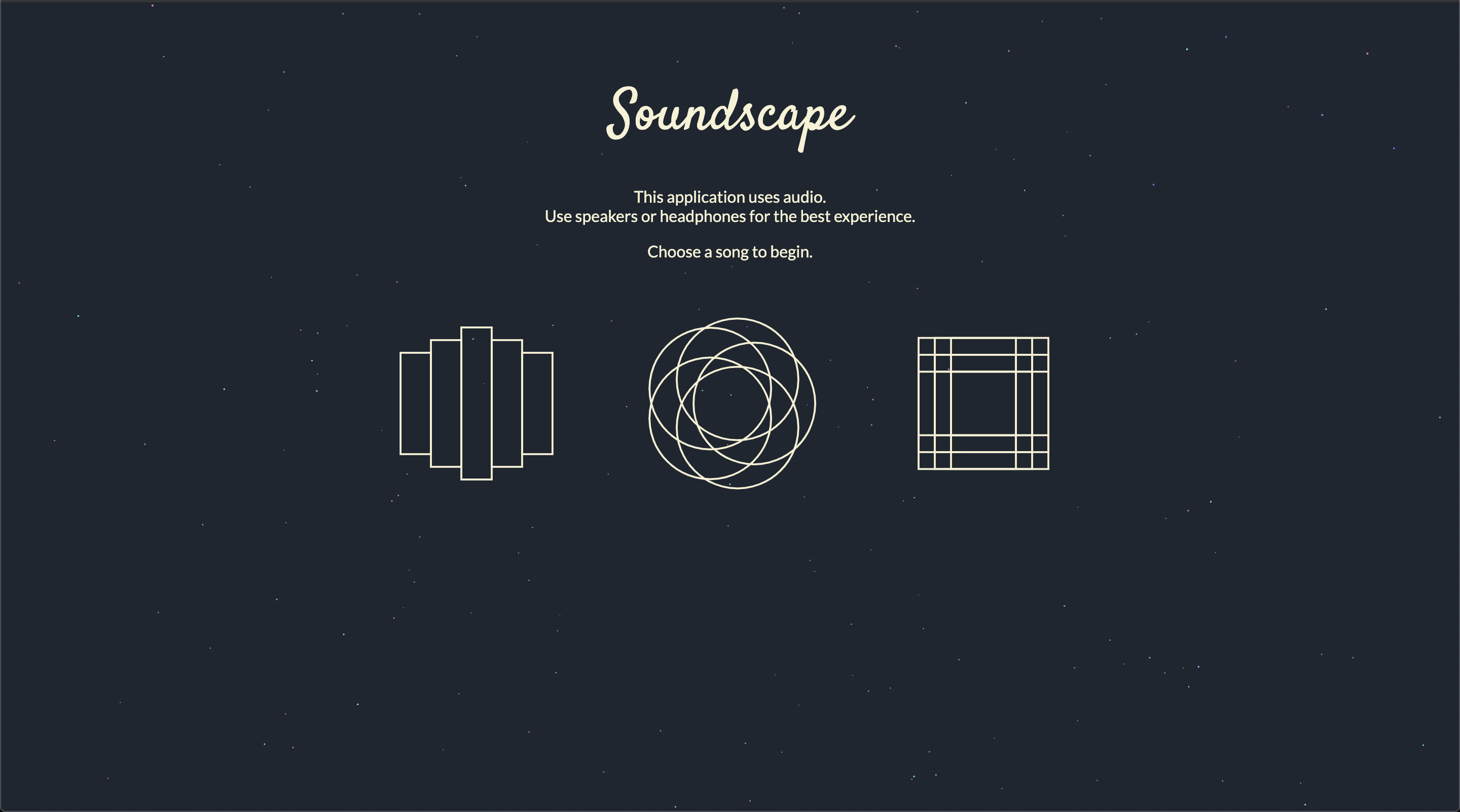
Soundscape Full homepage screenshot

At a glance

Category
Music & Audio
Language
English
Paid-content signal
No paid content foundObserved
Registered
2019
Hosting
CloudflareInferred
HTTPS certificate trusted
PassedObserved
Last updated

Website review

This review may include AI-generated content and is not individually verified. Domain, certificate and other facts come from the observed data on this page.

What is Soundscape?

Soundscape is a browser-based music tool that pairs beat-making with an immersive visualizer: you build your own beats, and the visuals react to what you play. It is aimed at casual creators and listeners who want to make something musical without a full digital audio workstation.

What it does

The core idea is hands-on music creation in the browser rather than passive listening. You assemble beats from built-in sounds, and the visual layer responds in real time, so the experience sits somewhere between a toy, a sketchpad and a light show. That makes it a good fit for quick creative sessions, sharing a vibe with friends, or just watching sound and image move together.

Who it suits

  • Beginners and curious listeners who want to make a beat in minutes, not learn a DAW.
  • Visual-first users who care as much about the look as the sound.
  • Casual creators who want something to play with on a laptop without installing software.

It is less suited to producers who need detailed mixing, MIDI editing, or precise arrangement tools.

Practical considerations

Because it runs in the browser, expect the app to need JavaScript enabled and a reasonably modern browser. For heavier visual scenes, a desktop or laptop will generally feel smoother than a phone. If you want to compare it with other browser music tools, Chrome Music Lab is a well-known set of small music experiments, though it focuses on learning rather than beat-building.

A useful next step: open the site, start with a simple four-beat pattern, then adjust one element at a time—kick, snare, bass—and watch how the visuals change. That shows you quickly whether the tool matches how you like to create.

How do I build my own beats in Soundscape?

Soundscape is built around making beats in the browser, so the practical path is: open the site, let the app load (it needs JavaScript), then start placing sounds on a timeline or grid rather than programming anything from scratch.

The basic workflow

  1. Start with a template or empty pattern. Most browser beat-makers give you a bar or two of empty steps. Pick a kit or preset if one is offered, since that gets you making sound immediately.
  2. Lay down a kick and snare first. A four-on-the-floor kick plus a snare on the second and fourth beats is the fastest way to get something that feels like a track.
  3. Add hi-hats for movement. Eighth or sixteenth notes on closed hats, with occasional open hats, create the sense of speed that defines most electronic music.
  4. Layer a bassline. Match the bass notes to your kick pattern so they hit together rather than fighting each other.
  5. Add melody or texture last. Pads, arpeggios or sampled vocals sit on top once the rhythm section is solid.

What to expect from a visualizer-first tool

Because Soundscape is described as an immersive music visualizer as well as a beat builder, the visual feedback is part of the instrument. Watch how the visuals react to each element: if a sound barely registers visually, it is probably too quiet or too sparse in the mix. Use that as a mixing cue, not just decoration.

A concrete first session

Imagine you have fifteen minutes. Spend two on a kick-snare pattern, three on hats, five on a bassline that follows the kick, and the rest tweaking levels and listening back on loop. Save or export before you start experimenting further, so a good idea does not get lost.

If you get stuck

The page depends on JavaScript, so a blank screen usually means scripts are blocked or the browser is out of date. For general technique, communities such as Reddit have production subreddits, and YouTube is where most browser-based music tools get walkthrough videos. For reference on how classic drum machines are programmed, Attack Magazine publishes beat-dissection articles that translate well to any step sequencer.

Can I use Soundscape without installing any software?

Yes. Soundscape runs in a web browser, so there is nothing to download or install to start building beats. The page is a JavaScript web app, which means it needs JavaScript enabled in your browser and a reasonably current version of Chrome, Safari, Edge or Firefox.

What this means in practice

  • You can open it on a laptop, desktop or tablet and begin without an installer, app store account or admin permissions.
  • Work is tied to the browser session and any account you use, not to a local program, so switching machines is easy.
  • Performance depends on your browser and device rather than installed software; a large visualizer or many layered sounds will feel smoother on a newer machine.
  • An offline or restricted network connection will stop it loading, since the app is delivered over the web.

A quick first test

Open the site on the device you would actually use, enable JavaScript if your browser blocks it, and try building a short loop before committing time to a project. If it loads and plays smoothly there, browser-only use is a realistic fit for you.

What kind of music or audio files can I visualize with Soundscape?

The available page information for Soundscape is too thin to confirm which audio formats it accepts. The site is described as an immersive music visualizer for building your own beats, but its page content only shows a JavaScript requirement, with no file-format list or import instructions.

What this means in practice

If Soundscape is primarily a beat-building tool, it may be designed around internal loops, samples or generated sounds rather than importing your own tracks. Visualizers that accept personal audio files usually state supported formats such as MP3, WAV, OGG, FLAC or AAC somewhere on their site. None of that appears here, so treat any format compatibility as unverified.

How to check for yourself

Open Soundscape in a browser with JavaScript enabled and look for an import, upload or file-picker control. If one exists, the accepted file types are normally shown in the dialog or its help text. A quick test works well: try a standard MP3 first, then a lossless WAV or FLAC, and note which ones load. If there is no import option, the tool likely works with its own built-in sounds instead.

If your goal is visualizing your own music

For a concrete scenario, suppose you produce tracks in a DAW and want a visualizer for them. Before committing time to Soundscape, confirm it can open your exported files; otherwise, a tool built for file import will suit you better. Options with documented format support include Vizzy and Renderforest, though you should verify current format lists on their official pages.

Is Soundscape free to use, or does it require a paid subscription?

The supplied page evidence for Soundscape does not state whether it is free or requires a paid subscription. The only visible content is a note that JavaScript must be enabled to run the app, so there is no pricing information, subscription tier or payment detail to rely on. Treat any claim about its cost as unconfirmed until you check inside the app itself.

How to find out in practice

  1. Open Soundscape with JavaScript enabled in a modern browser.
  2. Look for a pricing, plans or upgrade entry in the interface, often reachable from the account menu or a settings area.
  3. Try the core action first — building a beat or loading a visualizer — and note whether you hit a paywall, a save limit or an export restriction.
  4. If you are asked to create an account before you can tell, that itself is a useful signal: it usually means the free tier is limited rather than fully open.

What to weigh either way

  • Free tools usually trade breadth for access: fewer sounds, no saving, or watermarked exports.
  • Subscription tools tend to charge for persistence and output — cloud saves, higher-quality renders, or commercial-use rights.
  • If your goal is casual experimentation, a free tier is often enough. If you plan to publish or perform the results, check the licence terms as carefully as the price.

A concrete test: spend ten minutes building a short loop and try to export or save it. Whatever blocks you at that moment tells you more about the real cost than any landing page.

How does Soundscape compare to other music visualizers for live performances or personal projects?

Soundscape is an immersive music visualizer built around making your own beats, so it sits closer to a playable instrument than a passive visualizer. That distinction matters most when you choose between live performance and personal projects.

Where it fits best

For personal projects, the appeal is hands-on creation: you build beats inside the visualizer rather than importing a finished track and watching it react. That makes it a good fit for short experiments, loop-based sketches, or anyone who wants sound and visuals to come from the same session.

For live performance, the same approach is a trade-off. A tool where you construct beats gives you direct control over what the audience hears and sees, which suits improvised or semi-improvised sets. It is less suited to a fixed setlist where you already have mastered tracks and only need reliable, high-impact visuals synced to them.

How it compares

Need Soundscape-style (build beats in the visualizer) Typical track-driven visualizers
Personal experimentation Strong: sound and visuals created together Good, but you must supply audio first
Live improvisation Strong: you control the beat live Weaker: tied to pre-made audio
Fixed setlist playback Less direct Strong: reacts to your finished tracks
Learning curve Higher, since you also compose Lower, mostly mapping and presets

If your priority is visuals reacting to music you already made, a track-driven visualizer is the simpler route. If your priority is performing sound and image as one act, an instrument-like tool is the better match.

A practical next step

Pick one real use case and test it end to end. For a live set, try building a two-minute piece in Soundscape, then ask whether you could rebuild it reliably under stage pressure and whether the visuals hold up on a large screen. For a personal project, build one short loop and judge whether the visual output is something you would actually share. Compare that against one track-driven alternative such as Vizzy for browser-based reactive visuals, and decide based on which workflow you finished faster, not which looked better in a demo.

Related questions

More questions →
Who Is Soundscape For and When Is It Useful?

Soundscape (soundscape.world) is an immersive music visualizer that lets you build your own beats. It fits people who want a lightweight, visual way to play with rhythm and beat-making, and it is a poor fit for anyone who needs a full digital audio workstation. The site itself requires JavaScript to run, so you need a browser with JavaScript enabled before anything else.

Who gets the most out of Soundscape

  • Curious beginners. If you are interested in music production or beat sequencing but find traditional DAWs intimidating, Soundscape lowers the barrier: you build beats and see them visualized instead of staring at a dense timeline.
  • Visual and rhythm-driven thinkers. People who respond to seeing rhythm rather than only hearing it can use the visualizer to feel how patterns fit together and to spark ideas.
  • Casual users. It works as entertainment — a way to pass time making loops — as much as a creative tool.
  • Idea sketchers. If you want a quick beat experiment without setting up a project, Soundscape is a fast place to try a pattern.

When it is useful — and when it is not

Situation Soundscape fits? Why
You want to try making a beat for the first time Yes Visual, low-friction entry to beat building
You want creative inspiration from seeing rhythm Yes The visualizer is the core experience
You want casual, playful music-making Yes Built for lightweight experimentation
You need mixing, mastering, or multi-track production No It is a visualizer and beat builder, not a full production suite
You need professional audio editing features No Those capabilities belong to dedicated DAW software

What to check before you start

  1. Enable JavaScript. The page shows "You need to enable JavaScript to run this app." Without it, nothing loads.
  2. Set your expectation. Treat Soundscape as a beat-building and visualization tool, not a replacement for professional audio software.
  3. Decide your goal. If you want to feel and sketch rhythm, it is a good match. If you need to finish a polished track, look elsewhere.

The short version: Soundscape is for beginners, visual learners, and casual creators who want to build beats and see them come alive — not for users who need the full feature set of professional audio production software.

What is Soundscape (soundscape.world)?

Soundscape is a browser-based immersive music visualizer that lets you build your own beats. It is not a music player in the usual sense: instead of only playing tracks, it combines visualization with beat-making, so you interact with sound rather than just listen to it. The site requires JavaScript to run, which confirms it is an interactive web app rather than a static page.

What Soundscape does

At its core, Soundscape pairs two things that are usually separate:

  • Music visualization — sound is represented visually, creating an immersive, responsive environment.
  • Beat construction — you create your own rhythmic patterns instead of only consuming finished songs.

That combination is what separates it from a standard streaming service or media player. A normal player gives you playback controls for existing tracks; Soundscape gives you a space to shape rhythm and see it react.

How it differs from a typical music player

Dimension Typical music player Soundscape
Primary action Play, pause, skip existing tracks Build and shape your own beats
Role of visuals Album art or a simple waveform Immersive visualization tied to the sound
Interaction model Passive listening Active, hands-on creation
Platform App or web Browser app (JavaScript required)

The practical takeaway: if you want to press play and listen, a normal player fits better. If you want to make rhythm and watch it come alive, Soundscape is built for that.

Who it suits

Soundscape fits users who want to create while they listen — experimenting with beats and experiencing the result visually in the same session. It is a reasonable starting point if you are curious about rhythm-making but do not want to install desktop music production software.

Before you open it

Because the app depends on JavaScript, make sure your browser has JavaScript enabled. If the page appears blank or does not respond, that is the first thing to check. The available site information does not describe account requirements, pricing, or offline use, so treat those as unconfirmed until you see them in the app itself.

Do You Need to Install or Pay to Use Soundscape?

Soundscape (soundscape.world) runs in your browser, so there is no separate app to download and install. The site itself only reports that JavaScript must be enabled for the app to run, which confirms it is a web application rather than an installable program. Whether any part of it costs money is not something the available site information answers — no pricing or payment details appear in the source material, so you should check inside the site itself for any account or payment prompts.

What the site tells you

The only technical requirement stated on the page is:

You need to enable JavaScript to run this app.

That single line carries most of what can be confirmed:

  • No install package is mentioned. There is no download link, installer, or app-store reference in the source.
  • The app is delivered through the browser. JavaScript is the runtime the page depends on, which is typical of browser-based tools.
  • Nothing about accounts or payment is stated. The source contains no pricing signals, no payment links, and no payment platforms.

Practical checklist before you start

Question What the source supports What to do
Do I need to install software? No — it is a browser app Open soundscape.world in a modern browser
Do I need JavaScript? Yes, explicitly required Keep JavaScript enabled; if the page stays blank, that is the likely cause
Do I need an account? Not stated Look for a sign-in or profile prompt after the app loads
Does it cost anything? Not stated Check for an upgrade, subscription, or checkout screen inside the app

If the page appears empty

A blank page is the most common symptom of the JavaScript requirement not being met. Before assuming the site is broken:

  1. Confirm JavaScript is enabled in your browser settings.
  2. Try a different browser or disable extensions that block scripts.
  3. Reload the page after changing the setting.

If the app loads but then asks you to sign in or pay, that is information coming from the live site, not from the source material summarized here — treat the in-app prompt as the authoritative answer.

How Do You Build Your Own Beats on Soundscape?

Soundscape (soundscape.world) is an immersive music visualizer that lets you build your own beats. To use it, you need to open the site in a browser with JavaScript enabled — the app will not load without it. From there, you build beats by selecting and arranging sound elements and hearing the result in real time, with visuals that react to the rhythm as you go.

What You Need Before You Start

  • A modern browser with JavaScript enabled. The site itself states: "You need to enable JavaScript to run this app." If the page appears blank or stuck, JavaScript is the first thing to check.
  • Audio output. Since the core activity is hearing your beat as you build it, working speakers or headphones matter.
  • No account or download is mentioned in the available site information. Treat sign-up requirements as unconfirmed rather than assuming the tool is fully open.

How Building a Beat Works

The available information describes the core loop rather than exact button names, so the steps below reflect the general flow the site supports:

  1. Load the app. Open soundscape.world and allow JavaScript to run. The interactive interface appears once the app initializes.
  2. Choose sound elements. Select from the available sounds or beat components to start assembling your track.
  3. Arrange them into a pattern. Place and order the elements so they play in the sequence you want.
  4. Listen in real time. Playback happens as you build, so you hear changes immediately rather than after exporting.
  5. Watch the visualization. The visuals respond to your beat, giving you a visual read on the rhythm and structure.
  6. Adjust and repeat. Rearrange, swap, or remove elements until the beat sounds the way you want.

Why the Visualization Matters

The visualizer isn't just decoration. Because it reacts to the beat, it acts as feedback: if the rhythm feels off, the visuals often make the mismatch easier to spot than listening alone. Use it as a second channel for judging whether your arrangement holds together.

Common Snags

  • Blank page or nothing loads. Almost always JavaScript being blocked or disabled. Enable it and reload.
  • No sound. Check browser audio permissions and your system output before assuming the app is broken.
  • Expecting a fixed menu layout. The exact controls aren't documented in the available site information, so explore the interface rather than looking for a specific named button.

What You End Up With

The result is your own beat — a combination of sound elements you selected and arranged, shaped by repeated listening and adjustment. Because everything happens live, the process is iterative: build, listen, tweak, and keep what works.

What Does the Music Visualizer in Soundscape Show?

Soundscape's visualizer shows a real-time visual representation of the beats you build — it reacts to your rhythm as you create it, rather than playing as a separate decorative animation. That means what you see on screen is tied directly to the sounds you place, so the visuals change as your beat changes. This is useful if you want to see your rhythm structure while you compose, not just hear it.

What the visualizer reflects

Based on Soundscape's own description of itself as "the immersive music visualizer that lets you build your own beats," the visualization is built around your beat-making, not layered on top of it. In practice, that means:

  • Your rhythm drives the visuals. When you add, remove, or rearrange beats, the visual output responds to those changes.
  • Timing is mirrored visually. The pulse of your beat shows up as movement or change on screen, which can help you notice whether your rhythm is consistent or where it shifts.
  • It's part of the creation flow. The visualizer isn't a standalone screensaver — it's the feedback layer for the beat you're building.

Why this matters for creating

Seeing rhythm as well as hearing it can make certain things easier to judge:

What you're doing How the visualizer can help
Building a beat from scratch Confirms your timing visually as you place sounds
Adjusting rhythm Shows the effect of a change immediately, alongside the audio
Understanding structure Makes repeating patterns and breaks more obvious

This is the "immersive" part of Soundscape's description: the visual and audio are synchronized, so the experience of building a beat is both seen and heard at once.

A practical way to think about it

If you're deciding whether the visualizer is useful to you, treat it as a feedback tool, not a feature you watch passively. For example, if you're trying to keep a steady pulse across a pattern, the visual response gives you a second channel — beyond your ears — to check whether the beat is landing where you intended.

What isn't confirmed here

The available page information is limited: the site requires JavaScript to run, and no pricing, installation, or account details are provided in the source material. So this article covers what the visualizer shows and how it relates to beat-building — not whether Soundscape is free, paid, or requires installation. For those questions, see the related topics on installation/payment and building beats.

Website Overview

An established domain and managed infrastructure suggest continuity of operations and may support dependable delivery, although neither guarantees service quality. An active inbound-mail setup with incomplete authentication may leave the domain more open to impersonation. Provider hosting alone does not close that gap.

Domain and Registration

Registered in 2019, this domain has about 7 years of history. That suggests continuity, although ownership and purpose may have changed. Transfer-protection status is present, helping reduce the risk of unauthorized domain transfers. The registrar is Cloudflare, Inc, a widely used domain service provider. The domain uses the common .world extension, which is not an independent safety signal.

DNS and Email

The observed email authentication setup is incomplete: DMARC is missing. Nameservers are provided by Cloudflare, indicating managed DNS hosting. MX records point to the Mailgun email service. DNSSEC is enabled, allowing validating resolvers to authenticate signed DNS data. No CNAME was found; the observed records resolve directly to addresses.

TLS and Certificates

The public key uses EC with 256 bits. The server supplied a complete certificate chain. No organization name is present in the certificate; the available fields are consistent with domain validation. The certificate was issued within the Google Trust Services cloud or CDN ecosystem. The certificate's total validity is about 90 days, consistent with a short renewal cycle.

HTTP and Browser Security

The checked browser-security headers were not detected, leaving fewer explicit browser-side safeguards. No X-Powered-By header was found, reducing one common source of backend fingerprinting information. The cf-ray response header indicates a CDN or caching proxy in the delivery path. No obvious internal addresses or debug information were found in the headers. The Server header identifies cloudflare without an exact version.

Technology Stack Analysis

The public page identifies Cloudflare without precise versions, leaving fewer clues for version-specific scanning.

Search and Social Sharing

No homepage canonical URL was detected. If duplicate URLs exist, consolidation may be less explicit. Twitter Card metadata is configured. The title has 10 characters, within a common display range. A meta description is present, with 66 characters. The observed directives allow indexing and link following.

Hosting and Email

DNSCloudflare
HostingCloudflare
EmailMailgun
Approximate IP geolocation (inferred; a CDN or proxy may differ from the origin server) Location unknown Inferred 104.21.55.187

Registration details

RDAP / WHOIS

RegistrarCloudflare, Inc
Registered2019-08-21
Expires2027-08-21
Domain statusclient transfer prohibited
Nameserversetta.ns.cloudflare.com、gabriel.ns.cloudflare.com
DNSSECsigned

DNS records

DNS

TypeNameValueTTLPriority
Asoundscape.world104.21.55.187300—
Asoundscape.world172.67.172.107300—
AAAAsoundscape.world2606:4700:3031::6815:37bb300—
AAAAsoundscape.world2606:4700:3033::ac43:ac6b300—
MXsoundscape.worldmxa.mailgun.org30010
MXsoundscape.worldmxb.mailgun.org30010
NSsoundscape.worldetta.ns.cloudflare.com86400—
NSsoundscape.worldgabriel.ns.cloudflare.com86400—
TXTsoundscape.worldv=spf1 include:mailgun.org ~all300—
DSsoundscape.world2371 13 2 72a1666f82dce2cb4b98f47c5800841a28e5a63d38ca2e41f7082e19be48e6663600—

TLS and certificates

TLS / SSL

AssessmentNormal configuration
Supported protocolsTLSv1.2、TLSv1.3
Negotiated protocolTLSv1.3
Certificate subjectsoundscape.world
IssuerGoogle Trust Services
Valid until2027-01-05T13:21 · Remaining when checked: 80 days
Verification detailsCertificate trust: Passed · Hostname match: Passed

HTTP response headers

HTTP

HeaderValue
content-typetext/html
cache-controlpublic, max-age=0, must-revalidate
servercloudflare

Identified technologies

Cloudflare

Pages, Search and Sharing

Meta descriptionThe immersive music visualizer that lets you build your own beats.
Canonical URLNot detected
LanguageEnglish (default)
Twitter Cardhttps://soundscape.world/img/soundscape_preview.png
All bots 0 allowed · 0 disallowed

No sitemaps found

User reviews (0)

  • No reviews yet.