
 简体中文
简体中文 English
Website review
This review may include AI-generated content and is not individually verified. Domain, certificate and other facts come from the observed data on this page.
What is The Website Specification?
The Website Specification is a platform-agnostic checklist of the technical features a good website should have, published at The Website Specification. It is not a tutorial or a design guide: it is a reference of concrete, checkable items — currently 173 topics across ten categories — each tied back to an underlying standard such as WHATWG, W3C, IETF RFCs or WCAG.
Its distinctive angle is that it is written for both humans and automated agents. Each item is phrased as a yes/no check you can run against a site, and the whole spec is queryable: an open, read-only MCP server, a published Agent Skill, and per-page Markdown via /llms.txt or an Accept: text/markdown request. It is built in the open under an MIT licence, with an "Edit on GitHub" link on every page and sources credited per topic. Ten areas are covered: Foundations, SEO, Accessibility, Security, Well-Known URIs, Agent Readiness, Performance, Privacy, Resilience and Internationalisation.
Who it suits
- Developers or technical leads auditing an existing site and wanting a defensible, standards-linked list rather than opinion.
- Teams on any stack — WordPress, Drupal, TYPO3, Next.js, Astro, Hugo, Django or plain HTML — since the spec is deliberately implementation-neutral.
- Anyone preparing a site to be read well by AI agents and crawlers, which is a category most checklists omit.
How to use it
- Run the checklist against your site (or point an agent at the MCP server to do it).
- Open any failing item to read what it is, why it matters and how to implement it.
- Fix, then re-check.
A practical starting point: pick the two or three categories where your site is weakest — Accessibility and Agent Readiness are common gaps — and work through those items before touching the rest. Treat the spec as the "what", and your framework's documentation as the "how".
How do I audit my website against the specification's checklist?
Start with the site's own three-step loop: audit → learn → improve. The specification is structured as yes/no checklist items, so an audit means working through each item for your site, opening the explanation for anything that fails, fixing it, then re-checking. It is platform-agnostic, so the same checklist applies whether you run WordPress, Astro, Django or plain HTML — you are testing the rendered result, not your stack.
The Website Specification
A practical audit route
- Scope it. There are 173 topics across ten categories, so auditing everything at once is unrealistic. Pick the categories that match your risk: Security (20 topics) and Accessibility (30 topics) for public-facing sites, Performance (26 topics) if Core Web Vitals are poor, Agent Readiness (22 topics) if AI crawlers matter to you.
- Run the checklist per page type. Audit one representative page of each template — homepage, article, product, form, error page — rather than every URL. Most failures are template-level, so fixing one instance fixes thousands.
- Automate what can be automated. Headers,
/.well-known/paths,robots.txt, canonicals and structured data are checkable with scripts or crawlers. Contrast, focus order and status messages need a human or assistive-technology pass. - Log each item as pass, fail or not applicable. "Not applicable" is a legitimate result; a site with no user accounts does not need
auth.mdguidance. - Fix, then re-run the same list. Re-auditing the same items is what proves the fix worked.
Letting an agent do the first pass
The spec is explicitly written for humans and agents. It publishes an open, read-only MCP server with no authentication, plus an Agent Skill, per-page Markdown via /llms.txt, and Markdown negotiation through Accept: text/markdown on any spec URL. If you use an MCP-compatible assistant, that means you can point it at the spec and ask it to check your site against individual items rather than pasting requirements by hand.
Treat agent output as a first pass, not a verdict. An agent is good at "does this header exist?" and weak at "is this error message actually helpful to a screen reader user?".
Decide what to fix first
| Category | Typical owner | Best first step |
|---|---|---|
| Security | Whoever controls hosting/CDN | Check headers and transport in one go |
| Accessibility | Design and front-end | Manual keyboard and screen-reader pass |
| Performance | Front-end and infra | Measure Core Web Vitals on real devices |
| SEO | Content and marketing | Verify robots.txt, sitemaps, canonicals |
| Privacy | Legal plus engineering | Review consent and signals |
A useful next step: open the checklist, pick the two categories with the highest cost of failure for your site, and audit a single template page against them this week. Note every failure with its URL and the item name, fix the template-level ones, then re-run the same two categories before expanding.
How can I connect an AI agent to query the specification via MCP?
The site publishes a read-only, unauthenticated MCP server, so any MCP-capable agent or client can query the specification directly over HTTP. You don't need an API key, account or local install.
Connect an MCP client
Add the server to your MCP client's configuration using the HTTP transport and the published URL:
{
  "mcpServers": {
    "specification-website": {
      "transport": "http",
      "url": "https://mcp.specification.website/mcp"
    }
  }
}
Because it is read-only and needs no auth, this is safe to add to a shared or team configuration. Restart or reload your client after saving, then confirm the connection by asking the agent to list the available spec topics — you should see the ten categories (Foundations, SEO, Accessibility, Security, Well-Known URIs, Agent Readiness, Performance, Privacy, Resilience, Internationalisation) covering the site's 173 topics.
If your client doesn't speak MCP
The same content is reachable without MCP. Fetch any spec URL with an Accept: text/markdown header to get per-page Markdown, or start from /llms.txt to discover the pages. The site also publishes an Agent Skill that tells a compatible agent when and how to use the spec — useful if you want the agent to consult it automatically rather than only on request.
A practical scenario
Suppose you maintain a marketing site and want a pre-launch check. Point your agent at the MCP server, ask it to pull the Accessibility and Security items, and have it compare those against your rendered pages. Each item is a yes/no check, so the output is a concrete fix list rather than a vague summary. Re-run after fixes to confirm.
Choosing between the options
| Approach | Best for | Trade-off |
|---|---|---|
| MCP server | Agents that support MCP and should query the spec on demand | Requires an MCP-capable client |
| Agent Skill | Making an agent use the spec proactively | Only works with agents that support skills |
/llms.txt + Markdown |
Scripts, simple fetches, clients without MCP | You handle discovery and parsing yourself |
For most people the MCP route is the shortest path: one config block, no credentials, and the agent can then answer questions like "which security headers am I missing?" against a consistent checklist rather than from memory.
If you want a broader reference point for how specs and standards are documented for both humans and machines, The Website Specification is the source here, and the underlying standards it cites are published by bodies such as W3C and WHATWG.
Is the specification platform-agnostic and does it work for frameworks like WordPress or Next.js?
Yes. The specification is explicitly platform-agnostic: its stated principle is that "the spec is the spec" whether you ship WordPress, Drupal, TYPO3, Next.js, Astro, Hugo, Django, or plain HTML. Implementation hints follow the standard rather than being tied to one stack. Topics link back to WHATWG, W3C, IETF RFCs, WCAG and MDN, so the checks apply to any platform that can emit the required markup, headers, and files.
H3 What this means in practice
- WordPress: most items map to themes, plugins, or server configuration — document head markup, security headers,
robots.txt,/.well-known/paths, caching and image handling. You may need a plugin or host-level config for headers and well-known URIs. - Next.js: many items are handled in framework config or route handlers — metadata for head and SEO, headers in
next.config, and route files for/.well-known/. Dynamic rendering still has to meet the same accessibility and performance checks. - Static generators (Hugo, Astro, Eleventy): the spec suits them well because output is plain HTML, but you must generate the well-known files and headers yourself.
H3 Where the trade-off sits
Platform-agnostic does not mean zero-effort. The spec tells you what a good site should have, not how to click through your particular CMS. Expect to translate each yes/no item into whatever mechanism your stack offers, and to re-run the checklist after changes. Some categories — Agent Readiness, Well-Known URIs, Security — tend to need server or routing access rather than editor-level changes, which matters if you only control content.
Next step: pick one category relevant to your stack, such as Foundations or Performance, and audit your site against its items before widening out. The site also publishes the spec as an MCP server and per-page Markdown for agent-assisted checking, described at The Website Specification.
What are the ten categories the specification covers, such as security and performance?
The specification organises its 173 topics into ten categories, each mapped to widely accepted standards rather than one vendor's opinion:
- Foundations (20 topics) — HTML, head and document basics every page needs.
- SEO (14 topics) — robots.txt, sitemaps, canonicals and structured data.
- Accessibility (30 topics) — WCAG-aligned rules, its largest category.
- Security (20 topics) — headers, transport and policies.
- Well-Known URIs (13 topics) — agreed paths under
/.well-known/, such assecurity.txtandgpc.json. - Agent Readiness (22 topics) — making a site legible to AI agents and crawlers.
- Performance (26 topics) — Core Web Vitals, caching, images, fonts and network behaviour.
- Privacy (7 topics) — consent, signals and respecting visitor choice.
- Resilience (8 topics) — error pages, offline behaviour and redirects.
- Internationalisation (13 topics) — language, locale and related concerns.
How to use the categories as a decision tool. If you are auditing an existing site, start where the gaps hurt most: Accessibility and Performance for user-facing problems, Security and Privacy for risk, SEO for visibility. If you are building something new, work through Foundations first, since later categories assume clean document structure. The full list lives at The Website Specification, where each item is a yes/no check you can run against your own site.
How can I contribute to or edit the specification on GitHub?
Contributions happen on GitHub, and the spec is deliberately structured so that even small edits are welcome. Every page carries an "Edit on GitHub" link, and the project states that pull requests are welcome, with sources credited on each page.
How to contribute
- Fix or extend a topic page — open the page, follow its "Edit on GitHub" link, and submit a pull request. This is the lowest-friction route for corrections, clarifications and new implementation detail.
- Propose a new topic or category — the spec is organised into ten categories (Foundations, SEO, Accessibility, Security, Well-Known URIs, Agent Readiness, Performance, Privacy, Resilience, Internationalisation). New items need to fit that structure and link back to a source standard.
- Check the changelog first — the site lists recently changed and added items, so you can see whether your idea is already in progress before writing it up.
What a good pull request looks like The project's stated principle is "standards, not opinions": each topic links back to WHATWG, W3C, IETF RFCs, WCAG, MDN or another defining organisation. So a PR that says "we should require X" is weaker than one that says "X is defined in [standard], here is the requirement, here is why it matters, here is how to implement it." Keep it platform-agnostic — WordPress, Drupal, TYPO3, Next.js, Astro, Hugo, Django and plain HTML are all treated as equal implementation targets, so hints should follow the spec rather than assume a stack.
A practical first contribution
Pick a page in a category you know well, audit a real site against it, and turn any gap you find into a documentation fix. For example, if you run a security review and notice the spec's guidance on /.well-known/security.txt or HTTP headers is thin on a specific edge case, that is a concrete, sourced edit rather than a stylistic opinion.
Where to go next
Read the Principles page and the full topic list before opening a PR, then use the changelog to avoid duplicating work already merged. If you want to check the spec programmatically while you work, the project publishes an open, read-only MCP server and per-page Markdown via /llms.txt or an Accept: text/markdown request, which is handy for pulling the exact wording of a topic into your editor. The Website Specification
 Cloudflare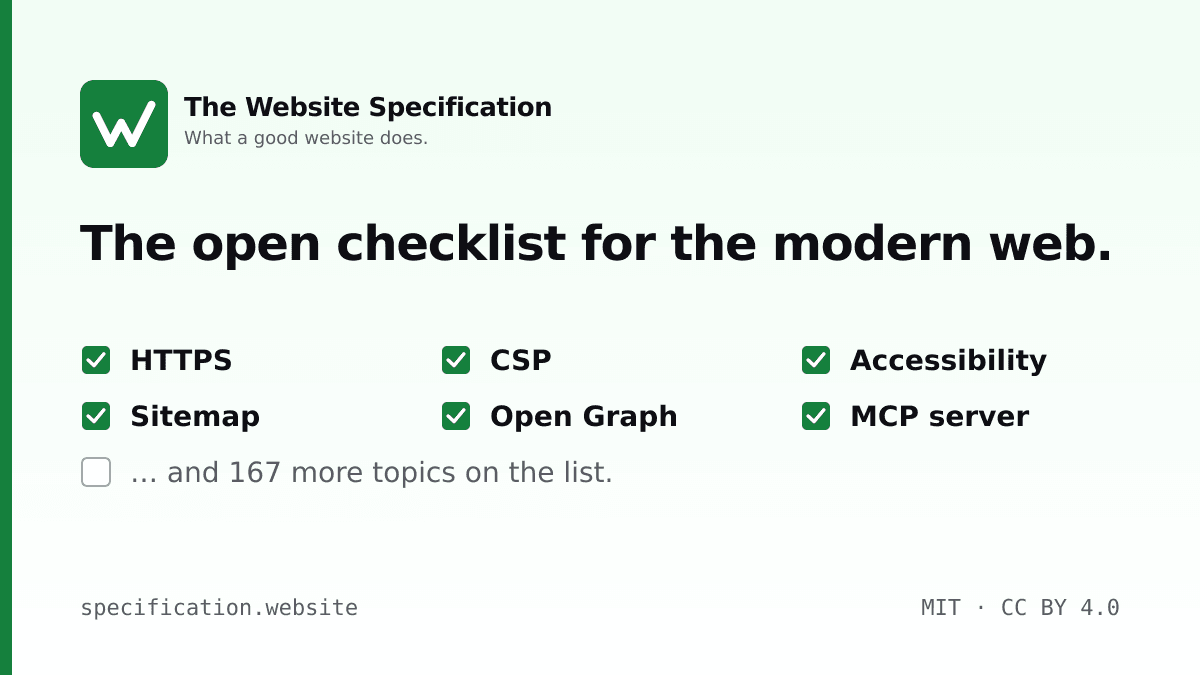

User reviews (0)