
 简体中文
简体中文 English
Website review
This review may include AI-generated content and is not individually verified. Domain, certificate and other facts come from the observed data on this page.
What is Squishy Billiards?
Squishy Billiards is a free browser-based daily pool puzzle game at Squishy Billiards. Each day brings a new rack with a twist: the balls are squishy blobs that merge when they touch, so the table changes as you play. The goal is to sink all the solid balls in as few shots as possible. You aim by dragging a ball and release to shoot, and checkpoints save your progress mid-level.
Who it suits and how it plays
It fits players who like short, repeatable puzzles rather than full billiards simulation: a few minutes a day, a score to compare against friends, and no install. The merging mechanic rewards planning—combining same-colored balls can group them for easier sinking—so it plays more like a compact puzzle than a physics pool game. It runs on desktop or mobile, and the site describes it as family-friendly.
Trade-offs worth knowing:
- Daily format: You get one fresh rack per day, which keeps it bite-sized but limits how much you can play at once.
- Score chasing: Because scoring is shot-based, replaying past levels in the archive is mainly about beating your own or others' scores, not unlocking new content.
- Ads: The site notes that ads support the game and asks visitors to consider whitelisting it.
Next step
If you want to try it, open today's rack and play one round to see whether the merging mechanic clicks for you. If you enjoy it, the level archive lets you work through past racks, and the site mentions a custom map editor in alpha plus a Discord community for feedback and community maps. For a different daily puzzle habit, Guess The Game offers a comparable once-a-day format.
How do I play a daily rack and what happens if I miss a day?
Open Squishy Billiards and choose Play Daily Rack to start that day's level. Drag the cue ball to aim, release to shoot, and sink all the solid balls in as few shots as you can. Balls are squishy and merge when they touch, so combining similar colors can make the table easier to clear. Hitting checkpoints saves your progress within a level.
If you miss a day, nothing is lost: every past rack stays playable in the level archive, where you can compare your score against that day's results. So a missed day costs you the shared daily challenge, not the puzzle itself.
A practical habit: play today's rack first while it's current, then use the archive for practice or to catch up on days you skipped.
How does the squishy ball merging mechanic change how I plan my shots?
Merging turns shot planning from "clear the table" into "shape the table." Because balls of similar colors combine on contact, every shot can either help you by consolidating balls into fewer, easier targets or hurt you by creating a large blob in an awkward spot. The page describes the goal as sinking all the solid balls in as few shots as possible, and combining similar-colored balls as a way to make sinking easier, so planning centers on which mergers set up your next shot.
What changes in practice
- Think in pairs, not singles. Before shooting, look for two same-colored balls you can nudge together so one later shot can clear both.
- Order matters more than power. A merge you trigger early can block a lane or push a blob toward a cushion you needed. Plan the sequence of merges, not just the final layout.
- Checkpoints reward safe progress. The page notes that hitting checkpoints saves your progress, so it can be worth banking a solid merge before attempting a riskier shot.
- Fewest shots is the score. Since the score is shot count, a merge that costs an extra shot now but removes two balls later can be a net win; a merge that creates one oversized target can be a net loss.
A concrete scenario
Imagine two same-colored balls near a pocket with a third across the table. Shooting the third into one of the pair merges them into a blob close to the pocket, leaving a short final shot. Shooting the pair first might merge them mid-table, forcing a longer angle later. The mechanic rewards reading the table two or three shots ahead.
Decision criterion
Ask of each shot: does this merge reduce the number of future shots, or just the number of balls? If it only shrinks the count while pushing blobs into crowded or rail-hugging positions, consider a different first move. For a daily puzzle with a fresh level each day, spending your first shot or two on setup merges rather than immediate sinks is often the better pattern.
If you want to test this against past layouts, the level archive on Squishy Billiards lets you replay earlier racks and compare your shot counts.
How are scores calculated and compared with friends on the leaderboard?
Scores are based on shot efficiency: you sink all the solid balls and aim to clear the table in as few shots as possible. The site presents the daily level as a puzzle where combining same-colored squishy balls makes them easier to sink, so a clever grouping can lower your shot count. Checkpoints let you save progress mid-rack, which helps when you're experimenting with a route.
Comparison with friends happens through sharing: after a daily rack, the game invites you to share your score and challenge others, and the site also points to a Discord community. The level archive keeps past racks playable "with that day's scores to measure yourself against," which is useful for benchmarking rather than live ranking. The page does not describe a friends-only filter, ranking tiers, or a detailed leaderboard formula, so treat any head-to-head comparison as informal score sharing.
Practical check
Before competing, decide what you're comparing: total shots on the same daily rack is the fairest measure, since combining balls and using checkpoints can change how many shots a route takes. For a quick test, play today's rack, note your shot count, then replay a past rack from the archive and compare your result with that day's listed scores. If you want structured competition, the Discord community is the place the site directs players for feedback and community maps.
Can I play Squishy Billiards on my phone without installing an app?
Yes. Squishy Billiards runs in a web browser and is described as playable on desktop or mobile with nothing to install, so you can open Squishy Billiards in your phone's browser and play there. The controls are built for touch: you drag the ball to aim and release to shoot, which suits a phone screen.
A few practical points for phone play:
- Aim precision: dragging to aim on a small screen can feel fiddly on tight shots. Playing in landscape or zooming the page slightly may help you line up angles.
- Ads: the page notes that ads support the game and asks players not to block them. Expect ad interruptions on mobile, and be aware that ad-heavy pages can be slower on older phones.
- Progress: the game mentions checkpoints that save your progress, which matters more on a phone where you may be interrupted mid-level.
If you want to try it, open the site on your phone, tap Play Daily Rack, and test one level before committing to a daily habit. If the touch aiming feels awkward, the same level stays available in the level archive, so you can retry it later on a laptop without losing the day's challenge.
How do I use the level editor to create and share a custom map?
The level editor is not yet a finished, self-serve tool: it is in alpha, and the page says to join the Discord for more information or to access community maps. So the practical route to creating and sharing a custom map today is to get into that community channel, use the editor there, and share the result with other players through the same Discord rather than expecting a public publish-and-link workflow. The page explicitly invites feedback on the editor, which suggests maps are still being tested and circulated informally.
What to expect when you try it
- Build first, share second. Treat your first maps as drafts for the Discord group. The editor is described as evolving, so a map that works one week may need adjusting later.
- Design around the core rules. Levels are about sinking all the solid balls in as few shots as possible, and balls of similar colours merge on contact. A good custom map sets up interesting merge decisions and checkpoint placement, not just a crowded table.
- Use checkpoints deliberately. The standard game lets you hit checkpoints to save progress. Placing them so a long or tricky sequence has a fair recovery point makes a map feel less punishing.
- Test on both desktop and mobile. The game runs in a browser on either, and drag-to-aim behaves differently with a mouse than with a finger. A layout that is comfortable on desktop can be cramped on a phone.
A concrete scenario
Suppose you want a short, shareable puzzle for friends. Sketch a table with two or three colour groups that must be merged before the final sink, put a checkpoint after the first group, then play it several times yourself and note your best shot count. Post it in the Discord with that count as a target and ask for feedback on whether the checkpoint is in the right place. That gives testers something specific to react to.
Decision criteria
- If you want a quick, finished feature: stick to the daily rack and the level archive, where past racks remain playable with that day's scores to compare against.
- If you enjoy tinkering and giving feedback: the alpha editor is worth your time, and the Discord is where both access and sharing happen.
- If you want to reach a broad audience: there is no described public map library yet, so sharing stays within the community for now.
For context on the developer's other work and site links, see johalloran.dev.
 Cloudflare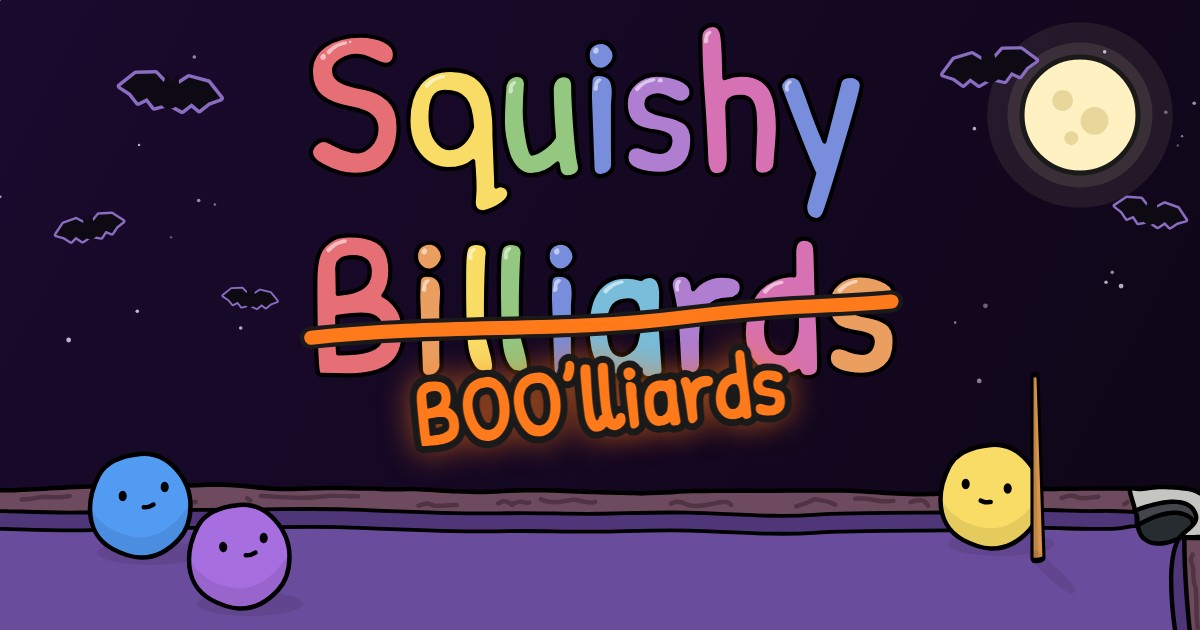

User reviews (0)