
 简体中文
简体中文 English
Website review
This review may include AI-generated content and is not individually verified. Domain, certificate and other facts come from the observed data on this page.
What is StartKit.AI?
StartKit.AI is a commercial boilerplate for building an AI-powered SaaS product: a ready-made application codebase with the administrative and AI pieces already wired together, so you can focus on your own product idea instead of rebuilding infrastructure.
According to the site, the package includes:
- User authentication and limits — secure sign-in (including magic links), license keys, token-based authentication, rate limits and usage monitoring.
- Payments — Stripe or Lemon Squeezy checkout, subscription plans you configure, webhooks that update subscriptions, and product provisioning after payment.
- AI modules and demos — a working demo app with five AI demos (chat, PDF and image handling), plus a knowledge base for letting users upload PDFs and other documents as embeddings for RAG.
- Provider flexibility — works with OpenAI, Anthropic, Groq or self-hosted Llama models, with retries and fallbacks between providers.
- Supporting pieces — a REST API, transactional email via Resend, newsletter signup, React + Tailwind front end, and documentation covering deployment (e.g., DigitalOcean) and tutorials such as building a ChatGPT clone or a Telegram chatbot.
The intended audience is developers and small founders who want to launch an AI wrapper or SaaS quickly; the site explicitly says no prior AI experience is required. The trade-off is typical of boilerplates: you gain speed and a proven structure, but you inherit someone else's stack and conventions, so you should be comfortable with React, Tailwind and the included payment and email providers before committing.
As a next step, run the demo app and check that its authentication, payment and AI modules match the features your product actually needs; if your idea depends on a workflow the boilerplate doesn't cover, estimate that custom work before buying.
How does StartKit.AI handle switching between AI providers like OpenAI, Anthropic, Groq, and Llama if one goes down?
StartKit.AI builds provider failover into its AI modules: if OpenAI is unavailable, the boilerplate switches between supported providers automatically and applies retries and fallbacks so requests still complete. The page presents this as a built-in reliability layer rather than something you wire up yourself, and it lists OpenAI, Anthropic, Groq and self-hosted Llama as the options you can run on.
What that means in practice
- You pick a provider, the kit handles the fallback. The switching logic lives in the existing modules, so you call the API and extend or replace modules as needed.
- Self-hosted Llama is a real option. Teams with data-residency or cost concerns can route to their own Llama deployment instead of a hosted API.
- It targets outages, not model quality. Failover keeps requests from failing; it does not claim to match one model's output with another's.
A concrete scenario
A small team ships a PDF-chat feature on OpenAI. During a provider incident, requests would otherwise error out for every user. With the fallback path, traffic moves to another configured provider and the chat keeps responding, though answers may read slightly differently until the primary is back.
Decision criteria
- If uptime during provider incidents matters more than identical output, built-in failover is worth the dependency on the boilerplate's abstraction.
- If you need fine-grained control over which model handles which request, check how configurable the routing is before committing.
- Compare against assembling your own router; the trade-off is time saved versus less bespoke control.
The next step is to run the demo app and trigger a provider failure to see how the fallback behaves. For broader context on AI app scaffolding, Vercel and Supabase cover adjacent hosting and auth needs.
Can I let my users upload PDFs or documents and chat with them using StartKit.AI's knowledge base?
Yes. StartKit.AI's knowledge base is built for exactly that use case: users upload PDFs, DOCX, XLS or other text files, and the contents are turned into embeddings so the app can chat with or analyse them (RAG). The page presents this as one of its ready-made AI modules, so you extend existing code rather than build document ingestion and retrieval from scratch.
What this means in practice
A realistic fit is a small team shipping an AI product where "chat with your documents" is one feature among several. The upload-to-embeddings flow, the chat interface and provider handling come pre-wired; your work goes into the domain layer—how documents are organised per user, how answers are presented, and what limits apply.
Decision criteria:
- If document chat is your core product, check that the module's chunking, retrieval and citation behaviour match your accuracy bar before committing. The page describes the capability, not retrieval tuning options.
- If it is one feature in a broader SaaS, the bundled auth, rate limits and payments reduce the surrounding work considerably.
- If your users upload scanned PDFs, plan for OCR separately—the page mentions text files, not image-based extraction.
Related options to weigh
- LangChain — open-source framework for building retrieval pipelines yourself; more control, more assembly required.
- Supabase — vector storage and auth if you prefer composing your own stack.
For a concrete test, run the demo app with one of your own multi-page PDFs and judge answer quality and speed on your real content before buying.
How do I set up payments and subscription plans with Stripe or Lemon Squeezy in StartKit.AI?
StartKit.AI is designed to make payment setup a configuration task rather than a build-from-scratch project. According to the site, the boilerplate ships with Stripe and Lemon Squeezy integration already in place: plans are pre-configured so you mainly set your prices, webhooks update users' subscriptions, and product access is provisioned when a payment succeeds. Billing is one of several modules (alongside authentication, rate limits, emails and AI features) that come wired into the demo app, so the practical path is to connect your own Stripe or Lemon Squeezy account, enter your plan prices, and let the existing webhook and provisioning logic handle subscription state.
The exact step-by-step sequence lives in the product's documentation rather than on the landing page, so treat the docs as your setup guide. A sensible order of work:
- Create your products and prices in Stripe or Lemon Squeezy first, matching the plans you want to sell.
- Add your API keys and webhook endpoints to the StartKit configuration.
- Set your prices in the plan configuration and test a purchase end-to-end in test mode.
- Confirm that a successful payment updates the user's subscription and unlocks the right features, and that a cancellation or failed payment revokes access.
- Check that usage limits and rate limits behave correctly for each plan tier.
Decide between the two providers mainly on where you sell and how you want to handle tax and billing: Stripe is the more common choice for developer-led SaaS with custom checkout flows, while Lemon Squeezy can suit teams that prefer a merchant-of-record model that handles sales tax for them. That is general guidance, not a statement about how StartKit configures either provider.
If you'd rather assemble these pieces yourself, compare established open-source starting points such as Supabase for authentication and database, or a dedicated billing layer, against what StartKit bundles. The trade-off is speed versus control: StartKit's value is skipping the plumbing, while a hand-built stack gives you full ownership of every integration.
What do I need to know before buying StartKit.AI's boilerplate code, and what does the license allow?
StartKit.AI is a paid starter codebase for building an AI SaaS or "wrapper" product: it bundles user authentication, usage limits and rate-limiting, payment and subscription handling, transactional email, a React + Tailwind front end, and ready-made AI modules (chat, PDF/document chat with RAG-style embeddings, image generation) wired to OpenAI, Anthropic, Groq, or self-hosted Llama. The practical question before buying is less "does it have features" and more "does its stack match how I want to build and charge."
What to check before buying
- Fit with your stack. The front end is React + Tailwind and the product is described as a complete app you extend. If you plan to build in a different framework or language, you'd be paying for code you'll largely rewrite.
- Provider flexibility. The page emphasizes switching between AI providers with retries and fallbacks, so requests survive one provider going down. Useful if you expect variable load or want to avoid lock-in to a single model vendor.
- Monetization path. Stripe or Lemon Squeezy, with plans you configure by setting a price, webhooks to update subscriptions, and provisioning on payment. Confirm this matches the billing model you intend (one-off, seat-based, usage-based).
- Auth and limits. License keys, magic-link sign-in, token-based auth, and API usage monitoring are included. If your product needs team accounts, SSO, or complex roles, check whether those are covered or would be custom work.
- Docs and learning curve. The site claims "no AI experience required" and points to tutorials (building a ChatGPT clone, a Telegram chatbot, deploying to DigitalOcean). Skim the docs before purchase to judge whether they match your skill level.
- What "boilerplate" means here. You are buying a starting point to extend, not a finished product. Budget time for customization, branding, and your own differentiating features.
The license question
The supplied page information does not state the license terms. Before paying, look for the license or terms page on StartKit.AI and confirm specifically:
- How many end products or projects one purchase covers (single app vs. unlimited).
- Whether you can resell, sublicense, or redistribute the code, or use it in client work.
- Whether updates are included and for how long.
- Refund policy.
If those terms aren't clearly published, ask the sellers (the site names James and Danielle as the people behind it) in writing before buying. License scope is the detail most likely to matter later if you commercialize the product.
A concrete scenario
Say you want to launch a document-chat tool for small law firms within a month. StartKit.AI's PDF/document embeddings module, auth, and Stripe subscription handling would remove most of the plumbing, letting you focus on onboarding and domain-specific prompts. The trade-off: you inherit its React/Tailwind structure and billing assumptions, so if you later need per-seat enterprise billing or a non-React front end, you'll be adapting rather than starting clean.
As a next step, run the demo app, read the documentation's deployment and billing sections, and confirm the license terms in writing—then decide whether the time saved on plumbing outweighs the constraints of its chosen stack.
How do I deploy a StartKit.AI app to DigitalOcean and build something like a ChatGPT clone or Telegram chatbot?
StartKit.AI ships a working app plus a documented path for both goals: its docs include tutorials for building a ChatGPT clone and a Telegram chatbot, and for deploying to DigitalOcean. The practical split is to get the boilerplate running locally first, then follow the deployment tutorial, then extend one of the included AI modules (chat, PDF, images) into your chosen product.
Deploying to DigitalOcean
The site points to a "Deploy to DigitalOcean" tutorial in its docs, so treat that as the authoritative step-by-step rather than improvising. A sensible order for a reader with the code in hand:
- Run the demo app locally and confirm authentication, the chat module and payments work in a test mode.
- Set your environment variables (AI provider keys, Stripe or Lemon Squeezy keys, email provider) for a production configuration rather than the demo defaults.
- Follow the DigitalOcean tutorial to provision the app, then point your custom domain at it — the boilerplate supports custom domains.
- Verify rate limits and usage monitoring behave as expected under real traffic before inviting users.
Because StartKit.AI handles provider fallbacks (OpenAI, Anthropic, Groq, self-hosted Llama) with retries, check after deployment that a failing provider key actually triggers a fallback instead of an error page.
ChatGPT clone vs. Telegram chatbot
| ChatGPT clone (web app) | Telegram chatbot | |
|---|---|---|
| Starting point | The included chat module and demo app | Telegram bot wiring plus the chat/AI modules |
| Users and billing | Built-in auth, license keys, usage limits, Stripe/Lemon Squeezy | Billing sits outside Telegram; you manage plans on your own side |
| Best fit | A consumer or team product sold by subscription | A lightweight assistant, support bot, or community tool |
| Main trade-off | More setup around auth and payments, but the boilerplate covers it | Faster to reach users, but less control over the interface and monetisation |
For a first launch, the ChatGPT clone is the lower-risk choice because authentication, rate limits and payments are already part of the app. A Telegram bot makes more sense if your audience already lives in Telegram and you can charge through a separate web flow.
Practical next step
Pick one AI module, strip the demo content, and ship a narrow version to a handful of testers before adding features. Jason Mueller, a TAAFT user quoted on the site, said the boilerplate saves him from "spinning up all the administrative bits" for each new tool — that is the realistic benefit: time saved on auth, billing and provider handling, not on product design. If you want to compare other starting points, Vercel is useful for hosting documentation and Stripe for billing setup details.
 Mailgun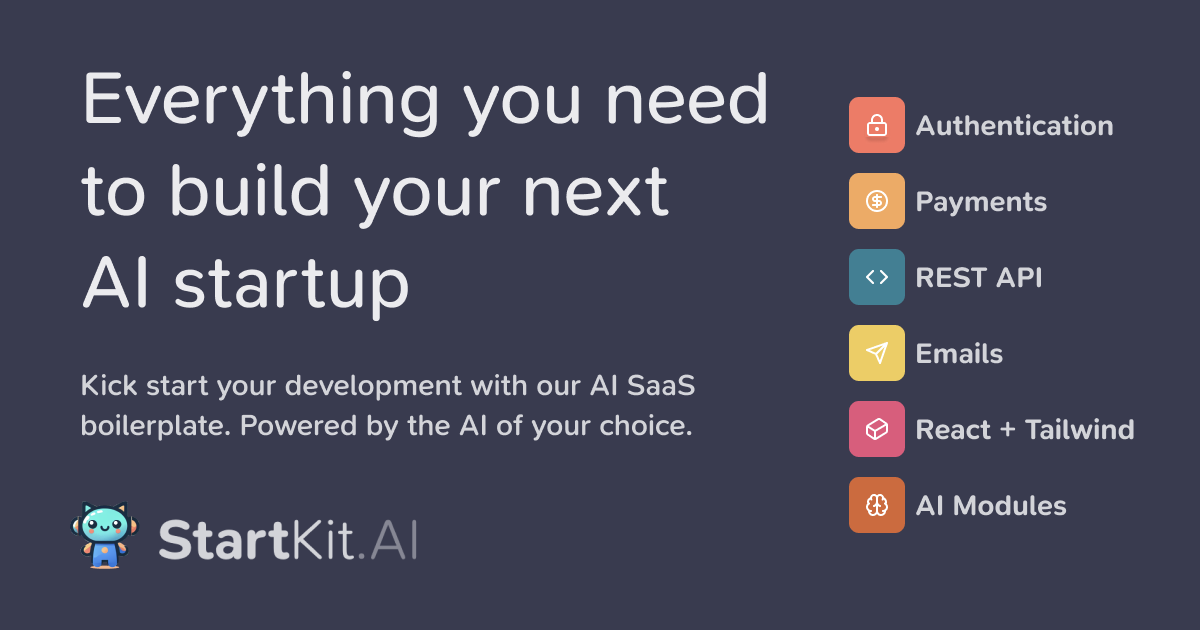

User reviews (0)