Website profiles · Technology insights · Alternatives

stopthebleed.org

Stop the bleed empowers bystanders to act in bleeding emergencies. Learn how to control bleeding and order Stop the Bleed kits.

No paid content found
Visit website
Profile views 7 Outbound visits 2 Normal
Home | ACS Stop the Bleed Full homepage screenshot

At a glance

Category
Education & Learning
Language
English
Paid-content signal
No paid content foundObserved
Registered
2015
Hosting
azurefd.netInferred
HTTPS certificate trusted
PassedObserved
Last updated

Website review

This review may include AI-generated content and is not individually verified. Domain, certificate and other facts come from the observed data on this page.

What is ACS Stop the Bleed?

ACS Stop the Bleed is a bleeding-control training and preparedness program run by the American College of Surgeons. Its aim is to turn ordinary bystanders into people who can act in the first critical minutes after a severe injury, using three basic techniques to control life-threatening bleeding. The site also functions as a hub for finding courses, ordering kits and stations, and reading bleeding-control news and advocacy updates.

What you can do on the site

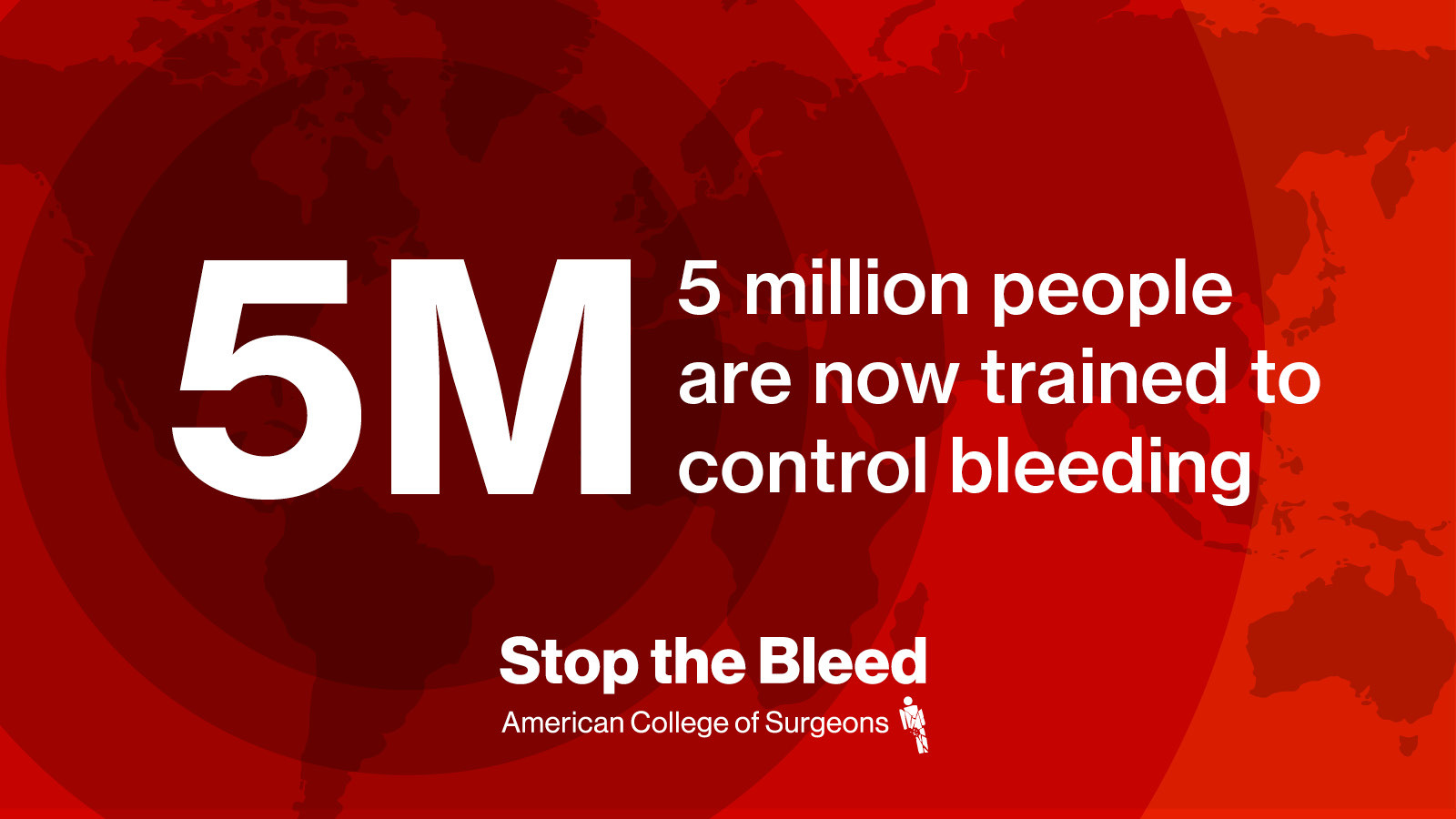
  • Get trained: Find an ACS Stop the Bleed course near you. The program says more than 5 million people have been trained and that courses are taught in 168 countries.
  • Order kits and stations: Buy individual bleeding-control kits or ACS Emergency Aid Stations, which group multiple lifesaving tools in one visible hub.
  • Learn the basics: A short section demonstrates three techniques for controlling bleeding, presented by Megan Quintana, MD, FACS.
  • Follow news and advocacy: Read survivor and instructor stories, plus updates on bleeding-control legislation. The site notes that 17 states have passed bleeding control legislation.

Why it exists

The program's core message is that bleeding is the number one cause of preventable death after injury, and that severe blood loss causes most deaths within 24 hours of trauma in operating rooms. Training bystanders to act before responders arrive is the practical response to that gap.

Who it's for

Audience Typical use
Everyday members of the public Take a course, keep a kit at home or in a car
Schools, workplaces, public venues Train staff and place kits or aid stations on site
Instructors Use the Instructor Portal to run and manage courses
First responders and medical staff Refresh skills and support community training

Practical next step

If you want to be useful in an emergency rather than just informed, start with a course rather than a kit. Search for a local course, then decide whether a personal kit or a wall-mounted station fits your home, workplace or vehicle. If you organize a site, train several people and place the kit where anyone can reach it without a key or a code.

For official course listings and kit ordering, see ACS Stop the Bleed.

How do I find and register for a Stop the Bleed training course near me?

Use the Get Trained section or the Find a Course tool on ACS Stop the Bleed. That page is the official American College of Surgeons program site, and its course finder is the intended starting point for locating a nearby session and registering.

How the process usually works

  1. Open the official site and choose Find a Course (or Get Trained).
  2. Enter your location — city, postcode or region — and review the listed sessions.
  3. Pick a date and format that suits you, then follow the registration link for that course.
  4. If nothing appears locally, check back later: courses are added by independent instructors and organisations, so listings change.

What to expect from the course

Stop the Bleed training is short and hands-on, built around three basic actions for controlling severe bleeding. Typical sessions cover:

  • Direct pressure on the wound
  • Packing a wound
  • Applying a tourniquet

Courses are often free or low-cost and are frequently hosted by hospitals, fire and emergency services, schools, workplaces and community groups. The site also notes that more than 5 million people have been trained, and that the programme is the original U.S. Department of Defense partner — useful context if you need to reassure an employer or school about credibility.

If you cannot find a nearby course

  • Contact your local hospital, fire department or ambulance service and ask whether they host or know of sessions.
  • Ask your employer's safety or HR team; many workplaces arrange private group training.
  • Consider becoming an instructor if you want to train others — the site has an Instructor Portal.
  • Meanwhile, the site's How to Control Bleeding section demonstrates the techniques, which is a reasonable stopgap but not a substitute for hands-on practice.

A practical decision criterion

Choose a session with an in-person, hands-on component over a video-only option. The skills involve physical pressure and tourniquet application, so practising on a training limb with an instructor correcting your technique is what makes the training usable in a real emergency.

What should I do to control severe bleeding in an emergency before help arrives?

Use direct pressure first. If blood is spurting, soaking through, or coming from an arm or leg and pressure is not enough, apply a tourniquet. Pack a deep wound tightly with gauze or cloth and keep pressing. Call emergency services as soon as you can, and keep the person warm while you wait.

The ACS Stop the Bleed program teaches three basic actions for bystanders: ACS Stop the Bleed. Its course and kits are built around the same idea: act immediately, because bleeding is the leading cause of preventable death after injury.

The basic sequence

  1. Make sure the scene is safe for you and the injured person. You cannot help if you become a second casualty.
  2. Call for emergency help or tell someone specific to call. Say clearly that there is severe bleeding.
  3. Find the source. Look for pooling blood, spurting, or a wound that keeps soaking through clothing.
  4. Apply firm direct pressure with both hands using gauze, a clean cloth, or clothing. Press hard and do not let up to check.
  5. If bleeding continues from an arm or leg, apply a tourniquet above the wound, tighten until bleeding stops, and note the time.
  6. If bleeding is from the neck, armpit, groin, or another junction, pack the wound firmly with gauze or cloth and maintain pressure.
  7. Keep pressure on until responders take over. Do not remove a tourniquet or soaked dressings yourself.

Quick comparison

Situation First move If it does not work
Arm or leg wound, steady bleeding Direct pressure Tourniquet above the wound
Arm or leg wound, spurting or soaking through Tourniquet immediately Tighten until bleeding stops
Neck, armpit, groin, or torso wound Pack the wound and press hard Keep packing and pressing
You are unsure Direct pressure Add a tourniquet if the limb wound keeps bleeding

Practical points

  • Press harder than feels natural. Light pressure often fails.
  • Do not loosen a tourniquet once it is tight. Responders will manage it.
  • Write down the time you applied it if you can.
  • Keep the person warm and talk to them. Prevent shock while help is coming.
  • Use what you have. A shirt, towel, or scarf can work if no kit is available.

A Stop the Bleed kit or wall station puts gauze, a tourniquet, and gloves in one place, which saves time in an emergency. If you have not trained, a hands-on course is the fastest way to build confidence. The site's "Get Trained" section can help you find a course near you: ACS Stop the Bleed.

How can I order a Stop the Bleed kit or emergency aid station for my workplace or school?

Order through the official ACS Stop the Bleed site: use its "Shop" or "Order Kits & Stations" section, where kits and ACS Emergency Aid Stations are grouped. The site also points instructors and organizations to an Instructor Portal, which is the practical route for schools and workplaces that want training plus equipment rather than a one-off purchase.

How to decide what to order

Need Better fit
A single classroom, office floor or vehicle A standard Stop the Bleed kit
A large building, gym, cafeteria or campus hub An ACS Emergency Aid Station, which bundles multiple lifesaving tools in one high-visibility location
Staff who need to use the equipment confidently Combine the order with an ACS course; the site's "Get Trained" path and Instructor Portal support this
A school or employer planning coverage across sites Start with the course and instructor route, then size the number of kits or stations to the layout

Practical next step

Before ordering, walk the building and note where a bleeding emergency is most likely and how long it would take someone to reach the equipment. Put a kit or station where a bystander can grab it within seconds, not in a locked office. Then order the matching number of units, and book training so the people nearest those locations know the three basic actions.

For a workplace, a useful first move is to ask one safety or facilities lead to take an ACS course and become the internal point of contact for ordering and restocking. For a school, the same role usually sits with a nurse, athletic trainer or safety coordinator. The site's news stories show why this matters: instructor Josh Bain used an ACS Stop the Bleed kit to help a motorcycle accident victim, and first responders used bleeding control skills on one of their own after a training accident.

Start at ACS Stop the Bleed, open the Shop or Order Kits & Stations page, and check the Instructor Portal if you also need a course.

What does it take to become a Stop the Bleed instructor and teach courses in my community?

Becoming an instructor means getting trained in bleeding control first, then qualifying to teach those same three core actions to others. The ACS Stop the Bleed program is built around bystander empowerment: the idea that anyone can act in the first critical minutes after an injury. Its site frames the mission simply—go from bystander to lifesaver—and notes that bleeding is the leading cause of preventable death after injury.

For an individual instructor path, the practical steps usually look like this:

  • Complete a recognized bleeding control course yourself.
  • Apply through the program's instructor pathway and complete any required instructor orientation.
  • Teach under the program's approved curriculum and materials.
  • Keep your knowledge current and follow the program's standards for courses you deliver.

The site includes an Instructor Portal, which is the natural starting point for anyone who wants to teach rather than just attend. It also points to finding a course and ordering kits, so prospective instructors can see both the training side and the equipment side of the program.

A few decision criteria matter if you are weighing whether to do this:

  • Time and cost: Instructor training and any required materials are an investment; the payoff is being able to run courses locally without waiting for an outside trainer.
  • Audience: Instructors typically teach schools, workplaces, faith groups, sports clubs and community organizations. The skills are designed for laypeople, not just medical professionals.
  • Support: Teaching through an established program gives you a curriculum, branding and kit supply rather than building a course from scratch.

If your goal is to bring training to your own community, start by visiting ACS Stop the Bleed and using the Instructor Portal to review the current requirements, then find a nearby course so you can see the teaching format firsthand before you commit.

Which states have passed bleeding control legislation and what does it require?

The ACS Stop the Bleed site states that 17 states have passed bleeding control legislation, but it does not list them or spell out the requirements on the page you supplied. So the honest answer is: the program tracks this, but the specific state list and legal text live elsewhere.

What the site does say

  • The headline figure is "17 states have passed bleeding control legislation."
  • It frames the need with: bleeding is the #1 cause of preventable death after injury, and 80% of operating-room deaths within 24 hours of trauma are due to severe blood loss.
  • Its practical focus is the response side: a training course and kits, plus news stories of instructors and first responders using bleeding control skills.

What such laws typically require (general advice, not this site's stated text)

Bleeding control laws vary by state, but common provisions include:

  • Requiring public schools, and sometimes government buildings or stadiums, to stock bleeding control kits or tourniquets alongside AEDs.
  • Requiring staff training, often tied to existing CPR/AED training.
  • Funding or authorizing grants for equipment.
  • Limiting liability for good-faith bystanders or trained employees who use the equipment.

Next step

Use the site's "News & Advocacy" section for updates, then confirm the exact requirement with the state legislature's own bill text or your state health department, since the legal details — which buildings, how much training, what funding — are what actually determine compliance.

For the training side, the same site directs readers to ACS Stop the Bleed for courses and kits.
Related questions

More questions →
How to Use Ahrefs for Your First SEO Audit: A Step-by-Step Tutorial

If you're new to Ahrefs and want to run your first SEO audit, the fastest path is: open Site Explorer, enter your target URL, review the Overview for a health snapshot, then dig into Organic Keywords, Top Pages, and Site Audit to find specific problems. From there, build a short prioritized to-do list instead of trying to fix everything at once.

This tutorial walks through that workflow using a realistic starting scenario, explains what the numbers mean, and shows how to turn findings into actions.

Before You Start: Pick a Narrow Scope

A common beginner mistake is auditing an entire large website on day one. The reports become overwhelming, and you can't tell which issues matter.

Instead, choose one of these starting points:

  • A single important page (your homepage or a key product/service page)
  • A small site (under ~50 pages, e.g., a personal blog or small business site)
  • One section of a bigger site (e.g., /blog/)

For this tutorial, assume you're auditing a small business site with about 30 pages. The same steps scale up later.

You'll need an Ahrefs account to follow along. Ahrefs offers paid plans, and pricing and feature limits change over time, so check the current Pricing page for what's included in each tier before committing.

Step 1: Enter Your Target in Site Explorer

Site Explorer is Ahrefs' core tool for analyzing any website or URL.

  1. Open Site Explorer from the top navigation.
  2. In the search box, paste your domain (e.g., example.com).
  3. Choose the Exact URL or Domain mode depending on scope. For a full-site view, use Domain or Prefix; for a single page, use Exact URL.
  4. Press Enter.

You'll land on the Overview report. Don't try to absorb everything — focus on four numbers first.

Reading the Overview Snapshot

Metric What it tells you How to use it
Ahrefs Rank (AR) Relative strength of the site's backlink profile vs. others in the database Useful for comparing against competitors, not as a standalone goal
Organic traffic Estimated monthly visits from search A rough trend indicator, not exact analytics
Organic keywords Estimated number of keywords the site ranks for Shows breadth of visibility
Backlinks / Referring domains Total links and unique sites linking to you Referring domains matter more than raw backlink count

Important caveat: Ahrefs' traffic and keyword numbers are estimates based on its own data. They won't match Google Search Console or your analytics exactly. Treat them as directional, not absolute.

Step 2: See What You Already Rank For

Go to Organic Keywords in the left sidebar. This shows queries where your site appears in search results.

Sort by Traffic (descending) to see which pages bring the most estimated visitors. Then look for:

  • Keywords ranking in positions 4–15 — these are often the easiest wins. A small content or on-page improvement can push them onto page one.
  • Keywords with high volume but low position — potential opportunities if the topic is relevant.
  • Irrelevant keywords — if you rank for something off-topic, it may signal thin or mismatched content.

Write down 5–10 of the position 4–15 keywords. These become your first optimization targets.

Step 3: Find Your Best and Weakest Pages

Open Top Pages. This ranks your URLs by estimated organic traffic.

Look for two things:

  1. Your top performers — understand what topics and formats work. Can you create more content like this?
  2. Pages with traffic but poor rankings — these may need on-page fixes (title, headings, internal links).

If a page gets zero traffic and targets a topic you care about, it's a candidate for a rewrite or consolidation.

Step 4: Run a Technical Site Audit

Now move to Site Audit. This crawls your site and flags technical and on-page issues.

  1. Click Site Audit → New project.
  2. Enter your domain and set crawl settings (default is usually fine for a small site).
  3. Start the crawl and wait for it to finish.

Once complete, you'll see a Health Score and a list of issues grouped by category.

Which Issues to Fix First

Not all issues are equal. Prioritize in this order:

Priority Issue type Why it matters
1 Broken links (404s) Bad for users and crawl efficiency
2 Pages blocked from indexing They can't rank at all
3 Missing or duplicate title tags Directly affects click-through and relevance
4 Slow-loading pages Affects experience and rankings
5 Thin content Low value to users and search engines

Ignore low-impact warnings (like minor meta description length) until the big items are handled.

Step 5: Turn Findings Into a To-Do List

You now have raw data. Convert it into a short, actionable list. Example:

  1. Fix 3 broken links found in Site Audit.
  2. Rewrite title tags on 5 pages with duplicate titles.
  3. Improve 4 pages ranking in positions 6–12 by adding missing subtopics and internal links.
  4. Remove or update 2 thin pages with no traffic.

Keep the list to 5–10 items max for your first audit. Finishing a short list beats starting a long one.

Common Beginner Mistakes

  • Chasing every red flag. Site Audit flags many minor issues. Fix what affects rankings and users first.
  • Trusting estimates as exact numbers. Ahrefs data is modeled, not measured from your analytics.
  • Auditing a huge site too early. Start small to learn the interface.
  • Ignoring search intent. A page can be technically perfect but still fail if it doesn't match what searchers want.
  • Forgetting to re-crawl. After fixes, run Site Audit again to confirm improvements.

Where to Go Next

Once your first audit is done:

  • Compare with competitors using Site Explorer's Competing Domains and Content Gap reports.
  • Track keyword rankings over time with Rank Tracker.
  • Explore backlink opportunities in the Backlinks and Link Intersect reports.
  • Set up recurring Site Audit crawls so new issues surface automatically.

Your first audit isn't about perfection — it's about building a repeatable habit: enter a target, read the key reports, pick the highest-impact fixes, and act. Do that once a month and your site's health compounds.

Why Bleeding Control Training Matters, According to ACS Stop the Bleed

ACS Stop the Bleed frames bleeding control training as a public necessity because bleeding is the number one cause of preventable death after injury. The program, run by the American College of Surgeons, cites that 80% of operating room deaths within 24 hours of trauma are due to severe blood loss, and it reports that 17 states have passed bleeding control legislation and that 168 countries are teaching its curriculum. Training matters in this framing because a bystander who knows three basic actions can act before professional help arrives.

The core claim: bleeding is the leading preventable cause of death after injury

The site states plainly that "Bleeding Is the #1 Cause of Preventable Death after Injury." The word "preventable" is the operative one — it means the death was not inevitable given the injury, but resulted from blood loss that could have been controlled.

The supporting statistic on the homepage is specific: 80% of OR deaths within 24 hours of trauma are due to severe blood loss. This points to the early window after injury, when a bystander is most likely to be the only person present who can intervene.

Why bystanders, not just professionals, are the target audience

The program's stated goal is to move people "from bystander to lifesaver." The logic follows from the statistics: if severe blood loss kills within the first 24 hours, and especially in the first minutes, then waiting for emergency services may be too slow. The site says ACS Stop the Bleed "empowers anyone to save a life by learning 3 basic actions to control severe bleeding in an injured person."

The scale claimed is significant — the site says more than 5 million people have been trained, and describes itself as "the largest global provider of bleeding control training." It also identifies itself as "the original U.S. Department of Defense STOP THE BLEED® partner."

What the program points to as evidence of impact

Beyond statistics, the site uses three types of evidence:

Evidence type Example from the site
Legislative progress 17 states have passed bleeding control legislation
Global reach 168 countries are teaching ACS Stop the Bleed
Individual outcomes Survivor stories and instructor saves published under News & Advocacy

The News & Advocacy section carries accounts such as a Georgia instructor who used an ACS Stop the Bleed kit to save a stranger after a motorcycle accident, and first responders who used bleeding control skills on one of their own after a training accident. These stories serve as the program's argument that the training transfers to real, unplanned emergencies.

How to judge whether this matters for you

The case ACS Stop the Bleed makes rests on three checkable claims: bleeding is the top preventable cause of death after injury, severe blood loss drives most early trauma deaths, and trained bystanders can act using a small set of techniques. If those hold, the practical implication is that training has value anywhere severe injury can occur — which the site treats as everyday emergencies plus man-made and natural disasters.

For the specific steps of the training itself, the course content, and how to find or order materials, see the related questions on finding a course near you, ordering kits and stations, and how the program teaches bystanders to control severe bleeding.

How to Order Stop the Bleed Kits and Emergency Aid Stations

You can order Stop the Bleed kits and ACS Emergency Aid Stations directly through stopthebleed.org — the site has both an Order Kits & Stations section and a Shop entry in its main navigation. The kits are designed so that anyone, trained or not, can control life-threatening bleeding; the Emergency Aid Stations bundle multiple lifesaving tools into one high-visibility hub. Before you buy, decide whether you need individual kits (for a bag, vehicle, or classroom) or a station (for a wall in a hallway, lobby, or jobsite), and how many people each unit needs to cover.

What the two product types are for

The site describes two distinct offerings, and picking the right one is the main decision:

Product What it is Typical fit
Stop the Bleed kit A kit that "empowers everyone to control life-threatening bleeding" Personal carry, vehicles, classrooms, individual rooms, small teams
ACS Emergency Aid Station A hub that "bring[s] multiple lifesaving tools together in one high-visibility hub" Fixed locations where many people pass or gather — schools, workplaces, public buildings

The kit is the portable, single-purpose option. The station is the fixed, shared option. If your goal is "one kit per person" or "one kit per room," go with kits. If your goal is "anyone in this building can find and use this in an emergency," the station's high-visibility design is the point.

Steps to order

  1. Go to stopthebleed.org and use the Shop or Order Kits & Stations entry in the top navigation.
  2. Choose the product type — kit or Emergency Aid Station — based on the table above.
  3. Confirm what's in the kit or station before checkout, so it matches the bleeding-control techniques you expect to use (the site's "How to Control Bleeding" section covers the three core techniques).
  4. Decide quantity by counting the locations or people you're equipping, not just the number of buildings.
  5. Complete the order through the shop.

The site does not publish pricing on the pages reviewed here, so treat cost as something you confirm in the shop itself rather than assuming a figure.

Should you get trained first?

The site's own framing suggests yes, and it's cheap to do: "Get trained to Stop the Bleed with an ACS course," and you can Find a Course from the homepage. The program says more than 5 million people have been trained, and it positions itself as the original U.S. Department of Defense STOP THE BLEED® partner.

Training matters for a practical reason: a kit you don't know how to open and apply under pressure is just equipment. The site demonstrates the techniques — including work by Megan Quintana, MD, FACS — so you can see what the kit contents are meant to do before you buy.

Why this is worth doing at all

The site's stated rationale is blunt: bleeding is the #1 cause of preventable death after injury, and 80% of operating-room deaths within 24 hours of trauma are due to severe blood loss. It also notes 17 states have passed bleeding control legislation and 168 countries are teaching the program. Those numbers are the argument for putting kits and stations where injuries actually happen — not in a supply closet.

There are also real-world cases on the site: a Georgia instructor used an ACS Stop the Bleed kit to save a stranger after a motorcycle accident; first responders used bleeding control skills on one of their own after a training-exercise neck injury; and crash survivor Vansh Patel became an advocate, saying "tourniquets save lives." These illustrate the intended use case — the kit is for the minutes before professional help arrives.

Common snags

  • Buying kits but never training. The site pairs "Get Trained" with "Order Kits & Stations" for a reason; do both.
  • One kit for a whole building. A single kit in a large facility may be too far away to reach in time. Match quantity to locations and traffic.
  • Skipping the station when visibility is the problem. In a public or shared space, the high-visibility hub is the feature that makes the equipment findable under stress.
  • Assuming a price or free shipping. Not stated on the pages reviewed — check the shop.
How ACS Stop the Bleed Teaches Bystanders to Control Severe Bleeding

ACS Stop the Bleed (stopthebleed.org) is the American College of Surgeons program that trains ordinary bystanders—not just medical professionals—to control life-threatening bleeding using three basic actions. If you want to know what to do in a bleeding emergency and where to learn it, the site's core answer is: find an instructor-led course through Get Trained, and use the three techniques demonstrated there. The program reports more than 5 million people trained and courses taught in 168 countries, and it identifies itself as the original U.S. Department of Defense STOP THE BLEED® partner.

The three bleeding control actions the site teaches

The site frames the stakes directly: bleeding is the number one cause of preventable death after injury, and 80% of operating room deaths within 24 hours of trauma are due to severe blood loss. Its "How to Control Bleeding" section states that anyone can save a life using three techniques, demonstrated by Megan Quintana, MD, FACS.

The page names the three actions as a set but does not spell out each step in the text captured here. What it does make clear is the intended audience and delivery: the techniques are taught for use by bystanders in an emergency, and the demonstration is the reference point for the mechanics. To get the actual step-by-step hand positions, pressure points, and tourniquet application, you need the course or the demonstration itself rather than the summary page.

Why the bystander framing matters

The program's stated goal is to move you "from bystander to lifesaver." That framing sets expectations for the course: it assumes no medical background, and it is built around the first minutes after an injury, before responders arrive. The site's news stories reinforce this—an instructor who had taught courses for a decade used a Stop the Bleed kit to help a stranger after a motorcycle accident in Georgia, and first responders used bleeding control skills on one of their own after a training accident left him bleeding from the neck.

How to find and take a course

The primary path on the site is Get Trained, which leads to Find a Course. The flow is:

  1. Go to stopthebleed.org and select Get Trained.
  2. Use Find a Course to locate an instructor-led ACS course near you.
  3. Complete the course to learn the three bleeding control actions hands-on.

The site describes its offering as "the premier bleeding control course" and positions itself as the largest global provider of bleeding control training. Courses are taught by instructors, and there is a separate Instructor Portal for people who teach them.

What to expect and what to verify

  • Format: The site's language points to instructor-led courses found through Find a Course, not a self-paced online module. Confirm the format when you search.
  • Audience: Designed for anyone, including people with no medical training.
  • Verification: Because the page does not list course length, cost, or certification details, check those on the individual course listing before you commit.

Kits and stations you can order

Beyond training, the site sells the tools that support the techniques. Order Kits & Stations covers two products:

Product What the site says it does
ACS Stop the Bleed kit Empowers anyone to control life-threatening bleeding
ACS Emergency Aid Stations Bring multiple lifesaving tools together in one high-visibility hub

The site's description says you can "order Stop the Bleed kits," and the navigation includes both Shop and Buy a Kit. Pricing, shipping, and payment details are not stated in the material available here, so treat cost and availability as something to confirm at checkout rather than assuming.

Where the program's claims come from

The site supports its message with program-level numbers: 17 states have passed bleeding control legislation, 168 countries teach ACS Stop the Bleed, and more than 5 million people have been trained. These are the program's own figures and are useful for judging scale and adoption, not as clinical guidance.

For the actual emergency procedure, the site directs you to its demonstration and its courses. If your goal is to be ready to act, the practical next step is to find a course through Get Trained and learn the three actions directly from an instructor.

How do I find a Stop the Bleed course or instructor near me?

Go to stopthebleed.org and use the Find a Course link to search for a nearby ACS Stop the Bleed course; instructors and course organizers use the separate Instructor Portal for teaching resources. The site states that ACS Stop the Bleed is taught in 168 countries, so the course search is the right starting point whether you are looking for an in-person class or a course run by a local instructor.

Start with the Find a Course entry point

The ACS Stop the Bleed homepage lists Get Trained as a primary section, with a Find a Course link. That is the intended path for a bystander who wants training rather than teaching materials.

What to do:

  1. Open stopthebleed.org.
  2. Select Get Trained or Find a Course.
  3. Search by your location to see available courses.
  4. Check the course details before registering — the site notes that courses are delivered by many different providers, so format, language, and schedule can vary by listing.

Expected result: you get a list of courses you can register for, or contact information for the organizer running them.

If you cannot find a local course

Course availability depends on whether an instructor or organization near you is running classes. If the search returns nothing close by:

  • Widen your search area and check again later — new courses are added as instructors schedule them.
  • Look at the News & Advocacy section, which describes how ACS Stop the Bleed has been delivered across the country after everyday emergencies and disasters; it can point you toward organizations active in bleeding control training.
  • Consider whether a nearby hospital, fire department, school, or workplace safety program is hosting a course, since these are common hosts for bystander training.

For instructors: use the Instructor Portal

If you are already an instructor or want to teach, the Instructor Portal is the separate entry point on the site. It is where instructors access teaching resources. This is distinct from the learner-facing course search, so do not use the Find a Course path if your goal is to teach.

What the course teaches

The ACS Stop the Bleed course covers three basic actions to control severe bleeding in an injured person. The site frames the program as turning a bystander into a lifesaver, and states that more than 5 million people have been trained. The core message behind the training: bleeding is the number one cause of preventable death after injury.

Quick reference

Goal Where to go
Find a course near you Find a Course / Get Trained on stopthebleed.org
Teach or access instructor materials Instructor Portal
Order kits and stations Order Kits & Stations / Shop
Learn the basic bleeding control steps first How to Control Bleeding section

Common snags

  • No results nearby: course listings depend on local instructors; try a wider radius or check back.
  • Confusing the two portals: learners use Find a Course; instructors use the Instructor Portal.
  • Assuming one standard format: courses are run by many providers, so confirm the language, duration, and location in the specific listing.
  • Browser issues: the site notes it is not compatible with Internet Explorer 11, so use an updated browser if pages do not load correctly.

Website Overview

An established domain and managed infrastructure suggest continuity of operations and may support dependable delivery, although neither guarantees service quality. Page metadata, canonical configuration and social previews work together to provide more consistent search and sharing presentation.

Domain and Registration

Registered in 2015, this domain has about 10 years of history. That suggests continuity, although ownership and purpose may have changed. The domain uses the common .org extension, which is not an independent safety signal.

DNS and Email

The lowest TTL is 10 seconds, supporting rapid record changes at the cost of more frequent lookups. Nameservers are provided by dnsmadeeasy.com, indicating managed DNS hosting. The infrastructure is associated with the azurefd.net cloud platform. No MX record was found. A conventional explicit inbound-mail route is not configured. DNSSEC signatures were not detected, so this additional DNS authenticity protection is not confirmed.

TLS and Certificates

The certificate issuer is DigiCert Inc, a commercial certificate authority. The certificate uses an RSA 2048-bit public key, offering broad client compatibility. The server supplied a complete certificate chain. No organization name is present in the certificate; the available fields are consistent with domain validation. The certificate is valid for about 183 days in total, with 84 days remaining.

HTTP and Browser Security

The response lacks these common security headers: Permissions-Policy. No X-Powered-By header was found, reducing one common source of backend fingerprinting information. The x-cache response header indicates a CDN or caching proxy in the delivery path. No obvious internal addresses or debug information were found in the headers. No CORS permission header was found, so browsers normally restrict cross-origin script access.

Technology Stack Analysis

The public page identifies Google Tag Manager without precise versions, leaving fewer clues for version-specific scanning.

Search and Social Sharing

Twitter Card metadata is configured. The title has 25 characters, within a common display range. A meta description is present, with 127 characters. The observed directives allow indexing and link following. No Generator meta tag is publicly exposed.

Hosting and Email

DNSdnsmadeeasy.com
Hostingazurefd.net
EmailUnknown
Approximate IP geolocation (inferred; a CDN or proxy may differ from the origin server) United States flagUnited States Inferred 150.171.110.193

Registration details

RDAP / WHOIS

RegistrarNetwork Solutions, LLC
Registered2015-11-09
Expires2027-11-09
Domain statusactive
Nameserversns10.dnsmadeeasy.com、ns11.dnsmadeeasy.com、ns12.dnsmadeeasy.com、ns13.dnsmadeeasy.com、ns14.dnsmadeeasy.com、ns15.dnsmadeeasy.com
DNSSECunsigned

DNS records

DNS

TypeNameValueTTLPriority
Amr-a02.tm-azurefd.net150.171.110.19310—
AAAAmr-a02.tm-azurefd.net2603:1061:14:1c0::110—
NSstopthebleed.orgns10.dnsmadeeasy.com86400—
NSstopthebleed.orgns11.dnsmadeeasy.com86400—
NSstopthebleed.orgns12.dnsmadeeasy.com86400—
NSstopthebleed.orgns13.dnsmadeeasy.com86400—
NSstopthebleed.orgns14.dnsmadeeasy.com86400—
NSstopthebleed.orgns15.dnsmadeeasy.com86400—
TXTstopthebleed.org_nlp12ldaqymmzvjlffdtstah6pfj9i4300—
TXTstopthebleed.orgotb5cnr6f7c5ssue81o9sisndh300—
CNAMEwww.stopthebleed.orgacsu-prod-frontdoor-bpbfaze8f6hpeqgy.a02.azurefd.net60—

TLS and certificates

TLS / SSL

AssessmentNormal configuration
Supported protocolsTLSv1.2、TLSv1.3
Negotiated protocolTLSv1.3
Certificate subjectwww.stopthebleed.org
IssuerDigiCert Inc
Valid until2026-12-27T23:59 · Remaining when checked: 84 days
Verification detailsCertificate trust: Passed · Hostname match: Passed

HTTP response headers

HTTP

HeaderValue
content-typetext/html; charset=utf-8
cache-controlpublic,max-age=1800
strict-transport-securitymax-age=10886400; includeSubDomains
content-security-policyupgrade-insecure-requests; media-src https: data: blob:; img-src https: data: blob:; object-src https:; worker-src blob:; default-src https: blob: 'unsafe-inline' 'unsafe-eval'
x-frame-optionsSAMEORIGIN
x-content-type-optionsnosniff
referrer-policyno-referrer-when-downgrade

Identified technologies

Google Tag Manager

Pages, Search and Sharing

Meta descriptionStop the bleed empowers bystanders to act in bleeding emergencies. Learn how to control bleeding and order Stop the Bleed kits.
Canonical URLhttps://www.stopthebleed.org/
LanguageEnglish (default)
Twitter Cardsummary_large_image

No robots.txt found

User reviews (0)

  • No reviews yet.