Website profiles · Technology insights · Alternatives

tokenhawk.io

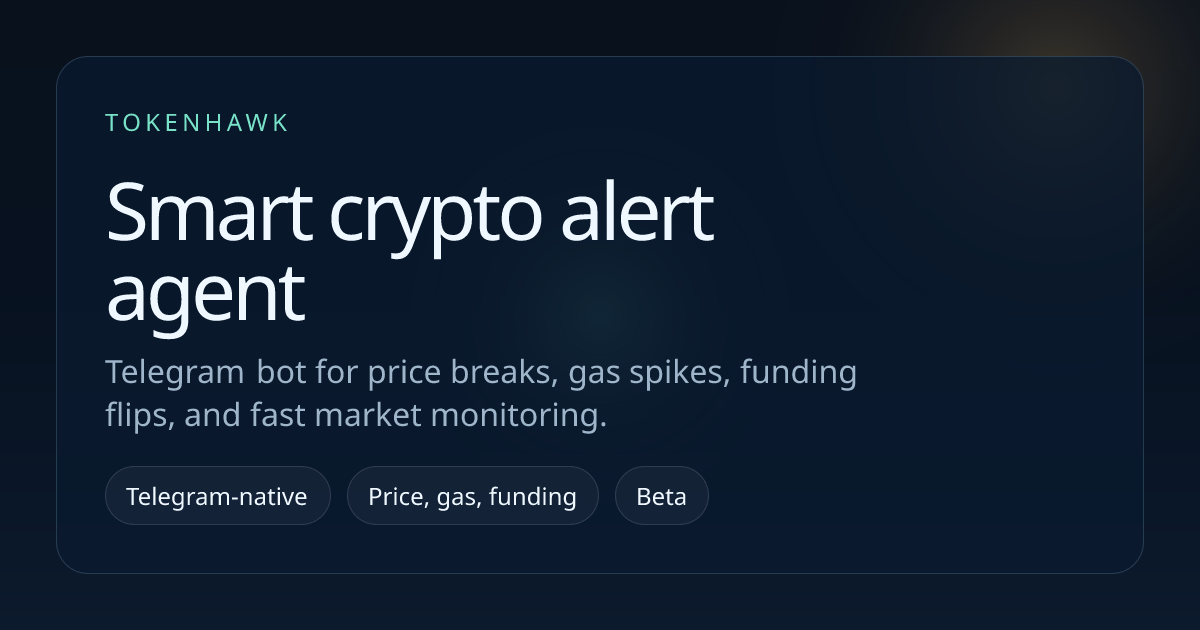
TokenHawk is a smart crypto alert agent for price moves, market signals, Telegram alerts, and email notifications.

Paid content
Visit website
Profile views 5 Outbound visits 0 Normal
TokenHawk Full homepage screenshot

At a glance

Category
Other
Language
English
Paid-content signal
Paid contentObserved
Registered
2025
Hosting
VercelInferred
HTTPS certificate trusted
PassedObserved
Last updated

Website review

This review may include AI-generated content and is not individually verified. Domain, certificate and other facts come from the observed data on this page.

What is TokenHawk?

TokenHawk is a crypto monitoring agent that watches market conditions and pushes alerts to you rather than requiring you to stare at charts. Per its own page, it tracks price moves, gas changes, funding flips, and market activity, then notifies you in time. Delivery is via Telegram (there is a bot) and email notifications.

H3 What it actually watches The signal feed on the site shows the categories it treats as alert-worthy:

  • Breakout / breakdown monitors — a coin moving sharply in one direction over a short window (e.g. a 1h rise or fall).
  • Volume monitors — volume running far above its baseline over a 4h window.
  • Price surge monitor — a move expressed in dollar terms over 24h.
  • Gas alerts — Ethereum gas changes.
  • Funding rate flips — a shift in funding direction, relevant mainly to perpetual futures traders.

H3 Who it suits

  • Active traders who want a nudge when something unusual happens in a coin they already follow, instead of scanning dozens of pairs.
  • Telegram-centric users — the bot is the primary interface, so it fits people who already live in chat apps.
  • Perp traders watching funding, though the site's examples lean heavily on spot price and volume.

It is less useful if you want deep on-chain analytics, portfolio tracking, or research; the page positions it as an alerting layer, not an analysis platform.

H3 A practical example Say you hold SUI and want to know when it moves without watching it. You set an alert on SUI, and TokenHawk pings you on Telegram when it prints something like a breakout signal or volume running well above baseline. You then decide whether to act — the tool flags the event, you make the call.

H3 How to evaluate it

  1. Check whether the alert types that matter to you are covered — if you trade perps, confirm funding alerts work for your venues.
  2. Look at the alert thresholds; too-sensitive settings produce noise, too-loose ones miss moves.
  3. Verify delivery: Telegram, email, or both, and whether you can route different alert types to different channels.
  4. Compare against a general market tracker if you also want news or portfolio views — CoinGecko and TradingView cover alerts too but with a different focus.

Next step: open the Telegram bot and set one alert on a coin you already follow, then judge the signal-to-noise ratio over a week before adding more.

How do I set up TokenHawk to send crypto alerts to my Telegram?

TokenHawk is built around Telegram delivery, so setup is mainly about connecting the bot to your account and then choosing which alerts you want to receive. The site shows an "Open price alerts" and "View Telegram bot" path, which is the intended starting point.

Typical setup flow

  1. Open TokenHawk's Telegram bot from the site.
  2. Start the bot and link it to your Telegram account.
  3. Pick the alert types you care about — the page lists price breaks, volume spikes, funding flips, gas changes, and breakdown/breakout signals.
  4. Set thresholds or use the default monitors, then confirm delivery in Telegram.
  5. Optionally enable email notifications as a backup channel.

What you can monitor

  • Price surges and breakouts, e.g. the BTC "+$2,925" price surge example.
  • Volume spikes, such as PEPE running "+541.54% above baseline."
  • Breakdown and breakout signals, like DOT or SUI moves.
  • Funding rate flips and Ethereum gas changes.

H3. Practical next step If you only want the highest-signal events, start with price surges and volume spikes on a small watchlist (BTC, ETH, and one or two alts). Add funding and gas alerts later, since they fire more often and can create noise. Telegram is the fast channel; email works better as an archive or fallback.

Trade-offs to weigh

  • More alert types = more messages; tune thresholds before adding assets.
  • Telegram alerts are quick but easy to mute or miss; email is slower but persistent.
  • A focused watchlist beats a broad one for signal quality.

For reference on the assets and venues involved, see TokenHawk and, if you want broader market context, CoinGecko or Binance.

Can TokenHawk alert me when Ethereum gas fees drop below a certain threshold?

Yes — TokenHawk lists "gas changes" among the indicators it tracks, so a gas-fee alert is within its stated scope. The site's own summary of what it monitors is: price moves, gas changes, funding flips, and market activity, delivered via Telegram or email.

What that means in practice

Gas alerts are most useful for people who time on-chain transactions rather than traders watching candles. If you are waiting to move tokens, claim rewards, deploy a contract, or batch transfers, a threshold alert lets you stop refreshing a gas tracker and act when the network actually quiets down.

How to set it up

  1. Open the Telegram bot or the price-alert page from the site.
  2. Choose the gas or network-fee condition rather than a token price pair.
  3. Set the threshold you care about and pick Telegram or email as the delivery channel.

A realistic scenario

Say you need to consolidate tokens from several wallets. Instead of watching gas all afternoon, you set a threshold and get pinged when fees fall under it — then you transact in that window. The trade-off is that gas can spike again quickly, so treat the alert as a prompt to check, not a guarantee the low-fee window will last.

Decision criteria

  • Want alerts where you already chat? Telegram delivery fits better than a separate app.
  • Prefer a paper trail or team inbox? Email notifications are the better channel.
  • Need signals beyond gas — breakouts, volume spikes, funding flips? TokenHawk's feed shows these monitor types, so one tool can cover several needs.

Next step: confirm the exact gas conditions and thresholds available on the TokenHawk alert setup page before relying on it, since the site describes gas tracking only in general terms.

What types of market signals does TokenHawk monitor beyond price changes?

TokenHawk watches several market indicators besides raw price moves. From its own page evidence, the monitored signals include:

  • Volume spikes — e.g., PEPE 4h volume running +541.54% above baseline.
  • Breakouts — e.g., SUI 1h up +3.65%, LTC 1h up +2.00%.
  • Breakdowns — e.g., DOT 1h down -2.79%, LINK 1h down -2.28%, ADA 1h down -2.07%.
  • Price surges in dollar terms — e.g., BTC 24h up $2,925.
  • Funding flips and gas changes — listed among tracked indicators, though the sample feed does not show a specific example for these.

Delivery is via Telegram and email, so alerts can reach you without constantly watching charts.

Next step: Decide which signals matter to your strategy. If you trade short-term momentum, volume spikes and breakouts are the useful ones. If you hold or move assets on-chain, gas and funding alerts may matter more. You can start from TokenHawk.

How much does TokenHawk cost and what do the different pricing plans include?

TokenHawk's site shows a Pricing page and a separate Price Alerts page, but the supplied page information does not list plan names, prices, or per-tier feature limits. So the honest answer is: the cost isn't stated in the material available here — you'd need to open TokenHawk's pricing page directly to see current numbers and what each tier unlocks.

What the product itself does is clear from the signal feed. TokenHawk is a monitoring agent that watches crypto markets and pushes alerts when something crosses a threshold. The feed shows four alert types in action:

  • Breakout monitor — an asset rising over a short window (e.g. SUI +3.65% in 1h, LTC +2.00% in 1h)
  • Breakdown monitor — an asset falling (DOT -2.79% in 1h, LINK -2.28%, ADA -2.07%)
  • Volume monitor — volume running above its baseline (PEPE +541.54%, BTC +327.42%, TRX +225.79% over 4h)
  • Price surge monitor — moves measured in dollar terms (BTC +$2,925 over 24h)

The page also names gas-change and funding-flip tracking as covered indicators, with delivery via Telegram bot and email.

How to judge the plans without published prices

Since tier contents aren't shown here, compare plans on the dimensions that actually change your experience:

What to check Why it matters
Number of alerts / assets watched A volume-spike feed like the one shown fires often; caps decide whether it's usable
Alert types included Price-only is very different from price + volume + gas + funding
Delivery channels Telegram bot vs email changes how fast you can react
Alert frequency or cooldown Prevents the PEPE-style +541% spikes from flooding you

If you trade short-term moves, the volume and funding alerts are the ones worth paying for — price alerts alone are widely available free elsewhere. If you mainly hold and want gas-timing help for on-chain transactions, check whether gas alerts sit in the cheapest tier before committing.

Next step: open the pricing page on TokenHawk and match the cheapest tier that includes volume plus your preferred delivery channel against the alert volume you'd realistically want per day.

Is it possible to receive TokenHawk alerts via email instead of Telegram?

Yes — TokenHawk describes itself as sending alerts through both Telegram and email, so email is a supported delivery channel rather than a Telegram-only setup. The Telegram bot is simply the option it highlights most prominently on the page.

H3 What the page confirms

  • Alert types include price breaks, volume spikes, funding flips and gas changes.
  • Delivery is listed as Telegram and email notifications.
  • Monitoring covers price moves, gas changes, funding flips and broader market activity.

H3 How to choose between them Email suits people who want a searchable, archived trail of signals they can triage later, or who don't want another chat app pinging them. Telegram suits faster reaction — a bot message is easier to skim on mobile and to route into a group with other traders.

A practical setup: use email for the slower, lower-frequency signals (funding flips, gas changes) so your inbox stays readable, and Telegram for the fast ones (breakouts, volume spikes) where minutes matter. If you only want one channel, pick based on whether you act on alerts immediately or review them in batches.

Next step: open the price alert page on TokenHawk and check which notification method you can select when creating an alert, then send yourself one test alert on each channel before committing.

Related questions

More questions →
Ethereum Gas Alerts: What They Are and How to Get Notified

An Ethereum gas alert is a notification that fires when the network's gas price crosses a threshold you set — typically measured in gwei. It tells you when it's cheap or expensive to transact, so you can time a swap, transfer, or contract interaction instead of overpaying. You need one if you transact regularly on Ethereum mainnet and don't want to check a gas tracker manually every time. TokenHawk, for example, lists "gas changes" among the indicators its alert agent tracks, alongside price moves, volume spikes, and funding flips, and delivers notifications via Telegram or email.

What a gas alert actually tracks

A gas alert is not a price alert. A price alert watches an asset's market value; a gas alert watches the cost of using the network. The two move independently — ETH can be flat while gas spikes during an NFT mint.

Gas fees are composed of a few numbers, and it helps to know which one your alert is watching:

Component What it is Why it matters to you
Base fee Protocol-set fee per unit of gas, adjusts with block congestion Burned, not paid to validators; rises when blocks are full
Priority fee (tip) Optional extra to incentivize inclusion Determines how fast your transaction lands
Gas price (gwei) Base fee + priority fee, the headline number most trackers show The number most alerts threshold on
Gas limit / units Amount of gas your specific action consumes Multiplied by gas price to get your total cost

The practical takeaway: a "gas is 12 gwei" alert tells you the per-unit price, not what your transaction will cost. A simple ETH transfer uses 21,000 gas units; a token swap through a DEX can use several times that. Your total fee is gas price × gas units, so the same gwei reading can mean very different dollar amounts depending on what you're doing.

Why gas fees spike

Gas is an auction for limited block space. When more transactions compete than a block can hold, users bid up the priority fee and the base fee rises in response. Common triggers:

  • NFT mints and popular drops — thousands of wallets submitting in the same block window.
  • Token launches and airdrop claims — a new contract draws a burst of interactions.
  • DeFi liquidations and arbitrage — bots pay high tips to land first.
  • Time-of-day patterns — activity often clusters around US and European waking hours, with quieter windows overnight and on weekends.

Because these events are bursty, a fixed mental note like "gas is usually cheap" fails exactly when you need it most. An alert that pings you when gas drops below your target lets you act in a calm window instead of guessing.

Setting a gas threshold and choosing a channel

The setup is the same shape across most alert tools:

  1. Pick the metric. Choose gas price in gwei (most common) or, if the tool supports it, estimated total cost for a specific action.
  2. Set a threshold and direction. "Notify me when gas is below 15 gwei" for cheap-window alerts, or "above 60 gwei" if you want to know a spike is happening.
  3. Choose the delivery channel. Telegram is common for crypto alert agents because it's fast and mobile-friendly; email suits people who want a record or check less frequently.
  4. Test it. Set a threshold you know will trigger soon, confirm the message arrives, then adjust to your real target.

TokenHawk's alert agent follows this pattern — it monitors gas changes and pushes notifications through Telegram delivery or email, with the same pipeline used for its price, volume, and funding alerts.

Using alerts to pay less

The point of a gas alert is to change your timing, not just to inform you. A few concrete uses:

  • Token swaps and transfers: wait for a below-threshold ping, then submit. On a busy day this can cut your fee substantially versus transacting at peak.
  • Contract interactions (approvals, staking, claims): these often cost more gas than a simple transfer, so a low-gwei window matters more.
  • Batching: if you have several actions queued, do them in one cheap window rather than spreading them across expensive ones.
  • Non-urgent moves: anything that isn't time-sensitive is a candidate for waiting on an alert.

If a transaction is urgent, a gas alert won't help you pay less — it'll just tell you the current price. In that case you're choosing speed over cost, and the alert mainly confirms how much you're paying.

Common pitfalls

  • Confusing gwei with total cost. A low gwei number on a gas-heavy action can still cost more than a high gwei number on a simple transfer. Always estimate units for your specific action.
  • Stale thresholds. A target set during a quiet market may never trigger during a busy one, or may trigger constantly. Revisit it as network conditions change.
  • Missed spikes. A "below X" alert won't warn you that gas just doubled. If you also care about avoiding bad windows, set a second alert in the opposite direction.
  • Alert fatigue. Too many thresholds on too many metrics trains you to ignore them. Start with one or two that map to real decisions.
  • Assuming the alert is real-time. Delivery depends on the tool's polling and your channel; treat it as near-real-time guidance, not a guarantee you'll land in the exact block you intended.

The short version

An Ethereum gas alert watches the network's per-unit gas price and notifies you when it crosses a threshold you choose, over a channel like Telegram or email. It's useful for timing non-urgent swaps, transfers, and contract calls into cheaper windows. Set the metric, threshold, and channel deliberately, remember that gwei is only half of your total cost, and keep your thresholds current so the alerts stay worth acting on.

Crypto Alerts: What Signals to Monitor and How to Get Notified

Crypto alerts are automated notifications that fire when a market condition you care about is met — a price level breaking, volume running far above its normal baseline, a funding rate flipping sign, or gas spiking. They're useful when you can't watch charts all day but still want to act on specific, pre-defined events. The trade-off is noise: the more symbols and conditions you track, the more you'll tune out. This guide covers which signals are worth monitoring, how delivery channels differ, and how to set thresholds that stay meaningful.

What a crypto alert agent actually monitors

A smart alert agent watches a defined set of conditions across symbols and pushes a message when one triggers. Based on TokenHawk's signal feed, the common alert categories are:

Signal type What it detects Example from TokenHawk's feed
Breakout Price rising past a level SUI 1h rose +3.65%
Breakdown Price falling past a level DOT 1h fell 2.79%; LINK 1h fell 2.28%
Volume spike Volume running above its baseline PEPE 4h volume +541.54% above baseline; BTC +327.42%
Price surge A move measured in absolute terms BTC 24h rose $2,925
Funding flip Funding rate changing direction Listed as a tracked indicator
Gas change Ethereum gas moving Listed as a tracked indicator

The distinction that matters most is relative vs. absolute. A volume spike is expressed against a baseline ("+541.54% above baseline"), which makes it comparable across assets of very different sizes. A price surge in dollar terms ("BTC rose $2,925") is only meaningful for high-priced assets — the same $2,925 move on a low-priced token would be a different story entirely. When you set alerts, know which kind you're configuring.

Choosing a delivery channel

TokenHawk delivers via Telegram and email, and also shows a signal feed in-app. Each has a practical role:

  • Telegram bot — best for time-sensitive alerts you want to see on your phone immediately. Good for breakouts, breakdowns, and gas spikes where minutes matter.
  • Email — better for a digest-style or lower-urgency stream. Easy to filter, search, and archive; less likely to interrupt you.
  • In-app feed — useful for reviewing what happened after the fact, or for signals you want to scan rather than react to instantly. TokenHawk's feed shows timestamps (e.g. "11h ago", "2h ago") so you can gauge how fresh a signal is.

A reasonable setup is to route high-urgency signals (breakouts, breakdowns, gas) to Telegram and everything else to email or the feed, so your phone only buzzes for events you'd actually act on.

Setting thresholds that don't drown you in noise

The single biggest cause of alert fatigue is thresholds that are too tight or symbol lists that are too broad. Two principles help:

Anchor to a baseline, not a fixed number. A volume alert set as "4h volume 200% above baseline" adapts to each asset's normal activity. A fixed "volume > $1M" threshold will fire constantly on some assets and never on others.

Match the window to your reaction time. TokenHawk's feed uses different windows per signal type — 1h for breakouts and breakdowns, 4h for volume, 24h for price surges. A 1h breakout alert is for acting soon; a 24h price surge is more of a "notable move" flag. Pick the window that matches how you'd respond.

Start narrow. Track a handful of symbols you actually follow. You can widen later once you know which alerts you ignore.

Setting up a basic price and volume alert

The general flow for a tool like TokenHawk:

  1. Pick the symbol(s). Start with one or two — e.g. BTC for a price surge, PEPE for a volume spike.
  2. Choose the signal type. Price breakout/breakdown for levels, volume spike for activity.
  3. Set the threshold and window. For price, a percentage or dollar move over a set period. For volume, a percentage above baseline over a window (e.g. 4h).
  4. Choose the delivery channel. Telegram for urgency, email for the rest.
  5. Save and verify. See the verification step below — don't assume it works.

Expected result: when the condition is met, you receive a message naming the symbol, the signal type, the magnitude, and a timestamp — similar to TokenHawk's feed entries ("PEPE volume activity changed — PEPE 4h volume ran +541.54% above baseline").

Verifying an alert actually fires

Don't wait for a real market event to find out your alert is misconfigured. Instead:

  • Set a deliberately easy threshold — e.g. a price move of 0.1% — on a liquid symbol, and confirm you get the notification on the channel you chose.
  • Check the timestamp on the alert against the current time to confirm the data isn't stale.
  • Confirm the channel — if you expected a Telegram message but only see it in the feed, the delivery route isn't set up as you thought.
  • Then tighten the threshold back to what you actually want.

Common failure modes and how to troubleshoot

Symptom Likely cause Fix
No alerts at all Threshold too tight, or delivery channel not connected Loosen threshold temporarily; re-check the Telegram/email link
Alerts arrive late Data feed lag, or a long window (e.g. 24h) Use a shorter window for time-sensitive signals
Too many alerts Symbol list too broad, or threshold too loose Narrow symbols; raise the threshold
Alert magnitude looks wrong Comparing relative and absolute signals Confirm whether the alert is % above baseline or an absolute move
Missed a notification Channel issue (muted bot, spam folder) Check Telegram mute settings and email filters

The most common trap is treating a stale or delayed alert as live. Always check the timestamp before acting — a breakout flagged "11h ago" is history, not a signal to trade now.

Bottom line

Crypto alerts are only as useful as their thresholds and routing. Decide which signals you'd genuinely act on (usually breakouts, breakdowns, and volume spikes), send the urgent ones to Telegram and the rest to email or a feed, anchor volume alerts to a baseline rather than a fixed number, and verify each alert fires before relying on it. TokenHawk's feed shows the signal types and windows it supports, which is a reasonable starting template for your own setup.

What Is a Smart Crypto Alert Agent and What Signals Can It Monitor?

A smart crypto alert agent is a monitoring tool that watches multiple market conditions at once—not just a single price level—and pushes a notification when one of those conditions triggers. TokenHawk, for example, tracks price moves, gas changes, funding flips, and market activity, then delivers alerts through Telegram or email. You'd want one of these if you can't watch charts all day but still need to know when something unusual happens in the assets you follow.

How a smart alert agent differs from a basic price alert

A basic price alert does one thing: it fires when an asset crosses a number you set. That's useful, but it misses context. A token can sit flat in price while its volume quietly runs several hundred percent above baseline, or funding rates can flip before price reacts.

A smart agent watches several signal types simultaneously and reports the condition that triggered, not just the price. In TokenHawk's feed, each entry names the monitor that caught it—breakout, breakdown, volume, or price surge—so you know why you were pinged.

Signal types a smart agent can monitor

Signal What it catches Example from TokenHawk's feed
Breakout monitor Price rising past a level SUI 1h rose +3.65%
Breakdown monitor Price falling past a level DOT 1h fell 2.79%
Volume monitor Volume running above baseline PEPE 4h volume ran +541.54% above baseline
Price surge monitor Large absolute price move BTC 24h rose $2,925
Gas alerts Ethereum gas cost changes Listed as a tracked indicator
Funding rate flips Funding rate direction changes Listed as a tracked indicator

The distinction matters: a volume spike or funding flip can appear before a price move shows up on a chart, which is the whole point of monitoring indicators beyond price.

How alerts are triggered and delivered

The agent continuously compares live market data against thresholds for each monitor. When a condition is met, it generates a signal entry with the asset, the monitor type, the timeframe, the size of the move, and how long ago it fired.

Delivery happens through channels you choose. TokenHawk supports Telegram delivery via a bot and email notifications. The Telegram bot is the faster path if you want alerts on your phone without checking an inbox.

A typical feed entry looks like this:

Volume monitor
PEPE — volume activity changed
PEPE 4h volume ran +541.54% above baseline
14h ago

That format tells you the signal type, the asset, the timeframe, the magnitude, and the recency—enough to decide whether to look closer.

Which signals matter for your monitoring needs

Not every signal is relevant to every trader. A rough way to choose:

  • If you trade breakouts or range boundaries → breakout and breakdown monitors are your core.
  • If you watch for unusual activity before price reacts → volume monitors and funding flips.
  • If you move funds on-chain regularly → gas alerts, so you time transactions when costs are lower.
  • If you hold large-cap assets and care about dollar moves → price surge monitors, which report absolute moves like BTC's +$2,925.

Start with the two or three signal types closest to how you already make decisions, rather than enabling everything and drowning in notifications.

What to check before committing

  • Delivery channels — confirm Telegram and/or email fit where you actually read messages.
  • Signal coverage — verify the agent tracks the specific indicators you care about (price, volume, gas, funding).
  • Feed transparency — a feed that labels the monitor type and timeframe lets you judge signal quality over time.
  • Pricing and access — TokenHawk lists a Pricing page and a Price Alerts page; check current terms there, since plan details aren't specified in the material available here.

If you want to see the signal format before signing up, TokenHawk's public feed of recent market movement is the fastest way to judge whether its alerts match how you monitor crypto.

What Is a Telegram Crypto Bot and How Do Crypto Alerts Work?

A Telegram crypto bot is an automated program that watches crypto markets and sends you a message in Telegram when something you care about happens. It is a delivery and monitoring tool, not a trading tool: you set the conditions, the bot detects them, and Telegram is where you read the alert. TokenHawk is one example — it describes itself as a smart crypto alert agent that tracks price moves, gas changes, funding flips, and market activity, then notifies you through Telegram or email.

The key distinction to hold onto: a Telegram crypto bot for alerts tells you what happened. A trading bot acts on your behalf. They can look similar in a chat window, but only one of them can move your funds.

How a Telegram crypto bot differs from a general crypto alert app

Both watch the market. The difference is where the alert lands and how you interact with it.

Dimension Telegram crypto bot General alert app
Delivery channel Telegram chat (plus email, in TokenHawk's case) In-app push, email, or dashboard
Setup Connect the bot to your Telegram account Install app, create account, configure in-app
Interaction Read and react inside a chat you already use Open a separate app to see history
Signal scope Depends on the provider's monitors Depends on the provider's monitors

The practical advantage of Telegram is that it is already on your phone and already part of your daily routine, so an alert does not compete with other notifications for attention. The trade-off is that chat history is a weaker interface than a dashboard if you want to review many signals over time.

What signals these bots typically monitor

TokenHawk's public signal feed shows the categories it tracks. These are representative of what alert bots generally watch:

  • Breakouts — an asset moving up past a threshold. Example from the feed: "SUI breakout signal — SUI 1h rose +3.65%."
  • Breakdowns — the mirror case, an asset falling. Example: "DOT breakdown signal — DOT 1h fell +2.79%."
  • Volume spikes — trading activity running far above its normal baseline. Example: "PEPE volume activity changed — PEPE 4h volume ran +541.54% above baseline."
  • Price surges in dollar terms — a move measured in absolute value rather than percent. Example: "BTC surged in dollar terms — BTC 24h rose $2,925."
  • Funding rate flips — a change in the direction of perpetual futures funding, listed among TokenHawk's tracked indicators.
  • Gas changes — Ethereum gas movement, also listed among TokenHawk's indicators.

The feed also shows the time each signal fired ("11h ago," "2h ago"), which matters because a volume spike from 19 hours ago is a different piece of information than one from 2 hours ago.

How alerts reach you and what setup usually involves

The flow is the same across most providers:

  1. Choose your monitors. Decide which assets and which signal types you want. A volume spike monitor and a breakdown monitor will fire on very different events.
  2. Set thresholds. A "+2% in 1 hour" breakout and a "+10% in 1 hour" breakout are different filters. TokenHawk's feed shows both percentage moves and dollar moves, so the threshold type matters.
  3. Connect the delivery channel. For Telegram, this normally means opening the provider's bot and starting a chat with it, then linking that chat to your alert configuration. TokenHawk exposes both "Open price alerts" and "View Telegram bot" entry points, plus email as an alternative channel.
  4. Verify with a test. Confirm a message actually arrives before you rely on it. A misconfigured bot that silently drops alerts is worse than no bot.

Alerts vs. auto-trading bots: the distinction that matters

A Telegram alert bot is read-only with respect to your funds. It observes public market data and sends text. It does not hold keys, does not place orders, and cannot lose your money if it misfires.

An auto-trading bot holds or accesses funds and executes orders. That introduces risks an alert bot does not have: key management, execution errors, slippage, and the possibility of a bad signal turning into a real loss.

If a provider offers both, treat them as separate products with separate risk profiles. Nothing in TokenHawk's described feature set — price moves, gas changes, funding flips, market activity, Telegram and email delivery — involves executing trades on your behalf.

Reading an alert message

Take this line from TokenHawk's feed:

PEPE volume activity changed — PEPE 4h volume ran +541.54% above baseline — 14h ago

  • PEPE — the asset being monitored.
  • volume activity changed — the monitor type that fired.
  • 4h volume ran +541.54% above baseline — the measurement window is 4 hours, and current volume is 541.54% higher than the normal level for that window. "Above baseline" is the reference point; without it, the number is meaningless.
  • 14h ago — when the signal was detected.

Compare with:

BTC surged in dollar terms — BTC 24h rose $2,925 — 22h ago

Here the unit is dollars over a 24-hour window, not a percentage over 4 hours. Reading the window and the unit correctly is what separates a useful alert from a confusing one.

What to check before choosing one

  • Which signal types are covered — price, volume, funding, gas, or a subset.
  • Which delivery channels exist — Telegram only, or Telegram plus email.
  • Whether the bot trades or only alerts — this is the single most important question.
  • What the thresholds are and whether you can set them — fixed defaults versus configurable.
  • How you verify delivery — a test alert path you can run yourself.

Pricing and plan details for TokenHawk are not covered in the material available here; check its pricing page directly if cost is a deciding factor.

Bitcoin Alerts: What They Are and How to Get Notified

Bitcoin alerts are automated notifications that tell you when BTC hits a condition you care about — a price level, a volume spike, a funding rate flip, or a sharp move in dollar terms. You set the condition once, and a monitoring tool watches the market continuously and pushes a message to you through a channel like Telegram or email. This is useful if you can't watch charts all day but still want to react to specific events. The trade-off is that alerts only help if you choose thresholds carefully; set them too tight and you'll be buried in noise, too loose and you'll miss the move.

What Bitcoin Alerts Can Monitor

Most alert tools go beyond a single "price above X" rule. Based on how TokenHawk describes its monitoring, a BTC alert can track several distinct signal types:

Signal type What it detects Example from TokenHawk's feed
Price surge A move measured in dollar terms over a window BTC surged +$2,925 over 24h
Volume spike Volume running above its baseline BTC 4h volume ran +327.42% above baseline
Price breakout / breakdown A directional move over a short window SUI +3.65% in 1h (breakout), DOT -2.79% in 1h (breakdown)
Funding rate flip A change in funding direction Listed as a monitored indicator
Gas changes Ethereum gas movement Listed as a monitored indicator

The volume and price-surge signals are the ones most directly relevant to Bitcoin. A BTC volume spike tells you activity is abnormal even if price hasn't moved yet — often the earlier signal. A price surge tells you the move already happened, which is useful for confirmation but less useful for getting ahead of it.

Telegram vs. Email: Which Channel to Use

Both channels deliver the same underlying signal; the difference is speed and how you handle it.

  • Telegram is better for time-sensitive alerts. Messages arrive as a push notification, you can act from your phone, and a bot can deliver many alerts without cluttering an inbox. TokenHawk offers a Telegram bot as a delivery option.
  • Email is better for a record you can search later, or if you check your phone less often and prefer batched, less intrusive notifications.

If you want to react to a BTC move, Telegram is the practical choice. If you mainly want a log of what happened, email works. You don't have to pick one permanently — most setups let you route different signal types to different channels.

How to Set Thresholds Without Drowning in Noise

The single biggest failure mode with Bitcoin alerts is over-alerting. A 1% BTC move happens constantly, so a 1% threshold will fire all day and you'll start ignoring it.

A workable approach:

  1. Start with one signal, not five. Pick the event you actually care about — for example, a BTC volume spike — and set only that.
  2. Set the threshold relative to normal, not absolute. A volume alert at "+300% above baseline" filters out routine activity. TokenHawk's feed shows BTC volume spikes at +327.42%, which is the kind of level that signals something unusual.
  3. Use a time window that matches your reaction speed. A 1h window suits someone who checks their phone within the hour; a 24h window suits a slower, confirmation-based approach.
  4. Raise the threshold after a week if you're still getting too many messages. Tune based on what you actually acted on, not on what looked interesting.
  5. Separate "inform" from "act." Route low-priority signals to email and only the ones you'd trade on to Telegram.

What to Do When an Alert Arrives

An alert is a prompt to check, not a signal to trade. The sequence that avoids mistakes:

  1. Confirm the alert is real and current. Open a chart and verify the price or volume actually moved — alerts can lag or reflect a brief wick.
  2. Check whether the move is broad or BTC-specific. If the whole market moved, it's likely a macro event, not a BTC-specific setup.
  3. Look at the signal type. A volume spike without a price move is a different situation than a price surge on normal volume.
  4. Decide based on your own plan, not the alert. The alert told you something happened; it didn't tell you what to do.

Common Problems and Fixes

  • Alerts arrive late. Usually a delivery-channel issue (email batching) or a monitoring interval that's too long. Switch time-sensitive alerts to Telegram.
  • Missed alerts. Often a threshold set just above where the market actually moved. Check whether your condition was ever technically met.
  • Duplicate notifications. Usually the same event triggering two overlapping rules — for example, a price surge and a breakout both firing on one move. Consolidate into one rule per event type.
  • Too many alerts. Thresholds are too tight. Raise them and cut the number of active rules.

FAQ

Do I need to watch the market to use Bitcoin alerts? No — that's the point. The tool monitors continuously and notifies you only when your condition is met.

Can I get both Telegram and email alerts? Yes, these are separate delivery channels and can be used together or for different signal types.

Are Bitcoin alerts free? Pricing and plan details aren't specified here. Check TokenHawk's pricing page for current terms rather than assuming a free tier.

What's the difference between a price alert and a volume alert? A price alert fires on a price level or move; a volume alert fires when trading activity runs above its normal baseline, which can happen before price moves.

Website Overview

Page metadata, canonical configuration and social previews work together to provide more consistent search and sharing presentation.

Domain and Registration

The domain was registered less than a year ago and has limited historical evidence to assess. Transfer-protection status is present, helping reduce the risk of unauthorized domain transfers. The domain uses the common .io extension, which is not an independent safety signal.

DNS and Email

Nameservers are provided by dyna-ns.net, indicating managed DNS hosting. No CNAME was found; the observed records resolve directly to addresses. No MX record was found. A conventional explicit inbound-mail route is not configured. TXT records include verification markers for Google. Such markers may also remain after a service stops being used. DNSSEC signatures were not detected, so this additional DNS authenticity protection is not confirmed.

TLS and Certificates

The certificate uses an RSA 2048-bit public key, offering broad client compatibility. The server supplied a complete certificate chain. No organization name is present in the certificate; the available fields are consistent with domain validation. The certificate was issued by Let's Encrypt, commonly associated with automated certificate services. The certificate's total validity is about 89 days, consistent with a short renewal cycle.

HTTP and Browser Security

X-Powered-By exposes backend information: Next.js. The response lacks these common security headers: CSP, X-Content-Type-Options, Referrer-Policy, Permissions-Policy, clickjacking protection. No obvious internal addresses or debug information were found in the headers. The Server header contains the custom value Vercel. No explicit CDN or WAF marker was found in the response headers.

Technology Stack Analysis

The public page identifies Next.js, Google Analytics, Vercel without precise versions, leaving fewer clues for version-specific scanning.

Search and Social Sharing

Twitter Card metadata is configured. JSON-LD includes Organization data, helping describe the organization as an entity. The title has 36 characters, within a common display range. A meta description is present, with 114 characters. The observed directives allow indexing and link following.

Hosting and Email

DNSdyna-ns.net
HostingVercel
EmailUnknown
Approximate IP geolocation (inferred; a CDN or proxy may differ from the origin server) United States flagUnited States Inferred 216.198.79.1

Registration details

RDAP / WHOIS

RegistrarDynadot Inc
Registered2025-12-18
Expires2026-12-18
Domain statusclientTransferProhibited https://icann.org/epp#clientTransferProhibited
Nameserversns1.dyna-ns.net、ns2.dyna-ns.net
DNSSECunsigned

DNS records

DNS

TypeNameValueTTLPriority
Atokenhawk.io216.198.79.1300—
NStokenhawk.ions1.dyna-ns.net300—
NStokenhawk.ions2.dyna-ns.net300—
TXTtokenhawk.iogoogle-site-verification=Gc_FJyMgl7EcxoJ3PifBtfkKVPuz_aCm_D5wUMwBpr0300—
DMARC_dmarc.tokenhawk.iov=DMARC1; p=none;300—

TLS and certificates

TLS / SSL

AssessmentNormal configuration
Supported protocolsTLSv1.2、TLSv1.3
Negotiated protocolTLSv1.3
Certificate subjecttokenhawk.io
IssuerLet's Encrypt
Valid until2026-12-22T23:07 · Remaining when checked: 80 days
Verification detailsCertificate trust: Passed · Hostname match: Passed

HTTP response headers

HTTP

HeaderValue
content-typetext/html; charset=utf-8
cache-controlprivate, no-cache, no-store, max-age=0, must-revalidate
serverVercel
strict-transport-securitymax-age=63072000

Identified technologies

Next.jsGoogle AnalyticsVercel

Pages, Search and Sharing

Meta descriptionTokenHawk is a smart crypto alert agent for price moves, market signals, Telegram alerts, and email notifications.
Canonical URLhttps://tokenhawk.io
LanguageEnglish (default)
Twitter Cardsummary_large_image
All bots 1 allowed · 2 disallowed
  • Allow/
  • Disallow/api/
  • Disallow/auth/

User reviews (0)

  • No reviews yet.