
 简体中文
简体中文 English
Website review
This review may include AI-generated content and is not individually verified. Domain, certificate and other facts come from the observed data on this page.
What is Tom Moroney?
Tom Moroney is a software engineer from Dublin, currently working full-time at Workday on backend security and developer tooling for enterprise systems. His work centers on sensitive-data redaction, controlled access workflows, and AI-assisted documentation.
What he works on
- Backend security and tooling: A .NET and Java/Log4j redaction framework that strips sensitive customer data from logs and obfuscates exception stack traces across microservices, plus a secure Java lookup API for mapping internal IDs to sensitive data through controlled access paths.
- AI-assisted documentation: A living documentation and Q&A system that summarises code from AST leaf nodes upward, keeping docs synchronised and answering developer queries.
- Creator video tools: AutoSubs, an open-source, cross-platform desktop app that automatically generates subtitles for videos in any language; and SubSlate, a video editor he is developing.
Background
He studied at Trinity College Dublin and was elected class representative for around 60 Integrated Computer Science students. He has held software engineering internships at Workday and at ChannelSight, where he built web crawlers for ecommerce product and review data.
Who this is useful for
- Recruiters and hiring managers assessing backend security, developer tooling, or .NET/Java experience.
- Developers interested in log redaction, secure lookup APIs, or AI-assisted documentation approaches.
- Creators looking for open-source subtitle generation or a new video editor.
If you want to evaluate his work directly, start with AutoSubs as a concrete, publicly usable project, then compare its subtitle output against your own language and workflow needs. Contact is available by email at [email protected].
What does Tom Moroney do at Workday?
Tom Moroney is a software engineer at Workday, where his work centers on backend security and developer tooling for enterprise systems. The page lists three main threads:
- Sensitive-data redaction: He architected a .NET and Java/Log4j framework that strips sensitive customer data from logs and obfuscates exception stack traces across 10 microservices with minimal performance impact. He also coordinated rollout and testing with service owners as part of Adaptive Planning's FedRAMP audit preparation.
- Controlled access workflows: He built a secure Java lookup API and integrated it with a .NET lookup tool UI, letting support teams map internal IDs to sensitive data and run reverse lookups through controlled access paths.
- AI-assisted documentation: He developed a living documentation and Q&A system that summarises code from AST leaf nodes upward, keeping docs synchronised and answering developer queries.
What this tells you about the role
The through-line is making enterprise systems safer and easier to work in: keeping regulated data out of logs, giving support staff a gated way to reach it when they legitimately need to, and reducing the documentation drift that slows developers down. The FedRAMP connection matters — it suggests the redaction work is tied to a real compliance milestone rather than a purely internal cleanup.
If you want to judge how relevant this is to your own situation, ask which of those three problems you actually have. A team preparing for a federal audit will care most about the redaction and rollout coordination; a team drowning in stale internal docs will care more about the AST-based summarisation approach. For a concrete sense of his engineering style, the featured projects on Tom Moroney show the same pattern applied to creator tools rather than enterprise systems.
How can I use AutoSubs to add subtitles to my videos?
AutoSubs is best understood as a desktop tool for creators who want subtitles generated automatically rather than typed by hand. Based on the project description on Tom Moroney, it is an open-source, cross-platform app that generates subtitles for videos in any language, with the stated aim of saving creators time and making videos more accessible to global audiences. That combination — automatic generation, multiple languages, and local desktop use — shapes how you would actually work with it.
A practical workflow
- Install and open the app. Because it is a desktop application rather than a browser service, you run it on your own machine. Cross-platform support means the same basic workflow applies whether you are on Windows, macOS or Linux.
- Bring in your video. Point AutoSubs at the video file you want subtitled. This is the file it will analyse to produce timed captions.
- Choose the language. The description emphasises "any language," which matters in two directions: the language being spoken in your video, and the language you want the subtitles written in. Decide which you need before generating, since the target language is what your audience will read.
- Generate the subtitles. AutoSubs handles the transcription and timing automatically. This is the step that replaces the slow part of manual captioning — listening, typing and syncing each line.
- Review and correct. Automatic captions are a first draft, not a final product. Read through the output for names, technical terms, accents and overlapping speech, which are the usual sources of errors.
- Export and attach to your video. Take the subtitle file the app produces and pair it with your video in your editor or on your publishing platform.
Who gets the most out of it
The strongest fit is a solo creator or small team publishing regularly, where captioning every video by hand is the bottleneck. A typical case: someone posting tutorials or interviews who wants English captions for accessibility and a second-language subtitle track to reach viewers outside their home market. A desktop app also suits people who prefer keeping source video on their own machine rather than uploading it to a web service.
The trade-off is that you take on the review step yourself. If your content is highly technical, heavily accented, or full of jargon, budget real time for corrections. If you need frame-perfect styling, karaoke-style effects or broadcast-grade caption standards, a dedicated subtitle editor layered on top of the generated file will serve you better.
A concrete first test
Pick one short video — two to three minutes — with clear speech, generate subtitles in your source language, then generate a second version in a target language. Compare both against the audio. That single test tells you how much cleanup your typical content needs and whether the multilingual output is good enough to publish directly or needs a native-speaker pass.
For anything beyond that, the site lists a contact address if you want to ask about specific behaviour, and the project is described as open source, so the repository is the place to check current capabilities rather than assuming a feature exists.
What is SubSlate and how does it differ from other video editors?
SubSlate is described on Tom Moroney's site as "a new kind of video editor" that he is developing — a project listed alongside AutoSubs, his open-source subtitle generator. That is the extent of the detail given: it is presented as in development, with no feature list, platform support, pricing or release date stated. Anything more specific than that would be speculation rather than information from the site.
What can be said with confidence
- It is a personal project by an engineer whose day job at Workday involves backend security, developer tooling and AI-assisted documentation, and whose other side project (AutoSubs) is a cross-platform desktop app for automatic subtitles.
- It sits in the same creator-tools space as AutoSubs, so the natural assumption is that it targets people who publish video regularly rather than professional post-production houses — but the site does not confirm this.
- Because it is described as "a new kind of" editor, the site signals differentiation as intent, not as a documented comparison. There is no published feature matrix against Premiere Pro, DaVinci Resolve, Final Cut or CapCut.
How to judge whether it will differ in practice
Editors are usually distinguished by a small number of concrete choices, so watch for these when SubSlate details appear:
| Dimension | Why it decides who the tool is for |
|---|---|
| Caption/subtitle workflow | If subtitles are first-class rather than an export step, it suits creators publishing in multiple languages |
| Editing model | Timeline vs. transcript- or text-driven editing changes how fast talking-head and tutorial content gets cut |
| Platform | Desktop cross-platform (as with AutoSubs) vs. browser vs. mobile determines whether it fits an existing pipeline |
| Automation | Auto-cutting silences, AI-assisted assembly or templated output matters most to solo creators on a weekly schedule |
| Export and handoff | Whether projects round-trip to other editors decides if it can be a primary tool or only a first-pass tool |
Practical next step
If you are evaluating it, start from your own bottleneck: a creator publishing weekly interviews mainly needs fast transcript-based cutting and reliable captions, while someone doing colour-heavy narrative work needs round-tripping and codec support. Check the SubSlate project page and any repository or release notes for those specifics before switching workflows; until then, treat it as one to watch rather than a replacement. For context on the developer's other work, see Tom Moroney.
How does Tom Moroney's redaction framework protect sensitive data in enterprise logs?
Tom Moroney's redaction framework removes sensitive customer data from logs before it can be read or stored, and it also obfuscates exception stack traces so that failures don't leak internal details. According to the experience section on his site, he architected it with .NET and Java/Log4j components, applied it across 10 microservices, and kept the performance impact minimal while coordinating rollout and testing with service owners. That rollout contributed to Adaptive Planning's FedRAMP audit preparation for federal approval.
What problem this actually solves
Enterprise logs are a common place for sensitive data to escape: a customer ID, an email address, or a token ends up in a debug line, then gets copied into a log aggregator, a support ticket, or a backup. Stack traces make it worse because they can reveal internal class names, query fragments, or variable values. A redaction layer sits inside the logging path and strips or masks that content before the log event is written, rather than relying on developers to remember not to log it.
How the pieces fit together
- Redaction framework: removes sensitive customer data from log output across services, so the same policy applies whether the service is .NET or Java/Log4j.
- Stack-trace obfuscation: hides exception internals that would otherwise expose implementation detail.
- Cross-service reach: covering 10 microservices suggests a shared library or interceptor pattern rather than per-team fixes, which matters because inconsistent logging rules are where leaks usually reappear.
- Controlled access path: the separate Java lookup API and .NET lookup tool UI let support teams map internal IDs to sensitive data and run reverse lookups through an audited route, so the data stays out of general logs but remains reachable when there's a legitimate need.
Where the trade-offs sit
Redaction has to balance safety against debuggability. Mask too aggressively and engineers lose the context they need to diagnose production incidents; mask too little and the framework gives false confidence. Keeping the performance cost low across 10 services is the other constraint, since a logging filter runs on every log event. The FedRAMP angle explains why this mattered beyond hygiene: federal approval requires demonstrable controls over sensitive data, and log redaction is one of the controls auditors examine.
A practical way to judge a redaction setup
If you're evaluating something similar, ask three questions: Does it apply at the logging framework level so developers can't bypass it by accident? Can you still correlate events across services using non-sensitive identifiers? And is there a separate, access-controlled way to retrieve the redacted values when support genuinely needs them? Moroney's setup appears to answer yes to all three, which is the pattern worth copying. For more on his work, see Tom Moroney.
How can I contact Tom Moroney for professional inquiries?
Email is the listed contact route: [email protected]. The site presents Tom Moroney as a software engineer at Workday in Dublin, working on backend security and developer tooling, and as the builder of AutoSubs and SubSlate.
What to put in the email
- A one-line subject naming the topic, e.g. "AutoSubs: subtitle timing bug on Windows" or "Question about your redaction work."
- Who you are and why you're writing, in the first two sentences.
- The specific ask: a bug report, a collaboration idea, a speaking request, or a question.
- Links to a repo issue, a sample file, or a short description if the topic is technical.
- A realistic timeline if you need a reply by a certain date.
Which channel fits
| Purpose | Best first step |
|---|---|
| AutoSubs bug or feature | Open an issue in the project's repository, if one is linked, then email if it needs private detail |
| Job, contract or collaboration | Email with a short pitch and relevant links |
| Press or content question | Email with your outlet, angle and deadline |
| General code question | Email, kept short and specific |
For anything involving unpublished security details, sensitive customer data or a private matter, email is the appropriate route rather than a public issue. Expect a slower reply during full-time working periods; a follow-up after a week or two is reasonable.
For context on his public work before writing, see Tom Moroney.
 Namecheap
 Fastly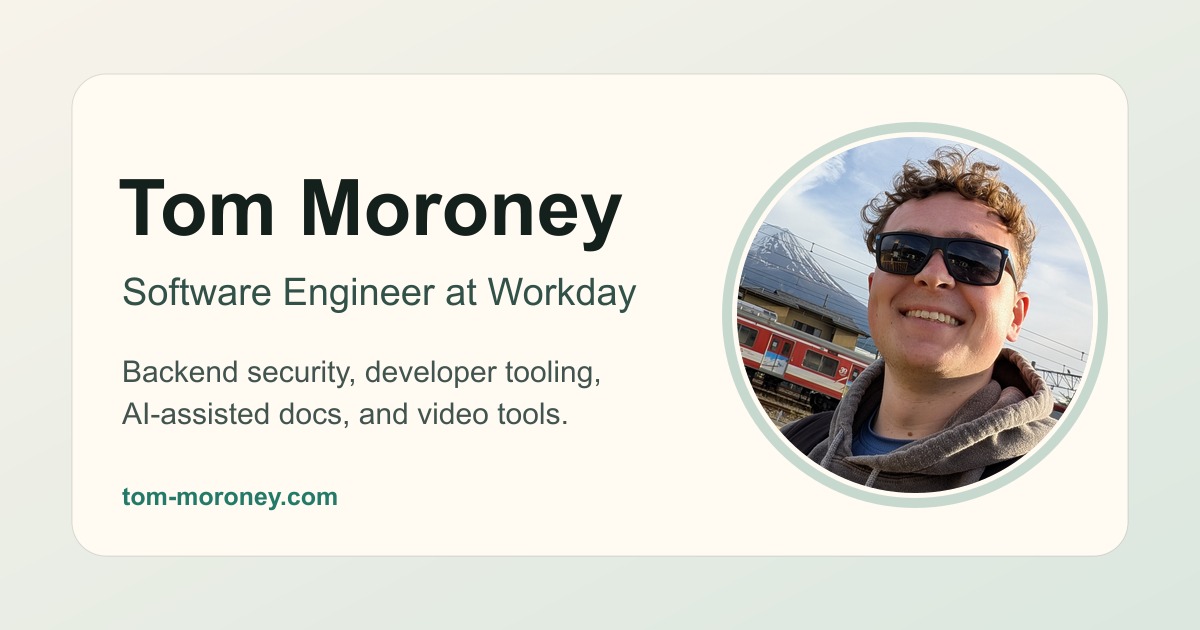

User reviews (0)