
 简体中文
简体中文 English
Website review
This review may include AI-generated content and is not individually verified. Domain, certificate and other facts come from the observed data on this page.
What is TVAtlas?
TVAtlas is a free, browser-based directory for watching live TV and radio streams from around the world. According to its own description, it aggregates open public IPTV and radio streams from community databases — specifically iptv-org and famelack — and organizes them by country, category and an interactive 3D globe explorer. No account, app download or subscription is needed.
Its own page lists over 12,451 TV channels and 26,934 radio stations across 224 countries. The largest country listings are the United States (2,453 channels), India (793), Russia (520), Germany (483) and the United Kingdom (355). Category counts are led by General (2,709), News (1,056), Entertainment (840), Religious (805) and Music (785), with smaller niches such as Sports (404), Kids (391), Documentary (230) and Weather (18).
Who it suits, and what to watch for
- Useful for: expatriates wanting news or entertainment from home, language learners, and anyone curious about international broadcasting without installing an app.
- Trade-offs: because it is an aggregation directory rather than a broadcaster, stream availability, quality and legality depend on the underlying public sources. Expect some dead links or region-blocked feeds, and check whether a channel is officially licensed in your country before relying on it.
- No pricing signals appear on the page, so treat "free" as the site's own current claim rather than a guaranteed permanent model.
A practical next step
If you want a specific country's news, start from the country list rather than the category list — for example, open the United Kingdom or India section and test two or three channels. If a stream fails, try another entry in the same country; directory listings often include several mirrors of the same broadcaster. For a comparison point, established public-service streamers such as BBC or DW offer officially hosted international feeds when reliability matters more than breadth.
How can I find live TV channels from a specific country on TVAtlas?
Use the country browser on the homepage. Under "Browse Live TV Channels by Country," each country is listed with its channel count; click a country to see its available live TV streams, then pick a channel to watch in your browser. No account or app install is required according to the site.
For a concrete example, someone wanting news from home while living abroad would click their country, then narrow by category such as News or General rather than scrolling the full list.
H3 Practical tips
- Start with the country list if you know the region; use category filtering if you mainly care about content type, such as Sports (404 channels) or News (1056 channels).
- Expect uneven coverage. Large catalogs like the United States (2453 channels) and India (793 channels) give more choice than smaller ones such as Weather (18 channels) or Relax (10 channels).
- If a stream fails, try another channel from the same country; public community-sourced streams vary in reliability and availability.
- Check whether a channel is geo-restricted in your location before assuming the directory is broken.
The trade-off is breadth versus reliability: TVAtlas aggregates public streams from community databases, so it offers an unusually wide international selection without sign-up, but individual streams may be offline or region-locked. If you need guaranteed uptime and consistent quality, a licensed streaming service is the safer choice; if you want free, broad country-by-country browsing, this directory is the more direct route.
A useful next step is to bookmark your country's page and test two or three channels at different times of day to see which ones hold up.
How do I watch a live TV channel or radio station on TVAtlas without creating an account?
You open a channel directly on the site — there is no account, sign-up, or app install involved. TVAtlas presents itself as an open directory of public live TV and radio streams, so the whole flow is browse-and-play.
H3 Practical steps
- Land on the homepage and choose a route: use the category list, the country list, or the interactive globe explorer.
- Pick a category (News, Sports, Music, Movies, Kids, Documentary, and so on) or a country. The directory is organised both ways, so you can start from "what I want to watch" or "where it's from."
- Click the channel entry. Playback happens in your browser; nothing is downloaded and no credentials are requested.
- If a stream stalls, try the next entry in the same category or country. Public streams vary in reliability, so having two or three alternatives open is the normal way to use a directory like this.
H3 What to expect in practice A reader scenario: you want background news from another country while you work. You go to the country section, pick the country, scan its News entries, and click one. If it buffers, you switch to a second entry rather than troubleshooting. The same pattern works for radio when you only want audio.
The directory is broad — the site lists tens of thousands of TV and radio streams across hundreds of countries — so the main skill is filtering, not searching for a single known channel.
H3 Trade-offs to keep in mind
- No account means no saved favourites or watch history, and no personalised recommendations. You re-find channels by browsing each time.
- Public streams are aggregated from community databases rather than licensed from broadcasters, so availability, quality and language can shift without notice.
- Geo-restrictions may still apply at the source: a channel may be listed but refuse to play from your location.
- Browser-only playback is convenient on a laptop but usually less comfortable than a dedicated TV app on a large screen.
H3 Decision criterion Choose TVAtlas when you want quick, no-commitment access to international news, radio or niche categories and are comfortable switching streams when one fails. If you need guaranteed uptime, consistent HD quality, or a curated channel guide with favourites, a paid or broadcaster-operated service will suit you better.
For a second opinion on which public channels are reliable, community listings such as iptv-org document the underlying stream sources.
What types of content can I stream on TVAtlas, such as news, sports, or movies?
TVAtlas organizes its streams into broad content categories, so you can go straight to the type of programming you want rather than browsing channel by channel. According to the site's own directory, the main categories include news, sports, entertainment, movies, series, music, kids, documentary, education, culture, comedy, animation, lifestyle, cooking, travel, business, science, weather, religious, legislative and general channels, plus smaller niches like auto, outdoor, shop, classic and relax.
What each category is good for
- News — one of the largest categories, useful if you want live coverage or channels from a specific country rather than a single international feed.
- Sports — live events and sports programming; availability will vary a lot by channel and region, so expect gaps for premium leagues.
- Movies and series — scheduled film and drama channels rather than an on-demand library, meaning you watch whatever is airing at that moment.
- Entertainment, music and comedy — general viewing and background channels; music in particular suits passive listening.
- Kids, animation and family — child-friendly programming, though you should still check individual channels yourself.
- Documentary, education, science and culture — slower, informational viewing.
- Radio — the directory also lists tens of thousands of radio stations, which is a genuinely different use case from TV: audio-only, low bandwidth, good for work or commuting.
A practical example
If you want to follow news from a country you have ties to, start with the News category and then narrow by country — for instance, the directory lists hundreds of channels each for the United States, India, Germany and the United Kingdom, and smaller selections for many other countries. That two-step filter (category, then country) is usually faster than searching for a specific channel name.
Trade-offs to expect
Because TVAtlas aggregates publicly available streams from community databases rather than hosting them itself, the experience is closer to a directory than a streaming service. That means:
| What you get | What you should not assume |
|---|---|
| Free browsing with no account | Guaranteed uptime for any single channel |
| Very wide country and category coverage | Consistent picture quality across channels |
| Live, scheduled programming | On-demand replays or catch-up |
| TV and radio in one place | That every listed channel is licensed in your country |
The main decision criterion is whether you want breadth and live scheduling or reliability and on-demand choice. TVAtlas fits the first; a paid streaming service fits the second.
As a next step, open the site, pick one category and one country, and test two or three channels before committing to it as a regular source. If a stream fails, try another from the same category — with a directory this size, dead links are normal, and the fastest route is usually to move on rather than troubleshoot.
How does TVAtlas source its TV and radio streams, and what are iptv-org and famelack?
TVAtlas is an aggregator, not a broadcaster: it collects links to publicly available IPTV and radio streams and organizes them for browsing. According to its own description, the main upstream sources are community databases — iptv-org and famelack — and the site presents the result as a directory rather than hosting the feeds itself.
What iptv-org and famelack are
Both are community-maintained collections of publicly published stream URLs, typically organized by country, language and category. Contributors submit links they find in the open; maintainers merge, deduplicate and occasionally prune them. Neither is a channel operator, so the reliability and legality of any individual link depend on whoever originally published it, not on the directory.
In practice, this means TVAtlas inherits both the breadth and the fragility of those databases. A news channel may work for months; a regional sports feed may break within days. If a stream fails, the fix normally happens upstream in the community database, not on TVAtlas itself.
How this affects what you actually get
| Aspect | What aggregation implies |
|---|---|
| Channel range | Very wide country and category coverage, since it mirrors large community lists |
| Reliability | Variable — links are third-party and can go offline without notice |
| Updates | Tied to how quickly the upstream databases change |
| Cost model | Free browsing with no account, per the site's own description |
A realistic scenario
Suppose you want to follow news from a country whose main channels aren't carried by your local cable package. You'd open TVAtlas, filter by country or by the News category, pick a channel and try to play it in the browser. If it loads, you're watching a public stream the channel or a third party published; if it doesn't, trying a second or third entry for the same country is the practical move, because redundancy in community lists is common.
Next step
Treat any single link as disposable. Bookmark two or three alternatives per country or topic, and check the original source page for a channel if you need a dependable feed. For context on how these open directories compare, you can also look at iptv-org, the community project TVAtlas names as a source, and see how it labels and licenses the lists it publishes.
Why might a TVAtlas stream not load or play, and what can I do about it?
Most TVAtlas playback failures come from the stream itself, not the site. TVAtlas is a directory that aggregates public IPTV and radio links from community databases such as iptv-org and famelack, so it points you to a stream rather than hosting it. When a channel is offline, geo-blocked, moved or overloaded, the directory can still list it.
Common causes and what to try:
- The stream is dead or has moved. Public IPTV links change often. Try another channel in the same category or country; with thousands of channels listed, a working alternative is usually a click away.
- Geo-restriction. Many broadcasters only serve their own country. A US network may not play from Europe. Check whether the channel is meant for your region, or pick an international news channel instead.
- Browser or codec limits. Some streams use formats your browser cannot decode natively, or require HLS support. Try a current version of Chrome, Edge, Firefox or Safari, and disable extensions that block media or scripts.
- Network or DNS filtering. Office, school, hotel and some ISP networks block streaming ports or domains. Test on a different network or mobile data to isolate this.
- Too many viewers or a slow source. Free public streams have limited capacity. Retrying later, or choosing a lower-profile channel, often works.
- Mixed content or HTTPS issues. If the page loads over HTTPS and the stream is HTTP-only, the browser may silently block it. Trying a different channel is usually faster than fighting the setting.
A practical routine for a reader like a traveller wanting news from home: open the country page, pick a major national broadcaster first (they tend to have the most stable feeds), and if it fails, move to the news category and test two or three alternatives before concluding the site is broken. For radio, the same logic applies, though audio streams are often more reliable than video.
If you want a second source to compare against, iptv-org publishes the community channel lists that TVAtlas draws on, which helps you check whether a stream is listed as working elsewhere.
 Cloudflare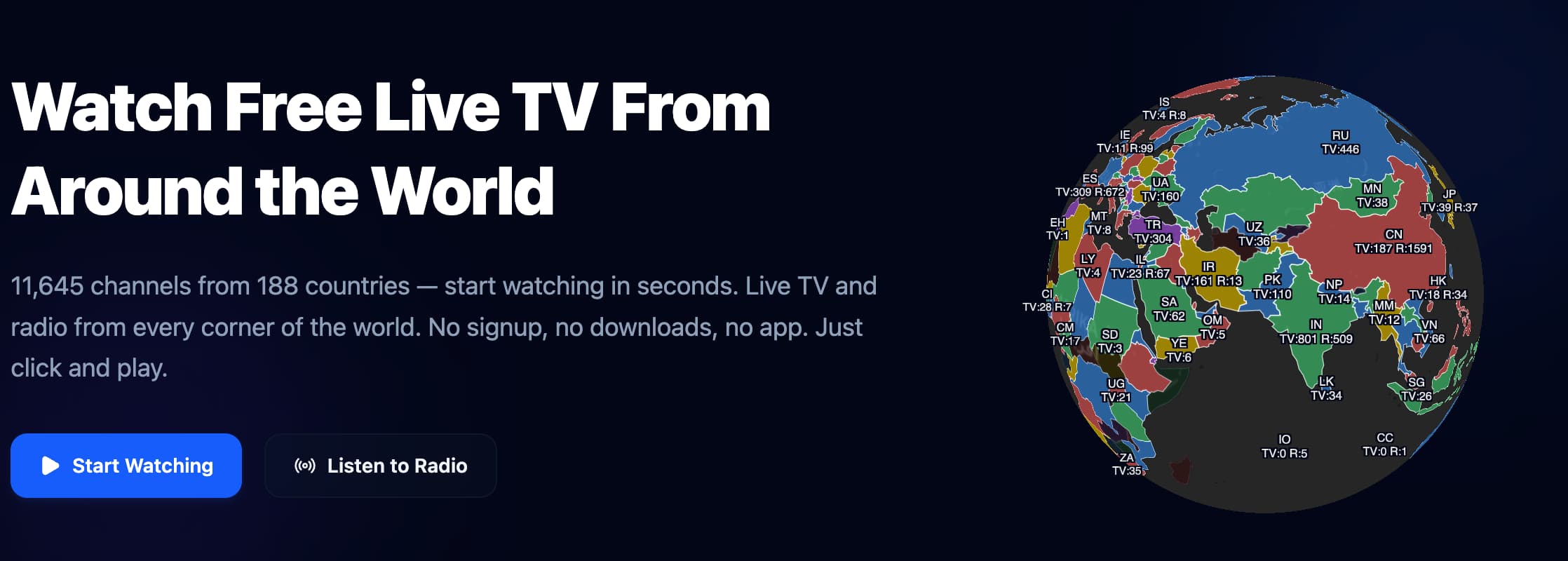

User reviews (0)