
 简体中文
简体中文 English
Website review
This review may include AI-generated content and is not individually verified. Domain, certificate and other facts come from the observed data on this page.
What is Twintail Launcher?
Twintail Launcher (TTL) is a free, open-source launcher for downloading, managing and playing anime games, with native builds for Windows and Linux. It brings multiple titles under one interface and adds practical extras: mod tool support, FPS unlocking, and no telemetry. Linux users are a core audience, since the project ships packages through winget, Flatpak, AUR, COPR and Terra, making it one of the more direct routes to running these games outside Windows.
What it actually does for you
- One place to install and launch games. Instead of juggling separate official launchers per title, you manage them from a single window.
- Mod support. Handy if you use community mods and don't want to hand-edit game folders each update.
- FPS unlocking. Relevant if your hardware can push past a game's default frame cap and you want smoother motion.
- No telemetry. Useful if you'd rather not send usage data to a launcher.
Who it suits, and the trade-offs
| You are... | TTL fits if... | Watch out for... |
|---|---|---|
| A Linux player | You want a packaged, maintained way to run these games | Compatibility varies per title; check each game's status |
| A mod user | You want mod tooling built in | Mods can break after game updates |
| A Windows player | You want a lighter, telemetry-free launcher | Official launchers may get updates and support first |
The main trade-off is control versus official support: TTL gives you flexibility, but when a game patches, third-party tooling can lag behind.
Next step
Open Twintail Launcher, check the supported-games list for the specific title you play, and confirm your platform's package (Flatpak or AUR on Linux, winget on Windows) before installing.
How do I install Twintail Launcher on Linux?
Install Twintail Launcher on Linux using the native Linux build, choosing the package format that matches your distribution: Flatpak for most desktop distros, AUR for Arch-based systems, COPR for Fedora, or Terra for the Terra repository ecosystem. All of these are listed on the official site, Twintail Launcher, as native Linux packages rather than a Windows build run through compatibility layers.
Pick your package
| Your system | Package to use |
|---|---|
| Ubuntu, Linux Mint, Fedora, and other mainstream desktops | Flatpak |
| Arch, Manjaro, EndeavourOS | AUR |
| Fedora (preferring native RPMs over Flatpak) | COPR |
| Systems already using the Terra repository | Terra |
Practical steps
- Check your distribution and whether Flatpak is already set up (
flatpak --version). If not, enable Flathub first, since that is the usual source for desktop Flatpaks. - Install from the matching source above. For AUR, use your usual helper (for example
yay -Swith the package name shown on the site) rather than guessing a package name. - Launch it and point it at the games you already own or want to download, then configure mod tools or FPS unlocking per game if you need them.
What to expect
The launcher is built for anime-game titles such as Genshin Impact, Honkai: Star Rail and Wuthering Waves, and the Linux build is intended to run them natively rather than through Proton. That matters if your goal is a single place to manage downloads, mods and frame-rate settings; it does not replace the games' own accounts or anti-cheat requirements, so check each title's Linux status before committing.
A useful next step: if you are on Arch and unsure between AUR and Flatpak, prefer the AUR package for tighter system integration, and Flatpak if you want sandboxing and simpler updates.
Which anime games does Twintail Launcher support?
Twintail Launcher is built around three named anime games: Genshin Impact, Honkai: Star Rail and Wuthering Waves. Those are the titles the site presents as its supported set, and they are also the ones its Linux support is aimed at—running Genshin or Star Rail on Linux is the core use case the launcher advertises.
What that means in practice
- One launcher for all three. Instead of separate installs and update routines, you download, manage and launch the games from a single Windows or Linux app.
- Linux is the differentiator. If you play on Linux, this is the main reason to consider it; on Windows the benefit is mostly convenience rather than capability.
- Extras apply across the supported games. The launcher advertises mod tool support and FPS unlocking, which matter most to players who tinker with visual mods or want higher frame rates than the default cap.
Decision criterion
Check the supported list against the games you actually play before installing. If your library is Genshin, Star Rail and Wuthering Waves, the launcher covers it; if you also play other anime-style titles, expect to keep a second launcher for those. As a next step, confirm the current supported list on Twintail Launcher itself, since game support can change between releases.
Can Twintail Launcher unlock FPS in Genshin Impact and Honkai Star Rail?
Yes. Twintail Launcher lists FPS unlocking among its features, and Genshin Impact and Honkai: Star Rail are among the games it covers, so unlocking the frame-rate cap for those titles is part of what the launcher is built to do.
How it fits into play
- One place for setup: FPS unlocking sits alongside downloading, managing and launching the games, plus mod tool support, rather than requiring separate utilities.
- Windows and Linux: Native builds exist for both, with packages for winget, Flatpak, AUR, COPR and Terra, so Linux players get the same options as Windows users.
- No telemetry: The launcher describes itself as free, open-source and telemetry-free.
What to weigh
Unlocking FPS changes how the game engine runs, so frame pacing, GPU load and heat can shift, and results vary by hardware. Treat the unlock as a tuning step: try it, watch for stutter or instability, and revert if the experience worsens. Because the project is open-source, you can inspect what it does before installing.
If you play on Linux and have struggled to get these titles running at all, Twintail Launcher is the more relevant starting point than a generic FPS tool. For setup steps and supported-game details, see Twintail Launcher.
How does Twintail Launcher handle mods for anime games?
Twintail Launcher treats mods as part of the launcher's job rather than something you bolt on separately. According to the site, it supports mod tooling alongside downloading, managing and playing anime games, so mod installation and management sit next to game updates in one place instead of a separate patcher or manual file copying.
What that means in practice
- One workflow per game: you launch, update and mod from the same interface, which reduces the usual mismatch where a game patch breaks a separately installed mod setup.
- Mod tool support, not a mod catalogue: the site describes support for mod tools, so expect the launcher to accommodate common tooling rather than ship curated mods itself.
- Cross-platform consistency: native Windows and Linux builds mean a mod setup you assemble on one platform follows the same launcher model on the other, which matters for Linux players who often lose mod workflows.
Who benefits, and the trade-off
Players running several anime titles with light-to-moderate modding gain the most: fewer manual steps and less risk of a stray update overwriting files. If you rely on a niche mod manager with its own load-order logic, check that the launcher's tool support covers it before switching, since integrated launchers typically standardise the workflow rather than replicate every third-party tool.
As a next step, install TTL, add one game you already mod, and confirm your existing mod tool still loads correctly before migrating the rest. For platform packages and install options, see Twintail Launcher.
What telemetry does Twintail Launcher collect?
Twintail Launcher states that it collects zero telemetry. The launcher's own description frames this as a core feature alongside its mod tool support and FPS unlocking, so the intended answer is that it does not gather usage or analytics data about you.
What that means in practice
- No usage analytics, crash reporting or behavioral tracking is described as part of the launcher.
- Because TTL is free and open-source, the strongest confirmation is the source code itself: if telemetry mattered to you, checking the repository for network calls would settle it more concretely than any marketing line.
- "Zero telemetry" covers the launcher, not the games. Genshin Impact, Honkai: Star Rail, Wuthering Waves and similar titles have their own privacy policies and anti-cheat systems that operate independently of TTL.
A useful next step
If you are choosing a launcher partly on privacy grounds, treat the telemetry claim as one factor among several. Compare it against what you actually need — native Linux builds, mod support, FPS unlocking — and verify the no-telemetry promise in the project's source if that is a deciding criterion for you.
 Cloudflare
 Fastly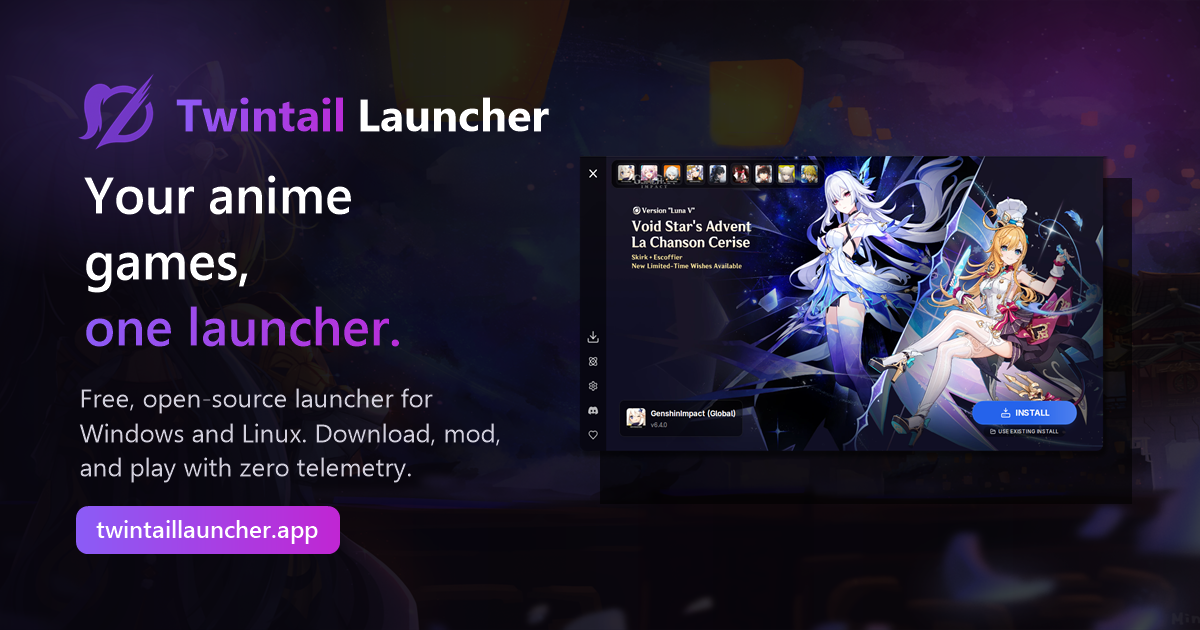

User reviews (0)