Website profiles · Technology insights · Alternatives

typatone.com

The act of writing has always been an art. Now, it can also be an act of music. Each letter you type corresponds to a specific musical note putting a new spin to your composition. Make music while you write.

No paid content found
Visit website
Profile views 11 Outbound visits 5 Normal
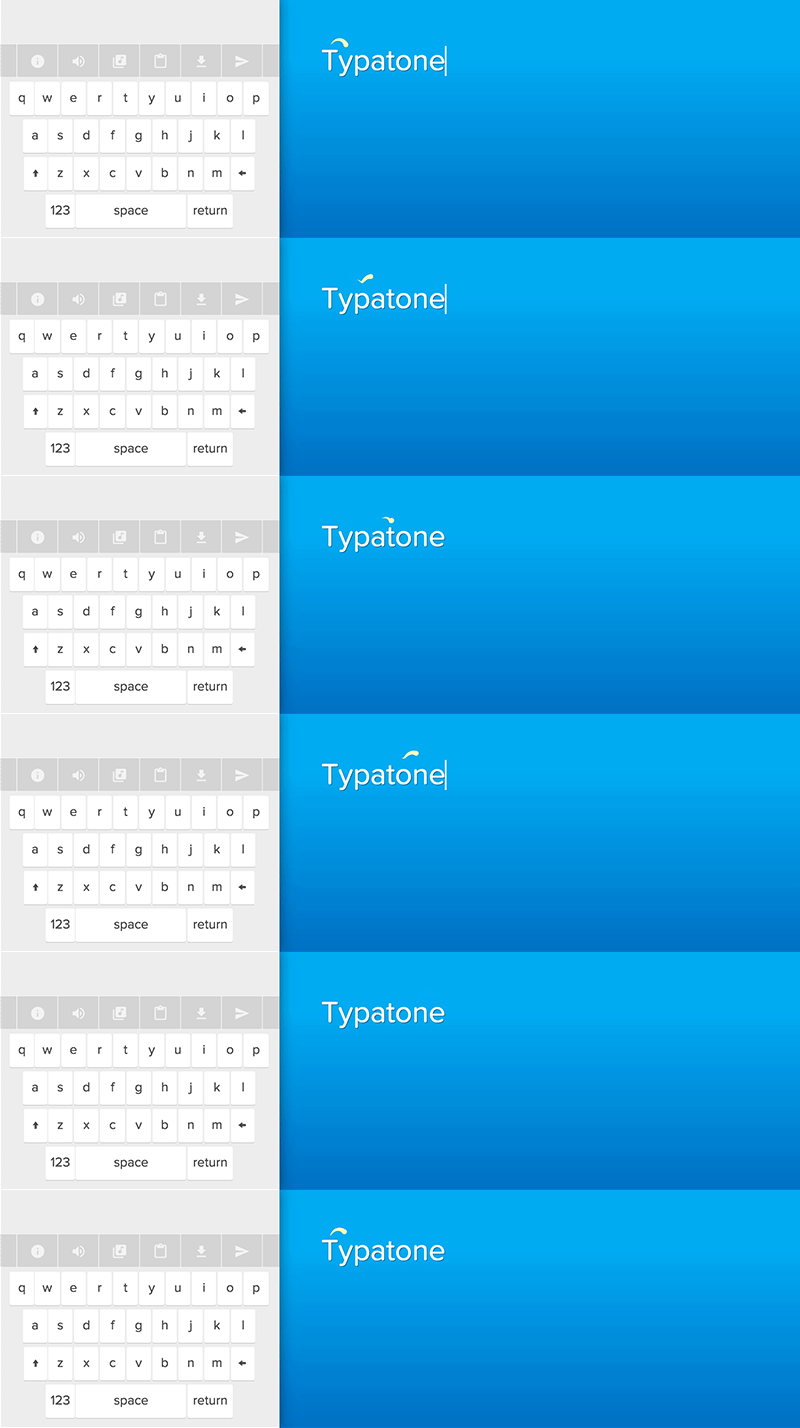
Typatone Full homepage screenshot

At a glance

Category
Music & Audio
Language
English
Paid-content signal
No paid content foundObserved
Registered
2015
Hosting
Google LLCInferred
HTTPS certificate trusted
PassedObserved
Last updated

Website review

This review may include AI-generated content and is not individually verified. Domain, certificate and other facts come from the observed data on this page.

What is Typatone?

Typatone is a browser-based text editor that turns typing into music. Each letter you press maps to a specific musical note, so a sentence becomes a short melody as you write it. The site describes the idea as writing being both an art and an act of music — a playful take on synesthesia, where text and sound overlap.

What you can actually do with it

  • Write and listen at the same time. Open the editor and type; the sound plays as you go rather than after you finish.
  • Compose by wording. Choosing different words changes the rhythm and pitch pattern, so you can revise a phrase partly for how it sounds.
  • Use it as a toy or a demo. It works well for a quick creative warm-up, a writing game, or showing how text can be mapped to sound.

Who it suits

Audience Why it fits
Curious writers A low-stakes way to break a blank-page block
Music and sound tinkerers A simple demonstration of letter-to-note mapping
Teachers and workshop hosts A short, shareable activity about writing and sound
Developers A reference point for web audio and animation work

Trade-offs to expect

Typatone is an experiment, not a production writing tool. You would not use it for long documents, collaboration, or careful formatting; the musical layer is the point, and it can be distracting when you actually need to concentrate on prose. It is also a fixed mapping rather than a full instrument — you do not get fine control over harmony or tempo.

If you want to try it, open the editor and type a single sentence you already know well, then retype it with different word choices and listen for how the melody changes. That one comparison tells you quickly whether the letter-to-note idea is useful or just fun for you. The same makers also built Patatap, a related sound-and-animation project worth a look if you enjoy this approach.

How does Typatone turn typing into music?

Typatone maps each letter you type to a specific musical note, so a sentence becomes a short melody as you compose it. The page frames this plainly: writing has always been an art, and here it also becomes an act of music — every keypress adds a note instead of only a character. The result is less a full instrument than a playful text-to-tone layer: you type in a browser editor, hear pitches respond in sequence, and can treat the output as a small composition.

What that means in practice

  • Letter-to-note mapping: Each character triggers a tone, so repeated letters create repeated notes and punctuation or spacing shapes the rhythm.
  • Typing as performance: Because sound follows your keystrokes, the pace and order of your writing directly control the musical result.
  • Text stays text: You are still producing a written message or draft; the audio is an accompaniment, not a replacement.

Who gets the most from it

Writers who want a sensory nudge, teachers demonstrating sound-to-symbol relationships, and anyone curious about synesthesia-style tools will find the appeal immediate. A practical scenario: draft a short poem or a greeting, listen back to the melodic contour, then revise wording partly for how it sounds when typed. For longer documents the constant tones can become distracting, so it works better for short bursts than for sustained editing.

A useful next step

Type a familiar phrase twice — once quickly, once slowly — and compare the two note sequences. That contrast shows how much of the music comes from your own typing rhythm rather than from the tool alone. If the idea of keystroke-driven sound interests you, the same maker's related projects are worth a look: Patatap for animated sound bursts and Curaturae for a different creative outlet.

Can I use Typatone to compose a song without knowing music theory?

Yes. Typatone is built around the idea that each letter you type maps to a specific musical note, so the composing happens through typing rather than through choosing scales, chords or notation. You can write a sentence, a poem or a message and hear it as a short melodic sequence. That makes it usable as a casual instrument for people with no theory background: you experiment by ear, retype, and keep what sounds good.

It is better suited to sketching and play than to structured composition. Without theory you can still make something musical, but you will be working by trial and error rather than by planning harmony or rhythm. For a quick creative warm-up, try this: type a short line you already know well, listen to how the letters fall, then rewrite it with more repeated letters or longer words to shape repetition and pacing. If you want to go further, alternate between two versions of the same line and keep the one whose note pattern you prefer.

For related ways of turning input into sound or visuals, Patatap uses keyboard presses for animated sound, and Two.js is the drawing library behind these projects if you are curious about the technical side.

Is Typatone free to use, and how can I support its creators?

Yes — Typatone is free to use in the browser. There is no paywall, account requirement, or subscription mentioned on the page; you simply open it and start typing to hear each letter mapped to a musical note. The site does include a “Support the makers of Typatone” section, which is the intended way to give back if you enjoy it.

How support works in practice

  • Direct support: The page points to a support option for the makers, so that is the most straightforward way to contribute financially.
  • Explore their other work: It also suggests that if you like Typatone you might like their other projects, Patatap and Curaturae. Trying, sharing, or crediting those projects is another form of support.
  • Open-source contribution: The page notes that the data has been open-sourced, with a statistical analysis section. If you are technically inclined, using or building on that data — within its terms — helps extend the project’s reach.

A concrete scenario

Suppose you are a teacher looking for a low-friction classroom tool. You can have students open Typatone, type a short poem, and listen to how the rhythm of their sentences becomes a melody. No login or payment gets in the way. If the class enjoys it, the natural next step is to use the site’s support link or share the creators’ other projects, rather than assuming a paid tier is required.

Decision criterion

Treat Typatone as free software with optional patronage: use it freely for writing, brainstorming, or sound experiments, and support the creators only if it becomes a regular part of your workflow or you want to see more work like it. For related creative tools, you can also look at Patatap.

What other projects by the makers of Typatone might I enjoy?

The makers of Typatone point to two sibling projects: Patatap and Curaturae. They describe both as projects by the same team, so if you like Typatone's premise of turning a simple creative act into sound and motion, those are the natural next stops.

What each one offers

Project What it is Who tends to enjoy it
Patatap A visual sound toy where pressing keys triggers animated shapes and sounds together People who liked Typatone's keyboard-to-sound mapping and want a more visual, less text-focused experience
Curaturae A separate creative project from the same makers Those curious about the team's work beyond typing and sound

Typatone's own page notes it was built with Two.js, a two-dimensional drawing API for the web, and credits lullatone and jono. That context matters: the makers work at the intersection of sound, animation and lightweight web tools, so their other projects tend to share that playful, browser-based character rather than being conventional productivity software.

A practical way to decide

If what you enjoyed about Typatone was the typing-as-instrument idea, Patatone is the closest match — it keeps the instant audio-visual feedback but drops the text editor framing. If you were more drawn to the aesthetic and craft of the project, browsing the makers' broader portfolio (linked from the Typatone page alongside Two.js) will tell you quickly whether their style resonates beyond typing.

One caveat worth setting expectations around: these are creative experiments, not tools with accounts, sync or export workflows. Treat them as short, exploratory sessions rather than something you'd build a daily writing habit on.

How does Typatone handle my text data, and is it open-source?

Typatone turns each letter you type into a musical note, so the text you enter is also the score you hear. The page states plainly that the data behind that letter-to-note mapping has been open-sourced, framed with the line “Cryptographers rejoice, we've open-sourced our data!” It also links to a statistics page. What the page does not spell out is a retention or privacy policy for the text you actually type, so treat your composition as something that may be processed to generate sound and possibly counted in aggregate statistics rather than as a private, encrypted document.

What that means in practice

  • Open-source scope: The open-sourcing described on the page concerns the data used for the musical mapping, not necessarily the full application code. If you need to audit or reuse the note assignments, that data is the relevant artifact.
  • Your typed text: The page gives no explicit statement that drafts are stored, shared, or deleted. For a private journal entry, a client's name, or anything sensitive, the cautious reading is that you should not rely on confidentiality here.
  • Statistics: A statistics page exists, which suggests some usage data is collected. Whether that is letter frequencies, session counts, or something else is not detailed on the page.

Who it suits

Typatone fits casual, playful writing: a short poem, a message you want to hear as melody, or a warm-up before real work. It is a poor fit for confidential drafting, legal or medical notes, or anything you would not want counted in an aggregate dataset.

A practical next step

Before pasting anything real into Typatone, try a test line with a placeholder name and see whether the statistics page or the project's open-source repository gives you more detail. If you want a writing tool built around privacy rather than sound, a plain offline editor is the safer default. For the musical side, Typatone's sibling projects Patatap and Curaturae are worth a look if you enjoy the same audiovisual approach.

Related questions

More questions →
How to Listen to Free Music, Radio, and Podcasts on iHeart

iHeart is a free streaming platform that combines live radio stations, customizable artist stations, playlists, and podcasts in one place. You can start listening without paying by opening iheart.com in a browser or using the iHeart app, then searching for a station, artist, song, or podcast. A subscription is only relevant for certain premium features; the core listening experience described on iHeart's site is available for free.

What you can listen to on iHeart

iHeart organizes its content into a few main types, and knowing the difference helps you find what you want faster.

Content type What it is Best for
Live radio stations Thousands of real-time broadcast stations Hearing a scheduled show, local station, or live event
Artist stations Stations built around a specific artist Continuous music in the style of an artist you like
Playlists Curated or self-made collections of songs A defined set of tracks for a mood or activity
Podcasts On-demand episodic shows Talk, news, storytelling, and interviews
Music and trending news Updates on artists, songs, and bands Discovering what's new

The key distinction is live versus on-demand. Live radio plays whatever is broadcasting right now, so you can't skip tracks. Artist stations and playlists behave more like on-demand listening, where you control the starting point.

How to start listening for free

You can begin on either the web or the app. The steps are similar.

  1. Open the platform. Go to iheart.com in a browser, or install the iHeart app on your phone or tablet.
  2. Search or browse. Use the search function to enter a station name, artist, song, or podcast. Alternatively, browse categories to see what's available.
  3. Select what you want to hear. Choosing a live station starts playback immediately. Choosing an artist creates or opens a station built around that artist.
  4. Press play and adjust. Use the player controls to pause, change volume, or move between stations. On live radio, expect no track skipping; on artist stations, you have more control over what plays next.
  5. Save what you like. Favoriting a station or artist makes it easier to return to later without searching again.

Expected result: audio begins playing shortly after you select content, and your favorites appear in your account for quick access next time.

Creating your own stations and playlists

  • Artist stations: Start from an artist you like, and the station plays music in that style. This is the fastest way to get continuous music without building a list yourself.
  • Playlists: Add individual songs to a playlist when you want a specific set of tracks rather than a continuous stream. This suits workouts, commutes, or a fixed party set.
  • Tip: Use artist stations for discovery and playlists for control. If a station drifts away from what you want, switch to a playlist instead of fighting the stream.

What's free versus what needs a subscription

iHeart's own description states that its music, podcasts, and radio stations are available for free, and that you can listen to thousands of live stations or create your own artist stations and playlists. The site also references a subscription, which indicates that some features sit behind a paid tier.

Because the exact free-versus-paid split isn't fully detailed in the available information, treat it this way:

  • Assume free: live radio stations, artist stations, playlists, podcasts, and general music/news browsing, based on iHeart's stated offering.
  • Check before assuming: any feature labeled as premium, ad-free, or subscription-only. If a paywall appears, that specific feature requires payment.
  • Don't assume: that a subscription is required to listen at all, or that everything is free. Verify at the point where you're asked to sign up or pay.

Common snags and how to handle them

  • A station won't play. Live stations can be unavailable due to regional restrictions or temporary outages. Try another station to confirm whether the issue is the station or your connection.
  • You can't skip a track. That's expected on live radio. Switch to an artist station or playlist if you want control.
  • Search returns too many results. Add the type of content to your search, such as the artist name plus "station," or search podcasts separately from music.
  • You lose your favorites. Sign in to an account so saved stations and playlists persist across sessions and devices.

Quick decision guide

  • Want background music with no effort? Open an artist station.
  • Want a specific set of songs? Build a playlist.
  • Want a live show or local broadcast? Pick a live radio station.
  • Want talk or storytelling? Go to podcasts.
  • Want to avoid paying? Stick to the free listening options above and check any prompt before entering payment details.
How to Create and Export Animated Sprites with Piskel

Piskel is a free, open-source, browser-based editor for animated sprites and pixel art. You can design characters, animations, and tiles directly in your browser, then export them as animated GIFs, PNG spritesheets, or ZIP files. It works best in a desktop browser in landscape orientation, and offline desktop versions are available for Windows, OSX, and Linux if you prefer not to work in the browser.

Getting Started

Open piskelapp.com in a desktop browser. You have two starting points:

  • Start from scratch — create a blank sprite and set your own canvas size.
  • Try an example — load one of the built-in sprite examples (characters, tilesets, layered backgrounds, Gameboy retro graphics) to see how a finished sprite is structured before making your own.

If you're on a phone or tablet, Piskel will warn you that it's best used in a desktop browser in landscape orientation. You can open it anyway, but the drawing tools are designed around a mouse and a wider canvas.

Drawing Pixel Art Frame by Frame

Piskel's workflow is frame-based: each frame is a single still image, and the animation plays them in sequence.

  1. Set up your canvas. Choose a small pixel grid (classic sprites are often 16×16, 32×32, or 64×64). Small canvases keep individual pixels visible and editable.
  2. Draw with the pen tool. Click individual pixels to place color. This is the core action for pixel art — every pixel is a deliberate decision.
  3. Fill areas with the fill tool. Use it to flood a region with a single color instead of clicking pixel by pixel.
  4. Pick and manage colors. Choose from the color palette, or select an existing color from your canvas to reuse it consistently across frames.
  5. Add frames. Duplicate the current frame and modify it slightly to create motion — this is how walk cycles, blinking, and idle animations are built.

The key habit for animation: keep changes between consecutive frames small. A two-pixel shift in a leg position reads as movement; a ten-pixel jump reads as a glitch.

Previewing and Tuning the Animation

Piskel shows a live preview of your animation in real time as you draw, so you don't have to export to check whether the motion works.

  • Adjust frame delay on the fly. Each frame's delay controls how long it stays on screen. Shorter delays make fast motion; longer delays make slow, deliberate movement.
  • Watch the loop. Because the preview loops continuously, you'll immediately see whether the first and last frames connect smoothly or whether there's a visible jump.

Tune the delay while watching the preview rather than guessing — the same frames can feel completely different at different speeds.

Exporting Your Work

Piskel supports several export modes depending on what you need the file for:

Export format Best for
Animated GIF Sharing the animation on its own, posting online
PNG spritesheet Importing into a game engine that expects a single image with all frames
ZIP Larger projects where frames or layers are kept as separate files

Choose GIF when the animation is the final product. Choose a spritesheet PNG or ZIP when the sprite is an asset that another program will read.

Options for Kids and Offline Use

  • Piskel for Kids is a child-friendly version of the editor, designed to be safe and distraction-free. It's aimed at kids, teachers, and parents who want the same pixel art workflow without extra interface elements.
  • Offline versions are free desktop applications for Windows, OSX, and Linux, available from the download page. Use these if you need to work without an internet connection or want a dedicated application window.

Common Sticking Points

  • Working on a small screen. The editor is built for desktop and landscape orientation; drawing precision suffers on a phone.
  • Frames that don't loop cleanly. If the animation snaps when it restarts, the last frame doesn't lead back into the first — adjust the final frame's pose or delay.
  • Exporting the wrong format. A GIF is for viewing; a spritesheet is for importing into a game. Picking the wrong one means re-exporting later.

All of Piskel's code is open-source and available on GitHub, so the tool itself can be inspected, modified, or self-hosted if you need that level of control.

What Is Grant Writing and How Do You Write a Grant Proposal?

Grant writing is the process of researching funding opportunities and producing a structured proposal that persuades a funder to pay for a specific project. It applies to public and private sector organizations seeking grants, and the work runs from opportunity research through drafting, submission, and post-award reporting. It differs from general writing or fundraising: the proposal must match a funder's published priorities and guidelines, and it competes against other applicants on evidence, fit, and budget credibility.

What Grant Writing Is (and What It Isn't)

Grant writing is proposal development for a defined funder and program. It is not:

  • General writing. Persuasion matters, but the structure, sections, and review criteria are set by the funder, not the writer.
  • Fundraising. Fundraising usually builds ongoing relationships with many donors; grant writing responds to a specific solicitation with a specific deadline and scope.
  • A one-time document. A competitive proposal depends on research before writing and reporting after an award.

Grants Office describes itself as a full-service provider of grant resources for public and private sector organizations, with support tailored to the needs of a grant application. That framing is useful: the writing is one part of a larger intelligence and preparation process.

The Standard Sections of a Grant Proposal

Most proposals, especially federal ones, follow a similar skeleton. Names vary by funder, but the underlying questions do not.

Section Question it answers What reviewers look for
Need statement Why is this project necessary? Local data, documented gaps, connection to the funder's priorities
Goals and objectives What will change, and by how much? Specific, measurable outcomes tied to the need
Methods / activities How will you do it? A realistic plan, timeline, staffing, and evidence the approach works
Evaluation How will you know it worked? Metrics, data collection, and who is responsible
Budget and justification What will it cost, and why? Every cost tied to an activity, math that adds up
Organizational capacity Can you deliver? Relevant experience, staff, partnerships, past results

A proposal that answers these questions consistently — the need matches the goals, the goals match the methods, the methods match the budget — reads as credible. A proposal where the sections contradict each other is one of the most common reasons reviewers lose confidence.

How to Align a Proposal With a Funder's Priorities

Alignment is the difference between a fundable project and a good project that gets rejected.

  1. Read the notice of funding opportunity (NOFO) or guidelines in full. Note eligibility, required sections, page limits, formatting, and review criteria.
  2. Extract the funder's language. If the program prioritizes a specific population, outcome, or region, use the same terms and show how your project serves that priority.
  3. Map your project to the review criteria. If the funder scores "need" at 20 points, your need statement should be strong enough to earn them.
  4. Check eligibility before writing. An ineligible applicant cannot be rescued by good prose.
  5. Confirm the deadline and submission system. Late or misformatted submissions are often rejected without review.

Step-by-Step: From Research to Reporting

1. Research opportunities. Identify programs whose priorities and eligibility match your organization and project. Track deadlines, required documents, and contacts.

2. Decide whether to apply. Weigh fit, effort, competition, and whether the project can succeed at the funding level offered. Not every opportunity is worth a proposal.

3. Plan the project. Define the need, goals, objectives, activities, staffing, timeline, and evaluation before drafting. A logic model or outline keeps the sections consistent.

4. Draft the narrative. Write the need, goals, methods, and evaluation in plain language. Use data your organization can document, and avoid claims you cannot support.

5. Build the budget. Cost out each activity, include required categories (personnel, fringe, travel, supplies, indirect costs, as applicable), and write a justification that explains every line.

6. Gather attachments and approvals. Collect letters of support, resumes, financial documents, and any required signatures or institutional approvals.

7. Review against the criteria. Have someone who did not write the proposal check it against the funder's scoring rubric, page limits, and formatting rules.

8. Submit early. Enter the submission system before the deadline, confirm receipt, and keep a copy of everything submitted.

9. Report and follow up. If funded, meet reporting requirements and document outcomes. If not, request reviewer feedback where the funder offers it and use it in the next application.

Common Mistakes That Get Proposals Rejected

  • Ignoring the guidelines. Wrong format, missing sections, or over-length proposals can be disqualified before review.
  • A weak or generic need statement. Reviewers want documented local need, not general statements about a problem.
  • Goals that aren't measurable. "Improve outcomes" is not an objective; "increase X by Y% among Z participants by [date]" is.
  • A budget that doesn't match the narrative. Costs that appear in the budget but not the activities — or the reverse — raise doubts.
  • Overpromising. A plan that is too large for the budget, timeline, or staff is a red flag.
  • No evaluation plan. Funders want to know how results will be measured and reported.
  • Missing the deadline. Submit with time to spare; technical problems near a deadline are common.

Where Training and Resources Fit

Grant writing is a learnable process, and training typically covers opportunity research, proposal structure, budgeting, and compliance. Grants Office positions itself as a full-service provider of grant resources for public and private sector organizations, with support tailored to each application — useful when an organization needs help matching a project to the right program or strengthening a proposal before submission. Whether you build the skills in-house or use outside support, the core requirement is the same: a project that fits a funder's priorities, described in the sections and format that funder requires.

How Does the Iroquois Indian Museum Use Art to Share Iroquois Culture?

The Iroquois Indian Museum in Howes Cave, New York, is an educational institution whose stated purpose is to foster understanding of Iroquois culture by using Iroquois art as a window into that culture. In practice, that means a visit is organized around original work by Iroquois artists—both traditional and contemporary—rather than around a conventional timeline of historical objects. The approach suits anyone who wants to encounter Haudenosaunee (Iroquois) culture as something living and currently being made, not only as history.

The mission, stated plainly

The museum describes itself as "an educational institution dedicated to fostering understanding of Iroquois culture using Iroquois art as a window to that culture." Two things follow from that sentence:

  • Art is the method, not just the subject. The exhibits are built to teach culture through the work, so the art carries the interpretation.
  • The frame is Iroquois-specific. This is not a general Native American collection; the focus is the Iroquois (Haudenosaunee) peoples and their artists.

What "art as a window" actually means

Using art as the interpretive lens changes what you look at and how you look at it. A painting, basket, carving, or piece of beadwork can carry:

  • Continuity — designs, materials, and techniques passed down across generations.
  • Change — how artists respond to new materials, markets, and ideas over time.
  • Voice — the artist's own perspective on identity, community, and history, in their own words rather than only through a curator's label.

Because the museum's collection spans both traditional and contemporary Iroquois work, the two are shown as connected rather than as "past" versus "present." A contemporary piece and an older one can be read as part of the same ongoing practice.

What a visitor can expect

Based on the museum's own description of its purpose, plan for:

  • Original Iroquois art across media and periods, including work by living artists.
  • Cultural context connecting the art to Haudenosaunee history, values, and present-day communities.
  • An educational framing — the institution positions itself as educational first, so expect interpretive material rather than a purely aesthetic gallery experience.

The museum is located in Howes Cave, NY, in the Schoharie County area of upstate New York — Iroquois homelands region — which gives the visit a geographic as well as cultural context.

Why art instead of only historical objects

Art does something a case of artifacts often cannot: it shows a culture thinking and making decisions now. A historical object answers "what was made?" An artwork by a named Iroquois artist can answer "what is this artist saying, and to whom?" That shift keeps the culture from being frozen at a single moment and puts Iroquois people in the position of authors of their own representation.

Practical notes before you go

  • Check current hours, admission, and exhibition schedule directly with the museum, since these change seasonally and are not fixed in the source material here.
  • Payment: the site lists PayPal among its payment platforms; confirm accepted methods for admission when you book or arrive.
  • Plan around the art. If you want the most from the visit, read the artist labels and interpretive text — that is where the "window" framing does its work.

If your interest is specifically in how a museum can teach a living culture through contemporary creative practice, this is the model to look at. If you want a broad survey of Native American nations across the continent, note that this museum's scope is deliberately narrower: the Iroquois, seen through their art.

What Does 'Entertainment' Coverage Include on a Nigerian News Site Like Punch?

Entertainment coverage on a Nigerian news site like Punch (punchng.com) focuses on the country's creative and celebrity industries — chiefly Nollywood film, Afrobeats and other music, celebrity news, awards, and cultural events — and sits alongside Politics, Sports, Business, and Crime as one of the site's main content categories. You can reach it from the homepage navigation or by going directly to the Entertainment section, and you can follow updates through that section rather than through the general breaking-news feed. The exact mix of stories changes daily, so treat the categories below as the typical scope rather than a fixed list.

What "Entertainment" typically covers

On a Nigerian news site, the entertainment desk usually reports on:

  • Nollywood and film — new releases, box-office and streaming news, casting, and industry disputes.
  • Music — Afrobeats and other Nigerian genres, album and single releases, tours, and chart performance.
  • Celebrities — profiles, weddings, births, feuds, and public statements from actors, musicians, and media personalities.
  • Awards and events — coverage of ceremonies and nominations, including international ones such as the Grammy Awards, which appear among Punch's site keywords.
  • Culture and lifestyle — red-carpet events, fashion, and viral social-media moments tied to the entertainment industry.

This is a broader remit than a pure "celebrity gossip" feed: it mixes industry news (who signed whom, what a film earned) with personality-driven stories.

How the section is organized

Punch's homepage presents Entertainment as a named category alongside Sport, Politics, Crime, Business, and Videos. In practice, Nigerian news sites organize entertainment content in a few common ways:

Layer What it does How you use it
Section page Collects all entertainment stories in reverse-chronological order Scan headlines for the day's biggest items
Individual articles Full story with byline, date, and often tags Read or share a specific story
Tags/keywords Group related stories (e.g., a particular artist or awards show) Follow a recurring topic rather than the whole desk
Newsletters Email digests, where offered Get updates without visiting the site

Not every site offers every layer — newsletters in particular are optional and may require sign-up — so check what the site actually provides before relying on it.

How to find and follow entertainment stories

  1. Start at the homepage. Open punchng.com and look for the Entertainment link in the main navigation or section menu.
  2. Open the Entertainment section. This gives you the current run of entertainment stories rather than a mixed feed.
  3. Scan headlines and dates. Entertainment moves fast; the newest items sit at the top.
  4. Use tags or related links inside a story. If you want to follow one artist, awards show, or film, a tag page keeps those stories together.
  5. Check for a newsletter or follow option. If the site offers an entertainment digest or social accounts, that is the lowest-effort way to keep up. If it doesn't, bookmarking the section page is the fallback.

Expected result: you land on a page of entertainment-only headlines and can drill into any story without wading through politics or sports.

How it differs from Sports and Politics

The three sections share a homepage but serve different reading habits:

  • Entertainment is personality- and event-driven, with a short news cycle and heavy use of images and video.
  • Sports is results- and fixture-driven — match reports, league tables, transfers — and is organized around competitions and teams.
  • Politics is institutional and policy-driven, following government, elections, and public officials.

If your interest is Nollywood, music, or celebrity news, the Entertainment section is the right entry point; the general breaking-news feed will only surface the biggest entertainment stories.

Common snags

  • Section names vary. Some sites label it "Entertainment," others "Showbiz" or "Celebrities" — if you can't find one, look for the other.
  • Paywalls and sign-ups. Some content may sit behind a subscription or require an account; don't assume everything is free to read.
  • Mixed feeds. The homepage interleaves categories, so use the section page if you want entertainment only.
  • Fast turnover. Older stories drop off the section page quickly; tags are more reliable for following a topic over time.

Website Overview

An established domain and managed infrastructure suggest continuity of operations and may support dependable delivery, although neither guarantees service quality.

Domain and Registration

Registered in 2015, this domain has about 11 years of history. That suggests continuity, although ownership and purpose may have changed. Transfer-protection status is present, helping reduce the risk of unauthorized domain transfers. The registrar is Squarespace Domains II LLC, a widely used domain service provider. The domain uses the common .com extension, which is not an independent safety signal.

DNS and Email

Nameservers are provided by Google Cloud DNS, indicating managed DNS hosting. MX records point to the Mailgun email service. DNSSEC is enabled, allowing validating resolvers to authenticate signed DNS data. No CNAME was found; the observed records resolve directly to addresses. SPF and DMARC are configured. DKIM status is unknown.

TLS and Certificates

The certificate uses an RSA 2048-bit public key, offering broad client compatibility. The server supplied a complete certificate chain. No organization name is present in the certificate; the available fields are consistent with domain validation. The certificate was issued within the Google Trust Services cloud or CDN ecosystem. The certificate's total validity is about 90 days, consistent with a short renewal cycle.

HTTP and Browser Security

The checked browser-security headers were not detected, leaving fewer explicit browser-side safeguards. No X-Powered-By header was found, reducing one common source of backend fingerprinting information. No obvious internal addresses or debug information were found in the headers. The Server header contains the custom value Google Frontend. No explicit CDN or WAF marker was found in the response headers.

Technology Stack Analysis

The public page identifies Google Analytics without precise versions, leaving fewer clues for version-specific scanning.

Search and Social Sharing

The meta description has 207 characters and may be shortened in search results. Twitter Card metadata is configured. The title has 8 characters, within a common display range. The observed directives allow indexing and link following. No Generator meta tag is publicly exposed.

Hosting and Email

DNSGoogle Cloud DNS
HostingGoogle LLC
EmailMailgun
Approximate IP geolocation (inferred; a CDN or proxy may differ from the origin server) United States flagUnited States Inferred 216.239.32.21

Registration details

RDAP / WHOIS

RegistrarSquarespace Domains II LLC
Registered2015-04-16
Expires2027-04-16
Domain statusclient delete prohibited、client transfer prohibited
Nameserversns-cloud-d1.googledomains.com、ns-cloud-d2.googledomains.com、ns-cloud-d3.googledomains.com、ns-cloud-d4.googledomains.com
DNSSECsigned

DNS records

DNS

TypeNameValueTTLPriority
Atypatone.com216.239.32.2114400—
Atypatone.com216.239.34.2114400—
Atypatone.com216.239.36.2114400—
Atypatone.com216.239.38.2114400—
AAAAtypatone.com2001:4860:4802:32::1514400—
AAAAtypatone.com2001:4860:4802:34::1514400—
AAAAtypatone.com2001:4860:4802:36::1514400—
AAAAtypatone.com2001:4860:4802:38::1514400—
MXtypatone.commxa.mailgun.org1440010
MXtypatone.commxb.mailgun.org1440010
NStypatone.comns-cloud-d1.googledomains.com21600—
NStypatone.comns-cloud-d2.googledomains.com21600—
NStypatone.comns-cloud-d3.googledomains.com21600—
NStypatone.comns-cloud-d4.googledomains.com21600—
TXTtypatone.comgoogle-site-verification=rQ7sRdghhZb5ngvq9r96P3vWKJLB5I7qNR7XL8Ow0Zk14400—
TXTtypatone.comv=spf1 include:mailgun.org ~all14400—
DStypatone.com12616 8 2 6515d868b87c35edfc6379e7f81a8a49c65553874a5fd301480d87fd04daac6686400—
DMARC_dmarc.typatone.comv=DMARC1; p=none;14400—

TLS and certificates

TLS / SSL

AssessmentNormal configuration
Supported protocolsTLSv1.2、TLSv1.3
Negotiated protocolTLSv1.3
Certificate subjecttypatone.com
IssuerGoogle Trust Services
Valid until2026-12-11T22:54 · Remaining when checked: 56 days
Verification detailsCertificate trust: Passed · Hostname match: Passed

HTTP response headers

HTTP

HeaderValue
content-typetext/html
cache-controlpublic, max-age=600
serverGoogle Frontend

Identified technologies

Google Analytics

Pages, Search and Sharing

Meta descriptionThe act of writing has always been an art. Now, it can also be an act of music. Each letter you type corresponds to a specific musical note putting a new spin to your composition. Make music while you write.
Canonical URLhttps://typatone.com/
LanguageEnglish (default)
Twitter Cardsummary
All bots 0 allowed · 1 disallowed
  • Disallow/order/

User reviews (0)

  • No reviews yet.