
 简体中文
简体中文 English
Website review
This review may include AI-generated content and is not individually verified. Domain, certificate and other facts come from the observed data on this page.
What is Type Design Resources?
Type Design Resources is a curated directory for people who want to learn type design and, eventually, run their own foundry. It gathers links and references rather than teaching the material itself, organising them under headings such as Learning type design, Software, Community, Media and Character design.
What you'll find
- Beginner material: guides like Design with FontForge (described as a strong introduction whatever software you use), Jonathan Hoefler's getting-started piece, and Charles Nix's LinkedIn Learning course.
- Video and article series: Ohno Type School articles, GT Academy's glyph-construction posts, Lynne Yun's Type Design School videos, and a RoboFont class on Ohno.
- Books: Chris Campe and Ulrike Rausch's Designing Fonts, Karen Cheng's Designing Type, the Henestrosa/Meseguer/Scaglione How to create typefaces, and Blaze Type's How to design fonts?
- Workshops and courses: Cyrillicsly (Cyrillic design), Letterform Archive, Type@Cooper, Viktor Baltus's Type Design Class, the Plantin Institute's expert class, and the ILT Academy.
- Practice material: a Character design section for constructing individual glyphs, plus pointers to type conferences that run workshops.
How to use it
Treat it as a map, not a course. A practical route: start with one free beginner guide to learn the vocabulary, pick a book for structured reference, then choose a workshop or course when you want feedback on your own work. The site is most useful if you're deciding what to learn next and want vetted options in one place; it won't replace the actual instruction.
For comparison, TypeDrawers hosts practitioner discussion (including book threads the site points to), while Letterform Archive runs workshops and events. If your interest is the software side, FontForge is the free editor behind the recommended beginner guide.
How do I start learning type design if I'm a complete beginner?
Start with one beginner-friendly introduction, then practise drawing a few letters before committing to a course or paid software. The main decision is whether you want a structured course (more accountability, usually a cost) or self-directed learning from free guides and books (cheaper, but you must set your own pace).
Type Design Resources is a useful hub because it gathers beginner guides, software notes, books, workshops and courses in one place. Its page specifically recommends Design with FontForge as a strong introduction regardless of which software you eventually use, and Jonathan Hoefler's "Getting started with type design" as an entry point. It also lists Glyphs tutorials with the caveat that many are useful even if you don't use Glyphs, plus Ohno Type School articles and Lynne Yun's Type Design School video guide.
A practical first month
- Read one introduction end to end. Design with FontForge or Hoefler's guide gives you the vocabulary: sidebearings, stem widths, curve tension, spacing.
- Draw by hand first. Sketch a handful of letters — H, O, n, o, a, e — on paper. This separates design decisions from software wrestling.
- Digitise those letters in a free editor. FontForge is the obvious starting point; the guide above is built around it.
- Space before you add more glyphs. A well-spaced H-O-n-o reads better than an unfinished alphabet.
- Get feedback. The page lists a TypeDrawers discussion on recommended books, and community sections are worth using early rather than late.
Choosing between routes
| Route | Best for | Trade-off |
|---|---|---|
| Free guides and articles (FontForge guide, Ohno Type School, Hoefler) | Testing your interest with no spend | Little structure; you must sequence the material yourself |
| Books (e.g. Karen Cheng's Designing Type, Campe and Rausch's Designing Fonts) | Reference you'll return to for years | Slower to work through than a video |
| Workshops (Letterform Archive, Type@Cooper, Type Design Class) | Focused practice with a teacher | Fixed dates and usually a fee |
| Longer courses (Plantin Institute expert class, ILT Academy, Knuth-Bigelow incubator) | Committing seriously after you've tried the basics | Significant time and cost; overkill for a first taste |
If you're unsure, spend two weeks on the free guides and one sketched word. If you enjoy the spacing and curve adjustments, a workshop is the natural next step; if you found it tedious, type design may be better as an appreciation than a practice.
Which software should I use to design a typeface?
The honest answer is that there is no single best typeface-design program; the right choice depends on whether you are learning, drawing a first font, or planning to sell one. Type Design Resources points beginners to Design with FontForge as a strong introduction to type design "regardless of what software you use," which is a useful signal: the concepts transfer between tools, so pick one and start drawing rather than keep comparing.
A practical way to choose
- You are completely new: follow a beginner course or book first and treat software as the place you practise. The site lists Charles Nix's Learning Type Design course on LinkedIn Learning and Lynne Yun's Type Design School video guide, alongside books such as Designing Fonts by Chris Campe and Ulrike Rausch and Designing Type by Karen Cheng.
- You want free and open tools: FontForge is the obvious starting point, and the FontForge guide doubles as a general type-design primer. The trade-off is a less polished interface and more manual work than commercial editors.
- You want a guided path with a specific editor: the site links Glyphs tutorials (noting many are useful even if you use different software) and an Ohno video class introducing the classic RoboFont editor. Learning materials clustered around one tool make that tool easier to adopt.
- You are thinking about production and selling: the site's scope runs "from learning the basics to running your own foundry," so look at courses covering font production, such as those from the Plantin Institute of Typography or the I Love Typography Academy, rather than only drawing tutorials.
A concrete scenario
Suppose you have sketched an alphabet on paper and want to draw a basic sans-serif. Start with the FontForge introduction to learn contours, spacing and kerning concepts, then decide whether a commercial editor's smoother workflow is worth it once you know you will keep going. If you already know you want structured feedback, a workshop or course (for example through Letterform Archive or Type@Cooper) will shape your choice of software more than a feature list will.
Decision criteria
Choose based on the learning material you will actually follow, whether you need open-source licensing, and whether your goal is a hobby project or retail fonts. Switching editors later is annoying but not fatal; delaying the first glyph is the bigger cost.
Are there free resources for learning type design online?
Yes. Several of the learning resources listed on Type Design Resources are free to access, and they cover both the conceptual side of type design and hands-on software practice.
Free starting points
- Design with FontForge is described as a strong introduction to type design regardless of which software you use, so it works as a general primer rather than a FontForge-only manual.
- Ohno Type School is a series of articles teaching the basics, useful if you prefer reading short pieces in sequence.
- GT Academy collects Instagram posts on how to construct specific glyphs — practical if you want to see individual letterforms built step by step.
- Glyphs Tutorials are noted as useful even for people who do not use Glyphs, which makes them a reasonable free way to watch letter drawing and spacing decisions being made.
- Legibility by Mary Dyson is available online for free in English and Spanish, for readers more interested in how typography affects reading than in drawing curves.
Choosing between them
| If you want to… | Start with |
|---|---|
| Understand type design before committing to software | Design with FontForge |
| Read short, structured explanations | Ohno Type School |
| See individual glyphs constructed | GT Academy or Glyphs Tutorials |
| Learn the evidence on reading and legibility | Legibility (free online) |
A practical next step
Pick one free introduction — Design with FontForge is the broadest — and draw three letters by hand before touching software. Then use GT Academy or the Glyphs Tutorials to check your shapes against how experienced designers construct the same glyphs. Free articles teach principles well; structured feedback on your own work is the part that usually needs a workshop, course or community critique, which the same site lists separately.
What books should I read to learn type design?
Start with a broad introduction, then add a book that goes deep on drawing and one that covers production. The page's book list points to a clear beginner path: Designing Fonts: An Introduction to Professional Type Design by Chris Campe and Ulrike Rausch for the overall process, Designing Type by Karen Cheng for letterform structure and spacing, and How to create typefaces: From sketch to screen by Cristóbal Henestrosa, Laura Meseguer and José Scaglione for moving from drawings to working fonts.
A practical reading order
- Campe & Rausch, Designing Fonts — read first if you want one book that walks through the whole project, from idea to finished typeface.
- Karen Cheng, Designing Type — use alongside your own drawing; it is strongest when you are comparing shapes, proportions and spacing across letters.
- Henestrosa, Meseguer & Scaglione, How to create typefaces — read when you start producing fonts and need the bridge from sketch to screen.
- Hendrik Weber, Italic — a focused follow-up once you want to understand why italics behave differently from uprights.
- Mary Dyson, Legibility — read when you are testing text faces and want evidence about reading rather than only drawing advice. The page notes it is available online for free in English and Spanish.
If you want a working designer's voice
James Edmondson's The Ohno Book: A Serious Guide to Irreverent Type Design is the page's pick for a less formal, more opinionated route. Pair it with a structured introduction rather than using it alone, because its value is in perspective and attitude as much as step-by-step instruction.
For a concrete decision: choose Campe & Rausch if you are starting from zero; choose Cheng if you already draw letters and want sharper critique of your shapes; choose Henestrosa and colleagues if your sketches stall when you try to turn them into a font. The page also points to the TypeDrawers discussion "Recommended Type Design and Typography Books," which is useful for comparing editions and finding titles beyond this starter list.
A sensible next step is to read one introduction and one reference book at the same time, keeping a sketchbook for copying and altering letterforms as you go. Add a book on italic or legibility only when a specific project calls for it.
How can I find type design workshops or courses near me?
Start with the resources page's own distinction between in-person and online options, then check local design schools and typographic societies for scheduled dates. Type Design Resources lists workshops and courses in separate sections, which makes it easy to scan for formats that fit your location and schedule.
Practical routes to a local course
- Typographic societies and institutes. Organisations such as the Typographische Gesellschaft München run in-person workshops and courses on typography, including type design. Similar societies exist in many cities; search for "typographic society" plus your city, or ask a local design school's faculty.
- Art and design schools. Continuing-education and evening programmes often include lettering and type modules that never appear in general search results. Check the course catalogue rather than the homepage.
- Conferences as a shortcut. The page advises following your favourite type conferences because some present workshops and events through the year. A conference ticket plus a one-day workshop can be a cheaper trial than a full course.
- Online courses when nothing is nearby. The Plantin Institute's expert class, I Love Typography Academy and the Knuth-Bigelow Type Design Incubator are listed as structured online options; workshops by Cyrillicsly, Type Design Class and Letterform Archive cover narrower topics.
Choosing between them
| Format | Best for | Trade-off |
|---|---|---|
| Local workshop | Hands-on critique, meeting people nearby | Limited dates, may fill quickly |
| Multi-week online course | Structured feedback and assignments | Requires self-discipline; time zones |
| Free guides and books | Testing your interest first | No tutor feedback |
If you are unsure whether type design is for you, work through a free introduction such as Design with FontForge or the Ohno Type School articles before paying for a course. Once you know you want feedback on your own drawings, prioritise any format that includes critique—that is usually the deciding factor between a workshop and a video series.
 Fastly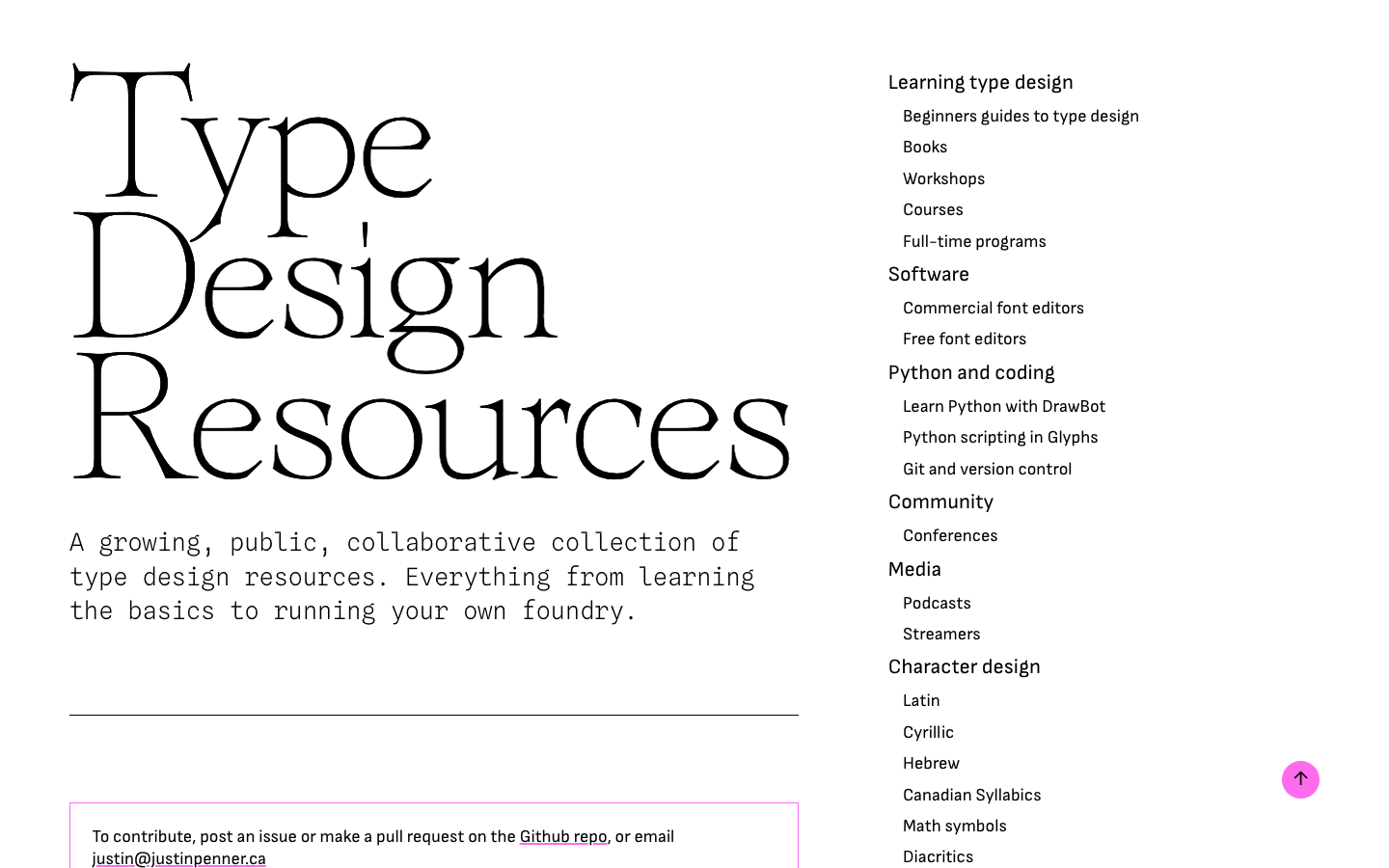
User reviews (0)