Website profiles · Technology insights · Alternatives

unlocked.microsoft.com

Stories from the heart and soul of innovation.

Paid content
Visit website
Profile views 3 Outbound visits 1 Normal
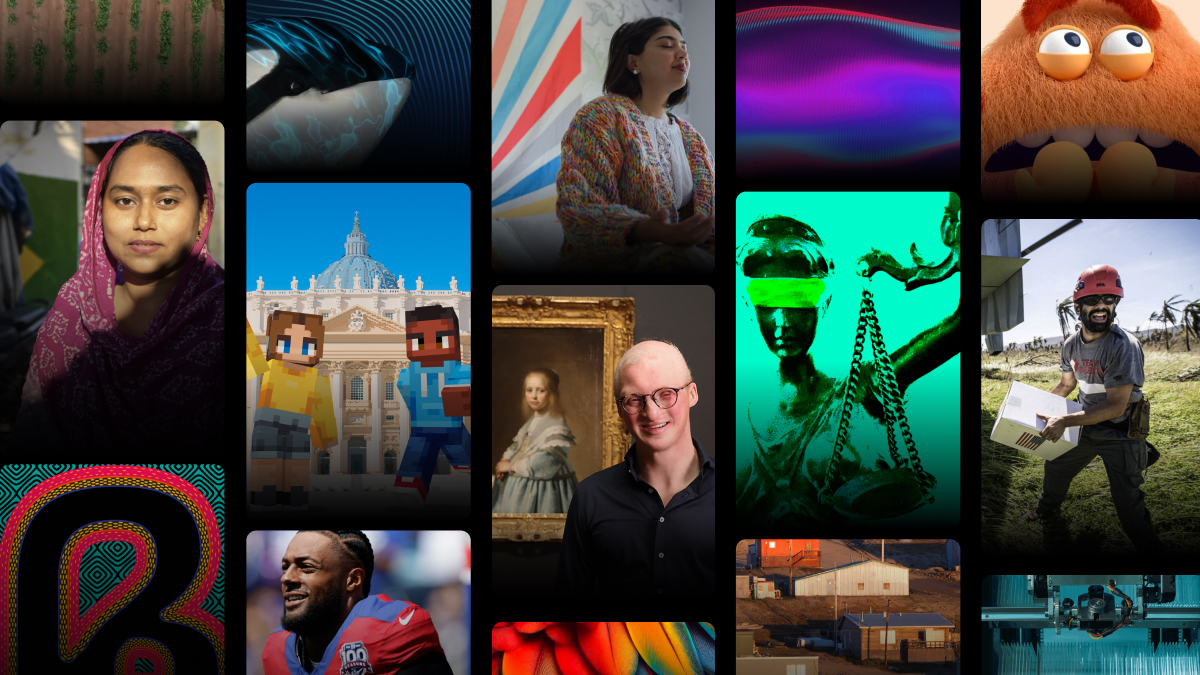
Microsoft Unlocked - Stories from the heart & soul of innovation Full homepage screenshot

At a glance

Category
Technology & Electronics
Language
English
Paid-content signal
Paid contentObserved
Registered
1991
Hosting
CloudflareInferred
HTTPS certificate trusted
PassedObserved
Last updated

Website review

This review may include AI-generated content and is not individually verified. Domain, certificate and other facts come from the observed data on this page.

What is Microsoft Unlocked?

Microsoft Unlocked is Microsoft's editorial storytelling site, focused on how technology and innovation affect people and communities. Rather than product documentation or news releases, it publishes feature-style stories organized under themes such as Thriving Communities, Creativity & Culture, Sustainability, Future of Society and Sports. The page presents them through a "Featured stories" section, a "Fan favorites" section and a "Trending on Unlocked" list, with video and article formats.

Typical pieces shown on the page illustrate the range: a special education teacher personalizing learning with Copilot, bioacoustics work to protect endangered whales from underwater noise, people with ALS sharing data through Neuromine for research, and Premier League and Special Olympics stories involving Copilot.

Who it suits

  • Readers who want narrative, human-centered examples of technology in use rather than specifications.
  • Educators, students and community organizers looking for concrete cases to discuss or adapt.
  • Communicators and researchers seeking story ideas or illustrations of applied innovation.

It is less useful if you need technical documentation, pricing or purchasing guidance; for that, Microsoft's product pages are the appropriate destination.

How to use it

Start with the Featured stories to see the editorial range, then use the theme labels to find stories closest to your interest. For example, a teacher preparing a professional-development session might read the special education co-teaching story alongside the language-inclusion piece, then compare the two approaches to personalization before deciding what to try in class.

How does Microsoft Copilot help teachers personalize learning in the classroom?

Microsoft Unlocked's featured story, "A co-teacher for every classroom," frames Copilot as a co-teacher rather than a replacement: a special education teacher uses it to personalize learning for her students. The page presents this as a story from the heart of innovation, so treat the details as that teacher's reported experience and Microsoft's framing, not an independent evaluation.

What personalization looks like in practice

In a special education classroom, personalization usually means adjusting the same lesson for students with different reading levels, IEP goals or processing needs. A co-teacher tool can help by drafting leveled versions of a text, generating practice questions at different difficulties, or reformatting instructions. The teacher still decides what fits each student; Copilot speeds up the drafting that used to eat planning time.

A concrete scenario

A teacher preparing a science unit has three reading levels in one room. She drafts one passage, asks Copilot for simplified and enriched versions plus comprehension questions for each, then edits for accuracy and tone. The time saved goes into small-group instruction—the part of the job a tool cannot do.

Trade-offs to weigh

  • Verification is non-negotiable. Generated materials can contain errors or miss a student's specific accommodations; the teacher remains the expert on the IEP.
  • Privacy. Student data should not be pasted into prompts; work from anonymized or generic examples.
  • Equity of attention. Efficiency gains matter only if they free time for direct student support.

For context on how AI is changing classrooms and work more broadly, Microsoft publishes related material, and LinkedIn CEO Ryan Roslansky's Unlocked interview on reframing careers is a useful companion read on skills. As a next step, read the full Unlocked story for the teacher's own account, then pilot one repetitive planning task with Copilot for a week and judge it by how much small-group time it returns.

How is bioacoustics being used to protect endangered whale populations from underwater noise?

Bioacoustics is being used in two complementary ways: to detect and identify endangered whales from their calls, and to reduce the underwater noise that interferes with their communication, navigation and feeding. On Microsoft Unlocked, the story "The sound of survival" describes bioacoustics as helping protect one of the world's most endangered whale populations by reducing their exposure to underwater noise.

How the pieces fit together

  1. Listen first. Underwater microphones (hydrophones) record whale calls. Automated analysis—increasingly machine-learning models—can pick out species and even individual call types from hours of audio.
  2. Find the whales in time to act. Acoustic detections feed into near-real-time alerts, so ships, port authorities or regulators know when whales are in an area.
  3. Turn alerts into quieter water. Responses can include slowing ships (quieter propellers and less collision risk), rerouting traffic, pausing noisy work such as pile driving or seismic surveys, or timing loud activity for periods when whales are absent.
  4. Check that it worked. Continued monitoring shows whether noise exposure actually fell and whether whales stayed in or returned to the area.

A reader scenario

Imagine a shipping lane near a critically endangered population. A buoy-mounted hydrophone detects the whales' calls. An alert reaches vessels in the lane, which slow to a quieter speed for a few hours. A construction crew nearby postpones pile driving until the animals move on. Months later, the same acoustic network shows lower noise levels during peak whale season—evidence that the measure helped rather than just sounding good.

Trade-offs to weigh

Approach Strength Limitation
Passive acoustic monitoring Non-invasive; works day and night, over wide areas Only detects whales that call; noisy water can mask calls
Ship speed limits Cuts noise and collision risk at once Slows commerce; needs compliance and enforcement
Rerouting lanes Removes noise from key habitat Adds distance, fuel and cost; may shift noise elsewhere
Pausing noisy work Large, immediate noise reduction Expensive delays; requires reliable, fast alerts

The practical lesson is that bioacoustics works best as an early-warning layer feeding into decisions already in someone's hands—shipping, ports, regulators—rather than as monitoring for its own sake. For a next step, ask of any whale-protection proposal: who receives the acoustic alert, and what are they empowered to change within hours?

What does the LinkedIn CEO say AI means for everyday work and how can I reframe my career?

The page features a story titled "The human edge," described as LinkedIn CEO and Microsoft EVP Ryan Roslansky sharing what AI means for everyday work and what you can do right now to reframe your career. The page evidence gives only that framing, not his specific arguments or recommendations, so the substance of his advice isn't available here. What follows separates the page's description from general career advice.

What the page indicates

  • The piece sits under the "Future of Society" theme, alongside stories on books and civic participation.
  • It is positioned as practical and immediate ("what you can do right now"), not a forecast.
  • The speaker's dual role—leading LinkedIn while serving as a Microsoft executive—means his perspective comes from someone with a close view of hiring data and workplace tools. Treat that as context, not as independent endorsement.

A practical way to reframe your career

If you want to act on the theme before reading the full story, start with an audit rather than a course:

  1. List your tasks by type. Separate judgment-heavy work (decisions, relationships, negotiation) from pattern-heavy work (drafting, summarizing, formatting, routine analysis).
  2. Test one pattern-heavy task with AI this week. Compare output quality and time against your usual method. Keep a short note on where it helped and where it failed.
  3. Move your visible value toward judgment. Volunteer for work that requires context, stakeholder trust or accountability—areas where a tool needs a human in the loop.
  4. Build a small proof point. A documented workflow improvement is more persuasive in interviews than a certificate.

A reader example: a marketing coordinator who spends two hours weekly compiling reports could automate the draft, then spend the saved time on interpreting results for their manager. The reframing isn't "learn AI"; it's "shift my hours toward what only I can do."

Decision criterion

Ask whether your role's core output depends on information synthesis or on trust and accountability. The first benefits most from tool fluency; the second from deepening relationships and domain expertise. Most jobs are a mix, so allocate learning time accordingly.

For adjacent perspectives, LinkedIn publishes its own workplace research at LinkedIn and Microsoft's work-trend reporting is at Microsoft. Read the Unlocked story itself at Microsoft Unlocked for Roslansky's actual points.

How is the Premier League using Copilot as a matchday companion for fans?

Microsoft Unlocked describes the Premier League Companion, powered by Copilot, as a way to "experience the beautiful game like never before," and a related story says the league introduced "a new intelligence engine for every fan touchpoint." In plain terms, the aim is a conversational layer across the matchday experience rather than a single standalone app feature: fans ask questions and get answers tailored to the moment, whether that's before kickoff, during play or afterward.

What this looks like in practice

The page evidence points to two connected ideas: an intelligence engine spanning "every fan touchpoint," and a companion that fans interact with directly. A realistic matchday scenario: a casual viewer opens the companion before a fixture to check context on the teams and key players, asks a follow-up at halftime about a rule or a stat they just saw, and afterward looks for a recap of turning points. The value is less about raw data—fans already have stats—and more about answering questions in natural language, at the moment they arise, without hunting across multiple sites.

Who benefits, and the trade-offs

  • Newer or casual fans gain the most: conversational explanations lower the barrier compared with dense stat pages.
  • Dedicated fans may find more value in speed and convenience than depth; they may still prefer specialist outlets for tactical analysis.
  • Accessibility is a quieter benefit—asking a question in plain language can suit people who find traditional sports interfaces hard to navigate.

The trade-off is that a companion is only as good as its underlying data and how well it handles ambiguous questions; fans should treat answers as a starting point, not gospel, especially for historical records.

A useful next step

If you're curious, read the two related stories on Microsoft Unlocked—"AI at the heart of the beautiful game" and "Meet your matchday companion"—to see how Microsoft frames the fan experience. Then judge it against your own habits: if you mostly watch with your phone in hand and often wonder "what just happened?", a conversational companion fits; if you prefer pre-match previews and long-form analysis, established football coverage may serve you better.

How is Microsoft's first small-town data center creating opportunities for its community?

Microsoft Unlocked frames its story around a single claim: Microsoft's first small-town data center is "creating opportunities for everyone" in its community. The page presents this as a Growing with community story in the Thriving Communities category, but the excerpt only gives that headline and summary line. It does not list specific programs, partners, jobs figures or investment amounts, so details about how the opportunities are delivered aren't available from the page itself.

What the story appears to cover

  • Local economic opportunity: A data center built in a small town rather than a major metro area, with the story angle being what that presence means for residents.
  • Community partnership: The "Thriving Communities" framing suggests the piece focuses on people and local organizations rather than on technical infrastructure.
  • Broad benefit: The "opportunities for everyone" phrasing signals an inclusive-community narrative, not a narrow vendor or customer story.

How to use this

If you're researching corporate community impact, treat this as a narrative case study rather than a data source: it's useful for understanding how Microsoft positions rural infrastructure, but you'd need local reporting or company disclosures for measurable outcomes. A reader deciding whether such a project matters to their own town should look for the specifics the story implies — local hiring, skills training, connectivity or grants — and check them against the full article at Microsoft Unlocked.

Related questions

More questions →
Does Microsoft Unlocked Require a Subscription or Payment to Read?

No. Based on the site's own pages, Microsoft Unlocked is a story and editorial site, and nothing on it indicates that reading its articles requires a subscription or payment. The page presents itself as "Stories from the heart & soul of innovation," with sections like Featured stories, Fan favorites, and Trending on Unlocked — all framed as reading content, not gated material.

What the page actually shows

The site's visible elements point to open reading:

  • Story-first structure: Headings such as "Featured stories," "Fan favorites," and "Trending on Unlocked" organize articles for browsing, with no paywall or sign-in prompt described.
  • No reading-fee language: The page text contains no statement that articles are paid, member-only, or limited by subscription tier.
  • A "subscribe" keyword exists, but context matters: The only pricing-related signal is a "subscribe" keyword and a "Flexible Payments" link that points to Microsoft's store payment and financing options page (microsoft.com/en-us/store/b/payment-financing-options). That link sits in the site footer and relates to Microsoft Store purchases, not to reading Unlocked.

Why the payment link is easy to misread

A footer link labeled "Flexible Payments" can look like a hint that the site charges for access. In practice, it is a standard Microsoft-wide footer element directing to store financing options for products bought through Microsoft. It does not describe any fee for Unlocked content, and the page provides no price, plan, or login requirement for reading.

The same caution applies to the word "subscribe." On Microsoft properties, "subscribe" often refers to newsletters, store offers, or other Microsoft services rather than paid access to a specific editorial site. The page evidence does not tie it to Unlocked reading.

How to confirm for yourself

Because site behavior can change, verify at the point of use:

  1. Open a story from Featured stories or Trending on Unlocked.
  2. Check whether the full article text appears without a sign-in wall or payment prompt.
  3. If a prompt appears, read its wording — distinguish a newsletter signup or Microsoft account sign-in from an actual payment request.
  4. Treat any price or plan shown on a Microsoft Store page as applying to that store purchase, not automatically to Unlocked.

The practical takeaway

  • Reading Unlocked: No subscription or payment is indicated by the site's content or structure.
  • The "subscribe" and "Flexible Payments" signals: They belong to Microsoft's broader store and services ecosystem, not to a reading fee for Unlocked.
  • Condition to keep in mind: This conclusion rests on the page as it currently reads; if a future prompt asks for payment or login to view an article, follow that on-page notice rather than this summary.

In short, you can browse and read Microsoft Unlocked's stories as editorial content; the payment-related links you encounter are about Microsoft Store purchases, not access to the site itself.

How Microsoft Products and Partners Appear in Microsoft Unlocked Stories

Microsoft Unlocked features Microsoft products and partners as narrative context rather than as product listings: Copilot, for example, appears inside stories about a special education teacher personalizing learning, the Premier League building a fan companion, and Special Olympics athletes. Partners such as the Premier League, Special Olympics, and Children International are presented through the people and problems they work on, not through sales pitches or spec sheets. Read it as a story magazine about innovation and its human effects, not as a product documentation or store page.

What the site is

Microsoft Unlocked describes itself as “Stories from the heart & soul of innovation.” Its sections—Featured stories, Fan favorites, The first five minutes, Trending on Unlocked—organize narrative pieces around themes like Thriving Communities, Creativity & Culture, Sustainability, Future of Society, and Sports. The site is editorial in form: headlines, excerpts, and video-led features.

How products show up: as case context

Products enter a story because someone is using them to do something, and the article explains the problem first. Examples visible on the site:

  • Copilot in the classroom. A featured story follows a special education teacher who personalizes learning for her students with Microsoft Copilot. The product is the tool inside a teaching story, not the subject.
  • Copilot in sports. The Premier League Companion powered by Copilot is framed as a way for fans to experience matchday; a separate piece describes a Premier League “intelligence engine” for fan touchpoints.
  • Copilot for an organization. Special Olympics is shown using Copilot to empower its organization and athletes, including members of its USA figure skating team.
  • Data and research. People living with ALS share data through Neuromine so researchers can move faster—a technology-and-community story rather than a platform announcement.
  • AI and language. A piece on giving every language a voice argues that including all languages matters for communities and culture in the age of AI.

What this means for a reader

If you want feature comparisons, pricing, or setup instructions, these stories will not give them. If you want to understand why an organization adopted a tool and what changed for the people involved, that is the register the site uses. The same applies to partner stories: Children International is introduced through its work supporting children and families at the community level, and Microsoft’s first small-town data center is covered as a community-opportunity story.

Partner and community stories beyond products

Not every piece centers a Microsoft product. The site includes:

Story Theme Product role
50 twins and “Doppelmode” Creativity & Culture Not product-led
Bioacoustics for endangered whales Sustainability Technology as method
Phasing out single-use plastics Sustainability Corporate practice
LinkedIn CEO on AI and work Future of Society Leadership perspective
“Take it to the ballot” Future of Society Civic participation

This mix matters: it shows the editorial line treats Microsoft technology as one ingredient among many—people, policy, science, and community organizations carry equal weight.

How to read it well

  • Start from the theme, not the product. Pick Thriving Communities or Sustainability if you care about social impact; pick Sports for fan-experience stories.
  • Expect video and narrative. Several features are video-led, and the page notes browser video support; some pieces are better watched than skimmed.
  • Treat claims as story-level, not specification-level. A story can tell you an organization uses Copilot and what that changed for them; it will not tell you plan limits or deployment requirements.
  • Use it for context, then verify elsewhere. If a story prompts a practical question—say, whether Copilot fits a classroom workflow—check Microsoft’s product documentation for the operational details.

In short, Microsoft Unlocked is where products and partners appear as characters in innovation stories. Read it to learn how organizations frame their problems and what they say changed; go elsewhere for the specifications.

How to Find Featured and Trending Stories on Microsoft Unlocked

To find featured and trending stories on Microsoft Unlocked, start on the homepage and scan its labeled sections: Featured stories, Fan favorites, and Trending on Unlocked. Each section groups stories by editorial priority or popularity, and every story card carries a topic tag such as Thriving Communities, Sustainability, Sports, Creativity & Culture, or Future of Society. You can use those tags to jump to the themes you care about. Note that many cards include video, so your browser needs video support to play them.

The homepage sections, in order

The homepage is organized top to bottom, so you can move from editor-curated picks to popular content without leaving the page.

Section What it shows How to use it
Featured stories Editor-selected stories presented as large cards, often with video Best starting point for a curated overview of current themes
Take it to the ballot A themed collection about civic participation and community voice Useful if you want stories on society and civic life
Fan favorites Stories framed as audience favorites, including sports and community topics Good for seeing what other readers engage with
The first five minutes A section heading on the page (content not detailed in the available page text) Check it directly on the site to see what it currently highlights
Trending on Unlocked Stories currently trending on the site Use this to catch what's popular right now

Browsing by topic tag

Every story card on the homepage shows a topic label under its headline. The tags visible on the page include:

  • Thriving Communities — e.g., a co-teacher using Copilot in special education, ALS data sharing through Neuromine, language inclusion in AI, small-town data centers, and Children International's community work
  • Sustainability — e.g., bioacoustics for whale protection and Microsoft's plastics and climate footprint work
  • Creativity & Culture — e.g., the "Doppelmode" story about 50 twins
  • Future of Society — e.g., LinkedIn CEO Ryan Roslansky on AI and everyday work, books and innovators, and the "Take it to the ballot" collection
  • Sports — e.g., Premier League's intelligence engine, the Premier League Companion powered by Copilot, and Special Olympics figure skating

If a theme matches your interest, use its tag as your filter and read the cards grouped under it rather than scrolling the whole page.

What to expect when you open a story

Story cards frequently embed video, and the page text explicitly notes browser video support ("Your browser does not support the video tag"). If a card shows a play/pause control, the story includes video content. If video doesn't play, the text content of the story is still the primary way to read it — the video is an enhancement, not a requirement for understanding the story.

Practical tips

  • Start with Featured stories if you want a curated view; start with Trending on Unlocked if you want to see what's popular at the moment.
  • Use topic tags as your navigation shortcut — they appear consistently on cards across sections, so the same tag connects stories in Featured, Fan favorites, and Trending.
  • Expect a mix of formats — some stories are primarily video-led, others text-led; the card layout signals which is which.
  • Check section headings directly on the site for the most current lineup, since featured and trending content rotates.
What Kinds of Stories and Topics Does Microsoft Unlocked Cover?

Microsoft Unlocked is Microsoft’s editorial-style storytelling site, focused on “stories from the heart and soul of innovation.” Based on the visible homepage, it is not a product documentation or news hub. It publishes feature stories about people, organizations, and real-world uses of technology, organized under sections such as Featured stories, Fan favorites, and Trending on Unlocked. If you want narrative, example-led content about how technology affects communities, education, accessibility, sustainability, and sports, it is worth browsing.

Main topic areas visible on the site

The homepage groups stories under recurring themes, including:

  • Thriving Communities — education, accessibility, community development, and nonprofit partnerships.
  • Creativity & Culture — cultural and creative experiments, such as a story about 50 twins bringing “Doppelmode” to life.
  • Sustainability — environmental work, including bioacoustics for protecting endangered whales and efforts to reduce single-use plastics.
  • Future of Society — how AI and other changes affect work, careers, and civic participation.
  • Sports — technology in football and the Special Olympics, including Premier League and Copilot-related stories.

What the stories look like in practice

The site favors a case-study or profile approach rather than product announcements. Examples from the homepage include:

Story Theme Angle
A co-teacher for every classroom Thriving Communities A special education teacher personalizes learning with Microsoft Copilot
Giving every language a voice Thriving Communities Language inclusion and culture in the age of AI
The sound of survival Sustainability Bioacoustics helping protect endangered whales from underwater noise
Less plastic, more planet Sustainability Microsoft’s environmental footprint and ecosystem support
The human edge Future of Society LinkedIn CEO and Microsoft EVP Ryan Roslansky on AI and everyday work
Take it to the ballot Future of Society Civic participation and community voice
Gliding to victory Sports Special Olympics using Copilot to support its organization and athletes

These examples show that the site usually starts with a person, organization, or concrete project, then explains the technology or initiative behind it.

Sections to check first

  • Featured stories — the main editorial picks, spanning education, culture, sustainability, and society.
  • Fan favorites — popular stories, with a visible emphasis on sports and community programs.
  • Trending on Unlocked — a quick way to see what other readers are engaging with.
  • Take it to the ballot — a themed feature on civic participation and shared futures.

Who it is for

Microsoft Unlocked suits readers who want accessible, story-driven examples of technology in use, especially in education, accessibility, sustainability, community work, and sports. It is less suited for readers looking for technical documentation, product specifications, or breaking Microsoft news. The homepage includes some video content, and the site notes browser video support limitations, so some stories may be easier to follow in a modern browser.

What Is Microsoft Unlocked?

Microsoft Unlocked is Microsoft's editorial storytelling site, publishing feature stories about the people, communities, and ideas behind innovation. It is not a product page or documentation hub — it is a magazine-style publication, and its tagline describes the content as "stories from the heart and soul of innovation." If you are looking for Microsoft product downloads, support, or pricing, this is not the right destination; if you want narrative, human-centered reporting on how technology is being used in the world, it is.

What kind of content does it publish?

The site is organized around themed sections rather than product categories. The main areas visible on the homepage are:

  • Featured stories — long-form pieces spotlighting individuals and organizations
  • Fan favorites — popular stories, often tied to sports and entertainment partnerships
  • Trending on Unlocked — currently popular articles
  • The first five minutes — a section whose framing suggests short, quick-read content

Stories are tagged by theme, including Thriving Communities, Creativity & Culture, Sustainability, Future of Society, and Sports.

What topics do the stories cover?

The published stories show the range clearly:

Theme Example story
Education A special education teacher personalizing learning with Microsoft Copilot
Culture How 50 twins brought "Doppelmode" to life
Sustainability Using bioacoustics to reduce underwater noise exposure for an endangered whale population
Environment Phasing out single-use plastics and monitoring climate impact
Health research People living with ALS sharing data through Neuromine to speed research
Language and AI Including all languages in the age of AI
Work and careers LinkedIn CEO Ryan Roslansky on what AI means for everyday work
Community Microsoft's first small-town data center and local opportunity
Sports The Premier League's new intelligence engine and a Copilot-powered matchday companion

How does it relate to Microsoft products?

Products appear as part of the story, not as the subject. Copilot shows up in several pieces — as a co-teaching tool, as a matchday companion for Premier League fans, and as a way for Special Olympics to support its organization and athletes. Partner organizations such as Children International and the Premier League are featured through case-study-style narratives. The emphasis stays on outcomes for people rather than on product features or specifications.

Who is it for?

  • Readers interested in how AI and technology affect communities, culture, and work
  • Educators, researchers, and nonprofit staff looking for real-world examples of technology in use
  • Anyone who wants Microsoft's perspective on social impact framed as journalism rather than marketing

What to keep in mind

The site is published in English (en-US). The homepage includes a "subscribe" signal, but the available material does not specify subscription terms, pricing, or whether any content sits behind a login — check the site directly before assuming open access to everything. Because the content is editorial and promotional in nature, treat the case studies as Microsoft's own framing rather than independent reporting.

Website Overview

An established domain and managed infrastructure suggest continuity of operations and may support dependable delivery, although neither guarantees service quality. Page metadata, canonical configuration and social previews work together to provide more consistent search and sharing presentation.

Domain and Registration

Registered in 1991, this domain has about 35 years of history. That suggests continuity, although ownership and purpose may have changed. The registrar, MarkMonitor Inc., specializes in corporate domain and brand management, suggesting attention to domain asset protection. Transfer-protection status is present, helping reduce the risk of unauthorized domain transfers. The domain uses the common .com extension, which is not an independent safety signal.

DNS and Email

Nameservers are provided by Azure DNS, indicating managed DNS hosting. MX records point to the Microsoft 365 email service. CAA records restrict which certificate authorities are authorized to issue certificates. SPF and DMARC are configured. DKIM status is unknown. TXT records include verification markers for Google, Atlassian, Meta, Microsoft. Such markers may also remain after a service stops being used.

TLS and Certificates

The certificate includes the organization field Microsoft Corporation. The certificate uses an RSA 2048-bit public key, offering broad client compatibility. The server supplied a complete certificate chain. The certificate is valid for about 360 days in total, with 100 days remaining. The certificate covers the main domain and its usual www hostname.

HTTP and Browser Security

X-Powered-By exposes backend information: WP Engine. The response lacks these common security headers: Permissions-Policy. The cf-ray, x-cache response header indicates a CDN or caching proxy in the delivery path. No obvious internal addresses or debug information were found in the headers. The Server header identifies cloudflare without an exact version.

Technology Stack Analysis

The public page identifies WPML ver:5.0.2 stt:5,59,61,9,12,37,1,18,4,67,3,69,70,13,20,27,28,29,38,40,42,41,2,66,50,52,53;, WordPress, jQuery, Cloudflare without precise versions, leaving fewer clues for version-specific scanning.

Search and Social Sharing

The Generator tag identifies WPML ver:5.0.2 stt:5,59,61,9,12,37,1,18,4,67,3,69,70,13,20,27,28,29,38,40,42,41,2,66,50,52,53;, making the publishing system easier to fingerprint. Twitter Card metadata is configured. JSON-LD includes Organization data, helping describe the organization as an entity. The title has 64 characters, within a common display range. A meta description is present, with 46 characters.

Hosting and Email

DNSAzure DNS
HostingCloudflare
EmailMicrosoft 365
Approximate IP geolocation (inferred; a CDN or proxy may differ from the origin server) United States flagUnited States Inferred 141.193.213.20

Registration details

RDAP / WHOIS

RegistrarMarkMonitor Inc.
Registered1991-05-02
Expires2027-05-03
Domain statusclient delete prohibited、client transfer prohibited、client update prohibited、server delete prohibited、server transfer prohibited、server update prohibited
Nameserversns1-39.azure-dns.com、ns2-39.azure-dns.net、ns3-39.azure-dns.org、ns4-39.azure-dns.info
DNSSECunsigned

DNS records

DNS

TypeNameValueTTLPriority
Aaessqt5e3gs2.wpeproxy.com141.193.213.20300—
Aaessqt5e3gs2.wpeproxy.com141.193.213.21300—
MXmicrosoft.commicrosoft-com.mail.protection.outlook.com360010
NSmicrosoft.comns1-39.azure-dns.com168285—
NSmicrosoft.comns2-39.azure-dns.net168285—
NSmicrosoft.comns3-39.azure-dns.org168285—
NSmicrosoft.comns4-39.azure-dns.info168285—
TXTmicrosoft.com1password-site-verification=35ZTURTFFFDC5BW7GFQKRJ77QM3511—
TXTmicrosoft.comMS=ms796290623511—
TXTmicrosoft.com_ij59qjkrntjw3gpjplj3or17mo3xxvt3511—
TXTmicrosoft.com_zx2p8gpzv720db2aqmozy4jhwk2nl433511—
TXTmicrosoft.comairtable-verification=79a09e4a8013ff5737798ffb4ea88eee3511—
TXTmicrosoft.comanthropic-domain-verification-phksss=GZrrKDUR4klRLFCvxyOvqcNGE3511—
TXTmicrosoft.comatlassian-domain-verification=Sn5AwyIdVgkaRaJA/IKj7ZFMnWeCBnppa9bXGLuJvsakRHH4lYoBxS8g7GVlud9M3511—
TXTmicrosoft.comatlassian-domain-verification=xvoaqRfxSg3PnlVnR4xCSOlKyw1Aln0MMxRiKXnwWroFG7vI76TUC8xYb03MwMXv3511—
TXTmicrosoft.comd365mktkey=3l6dste9txazu0Qd2zu4135PUB4E35txLxyzJxjkPbsx3511—
TXTmicrosoft.comd365mktkey=3uc1cf82cpv750lzk70v9bvf23511—
TXTmicrosoft.comd365mktkey=6358r1b7e13hox60tl1uagv143511—
TXTmicrosoft.comd365mktkey=8fEQahTresJms7tZGxGFr94T1zDz36oCbUt1LJc99mox3511—
TXTmicrosoft.comd365mktkey=Fu49WtSTeClkHtK7S14227RIVpGwwGrzEsO6RVs1I2Ax3511—
TXTmicrosoft.comd365mktkey=JlXV17lfZjyvWxNje1qiP390ACSKzTxo5mGqZ3V2BmYx3511—
TXTmicrosoft.comd365mktkey=PNcDqkW71x8VOUhcE96aGM4l5PYX1gnlRl6ieXUl5eMx3511—
TXTmicrosoft.comd365mktkey=QDa792dLCZhvaAOOCe2Hz6WTzmTssOp1snABhxWibhMx3511—
TXTmicrosoft.comd365mktkey=SxDf1EZxLvMwx6eEZUxzjFFgHoapF8DvtWEUjwq7ZTwx3511—
TXTmicrosoft.comd365mktkey=ZGFU0tlXPekPusNHPo5QQQWpVf0gic0xpuKroNy3NQEx3511—
TXTmicrosoft.comd365mktkey=heYmJ57sWrwMjCgIG1xRwTREJrQokUIDtBcNfGuxoWQx3511—
TXTmicrosoft.comd365mktkey=j2qHWq9BHdaa3ZXZH8x64daJZxEWsFa0dxDeilxDoYYx3511—
TXTmicrosoft.comd365mktkey=wbU64GRacxVEQxwcLSQnx0zisXLYzgUbfvsufIqO9ZUx3511—
TXTmicrosoft.comdobtdihqagnr18hea8uv1h1mvq3511—
TXTmicrosoft.comdocker-verification=b912d2f3-8614-4591-962b-9e07dbf7c0473511—
TXTmicrosoft.comdocusign=d5a3737c-c23c-4bd0-9095-d2ff621f28403511—
TXTmicrosoft.comfacebook-domain-verification=fwzwhbbzwmg5fzgotc2go51olc35663511—
TXTmicrosoft.comfg2t0gov9424p2tdcuo94goe9j3511—
TXTmicrosoft.comgoogle-site-verification=GfDnTUdATPsK1230J0mXbfsYw-3A9BVMVaKSd4DcKgI3511—
TXTmicrosoft.comgoogle-site-verification=M--CVfn_YwsV-2FGbCp_HFaEj23BmT0cTF4l8hXgpvM3511—
TXTmicrosoft.comgoogle-site-verification=jwrHU99GU8HSXlRFeywLDZmVawD2DWVCebQ41shKK0M3511—
TXTmicrosoft.comgoogle-site-verification=pjPOauSPcrfXOZS9jnPPa5axowcHGCDAl1_86dCqFpk3511—
TXTmicrosoft.comgoogle-site-verification=uFg3wr5PWsK8lV029RoXXBBUW0_E6qf1WEWVHhetkOY3511—
TXTmicrosoft.comgoogle-site-verification=uhh5_jbxpcQgnb-A7gDIjlrr5Ef34lA2t2_BAveYpnk3511—
TXTmicrosoft.comhcp-domain-verification=3ce174a8b9fba88909633ab13eb1d81ce0123454745d66e500052ed84b7248a13511—
TXTmicrosoft.comhpe-greenlake-domain-verification=495143304a3330533363357a57684f6335556f316f55654675523541464d39543511—
TXTmicrosoft.comhubspot-developer-verification=OTQ5NGIwYWEtODNmZi00YWE1LTkyNmQtNDhjMDMxY2JjNDAx3511—
TXTmicrosoft.comlinear-domain-verification=iuq6saifcnbe3511—
TXTmicrosoft.comliveramp-site-verification=kxcV8fDH_FUNUZQEcAO6lwgim47f_hNLgMP4VG0PF_Q3511—
TXTmicrosoft.commixpanel-domain-verify=5803bc4c-5bb6-4ce1-8076-7538000973733511—
TXTmicrosoft.comms-domain-verification=1c4e4677-e58f-4117-8d61-e5b2810388c23511—
TXTmicrosoft.comms-domain-verification=25524f4b-1476-489c-a086-30f4c5016ecc3511—
TXTmicrosoft.comms-domain-verification=478640ad-6524-43d5-86c4-a914804b9e933511—
TXTmicrosoft.comms-domain-verification=561512fc-b4ba-4ac7-a946-e464c8f49f1b3511—
TXTmicrosoft.comms-domain-verification=65f91178-9dfb-41cd-929d-08d1a38ed6073511—
TXTmicrosoft.comms-domain-verification=d6545068-89f7-4432-b947-0b137e8a9fe33511—
TXTmicrosoft.comopenai-domain-verification=dv-sFtCvKOlWoe31gpoSvs7cqsP3511—
TXTmicrosoft.comsitecore-domain-verification=1d46cb5467624e33a408d143248740883511—
TXTmicrosoft.comt7sebee51jrj7vm932k531hipa3511—
TXTmicrosoft.comv=MCPv1; k=ecdsap384; p=A/78JIxAOlNwq8f0T/l50w7zhwQFpEuB8/Jz9CafdXNX7ewOluYpS/EEcSmLgxsHXg==3511—
TXTmicrosoft.comv=MCPv1; k=ecdsap384; p=A/Mf6IKdZzcHfBvpiVz9rkdPTIcCP5IbRDdEkeP3PgXEXF3mNjorahOwaYlMINBF5A==3511—
TXTmicrosoft.comv=MCPv1; k=ecdsap384; p=A5JeyhIFWFj4/epHJwt29GRUSrFwGSwXhrhDMAUSklMhfXjI7gi/ekY/fQSWToZdCw==3511—
TXTmicrosoft.comv=MCPv1; k=ecdsap384; p=A8qndBCDJGtFF2+3v/IPIMmM0SaVcrJBoSue7rKob6sUeK7QGeFuWkrtvze3AiqUDA==3511—
TXTmicrosoft.comv=MCPv1; k=ecdsap384; p=An4mJIFLRys9h1EvjX18SJs5p1uEF5MHcs2JJLYPrI48C5Qt9FpaZEM0sQTV4JvNYw==3511—
TXTmicrosoft.comv=MCPv1; k=ecdsap384; p=AoHTKEi2W8L2P8cf9CoDicIxYiuttTkwtIeFOqYCewBGoRZiiF+9/92saUkIDERGAA==3511—
TXTmicrosoft.comv=MCPv1; k=ecdsap384; p=AqXeTHJ/1FCYeuvJ8dc1B+X3uHaa7m2W0s31vzL4opnrJlSaBdtbWTY8Ti5WiZnu9Q==3511—
TXTmicrosoft.comv=MCPv1; k=ecdsap384; p=As/XxnDWZFxFwHvRZj+HbG5/ImtAeabLkiOWu1h7wCJQFAR216E9HoYQ5Hy6o7StoQ==3511—
TXTmicrosoft.comv=MCPv1; k=ecdsap384; p=Asc8WWov6gsmCCzn4CSrwRuJIh5SqvaitKz/LlTW+SD54lLC52wzcnWhlTI416p2vw==3511—
TXTmicrosoft.comv=MCPv1; k=ecdsap384; p=Azw9+u4M8RoH+bxJidKAZzGDmsPkzY1N4cO7rB/uC5x1RBoNfMyBlH/ott0lpo4pOQ==3511—
TXTmicrosoft.comv=spf1 include:_spf-a.microsoft.com include:_spf-b.microsoft.com include:_spf-c.microsoft.com include:_spf-ssg-a.msft.net include:_spf1-meo.microsoft.com -all3511—
TXTmicrosoft.comworkplace-domain-verification=lK0QDLk73xymCYMKUXNpfKAT8TY5Mx3511—
TXTmicrosoft.comzoom-domain-verification=ZOOM_verify_e97a3d385acb4c47b9b924609a2805243511—
CNAMEunlocked.microsoft.comaessqt5e3gs2.wpeproxy.com3600—
CAAmicrosoft.com0 contactemail "[email protected]"3600—
DMARC_dmarc.microsoft.comv=DMARC1; p=reject; pct=100; rua=mailto:[email protected]; ruf=mailto:[email protected]; fo=12393—

TLS and certificates

TLS / SSL

AssessmentNormal configuration
Supported protocolsTLSv1.2、TLSv1.3
Negotiated protocolTLSv1.3
Certificate subjectunlocked.microsoft.com
IssuerMicrosoft Corporation
Valid until2027-01-30T18:40 · Remaining when checked: 100 days
Verification detailsCertificate trust: Passed · Hostname match: Passed

HTTP response headers

HTTP

HeaderValue
content-typetext/html; charset=UTF-8
cache-controlmax-age=15552000, must-revalidate
servercloudflare
strict-transport-securitymax-age=63072000; includeSubDomains; preload
content-security-policydefault-src 'self' https://*.wpenginepowered.com https://*.microsoft.com https://*.realornotquiz.com https://*.spotify.com https://*.clarity.ms https://1619-1619nosplash.azurewebsites.net https://*.zucotgallery.com https://*.bing.com https://greensock.com https://uhf-exp-fd-gbcrdgggfbggh0g3.b02.azurefd.net https://www.youtube-nocookie.com https://salmon-plant-05f61c61e.1.azurestaticapps.net https://www.youtube.com https://cskrosegallery.thekingcenter.org https://*.flip.com; script-src 'self' https://*.wpenginepowered.com https://*.microsoft.com 'unsafe-inline' 'unsafe-eval'; script-src-elem * 'self' data: 'unsafe-inline' https://*.microsoft.com; script-src-attr * 'self' data: 'unsafe-inline' https://*.microsoft.com; style-src * 'unsafe-inline'; style-src-elem * 'unsafe-inline'; style-src-attr * 'unsafe-inline'; img-src * data: blob:; font-src * data:; media-src *; connect-src 'self' https://*.wpenginepowered.com https://*.microsoft.com https://*.realornotquiz.com https://*.spotify.com https://*.clarity.ms https://1619-1619nosplash.azurewebsites.net https://*.zucotgallery.com https://*.bing.com https://x.clarity.ms https://greensock.com https://uhf-exp-fd-gbcrdgggfbggh0g3.b02.azurefd.net https://www.youtube-nocookie.com https://salmon-plant-05f61c61e.1.azurestaticapps.net https://www.youtube.com https://ams.wpml.org https://my.yoast.com https://*.flip.com; worker-src 'self' blob:; frame-src 'self' blob: https://www.youtube.com https://www.youtube-nocookie.com https://*.wpenginepowered.com https://*.microsoft.com https://*.flip.com; object-src 'self' blob:; form-action 'self' https://*.wpenginepowered.com https://*.microsoft.com;
x-frame-optionsSAMEORIGIN
x-content-type-optionsnosniff
referrer-policyorigin

Identified technologies

WPML ver:5.0.2 stt:5,59,61,9,12,37,1,18,4,67,3,69,70,13,20,27,28,29,38,40,42,41,2,66,50,52,53;WordPressjQueryCloudflare

Pages, Search and Sharing

Meta descriptionStories from the heart and soul of innovation.
Canonical URLhttps://unlocked.microsoft.com/
LanguageEnglish (default)
Twitter Cardsummary_large_image
All bots 0 allowed · 0 disallowed

User reviews (0)

  • No reviews yet.