
 简体中文
简体中文 English
Website review
This review may include AI-generated content and is not individually verified. Domain, certificate and other facts come from the observed data on this page.
What is Walee?
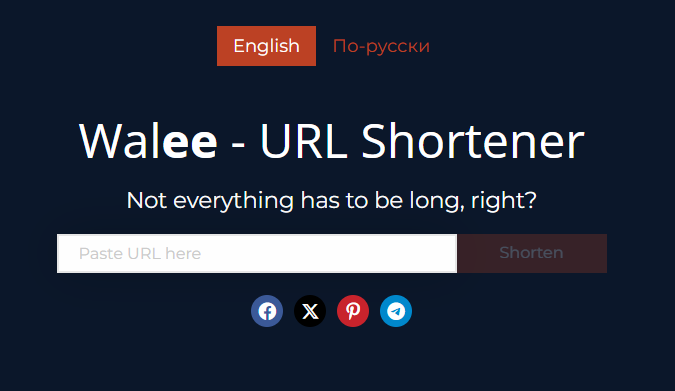
Walee (wal.ee) is a web tool that shortens long URLs and automatically generates a QR code for each shortened link. You paste in a URL, get a compact, shareable link, and can optionally add an annotation to it. It also provides a printable and downloadable QR code, plus click tracking so you can see how much traffic a link receives.
What you can do with it
- Turn a long, messy URL into a short, clean one for social posts, newsletters, presentations or email campaigns.
- Create separate short links for different channels (e.g., Twitter, Facebook, Telegram, WhatsApp) so you can compare where clicks come from.
- Download or print the QR code that comes with each link, which is handy for posters, flyers, event slides or packaging.
- Rely on the site's stated link checking, which it says screens URLs with AI-based algorithms to flag malicious content before sharing.
Who it suits
It fits individuals and small teams who need a quick, no-frills way to tidy links and bridge the gap between online and offline sharing—for example, a small business printing a menu QR code, or a marketer splitting campaign links by platform. It is less suited to anyone who needs deep analytics dashboards or enterprise link governance, since the page describes simple click tracking rather than a full analytics suite.
A practical next step
Before committing a short link to print, shorten the final destination URL, test the short link and QR code on a phone, and label each channel variant clearly (e.g., "spring-sale-fb") so the click counts stay meaningful. For related link and QR tools, see Bitly and TinyURL.
How do I create a shortened URL with Walee?
Paste your long link into the URL field on Walee and submit it. The page then shows a "Your short link" field with the shortened address alongside the original URL. Before or while shortening, you can add an annotation to the link, and every shortened link comes with a QR code you can preview, print or download.
A practical sequence:
- Copy the full destination URL, including any tracking parameters you want to keep.
- Paste it into the input field and submit.
- Add an annotation if you need a reminder of what the link is for (for example, "newsletter, March").
- Copy the short link, or download the QR code if you're sharing it in print or on a screen.
- Test the short link once in a private browser window to confirm it resolves to the right page.
What to watch for
Walee validates the URL before shortening: if the address is unreachable or malformed, it returns an error instead of a link. Check for typos, missing https://, or a page that requires a login before you retry.
The site also states that links are checked with automated algorithms to flag malicious content. Treat that as a safety net rather than a guarantee, especially if you're shortening links you didn't create yourself.
When a short link makes sense
Short links are most useful where space or readability matters: social posts, SMS, printed slides, and QR codes that people will scan. If you're running separate campaigns, create a distinct short link per channel so you can tell which one drove clicks. For a permanent page on your own site, a clean original URL is often better for long-term sharing and search visibility.
Next step: decide on one link per channel before you start, note the annotation for each, and keep a simple list of short link, destination and channel so later click data is easy to interpret.
Can I generate a QR code for my shortened link on Walee, and how do I download or print it?
Yes. Every link you shorten on Walee gets a QR code automatically, and the page gives you two ways to take it with you: Download QR and Print QR.
How it works in practice
- Paste your long URL into the shortener and create the short link.
- On the result screen, the QR code appears alongside your short link and original URL.
- Use Download QR to save the code as an image, or Print QR to send it straight to a printer.
A useful detail from the page is the optional annotation field: you can attach a note to the link, which helps when you are generating several codes for different channels and need to tell them apart later.
Choosing between download and print
| Option | Best for | Trade-off |
|---|---|---|
| Download QR | Slides, newsletters, social posts, packaging artwork, anything designed on screen | You still need to place and size the image yourself |
| Print QR | Posters, flyers, table cards, shop windows, event signage | Fixed to paper; reprinting is needed if the destination link changes |
A concrete scenario
Suppose you run a small café and want a table card that opens your menu. Shorten the menu URL, add an annotation like "table card – summer menu", download the QR, and drop it into your print layout. For a one-off poster instead, Print QR saves the extra step.
Decision criterion
Download when the code will be reused, resized or embedded in a design; print when you need a physical copy immediately. Either way, test the code with a phone camera before distributing it, and keep the annotation so you can match each code to its campaign.
How does Walee track clicks on my shortened links?
Walee's page describes click tracking as a general capability of shortened links rather than detailing a dashboard: it says short URLs make it easier to track traffic sources, and suggests creating separate short links for each channel (Twitter, Facebook, Telegram, WhatsApp, email) so you can tell them apart. It does not specify on-page what metrics, retention periods or reports you get, so treat any per-click analytics as something to confirm after creating a link.
What the page actually supports
- Channel-level tracking through separate links. The practical method described is one short link per destination and channel. If a newsletter link and a Telegram link point to the same page but use different short URLs, comparing their activity tells you which channel is driving visits.
- Annotations on links. The tool lets you leave an annotation on each link, which is useful for labelling links by campaign or audience so you can recognise them later.
- QR codes tied to each short link. Every shortened link also gets a QR code, so scans and clicks can be counted against the same link — handy for print flyers, event slides or packaging where people scan rather than type.
- Safety checking, not analytics. The page highlights AI-based checks of every link for malicious content. That is about protecting your audience, not about measuring them.
A concrete way to use it
Suppose you run a small event. Create one short link for the email invitation, one for the Instagram bio and one for the printed programme's QR code, each annotated with its channel. After the event, compare which link saw the most activity to decide where to put effort next time. This works because the links are distinct, even if the reporting itself is basic.
Decision criterion
If you need detailed analytics — referrers, geography, time-of-day charts, exportable reports — verify what Walee's dashboard shows before committing, since the page does not spell it out. If you mainly need clean, memorable links plus QR codes and rough channel comparison, the separate-link approach covers it. For heavier campaign measurement, dedicated analytics platforms such as Plausible or Bitly are worth comparing on reporting depth.
Is Walee free to use, and are there any limits on how many links or QR codes I can create?
Walee presents itself as a free tool for shortening links and generating QR codes, and the page describes the QR-code generation as free for every shortened link. The page evidence does not state any cap on the number of short links or QR codes you can create, and it lists no paid tiers or pricing.
What the page supports
- Short links and QR codes are described as free, with no stated quota.
- Each shortened link gets a QR code you can scan, print or download.
- You can add an annotation to a link, which helps when you manage several campaigns.
- Links are checked with AI-based screening to flag malicious destinations.
- The page suggests making separate short URLs per channel (social, newsletter, presentations) to track traffic sources.
What to verify before relying on it
Because no limits are published, treat "unlimited" as unconfirmed. If you plan to use Walee for a large campaign, a client project or anything long-lived, test the practical constraints first:
- Create a handful of links and QR codes in one sitting and see whether any throttling or messaging appears.
- Check whether short links and QR codes remain active over time, since a link shortener is only useful if its redirects persist.
- Confirm whether click tracking is included and how much detail it gives, as the description mentions tracking but the page excerpt does not specify reporting depth.
For a quick, free way to tidy long URLs for a post or slide deck, Walee fits the job. For high-volume or brand-critical use, compare it with established shorteners that publish their limits, such as Bitly or TinyURL, and decide based on whether you need guaranteed link longevity and analytics rather than zero cost.
How does Walee check links for safety, and what happens if a link is flagged as malicious?
Walee states that it checks every shortened link with AI-powered algorithms before the link is shared, describing this as protection for you and your audience from malicious content. The site presents this as an automatic safety check built into the shortening workflow, not an optional setting you enable.
What the site does and does not say
The page evidence confirms the check exists and is AI-based. It does not document what happens after a link is flagged: there is no published description of a warning screen, a block on creating the short link, an appeal or review process, or notification to the person who submitted it. The only error messages visible on the page relate to input problems — an unreachable URL or a missing/malformed URL — rather than a malware verdict. So the honest answer is: the check is advertised, but the flagged-link handling is unspecified.
Practical reading for a link creator
Treat the safety check as a first-pass filter rather than a guarantee. If you shorten links for a newsletter, a client's campaign, or a community group, assume some legitimate links may be caught (new domains, redirect chains, file downloads) and some risky ones may slip through. A sensible workflow:
- Keep the original long URL on hand so you can re-shorten or swap it if a short link fails.
- Test your short link and its QR code yourself before publishing, since a blocked destination may only surface when someone clicks.
- Don't rely on the shortener as your only review step when you're relaying links from third parties.
Practical reading for a link recipient
Because the page doesn't explain what a flagged link looks like, don't expect a warning page to appear. Apply normal caution: if a short link arrives unsolicited or the surrounding message pressures you to act fast, verify the destination with the sender rather than trusting the shortener's screening.
Decision criterion
If you need documented abuse handling — a stated review process, takedown policy, or notice when your link is blocked — ask the operator directly or choose a service that publishes those terms. For casual sharing where the AI check is a helpful extra layer, Walee's approach is reasonable; just don't treat it as an audit trail.
 hetzner.de
 Helsinki, Uusimaa, Finland

User reviews (0)