
 简体中文
简体中文 English
Website review
This review may include AI-generated content and is not individually verified. Domain, certificate and other facts come from the observed data on this page.
What is WebLiero?
WebLiero is a browser-based, online-multiplayer take on Liero, the 1998 Finnish freeware game. The original Liero is a real-time 2D artillery-style duel in which two worms dig through destructible terrain and fire a wide arsenal of weapons at each other; WebLiero keeps that core and moves it into a web page with networked play, so you can join matches without installing anything.
What that means in practice
- No install, browser only. You open the site and play in the page, which suits quick sessions on a work laptop, a school machine, or a borrowed computer where installing a game isn't an option.
- Multiplayer-first. The point is playing against other people online rather than a single-player campaign. Expect the fun and the friction of live opponents: fast, chaotic duels where map knowledge and weapon choice matter.
- Terrain destruction is the heart of it. Like the original, you dig tunnels and reshape the map as you fight, so movement and cover are things you create rather than things the level hands you.
- A niche, skill-heavy audience. Liero veterans and players who like twitchy, physics-driven arena combat will feel at home; newcomers should expect a steep first few matches while they learn the arsenal and the digging rhythm.
A useful next step
If you're deciding whether to try it, ask yourself one question: do you want a quick, competitive duel you can start in a browser tab? If yes, open WebLiero, play a match or two against others, and judge it on how the weapon variety and terrain digging feel to you. If you'd rather have a single-player or tutorial-led experience first, the original Liero and its many offline variants are the gentler entry point.
How do I play WebLiero in my browser without installing anything?
Open WebLiero in a modern desktop browser and wait for the loading screen to finish; the game runs in the page itself, so there is no download or install step. The page evidence shows only a "Loading" heading, so the exact controls and menus appear once it finishes loading.
What to expect
- Multiplayer focus: WebLiero is a browser-based online-multiplayer clone of the 1998 game Liero, so matches are played against other people rather than in a single-player campaign.
- Keyboard and mouse: Liero-style games are typically played with movement keys plus aiming and firing, so a desktop with a keyboard and mouse is the practical setup. Treat that as general advice for this genre rather than a confirmed control scheme.
- Short sessions: Rounds in this style of game tend to be quick, which suits a browser game you open for a few minutes.
A practical first step
Open the site, let it load fully, then look for a lobby or match list before choosing a game. If the page stays on "Loading", try a different browser or disable extensions that block scripts, since a browser game depends on the page's scripts running.
When it fits
WebLiero suits players who want quick, no-install multiplayer matches with others. If you want offline practice or a single-player experience, check whether the game offers bot or local modes after loading, since the available page information does not confirm them.
How does WebLiero differ from the original 1998 Liero game?
WebLiero is a browser-based online-multiplayer reworking of Liero, the 1998 Finnish shareware game. The core difference is delivery and default play style: the original was a downloadable local program where two players shared one keyboard around a single screen, while WebLiero runs in a browser tab and is built around playing over the internet. The page evidence is thin—it identifies the project as a browser-based online-multiplayer clone and shows only a loading screen—so details like weapon counts, physics tweaks, map editors or matchmaking modes should be checked inside the game itself rather than assumed.
What the difference means in practice
| Aspect | Original Liero (1998) | WebLiero |
|---|---|---|
| Where it runs | Installed desktop program | Browser page |
| Multiplayer | Local, same machine | Online multiplayer is the stated focus |
| Getting started | Download and setup | Open the site and load the game |
| Best fit | Two people in one room, retro setup | Players in different locations, quick sessions |
For a concrete case: two friends who want a same-couch match with a familiar, moddable local install are closer to the original's design. Two friends in different cities who want to start a match without installing anything are the audience WebLiero is aimed at. The trade-off is control: a local install gives you file access for mods and configurations, while a browser game depends on the host's servers and your connection quality.
A useful next step is to open WebLiero, play one short match, and compare the movement, weapon feel and match flow against your memory of the original—those hands-on differences will tell you more than the landing page does. If you want the classic local experience, look for the original game through established archives such as Internet Archive.
Can I play WebLiero online with friends, and how does multiplayer work?
Yes. WebLiero is built around online multiplayer: it is a browser-based clone of the 1998 game Liero, and the page identifies it as an online-multiplayer game. You play in the browser rather than installing anything, which makes it easy to get a group into a match quickly.
How multiplayer works in practice
- Browser-based sessions: Everyone joins through the web page, so the main requirement is a modern browser and a stable connection.
- Real-time matches: Liero is a fast, physics-driven duel game, so expect a session to depend on network quality. A wired or stable connection helps more than raw speed.
- Small groups suit it best: Liero-style play is typically one-on-one or a few players in an arena. Plan for short rounds and rotate players rather than expecting large lobbies.
A practical setup for playing with friends
- Agree on a time and have everyone open WebLiero beforehand to confirm the page loads.
- Use a voice call alongside the game; in fast arena shooters, calling out positions matters more than typing.
- Start with short rounds so newcomers can learn the weapons and movement without long waits.
If you want to compare it with the original, the classic game is documented at Liero. For a reader deciding whether to try it: choose WebLiero when you want zero-install, quick matches with a friend; look elsewhere if you need large-team play or tournament tooling.
What are the basic controls and weapons I need to learn to start playing WebLiero?
WebLiero is a browser-based online multiplayer take on the 1998 game Liero, so the controls you need are the classic Liero scheme: move, aim, fire, and use a grapple to swing around the destructible terrain. The page itself gives no control list, so treat the specifics below as the standard Liero layout to verify in-game rather than as confirmed WebLiero bindings.
Controls to learn first
- Movement: left/right to walk, jump to hop; in Liero-style games you can also climb and cling to terrain, which matters more than raw speed.
- Aiming: your aim is independent of movement, usually set with the mouse or aim keys. Learning to aim while moving is the single biggest early skill.
- Fire: one button per weapon slot. You carry two weapons and switch between them, so get used to firing each without looking at the keyboard.
- Grapple/ninja rope: fire it at terrain to swing, climb, and escape. It is the movement tool that separates beginners from confident players on open maps.
- Reload/switch: know how to swap weapons quickly, since one is often short-range and the other long-range.
Weapons to start with
Liero arsenals mix a few broad types, and each teaches a different skill:
- Straight-fire weapons (rifle-style shots): good for learning aim and leading a moving target.
- Explosives and grenades: teach arc and timing; risky at close range because you can damage yourself.
- Short-range spread weapons (shotgun-like): forgiving to aim, punishing if you fire too early.
- Digging/terrain weapons: let you tunnel and reshape the map, which is often more useful than raw damage.
A practical starting loadout is one reliable straight-fire weapon plus one explosive or spread weapon, so you cover distance and close quarters while you learn the movement.
A sensible first session
Join a match, spend the first minute only moving and grappling without shooting, then add aiming, then firing. If you want to compare against the original, the classic game's community reference is Liero — but check the in-game controls or lobby options in WebLiero itself, since browser ports sometimes remap keys.
Is WebLiero free to play, and where can I find the game or community?
WebLiero is free to play. It's a browser-based online-multiplayer clone of the 1998 game Liero, and you can play it directly at WebLiero without installing anything or creating a paid account.
Who it suits
- Liero veterans who want the familiar 2D worm-vs-worm combat with destructible terrain and a broad weapon set, without setting up old executables.
- Casual players who want a quick match in a browser tab rather than a full download.
- Groups looking for a lightweight multiplayer game that runs on modest hardware.
The trade-off is that a browser clone depends on your connection and the community's servers, and it won't have the exact feel or modding scene of the original DOS release.
Finding the game and community
The site itself is the entry point: open it, and matches are typically joined from the in-page lobby. Because the page loads as a game client, expect a short loading screen before the menu appears. For discussion, match announcements and help, look for the community links the site provides, or search for Liero and WebLiero communities on platforms like Discord.
Next step
Open WebLiero in a desktop browser (keyboard and mouse are essential), let it load, then check the lobby for open games. If you want the original experience for comparison, the classic Liero is distributed through long-standing fan sites; verify the download source before running anything.
 Cloudflare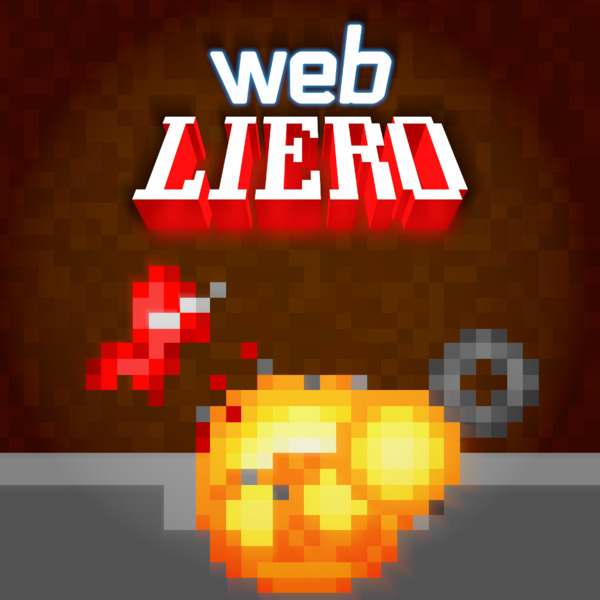
User reviews (0)