
 1panel.pro
 Paid content
 Multilingual
Categories: Artificial Intelligence
1Panel is an open-source Linux Server Management Panel. Deploy Ollama, manage Docker, one-click WordPress & OpenClaw. The modern cPanel alternative built for the AI era.
 Visit website
 Updated: 2026-09-27 01:33
Language: English (default)
Updated: 2026-09-27 01:33
Language: English (default)
 Access: Normal
 Profile views 7
 Outbound visits 1
Related questions
More questions →Website Template vs Custom Website: Which Should You Choose on a Small Budget?
If you are working with a limited budget, the short answer is this: choose a ready-made responsive website template when your site is a straightforward brochure, portfolio, or landing page and you can live with its existing structure. Choose a custom website when you need unusual functionality, a distinctive user flow, or a design that must scale with a growing business. For most small budgets, a template gets you online faster and cheaper; custom work buys flexibility you may not need yet.
What You Are Actually Comparing
These two options are not just different price points — they are different products.
A website template is a pre-built design (layout, typography, colour scheme, page structures) that you adapt by swapping in your own text, images, and branding. A custom website is designed and built around your specific requirements, usually by a web designer or developer.
The trade-off is almost always: money and time versus flexibility and uniqueness.
Cost and Time: The Realistic Difference
| Factor | Ready-made template | Custom website |
|---|---|---|
| Upfront cost | Low, often a one-off or small licence fee | Significantly higher; priced per project or per hour |
| Time to launch | Days, sometimes hours | Weeks to months |
| Design uniqueness | Shared with other buyers of the same template | Built only for you |
| Structural changes | Limited to what the template allows | Anything you are willing to pay for |
| Ongoing costs | Hosting, domain, possibly template updates | Hosting, domain, maintenance, developer time |
| Who maintains it | Usually you, with provider support | You, your provider, or a retainer arrangement |
Exact figures vary widely by provider, region, and complexity, so treat any specific number — including "starting at" prices — as a starting point to verify, not a final budget.
What You Can and Cannot Change in a Template
This is where most budget buyers get surprised. A template is not infinitely editable.
Usually easy to change:
- Text, headings, and images
- Logo and brand colours (within the template's palette system)
- Contact details, social links, and basic SEO fields
- Adding or removing standard sections that the template already supports
Often difficult or impossible without custom work:
- The overall page grid and layout structure
- Adding a page type the template was never designed for
- Complex booking, membership, or e-commerce logic
- Unique interactive elements or animations
- Deep integration with third-party business systems
Before buying, ask directly: "Which parts of this template can I edit myself, and which require a developer?"
When a Template Is the Right Call
A template is usually sufficient when:
- You need a simple brochure site — home, about, services, contact.
- You are building a portfolio where images do the talking.
- You need a single landing page for a campaign or product.
- You want to test an idea before investing in a full build.
- Your budget is genuinely tight and speed matters more than originality.
In these cases, paying for custom design is often money spent on problems you do not have.
When Custom Is Worth the Money
Custom becomes justified when:
- You need functionality a template does not offer — custom calculators, portals, booking flows, or membership areas.
- Your user journey is unusual and a standard layout would confuse visitors.
- Your brand depends on a distinctive look that a widely used template cannot deliver.
- You expect significant growth and need a structure that can expand without a rebuild.
- You need specific integrations with existing business tools.
If two or more of these apply, a template may cost you more in workarounds than a custom build would have cost upfront.
Do Not Forget the Ongoing Side
The purchase price is only part of the picture. Ask about:
- Hosting — who provides it, and what happens if you outgrow it?
- Updates — who applies security and compatibility updates, and how often?
- Maintenance — if something breaks, who fixes it, and is that included?
- Ownership — do you own the design and content if you leave?
- Support — is there a free trial, a support window, or a paid retainer?
A cheap template with no support can become expensive the first time it breaks.
A Short Checklist Before You Commit
Ask any provider — template seller or custom designer — these questions:
- What exactly is included in the price, and what costs extra?
- Can I edit text, images, and layout myself? How?
- Is the design mobile-friendly and responsive by default?
- Who handles hosting, updates, and security?
- What happens if I want to change the structure later?
- Do I own the site and can I move it elsewhere?
- Is there a trial, refund, or cancellation policy?
- How long until the site is live?
Bottom Line
On a small budget, start with a responsive template if your needs are standard and your priority is getting online quickly. Move to a custom website only when your requirements genuinely exceed what a template can do — unusual functionality, a unique user flow, or long-term scalability. Match the tool to the job, and verify the ongoing costs before you pay, not after.
How to Troubleshoot Common Docker Build and Container Startup Errors
When a Docker build fails or a container exits immediately, the fix usually starts with reading the error correctly. Docker separates two phases: build time (the image is being created from your Dockerfile) and run time (a container is starting from a finished image). Most errors belong clearly to one phase, and identifying the phase narrows the cause quickly. This guide walks through how to read the output, isolate the layer where things break, and use Docker CLI commands to inspect and debug.
First: Decide Which Phase Is Failing
| Symptom | Phase | Where to look first |
|---|---|---|
docker build returns a non-zero exit code |
Build | The last STEP in the build output |
Build succeeds but docker run exits instantly |
Run | docker logs <container> |
| Container starts, then dies after a few seconds | Run | Application logs + docker inspect exit code |
docker run says image not found |
Run (setup) | Image name, tag, registry login |
Error mentions a Dockerfile instruction (RUN, COPY) |
Build | That instruction and its context |
If you are unsure, run the build and the container separately rather than chaining them. That alone tells you which half of the problem you own.
Reading Docker Build Output
Build output is sequential. The failure is almost always at the last step shown, not the first. Docker prints each instruction and its result; the first non-zero exit stops the build.
Common build errors and their root causes
COPY failed: file not found in build context
The path you referenced does not exist relative to the build context you passed. Check that:
- The file is inside the directory given to
docker build(often.). - A
.dockerignorefile is not excluding it. - You are not copying from outside the context (Docker cannot reach parent directories).
RUN command returns exit code 1 (or another non-zero)
The command inside the container failed. This is usually an application-level problem, not a Docker problem: a missing package, a wrong path, a failed download, or a command that assumes a shell feature your base image lacks. Read the lines above the error — the real message is often printed there.
failed to solve / buildkit errors
BuildKit reports the failing instruction and often a hint. Treat the hint as a starting point, not a guarantee. Reproduce the failing command manually by running an interactive container from the previous stage's image.
no matching manifest for <platform>
The image you are pulling does not publish a variant for your architecture. Confirm the image supports your platform, or build for the platform the image provides.
A practical build-debug loop
- Build with plain output so steps are visible:
docker build -t myapp . - Note the last successful step.
- Start an interactive shell from that intermediate image (or from the base image) and run the failing command by hand.
- Fix the Dockerfile, rebuild, repeat.
If the build is slow, reorder instructions so frequently changing steps come last — but do this only after the error is fixed, not while debugging.
Reading Container Startup Failures
A container that exits immediately is doing what it was told: its main process ended. Docker does not keep a container alive if its entrypoint/command finishes.
Step 1: Get the exit code
docker ps -a
Look at the STATUS column. An exit code of 0 usually means the process completed successfully but was not meant to be a long-running service. Codes like 1, 127, or 137 point to different causes:
127— command not found (wrong entrypoint, missing binary, or a shell path issue).1— general application error; check logs.137— the process was killed, often out of memory or a manual stop.
Step 2: Read the logs
docker logs <container_id>
If the logs are empty, the process may have failed before producing output — a strong sign of a bad entrypoint or a missing executable. Confirm what the container is actually trying to run:
docker inspect <container_id>
Check the Config.Cmd and Config.Entrypoint fields. A common mistake is an entrypoint that references a file not present in the final image, or a shell form that swallows arguments.
Step 3: Run it interactively
Override the entrypoint to get a shell and explore the container's filesystem:
docker run -it --entrypoint sh <image>
From inside, verify the binary exists, the working directory is what you expect, and environment variables are set. This is the fastest way to separate "the image is wrong" from "the runtime configuration is wrong."
Step 4: Check runtime configuration
If the image works interactively but fails normally, the problem is likely configuration:
- Missing environment variables — the app exits when a required variable is absent.
- Port conflicts — the container starts but the host port is already in use; the error appears in
docker runoutput. - Volume mounts — a mount can hide files the image expected, or point at an empty host directory.
- Networking — the container cannot reach a dependency it needs at startup.
Isolating Dockerfile vs. Image vs. Runtime
Use this decision path:
- Does the build succeed? If no, the problem is in the Dockerfile or build context.
- Does the image run interactively? If yes but the normal run fails, the problem is runtime configuration (env, ports, volumes, command).
- Does it fail in both? The image itself is incomplete — a missing dependency or file baked in at build time.
- Does it work locally but fail elsewhere? Compare environment, architecture, and mounted data between the two environments.
When to Consult Docker Docs
The official documentation at docs.docker.com is the right reference for:
- CLI command flags — exact options for
docker build,docker run,docker inspect, anddocker logs. - Dockerfile instruction semantics — how
COPY,RUN,ENTRYPOINT, andCMDinteract, especially the difference between shell and exec form. - Build context and
.dockerignore— what gets sent to the daemon and what is excluded. - Registry and authentication — pull failures tied to login or access.
Use the docs to confirm behavior, not to guess at it. Error messages are usually literal; the documentation explains the rules behind them.
A Reusable Debugging Checklist
- [ ] Identify the failing phase: build or run.
- [ ] For builds, read the last
STEPand the lines above the error. - [ ] For runs, get the exit code with
docker ps -a. - [ ] Read
docker logsbefore changing anything. - [ ] Inspect
EntrypointandCmdwithdocker inspect. - [ ] Reproduce interactively with
--entrypoint sh. - [ ] Check env vars, ports, and volume mounts.
- [ ] Confirm the image supports your platform.
- [ ] Only then edit the Dockerfile or run command.
Most Docker errors are not mysterious once you know which phase failed and where to look. Read the last step, check the exit code, read the logs, and reproduce interactively. That sequence resolves the large majority of build and startup failures without guesswork.
What Does 'Management' Mean in Business Consulting?
In business consulting, management means the ongoing work of planning, organizing, leading, and controlling a company's resources—people, money, processes, and technology—so the business meets its goals. It is different from consulting advice, which is outside expertise brought in to improve how that work is done. You need to understand management as a consulting topic when you are deciding whether a problem is a management gap (how the business is run) or a technical gap (a specific tool, system, or skill that is missing).
The four functions of management
Management is usually described through four functions. In a consulting context, each one becomes a place where an outside advisor can add value.
| Function | What it means | Consulting angle |
|---|---|---|
| Planning | Setting goals and deciding how to reach them | Strategy, business transformation roadmaps, IT strategy |
| Organizing | Arranging resources and responsibilities | Org design, process design, role clarity |
| Leading | Directing and motivating people | Leadership coaching, change management |
| Controlling | Measuring performance and correcting course | KPIs, reporting, performance reviews |
A consulting engagement often starts because one or more of these functions is not working well enough to support the business's goals.
Management vs. operations vs. consulting advice
These three are easy to confuse, but they sit in different places:
- Management is internal and continuous. It is the responsibility of the people who run the business every day.
- Operations is the execution layer—the day-to-day activities that deliver products or services. Management sets the direction; operations carries it out.
- Consulting advice is external and usually time-bound. A consultant does not take over management; they help management see problems, design solutions, and build the capability to sustain them.
A useful test: if the issue disappears when the consultant leaves, it was probably a technical fix. If it returns, it was likely a management issue that was never actually solved.
Core management areas a consulting client would recognize
When a consulting firm talks about management, it usually means some combination of these areas:
- Strategy — where the business is going and why
- People — who does what, how they are developed, and how decisions get made
- Processes — how work flows across teams and systems
- Performance — how results are measured and improved
Business transformation and IT strategy sit at the intersection of these areas. A transformation effort fails when it changes technology without changing how people plan, organize, lead, or measure. That is why management is often the real subject of a transformation project, even when the visible work looks technical.
Signs you need management help, not a technical fix
Use these signals to tell the difference before you hire anyone:
- The same problem keeps returning after each fix.
- Different teams have different answers to "what are we trying to achieve?"
- Decisions stall because no one is clearly accountable.
- Tools are in place but people are not using them consistently.
- Performance data exists but does not change anyone's behavior.
If several of these apply, the gap is likely in how the business is managed. If only one narrow system or skill is failing while everything around it works, a technical fix may be enough.
How this applies to choosing a consultant
When evaluating a consulting firm—such as one positioning itself around business transformation and IT strategy—ask what management functions they actually address. A firm that only implements systems is solving an organizing or controlling problem. A firm that also works on planning, leading, and performance is addressing management itself. Match the scope of the engagement to the scope of your problem, and expect the consultant to leave your team better able to manage without them.
What Are Open-Source UI Element Libraries and How Do They Differ From UI Frameworks?
An open-source UI element library is a collection of individual, ready-made interface pieces—buttons, cards, inputs, toggles, loaders—that you copy into your own project and adapt. A UI framework, by contrast, is a structured system of components, conventions, and often a theming layer that governs how your whole interface is built. The practical difference: an element library gives you a snippet; a framework gives you a way of working. If you need a polished button in ten minutes, reach for the element library. If you're building a 40-screen product with a team, you probably want the framework.
What "open-source UI element library" actually means
The term gets used loosely, so it helps to separate the parts:
- Open-source: the code is publicly available, and the license tells you what you may do with it—copy, modify, redistribute, or use commercially.
- UI element: a single, self-contained piece of interface, usually small enough to read in one sitting. A button with hover states, a pricing card, a search field.
- Library: a browsable, searchable collection of those elements, typically contributed by many different people.
On a site like Uiverse, elements are shared by a community and written in plain CSS or Tailwind. You find one you like, copy the markup and styles, paste them into your project, and adjust colors, spacing, and text to fit. There's no package to install and no build step required—which is exactly the appeal, and also the source of most of the confusion.
Element library vs. UI framework: the core differences
| Dimension | Open-source UI element library | UI framework / design system |
|---|---|---|
| Unit of reuse | A single snippet you copy | A component you import or call |
| Installation | None; paste into your code | Package install, config, sometimes a provider |
| Consistency | Depends on you; each element may look different | Enforced by shared tokens and APIs |
| Theming | Manual edits per element | Central theme/config file |
| Updates | You own the copy; no upstream updates | Version bumps bring fixes and changes |
| Accessibility | Varies per contributor; must be checked | Usually tested and documented |
| Best for | Prototypes, landing pages, small sites, one-off needs | Multi-page apps, teams, long-lived products |
| Learning curve | Low—read the CSS | Higher—learn the API and conventions |
The table isn't a verdict. It's a map of trade-offs. Element libraries win on speed and freedom; frameworks win on consistency and maintenance.
Licensing and attribution: what to check before you paste
This is where people get into trouble, and it's worth slowing down for.
- Find the license. Every element or collection should state one. Common open-source licenses include MIT, Apache-2.0, and BSD. Some projects use copyleft licenses like GPL, which can impose obligations if you redistribute your code.
- Understand what the license permits. MIT and Apache-2.0 are permissive: you can typically use the code in commercial and closed-source projects. Copyleft licenses may require you to release derivative source under the same terms.
- Check attribution requirements. Permissive licenses usually require you to keep the copyright notice and license text somewhere in your project. That's a real obligation, not a formality.
- Look for per-element terms. On community sites, the site's overall terms and the individual contributor's stated wishes may differ. If a contributor asks for credit, honor it.
- When in doubt, ask or avoid. If a snippet has no license at all, you don't have clear permission to reuse it. Treat "no license" as "not open source," even if the code is publicly visible.
This article is general information, not legal advice. For commercial products with real exposure, have someone qualified review the licenses you're relying on.
How to use a community element in your project: a practical workflow
Here's a repeatable process that avoids most of the usual mess.
1. Start from a real need, not a browsing session
Decide what you need first—"a compact primary button with a loading state"—then search. Browsing aimlessly produces a pile of pretty snippets that don't fit together.
2. Copy the smallest version that works
Take the markup and the styles. Strip anything you don't need: demo wrappers, extra animations, decorative layers. Less code means fewer surprises.
3. Convert it to your conventions
If your project uses design tokens or CSS variables, replace hard-coded values:
/* Before: hard-coded */
.button { background: #4f46e5; border-radius: 8px; }

/* After: token-based */
.button { background: var(--color-primary); border-radius: var(--radius-md); }
This one step is what keeps a copied element from looking like a foreign object in your UI.
4. Check accessibility before you ship
Community elements vary widely here. Verify at minimum:
- Keyboard focus is visible and the element is reachable by Tab.
- Color contrast meets WCAG AA (4.5:1 for normal text).
- Interactive elements use semantic HTML (
<button>, not a clickable<div>). - Form inputs have associated labels.
- Motion respects
prefers-reduced-motion.
5. Test in context
Paste it into a real page with real content. Long labels, small screens, and dark mode break more copied elements than anything else.
6. Note where it came from
Keep a short comment or an internal credits file: source, license, date. Future you—and your legal reviewer—will be grateful.
Where element libraries genuinely shine
- Prototypes and demos: you need something clickable today, not a design system.
- Landing pages and marketing sites: a handful of distinctive elements, each custom.
- Filling gaps: your framework lacks one specific component, and you don't want to build it from scratch.
- Learning: reading well-made CSS is one of the fastest ways to improve.
- Small projects: a personal site doesn't need a theming architecture.
Where they fall short
- Consistency at scale: ten elements from ten contributors rarely look like one product.
- Maintenance: you own every copy. When your design changes, you edit each one.
- Accessibility debt: you inherit whatever the contributor did or didn't do.
- No upstream fixes: a bug fixed in the original won't reach your copy.
- Integration friction: different naming conventions, different units, different assumptions about resets.
When to choose which
Choose an element library when the scope is small, the timeline is short, or you need a few distinctive pieces rather than a whole system.
Choose a framework or design system when multiple people build multiple screens over months, when consistency is a product requirement, or when accessibility and theming need to be guaranteed rather than checked.
A hybrid works well for many teams: adopt a framework for the structural components—forms, navigation, layout—and borrow individual elements for the places where you want personality. Just route every borrowed element through the same token and accessibility checks, so it lands as part of your system rather than beside it.
The short version: open-source UI element libraries are a fast, flexible way to get good-looking interface pieces into a project. They are not a substitute for a design system, and the license and accessibility details are the part worth reading carefully.
What Is the MESON Chess Problem Database and How Do You Use It?
MESON is a free, online database of chess problems and endgame studies hosted on the BDS Website (bstephen.me.uk), run by Brian Stephenson. According to the site, it has been free and online since 2006 and currently contains more than 256,000 items. It is the right resource if you want to look up composed problems, search for a specific composer's work, or study endgame studies — rather than browse casual tactics puzzles.
What MESON actually contains
MESON is a chess problem database, not a game database. That distinction matters:
- Chess problems are composed positions with a stipulated task (for example, "mate in 2" or "mate in 3"), usually with a unique solution the composer designed.
- Endgame studies are composed endgame positions where the task is normally to win or draw, again with a constructed, often surprising solution.
The site describes MESON as containing "more than 256,000 items," covering this kind of composed material. It does not claim to be a record of played games, so don't expect opening statistics or tournament results here.
How to access it
Access is through the BDS Website's navigation menu:
- Go to the BDS Website (bstephen.me.uk).
- Select the MESON menu item.
- You land in the database itself, where you can search and browse.
The site states MESON has been free and online since 2006. No pricing, account, or login requirement is mentioned in the available site information, so treat access as open browsing unless the site itself tells you otherwise when you arrive.
How to search for problems and studies
The site's own description does not spell out the search fields, so the practical approach is to work from what a problem database of this kind is built to answer. Typical ways to use it:
- By composer — if you already know whose problems you want (for example, work by a specific problemist), a composer search is the fastest route.
- By problem type or stipulation — mate-in-2, mate-in-3, helpmate, selfmate, study, and similar categories let you narrow to the genre you care about.
- By position — entering the pieces or a diagram position lets you find whether a given setting already exists, which is useful if you are checking a composition or studying a theme.
Because the exact field names and menu labels are not documented in the source material, verify them on the MESON search page itself rather than assuming a fixed layout. The database is implemented with MySQL and Perl (with CGI::Simple, HTML::Template and XML::LibXML) and a jQuery/Bootstrap/DataTables front end, which is consistent with a searchable, table-driven interface.
What else is on the BDS Website
MESON is one part of a larger site, and the surrounding sections are useful if you want context or related material:
| Section | What it offers |
|---|---|
| Chess Problems | Brian Stephenson's own compositions, published since 1977 and being added gradually |
| Endgame Studies | His articles on endgame studies, written in Chess since 2006 and, with Roland Ott, in Schweizerische Schachzeitung since 2014 |
| MESON | The main problem database (256,000+ items) |
| BDS Ladder | A former problem-solving competition, now closed, but the problems used are still available to try |
| IT | Notes on the software and tools used to build the site |
| Blog, Audio Drama, Photos | Non-chess personal content |
If your interest is specifically endgame studies, the Endgame Studies menu and MESON together cover both the articles and the underlying positions.
Practical tips
- Start narrow. With 256,000+ items, searching by composer or stipulation first will get you to relevant material faster than browsing.
- Use the Ladder problems for practice. The BDS Ladder is closed as a competition, but the site keeps its problems available if you want solving practice.
- Check the composer's own page for context. Stephenson has composed and published problems since 1977, and his Chess Problems section is a small, curated complement to the much larger MESON collection.
- Contact route. The site points to the BCPS Website contact page, where Stephenson is listed as magazine curator, if you need to reach him.
MESON is best understood as a specialist reference for composed chess problems and studies: free, long-running, and large enough that targeted searching beats casual browsing.
Website Overview
An advisory match combined with missing browser safeguards may increase exposure if the affected component is active. Deployment-specific verification and remediation deserve priority. Identifiable technologies and additional version or configuration signals make the service easier to fingerprint, which may help targeted scanners narrow their checks.
Domain and Registration
The domain has about 2 years of registration history; its current configuration provides more context than age alone. The domain uses the common .pro extension, which is not an independent safety signal.
DNS and Email
Nameservers are provided by Cloudflare, indicating managed DNS hosting. No CNAME was found; the observed records resolve directly to addresses. No MX record was found. A conventional explicit inbound-mail route is not configured. TXT records include verification markers for Google. Such markers may also remain after a service stops being used. DNSSEC signatures were not detected, so this additional DNS authenticity protection is not confirmed.
TLS and Certificates
The public key uses EC with 256 bits. The server supplied a complete certificate chain. No organization name is present in the certificate; the available fields are consistent with domain validation. The certificate was issued within the Google Trust Services cloud or CDN ecosystem. The certificate's total validity is about 90 days, consistent with a short renewal cycle.
HTTP and Browser Security
The response lacks these common security headers: HSTS, CSP, Permissions-Policy. CORS permits any origin to read this response. This is common for public resources; sensitive responses need narrower handling. No X-Powered-By header was found, reducing one common source of backend fingerprinting information. The cf-ray response header indicates a CDN or caching proxy in the delivery path. No obvious internal addresses or debug information were found in the headers.
Technology Stack Analysis
The public page identifies Astro 4.16.18, Google Analytics, Cloudflare, with exact versions exposed for 1 technologies. These details can narrow vulnerability checks, although exposure alone is not a vulnerability. The advisory source OSV places Astro 4.16.18 in the affected range of GHSA-26w7-cxv4-gfx2, GHSA-2pvr-wf23-7pc7, GHSA-376h-93r7-7g6f, GHSA-4g3v-8h47-v7g6, GHSA-5ff5-9fcw-vg88 等 10 项. Verify the deployed version and relevant configuration before drawing conclusions about exploitability. Updating affected components should be a priority.
Search and Social Sharing
The title has 70 characters and may be truncated in search results. The meta description has 169 characters and may be shortened in search results. The Generator tag identifies Astro v4.16.18, making the publishing system easier to fingerprint. Twitter Card metadata is configured. JSON-LD includes Organization data, helping describe the organization as an entity.
 Hosting and Email
 Cloudflare
 Hosting
 Location
 unknown
104.21.94.63
Location
Location unknown
104.21.94.63
 Pages, Search and Sharing
| Meta description | 1Panel is an open-source Linux Server Management Panel. Deploy Ollama, manage Docker, one-click WordPress & OpenClaw. The modern cPanel alternative built for the AI era. |
|---|---|
| Canonical URL | https://1panel.pro/ |
| Language | English (default) · Multilingual |
| Twitter Card | summary_large_image |
Social Sharing Preview
9 fields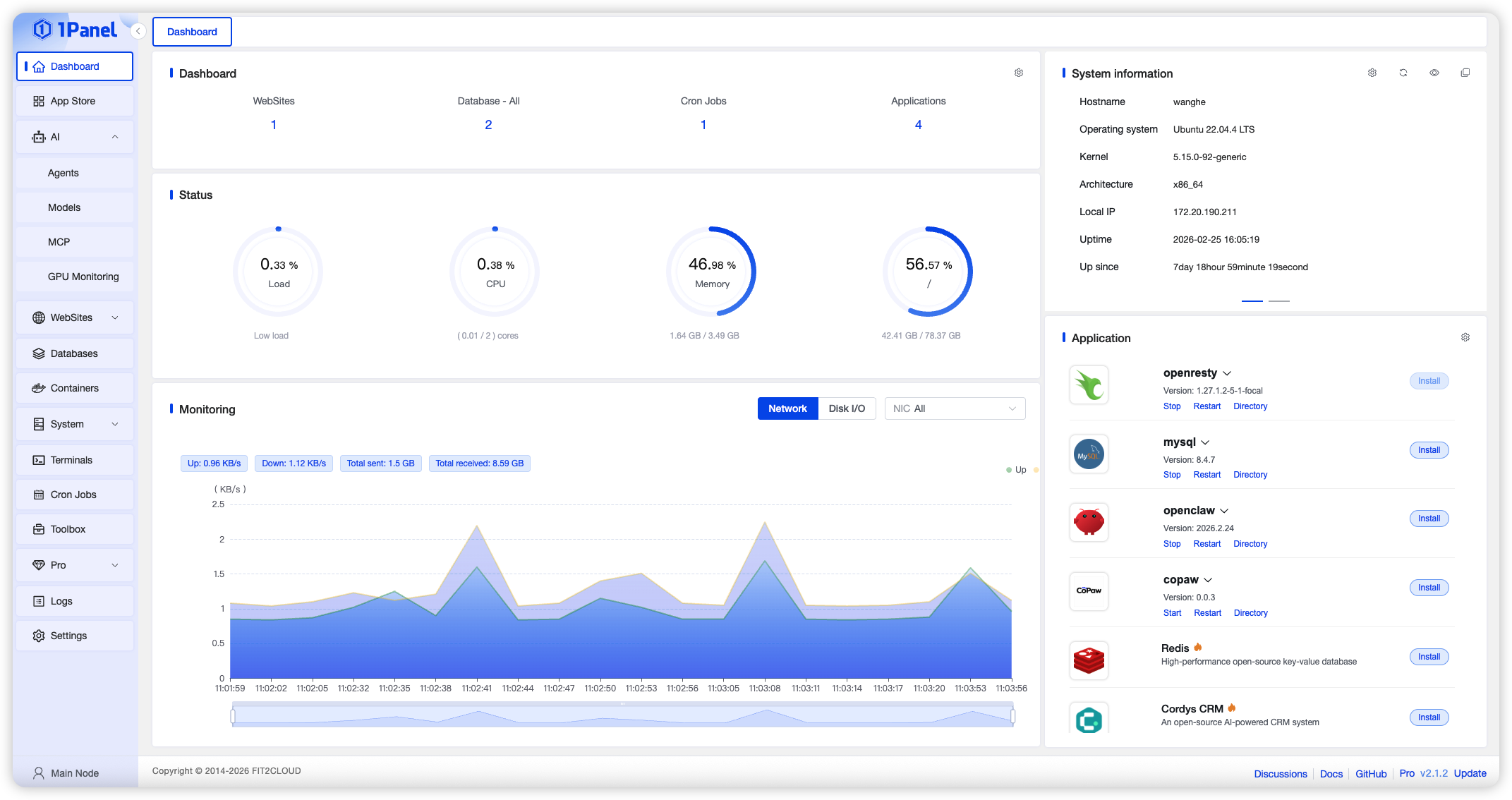

Sharing metadata
| og:url | https://1panel.pro/ |
|---|---|
| og:type | website |
| og:image | https://1panel.pro/images/overview-full.png |
| og:title | 1Panel: The Premier Linux Server Management Panel | cPanel Alternative |
| og:description | The modern cPanel alternative. Deploy Ollama, run DeepSeek or Qwen locally, manage Docker, SSL, and websites — all from a clean web dashboard. Free and open source. |
| twitter:card | summary_large_image |
| twitter:image | https://1panel.pro/images/overview-full.png |
| twitter:title | 1Panel: The Premier Linux Server Management Panel | cPanel Alternative |
| twitter:description | 1Panel is an open-source Linux Server Management Panel. Deploy Ollama, manage Docker, one-click WordPress & OpenClaw. The modern cPanel alternative built for the AI era. |
robots.txt (opens in a new tab)
1 rulesAll bots 1 allowed · 0 disallowed

 All bots

/
No matching rules.
Sitemaps
1 Registration details RDAP / WHOIS
| Registrar | DNSPod, Inc. |
|---|---|
| Registered | 2024-06-08 |
| Expires | 2027-06-08 |
| Domain status | active |
| Nameservers | addilyn.ns.cloudflare.com、gannon.ns.cloudflare.com |
| DNSSEC | unsigned |
 DNS records
| Type | Name | Value | TTL | Priority |
|---|---|---|---|---|
| A | 1panel.pro | 104.21.94.63 | 300 | — |
| A | 1panel.pro | 172.67.220.82 | 300 | — |
| AAAA | 1panel.pro | 2606:4700:3033::6815:5e3f | 300 | — |
| AAAA | 1panel.pro | 2606:4700:3037::ac43:dc52 | 300 | — |
| NS | 1panel.pro | addilyn.ns.cloudflare.com | 86400 | — |
| NS | 1panel.pro | gannon.ns.cloudflare.com | 86400 | — |
| TXT | 1panel.pro | google-site-verification=-BWBpIvCn-Sr7MWpbByMx-xPvFG1t4OomUaE04ed-Gg | 300 | — |
| TXT | 1panel.pro | google-site-verification=MQr208mM9SJPmmrtWAWrPNUwCxiJSJh0xMiA1V_Tci0 | 300 | — |
 TLS and certificates
| Assessment | Normal configuration |
|---|---|
| Supported protocols | TLSv1.2、TLSv1.3 |
| Negotiated protocol | TLSv1.3 |
| Certificate subject | 1panel.pro |
| Issuer | Google Trust Services |
| Valid until | 2026-12-20T23:18 · Remaining when checked: 84 days |
| Verification details | Certificate trust: Passed · Hostname match: Passed |
 HTTP response headers
| Header | Value |
|---|---|
| content-type | text/html; charset=utf-8 |
| cache-control | public, max-age=0, must-revalidate |
| server | cloudflare |
| x-frame-options | SAMEORIGIN |
| x-content-type-options | nosniff |
| referrer-policy | strict-origin-when-cross-origin |
| access-control-allow-origin | * |
 Identified technologies
User reviews (0)