Website profiles · Technology insights · Alternatives

3dzip.info

3Ds Max model marketplace for architecture, and professional 3D designer community. All Free 3D Models download for High Quality Projects

No paid content found
Visit website
Profile views 8 Outbound visits 2 Normal
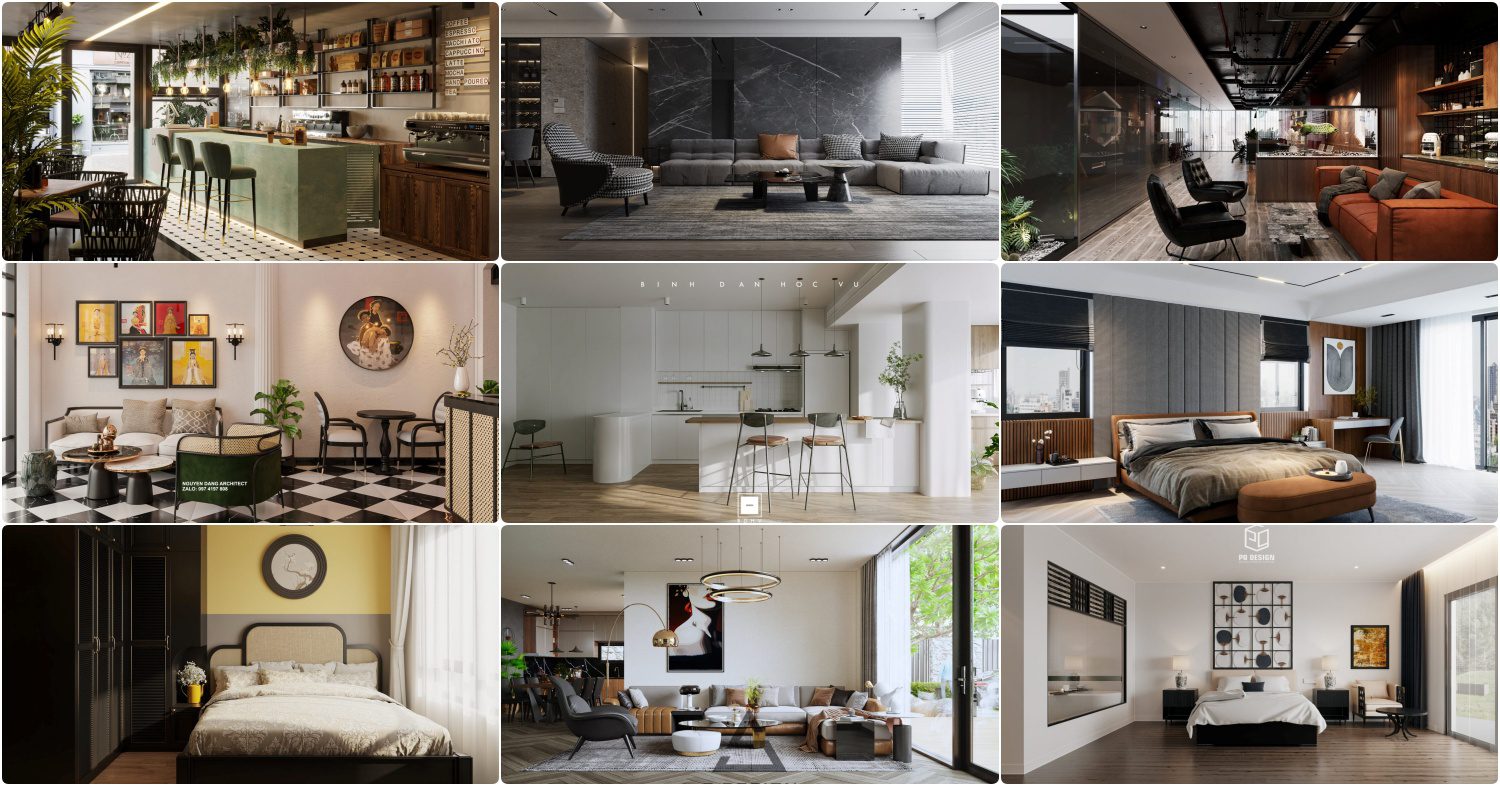
Free 3D Models Download for High Quality Projects Full homepage screenshot

At a glance

Category
Design & Creativity
Language
English
Paid-content signal
No paid content foundObserved
Registered
2025
Hosting
CloudflareInferred
HTTPS certificate trusted
PassedObserved
Last updated

Website review

This review may include AI-generated content and is not individually verified. Domain, certificate and other facts come from the observed data on this page.

What is 3dzip.info?

3dzip.info is a free 3D model download site aimed mainly at architectural visualization and interior design work. Its library centers on 3ds Max scene files: apartment and bedroom interiors, kitchens and dining rooms, plus individual furniture pieces such as sofas, chairs, tables, wardrobes, beds and lighting fixtures. It also carries smaller categories like tableware, bathroom fittings, decorative objects, plants, and a "Miscellaneous" section that includes vehicles and other props.

Who it suits

  • 3D artists and interior designers who need quick, ready-made scene elements rather than modeling everything from scratch.
  • Students building a portfolio or practicing lighting and rendering.
  • Anyone working in 3ds Max who wants reference geometry for layout and proportion studies.

How the content is organized

Models are grouped by room and object type, so browsing tends to follow a project need: furnishing a living room, dressing a bedroom, or populating a kitchen. A "recently uploaded" feed sits alongside the category tree, and entries are credited to named contributors, which suggests a community upload model rather than a single in-house library.

Practical trade-offs

Strength Consideration
Free access to full interior scenes Quality and file structure vary by uploader
Deep furniture and lighting categories Heavy scenes may need cleanup before rendering
Named contributor credits Check licensing terms before commercial use

What to check before relying on it

Free model libraries live or die on file hygiene. Before dropping a downloaded scene into a paid project, open it in isolation, check polygon counts, confirm that textures are packed or relinked, and verify materials render correctly. Also confirm the license attached to each model, since "free" often means personal or non-commercial use only.

A sensible next step: pick one narrow need — say, a sofa or a ceiling light for a current scene — download two or three candidates, and compare mesh quality and texture completeness side by side. That tells you quickly whether the library fits your workflow. For broader coverage of free and paid assets, Sketchfab and CGTrader are useful complements.

How do I download a free 3D model from 3dzip.info?

Open a model's page on 3DZIP and use the download control on that page; the site presents itself as a marketplace for free 3ds Max models, with each listing tied to a named creator and a category. The homepage itself is a feed of recently uploaded items rather than a download page, so browsing the listing titles is the way in.

A practical route:

  1. Start from the homepage feed and click a model title that matches what you need, for example the sofa, tea table or apartment interior entries.
  2. On the model page, check the format and software notes before downloading. The listings and categories point to 3ds Max, so confirm your pipeline can open the file.
  3. Look at the preview images and the creator credit. A named author and several renders are a better sign than a title alone.
  4. Download and open the file, then check scale, materials and whether textures are embedded or separate.
  5. Keep the author credit with the asset if you use it in a project.

If your first choice does not fit, the category tree is the faster route: furniture, kitchen, lighting, decoration, scenes and interiors are all broken out, so you can narrow down instead of scrolling the feed.

For a concrete case, an interior visualiser furnishing a living room would filter to sofa, tea table and ceiling light listings, download two or three candidates, and compare polygon count and material setup in 3ds Max before committing one to the scene. An architecture student on a deadline would do the same but prioritise the apartment and interior scene files, which arrive pre-populated and save modelling time.

Two trade-offs to weigh. Free assets vary widely in quality, so budget time for cleanup — merged materials, odd pivots and missing maps are common. And because the model pages are the only place the download details live, read them before you click rather than assuming every listing uses the same format.

As a next step, pick one model you need right now, download it, and open it in a blank scene first to inspect it before merging it into your working file. If the format does not match your software, check a general free-model library such as Sketchfab or TurboSquid for the same object in a compatible format, since neither is tied to a single authoring tool the way this 3ds Max-oriented catalogue is.

Are the 3D models on 3dzip.info compatible with 3ds Max and other software?

Yes—3dzip.info is built around 3ds Max, so its models are most directly usable there, and the same files can usually be imported into other 3D programs with some conversion work. The catalogue is dominated by interior, furniture, lighting and architectural assets rather than game-ready characters or animation rigs, which tells you what the site is realistically good for.

H3. What the catalogue suggests The listing titles repeatedly reference 3ds Max: "3Ds Max Tableware Kitchen Model", "3Ds Max Tea Table Model", "3D Interior Scenes File 3dsmax Model Bedroom". Scene categories cover exteriors, interiors, living rooms, kitchens and dining rooms, while object categories run through furniture, kitchenware, decoration, lighting, technology, doors, staircases and shop fittings. A few entries sit outside that core—a toy Porsche model, a Celestron telescope, a barber shop scene—so there is some variety, but the emphasis is architectural and interior visualisation.

Software compatibility in practice

  • 3ds Max: the native target. Expect the smoothest results here.
  • Other Autodesk tools: often workable, but materials and scene organisation may need rebuilding.
  • Blender, Cinema 4D, SketchUp, Rhino: possible via common interchange formats, though you should verify the format listed on each individual model page before downloading.
  • Game engines: usable for static props and environment dressing, less so for anything requiring rigs or optimised topology.

The practical trade-off is that "free" here usually means a model made for rendering, not for real-time performance. High-poly furniture and detailed interior scenes can be heavy in a game engine or a lightweight viewer.

H3. A sensible test before committing Pick one model that matches your actual project—say a sofa or a ceiling light—download it, and check three things: the file format, whether textures are included, and how the mesh behaves when you import it. That ten-minute test tells you more than any category list.

H3. Where it fits in a wider workflow If you are furnishing an interior visualisation and already work in 3ds Max, this is a reasonable free source to check first. For broader asset needs, it helps to compare against general libraries such as Sketchfab for downloadable models in many formats, BlenderKit if you work in Blender, TurboSquid for a mix of free and paid professional assets, and Poly Haven for CC0 textures, HDRI environments and some models. Those cover different gaps—formats, engines, licensing—rather than replacing what 3dzip.info does well.

Before using anything in client work, confirm the licence terms on the individual model page, since free downloads often carry attribution or non-commercial conditions that vary from asset to asset.

Can I use 3dzip.info models for commercial projects?

Commercial use of models from 3DZIP is not something the site itself settles. The page is a free 3ds Max model library with categories for interiors, furniture, lighting, plants, transport and more, and it describes itself as a marketplace for architecture and professional 3D designers. But "free to download" is not the same as "free to use in paid work," and the listing pages shown don't state a licence per model.

What to check before using a model commercially

  • The licence attached to the individual upload, not the site's front page. Many free-model sites mix public-domain, Creative Commons and "personal use only" assets in one catalogue.
  • Attribution requirements. Some licences require crediting the original modeller — the page names uploaders such as Szymon Kubicki, Vladimir Radetzki and Nguyen Trang, so credit lines are plausible but not guaranteed.
  • Whether the model contains third-party content: scanned furniture, branded products, logos or textures pulled from elsewhere can carry separate restrictions.
  • Whether redistribution is allowed. Using a model inside a rendered image or animation is usually treated differently from reselling the .max file itself.

Practical next step

For each asset you plan to use, find the uploader's profile or the original post and look for an explicit licence or permission statement. If none exists, contact the uploader directly and keep a written reply. For client work, treat an unclear licence as unusable unless the client accepts the risk in writing.

As a rule of thumb: free-model libraries work well for concept renders, mood boards and internal presentations where the output isn't sold. For delivered commercial work — architectural visualisation, product marketing, game assets — either confirm the licence per model or budget for a stock or commissioned alternative.

How can I find a specific 3D model like a sofa or kitchen on 3dzip.info?

Use 3dzip.info's category menus and its search/browse pages rather than scrolling the homepage feed. The homepage shows only "recently uploaded" items, so a sofa or kitchen model you saw earlier will quickly disappear from view.

Practical ways to find a model

  • Use the furniture categories. Sofas sit under Sofa, with related seating split into Armchair, Stool, Bench, and Other soft seating. Kitchens sit under Kitchen, with Kitchen Island, Kitchen appliance, Tableware, Sink, and Faucet as separate subcategories.
  • Use the scene categories for full interiors. Scenes → Interiors breaks into Living Room, Kitchen And Dining Room, Bedroom, and Dressing room, which is faster than assembling single furniture pieces yourself.
  • Search by object name plus format, e.g. "sofa 3ds Max" or "kitchen 3ds Max". The listings mix formats, and many titles name 3ds Max explicitly.
  • Search by the contributor's name when you like their work. The listings credit authors such as Szymon Kubicki, Vladimir Radetzki, Nguyen Trang, Ha, Phong Mai, Minh Tu, Phuong Ha, Dat Nguyen, and DoanNguyen, so a name search surfaces the rest of their uploads.
  • Use the numbered model titles when you already have a reference. Entries like "9724. 3D Interior Apartment Model" or "3613. Free 3D Sofa Model Download" are indexed by number, which helps when you are matching a model to a project brief or a colleague's note.

A quick comparison

Goal Best route Why
One sofa for a room you are building Furniture → Sofa Narrowest list, least scrolling
A complete kitchen to render Scenes → Interiors → Kitchen And Dining Room Comes pre-arranged
A specific model you saw before Number in the title, or author name Homepage feed rotates
Matching a style across a set Author name Contributors tend to upload consistent sets

Next step

Decide first whether you need a single asset or a finished scene. If it is a single asset, go straight to the furniture subcategory and filter by format in your head as you scan titles. If it is a scene, start under Scenes → Interiors and work outward.

One caveat

Because everything is listed as free, check each model's file format and polygon count before committing it to a project — a free sofa that is too heavy or in the wrong format costs more time than it saves. For paid alternatives with clearer licensing, see TurboSquid or 3D Sky; for a large free library with consistent metadata, Sketchfab is often easier to filter.

How do I upload my own 3D models to 3dzip.info?

Uploading your own 3D models isn't a self-service feature you can do from a public account page here. 3dzip.info presents itself as a curated library of free 3Ds Max models, and every item on the page is credited to a named designer, which suggests submissions are reviewed and published by the site rather than posted directly by visitors.

What the page actually shows

  • Models are published as individual posts with a designer credit, for example a toy Porsche model by Szymon Kubicki or a crystal decanter set by Vladimir Radetzki.
  • Content is organised into deep categories such as furniture, kitchen, bathroom, decoration, lighting and full interior scenes, mostly aimed at architectural visualisation.
  • The catalogue is browsed by paging through "Load More Posts" rather than through an upload form.

Practical route for a contributor

  1. Find a contact route on the site itself — a contact page, email address or social profile linked in the footer. That is the only reliable way to reach whoever manages submissions.
  2. Send a short pitch: your name or studio, the software and version used (3ds Max is the dominant format here), file formats you can supply, polycount, whether textures are included, and your licence terms.
  3. Attach two or three rendered previews plus one downloadable sample file so the editor can judge quality and format compatibility.
  4. Ask explicitly about credit, licence and whether you may keep hosting the same asset elsewhere.

Decision criteria before you send anything

Consideration Why it matters here
Format The catalogue is 3ds Max-centric, so native .max files plus FBX/OBJ exports travel best
Licensing "Free download" sites vary between personal-use and commercial-use terms; state yours in writing
Attribution Designer names are shown on each post, so confirm how your name and links will appear
Exclusivity Decide whether you mind the same model appearing on other libraries

If your goal is simply to distribute work quickly without an editor in the loop, a general 3D community such as Sketchfab or Blend Swap lets you publish directly. If your goal is visibility with an architecture-focused audience that already uses 3ds Max, going through 3dzip.info's contact channel is the more targeted move.

As a next step, open the site's contact or about page and draft a two-paragraph message with your portfolio link and one sample file — that single email is the realistic path to getting a model listed.

Related questions

More questions →
What Kinds of Free 3D Models Can I Download on 3DZIP.ORG?

3DZIP.ORG is a free 3D model marketplace aimed at architecture and interior design work, and its catalog is organized around the things you would actually place inside a building: full interior scenes, individual furniture pieces, lighting, decoration, kitchen and bathroom fixtures, plants, and a smaller set of miscellaneous objects like vehicles and tech. If your project is an interior visualization, a furniture layout, or an architectural render, the site's categories map closely to that workflow. If you need characters, rigged assets, or game-ready props, the coverage is much thinner.

Interior and architectural scenes

The site's strongest area is complete interior scenes, which you can use as a starting point rather than building a room from scratch. The recently uploaded list shows this clearly, with entries such as:

  • 3D Interior Apartment Model
  • Free 3D Classical Living Room – Kitchen Interior Model
  • 3D Interior Scenes File 3dsmax Model Bedroom
  • Free 3D BaBer Shop Model

These are full scenes rather than single objects, so they are most useful when you want a ready-made spatial layout to light, re-texture, or rearrange. Note that many are labeled as 3ds Max files, so check the file format before downloading if you work in Blender, Cinema 4D, or another tool.

Furniture and home items

Furniture is the largest and most granular part of the catalog. The category list covers:

  • Seating: sofa, chair, armchair, bench, stool, bar stool, other soft seating
  • Tables: tea table, dining table, console table, side table, work desk, reception desk
  • Storage: wardrobe, display cabinets, sideboard, chest of drawers, shoe storage cabinet, bookcase, bedside table, wine cabinet
  • Bedroom: bed, kids' nightstand, full furniture sets
  • Kitchen: kitchen island, kitchen tableware, kitchen appliances, sink, faucet, other kitchen accessories
  • Bathroom: wash basin, toilet and bidet, bathtub, shower, bathroom furniture, towel rail, bathroom accessories

Individual models in this range include a sofa model, a chair model, a wardrobe, a bedside table, a tea table, and a tableware kitchen set. Because these are single objects, they are the easiest to drop into an existing scene when you only need to fill one gap.

Decoration, lighting, and accessories

For finishing a scene, the decoration and lighting categories cover:

  • Lighting: ceiling light, wall light, floor lamp, table lamp, spot light, street lighting, technical lighting
  • Decoration: decorative plaster, 3D panel, curtain, mirror, frame, vase, books, pillows, carpets, wall decor, sculpture, decorative sets
  • Plants: trees, flowers, grass, indoor plants, outdoor plants

A ceiling light model and a crystal decanter model appear in the recent uploads, which is representative of the scale here — small, single-purpose objects meant to add detail rather than define a space.

Other categories worth knowing

Beyond interiors, the catalog includes:

Category Examples
Technology PCs and other electrics, household appliances, TVs, phones, audio tech
Transport Vehicle models, including a toy Porsche model
Shop and restaurant Retail and hospitality fittings
Miscellaneous Windows, doors, gates and fences, fireplaces, radiators, staircases, musical instruments, sports equipment, weaponry, billiards, creatures

This section is broader but shallower — useful for occasional props, not a reliable source if these are your main need.

How to decide if it fits your project

Use the category structure as your first filter. If your task is an interior render, a furniture catalog image, or an architectural walkthrough, the scene, furniture, lighting, and decoration categories should cover most of what you need. If your task is character animation, game asset production, or anything requiring rigged or optimized real-time models, look elsewhere first.

Two practical checks before you commit time:

  1. File format — many listings reference 3ds Max, so confirm compatibility with your software.
  2. Scene vs. object — decide whether you want a full room to modify or a single piece to insert, since the catalog mixes both.

The site does not publish pricing details in the material available, so treat "free" as the site's own label and verify any terms on the individual download page.

How 3DZIP.ORG Compares With Other Free 3D Model Sites

3DZIP.ORG is a niche free 3D model library built around 3ds Max architecture and interior assets, so it competes less with general-purpose sites like Sketchfab or TurboSquid and more with interior-focused collections. Choose it if you need free furniture, lighting, and full interior scenes for architectural visualization; look elsewhere if you need rigged characters, game-ready assets, or models in formats other than 3ds Max.

What 3DZIP.ORG actually offers

The site describes itself as a "3Ds Max model marketplace for architecture, and professional 3D designer community," with all models presented as free downloads. Its recently uploaded list and category tree show where the content is concentrated:

  • Furniture: sofas, beds, chairs, tables, tea tables, wardrobes, TV cabinets, sideboards, bar stools, work desks, reception desks
  • Kitchen and tableware: kitchen islands, appliances, sinks, faucets, food and drinks
  • Interior scenes: apartments, living rooms, kitchens and dining rooms, bedrooms, dressing rooms
  • Decoration: mirrors, frames, vases, pillows, carpets, wall decor, sculptures, curtains, 3D panels
  • Lighting: ceiling lights, wall lights, floor and table lamps, spotlights, street and technical lighting
  • Building elements: windows, doors, gates and fences, fireplaces, radiators, staircases
  • Other categories: bathroom fixtures, plants, technology and appliances, shop and restaurant models, transport, and a small "Human character" and "Creature" section

Individual listings name the contributor, for example the "Free 3D Toy Porsche Model from Szymon Kubicki," "Free 3d model CRYSTAL DECANTERS by Vladimir Radetzki," and interior scenes credited to Nguyen Trang, Ha, Minh Tu, Phuong Ha, and Dat Nguyen. That contributor credit is a useful signal: it tells you the library aggregates work from a designer community rather than a single in-house team.

How it compares on the dimensions that matter

Dimension 3DZIP.ORG Typical general free model sites
Primary content 3ds Max architecture and interior assets Mixed: characters, props, vehicles, game assets
Price model Models presented as free downloads Often a free tier plus paid or subscription content
Organization Deep furniture/interior category tree Usually genre- or tag-based search
Best-fit format 3ds Max scenes and models Multiple formats (FBX, OBJ, glTF, etc.)
Best-fit user Architectural visualization and interior designers Game developers, general 3D artists, hobbyists

The practical difference is depth versus breadth. A general site may have a handful of sofa models; 3DZIP.ORG splits seating into sofa, stool, chair, bench, armchair, and bar stool as separate categories, which matters when you are furnishing a full interior and need consistent, purpose-labeled assets.

Where 3DZIP.ORG fits best

Use it when your task matches its catalog. For example, if you are building a residential interior render in 3ds Max and need a bedside table, a ceiling light, and a matching bedroom scene, the category structure lets you go straight to those sections instead of filtering through unrelated game assets.

It is a weaker fit when:

  • You need models in FBX, OBJ, or glTF for a game engine
  • You need rigged or animated characters
  • You need verified licensing terms for commercial redistribution

The site's own description and page content emphasize free downloads and a designer community, but the supplied material does not detail a license agreement, so confirm usage rights on each model page before commercial use.

How to decide

Pick 3DZIP.ORG if you are an architectural visualization or interior design professional working in 3ds Max and want free, category-organized furniture and interior scenes. Pick a broader platform if your project needs multiple file formats, game-ready assets, or character models. If you need both, treat 3DZIP.ORG as your interior-furnishing source and a general site as your source for everything else.

How to Find and Download the Right 3D Model on 3DZIP.ORG

3DZIP.ORG is a 3ds Max-focused marketplace and community site that lists free 3D models for architecture and interior projects. To find the right one, start from the category menu rather than the homepage feed, then confirm the model matches your scene type and software before downloading. This works best if you already know whether you need a single object (a sofa, a ceiling light) or a complete interior scene.

Start With the Category Structure, Not the Feed

The homepage shows a "RECENTLY UPLOADED 3D MODELS" list, which is useful for browsing but inefficient for targeted searches. The site's real navigation is its category tree, which splits models into two broad groups:

  • Object categories — Furniture, Kitchen, Bathroom, Decoration, Lighting, Technology, Transport, and more.
  • Scene categories — Exteriors and Interiors, with Interiors further divided into Living Room, Kitchen And Dining Room, Bedroom, and Dressing room.

If your project is a full room, go straight to the Interiors branch. If you only need to fill a gap in an existing scene, use the object categories.

Furniture subcategories worth knowing

The Furniture branch is the most granular, which makes it the fastest way to narrow down:

Need Subcategory
Seating Sofa, Chair, Armchair, Bar Stool, Bench, Stool
Storage Wardrobe & Display cabinets, Sideboard & Chest of drawer, Shoe Storage Cabinet, Bookcase
Tables Tea Table, Console Table, Work Desk, Table
Bedroom Bed, Bedside Table, Dressing Table
Office Office furniture, Reception Desk, Work Desk

Smaller categories like Lighting (Ceiling light, Wall light, Floor lamp, Table lamp, Spot light, Street lighting, Technical lighting) and Decoration (Mirror, Frame, Vase, Curtain, Carpets, Sculpture, 3D panel) are equally direct.

Read the Model Title Before You Open It

Titles on 3DZIP.ORG follow a loose but readable pattern that tells you a lot before you click. Recent examples from the site:

  • "Free 3D Toy Porsche Model from Szymon Kubicki"
  • "Free 3d model CRYSTAL DECANTERS by Vladimir Radetzki"
  • "9724. 3D Interior Apartment Model Download by Nguyen Trang"
  • "13270. Download Free 3D Classical Living Room – Kitchen Interior Model by Ha"
  • "3613. Free 3D Sofa Model Download"

Three things to extract from a title like these:

  1. The numeric prefix (e.g. 9724, 13270, 3613) — a catalog ID, useful for re-finding a model later.
  2. The author name — if you liked one model by Nguyen Trang or Phuong Ha, you can look for more from the same contributor.
  3. The style or scene descriptor — "Classical Living Room – Kitchen" tells you the intended interior style, which matters more than the object count when you're matching an existing project.

Match the Model to Your Software First

The site is built around 3ds Max, and several listings state this explicitly — for example "3D Interior Scenes File 3dsmax Model Bedroom 508" and "Free 3Ds Max Tableware Kitchen Model Download." Before downloading, confirm:

  • The model is labeled for 3ds Max (or note if it isn't).
  • Your 3ds Max version can open the file — older scene files generally open in newer versions, but not the reverse.
  • Whether you need the full scene or just the object, since interior scene files are heavier and include lighting and camera setups you may not want.

If your pipeline is Blender, Cinema 4D, or another tool, treat the format as a compatibility question to resolve before download, not after.

A Practical Download Workflow

  1. Pick your entry point: Interiors for a full room, an object category for a single asset.
  2. Scan the subcategory list and open the closest match.
  3. Read the title for author, ID, and style cues.
  4. Check the stated software/format against your setup.
  5. Download and open in 3ds Max, then verify scale and materials against your scene units.

Common Sticking Points

  • Browsing the feed instead of the categories — the homepage list is chronological, not filtered, so it's the slowest path to a specific asset.
  • Ignoring the scene-vs-object distinction — downloading a full apartment interior when you needed one sofa wastes time on cleanup.
  • Assuming format compatibility — the site's focus on 3ds Max means non-Max users should verify format support before committing to a model.
  • Skipping the author name — contributors like Szymon Kubicki, Vladimir Radetzki, and Phong Mai appear repeatedly, so a name you like is a shortcut to more usable assets.

The pricing details of individual models are not specified in the available site information, so confirm the terms on each listing page before use in a commercial project.

What Is 3DZIP.ORG and What Does It Offer?

3DZIP.ORG (also reachable as 3dzip.info) is a free 3D model download site aimed at architecture and interior visualization work, with its catalog centered on 3ds Max assets. If you need furniture, interior scenes, lighting, or decor models for a residential or commercial visualization project, it is worth checking; if you work in another 3D package or need rigged characters and game-ready assets, its focus will feel narrow.

What the site is

The site describes itself as a "3Ds Max model marketplace for architecture, and professional 3D designer community," and its page title states that all models are free downloads for high-quality projects. In practice it functions as a model library rather than a storefront: the homepage is a feed of recently uploaded models, each entry naming the model and its author.

Examples from that feed include a free toy Porsche model by Szymon Kubicki, crystal decanters by Vladimir Radetzki, a 3D interior apartment model by Nguyen Trang, a classical living room–kitchen interior by Ha, and numbered sofa, chair, and ceiling light models. The numbering in titles (for example "9724." or "13270.") suggests a large, sequentially cataloged archive rather than a small curated set.

What you can download

The catalog is organized around interior and architectural content. The main categories visible on the site are:

Group Categories
Furniture Dressing table, shoe storage cabinet, wardrobe and display cabinets, sideboard and chest of drawers, wine cabinet, bed, bedside table, bar stool, bookcase, sofa, stool, TV cabinets, TV wall, table, tea table, console table, chair, bench, armchair, work desk, office furniture, reception desk
Kitchen Tableware, kitchen, kitchen island, kitchen appliance, sink, faucet, food and drinks
Childroom Full furniture set, bed, table and chair, wardrobe, kids' nightstand, toy
Bathroom Wash basin, toilet and bidet, bathtub, shower, bathroom furniture, faucet, towel rail, accessories
Decoration Decorative plaster, 3D panel, curtain, mirror, frame, vase, books, pillows, carpets, wall decor, sculpture, clothes and shoes
Plants Tree, flower, grass, indoor plants, outdoor plants
Lighting Ceiling light, wall light, floor lamp, table lamp, spot light, street lighting, technical lighting
Technology PCs and other electrics, household appliance, TV, phones, audio tech
Other models Windows, doors, gate and fence, fireplace, radiator, shop, transport, sports, human character, staircase, musical instrument, beauty salon, weaponry, restaurant, creature, billiards
Scenes Exteriors, interiors (living room, kitchen and dining room, bedroom, dressing room, and more)

The emphasis is clearly on what you would place inside an architectural render: furniture, fixtures, lighting, plants, and complete interior scenes. Scenes are split into exteriors and interiors, with interiors further divided by room type.

How to use it

  1. Open the homepage and either scroll the "recently uploaded" feed or pick a category from the navigation.
  2. Open a model page to see its preview and download option.
  3. Download the file and import it into your 3ds Max scene.

Because the catalog is built around 3ds Max, expect formats and materials tuned to that pipeline rather than universal interchange formats. Check the individual model page for what is actually included before committing it to a project.

Who it suits

  • Architectural and interior visualizers working in 3ds Max who need free furniture, lighting, and decor to populate scenes.
  • Designers building room sets who want ready-made interior scenes as a starting point.
  • Anyone assembling a large scene on a budget, since the models are presented as free downloads.

It is a weaker fit if you need Blender, Maya, or game-engine-ready assets, or if you need consistent topology and optimization standards — community-uploaded libraries vary widely in mesh quality and poly count.

Practical notes

  • The site name appears both as 3DZIP.ORG and 3dzip.info; the heading on the page reads "3DZIP.ORG," so treat them as the same destination.
  • Models are credited to named authors, which helps if you want to check a creator's other uploads or verify usage terms.
  • The page shows advertisements between model entries, so the feed mixes content and ads.
  • No pricing, account, or licensing details are stated in the available page content beyond the claim that downloads are free — confirm the terms on an individual model page before using an asset in commercial work.
Are the 3D Models on 3DZIP.ORG Really Free to Download?

Yes — based on the site's own presentation, the models listed on 3DZIP.ORG are offered as free downloads. The homepage headline reads "3DZIP.ORG - Free 3D Models Download for High Quality Projects," and individual model entries carry "Free" in their titles, such as "Free 3D Toy Porsche Model," "Free 3d model CRYSTAL DECANTERS," and "Free 3D Sofa Model Download." No pricing links, payment platforms, or paid-tier signals appear on the page, so there is no visible paywall between you and the files.

That said, "free to download" and "free to use however you want" are not the same thing. The sections below cover what the site actually offers, what the free label does and does not tell you, and how to stay safe on licensing.

What 3DZIP.ORG actually offers

The site presents itself as a 3Ds Max model marketplace and professional 3D designer community, with the stated purpose of providing free models for architecture and design projects. The catalog is organized into browsable categories rather than a single flat list:

Category group Examples from the site
Furniture Sofa, bed, wardrobe, tea table, TV cabinet, bar stool, work desk, reception desk
Kitchen Kitchen island, tableware, sink, appliances, food and drinks
Bathroom Wash basin, bathtub, shower, faucet, towel rail
Decoration Mirrors, frames, vases, carpets, wall decor, sculptures, plants
Lighting Ceiling light, wall light, floor lamp, table lamp, street lighting
Technology PCs and electrics, TVs, phones, audio tech, household appliances
Other models Windows, doors, fireplaces, transport, sports, human characters, staircases, musical instruments
Scenes Exteriors, interiors, living rooms, kitchens and dining rooms, bedrooms, dressing rooms

Recent uploads shown on the page include interior apartment models, a classical living room–kitchen interior, a toy Porsche, crystal decanters, ceiling lights, and multiple sofa and tableware models. Many entries credit an individual author — for example, Szymon Kubicki, Vladimir Radetzki, Nguyen Trang, Ha, Minh Tu, Phong Mai, and DoanNguyen — which tells you the files come from a contributor community rather than a single in-house library.

What the "Free" label tells you — and what it doesn't

The page evidence supports one clear conclusion: there is no in-site payment step. You are not shown a price, a cart, a subscription, or a payment platform. That is a statement about access, not about rights.

What the page does not state is a license. There is no visible commercial-use permission, no attribution requirement spelled out, and no redistribution terms in the material available. Because the models come from many different authors, the terms can reasonably be expected to vary from file to file. Treat "free" as "free to obtain," and confirm the actual usage terms before you rely on a model in client work or a commercial product.

How to download and use a model responsibly

  1. Open the model's own page. Each entry (for example, "9724. 3D Interior Apartment Model Download by Nguyen Trang") is a separate listing. Go to the listing rather than grabbing a file from the homepage feed.
  2. Read the listing text in full. Look for any license note, usage restriction, or author instruction. If the listing only says "Free Download" and nothing more, you have no explicit grant beyond personal viewing.
  3. Check the file format against your software. The site is oriented around 3Ds Max, and several titles explicitly say "3Ds Max model." If you work in Blender, SketchUp, or another tool, confirm the format before downloading.
  4. Record the author and source. Note the model name, the author credit, and the page URL. This is what lets you attribute correctly if a license later turns out to require it.
  5. Contact the author when the use matters. For commercial projects, a short message asking "may I use this in a paid project?" resolves the ambiguity that the page itself leaves open.

Expected result: you end up with a usable file plus a record of where it came from and who made it — which is exactly what you need if a client or platform ever asks you to prove you had the right to use it.

Common pitfalls

  • Assuming free means commercial-safe. This is the most frequent mistake with community model sites. The absence of a price is not a license grant.
  • Stripping author credits. Even where attribution is not explicitly required, removing an author's name from a file is poor practice and can breach terms you did not read.
  • Re-uploading files elsewhere. Redistributing someone else's model on another site or marketplace is a different act from downloading it, and it is the one most likely to cause a problem.
  • Ignoring format mismatches. A 3Ds Max scene may not open cleanly in your pipeline, costing more time than the download saved.
  • Skipping the listing page. Downloading without reading the entry means you miss any note the author did include.

Bottom line

The models on 3DZIP.ORG are presented as free downloads, and nothing on the page indicates a price or payment requirement. For personal projects, study, and experimentation, that is likely all you need to know. For anything commercial, treat the free label as the start of your check rather than the end of it: read the individual listing, keep the author's credit and the source link, and ask the author directly when the stakes are high.

Website Overview

Page metadata, canonical configuration and social previews work together to provide more consistent search and sharing presentation.

Domain and Registration

The domain was registered less than a year ago and has limited historical evidence to assess. Transfer-protection status is present, helping reduce the risk of unauthorized domain transfers. The domain uses the common .info extension, which is not an independent safety signal.

DNS and Email

Nameservers are provided by Cloudflare, indicating managed DNS hosting. No CNAME was found; the observed records resolve directly to addresses. No MX record was found. A conventional explicit inbound-mail route is not configured. TXT records include verification markers for Google. Such markers may also remain after a service stops being used. DNSSEC signatures were not detected, so this additional DNS authenticity protection is not confirmed.

TLS and Certificates

The public key uses EC with 256 bits. The server supplied a complete certificate chain. No organization name is present in the certificate; the available fields are consistent with domain validation. The certificate was issued within the Google Trust Services cloud or CDN ecosystem. The certificate's total validity is about 90 days, consistent with a short renewal cycle.

HTTP and Browser Security

X-Powered-By exposes backend information: PHP/8.3.33. The response lacks these common security headers: HSTS, CSP, X-Content-Type-Options, Referrer-Policy, clickjacking protection. The cf-ray response header indicates a CDN or caching proxy in the delivery path. No obvious internal addresses or debug information were found in the headers. The Server header identifies cloudflare without an exact version.

Technology Stack Analysis

The public page identifies Powered by WPBakery Page Builder - drag and drop page builder for WordPress., WordPress, jQuery, Google Tag Manager, Google Analytics, Cloudflare, PHP without precise versions, leaving fewer clues for version-specific scanning.

Search and Social Sharing

The Generator tag identifies Powered by WPBakery Page Builder - drag and drop page builder for WordPress., making the publishing system easier to fingerprint. Twitter Card metadata is configured. JSON-LD includes Organization data, helping describe the organization as an entity. The title has 49 characters, within a common display range. A meta description is present, with 137 characters.

Hosting and Email

DNSCloudflare
HostingCloudflare
EmailUnknown
Approximate IP geolocation (inferred; a CDN or proxy may differ from the origin server) Location unknown Inferred 104.21.1.183

Registration details

RDAP / WHOIS

RegistrarSpaceship, Inc.
Registered2025-12-05
Expires2026-12-05
Domain statusclient transfer prohibited
Nameserverschris.ns.cloudflare.com、reza.ns.cloudflare.com
DNSSECunsigned

DNS records

DNS

TypeNameValueTTLPriority
A3dzip.info104.21.1.183300—
A3dzip.info172.67.152.81300—
AAAA3dzip.info2606:4700:3034::6815:1b7300—
AAAA3dzip.info2606:4700:3036::ac43:9851300—
NS3dzip.infochris.ns.cloudflare.com86400—
NS3dzip.inforeza.ns.cloudflare.com86400—
TXT3dzip.infogoogle-site-verification=Bsqy6n1yVDkqCoam08SVs8Ze7M_MNNFYx2aMXG6JB_E3600—

TLS and certificates

TLS / SSL

AssessmentNormal configuration
Supported protocolsTLSv1.2、TLSv1.3
Negotiated protocolTLSv1.3
Certificate subject3dzip.info
IssuerGoogle Trust Services
Valid until2026-12-28T23:57 · Remaining when checked: 88 days
Verification detailsCertificate trust: Passed · Hostname match: Passed

HTTP response headers

HTTP

HeaderValue
content-typetext/html; charset=UTF-8
servercloudflare
permissions-policyprivate-state-token-redemption=(self "https://www.google.com" "https://www.gstatic.com" "https://recaptcha.net" "https://challenges.cloudflare.com" "https://hcaptcha.com"), private-state-token-issuance=(self "https://www.google.com" "https://www.gstatic.com" "https://recaptcha.net" "https://challenges.cloudflare.com" "https://hcaptcha.com")

Identified technologies

Powered by WPBakery Page Builder - drag and drop page builder for WordPress.WordPressjQueryGoogle Tag ManagerGoogle AnalyticsCloudflarePHP

Pages, Search and Sharing

Meta description3Ds Max model marketplace for architecture, and professional 3D designer community. All Free 3D Models download for High Quality Projects
Canonical URLhttps://3dzip.info/
LanguageEnglish (default)
Twitter Cardsummary_large_image
All bots 0 allowed · 2 disallowed
  • Disallow/wp-admin/
  • Disallow/cgi-bin/
meta-externalagent 1 allowed · 1 disallowed
  • Allow/wp-content/uploads/
  • Disallow*?filter_*

User reviews (0)

  • No reviews yet.