
 polyhaven.com
No paid content found
polyhaven.com
No paid content found
 Multilingual
Categories: Design & Creativity
The Public 3D Asset Library
 Visit website
 Updated: 2026-09-21 15:12
Language: English (default)
Updated: 2026-09-21 15:12
Language: English (default)
 Access: Normal
 Profile views 1
 Outbound visits 0
Related questions
More questions →What Is Arch-viz and How Do CC0 Assets Fit Into Architectural Visualization?
Arch-viz, short for architectural visualization, is the practice of creating photorealistic or stylized images, animations, and real-time experiences that show how a building or interior will look before it is built. CC0 assets fit into that workflow as a legal and practical shortcut: they are 3D models, materials, and HDRIs released under a "no rights reserved" public-domain-style dedication, so you can use, modify, and redistribute them in commercial client work without paying royalties or negotiating a license.
What Arch-viz Actually Covers
Arch-viz sits between architecture, interior design, and computer graphics. The output is usually one of these:
- Still renders for planning submissions, marketing brochures, or client approval.
- Walkthrough animations for presentations and competitions.
- Real-time scenes built in engines like Unreal or Unity for interactive configurators.
- VR/AR experiences where clients explore a space at scale.
The common thread is that the image must read as believable. That means correct scale, plausible lighting, and materials that respond to light the way real surfaces do.
Where Assets Enter the Pipeline
A typical arch-viz pipeline looks like this:
- Model the shell — walls, floors, ceilings, glazing, and structural elements, usually from CAD or BIM data.
- Dress the scene — furniture, fixtures, plants, vehicles, and people.
- Assign materials — wood, stone, fabric, metal, glass, and painted surfaces.
- Light the scene — often with an HDRI sky plus artificial lights.
- Render or export — to a renderer or a real-time engine.
- Post-process — color grading, compositing, and detail passes.
Steps 2, 3, and 4 are where asset libraries do the most work. Modeling every chair and mixing every wood texture from scratch is slow and rarely adds value the client will notice.
The Three Asset Types That Matter Most
| Asset type | What it does | Typical use |
|---|---|---|
| 3D models | Provide geometry for furniture, props, and vegetation | Scene dressing |
| Materials/textures | Define surface appearance: color, roughness, bump, normal | Walls, floors, upholstery |
| HDRIs | Supply image-based lighting and reflections | Environment lighting, background |
A fourth category, decals and cutout textures, is useful for signage, wear, and small surface detail.
What CC0 Means for Client Work
CC0 is a public-domain dedication. In practice, for arch-viz:
- Commercial use is allowed. You can use the asset in paid client renders.
- Modification is allowed. You can recolor, rescale, or remesh it.
- Attribution is not required. You are not obligated to credit the creator, though doing so is often appreciated.
- Redistribution is allowed. You can include the asset in a scene file you hand over, subject to the license terms of that asset.
Two practical cautions:
- CC0 applies to the asset, not to everything in your scene. If you mix CC0 assets with licensed or purchased ones, the stricter license governs those parts.
- Check for trademarks and personality rights. A CC0 model of a branded product or a recognizable person may still raise issues unrelated to copyright. For generic furniture, plants, and materials, this is rarely a concern.
If a client asks for a license audit, keep a simple asset log with the source, the license, and the date retrieved. That is good practice regardless of which library you use.
Why a Public Asset Library Helps
A public 3D asset library such as Poly Haven exists to remove the two biggest friction points in arch-viz: cost and licensing ambiguity. When assets are CC0, you can:
- Prototype quickly without buying packs you may not need.
- Build a reusable personal library for recurring project types.
- Hand scenes to collaborators without license paperwork.
- Use the same assets across Blender, Maya, 3ds Max, Unreal, and Unity, since standard formats like FBX, OBJ, and EXR are widely supported.
The trade-off is that free libraries tend to be strongest in generic, reusable content — HDRIs, PBR materials, and common props — and weaker in highly specific or branded items. For a bespoke sofa or a particular facade system, you will still model or commission it.
Software Context
Arch-viz is not tied to one application. Common combinations include:
- Blender — free, strong for modeling, and capable of full arch-viz with Cycles or Eevee.
- 3ds Max — long-standing industry tool, often paired with V-Ray or Corona.
- Maya — common in studios that also do film or VFX work.
- Unreal Engine / Unity — for real-time walkthroughs and configurators.
- SketchUp — fast massing and early-stage visualization.
Asset formats matter here. A model that imports cleanly into Blender may need scale or axis adjustments in Unreal. HDRIs in EXR or HDR format are broadly compatible; check the bit depth and color space your renderer expects.
Practical Checklist for Sourcing Free Assets
Before you drop a free asset into a paid project, run through this:
- Confirm the license is CC0 or equivalent, and save a record of it.
- Check scale and units. A chair that is 3 meters tall will break the scene.
- Inspect topology. Game-ready low-poly models may look faceted in a close-up render.
- Verify texture resolution. 1K textures are fine for background props, not for hero surfaces.
- Test the HDRI. Check its dynamic range and whether the sun position suits your design.
- Watch for overlapping UVs or flipped normals, which cause shading artifacts.
- Budget time for cleanup. Free assets often need material tweaks or re-lighting.
A Simple Workflow Example
Assume a client wants a living-room render. A workable approach:
- Model the room shell from the floor plan.
- Light it with a CC0 HDRI that matches the desired time of day.
- Apply CC0 PBR materials to walls, floor, and ceiling.
- Place CC0 furniture models, scaling each to real-world dimensions.
- Add a few bespoke or purchased hero pieces if the client needs something specific.
- Render, then post-process for contrast and mood.
This keeps cost and licensing simple while leaving budget for the details that actually differentiate the image.
Bottom Line
Arch-viz is the craft of showing unbuilt spaces convincingly. CC0 assets from a public library are a legitimate, low-friction way to handle the repetitive parts of that craft — lighting, generic materials, and common props — while keeping full commercial rights. Use them for the bulk of the scene, reserve custom work for the elements that carry the design intent, and keep a simple license log so client questions are easy to answer.
Can You Use CC0 Assets in Commercial Games? Licensing and Integration Basics
Yes. CC0 assets can be used in commercial games without paying royalties or crediting the creator. CC0 is a public-domain dedication: the creator has waived copyright and related rights to the fullest extent allowed by law. That means you can copy, modify, redistribute, and sell work built on those assets — including in a game you charge money for.
This article explains what CC0 actually covers, how it differs from other Creative Commons licenses, and how to bring CC0 assets into engines like Unreal and Unity and tools like Blender, Maya, and 3ds Max.
What CC0 actually means
CC0 is not a license in the traditional sense — it is a waiver. When a creator applies CC0 to their work, they give up their copyright and agree not to enforce related rights. You are free to:
- Use the asset in personal, educational, or commercial projects
- Modify, remix, and build derivative works
- Distribute the asset or your derivative as part of a larger project
- Do all of the above without attribution
There is no requirement to credit the creator, no share-alike clause forcing you to open-source your game, and no non-commercial restriction. For a studio shipping a paid title, that combination is unusually permissive.
One practical caveat: CC0 applies to the rights the creator holds. It cannot waive third-party rights the creator never owned. A scanned statue, a branded product, or a recognizable logo in a texture may still carry trademark or personality-rights issues. Treat CC0 as clearing copyright, not as clearing everything.
CC0 vs. other Creative Commons licenses
The differences matter most when you are choosing assets for a commercial build. The table below summarizes the common variants.
| License | Commercial use | Attribution required | Share-alike | Notes for games | |---|---|---|---|---|---| | CC0 | Yes | No | No | Closest to public domain; safest for closed-source commercial titles | | CC BY | Yes | Yes | No | Fine for commercial use, but you must credit — plan for a credits screen | | CC BY-SA | Yes | Yes | Yes | Derivatives may need to be shared under the same license; risky for proprietary code/assets | | CC BY-NC | No | Yes | No | Excludes commercial projects; avoid for any monetized game | | CC BY-ND | Yes | Yes | No | No derivatives — you cannot modify the asset, which limits integration |
If your goal is a commercial game with no legal overhead, CC0 is the simplest choice. CC BY is workable if you can maintain attribution. Avoid NC and ND for anything you intend to sell or heavily adapt.
How CC0 assets fit into game engines and pipelines
CC0 libraries typically provide HDRIs, PBR textures, and 3D models. Each type has a natural place in a game pipeline.
HDRIs
HDRIs are high-dynamic-range environment maps. In Unreal, they are commonly used for sky lighting via a Sky Light set to use an HDRI cubemap or a Sky Sphere material. In Unity, they feed the skybox and the environment lighting in the Lighting window. You can also use them as reflection probes or as the basis for image-based lighting in Blender, Maya, or 3ds Max for look development before export.
Textures
PBR texture sets usually ship as albedo (base color), roughness, metallic, normal, and sometimes ambient occlusion or height maps. These drop directly into Unreal's material system or Unity's Standard/URP/HDRP shaders. Keep the resolution appropriate: 4K textures are useful for hero assets, but 1K or 2K is often enough for background props and saves memory.
Models
Static meshes and props can be imported as FBX or OBJ. Check the scale and pivot before placing them in a level. If the asset was authored for offline rendering, it may have very high poly counts — decimate or LOD it before use in a real-time scene.
Practical steps for importing and adapting assets
- Download and verify the license. Confirm the asset page states CC0. Save a screenshot or the license text alongside the file.
- Organize by type. Keep HDRIs, textures, and models in separate folders. A consistent naming convention (for example,
env_forest_01_4k.hdr) saves time later. - Import into your engine. In Unreal, drag the FBX into the Content Browser and set up materials. In Unity, import the FBX and assign a PBR material, then wire the texture maps to the correct slots.
- Adapt scale and orientation. Real-world assets may be authored in meters or centimeters. Check against a reference cube of known size.
- Optimize. Reduce texture resolution where it will not be seen up close, generate LODs for models, and bake lighting where appropriate.
- Test in context. Place the asset in a representative scene and check lighting, reflections, and performance before committing it to the project.
What CC0 does not cover
CC0 clears copyright, but a few things still deserve a second look:
- Trademarks and logos. A texture containing a recognizable brand mark is not automatically safe to ship.
- Recognizable people or property. A model of a real person or a distinctive building may raise personality or property-rights questions.
- Third-party content inside the asset. If a creator included someone else's work without permission, the CC0 dedication does not fix that.
For most generic assets — rocks, foliage, generic furniture, abstract HDRIs — these concerns are minimal. For anything depicting a real brand, person, or landmark, verify independently.
Documenting asset sources for teams and clients
Even though CC0 requires no attribution, keeping records is good practice. It protects you if a client or publisher asks for provenance, and it helps when a team member needs to know where a file came from.
A simple tracking sheet works:
| Asset name | Type | Source | License | Date downloaded | Notes |
|---|---|---|---|---|---|
| forest_01_4k.hdr | HDRI | Poly Haven | CC0 | 2025-01-10 | Used for level 2 sky |
| rock_cliff_a.fbx | Model | Poly Haven | CC0 | 2025-01-10 | Decimated to 8k tris |
Store this alongside your project files. If you later combine CC0 assets with CC BY assets, the sheet makes it obvious which ones need credit.
Bottom line
CC0 assets are safe for commercial games, require no attribution, and impose no royalties or share-alike obligations. The main work is practical: verify the license, check for third-party rights, import and optimize the asset for your engine, and keep a record of where it came from. Do that, and a CC0 library becomes a legitimate, low-friction source for production assets in Unreal, Unity, Blender, Maya, and 3ds Max.
Website Overview
An established domain and managed infrastructure suggest continuity of operations and may support dependable delivery, although neither guarantees service quality. Page metadata, canonical configuration and social previews work together to provide more consistent search and sharing presentation.
Domain and Registration
Registered in 2020, this domain has about 6 years of history. That suggests continuity, although ownership and purpose may have changed. Transfer-protection status is present, helping reduce the risk of unauthorized domain transfers. The registrar is Cloudflare, Inc., a widely used domain service provider. The domain uses the common .com extension, which is not an independent safety signal.
DNS and Email
Nameservers are provided by Cloudflare, indicating managed DNS hosting. MX records point to the mxrouting.net email service. DNSSEC is enabled, allowing validating resolvers to authenticate signed DNS data. No CNAME was found; the observed records resolve directly to addresses. SPF and DMARC are configured. DKIM status is unknown.
TLS and Certificates
The public key uses EC with 256 bits. The server supplied a complete certificate chain. No organization name is present in the certificate; the available fields are consistent with domain validation. The certificate was issued within the Google Trust Services cloud or CDN ecosystem. The certificate's total validity is about 90 days, consistent with a short renewal cycle.
HTTP and Browser Security
The response lacks these common security headers: CSP, X-Content-Type-Options, Referrer-Policy, Permissions-Policy, clickjacking protection. CORS permits any origin to read this response. This is common for public resources; sensitive responses need narrower handling. No X-Powered-By header was found, reducing one common source of backend fingerprinting information. The cf-ray response header indicates a CDN or caching proxy in the delivery path. No obvious internal addresses or debug information were found in the headers.
Technology Stack Analysis
The public page identifies Next.js, Cloudflare, Vercel without precise versions, leaving fewer clues for version-specific scanning.
Search and Social Sharing
Twitter Card metadata is configured. JSON-LD includes Organization data, helping describe the organization as an entity. The page declares 27 language or regional alternatives using hreflang. The title has 10 characters, within a common display range. A meta description is present, with 27 characters.
 Hosting and Email
 Cloudflare
 Hosting
 Vercel
 Location
 unknown
104.26.8.3
Location
Location unknown
104.26.8.3
 Pages, Search and Sharing
| Meta description | The Public 3D Asset Library |
|---|---|
| Canonical URL | https://polyhaven.com/ |
| Language | English (default) · Multilingual |
| Twitter Card | summary_large_image |
Social Sharing Preview
12 fields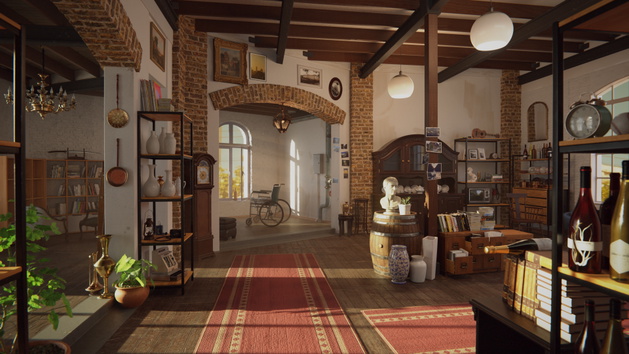

Sharing metadata
| og:url | https://polyhaven.com/ |
|---|---|
| og:type | website |
| og:image | https://cdn.polyhaven.com/site_images/home/window_rend.jpg?width=630&quality=95&v=61684774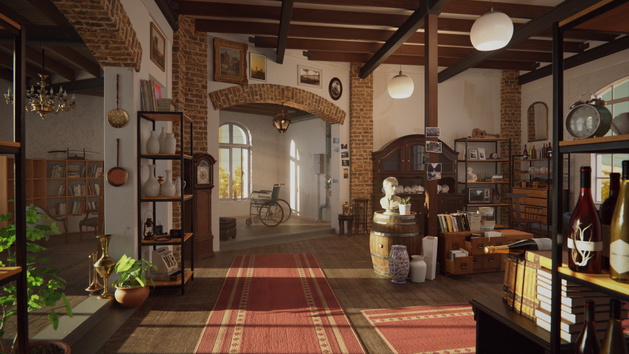 |
| og:title | Poly Haven |
| og:locale | en_GB |
| og:site_name | Poly Haven |
| og:description | The Public 3D Asset Library |
| twitter:card | summary_large_image |
| twitter:site | @polyhaven |
| twitter:image | https://cdn.polyhaven.com/site_images/home/window_rend.jpg?width=630&quality=95&v=61684774 |
| twitter:title | Poly Haven |
| twitter:description | The Public 3D Asset Library |
robots.txt (opens in a new tab)
4 rulesAll bots 0 allowed · 4 disallowed

 All bots

/_next/data//*?s=/account/*/account
No matching rules.
Sitemaps
1 Registration details RDAP / WHOIS
| Registrar | Cloudflare, Inc. |
|---|---|
| Registered | 2020-07-24 |
| Expires | 2027-07-24 |
| Domain status | client transfer prohibited |
| Nameservers | amanda.ns.cloudflare.com、rajeev.ns.cloudflare.com |
| DNSSEC | signed |
 DNS records
| Type | Name | Value | TTL | Priority |
|---|---|---|---|---|
| A | polyhaven.com | 104.26.8.3 | 175 | — |
| A | polyhaven.com | 104.26.9.3 | 175 | — |
| A | polyhaven.com | 172.67.71.239 | 175 | — |
| AAAA | polyhaven.com | 2606:4700:20::681a:803 | 205 | — |
| AAAA | polyhaven.com | 2606:4700:20::681a:903 | 205 | — |
| AAAA | polyhaven.com | 2606:4700:20::ac43:47ef | 205 | — |
| MX | polyhaven.com | echo.mxrouting.net | 300 | 10 |
| MX | polyhaven.com | echo-relay.mxrouting.net | 300 | 20 |
| NS | polyhaven.com | amanda.ns.cloudflare.com | 86400 | — |
| NS | polyhaven.com | rajeev.ns.cloudflare.com | 86400 | — |
| TXT | polyhaven.com | brave-ledger-verification=eff2ebd039567a8f02408ad9361f2b3709ddfdcdc57cb5410d7ea9fd6ac1fe73 | 300 | — |
| TXT | polyhaven.com | firebase=poly-haven-fc43e | 300 | — |
| TXT | polyhaven.com | google-site-verification=fSm5BPXFRs_-e9M7Aqt5XvymJJl99f88qzikw1Daqb8 | 300 | — |
| TXT | polyhaven.com | v=spf1 include:mxlogin.com include:_spf.google.com include:_spf.firebasemail.com -all | 300 | — |
| DS | polyhaven.com | 2371 13 2 6958351abb387ac6478ce439e5178982f137a3dba7d8a500547eff5aa2ee191f | 86400 | — |
| DMARC | _dmarc.polyhaven.com | v=DMARC1; p=reject; rua=mailto:[email protected]; ruf=mailto:[email protected]; sp=reject; adkim=s; aspf=s; fo=1; | 300 | — |
 TLS and certificates
| Assessment | Normal configuration |
|---|---|
| Supported protocols | TLSv1.2、TLSv1.3 |
| Negotiated protocol | TLSv1.3 |
| Certificate subject | polyhaven.com |
| Issuer | Google Trust Services |
| Valid until | 2026-11-24T07:43 · Remaining when checked: 63 days |
| Verification details | Certificate trust: Passed · Hostname match: Passed |
 HTTP response headers
| Header | Value |
|---|---|
| content-type | text/html; charset=utf-8 |
| cache-control | public, max-age=14400, must-revalidate |
| server | cloudflare |
| strict-transport-security | max-age=63072000 |
| access-control-allow-origin | * |
 Identified technologies
Recent Updates
- Website images
- Screenshots
- Network details
- Website Technologies
- Pages and Search Information
- HTTP Response Information
- TLS and certificates
- DNS Information
- Domain Registration
- Website profile
- Website Description
- Website Name
- Website profile
- Website Description
- Website Name
User reviews (0)