
 简体中文
简体中文 English
Website review
This review may include AI-generated content and is not individually verified. Domain, certificate and other facts come from the observed data on this page.
What is AEEVOX?
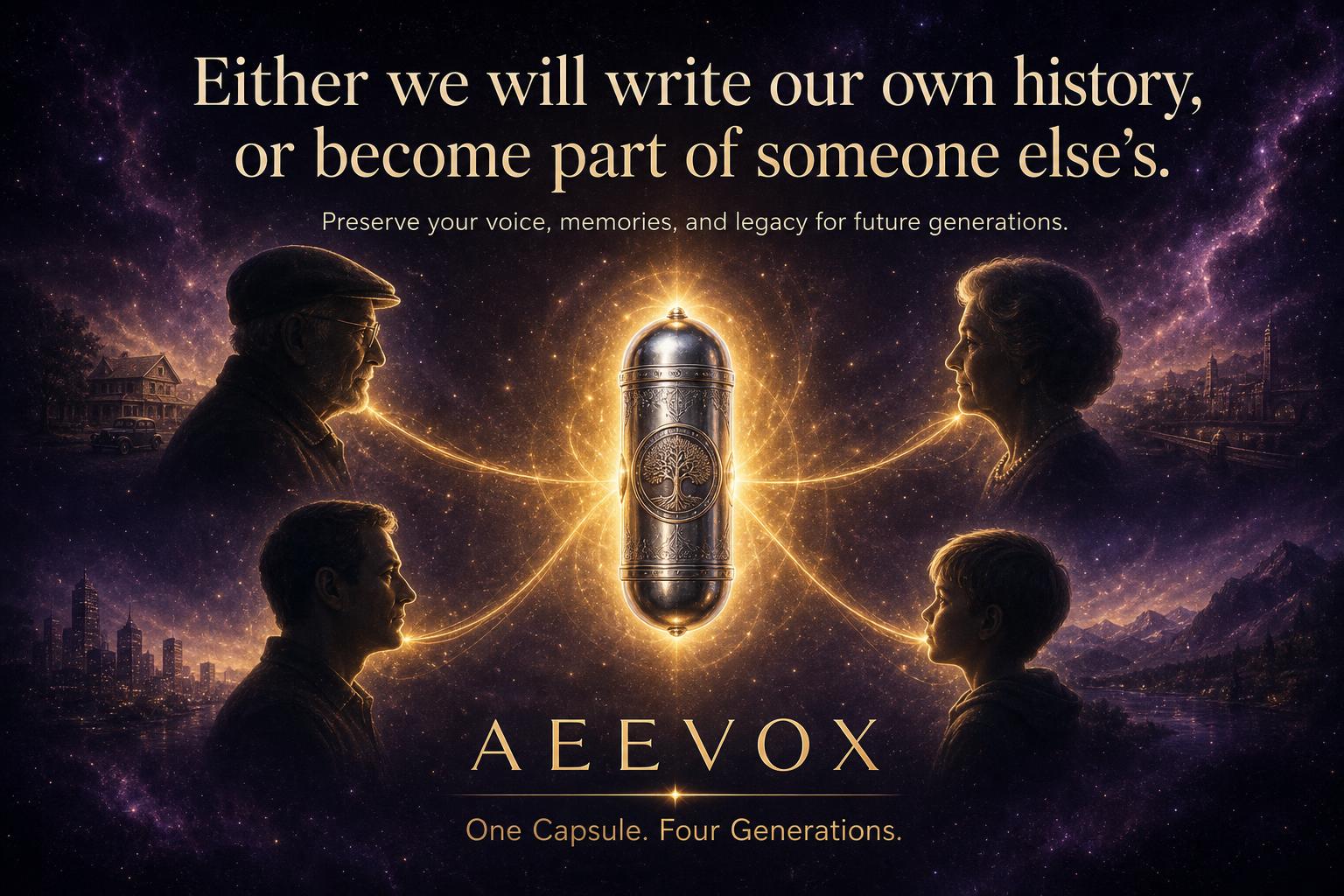
AEEVOX is a private digital archive for family memories and records, positioned as more than ordinary cloud storage. According to its own description, it brings together photos, videos, documents, family stories, a family tree, and digital time capsules in one place, with the goal of preserving a family's history and passing it to future generations.
What it is meant to hold
- Photos and videos, presumably organized as a family collection rather than a personal camera roll
- Documents, such as certificates, letters, or records you want kept with the family story
- Written stories and oral history, so context survives alongside the files
- A family tree, connecting people to the material
- Digital time capsules, messages or files intended to be opened at a later date
Who it suits The natural user is a family historian or "keeper of the archive"—the person who already scans old photos, emails relatives for dates, and worries that everything lives on one phone or one hard drive. AEEVOX's framing suggests the value is in combining structure (tree, capsules, stories) with storage, rather than raw capacity.
Trade-offs to weigh A dedicated family archive can be richer than a generic drive because relationships and narratives are built in. The cost is commitment: someone has to upload, tag, and write the stories, and a private platform's long-term survival matters more for a legacy archive than for everyday file sharing. Check how you can export your data and whether family members can contribute without friction.
Next step List what you actually hold—boxes of prints, phone videos, a half-finished tree—then test AEEVOX against one real task: uploading a scanned photo set and linking it to a person. If that feels easier than your current mix of drives and chat threads, it fits. For general cloud storage comparisons, see Dropbox and Google Drive.
How do I set up a digital time capsule for my family on AEEVOX?
AEEVOX is built around exactly this use case: its page describes a digital time capsule as one of the core elements of a family archive, alongside photos, videos, documents, stories and a family tree. So setting one up is less about installing a separate tool and more about deciding what goes in, who unlocks it, and when.
A practical setup sequence
- Create the family space first. Invite the relatives who will contribute or inherit the archive. A time capsule is only useful if the right people can eventually open it, so sort out membership before you start uploading.
- Decide the capsule's purpose and unlock moment. Common choices: a child's 18th birthday, a 25th wedding anniversary, or a "open when I'm gone" legacy capsule. The date drives everything else.
- Gather and label the contents. Photos and videos are the obvious material, but the more distinctive items are letters, voice recordings, scanned documents, and short written stories. Add dates, names and a sentence of context to each item — future relatives will not know who is in an unlabelled 1990s photo.
- Record the living voices now. Ask grandparents and older relatives for a few minutes of audio or video answering simple prompts: where they grew up, how they met, what they'd want known in fifty years. This is the part families most often postpone and later regret.
- Write the opening instructions. Leave a short note explaining what the capsule is, why it was made, and what to look at first. It is the difference between an archive and a meaningful handover.
- Set access and succession. Confirm who can open it, at what point, and make sure at least one person outside your immediate household knows it exists and how to reach it.
How to think about the trade-off
| Approach | Best for | Main risk |
|---|---|---|
| Everything in one capsule, one future date | A single milestone, such as a child's 18th birthday | If the date or access is forgotten, the material sits unseen |
| Several small capsules with staggered dates | Ongoing family storytelling across years | More coordination, easier to lose track |
| Open archive plus one sealed capsule | Most families — everyday sharing plus one deliberate reveal | Requires discipline about what stays sealed |
A reasonable default is the third row: keep ordinary photos and documents in the open family archive where relatives can enjoy and add to them, and reserve the sealed capsule for letters, recordings and messages meant for a specific future moment.
Questions to settle before you upload
- Who is the intended recipient, and will they realistically have access to the platform in ten or twenty years?
- Should you also keep an offline copy on a drive or printed pages, in case the account or service changes?
- Does every contributor understand whether their material is visible now or sealed until the open date?
That last point matters most. Ask each person directly before adding their photos or recordings to a sealed capsule — being surprised by your own inclusion in a family archive is a quick way to sour the project.
As a next step, write one paragraph describing the capsule's recipient and open date, then invite the first two or three relatives and ask each for a single item plus one recorded memory. Starting small keeps the project moving; the archive can grow from there.
Can I create a family tree and link photos, videos, and stories to specific relatives on AEEVOX?
Yes. AEEVOX is designed around exactly that combination: a family tree plus media and written stories attached to individual relatives. Its own description lists a family tree alongside photos, videos, documents, stories and digital time capsules, so linking a photo or a memory to a named person is part of the intended structure rather than a workaround.
What that looks like in practice
Think of each relative as a profile page. A photo of your grandmother's wedding, a recording of her voice, and the story of how she emigrated all sit on her entry instead of being scattered across folders named by year. Visitors browsing the tree can then move from a person to the material about them.
This differs from ordinary cloud storage in a way that matters. In a shared drive, the organising unit is the file; here it is the person. That is a real advantage when several relatives contribute, because a cousin adding a scanned letter knows where it belongs without asking.
A realistic scenario
Suppose you are the family archivist. You start with living relatives and work backwards, attaching what you already have — phone photos, a scanned birth certificate, a few paragraphs about a holiday. Later you add a time capsule message for a grandchild. The tree gives the collection a spine, so the archive stays navigable as it grows past a few hundred items.
Trade-offs to weigh
- Effort is front-loaded. Someone has to decide who goes in the tree and how names are spelled. Messy naming gets worse over time.
- Structure can feel rigid. A photo of a family reunion belongs to many people at once; expect to duplicate or choose a primary owner.
- Longevity questions remain. Any hosted service depends on the company still operating. Keep local copies of irreplaceable originals regardless of where you publish them.
- Privacy needs a plan. Living relatives may not want their details visible; decide early who can see what.
How to decide
If your goal is a browsable, person-centred archive that relatives can add to, AEEVOX fits the brief. If you mainly want cheap bulk backup, a general-purpose storage service will be simpler and cheaper. For a middle path, some families use a genealogy site for the tree and a separate archive for media — for example Ancestry for records and tree building, though that splits the two halves of the job.
A useful first step: pick one branch of the family, add five people, and attach one item to each. That small test will tell you quickly whether the person-first model suits how your family actually remembers things.
How is AEEVOX different from regular cloud storage like Google Photos or Dropbox for preserving family memories?
AEEVOX is positioned less as a place to store files and more as a structured family archive: photos, videos and documents sit alongside stories, a family tree and digital time capsules. That combination is the main difference from general-purpose cloud storage, where the emphasis is on backing up and syncing files rather than on organising them into a legacy that someone else can navigate later.
AEEVOX is the product itself, so its own description is the source for those features. Google Photos and Dropbox are useful reference points for the general category, but their own sites are the place to check current capabilities.
Where the difference actually shows up
- Purpose. General cloud storage answers "where is my file?" A family-legacy service answers "who was this person, and what should my grandchildren know about them?"
- Context. A photo in Google Photos or Dropbox is usually a file with a date. In a legacy archive, the same photo can be tied to a person in a family tree, a written story or a time capsule.
- Future audience. Cloud accounts are built around the account holder. A legacy archive is built around people who may not have an account yet — children, cousins, descendants.
- Structure. Folders and albums are flexible but empty of meaning. A family tree plus stories imposes a structure that makes browsing easier for someone who did not create the archive.
A concrete scenario
Suppose you inherit a box of your grandmother's letters, plus 2,000 phone photos from the last decade. Dropbox or Google Photos will hold all of it, and search will find a file if you remember roughly what it was called. A legacy-oriented archive is more likely to let you attach the letters to her entry in the family tree, write down who she was, and leave a time capsule for a grandchild to open at 18. The trade-off is real: you take on the work of describing and linking things, and you depend on one smaller service rather than a large, well-known platform.
How to decide
- Choose general cloud storage if your priority is cheap, reliable backup, automatic phone uploads and easy sharing with people today.
- Choose a legacy archive if your priority is meaning, narrative and handover — and you are willing to spend time adding stories and relationships.
- Many families do both: bulk backup in one place, curated legacy material in the other.
Questions worth asking before committing
- What happens to the archive if the service shuts down, and can you export everything in a usable format?
- Who can see what — can you keep some material private until a date or until someone reaches a certain age?
- How do you hand over access to a family member if you become unable to manage it?
- Are large video files handled well, or is the service mainly for photos and documents?
A practical next step: pick one small, meaningful set — say 30 photos and one written story about a grandparent — and try building it in AEEVOX. If the process feels natural and the result is something you would be happy to hand to a cousin, the structure is doing its job. If it feels like filing, general cloud storage plus a shared document of family stories may serve you better.
What happens to my family's digital legacy on AEEVOX if I stop paying or the company shuts down?
AEEVOX doesn't answer this on its public pages, so treat exit and shutdown risk as an open question to resolve before you commit years of family material to it. The product is described as a digital home that gathers photos, videos, documents, stories, a family tree, and digital time capsules — a mix of storage and narrative that is hard to rebuild elsewhere.
What to check before uploading
- Ask support directly: if a subscription lapses, does the account become read-only, get frozen, or get deleted — and after how long?
- Ask for the export format. Can you download original-quality files plus the story text, tree data, and time-capsule contents as open formats (JPEG/MP4/PDF/GEDCOM), or only as a proprietary archive?
- Ask what happens on shutdown: notice period, whether there's a bulk-export window, and whether an escrow or successor arrangement exists.
- Get it in writing, and keep a copy of the answer with your account records.
A practical rule Keep AEEVOX as the curated layer, not the only copy. Store originals in a mainstream provider you can leave easily, such as Dropbox or Google Drive, and treat AEEVOX as the place where the family tree, stories, and capsules live. For the tree specifically, export a GEDCOM periodically and keep it with the originals — that file is portable even if the platform isn't.
Reader scenario Suppose you spend a year building a tree and recording grandparents' stories. If the service freezes on a missed payment, you'd want the media files already mirrored elsewhere and the tree in GEDCOM, so the loss is the interface, not the legacy. If the answers to the four questions above are vague, that's your signal to keep the archive small and the originals independent.
Can multiple family members contribute to the same AEEVOX archive, and how do permissions work?
Yes. AEEVOX is built around the idea of a shared family archive rather than a single person's private cloud drive, so multiple relatives can contribute to the same collection. The site describes it as "a digital home for your family" that brings together photos, videos, documents, stories, a family tree, and digital time capsules — language that implies collective input rather than one owner uploading everything alone.
What that looks like in practice
- Several family members add their own photos, videos and documents to the shared archive.
- Relatives contribute written stories or memories alongside the media.
- The family tree and time capsules can be built up by more than one person over time.
- The archive becomes a single place for the whole family's material instead of scattered phone galleries and group chats.
How permissions likely work — and what to check
The website information provided does not specify exact permission roles, so treat any tiering as something to confirm directly with AEEVOX. In a shared family archive, the practical questions are:
| Question | Why it matters |
|---|---|
| Who can invite new members? | Prevents strangers or distant acquaintances from accessing private material |
| Who can delete or edit items? | A well-meaning relative could remove an irreplaceable photo |
| Can some members view but not upload? | Useful for elderly relatives who only want to browse |
| Can you restrict sensitive items? | Medical records, adoption documents or private letters may need narrower access |
| Is there an owner or admin role? | Someone needs final say if the family disagrees |
A concrete scenario
Suppose three siblings want to preserve their parents' history. One lives near their mother and scans old photographs; another records audio interviews; the third, overseas, adds documents and maintains the family tree. If AEEVOX offers view-only access, the mother could browse the archive without accidentally deleting anything, while the siblings retain editing rights. That division — contributors, viewers, and an administrator — is the pattern most family archives need.
Next step
Decide who should hold full control before you invite anyone. Then check AEEVOX's own help pages or contact them to confirm whether it supports distinct roles such as owner, editor and viewer, and whether individual items can be restricted to certain members. If granular permissions are essential to you, verify that before committing your family's material.
For comparison, established options with documented sharing controls include Google Photos and Dropbox, though neither is designed specifically around family legacy and storytelling the way AEEVOX describes itself.
 Cloudflare
 Frankfurt am Main, Hesse, Germany

User reviews (0)