Website profiles · Technology insights · Alternatives

aigrow.gg

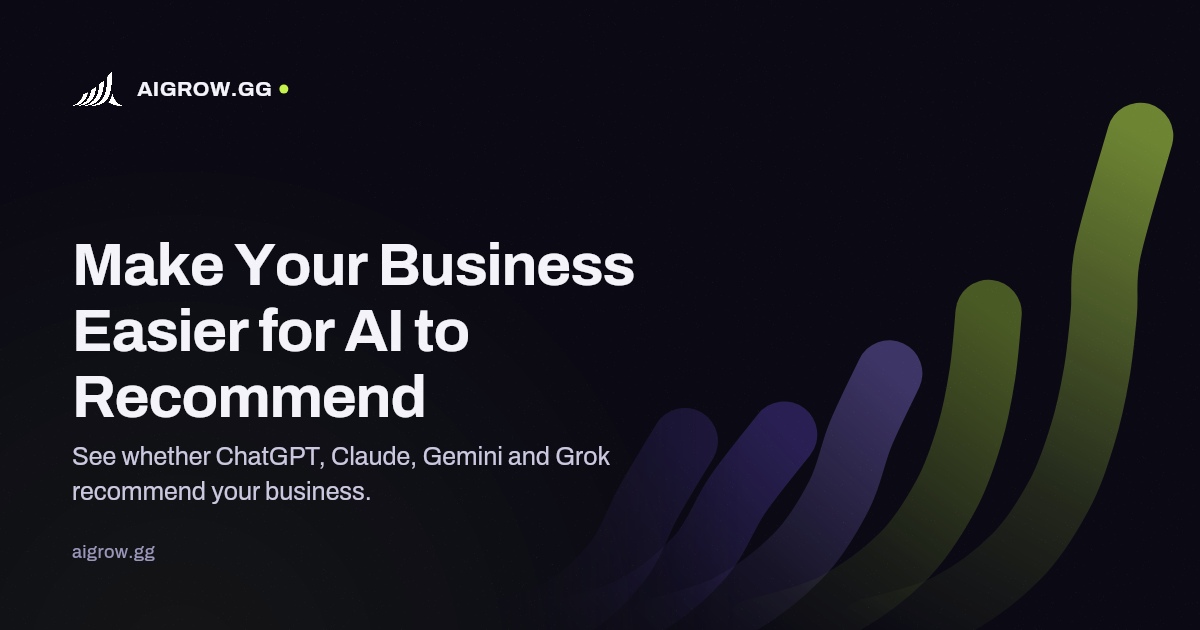
See whether ChatGPT, Claude, Gemini and Grok recommend your business. Start with a free website scan, read the answers and find what to check next.

Paid content Multilingual
Visit website
Profile views 4 Outbound visits 0 Normal
AIGROW Full homepage screenshot

At a glance

Category
Artificial Intelligence
Language
English
Paid-content signal
Paid contentObserved
Registered
Unknown
Hosting
CloudflareInferred
HTTPS certificate trusted
PassedObserved
Last updated

Website review

This review may include AI-generated content and is not individually verified. Domain, certificate and other facts come from the observed data on this page.

What is AIGROW?

AIGROW is a tool for checking how AI assistants describe and recommend a business. You enter your website, and it asks buying-style questions to see whether ChatGPT, Claude, Gemini and Grok name your company — or your competitors — in their answers. The site frames this as "make your business easier for AI to recommend": it looks at the answers themselves plus the signals behind them, such as AI crawler access, business details and structured data.

What the free scan shows

  • Who gets recommended: the assistants' answers, the businesses they name, and whether yours appears. Questions are kept beside answers so you can verify results yourself.
  • What gets in the way: crawler access, business details and structured data gaps, with pointers on what to check next.
  • No account or card required to start, according to the site.

If you want ongoing tracking

Paid tiers extend the picture. Watch repeats your questions monthly; Act checks weekly and compares competitors, so you can judge whether a change holds. Operate and Agency cover more sites. The plans page lists limits and prices.

AIGROW also publishes the AIGROW Index, an archive of answers to buyer questions across categories and places, showing which names appeared, how often they recurred and where assistants disagreed. Its own figures illustrate the volatility: 21% of names were shared by any two assistants asked the same question, and 56% of names were repeated in another run. The site is explicit that these are dated observations, not predictions or endorsements, and that no plan guarantees a ranking or an AI mention.

Practical next step: if you run a local or service business where customers ask assistants "who should I use?", start with the free scan of your own domain, then check the Index for your category to see which competitors currently occupy those answers.

Decision criterion: treat the free scan as a diagnostic. Pay for tracking only if you can act on the gaps it finds — crawler access, structured data and consistent business details are things a web team can fix; an AI mention itself is not something anyone can buy. Related reading on how assistants surface sources: OpenAI and Anthropic.

Is the free website scan enough to decide whether I need a paid plan?

The free scan is enough to decide whether you need a paid plan, but only if you use it as a diagnosis rather than a verdict. It tells you where you stand today; it does not tell you how much that position will move.

What the free scan gives you

AIGROW's scan asks buying questions about your business, records which assistants answer and which businesses they name, and keeps the question beside the answer so you can verify the result yourself. It also checks the mechanics behind those answers: AI crawler access, business details and structured data, then points to gaps and explains what to check next.

That is a complete first decision. If your business never appears and the report shows crawler blocks or missing structured data, you have a concrete reason to act. If you appear consistently in the questions that matter and the technical checks are clean, paying for monitoring is optional.

Where the free scan stops

It is a snapshot. The site's own published data makes the case for repeat measurement: 56% of names repeated in another run, and only 21% of names were shared by any two assistants asked the same question. Answers also vary by question, place and assistant. A single scan cannot tell you whether a gap is stable or a one-off, and it cannot tell you whether a fix worked. Paid tiers exist for that: Repeats runs your questions monthly, Act runs weekly and compares competitors, and Operate and Agency cover more sites.

How to choose

What the scan shows Reasonable next step
Not named, with clear technical gaps Fix the gaps first, then rescan before paying
Named in some questions, absent in others Monthly monitoring to see if the pattern holds
Named consistently, checks clean No paid plan needed yet; rescan after site changes
Competitors named and you are not Weekly tracking plus a visibility audit to map the work

Ask one question before upgrading: can I name the specific change I would make, and how I would know it worked? If yes, a paid plan buys you the evidence. If no, you would be paying for data you cannot act on.

A practical next step

Run the scan, then pick the three or four questions a real customer would ask before choosing you — not your brand name, but "who should I use for X in Y". Rerun those same questions yourself in two different assistants a few weeks later. If the answers move around, you need monitoring. If they are stable and you are absent, you need fixes first.

Two useful reference points: AIGROW publishes its Index editions with a DOI so you can check the method and sample behind the numbers, and AIGROW lists plan limits and prices on its plans page before you sign up. Note that no plan guarantees a ranking or an AI mention, so treat any paid tier as measurement and improvement work, not a promised outcome.

How do I check if ChatGPT, Claude, Gemini, and Grok recommend my business?

Start by treating this as a measurement question, not a settings question. There is no single dashboard inside ChatGPT, Claude, Gemini or Grok that shows you a recommendation score. You check it by asking each assistant the same buying questions a real customer would ask, then recording which businesses get named. AIGROW is built around exactly that workflow: a free website scan that asks buying questions about your business and shows you the assistants' answers alongside the question that produced them.

The manual version

  1. Write five to ten questions a customer might ask before choosing you — "best [service] in [city]", "who should I hire for [problem]", "[your brand] vs [competitor]".
  2. Ask each of the four assistants the identical wording, one question at a time, in a fresh chat.
  3. Save the full answer, note the date, and highlight every business named.
  4. Repeat the same set a few weeks later. Answers shift with phrasing, location and the assistant's current model.

The reason to keep the question next to the answer is verification: you can re-run it yourself and see whether your business appeared, rather than trusting a summary.

What the scan adds

AIGROW's scan checks the website behind the answers — AI crawler access, business details and structured data — and points to gaps that may be keeping you out of recommendations. Its Watch tier repeats your questions monthly, and Act checks weekly with competitor comparisons, so you can see whether a change holds. Operate and Agency cover more sites; the plans page lists limits and prices. The site is explicit that no plan guarantees a ranking or an AI mention, which is the honest framing for this category.

Why results are unstable

AIGROW's published Index reports that only 21% of names were shared by any two assistants asked the same question, and 56% of names were repeated in another run. Read that as a warning against over-reacting to one result. Treat a single mention as noise; treat a pattern across assistants and repeated runs as signal.

A practical decision rule

  • If you appear in two or more assistants across two runs, your job is defending the position — keep your site crawlable and your business details consistent.
  • If you appear nowhere, check access and structured data first, because a blocked or unclear site cannot be cited.
  • If you appear only for your own brand name, you have recognition but not category recommendation. That is the gap worth working on.

For context on how assistants surface sources, see OpenAI and Anthropic; for the underlying structured-data vocabulary, Schema.org is the reference.

What should I fix on my site if AI assistants don't mention my business?

Focus on the three things the scan actually checks: whether AI crawlers can read your site, whether your business details are consistent and machine-readable, and whether your content answers the buying questions people ask assistants. Fixing those is more useful than chasing mentions directly, because no tool can guarantee an AI recommendation.

Start with access, not content

If assistants cannot retrieve your pages, nothing else matters. Confirm that AI crawlers are not blocked in robots.txt or by a firewall, and that key pages render without JavaScript-only content. A page that looks fine in a browser can appear empty to a crawler.

Make your business facts unambiguous

Assistants repeat what they can verify. Keep one canonical version of your name, address, phone number, service area and opening hours, and use the same wording everywhere it appears. Add structured data for your organisation and offerings so the details are stated explicitly rather than inferred.

Answer the questions customers actually ask

Write pages that match buying intent: who you serve, what you do, where you operate, what distinguishes you, and what a project involves. Plain question-and-answer sections on service pages tend to be easier to quote than brochure copy. Keep the question next to the answer so a reader — or a model — can follow the logic.

Then check whether it worked

Re-run the same questions over time rather than once, since answers vary by question, location and assistant. AIGROW's own index notes that most names are not shared between assistants asked the same question, so a single check proves little. Measuring repeat runs and competitor mentions tells you whether a change held.

For a broader view of how assistants handle retrieval and citations, OpenAI and Anthropic publish documentation on their crawlers and usage policies, which is worth reading before you change access rules. If you want a structured starting point, AIGROW offers a free website scan that reports crawler access, business details and structured data gaps, with paid tiers for monthly repeats and competitor tracking.

A practical next step: pick five questions a real customer would ask before choosing a supplier in your category, run them across two or three assistants, and record which businesses get named and why. Fix access and business details first; those are binary problems you can resolve this week. Content and consistency take longer, so treat them as an ongoing habit rather than a one-off project.

How do AIGROW's monthly and weekly plans track changes in AI recommendations?

AIGROW separates change tracking into two cadences: Watch reruns your buying questions monthly, while Act reruns them weekly and adds competitor comparisons so you can judge whether a change holds. The distinction matters because AI answers drift with question wording, location and assistant, so a single reading is weak evidence of progress.

What each cadence is for

Cadence What it repeats Practical use
Watch (monthly) Your questions, re-asked on a monthly cycle Slow-moving categories, brand-name presence, checking whether a site fix stuck
Act (weekly) Your questions plus competitor comparisons Active campaigns, recent content or schema changes, markets where rivals move often

The scan itself establishes a baseline: it asks buying questions about your business, records which names the assistants return, and keeps the question beside the answer so you can verify the result yourself. It also checks the site behind those answers — AI crawler access, business details and structured data — and points to gaps to fix next. Repeating the questions is what turns that snapshot into a trend line.

Reading the trend honestly

AIGROW's own Index notes that only 21% of names were shared by any two assistants asked the same question, and 56% of names repeated in another run. Treat that as the noise floor. A business appearing in one weekly run and not the next is not necessarily a change in standing; look for the same name recurring across several runs and across more than one assistant before calling it a gain or a loss. Weekly tracking is most useful when you have just changed something specific — a fix to crawler access, structured data or business details — and want to see whether the effect persists past one cycle. Monthly tracking is cheaper in attention and better suited to confirming a direction rather than reacting to it.

If you want the fixes handled rather than only measured, the visibility audit maps the work and Complete AI Visibility carries it out monthly; the plans page lists scope limits. No plan guarantees a ranking or an AI mention, so choose the cadence by how fast your category and competitors actually move.

How can I use the AIGROW Index to see which competitors AI assistants recommend in my market?

Use the AIGROW Index as a market-level lookup, not a rank tracker for your own domain. You browse answers to buyer-style questions within a business category and place, then see which business names the assistants returned and how often the same names reappeared across repeated collections.

What the Index lets you check

  • Which names appear for questions a real buyer would ask in your category and location.
  • How often they come back — the site reports that 56% of names were repeated in another run, so a single appearance is weak evidence and a recurring name is a stronger signal.
  • Where assistants disagree — the site states that 21% of names are shared by any two assistants asked the same question, which means most answers diverge. Reading the disagreement is often more useful than reading the top name.
  • The question behind each answer — the question is kept beside the answer, so you can judge whether the phrasing matches how your customers actually ask.

How to read it without over-reading it

Treat every entry as a dated observation from one edition, not a prediction of what your customers will see. AIGROW itself notes that rankings do not guarantee an AI mention and do not prove an assistant endorses a business. So use the Index to form hypotheses: if three competitors recur and you never appear, the useful question is what those sites expose to AI crawlers, how their business details are stated, and whether their structured data is complete.

A practical sequence

  1. Look up your category and location in the Index.
  2. Note recurring competitor names and the exact questions that produced them.
  3. Compare those questions with the buying questions your own customers ask.
  4. Run the free website scan on your own site to see whether you appear at all, and check crawler access, business details and structured data.
  5. Re-check the same questions later — monthly repeats and weekly comparison are the paid tiers, so decide whether you need that cadence before upgrading.

If the Index shows a competitor recurring and your scan shows a technical gap, that gap is the concrete next step. If you would rather not do the fixes yourself, AIGROW's audit maps the work and a monthly service carries it out, but choose the scope only after you have the evidence in hand.

For broader context on how AI systems surface and cite businesses, the guidance published by Google Search Central on structured data and by Schema.org on business markup is worth reading alongside the Index.

Related questions

More questions →
What Is AI Automation and How Can It Help Your Business Get Recommended by AI Assistants?

AI automation means using software to run repetitive business tasks — publishing content, updating listings, answering routine questions, syncing data — without a person doing each step by hand. It helps you get recommended by AI assistants indirectly: assistants like ChatGPT, Claude, Gemini, and Grok read what's publicly available about your business, so automation that keeps your site accurate, crawlable, and consistent improves the raw material they draw on. It does not buy you a mention. AIGROW's own materials state plainly that no plan guarantees a ranking or an AI mention.

AI automation vs. AI agents vs. one-off AI tools

These three get used interchangeably, but they behave differently:

What it is Example Ongoing effort
AI automation A fixed rule or workflow that runs on a trigger A script that pushes updated hours and locations to your site and listings every time they change Set it up, then monitor
AI agent A system that decides steps toward a goal, using tools An agent that checks your site, drafts a fix, and opens a task for review Needs guardrails and review
One-off AI tool A single prompt or generation you run once Asking a chatbot to rewrite a product description Manual each time

For AI visibility specifically, automation is the more useful starting point. Assistants don't reward cleverness; they reward businesses whose public information is complete, current, and machine-readable. That's a maintenance problem, and maintenance is what automation is good at.

Which tasks are worth automating first

Prioritize anything that (a) repeats, (b) feeds information AI systems read, and (c) breaks silently when it goes stale.

  • Business details — name, address, phone, hours, service areas. Keep one source of truth and push changes everywhere instead of editing five places.
  • Structured data — schema markup for your organization, products, locations, and FAQs. Generate it from your existing content rather than hand-writing it per page.
  • Content publishing — turning approved drafts into published pages with correct titles, headings, and internal links.
  • Crawler access monitoring — alerting you when robots.txt, a firewall rule, or a site change blocks AI crawlers.
  • Answer tracking — re-running the same buyer questions on a schedule and logging which businesses get named.

AIGROW's scan does a version of the last two: it asks buying questions about your business, checks the website behind the answers, and reports on AI crawler access, business details, and structured data. Its paid tiers differ mainly in cadence — Watch repeats your questions monthly, Act checks weekly and compares competitors, and Operate and Agency cover more sites. The plans page lists limits and prices before signup.

How automation actually affects whether AI recommends you

The mechanism is straightforward: an assistant answering "who should I use for X in Y" draws on indexed pages, structured data, and consistent third-party mentions. Automation influences that in three ways.

  1. It keeps facts synchronized. If your hours on your site disagree with your hours elsewhere, an assistant has less reason to state anything confidently about you.
  2. It keeps your site readable. Structured data and clean crawler access make it easier for a system to identify what you do and where you do it.
  3. It lets you observe instead of guess. Scheduled re-runs of the same questions show whether a change held. AIGROW's published Index notes that 56% of names were repeated in another run, and that only 21% of names were shared by any two assistants asked the same question — so single snapshots are noisy and repeated measurement matters.

That last point is the honest limit of the whole exercise. AIGROW describes its rankings as observations from a dated edition that don't predict what every customer will see or prove an assistant endorses a business. Treat automation as improving your odds and your information quality, not as a lever with a guaranteed output.

A practical starting sequence

Step 1 — See your current state. Run a scan of your website. On AIGROW this is free, with no account or card required. Input: your website URL. Output: the assistants' answers to buying questions, which businesses they named, and whether yours appeared. The scan keeps each question beside its answer so you can verify it yourself.

Step 2 — Fix access and data gaps before automating anything else. Check whether AI crawlers can reach your site, whether your business details are consistent, and whether structured data exists. Automating publishing on top of a blocked or misconfigured site just produces more unreadable pages.

Step 3 — Automate the maintenance, not the judgment. Sync business details from one source. Generate schema from existing content. Schedule crawler-access checks. Keep a human approving anything customer-facing.

Step 4 — Measure on a schedule. Re-run the same questions monthly at minimum. Compare against competitors if you're on a tier that supports it. Record the date, the question, and the assistant, because answers vary by question, place, and assistant.

Step 5 — Decide on scope after you have evidence. AIGROW separates a visibility audit (maps the work) from Complete AI Visibility (carries it out monthly). Choose scope only after reviewing your own scan results.

Common pitfalls

  • Automating content volume. Publishing more pages doesn't help if the pages are thin or duplicated. Assistants need clear, distinct information.
  • Ignoring structured data. Without it, systems have to infer what you are from prose. Inference is where errors and omissions happen.
  • Blocking crawlers by accident. A staging rule, CDN setting, or robots.txt edit can quietly cut off access. Automate the check.
  • Treating one scan as a verdict. With 56% name repetition across runs, a single result is a data point, not a trend.
  • Expecting a guarantee. No automation, plan, or audit promises an AI mention or ranking. Anyone selling that is overselling.

If you want to see where you stand before spending anything, start with the free website scan and read the answers yourself.

What Are AI Growth Systems and How Do You Get AI Assistants to Recommend Your Business?

AI growth systems are the practice of checking and improving how AI assistants like ChatGPT, Claude, Gemini, and Grok describe and recommend your business. The core loop is: ask the assistants real buying questions, see which businesses they name, fix what blocks them from reading your site, then repeat the questions over time to see whether anything changed. This applies to any business that wants to appear when customers ask an AI "who should I use for X?" — and it starts with a free website scan, no account or card required.

How AI assistants decide which businesses to name

When a customer asks an assistant for a recommendation, the assistant draws on what it can read and verify about your business. Three things get in the way most often, and AIGROW's scan checks each one:

  • AI crawler access — whether the assistants' crawlers can reach your site at all. If they're blocked, nothing else matters.
  • Business details — whether your name, location, and what you do are stated clearly enough to be matched to a question.
  • Structured data — machine-readable markup that helps an assistant understand your business without guessing.

The scan keeps the question beside the answer, so you can read the assistants' responses yourself and check the result rather than trusting a score.

Running a visibility scan

The starting point is a website scan that asks buying questions about your business and checks the site behind the answers. You see where you stand before deciding whether to pay for more.

  1. Enter your website. The scan starts free, with no account and no card.
  2. Read the assistants' answers. See which businesses they name and whether yours appears.
  3. Review the gaps. The report points to crawler access, business details, and structured data issues, and explains what to check next.
  4. Decide on scope. Only after reviewing the evidence do you choose whether to pay for more coverage.

Reading the results

The useful signal isn't just "did I appear" — it's the pattern across assistants and across runs.

AIGROW's October 2026 Index, drawn from 80,059 analysed AI answers across 20 countries, found that only 21% of the names were shared by any two assistants asked the same question, and 56% of names were repeated in another run. In other words, assistants disagree with each other, and the same assistant doesn't always give the same answer twice.

That has two practical consequences:

  • Compare across assistants, not just one. Appearing in ChatGPT but not Gemini is a different problem than appearing nowhere.
  • Don't treat one result as final. A single mention or omission is an observation from a dated run, not proof of anything durable.

Every published ranking includes its questions, collection method, and limits. The Index editions are archived with a DOI (10.5281/zenodo.23082267 and 10.5281/zenodo.23188442), so you can check the method and cite the data.

The recurring steps that make it a system

A one-time scan is a snapshot. What turns it into a growth system is repetition:

Step What it does Cadence
Scan Asks buying questions, checks the site behind the answers Once to start
Watch Repeats your questions Monthly
Act Repeats weekly and compares competitors Weekly
Operate / Agency Covers more sites Per plan

The point of the weekly comparison is to see whether a change lasts. If you fix your structured data and your name shows up the next week, that's a signal. If it disappears the week after, you haven't fixed the underlying issue.

If you'd rather not do the fixes yourself, the visibility audit maps the work and Complete AI Visibility carries it out monthly — but choose the scope only after reviewing the evidence from your own scan.

What this can't do

No plan guarantees a ranking or an AI mention. The Index rankings are observations from a dated edition; they don't predict what every customer will see, and they don't prove that an assistant endorses a business. Treat the scan as a diagnostic and the monthly or weekly repeats as a trend line, not a promise.

Where to start

Check your business by name with a free scan. Read the answers, note which competitors appear and where the assistants disagree, then decide whether the recurring Watch or Act cadence is worth it for your market. The plans page lists limits and prices before you sign up.

How to Grow With AI: Getting ChatGPT, Claude, Gemini, and Grok to Recommend Your Business

Growing with AI means two different things, and only one of them is about you using AI tools. The version that changes your pipeline is being named when a customer asks an assistant "who should I use for this?" AIGROW's approach is to start with a free website scan that shows whether ChatGPT, Claude, Gemini, and Grok mention your business at all, then work backward to the site factors that block a mention. You can start without an account or a card — the scan takes your website URL and returns the assistants' answers alongside the questions that produced them.

What "growing with AI" actually means here

Most AI advice is about internal productivity: drafting copy, summarizing calls, automating a workflow. That's useful, but it doesn't put you in front of buyers. The other half is distribution — whether an assistant surfaces your business when someone asks a buying question in your category.

AIGROW frames this as visibility: "Make your business easier for AI to recommend." The scan asks buying questions about your business and checks the website behind the answers, so you see where you stand before deciding whether to pay for more.

Why the answers are unstable

Don't expect one fixed answer per question. AIGROW's published Index (October 2026 edition) reports that 21% of the names were shared by any two assistants asked the same question, and 56% of names repeated in another run. Across 80,059 AI answers analysed, 20 countries, and 2,580 published rankings, the collected answers varied by question, place, and assistant.

Two practical consequences:

  • A single check is a snapshot, not a verdict. If your business doesn't appear once, that isn't proof it never will.
  • Competitors who appear in one assistant may be absent in another. You're optimizing for a set of assistants, not one.

AIGROW is explicit that these are observations from a dated edition: they don't predict what every customer will see, and they don't prove an assistant endorses a business.

Step 1: Check whether assistants name you

  1. Input: your website address, entered on the scan page.
  2. Action: the scan asks buying questions about your business and records the assistants' answers, keeping each question beside its answer so you can verify the result yourself.
  3. Expected result: you see which businesses get named, whether yours appears, and which site factors are getting in the way.

The scan is described as free, with no account and no card required. Pricing and plan limits live on the plans page, which lists them before you sign up — so treat the free scan as the starting point, not the whole product.

Step 2: Fix what blocks a recommendation

The report points to three categories of gaps:

Check What it covers
AI crawler access Whether AI crawlers can reach your site at all
Business details Whether your business information is clear and consistent
Structured data Whether machine-readable markup describes your business

If crawlers can't reach you, nothing downstream matters. If your business details are ambiguous, an assistant has no confident entity to name. Structured data is what lets a system connect your name, category, and location without guessing.

Step 3: Track whether changes hold

AIGROW separates checking from tracking:

  • Watch repeats your questions monthly, so you can see whether a change lasts rather than catching a one-off.
  • Act checks weekly and compares competitors.
  • Operate and Agency cover more sites.

If you'd rather not do the fixes yourself, the visibility audit maps the work and Complete AI Visibility carries it out each month — you choose the scope after reviewing the evidence.

What no tool can promise

AIGROW states plainly that no plan guarantees a ranking or an AI mention. Anyone selling you a guaranteed spot in ChatGPT or Gemini is selling something that doesn't exist, because the answers vary by question, place, assistant, and run. What you can control is whether your site is reachable, legible, and consistently described — which is the part that makes a mention possible.

Where to look before you commit

The AIGROW Index publishes answers to buyer questions across categories and places, so you can look up your market and see which names appeared, how often they came back, and where assistants disagreed. Each ranking includes its questions, collection method, and limits, and the underlying Index editions are archived with a DOI (10.5281/zenodo.23082267 and 10.5281/zenodo.23188442) so the data can be cited and the method checked.

If you want the fastest first move: run the free scan on your own site, read the answers next to the questions, and decide from the evidence whether the gaps are worth fixing yourself or worth paying someone to fix.

What Are AI Agents and How Do You Connect Them to Real-World Tools?

An AI agent is a system that uses a language model to decide what to do next — calling tools, fetching data, and chaining steps — rather than just answering a single prompt. To act on the real world, an agent needs external tools, because its training data is frozen and it can't browse, scrape, or write to your apps on its own. The practical way to give it those capabilities is to connect it to ready-to-run tools through APIs or marketplace integrations. Apify, for example, describes itself as "a marketplace of ready-to-run tools for AI" with "73,229 tools for your AI," which is the kind of catalog you'd plug an agent into.

Agent vs. chatbot vs. single prompt

Single prompt Chatbot AI agent
Input One question Ongoing conversation A goal
Decides next step? No No Yes
Uses external tools? No Sometimes Yes, by design
Example "Summarize this text" "Answer my follow-ups" "Find competitor prices and update my sheet"

The distinguishing feature is autonomy over steps. A chatbot waits for you to drive; an agent plans and executes, then reports back.

Why agents need external tools

A model's knowledge stops at its training cutoff and contains no live data about your niche, your competitors, or your own systems. Tools close that gap:

  • Fresh data — current prices, posts, reviews, listings
  • Actions — writing to a database, sending a message, triggering a workflow
  • Structure — turning messy web pages into clean fields an agent can reason over

Without tools, an agent can only talk. With them, it can do.

How agents connect to tools

Three common patterns, from simplest to most integrated:

  1. Direct API calls — the agent (or your code around it) hits an endpoint and gets JSON back. You handle auth and parsing.
  2. Marketplace integrations — you pick a ready-made tool from a catalog and connect it to your agent. Apify's page lists this as "Easily connect with your AI agents," alongside "Ready-to-run or build your own."
  3. MCP / framework adapters — the tool exposes itself in a format your agent framework understands. Apify's Website Content Crawler, for instance, "integrates well with 🦜🔗 LangChain, LlamaIndex, and the wider LLM ecosystem."

The right choice depends on how much glue code you want to own. Marketplaces and adapters trade flexibility for speed.

Concrete example: crawling a site to feed an agent or RAG pipeline

Say you want an agent that answers questions about a documentation site.

  1. Input: the site's URL(s).
  2. Action: run a crawler. Apify's Website Content Crawler will "crawl websites and extract text content to feed AI models, LLM applications, vector databases, or RAG pipelines." It "supports rich formatting using Markdown, cleans the HTML, downloads files."
  3. Expected result: clean Markdown chunks you embed into a vector store.
  4. Then: your agent retrieves relevant chunks at query time and answers with citations.

The crawler does the messy part (HTML cleanup, formatting); the agent does the reasoning. This split is the whole point of connecting tools.

Criteria for choosing agent tools

Judge each candidate on the same dimensions:

  • Data source — does it cover the site/platform you actually need? (TikTok, Google Maps, Instagram, e-commerce, Facebook are all separate tools in Apify's catalog.)
  • Output format — JSON for structured logic, Markdown for LLM/RAG input.
  • Scheduling & monitoring — can it run on a schedule, or only on demand?
  • Integration — native support for your framework (LangChain, LlamaIndex) vs. raw API.
  • Cost — check the provider's pricing page; don't assume free.
  • Reliability signals — usage counts and ratings. Apify shows these per tool (e.g., Google Maps Scraper: 616K runs, 4.7 from 1,817 reviews; TikTok Scraper: 291K runs, 4.8 from 371).

Common failure points

  • Auth — API keys and tokens expire or lack scope; the agent fails silently.
  • Rate limits — high-volume agent loops hit caps fast; add backoff.
  • Stale data — a cached result looks valid but isn't; timestamp everything.
  • Unstructured output — raw HTML breaks parsing; prefer tools that clean and format.
  • Silent errors — an agent may treat a failed call as an empty result. Validate responses explicitly.

Bottom line

An AI agent is a goal-driven system that plans and calls tools; a chatbot just responds. To make an agent useful, connect it to tools that supply live data and actions — via direct APIs, a marketplace like Apify, or framework adapters. Pick tools by data source, output format, scheduling, integration, and cost, and guard against auth, rate-limit, and staleness failures before you ship.

Website Overview

Page metadata, canonical configuration and social previews work together to provide more consistent search and sharing presentation.

Domain and Registration

The registrar is NameCheap, Inc (https://www.namecheap.com), a widely used domain service provider. The domain uses the common .gg extension, which is not an independent safety signal.

DNS and Email

Nameservers are provided by Cloudflare, indicating managed DNS hosting. MX records point to the Cloudflare Email Routing email service. No CNAME was found; the observed records resolve directly to addresses. SPF and DMARC are configured. DKIM status is unknown. TXT records include verification markers for Google. Such markers may also remain after a service stops being used.

TLS and Certificates

The public key uses EC with 256 bits. The server supplied a complete certificate chain. No organization name is present in the certificate; the available fields are consistent with domain validation. The certificate was issued within the Google Trust Services cloud or CDN ecosystem. The certificate's total validity is about 90 days, consistent with a short renewal cycle.

HTTP and Browser Security

No X-Powered-By header was found, reducing one common source of backend fingerprinting information. All six checked browser-security headers are present. Their effectiveness still depends on the policy values and application behavior. The cf-ray response header indicates a CDN or caching proxy in the delivery path. No obvious internal addresses or debug information were found in the headers. The Server header identifies cloudflare without an exact version.

Technology Stack Analysis

The public page identifies Cloudflare without precise versions, leaving fewer clues for version-specific scanning.

Search and Social Sharing

Twitter Card metadata is configured. JSON-LD includes Organization data, helping describe the organization as an entity. The page declares 12 language or regional alternatives using hreflang. The title has 54 characters, within a common display range. A meta description is present, with 147 characters.

Hosting and Email

DNSCloudflare
HostingCloudflare
EmailCloudflare Email Routing
Approximate IP geolocation (inferred; a CDN or proxy may differ from the origin server) Location unknown Inferred 104.21.5.214

Registration details

RDAP / WHOIS

RegistrarNameCheap, Inc (https://www.namecheap.com)
RegisteredUnknown
ExpiresUnknown
Domain statusActive
NameserversUnknown
DNSSECunknown

DNS records

DNS

TypeNameValueTTLPriority
Aaigrow.gg104.21.5.214300—
Aaigrow.gg172.67.133.221300—
AAAAaigrow.gg2606:4700:3036::ac43:85dd300—
AAAAaigrow.gg2606:4700:3037::6815:5d6300—
MXaigrow.ggroute2.mx.cloudflare.net30023
MXaigrow.ggroute3.mx.cloudflare.net30045
MXaigrow.ggroute1.mx.cloudflare.net30058
NSaigrow.ggelisa.ns.cloudflare.com86400—
NSaigrow.ggelliott.ns.cloudflare.com86400—
TXTaigrow.gggoogle-site-verification=SHeuDf-Qs_x5NdAC0pyyuy-z4Bu1zX0uRNKWYOy6fHk300—
TXTaigrow.ggv=MCPv1; k=ed25519; p=b367NmWpIjyz6gwwpmjT9OsnvYhzLSxbi+TK/ha3jOg=300—
TXTaigrow.ggv=spf1 include:_spf.mx.cloudflare.net ~all300—
DSaigrow.gg2371 13 2 fab5077391744fd4743d303f8a51ba7a3b96538b7b18775e02092a76746a7a0d86400—
DMARC_dmarc.aigrow.ggv=DMARC1; p=none; rua=mailto:[email protected]300—

TLS and certificates

TLS / SSL

AssessmentNormal configuration
Supported protocolsTLSv1.2、TLSv1.3
Negotiated protocolTLSv1.3
Certificate subjectaigrow.gg
IssuerGoogle Trust Services
Valid until2026-12-05T03:24 · Remaining when checked: 56 days
Verification detailsCertificate trust: Passed · Hostname match: Passed

HTTP response headers

HTTP

HeaderValue
content-typetext/html
servercloudflare
strict-transport-securitymax-age=31536000; includeSubDomains; preload
content-security-policydefault-src 'self'; script-src 'self' 'unsafe-inline' https://hcaptcha.com https://*.hcaptcha.com https://us-assets.i.posthog.com; style-src 'self' 'unsafe-inline' https://fonts.googleapis.com; font-src 'self' https://fonts.gstatic.com; img-src 'self' data: https: blob:; connect-src 'self' https://auth.peakcore.us https://hcaptcha.com https://*.hcaptcha.com https://us.i.posthog.com; frame-src https://hcaptcha.com https://*.hcaptcha.com; frame-ancestors 'none'; object-src 'none'; base-uri 'self'; form-action 'self'; upgrade-insecure-requests
x-frame-optionsDENY
x-content-type-optionsnosniff
referrer-policystrict-origin-when-cross-origin
permissions-policycamera=(), microphone=(), geolocation=(), interest-cohort=()

Identified technologies

Cloudflare

Pages, Search and Sharing

Meta descriptionSee whether ChatGPT, Claude, Gemini and Grok recommend your business. Start with a free website scan, read the answers and find what to check next.
Canonical URLhttps://aigrow.gg/
LanguageEnglish (default) · Multilingual
Twitter Cardsummary_large_image
googlebot 1 allowed · 4 disallowed
  • Allow/
  • Disallow/auth/
  • Disallow/dashboard/
  • Disallow/payments
  • Disallow/ref/
bingbot 1 allowed · 0 disallowed
  • Allow/
duckduckbot 1 allowed · 0 disallowed
  • Allow/
applebot 1 allowed · 0 disallowed
  • Allow/
yandexbot 1 allowed · 0 disallowed
  • Allow/
  • IntervalCrawl delay 2 seconds
baiduspider 1 allowed · 0 disallowed
  • Allow/
  • IntervalCrawl delay 2 seconds
terracotta bot 1 allowed · 0 disallowed
  • Allow/
facebookexternalhit 1 allowed · 0 disallowed
  • Allow/
twitterbot 1 allowed · 0 disallowed
  • Allow/
linkedinbot 1 allowed · 0 disallowed
  • Allow/
oai-searchbot 1 allowed · 0 disallowed
  • Allow/
chatgpt-user 1 allowed · 0 disallowed
  • Allow/
perplexitybot 1 allowed · 0 disallowed
  • Allow/
perplexity-user 1 allowed · 0 disallowed
  • Allow/
claude-searchbot 1 allowed · 0 disallowed
  • Allow/
duckassistbot 1 allowed · 0 disallowed
  • Allow/
manus bot 1 allowed · 0 disallowed
  • Allow/
mistralai-user 1 allowed · 0 disallowed
  • Allow/
google-extended 1 allowed · 0 disallowed
  • Allow/
archive.org_bot 1 allowed · 0 disallowed
  • Allow/
gptbot 1 allowed · 0 disallowed
  • Allow/
claudebot 1 allowed · 0 disallowed
  • Allow/
claude-user 1 allowed · 0 disallowed
  • Allow/
anthropic-ai 1 allowed · 0 disallowed
  • Allow/
meta-externalagent 1 allowed · 0 disallowed
  • Allow/
meta-externalfetcher 1 allowed · 0 disallowed
  • Allow/
facebookbot 1 allowed · 0 disallowed
  • Allow/
amazonbot 1 allowed · 0 disallowed
  • Allow/
applebot-extended 1 allowed · 0 disallowed
  • Allow/
google-cloudvertexbot 1 allowed · 0 disallowed
  • Allow/
ccbot 1 allowed · 0 disallowed
  • Allow/
cohere-ai 1 allowed · 0 disallowed
  • Allow/
bytespider 0 allowed · 1 disallowed
  • Disallow/
petalbot 0 allowed · 1 disallowed
  • Disallow/
diffbot 0 allowed · 1 disallowed
  • Disallow/
proratainc 0 allowed · 1 disallowed
  • Disallow/
novellfm ai crawl 0 allowed · 1 disallowed
  • Disallow/
timpibot 0 allowed · 1 disallowed
  • Disallow/
anchor browser 0 allowed · 1 disallowed
  • Disallow/
img2dataset 0 allowed · 1 disallowed
  • Disallow/
omgilibot 0 allowed · 1 disallowed
  • Disallow/
blexbot 0 allowed · 1 disallowed
  • Disallow/
dataforseobot 0 allowed · 1 disallowed
  • Disallow/
All bots 1 allowed · 5 disallowed
  • Allow/
  • Disallow/auth/
  • Disallow/dashboard/
  • Disallow/api/
  • Disallow/ref/
  • Disallow/*.json$
  • IntervalCrawl delay 5 seconds

User reviews (0)

  • No reviews yet.