Website profiles · Technology insights · Alternatives

altsociety.ai

Generate detailed prompts and explore community collections for creative ways to use AI

No paid content found
Visit website
Profile views 1 Outbound visits 11 Normal
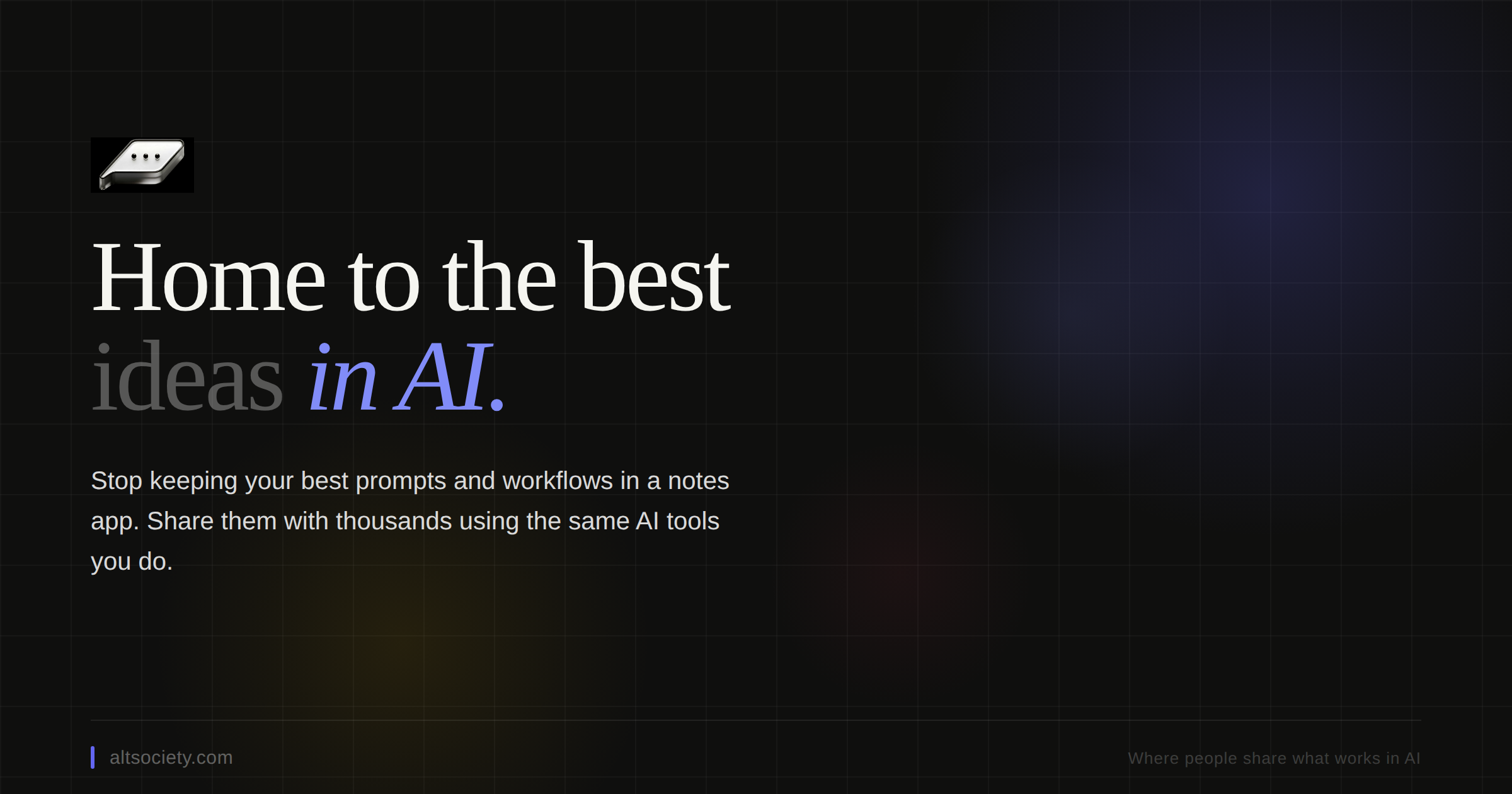
Home to the best ideas in AI. Full homepage screenshot

At a glance

Category
Artificial Intelligence
Language
English
Paid-content signal
No paid content foundObserved
Registered
2025
Hosting
CloudflareInferred
HTTPS certificate trusted
PassedObserved
Last updated

Website review

This review may include AI-generated content and is not individually verified. Domain, certificate and other facts come from the observed data on this page.

What is AltSocietyAI?

AltSocietyAI is a prompt-focused site: its stated purpose is to help people generate detailed prompts and browse community collections of ideas for using AI in creative ways. In practice, that makes it less a model or chatbot of its own and more a library and drafting tool for the instructions you feed into tools like ChatGPT.

Where it fits

  • Prompt drafting: useful when you have a rough goal ("plan a two-week trip," "rewrite this email") and want a structured, detailed prompt rather than a one-line request.
  • Browsing for inspiration: community collections suit people who don't yet know what to ask for and prefer to see what others have tried.
  • Skill level: casual users get ready-made starting points; more experienced users can treat collections as templates to adapt.

How it compares in kind

Approach Best for Trade-off
Prompt library/community site (this kind of product) Finding and refining prompts quickly Quality varies by contributor; you still judge fit
General chatbot used directly One-off tasks, fast iteration You must write the prompt yourself
Dedicated writing or research tools Polished output in one domain Less flexible across tasks

Next step

Pick one real task you repeat weekly, copy a related prompt from a collection, and edit it to include your audience, tone and constraints. If the edited version reliably beats your own wording, the site is earning its place in your workflow; if not, use it only for occasional inspiration.

How do I generate a detailed AI prompt on AltSocietyAI?

To generate a detailed prompt on AltSocietyAI, start from the site's prompt-generation feature and build out the specifics rather than writing a one-line request. Based on the site's description, it is built around generating detailed prompts and browsing community collections of creative AI use cases, so the workflow is: draft a prompt, add the detail that shapes the output, then draw on shared collections for structure and ideas.

What "detailed" should include

A prompt that reliably produces useful output usually names:

  • Task: exactly what the model should do (summarize, draft, rewrite, plan, critique).
  • Role and audience: who the output is for and what tone fits.
  • Inputs: the text, data or constraints the model should work from.
  • Format: length, structure, headings, list vs. prose, language.
  • Constraints and exclusions: what to avoid, what must be included.
  • Success criteria: how you will judge whether the result is good.

Practical example

Instead of "Write a product description," a detailed version reads: "Act as a B2B copywriter. Write a 120-word product description for a scheduling tool aimed at clinic managers. Lead with the time-saving benefit, use plain English, avoid superlatives, and end with a one-line call to action."

Using community collections

The site's collections are most useful as templates: find a prompt close to your task, then swap in your own audience, format and constraints. This is faster than starting blank and helps you notice details you would otherwise omit — but check that a borrowed prompt's assumptions match your goal before reusing it.

Next step: write your prompt with the six elements above, run it once, then revise only the element that produced the weakest part of the output. If you want a second reference for prompt structure, compare with OpenAI's prompting guidance.

What kinds of community prompt collections can I explore on AltSocietyAI?

AltSocietyAI is built around two things: generating detailed prompts and browsing community-made collections of prompts. The collections are best understood as themed sets of prompts that other users have put together, so you can start from a curated idea rather than a blank page.

What to expect from community collections

Based on the site's description, collections are organized around creative ways to use AI. In practice, that usually means groupings such as:

  • Creative writing and storytelling prompts for fiction, character ideas or narrative experiments.
  • Productivity and work prompts for drafting, summarizing, planning or brainstorming.
  • Everyday and hobby use prompts for learning, cooking, travel planning or personal projects.
  • Prompt-crafting sets that show how a detailed prompt is structured, useful if you want to write your own.

How to use them well

Treat a collection as a starting point, not a finished product. Pick one prompt, run it, then edit the wording to match your own context—your audience, tone and constraints. If you find a collection that fits a recurring task, save or adapt its prompts into your own reusable set.

A practical next step: open a collection tied to a task you already do weekly, test two or three prompts from it, and keep the version that produces the most usable output. For broader prompt libraries beyond this site, established options include OpenAI and Anthropic, whose documentation covers prompt design fundamentals.

How can I use AltSocietyAI prompts to boost my productivity with ChatGPT?

Use AltSocietyAI as a prompt library, not a magic button: it's built around generating detailed prompts and browsing community collections of creative AI uses, so the productivity gain comes from starting with a well-structured prompt instead of a blank chat box. AltSocietyAI

A practical workflow

  1. Pick the task type first. Decide whether you're drafting, summarizing, planning, analyzing or brainstorming. Then browse collections for that category rather than scrolling aimlessly.
  2. Generate a detailed prompt, then customize it. Replace placeholders with your real context: role, audience, tone, length, format and constraints. The specificity is what makes ChatGPT's output usable on the first pass.
  3. Iterate in the same thread. Ask for a tighter version, a different structure, or a critique of the draft. Reusable prompts save the most time when you keep refining rather than restarting.
  4. Save what works. Keep your own short list of prompts that produced good results for recurring tasks like meeting summaries, email replies or project briefs.

Where it helps most

  • Recurring writing: status updates, client emails, product descriptions.
  • Structured thinking: turning rough notes into outlines, decision matrices or action lists.
  • Exploration: community collections are useful when you don't know what to ask for yet.

Trade-offs

Community prompts vary in quality and often assume a context that isn't yours, so treat them as starting drafts and edit the output. For sensitive work data, strip identifying details before pasting into any prompt. And be realistic: prompt libraries speed up setup, but they don't replace your judgment on accuracy.

Next step: choose one task you repeat weekly, build a customized prompt for it in AltSocietyAI, and run it three times with different inputs to see whether the output is consistently good enough to keep.

What creative use cases for AI are showcased in AltSocietyAI's community collections?

AltSociety is positioned around discovering and sharing detailed AI prompts and community-curated collections, so its collections are best understood as themed prompt libraries rather than finished tools. The site's own description frames the value as "creative ways to use AI," but the page evidence supplied here is thin—no collection titles or example prompts are listed—so the specific use cases below are illustrative of what such collections typically cover, not confirmed entries from this site.

What community prompt collections usually showcase

  • Writing and storytelling: character backstories, worldbuilding questionnaires, style-matching rewrites, and serialized fiction prompts.
  • Visual and design work: image prompt formulas for illustration, product mockups, and mood boards.
  • Productivity and workflows: meeting-note summarizers, email tone adjusters, and structured brainstorming templates.
  • Learning and study: Socratic tutoring prompts, flashcard generators, and explain-it-simply rewrites.
  • Everyday and hobby use: meal planning from fridge contents, travel itineraries, and tabletop RPG encounters.

How to judge whether a collection is worth your time

Check Why it matters
Prompt specificity Detailed prompts with role, context, and output format travel better across models than one-liners.
Reusability Collections built around a repeatable task (e.g., weekly planning) save more time than novelty prompts.
Community feedback Ratings or remixes signal which prompts actually work for other users.
Adaptability Prompts with clear placeholders are easier to customize than hard-coded examples.

A practical next step: pick one recurring task in your week—say, turning rough notes into a client update—and search the collections for a prompt matching it. Test it, then edit in your own constraints (tone, length, audience) and save the improved version; that customized prompt is usually more valuable than the original.

For broader prompt inspiration beyond a single community, established libraries such as PromptBase and general guides from OpenAI can complement what you find here.

Is AltSocietyAI free to use, or does it require payment?

The page information available for AltSocietyAI does not state whether it is free or paid. There is no pricing section, subscription mention, or payment detail in what is available, so a definite answer cannot be given from that source alone. The site is described as a place to generate detailed prompts and browse community collections of AI use ideas, which suggests a prompt library and generator, but that tells you nothing about cost.

How to check before relying on it

  1. Open AltSocietyAI and look for a pricing, plans, or upgrade page, usually linked in the top navigation or footer.
  2. Try the prompt generator without signing in. If it works fully, there is likely a free tier; if it asks you to subscribe, payment is required.
  3. Check the account settings or billing area after signing up, which normally shows whether a paid plan is active or optional.

Practical decision guide

  • If you only want occasional prompt ideas: a free tier, if one exists, is usually enough, so test the generator first.
  • If you plan to use it regularly for work: confirm whether saved collections, exports, or higher usage limits sit behind a paid plan, since those are the features tools typically charge for.
  • If cost matters and nothing is confirmed: treat it as unverified and compare with clearly documented alternatives before committing, such as OpenAI for ChatGPT itself or PromptBase for prompt marketplaces.

The safest next step is to check the site's own pricing page or run one test generation before creating an account.

Related questions

More questions →
How Nodetics Tools Reduce Repetitive Work and Improve Productivity

Nodetics builds six browser-oriented products around one idea: replace manual, repetitive tasks with rules and automation. If your workday involves scanning feeds, checking websites for changes, managing cookies, tracking tasks, or reformatting profile data, these tools target those specific loops. They suit individuals and small teams who want rule-based control over information flow rather than another all-in-one platform. The trade-off is that each tool solves a narrow problem, so the productivity gain depends on whether that problem is actually eating your time.

The shared mechanism: rules instead of repetition

Across the product line, the pattern is consistent. You define a condition once, and the software applies it continuously:

  • Feedbro filters content by rules you define
  • Cookiebro blocks unwanted cookies by rule
  • PageProbe detects changes based on rules you define

This is the core productivity argument. A rule you write once keeps working without you re-deciding the same thing every day. The cost is upfront configuration; the return is that the task stops appearing on your to-do list.

What each product actually removes from your day

Feedbro — filtering feeds instead of reading everything

Feedbro is described as an advanced feed reader for news, blogs, websites, and social media. The distinguishing feature is rule-based filtering: rather than subscribing and then skimming past noise, you define rules that decide what surfaces. For anyone tracking many sources, this converts "read and discard" into "read what passed the filter."

Cookiebro — blocking tracking without manual cleanup

Cookiebro is a browser cookie manager that blocks unwanted cookies to stop sites from tracking you, with a built-in cookie editor and cookie log. The productivity angle is indirect but real: fewer consent interruptions and less manual cookie housekeeping. The cookie log also gives you a record to inspect when something breaks, which is the usual failure mode of aggressive blocking.

PageProbe — monitoring sites so you don't check them

PageProbe automatically monitors any number of websites to detect changes, with the example given being product price changes based on rules you define. This replaces the "refresh and compare" habit entirely. The rule defines what counts as a meaningful change, which is what separates it from a generic page-diff tool that flags every timestamp.

Kanbanly — a visual board tied to Google Tasks and GMail

Kanbanly manages tasks on a visual Kanban board that integrates with Google Tasks and GMail. If your tasks already live in Google's ecosystem, this adds a board view without forcing a migration. The integration is the point: no dual entry, no syncing by hand.

LinCV — profile data to CV in two clicks

LinCV transforms LinkedIn profile data into a CV, described as two clicks in two seconds. This is a one-off time saver rather than a daily automation, but it fits the same theme: stop retyping data you already entered somewhere else.

SearchMage — less friction in search interfaces

SearchMage enhances popular search engine interfaces with infinite scrolling, website filtering, and keyboard shortcuts. Small per-search savings, but they compound if search is a constant part of your work.

Where the productivity gain is largest

If your recurring task is… The relevant tool What changes
Skimming many news/blog/social sources Feedbro Rules decide what you see
Manually clearing or allowing cookies Cookiebro Blocking plus a log to audit
Checking sites for price or content changes PageProbe Automatic detection by rule
Tracking tasks across Google Tasks/GMail Kanbanly Visual board on existing data
Rebuilding a CV from profile data LinCV Two-click conversion
Repetitive search navigation SearchMage Scrolling, filtering, shortcuts

The site reports 207,000 daily active users across its six products, which is a signal of adoption rather than a measure of your own time saved.

How to decide whether this fits you

Choose a Nodetics tool when the task is rule-describable and recurring. Filtering feeds, detecting page changes, and blocking cookies all fit that shape. Skip it when the task is genuinely one-off or requires judgment each time — a rule engine adds setup cost you won't recover.

A practical starting point is to pick the single loop that costs you the most time, configure one tool around it, and measure whether the rule holds up over a week. If it does, the same approach transfers to the others. If a rule keeps needing manual exceptions, that task probably isn't a good automation candidate yet.

For questions or product-specific details, the site lists contact at [email protected].

What Is ChatGPT and How Do Free Chinese-Language Access Sites Work?

ChatGPT is a conversational AI system built on large language models (LLMs) developed by OpenAI. You type a message, and it generates a human-like reply by predicting what text should come next, based on patterns learned from enormous amounts of written material. A "Chinese-language access site" is a third-party website that lets you use a GPT-based model through your browser, often without creating an OpenAI account. These sites can be convenient, but they are not the same product as the official service, and the differences matter for privacy, reliability, and cost.

What ChatGPT Actually Is

At its core, ChatGPT is a text generator. It does not "look up" answers in a database the way a search engine does. Instead, it produces responses by estimating the most plausible continuation of your input.

Key characteristics:

  • Generative: It creates new text rather than retrieving stored documents.
  • Probabilistic: The same prompt can produce different answers on different attempts.
  • Context-dependent: It uses the conversation so far to shape its replies, within a limited context window.
  • Not a knowledge authority: It can state incorrect information confidently. Treat outputs as drafts, not verified facts.

The underlying models have gone through several generations (commonly referred to as GPT-3.5 and GPT-4 class models). Newer models generally handle reasoning, nuance, and longer instructions better, but all of them share the same fundamental limitation: they generate plausible text, not guaranteed truth.

Official Service vs. Third-Party Access Sites

This is the distinction most readers actually need. A third-party "mirror" or "access" site typically wraps a model behind its own interface. It may be legitimate, but it is operated by someone other than OpenAI.

Aspect Official OpenAI service Third-party access site
Operator OpenAI Independent developer or company
Account Usually required Sometimes "no login"
Cost Free tier plus paid plans Often advertised as free
Data handling Governed by OpenAI's policies Governed by the site's own policy
Model version Stated by OpenAI May be unclear or unstated
Reliability Depends on OpenAI uptime Depends on the operator's infrastructure
Language Multilingual Often optimized for Chinese

The practical takeaway: a third-party site is a separate service with its own rules. "Powered by GPT" describes the engine, not the operator.

What "Free" and "No Login" Usually Mean

When a site advertises free, no-login access, read that as a description of the entry barrier, not a guarantee about the whole experience.

  • Free may mean a limited number of messages per day, slower responses, or access to an older model while newer ones sit behind a paywall.
  • No login usually means you can start typing immediately, but it can also mean your session is tied to your browser or IP address rather than an account.
  • No login does not mean no tracking. A site can still log queries, IP addresses, and usage patterns without asking you to register.

None of these are inherently bad. They are simply trade-offs you should know about before typing anything sensitive.

Common Use Cases

These tools are genuinely useful for tasks where a first draft or a quick explanation saves time:

  • Chat and Q&A: Explaining concepts, brainstorming, translating, summarizing a passage you paste in.
  • Writing: Drafting emails, outlines, product descriptions, or social posts. Always edit before publishing.
  • Study support: Generating practice questions or rephrasing difficult material. Verify against a textbook.
  • PPT and document generation: Producing slide outlines or structured content you then format yourself.

A reasonable rule: use these tools for language and structure, and verify anything involving facts, numbers, law, medicine, or money through an independent source.

Privacy and Data-Handling Considerations

This is where third-party sites deserve the most caution.

  1. Assume anything you type may be stored. Without a clear, readable privacy policy, you cannot know how long inputs are kept or who sees them.
  2. Avoid sensitive data. Do not paste ID numbers, passwords, financial details, medical records, or confidential work documents.
  3. Check for a privacy policy and contact information. A site with neither is a weak signal.
  4. Prefer HTTPS. An encrypted connection protects data in transit, though not what the operator does with it afterward.
  5. Be skeptical of absolute claims. No service can honestly promise "never shared with anyone" without qualification.

Encryption in transit is a baseline, not a complete privacy guarantee.

How to Judge Whether a Site Fits Your Needs

Work through these questions before relying on any access site:

  • What do I need it for? Casual brainstorming tolerates more risk than handling client work.
  • Does it state which model it uses? Vagueness here often signals an older or proxied model.
  • Is there a clear privacy policy? If not, treat every input as public.
  • Does it work reliably? Free mirrors can be slow, rate-limited, or disappear without notice.
  • Do I have an alternative? For important tasks, a service with clear accountability is worth the friction.

If your use is low-stakes and you avoid sensitive inputs, a free Chinese-language access site can be a practical convenience. If your use involves confidential or high-stakes material, the trade-off usually favors a service with transparent data practices.

A Simple Decision Template

Copy and adapt this before you commit to a tool:

Task: ______________________
Sensitivity of input (low / medium / high): ______
Does the site publish a privacy policy? (yes / no): ______
Model version stated? (yes / no / unclear): ______
Fallback option if it goes down: ______________________
Decision: use / use with limits / avoid

Bottom Line

ChatGPT is a generative language model that produces plausible text, not verified answers. Free Chinese-language access sites are independent services that wrap such a model behind a convenient, often login-free interface. They can be useful for writing, Q&A, and drafting, but "free" and "no login" describe access, not privacy or reliability. Match the tool to the sensitivity of your task, keep sensitive data out of any service whose data handling you cannot verify, and treat every output as a draft to check.

What Is AltSocietyAI and How Do You Use It to Generate and Explore AI Prompts?

AltSocietyAI (altsociety.ai) is a site for generating detailed AI prompts and browsing community collections of creative AI use cases. Use it when you have a rough creative or productivity idea but don't want to write a full prompt from scratch, or when you want to see how other people are structuring prompts before adapting them to tools like ChatGPT. It is a prompt-focused resource, not an AI model itself—the prompts you get still need to be run in a tool such as ChatGPT.

What the site actually offers

The site positions itself as "home to the best ideas in AI," with two core functions named in its own description:

  • Prompt generation — turn a short idea into a detailed, reusable prompt.
  • Community collections — browse curated sets of prompts organized around creative ways to use AI.

The site's keyword set (prompts, AI prompts, ChatGPT, productivity) signals that its intended output is text prompts meant to be pasted into chat-style AI tools, with both creative and productivity framing.

Turning a rough idea into a detailed prompt

The workflow is the same shape regardless of your idea:

  1. Start with a one-line intent. Write what you want in plain language, e.g. "a moody product photo of a ceramic mug" or "a weekly planning routine for a freelance designer."
  2. Generate the prompt. Use the site's prompt-generation feature to expand that intent into a structured, detailed prompt. Expect the output to add specifics your one-liner lacked—context, constraints, tone, format, or visual details.
  3. Review before you run it. Read the generated prompt and check that every added detail matches your actual goal. Generated detail is a starting point, not a verdict.
  4. Run it in your AI tool. Paste the prompt into ChatGPT or your image/creative tool of choice.
  5. Keep the version that worked. Save the final prompt so you can reuse or lightly edit it next time instead of regenerating.

Expected result: a prompt specific enough that the AI tool has little room to guess wrong, and a saved version you can iterate on.

Browsing and adapting community collections

Instead of starting each prompt from zero, browse the community collections to see how others frame similar tasks.

  • Pick a collection close to your task, not just an interesting one—relevance beats novelty when you need a usable prompt.
  • Read the prompt structure, not just the wording. Note how it orders context, constraints, and output format; that structure transfers even when the topic doesn't.
  • Swap in your own specifics. Replace the original subject, audience, or constraints with yours, and delete details that don't apply.
  • Test one change at a time. If you rewrite everything at once, you won't know which edit improved the result.

This is the main practical advantage over writing prompts alone: you inherit a tested structure and only supply the variables.

Applying generated prompts across creative and productivity tasks

The same generated prompt can serve different ends depending on what you paste it into:

Goal What to emphasize in the prompt Where to run it
Visual/creative output Subject, style, lighting, composition, mood Image-generation tools
Writing and ideation Audience, tone, length, format, examples ChatGPT-style chat tools
Productivity routines Steps, cadence, constraints, output format Chat tools, then into your own notes or planner

For productivity tasks, the useful pattern is to ask the prompt to produce a structured output (a checklist, a schedule, a template) rather than prose you then have to reorganize.

When a generated prompt gives weak results

Weak output usually traces back to one of four causes. Check them in this order:

  1. The prompt is too generic. Add one concrete constraint—a format, a length, a point of view—and rerun.
  2. Conflicting instructions. Look for details that pull in opposite directions (e.g. "concise" plus a long required structure) and remove one.
  3. Missing context. If the tool doesn't know your audience or use case, state it explicitly in the prompt.
  4. The task doesn't fit the tool. A prompt tuned for image generation won't produce good text output, and vice versa; match the prompt to the tool.

Refine by editing a single element per attempt, and keep the version that produced the best result as your new baseline.

What to keep in mind

The site's public description covers prompt generation and community collections; it does not publish pricing or account details, so check the site directly before assuming free or unrestricted access. Treat community prompts as reference material to adapt rather than copy verbatim—your task's specifics are what make a prompt work.

What Are AI Prompts and How Do You Use Them for Better Visual Results?

An AI prompt is the text instruction you give a generative model to produce an output—for visual work, that means describing the image, UI screen, or brand asset you want. Prompts work best when they specify subject, style, composition, and constraints, and when you refine them iteratively rather than expecting one perfect attempt. This guide explains how prompts shape results and how to write, test, and improve them for design and art tasks.

What an AI prompt actually does

A prompt is not a search query and not a command with guaranteed behavior. It is conditioning input: the model interprets your words against its training and generates the most plausible output consistent with them. That has three practical consequences:

  • Specificity narrows the output space. "A website hero section" leaves nearly everything open; "a website hero section for a fintech app, dark navy background, single product screenshot on the right, bold sans-serif headline on the left" constrains layout, palette, and content.
  • Ambiguity gets resolved by the model's defaults. If you don't state a style, aspect ratio, or level of detail, the model picks for you—often a generic, mid-detail look.
  • Wording matters, but not magically. Related phrasings usually produce related results; small word changes shift emphasis rather than transform output. Iteration, not incantation, is the reliable lever.

Prompy.me, a prompt library site, frames its collection as "ready-to-use visual prompts" for UI/UX designers, marketing strategists, and communication agencies, aimed at speeding up idea generation and reducing creative guesswork. That framing is a useful signal: curated prompts are starting points, not finished answers.

The components of an effective visual prompt

Most strong visual prompts combine five elements. Not every prompt needs all five, but knowing which you've omitted tells you what the model will decide for you.

Component What it controls Example phrasing
Subject What is depicted "a mobile banking dashboard screen"
Style and medium Visual language "flat vector illustration, muted palette"
Composition Layout and framing "centered card, generous whitespace, 16:9"
Context and audience Who it's for, tone "for a B2B SaaS onboarding flow"
Constraints What to include or avoid "no stock-photo people; max three colors"

A compact example combining them:

A mobile banking dashboard screen for a B2B SaaS onboarding flow, flat vector style, muted blue and gray palette, centered card layout with generous whitespace, three key metrics visible, no photographic elements.

Compare that to "banking app design." The first gives the model a target you can evaluate against; the second gives it room to guess.

How to iterate and refine prompts

Treat prompting as a loop with a clear evaluation step, not a one-shot request.

  1. Write a baseline prompt with the components above.
  2. Generate and inspect the output against your intent—not against "does it look nice," but against "does it match the brief."
  3. Change one variable at a time. If the layout is wrong, adjust composition language; if the mood is wrong, adjust style and palette. Changing everything at once makes it impossible to learn what worked.
  4. Record what changed and what improved. A short log of prompt versions and outcomes turns trial and error into a reusable method.
  5. Reuse the winning structure. Once a prompt reliably produces the style you want, keep its skeleton and swap the subject for the next asset.

This is the same discipline described in general prompt-engineering guidance: state the task, provide context, specify the format, and refine based on observed output. For visual work, add the evaluation habit of checking against a written brief rather than a feeling.

Prompt types differ by use case

The same five components get weighted differently depending on what you're making.

UI and web design prompts

Prioritize layout, component inventory, and constraints. You want the model to produce something structurally usable: screen type, element hierarchy, spacing language, and platform (mobile vs. desktop). Vague aesthetic words like "modern" add little; concrete layout instructions add a lot.

Branding prompts

Prioritize tone, audience, and consistency. Brand assets need to feel like they belong together, so include palette, typography character, and the emotional register you're targeting. Generate several variations from the same prompt skeleton to test whether the direction holds up.

AI art and illustration prompts

Prioritize style, medium, and composition. Art prompts tolerate—and often benefit from—more evocative language about mood, lighting, and reference genres. Still name your constraints (aspect ratio, level of detail, elements to exclude) so the output fits its intended use.

Common prompt mistakes and fixes

  • Too vague. "Make it look good" gives the model nothing to aim at. Fix: name the specific quality—clean, dense, playful, minimal—and pair it with a concrete element.
  • Stacking contradictory instructions. "Minimalist but highly detailed" pulls in two directions. Fix: decide which one leads and express the other as a secondary constraint.
  • Changing many variables at once. You can't tell what caused the improvement. Fix: one change per iteration.
  • Skipping constraints. Unwanted elements appear because you never excluded them. Fix: add an explicit "avoid" clause.
  • Expecting one prompt to be final. Fix: plan for two or three refinement rounds as normal, not as failure.
  • Ignoring the brief. A beautiful output that misses the audience or format is still wrong. Fix: evaluate against written requirements first, aesthetics second.

Where curated prompt libraries fit

Libraries like Prompy.me collect prompts aimed at design workflows—UI, branding, marketing—so you can start from a tested structure instead of a blank page. They're most useful for learning the shape of an effective prompt and for quickly producing first drafts. They're least useful if you paste them unchanged and accept the output: the value comes from adapting the structure to your specific brief and iterating from there. Treat any library prompt as a template to modify, and keep your own log of what you changed and why.

What Are Prompts in AI Music Generation and How Do They Control the Song?

A prompt in an AI music tool like SUNO is the full set of instructions you hand the model before it generates audio — not just a one-line description, but genre and sub-genre tags, mood, instruments, vocal style, production tags, and bracket tags that mark what happens at each section of the track. The prompt is the only lever you have over the output, so its precision decides whether you get the song you heard in your head or a statistically average song that's merely close. This applies to anyone generating music with SUNO-style tools; the more axes of the song you specify, the less the model has to guess.

Why a vague prompt produces a generic song

When you give SUNO a loose direction like "a sad rock song," the model averages thousands of similar songs in its training data and returns the statistically safest path. Your intent becomes a rough hint and the AI fills in everything else. AceTagGen's research frames this as the slot machine effect: without precise anchors, SUNO falls back to the median of its training data — you spin and take what lands.

Three specific failures follow from that:

  • Dynamic flatness. The chorus doesn't really explode and the verses don't really breathe. Without tension-and-release instructions, one energy level runs the whole track.
  • Vocal drift. Verse 1 and verse 2 come out close but not identical. Without an anchored vocal style, tonal consistency slips between sections.
  • Intent lost in translation. You heard a specific song; you got a pleasant song that's close. As the source puts it, "close" is a different song.

The analogy the site uses: it's like ordering food without seeing the menu. You'll get something edible — maybe not what you craved.

The building blocks of an effective prompt

A structured prompt surfaces every axis SUNO actually responds to. Based on AceTagGen's tag system, the components break down like this:

Component What it controls Example scale in the system
Genre / sub-genre tags The exact sound cluster 16 genre families → 1,700+ sub-genres
Mood tags Emotional register 190+ moods
Instrument tags Arrangement and texture 430+ instruments
Vocal style tags Voice consistency across the track 180+ vocal styles
Production tags Mix, era, and sonic character 170+ production tags
Bracket tags Section-by-section dynamics 300+ bracket tags
Sound effects Accents and atmosphere 75+ across 4 categories

The key insight is sub-genre precision. "Rock" is not a useful anchor — "90s grunge" and "modern post-rock" hit completely different clusters in SUNO's model. Naming the sub-genre is what pulls the output toward the sound you actually want instead of the average of everything labeled rock.

How bracket tags add line-by-line dynamic control

Bracket tags are the mechanism for tension and release. Instead of hoping the chorus lands, you tell the model to make it land by placing tags like [Build-up], [Drop], [Breakdown], and [Final Peak] at specific points — assigned line-by-line in a song editor. This is what separates a track with one flat energy level from one that breathes: verses that pull back, a chorus that opens up, a bridge that breaks down.

Vocal anchoring works the same way. You lock a vocal style at the Style level, then reinforce it per line in the song editor, so one voice carries across the whole track instead of drifting between sections.

Weak prompt vs. structured prompt

Weak prompt:

A sad rock song about losing someone

What happens: SUNO averages its training data, picks a mid-tempo generic rock backing, an unremarkable vocal, and one energy level for the whole track. The result is pleasant and forgettable.

Structured prompt:

Sub-genre: 90s grunge / slowcore blend Mood: melancholic, restrained, building Instruments: detuned electric guitar, brushed drums, low cello Vocal: breathy male tenor, close-mic, consistent across all sections Production: warm analog, slight tape saturation Structure with bracket tags: [Intro - sparse guitar] [Verse 1 - restrained] [Build-up] [Chorus - full band, open] [Breakdown - cello only] [Final Peak - layered vocals]

What happens: every axis is anchored, so the model has almost nothing left to guess. The chorus lands because you instructed the build; the voice stays consistent because you locked it; the dynamics move because the bracket tags told them to.

What this means for how you write prompts

The prompt is not a wish — it's a specification. The more of SUNO's responsive axes you fill in with precise tags, the closer the output gets to your intent, and the less you rely on re-rolling generations until something decent lands. Start with sub-genre precision to fix the sound cluster, anchor vocal style to stop drift, and use bracket tags to control energy section by section. Everything else — mood, instruments, production — narrows the result further.

AceTagGen organizes this into a 12-step tag builder with live collision detection, a character counter, line-level control, and a 100-point prompt scorer, drawing on 3,200+ verified tags. The site describes the tool as free with no signup and no paywall, and notes an open-source scorer on npm plus a research blog.

Website Overview

The available information shows a mix of normal operation and configuration gaps. Depending on how the website is used, these gaps may affect secure access or the consistency of its public presentation.

Domain and Registration

Transfer-protection status is present, helping reduce the risk of unauthorized domain transfers. The domain has about 1 years of registration history; its current configuration provides more context than age alone. The registrar is GoDaddy.com, LLC, a widely used domain service provider. Registration contact information is publicly available through RDAP. The domain uses the common .ai extension, which is not an independent safety signal.

DNS and Email

The lowest TTL is 60 seconds, supporting rapid record changes at the cost of more frequent lookups. Nameservers are provided by Cloudflare, indicating managed DNS hosting. MX records point to the Google Workspace email service. No CNAME was found; the observed records resolve directly to addresses. SPF and DMARC are configured. DKIM status is unknown.

TLS and Certificates

The public key uses EC with 256 bits. The server supplied a complete certificate chain. No organization name is present in the certificate; the available fields are consistent with domain validation. The certificate was issued within the Google Trust Services cloud or CDN ecosystem. The certificate's total validity is about 90 days, consistent with a short renewal cycle.

HTTP and Browser Security

X-Powered-By exposes backend information: Next.js. The response lacks these common security headers: X-Content-Type-Options. The cf-ray response header indicates a CDN or caching proxy in the delivery path. No obvious internal addresses or debug information were found in the headers. The Server header identifies cloudflare without an exact version.

Technology Stack Analysis

The public page identifies Next.js, Cloudflare without precise versions, leaving fewer clues for version-specific scanning.

Search and Social Sharing

No homepage canonical URL was detected. If duplicate URLs exist, consolidation may be less explicit. Twitter Card metadata is configured. The title has 29 characters, within a common display range. A meta description is present, with 87 characters. The observed directives allow indexing and link following.

Hosting and Email

DNSCloudflare
HostingCloudflare
EmailGoogle Workspace
Approximate IP geolocation (inferred; a CDN or proxy may differ from the origin server) Location unknown Inferred 104.26.14.107

Registration details

RDAP / WHOIS

RegistrarGoDaddy.com, LLC
Registered2025-07-17
Expires2027-07-17
Domain statusclient delete prohibited、client renew prohibited、client transfer prohibited、client update prohibited
Nameserverselias.ns.cloudflare.com、raina.ns.cloudflare.com
DNSSECunsigned

DNS records

DNS

TypeNameValueTTLPriority
Aaltsociety.ai104.26.14.107300—
Aaltsociety.ai104.26.15.107300—
Aaltsociety.ai172.67.73.217300—
AAAAaltsociety.ai2606:4700:20::681a:e6b300—
AAAAaltsociety.ai2606:4700:20::681a:f6b300—
AAAAaltsociety.ai2606:4700:20::ac43:49d9300—
MXaltsociety.aiaspmx.l.google.com36001
MXaltsociety.aialt1.aspmx.l.google.com36005
MXaltsociety.aialt2.aspmx.l.google.com36005
MXaltsociety.aialt3.aspmx.l.google.com360010
MXaltsociety.aialt4.aspmx.l.google.com360010
NSaltsociety.aielias.ns.cloudflare.com86400—
NSaltsociety.airaina.ns.cloudflare.com86400—
TXTaltsociety.aigoogle-site-verification=6ipDrAS5tZH6qMVZoh-ozaO4VQ1Sveo7TyMIwdRuFdY60—
TXTaltsociety.aigoogle-site-verification=AGoCMgkpbaDQpac0X1BzZYwOpn54XFMBpNRvM9Mb07I60—
TXTaltsociety.aigoogle-site-verification=bbVsPpTua07kCd4sF40wTDSOOSEunI4JJM0PhPz95Ro60—
TXTaltsociety.aiv=spf1 include:_spf.google.com -all60—
DMARC_dmarc.q0oz5g76l73mjd89-altsociety-ai.hosteddmarc.dmarc-dns.comv=DMARC1; p=reject; rua=mailto:[email protected]; ruf=mailto:[email protected]; t=y;300—

TLS and certificates

TLS / SSL

AssessmentNormal configuration
Supported protocolsTLSv1.2、TLSv1.3
Negotiated protocolTLSv1.3
Certificate subjectaltsociety.ai
IssuerGoogle Trust Services
Valid until2026-12-31T19:35 · Remaining when checked: 68 days
Verification detailsCertificate trust: Passed · Hostname match: Passed

HTTP response headers

HTTP

HeaderValue
content-typetext/html; charset=utf-8
cache-controls-maxage=31536000, stale-while-revalidate
servercloudflare
strict-transport-securitymax-age=31536000; includeSubDomains; preload, max-age=31536000; includeSubDomains; preload
content-security-policydefault-src 'self'; img-src 'self' data: https: blob:; media-src 'self' https: blob:; script-src 'self' 'unsafe-inline' 'unsafe-eval' https:; style-src 'self' 'unsafe-inline' https:; connect-src 'self' https: wss://chat.stream-io-api.com; frame-src 'self' https://challenges.cloudflare.com; frame-ancestors 'self';
x-frame-optionsDENY, DENY
x-content-type-optionsnosniff, nosniff
referrer-policyno-referrer-when-downgrade, no-referrer-when-downgrade
permissions-policycamera=(),microphone=(),geolocation=(), camera=(), microphone=(), geolocation=()

Identified technologies

Next.jsCloudflare

Pages, Search and Sharing

Meta descriptionGenerate detailed prompts and explore community collections for creative ways to use AI
Canonical URLNot detected
LanguageEnglish (default)
Twitter Cardsummary_large_image
All bots 0 allowed · 0 disallowed

No sitemaps found

User reviews (0)

  • No reviews yet.