
 简体中文
简体中文 English
apexminecrafthosting.com
The best Minecraft server hosting provider with lag free hardware, 24/7 live chat support and video guides. Start your server and play with friends today!
At a glance
- Category
- Games & Board Games
- Language
- English
- Paid-content signal
- Paid contentObserved
- Registered
- 2013
- Hosting
- CloudflareInferred
- HTTPS certificate trusted
- PassedObserved
- Last updated
Related questions
More questions →What Is the Apex Hosting EX Series and Who Is It For?
The EX Series is Apex Hosting's high-performance Minecraft server tier, built for demanding servers and large communities. It pairs dedicated processor cores (up to 4.8 GHz) with 16 GB DDR4 RAM, NVMe storage, a free dedicated IP, and premium support. It is the right choice if your server regularly runs heavy modpacks, many plugins, or a busy player base; for a small private world or a light vanilla server, the standard 4–8 GB plans are usually enough and cost far less.
What the EX Series includes
According to Apex Hosting's product page, the EX Series is positioned as "the ultimate server experience" for heavy loads and big communities. The listed specifications are:
| Feature | Detail |
|---|---|
| CPU | 4 dedicated vCores, up to 4.8 GHz — Ryzen 9 5900X (US & EU), Ryzen 7 5800X (APAC) |
| RAM | 16 GB DDR4 |
| Storage | NVMe |
| Network | Free dedicated IP |
| Support | Premium support |
| Management | Handled through the Apex control panel |
| Price | $53.99 first month, then $71.99/month billed monthly |
The page also lists Ryzen 9 7950X among the hardware, so confirm the exact CPU for your region at checkout if that matters to you.
Shared features across all plans
The EX Series sits on top of the same platform as every Apex plan, which includes:
- One-click mod & plugin installer — switch between 20+ games and 200+ modpacks from the panel.
- Unlimited player slots — no caps or extra fees as your community grows.
- Free subdomain — a web address for your server included with every order.
- Automated offsite backups — protection against bad configurations or hardware failures.
- 24/7 live chat support — staffed by experienced server administrators.
Who should choose the EX Series
Choose EX if one or more of these describe you:
- You run large or heavily modded packs (big kitchen-sink modpacks, many plugins) that strain 8 GB.
- You host a public or growing community where dozens of players are online at once.
- You need consistent tick rates for redstone-heavy builds, minigames, or events.
- You want a dedicated IP without paying extra.
- You value premium support for a server you can't afford to have down.
Skip EX if you're running a small private server with friends, a vanilla survival world, or a light modpack — the standard plans cover that at a fraction of the cost.
How EX compares to the standard plans
| 4 GB | 6 GB | 8 GB | EX Series | |
|---|---|---|---|---|
| Best for | Vanilla + most modpacks | Vanilla + most modpacks | Larger modpacks & communities | Demanding servers, large communities |
| RAM | 4 GB | 6 GB | 8 GB | 16 GB DDR4 |
| CPU | Shared | Shared | Shared | 4 dedicated vCores, up to 4.8 GHz |
| Storage | Not specified | Not specified | Not specified | NVMe |
| Dedicated IP | Not listed | Not listed | Not listed | Included |
| Recurring price | $14.99/mo | $22.49/mo | $27.99/mo | $71.99/mo |
The jump from 8 GB to EX is roughly 2.5× the monthly cost, so the decision comes down to whether shared cores and 8 GB are actually limiting you. If your server lags only during peak hours or with a specific heavy modpack, EX addresses that directly; if it runs fine, stay on the cheaper tier.
How to get started
- Go to the Apex Hosting pricing page and select the EX Series plan.
- Choose your region — the CPU differs between US/EU and APAC, so pick the one closest to your players.
- Complete checkout. The page shows a first-month price of $53.99 with the recurring rate of $71.99/month; the site also advertises 25% off a first order with code APEX25, so check whether it applies to your order at checkout.
- Once provisioned, use the control panel to install your modpack or plugins, set up your free subdomain, and confirm automated backups are active.
- Verify performance after your players join: watch tick rate (TPS) during peak hours. If it stays near 20, the plan is sized correctly.
Common snag: the EX listing mentions both Ryzen 9 7950X and Ryzen 9 5900X / Ryzen 7 5800X depending on region. If a specific CPU matters for your workload, confirm it with support before ordering rather than assuming.
The bottom line
The EX Series is Apex Hosting's answer to servers that have outgrown shared resources: dedicated cores, 16 GB of RAM, NVMe storage, a free dedicated IP, and premium support for about $72/month after the first month. It's worth it for large communities and heavy modpacks, and unnecessary for casual private servers.
How to Choose the Right Apex Hosting Minecraft Server Plan
Pick the plan by matching RAM to what you run: the 4 GB plan ($14.99/month) fits vanilla and most modpacks, 6 GB ($22.49/month) fits vanilla plus most modpacks with more headroom, and 8 GB ($27.99/month) is aimed at larger modpacks and communities. If you expect heavy load or a big community, the EX Series ($71.99/month recurring, $53.99 first month) adds dedicated vCores and 16 GB RAM. A custom plan starting at $1.88/month exists for needs that don't fit the fixed tiers. A first-order discount of 25% with code APEX25 is advertised on the site.
The fixed plans at a glance
| Plan | RAM | Apex's stated use case | Recurring price | First month with APEX25 |
|---|---|---|---|---|
| 4 GB | 4 GB | Vanilla + most modpacks | $14.99/month | $11.24 |
| 6 GB | 6 GB | Vanilla + most modpacks | $22.49/month | $16.87 |
| 8 GB | 8 GB | Larger modpacks & communities | $27.99/month | $20.99 |
| EX Series | 16 GB DDR4 | Demanding servers, large communities | $71.99/month | $53.99 |
| Custom | Tailored | Fully tailored | Starting at $1.88/month | — |
All plans are billed monthly, and every order includes a free subdomain, unlimited player slots, 24/7 live chat support, and automated offsite backups.
How to decide between 4 GB, 6 GB, and 8 GB
The 4 GB and 6 GB tiers carry the same description on the site ("Vanilla + most modpacks"), so the choice between them is about headroom rather than a different feature set. Use these questions:
- Vanilla or lightly modded, small group of friends: 4 GB is the entry point and the cheapest way to start.
- Vanilla with a growing player base, or a moderate modpack: 6 GB gives more room before you hit memory pressure.
- Large modpacks or an established community: the 8 GB tier is the one Apex explicitly labels for "larger modpacks & communities."
A practical check: count your mods and expected concurrent players first. If you are near the top of what a tier's description covers, move up one tier rather than starting at the edge — upgrading later is possible, but starting under-provisioned means lag while you sort it out.
When the EX Series is worth it
The EX Series is positioned for "demanding servers or large communities." Its distinguishing features, per the site:
- 16 GB DDR4 RAM and NVMe storage
- 4 dedicated vCores on a Ryzen 9 5900X (US & EU) or Ryzen 7 5800X (APAC), with clock speeds up to 4.8 GHz
- Free dedicated IP and premium support
Choose EX if you run heavy modpacks with many players, host multiple worlds or game modes, or have a community large enough that shared CPU time becomes the bottleneck. If you are a small private server, the standard tiers cover you at a fraction of the cost.
When to go custom
The custom option starts at $1.88/month and is described as "fully tailored to your needs." It makes sense when your requirement sits between fixed tiers — for example, you need more RAM than 8 GB but don't need the EX Series' dedicated cores — or when you want to scale storage or other resources independently. Because the starting price is a floor rather than a quote, configure your actual needs before comparing it against the fixed plans.
What every plan includes
These apply across tiers, so they shouldn't drive your choice between plans:
- One-click mod & plugin installer with 200+ modpacks and 20+ switchable games
- Unlimited slots, so player count isn't capped by plan
- Automated offsite backups
- 24/7 live chat support staffed by server administrators
- Free subdomain for easy connections
A quick decision path
- Running vanilla for a few friends? Start with 4 GB.
- Running a modpack or a busier vanilla server? Go to 6 GB.
- Running a large modpack or a real community? Take 8 GB.
- Heavy load, many concurrent players, or CPU-sensitive setups? Choose EX Series.
- Need a mix that no tier matches? Configure a custom plan and compare its total against the nearest fixed tier.
Apply APEX25 at checkout if it is your first order to get the advertised 25% off the first month; the recurring price is what you pay afterward.
What Is Apex Hosting and What Does It Offer?
Apex Hosting is a game server hosting provider that specializes in Minecraft, offering preconfigured Java Edition servers you can rent by the month, with plans starting at $14.99 for 4 GB of RAM (currently discounted 25% to $11.24 for the first month with code APEX25). It suits players and small communities who want a ready-made server without managing their own hardware. All plans include unlimited player slots, a free subdomain, automated offsite backups, and 24/7 live chat support staffed by server administrators.
What server plans are available?
Apex sells fixed RAM tiers for Minecraft: Java Edition, plus a custom configuration option and a high-performance "EX Series." Prices below are the recurring monthly rates listed on the site.
| Plan | RAM | Intended use | Recurring price | First-month price (25% off) |
|---|---|---|---|---|
| Starter | 4 GB | Vanilla + most modpacks | $14.99/mo | $11.24 |
| Mid | 6 GB | Vanilla + most modpacks | $22.49/mo | $16.87 |
| Large | 8 GB | Larger modpacks & communities | $27.99/mo | $20.99 |
| Custom | Tailored | Fully tailored to your needs | Starting at $1.88/mo | — |
| EX Series | 16 GB DDR4 | Demanding servers, large communities | $71.99/mo | $53.99 |
The EX Series runs on dedicated vCores (up to 4.8 GHz) from a Ryzen 9 5900X in the US and EU, or a Ryzen 7 5800X in APAC, and includes NVMe storage, a free dedicated IP, and premium support. Apex positions it for heavy loads and big communities rather than casual play.
What features come with every server?
- One-click mod and plugin installer — switch between 20+ games and 200+ modpacks from the control panel.
- Unlimited slots — no player caps or extra fees as your community grows.
- Free subdomain — every order includes a web address so players can connect easily.
- Automated offsite backups — protects against bad configurations or hardware failure.
- 24/7 live chat support — described as staffed by experienced server administrators.
- Video guides — the site advertises video tutorials alongside live chat.
Who is it for?
Choose Apex if you want a Minecraft server running within minutes and prefer managed hosting over running a machine yourself. The 4 GB tier is the entry point for vanilla play and most modpacks; step up to 6–8 GB if you plan to run larger modpacks or invite a bigger community. The EX Series makes sense only if you expect sustained heavy load or are running a large public server.
If you need a game other than Minecraft, Apex also offers 20+ other game servers through the same panel, so the account isn't limited to one title.
What to check before ordering
- Confirm the plan fits your modpack. The site labels 4 GB and 6 GB for "vanilla + most modpacks" and 8 GB for "larger modpacks," so check your pack's recommended RAM before choosing.
- Note the discount is first-month only. The 25% APEX25 discount applies to the first order; billing reverts to the recurring price afterward.
- Verify region options. EX Series hardware differs by region (US/EU vs. APAC), so confirm which CPU your location receives.
- Ask support about specifics. Pricing and plan details can change; the live chat is the fastest way to confirm current configuration, billing terms, and setup steps for your chosen plan.
What Features Are Included with an Apex Hosting Minecraft Server?
Every Apex Hosting Minecraft server includes a free subdomain, unlimited player slots, offsite automated backups, 24/7 live chat support, and a one-click installer for 20+ games and 200+ modpacks. These features apply to all listed plans, from the 4 GB entry tier upward, and are included rather than sold as add-ons. The sections below explain what each one does and where it matters in practice.
Core Features Included with Every Server
Free Subdomain
Each order comes with a free web address for your server, so players can connect without you registering a separate domain. This is most useful when you are setting up a private server for friends and want a stable address to share immediately.
Unlimited Player Slots
Apex states that all servers include unlimited slots, with no caps and no extra fees. In practice, the slot count is not the limiting factor — the RAM tier you choose is. A 4 GB plan will still struggle with a large concurrent player count once mods or plugins are loaded, so treat "unlimited slots" as a licensing policy rather than a performance guarantee.
Offsite Automated Backups
Automatic backups are stored offsite, which protects your world data from bad configurations and hardware failures. The practical value shows up in scenarios like a corrupted world after a failed mod update or a plugin that overwrites region files. Apex's own news section covers recovery of a "permanently corrupted" world, which reflects how often this situation comes up. Check your panel for restore options before you need them, not after.
24/7 Live Chat Support
Support is available around the clock via live chat, staffed by server administrators according to Apex. This matters most for issues that block play — a server that won't start, a port conflict, or a mod that crashes on boot. Keep your server ID and a description of the last change you made handy before opening a chat.
One-Click Mod and Plugin Installer
The installer lets you switch between 20+ games and 200+ modpacks with a single click, and you can change your selection later. This is the feature that most affects plan choice: heavier modpacks need more RAM, so confirm the pack's requirements before ordering.
Plan Tiers and What Changes
The features above are constant; the hardware is what varies by plan.
| Plan | RAM | Positioned For | Recurring Price (Monthly) |
|---|---|---|---|
| Entry | 4 GB | Vanilla + most modpacks | $14.99 |
| Mid | 6 GB | Vanilla + most modpacks | $22.49 |
| Larger | 8 GB | Larger modpacks & communities | $27.99 |
| Custom | Tailored | Specific needs | Starting at $1.88 |
| EX Series | 16 GB DDR4, NVMe, 4 dedicated vCores | Demanding servers, large communities | $71.99 |
A first-order discount of 25% with code APEX25 is advertised, bringing the 4 GB plan to $11.24 for the first month. The EX Series is listed at $53.99 for the first month against a $71.99 recurring price. Treat first-month pricing as introductory and budget for the recurring rate.
When the EX Series Is Worth It
The EX Series adds dedicated vCores (up to 4.8 GHz on Ryzen 9 5900X in US/EU, Ryzen 7 5800X in APAC), NVMe storage, a free dedicated IP, and premium support. Choose it if you run a public server with many concurrent players or a heavy modpack that pins the CPU. For a small friend group on vanilla or a light modpack, the 4–8 GB tiers cover the same included features at a lower recurring cost.
What to Verify Before Ordering
- Modpack RAM requirements: match the pack to the tier; the installer makes switching easy but does not add memory.
- Backup restore process: locate the restore function in your control panel during setup so you know the steps under pressure.
- Support channel fit: live chat suits quick blocking issues; for complex configuration problems, prepare specifics in advance.
- Billing terms: prices shown are monthly recurring unless stated otherwise; the discount applies to the first order only.
If your main question is which tier fits your player count and modpack, the deciding factor is RAM and CPU, not the feature list — those extras come with every plan.
How to Get Started with an Apex Hosting Minecraft Server
To get started, open Apex Hosting's pricing page, pick a Minecraft: Java Edition plan (or a custom configuration), complete the order, then manage the server from the billing panel and share the free subdomain with friends. The site states servers are "ready in minutes," so the practical sequence is: choose a plan, order, wait for provisioning, then configure and invite players. The steps below follow that order and note what to check at each stage.
Step 1: Choose a plan that matches your workload
Apex Hosting lists three fixed Minecraft: Java Edition tiers plus a custom option. The tiers differ mainly in RAM, and the site frames each around the type of content it suits.
| Plan | RAM | Positioned for | Recurring price (billed monthly) | First-month price with APEX25 |
|---|---|---|---|---|
| Entry | 4 GB | Vanilla + most modpacks | $14.99 | $11.24 |
| Mid | 6 GB | Vanilla + most modpacks | $22.49 | $16.87 |
| Large | 8 GB | Larger modpacks & communities | $27.99 | $20.99 |
| Custom | Tailored | Your own requirements | Starting at $1.88 | — |
Two things to note before ordering:
- The discount is first-order only. The 25% off with code APEX25 applies to the first order, and the listed recurring price is what gets billed monthly afterward. Budget for the recurring figure, not the promotional one.
- The custom option starts at $1.88 but is not a fixed price. "Starting at" means the final cost depends on the resources you configure, so treat it as a floor rather than a quote.
If you are unsure between tiers, the deciding factor is what you plan to run: vanilla survival and light modpacks fit the 4 GB and 6 GB tiers, while the 8 GB tier is the one the site ties to larger modpacks and bigger communities.
When the EX Series is the better fit
The EX Series is a separate, higher-performance line rather than a bigger version of the standard tiers. Its stated specs:
- Ryzen 9 5900X (US & EU) or Ryzen 7 5800X (APAC) processor
- 4 dedicated vCores, up to 4.8 GHz
- 16 GB DDR4 RAM, NVMe storage
- Free dedicated IP and premium support
- $53.99 first month, $71.99 recurring, billed monthly
The site describes it as suited to "demanding servers or large communities." Choose it if you expect heavy load or many concurrent players and want dedicated cores rather than shared ones; otherwise the standard tiers cover typical private and small-community servers at a much lower recurring cost.
Step 2: Place the order and wait for provisioning
- Go to the pricing page and select the plan you want (or start the custom configuration).
- Complete checkout. The site advertises the APEX25 code for 25% off your first order — apply it before paying if it is still offered.
- Wait for the server to be set up. Apex Hosting states servers are ready in minutes; the exact wait is not specified, so plan for a short provisioning window rather than instant access.
Step 3: Manage the server from the control panel
Apex Hosting refers to a billing panel and a control panel. The site describes the control panel as the place where the server is "easy to manage," and lists a one-click mod and plugin installer that lets you switch between 20+ games and 200+ mod packs. In practice, your first session in the panel is where you would:
- Confirm the server is running.
- Install a modpack or plugins through the one-click installer if you want them.
- Note the server address shown for your instance.
The site does not publish a step-by-step menu walkthrough, so treat the panel's own labels as the source of truth rather than expecting a fixed layout.
Step 4: Connect using the free subdomain and invite friends
Every order includes a free subdomain, which the site describes as making it "easy to connect for all." To get players in:
- Copy the subdomain address from your panel.
- In Minecraft: Java Edition, add it as a server and join.
- Share the same address with friends so they can add it too.
All plans include unlimited slots, so you do not need to buy extra capacity as your player count grows — the site states there are "no caps, no extra fees."
What you get on every plan
These features apply across the standard tiers and are worth confirming against your needs:
- Unlimited slots — no per-player charges.
- Free subdomain — a shareable address included with all orders.
- Automated offsite backups — the site says these protect against lost data from bad configurations or hardware failures.
- 24/7 live chat support — staffed, per the site, by experienced server administrators.
- One-click mod and plugin installer — 20+ games and 200+ mod packs.
Common snags to plan around
- Budgeting on the promo price. The 25% discount is first-order only; the recurring price is higher. Set expectations on the monthly figure.
- Under-sizing for modpacks. If you plan to run a large modpack or grow a community, the 8 GB tier or EX Series avoids a mid-project upgrade.
- Assuming the custom plan is cheap. "Starting at $1.88" is a minimum, not a typical price.
- Expecting instant access. Provisioning takes minutes, not seconds — order before you plan to play.
Once the server is live, the free subdomain and unlimited slots mean the main ongoing tasks are installing content through the panel and keeping an eye on performance as your player base grows.
Website Overview
An established domain and managed infrastructure suggest continuity of operations and may support dependable delivery, although neither guarantees service quality. Page metadata, canonical configuration and social previews work together to provide more consistent search and sharing presentation.
Domain and Registration
Registered in 2013, this domain has about 13 years of history. That suggests continuity, although ownership and purpose may have changed. Transfer-protection status is present, helping reduce the risk of unauthorized domain transfers. The registrar is GoDaddy.com, LLC, a widely used domain service provider. The domain uses the common .com extension, which is not an independent safety signal.
DNS and Email
Nameservers are provided by Cloudflare, indicating managed DNS hosting. MX records point to the Google Workspace email service. No CNAME was found; the observed records resolve directly to addresses. SPF and DMARC are configured. DKIM status is unknown. TXT records include verification markers for Google, Atlassian, Meta. Such markers may also remain after a service stops being used.
TLS and Certificates
The public key uses EC with 256 bits. The server supplied a complete certificate chain. No organization name is present in the certificate; the available fields are consistent with domain validation. The certificate was issued within the Google Trust Services cloud or CDN ecosystem. The certificate's total validity is about 90 days, consistent with a short renewal cycle.
HTTP and Browser Security
The response lacks these common security headers: CSP, Permissions-Policy, clickjacking protection. CORS permits any origin to read this response. This is common for public resources; sensitive responses need narrower handling. No X-Powered-By header was found, reducing one common source of backend fingerprinting information. The cf-ray response header indicates a CDN or caching proxy in the delivery path. No obvious internal addresses or debug information were found in the headers.
Technology Stack Analysis
The public page identifies Google Tag Manager, Cloudflare without precise versions, leaving fewer clues for version-specific scanning.
Search and Social Sharing
Twitter Card metadata is configured. The page declares 7 language or regional alternatives using hreflang. The title has 39 characters, within a common display range. A meta description is present, with 154 characters. The observed directives allow indexing and link following.
Hosting and Email
 Cloudflare
 Google Workspace
Registration details
| Registrar | GoDaddy.com, LLC |
|---|---|
| Registered | 2013-09-12 |
| Expires | 2027-09-12 |
| Domain status | client delete prohibited、client renew prohibited、client transfer prohibited、client update prohibited |
| Nameservers | amy.ns.cloudflare.com、sam.ns.cloudflare.com |
| DNSSEC | unsigned |
DNS records
| Type | Name | Value | TTL | Priority |
|---|---|---|---|---|
| A | apexminecrafthosting.com | 172.66.40.142 | 300 | — |
| A | apexminecrafthosting.com | 172.66.43.114 | 300 | — |
| AAAA | apexminecrafthosting.com | 2606:4700:3108::ac42:288e | 300 | — |
| AAAA | apexminecrafthosting.com | 2606:4700:3108::ac42:2b72 | 300 | — |
| MX | apexminecrafthosting.com | aspmx.l.google.com | 3600 | 1 |
| MX | apexminecrafthosting.com | alt1.aspmx.l.google.com | 3600 | 5 |
| NS | apexminecrafthosting.com | amy.ns.cloudflare.com | 86400 | — |
| NS | apexminecrafthosting.com | sam.ns.cloudflare.com | 86400 | — |
| TXT | apexminecrafthosting.com | atlassian-domain-verification=KMavreUW3VM66hSPEyKdj/0Sxo/caCqXvhhUxU5eUxabgk89Sun6REJopWYaMWG0 | 300 | — |
| TXT | apexminecrafthosting.com | facebook-domain-verification=upmgpy1tqwad2w5mnq6qty6nwoyxbg | 300 | — |
| TXT | apexminecrafthosting.com | google-site-verification=ip7hQFtVZubSdOXv8O4EPQDsXDToG6zAzFKQbV0QtEQ | 300 | — |
| TXT | apexminecrafthosting.com | google-site-verification=z9h2bGeJqvclQHPEt1Ra9KrXFb8AtN9UPDEgRlkWRdU | 300 | — |
| TXT | apexminecrafthosting.com | v=spf1 mx include:_spf.smtp.mailtrap.live include:amazonses.com include:_spf.google.com include:servers.mcsv.net -all | 300 | — |
| DMARC | _dmarc.apexminecrafthosting.com | v=DMARC1; p=reject; rua=mailto:[email protected] | 300 | — |
TLS and certificates
| Assessment | Normal configuration |
|---|---|
| Supported protocols | TLSv1.2、TLSv1.3 |
| Negotiated protocol | TLSv1.3 |
| Certificate subject | apexminecrafthosting.com |
| Issuer | Google Trust Services |
| Valid until | 2026-12-30T04:58 · Remaining when checked: 61 days |
| Verification details | Certificate trust: Passed · Hostname match: Passed |
HTTP response headers
| Header | Value |
|---|---|
| content-type | text/html; charset=utf-8 |
| cache-control | public, max-age=0, must-revalidate |
| server | cloudflare |
| strict-transport-security | max-age=15552000; includeSubDomains; preload |
| x-content-type-options | nosniff |
| referrer-policy | strict-origin-when-cross-origin |
| access-control-allow-origin | * |
Identified technologies
Pages, Search and Sharing
| Meta description | The best Minecraft server hosting provider with lag free hardware, 24/7 live chat support and video guides. Start your server and play with friends today! |
|---|---|
| Canonical URL | https://apexminecrafthosting.com/ |
| Language | English (default) · Multilingual |
| Twitter Card | summary_large_image |
Social Sharing Preview
16 fields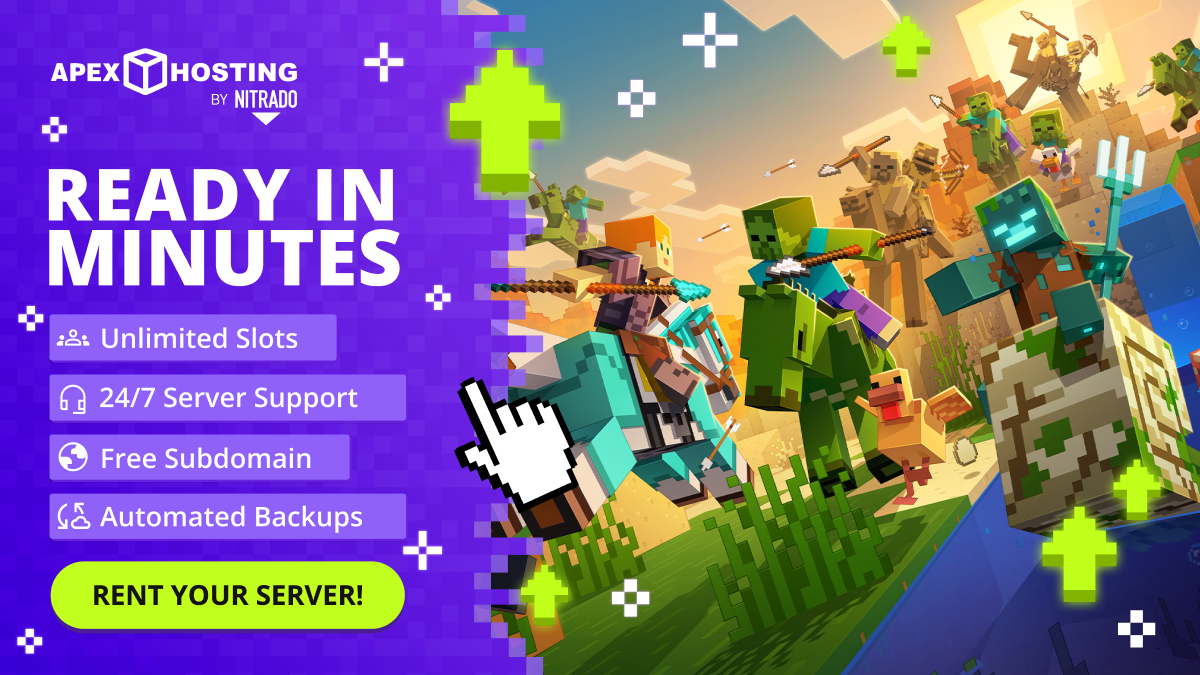

robots.txt (opens in a new tab)
1 rulesAll bots 1 allowed · 0 disallowed
- Allow
/
No matching rules.
Sitemaps
0No sitemaps found
Recent Updates
- Website images
- Screenshots
- Network details
- Website Technologies
- Pages and Search Information
- HTTP Response Information
- TLS and certificates
- DNS Information
- Domain Registration
- Website profile
- Website Description
- Website Name
- Website profile
- Website Description
- Website Name
User reviews (0)