Website profiles · Technology insights · Alternatives

awesomeclaude.ai

The curated directory of Claude AI resources: the Claude Code 2.1 cheatsheet, agent skills, top MCP servers, plugins, SDKs and integrations for developers.

No paid content found
Visit website
Profile views 0 Outbound visits 0 Normal
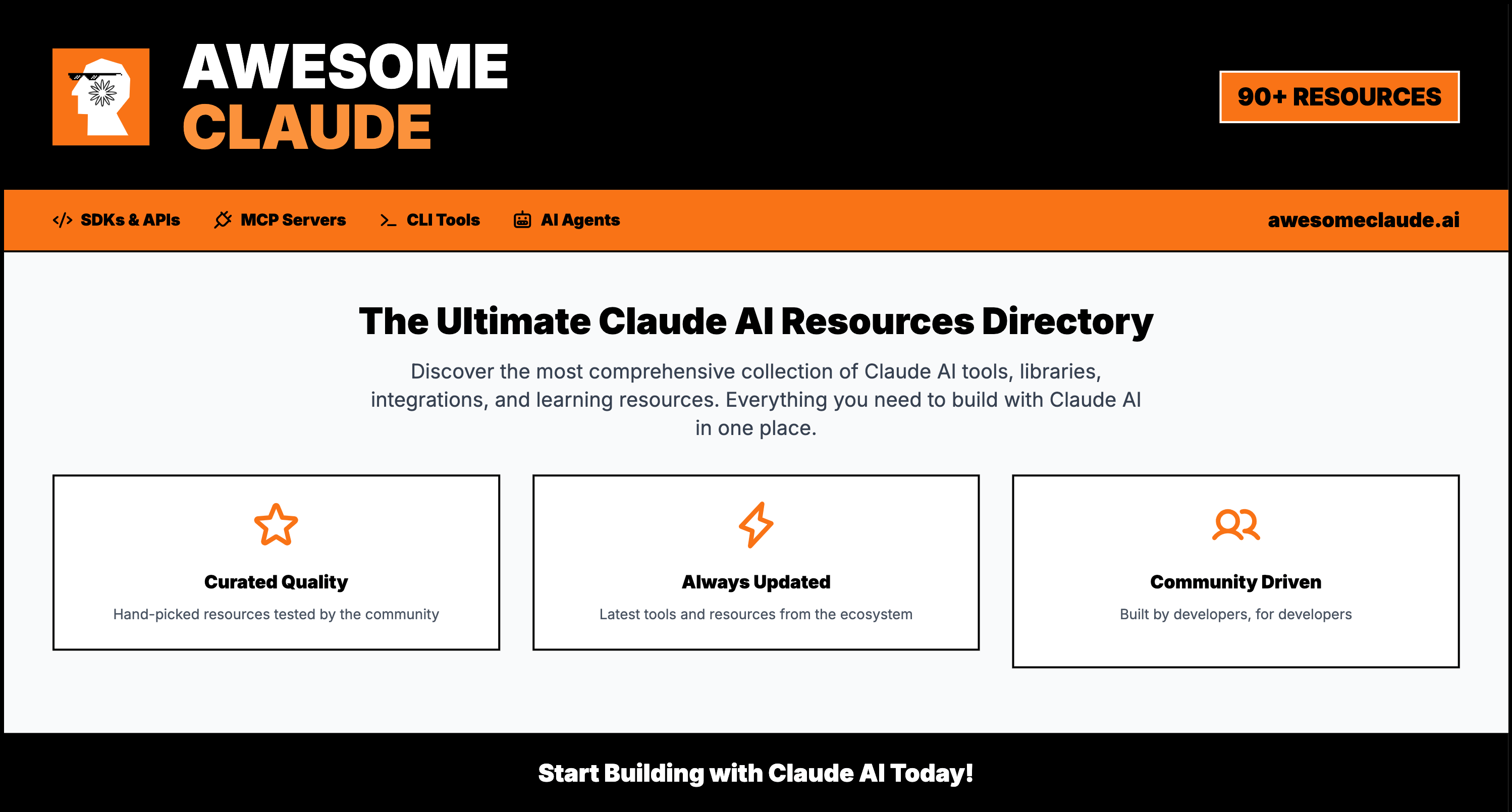
Awesome Claude Full homepage screenshot

At a glance

Category
Artificial Intelligence
Language
English
Paid-content signal
No paid content foundObserved
Registered
2025
Hosting
CloudflareInferred
HTTPS certificate trusted
PassedObserved
Last updated

Website review

This review may include AI-generated content and is not individually verified. Domain, certificate and other facts come from the observed data on this page.

What is Awesome Claude?

Awesome Claude is a curated directory of resources for developers building with Anthropic's Claude models and Claude Code. Rather than a single tool, it's an organized jumping-off point: official Anthropic documentation and SDKs, Claude Code and Model Context Protocol (MCP) material, community-curated lists, and extensions and integrations, grouped so you can find the right starting point quickly.

Who it's for and how it's organized

The page is aimed at developers rather than general Claude users. Its main sections point to:

  • Official Anthropic resources — the developer console, full API documentation, model and pricing references, and SDKs across Python, TypeScript, Java, Go, Ruby, C#, and PHP, plus agent SDKs for Python and TypeScript.
  • Learning material — the Claude Cookbook (notebooks and recipes for patterns like RAG, tool use, Skills, and MCP) and Claude Quickstarts (deployable example apps).
  • Claude Code and MCP — a Claude Code cheatsheet, agent skills, and top MCP servers.
  • Community lists and integrations — plugins, SDKs, and extensions, plus cloud-provider access such as Amazon Bedrock.

A concrete use case

Suppose you're a Python developer who wants to add tool use to an internal app. You could start from the Python SDK entry, jump to the official docs for the Messages API and tool use, then borrow a working pattern from the Cookbook instead of reading the reference end to end. The directory's value is that these links sit side by side, so you spend less time hunting for the canonical source.

Trade-offs to keep in mind

Because it's a directory, the quality and freshness of each entry depend on the maintainers and the upstream projects; it summarizes and links rather than hosting the tools themselves. For anything you'll depend on in production—model IDs, context windows, pricing—treat the directory as a signpost and confirm details in Anthropic's own documentation.

Next step: decide whether you need official API references, learning examples, or MCP/Claude Code tooling, then enter the directory at that section rather than browsing top to bottom. For the underlying model and API specifics, the authoritative source is Claude Developer Platform.

Which Claude Code cheatsheet should I use to get started with Claude Code 2.1?

Start with the Claude Code 2.1 cheatsheet on Awesome Claude if you want a single, curated jumping-off point; it is the page that explicitly advertises a Claude Code 2.1 cheatsheet alongside agent skills, MCP servers and plugins. Use it as an index rather than a tutorial: skim the cheatsheet for the command and configuration surface, then follow its links into Anthropic's own documentation for anything you will actually rely on.

How to choose between options

Option Best for Trade-off
Awesome Claude's Claude Code 2.1 cheatsheet A fast overview of commands, skills and MCP in one place Curated summary; detail lives on the linked official pages
Anthropic's official documentation (linked from the page) Authoritative reference for the Messages API, tool use, prompt caching and Claude Code Denser and slower to scan when you just need a reminder
Anthropic's Claude Cookbook and Quickstarts (also listed) Learning by example — RAG, tool use, Skills, MCP patterns Example-driven, so less useful as a lookup table

A practical first session

If you are a developer setting up Claude Code for the first time, work in this order: read the cheatsheet's command section, install and authenticate, then run one small task in a scratch repository before touching production code. Keep the official docs open in a second tab for flags the cheatsheet only names. The directory's SDK listings (Python, TypeScript, Go and others) matter later, when you move from using Claude Code interactively to scripting agents; the Python and TypeScript agent SDKs are the ones with the largest visible communities on that page.

Decision criterion: pick the cheatsheet when you need orientation in under ten minutes; pick the official documentation when correctness of a flag, model ID or API parameter matters. For pricing and model IDs, go straight to Anthropic's models overview rather than any third-party summary, since those details change frequently.

How do I choose between the Python and TypeScript Agent SDKs for building a Claude agent?

Choose based on where the agent will run and who will maintain it, not on which SDK looks more capable. Both the Python and TypeScript Agent SDKs are designed for building agents, so the deciding factors are your existing stack, your team's language, and whether the agent needs to sit inside a web product or a data/backend process.

A practical split

Situation Better fit Why
Agent lives in a Node/Next.js web app or browser-adjacent tooling TypeScript Agent SDK Keeps one language across frontend and backend; no cross-language glue
Agent does data work, ML pipelines, scripting, or internal automation Python Agent SDK Fits the surrounding Python ecosystem and libraries
Team is mixed and you want the widest hiring pool Python More common for AI/data work
You need tight typing across a large codebase TypeScript Static types catch integration mistakes early

Per the directory, the Python Agent SDK repository is the larger of the two by stars (roughly 8.3k versus 1.8k for TypeScript), which hints at heavier community usage on the Python side. Treat that as a signal of adoption, not a quality ranking.

How to decide

  1. List the systems the agent must call (databases, internal APIs, web frontend). Whichever language already reaches them with the least glue wins.
  2. Check whether the agent is a long-running service or a one-off script. Backend services often favor TypeScript for shared web tooling; batch and analysis work often favor Python.
  3. Confirm your team can debug async code in the chosen language, since agent loops are concurrency-heavy.

If you are still unsure, build a small tool-use prototype in each and compare how much boilerplate you write. The official examples in the Claude Cookbook are a good starting reference, and you can browse both SDK entries and related resources at Awesome Claude.

What MCP servers should I add to extend Claude's capabilities?

Start with the official Anthropic resources on Awesome Claude to see how MCP is documented, then choose servers by the capability you actually need rather than adding a long list. MCP (Model Context Protocol) servers give Claude access to outside tools and data—files, databases, APIs, repositories—so the right set depends on your workflow.

Match servers to the job

  • Coding and repositories: a Git or filesystem server lets Claude read and edit project files and inspect history. Useful for developers working in Claude Code; a good companion is the Claude Code cheatsheet listed on the site.
  • Issue and project tracking: a server for your tracker (for example GitHub issues or a task board) helps Claude draft tickets, summarize sprints or update statuses without copy-pasting.
  • Databases: a read-only database server is a sensible first step for querying schemas and drafting SQL; grant write access only after you trust the setup.
  • Docs and knowledge bases: a server for your wiki or notes lets Claude answer from internal material, which suits support and research teams.
  • Web and search: a fetch or search server helps with research tasks, but expect variable quality and check sources.

Practical selection criteria

Need Prefer Trade-off
Local file work Filesystem/Git server Broad file access needs careful scoping
Live internal data Database or API server Credentials and permissions must be managed
Research Search/fetch server Results vary; verify claims
Team knowledge Docs/wiki server Stale content produces stale answers

Start with one server tied to your most frequent task—usually files or your issue tracker—and confirm Claude uses it correctly before adding more. Each server adds configuration and security surface, so fewer, well-scoped servers beat a large collection. The site's MCP section and the official documentation on Claude Platform Docs are the places to check setup details and current server options.

How can I find Forward Deployed Engineer jobs building with Claude?

Start with the dedicated job board the directory highlights: topFDEjobs, which the page describes as listing Forward Deployed Engineer roles at Anthropic, OpenAI, Cognizant and others, updated daily. That is the most direct route to roles explicitly framed as shipping AI agents inside customer systems.

What to look for in a listing

  • "Forward Deployed Engineer" or "FDE" in the title. The page treats these as the target role type, so filter on that phrasing rather than generic "solutions engineer."
  • Claude / Anthropic mentions in the stack. The directory is Claude-focused, so listings surfaced there are more likely to involve Claude models or Claude Code.
  • Customer-facing deployment language. Phrases like "ship agents in customer environments," "embedded with the customer," or "production integrations" match the FDE pattern described on the page.
  • Employer type. The page names Anthropic, OpenAI and Cognizant as examples; large consultancies and model labs tend to hire FDEs for different reasons, so weigh which fits your background.

A practical next step

If you are preparing to apply, use the directory's Claude Code cheatsheet and MCP server listings to build a small demonstration: an agent that calls a tool via MCP and runs through Claude Code. A working sample is more persuasive for an FDE interview than a list of certifications, because the role is about deploying working systems into someone else's environment.

Decision criterion

Choose between a lab (Anthropic, OpenAI) and a consultancy (Cognizant and similar) based on how much travel and client context-switching you want. Labs tend to concentrate on a single product surface; consultancies spread you across many customer systems. For broader context on the Claude tooling these roles use, see Awesome Claude.

Should I access Claude through Amazon Bedrock or the Claude API directly?

Choose the direct Claude API when you want the full Anthropic feature set and the fastest path to new capabilities. Choose Amazon Bedrock when your organization already runs on AWS and needs Claude inside its existing cloud, identity and procurement setup.

What the directory shows

Awesome Claude lists Bedrock as a cloud provider option alongside the official API. Its Bedrock entry says Claude models are served through a Bedrock endpoint with an ID prefix, and that Bedrock supports cross-region inference, latency tuning, fine-tuning, agents, guardrails and deep AWS integration. The same entry notes a real trade-off: managed agents and Anthropic's server-side tools are not available on Bedrock, and you should use the Claude API with tool use there instead.

The directory's official section points to the developer console, the documentation, models and pricing pages, SDKs in Python, TypeScript, Java, Go, Ruby, C#, PHP, agent SDKs, the cookbook and quickstarts. Those are the resources you follow when you call the API directly.

How the two paths differ in practice

Concern Direct Claude API Amazon Bedrock
Feature coverage Full set, including server-side tools and managed agents Broad model access, but managed agents and Anthropic server-side tools are absent
Setup Anthropic account, API keys, one of the official SDKs AWS account, IAM, Bedrock model access, AWS SDKs or the Messages-API Bedrock endpoint
Governance Anthropic-side keys and usage monitoring Fits existing AWS billing, IAM and guardrail policies
Model access New model IDs appear in Anthropic's model list Models arrive through Bedrock with an ID prefix
Best for Teams building agents and tool-heavy apps first AWS-centric enterprises with compliance and procurement constraints

A concrete scenario

A two-person startup prototyping an agent that calls several tools will move faster on the direct API: the Python or TypeScript SDK, the cookbook recipes for RAG and tool use, and the quickstarts cover the common patterns without extra cloud configuration. A bank whose security review already covers AWS will usually prefer Bedrock, accepting that agent features must be assembled from tool use rather than taken as managed services.

Decision criterion

List the features your product depends on, especially server-side tools and managed agents. If any are on the list, start with the direct API. If none are, and AWS governance is the deciding factor, Bedrock is the lower-friction choice.

Related questions

More questions →
What Are Agent Skills in Claude and How Do You Use Them?

Agent skills are packaged instructions and resources that extend what a Claude agent can do, and you use them by adding the skill to your agent's workflow so Claude can load and follow it when a task matches. They are best understood as reusable capability modules rather than raw API tools: a skill tells the agent how to perform a class of task, while tools and MCP servers give it access to external systems. The Awesome Claude directory lists agent skills alongside the Claude Code cheatsheet, MCP servers, plugins, SDKs, and integrations, and points to official references for building with them.

How agent skills fit alongside tools, MCP servers, and plugins

These four terms are often used interchangeably, but they play different roles in an agent workflow.

Concept What it provides Typical use
Agent skill Packaged instructions and supporting resources for a task pattern Teaching an agent a repeatable workflow, such as a review or analysis routine
Tool (tool use) A callable function the model can invoke Fetching data, running a calculation, calling an API
MCP server A standardized connector exposing tools and context to Claude Connecting Claude to external systems through the Model Context Protocol
Plugin An extension bundled into a host environment Adding capabilities to Claude Code or an integration

A practical rule: if the agent needs to know a procedure, reach for a skill; if it needs to do something external, reach for a tool or MCP server. Skills and tools compose — a skill can describe when and how to call a tool.

Where to find skills and reference material

The Awesome Claude directory organizes resources into official Anthropic resources, Claude Code and MCP material, community curated lists, and extensions and integrations. For skills specifically, these entries are the most direct starting points:

  • Claude Cookbook — official notebooks and recipes for common patterns including RAG, tool use, Skills, and MCP.
  • Claude Quickstarts — ready-to-deploy example applications.
  • Agent SDKs — claude-agent-sdk-python and claude-agent-sdk-typescript, with documentation at the Agent SDK overview page.
  • Official documentation — full reference for the Messages API, tool use, computer use, prompt caching, structured outputs, citations, MCP Connector, and Claude Code.
  • Community curated lists — additional skill and integration examples maintained outside Anthropic.

Start with the Cookbook's Skills recipes if you want a working pattern to adapt, and use the Agent SDK docs when you need to wire a skill into an actual agent loop.

How skills are packaged and loaded

A skill is a self-contained bundle: instructions plus any supporting files the agent may need. The loading model is progressive — the agent sees a short description of available skills and pulls in the full instructions only when a task calls for them. That keeps context small when many skills are installed.

To add a skill to an agent workflow:

  1. Write the skill — a clear name, a one-line description of when it applies, and step-by-step instructions. Include examples of good output and any reference files.
  2. Register it — make the skill discoverable to your agent, either through the Agent SDK's skill configuration or the host environment's skill directory.
  3. Describe the trigger precisely — the description is what the agent matches against the user's request, so state the task type, not the implementation.
  4. Test with a matching request — confirm the agent loads the skill and follows the steps.
  5. Test with a non-matching request — confirm the skill is not loaded, so it doesn't pollute unrelated tasks.

A minimal example

Suppose you want an agent that reviews pull request descriptions for completeness. The skill bundle contains:

  • Name: pr-description-review
  • Description: "Use when the user asks to review or improve a pull request description."
  • Instructions: check for a summary, motivation, test plan, and linked issue; return a checklist with pass/fail per item and suggested edits.
  • Example: one well-formed PR description and one that fails the checklist.

When a user asks "can you check this PR description?", the agent matches the description, loads the instructions, and produces the checklist. When the user asks "summarize this issue," the skill stays dormant and the agent handles it normally.

Common pitfalls and debugging

  • Skill never triggers. The description is too vague or phrased as an implementation detail. Rewrite it as the user-facing task it covers.
  • Skill triggers too often. The description is too broad. Narrow it to a specific task type and add a negative example.
  • Agent loads the skill but skips steps. Instructions are ambiguous or too long. Break them into numbered steps with explicit expected outputs.
  • Conflicts with tools. If a skill tells the agent to call a tool that isn't available, the workflow stalls. Verify tool availability before relying on it in a skill.
  • Context bloat. Installing many verbose skills degrades performance. Keep each skill focused and lean on progressive loading rather than inlining everything.

To debug, log which skills the agent loads for a given request, then compare that against your intended trigger. If the skill loads but output is wrong, the problem is in the instructions; if it doesn't load, the problem is in the description.

For current model IDs, context windows, and pricing, check the official Models & Pricing page rather than relying on secondhand summaries, since these details change between releases.

What Is Claude AI and What Can You Do With It?

Claude AI is Anthropic's family of large language models, accessed through a chat interface or, for developers, through the Claude API, official SDKs, and cloud providers such as Amazon Bedrock. You can use it to read and analyze long documents, write and review code, and build tool-using agents — but the right entry point depends on whether you want to chat with Claude or build with it. The sections below cover both, plus the concepts (MCP, agent skills, prompt caching) you'll meet once you start building.

Who makes Claude and what the model family includes

Claude is developed by Anthropic. The model lineup referenced in Anthropic's documentation covers several tiers — the Awesome Claude directory lists Fable 5.1, Opus 5.5, Sonnet 5.5, and Haiku 4.5 among the models available through Amazon Bedrock. In practice, the tiers trade off capability against speed and cost: the larger models handle harder reasoning and coding tasks, while the smaller ones suit high-volume or latency-sensitive work. Anthropic's models overview page is the authoritative place to check current model IDs, context windows, thinking features, and cloud provider IDs before you commit to one.

Core capabilities

  • Chat and long-document analysis. Claude's context window lets you pass in substantial source material — contracts, research papers, codebases — and ask questions against it rather than pasting excerpts.
  • Coding. Claude Code is Anthropic's coding-focused product; the directory also tracks a Claude Code 2.1 cheatsheet for developers working with it.
  • Tool use and computer use. The Messages API supports tool use (letting the model call functions you define) and computer use, alongside structured outputs, citations, and prompt caching.
  • Agent building. The Agent SDK (Python and TypeScript) is designed for constructing agents that plan and act across multiple steps.

How developers access Claude

There are three main routes, and they differ in what you control:

Route What you get When it fits
Claude Developer Console (console.anthropic.com) API keys, prompt testing, usage monitoring, Claude Code sessions Getting started, testing prompts, managing keys
Official SDKs Python, TypeScript/JavaScript, Java/Kotlin, Go, Ruby, C#/.NET (Beta), PHP (Beta) Building applications in your language of choice
Amazon Bedrock Fully managed access to Claude models via the Messages-API Bedrock endpoint, with cross-region inference, latency optimizations, fine-tuning, agents, guardrails, and AWS integration You're already on AWS and want managed infrastructure

One caveat worth knowing before you pick Bedrock: per the directory's note, Managed Agents and Anthropic server-side tools are not available there — you'd use the Claude API with tool use instead. Bedrock model IDs also take a prefix and are served through the Messages-API endpoint, so code written against the direct API needs that adjustment.

Key concepts for building with Claude

MCP (Model Context Protocol) is the standard for connecting Claude to external tools and data sources; the directory maintains a list of top MCP servers. Agent skills are reusable capabilities you attach to an agent rather than re-prompting each time. Prompt caching reduces cost and latency on repeated context — useful when the same long document or system prompt is sent across many requests. If you're new to these, the official Claude Cookbook (53.4k stars) has notebooks covering RAG, tool use, Skills, and MCP, and Claude Quickstarts (18.0k stars) provides deployable example apps.

Where to start

  1. Read the docs first. platform.claude.com/docs is the full reference for the Messages API, tool use, computer use, prompt caching, structured outputs, citations, MCP Connector, and Claude Code.
  2. Check models and pricing. The models overview page lists model IDs, pricing, context windows, and thinking features — confirm current figures there rather than relying on secondhand numbers.
  3. Get a key and test a prompt. Create one in the Developer Console, then run a small request to confirm your setup before scaling up.
  4. Pick an SDK matching your stack and work through a Cookbook notebook for the pattern closest to your use case.
  5. Verify your first integration by checking that responses return as expected and that usage appears in the console's monitoring.

A common snag is assuming Bedrock and the direct API behave identically — check the endpoint and model-ID format before porting code. Another is skipping prompt caching on repetitive workloads, which quietly inflates cost.

For a broader map of the ecosystem — plugins, integrations, and community-curated lists — the Awesome Claude directory is a reasonable index, but treat it as a pointer to official sources rather than a substitute for them.

What Is Anthropic and What Can You Build With Its Claude Platform?

Anthropic is the AI company behind the Claude model family, and its developer platform is where you build with those models. You start by choosing an access path — the Claude apps for direct use, the Claude Developer Console and API for custom applications, or a cloud provider like Amazon Bedrock for managed infrastructure — then pick an SDK in your language and build against the Messages API. The official docs, cookbooks, and quickstarts are the fastest route to a first working project.

Anthropic and Claude in one paragraph

Anthropic builds the Claude models; the Claude platform is the set of products and developer tools around them. For builders, the practical split is:

  • Claude apps — using Claude directly, no code.
  • Developer Console + API — keys, prompt testing, usage monitoring, and Claude Code sessions at console.anthropic.com.
  • Cloud providers — running Claude through infrastructure you already use, such as Amazon Bedrock.

Three ways to access Claude

Access path Best for What you get
Claude apps Individuals who want to use Claude without building Direct use of the model
Developer Console / API Teams building custom apps, agents, and integrations API keys, prompt testing, usage monitoring, Claude Code sessions
Amazon Bedrock Teams already standardized on AWS Fully managed access to the latest Claude models, cross-region inference, latency optimizations, fine-tuning, agents, guardrails, and deep AWS integration

One caveat worth knowing before you commit to Bedrock: per the directory's notes, Managed Agents and Anthropic server-side tools are not available there — you use the Claude API plus tool use instead. Bedrock serves Claude 5 models through the Messages-API endpoint and takes an ID prefix.

Core developer capabilities to know

The official documentation covers the full reference. The pieces that shape most projects:

  • Messages API — the primary interface for sending prompts and receiving responses.
  • Tool use — letting the model call functions you define.
  • Computer use — model-driven interaction with a computer environment.
  • Prompt caching — reusing prompt prefixes to cut repeated work.
  • Structured outputs and citations — getting responses in defined shapes, with source attribution.
  • MCP Connector — connecting the model to Model Context Protocol servers.
  • Claude Code — Anthropic's coding tool, with its own sessions and cheatsheet resources.

Choosing an SDK

Anthropic ships official SDKs across major languages, plus separate Agent SDKs for agent-style applications. Pick by your stack:

Language SDK Notes
Python anthropic-sdk-python Async support and type hints
TypeScript/JavaScript anthropic-sdk-typescript Node.js and browsers
Java/Kotlin anthropic-sdk-java Modern language features
Go anthropic-sdk-go Idiomatic design
Ruby anthropic-sdk-ruby —
C#/.NET anthropic-sdk-csharp Beta
PHP anthropic-sdk-php Beta

If you're building an agent rather than a straightforward API integration, the Agent SDKs (claude-agent-sdk-python, claude-agent-sdk-typescript) are the more direct fit; their docs live under the Agent SDK section of the platform docs. For plain request/response work, the standard SDK for your language is enough.

Where to start a first project

Three official resources shorten the path from zero to working code:

  1. Claude Cookbook — notebooks and recipes for common patterns: RAG, tool use, Skills, and MCP. Start here if you want to see a pattern working before adapting it.
  2. Claude Quickstarts — ready-to-deploy example apps. Start here if you'd rather run something end-to-end and modify it.
  3. Official documentation — the full reference for the Messages API, tool use, prompt caching, and the rest. Keep it open while you build.

A reasonable first sequence: get an API key from the Developer Console, run one cookbook notebook in your language's SDK, then adapt a quickstart into your own project. If you're on AWS, evaluate Bedrock first so you don't build against the direct API and then migrate.

Practical notes before you build

  • Model selection matters. The models overview page lists current model IDs, context windows, thinking features, and cloud provider IDs — check it rather than assuming a model name.
  • Pricing is documented, not assumed. The directory links to a models and pricing page; consult it directly for current figures rather than relying on secondhand numbers.
  • Beta SDKs carry risk. The C#/.NET and PHP SDKs are marked Beta, so plan for API changes if you adopt them.
  • Community lists help with discovery. Curated lists and extension/integration directories are useful for finding MCP servers, plugins, and tooling beyond the official set — treat them as pointers and verify against official docs.
What Is Claude Code and What Can You Use It For?

Claude Code is Anthropic's agentic coding tool that works directly in your terminal and codebase, rather than as a chat window. You point it at a project, and it reads files, writes and edits code, runs commands, debugs, refactors, and automates multi-step development tasks under your direction. It is the right starting point if you want an AI agent operating on real repositories; it is not the same thing as the Claude chat app, the raw Claude API, or the Agent SDK. This article covers what it does, how it relates to the surrounding tools, how to start, and where the common limits are.

What Claude Code actually is

Claude Code is a developer-facing agent that lives where your code lives. Instead of pasting snippets into a chat, you start a session in a project and give it a task in natural language. The agent then works against the files and commands in that environment.

The distinction that matters:

  • Claude app / chat — conversational assistant for questions, drafting, and analysis.
  • Claude API — the programmatic interface (Messages API, tool use, prompt caching, structured outputs) you call from your own code.
  • Claude Code — an agentic coding tool that operates on your codebase and terminal.
  • Agent SDK — libraries (claude-agent-sdk-python, claude-agent-sdk-typescript) for building your own agents on the same foundation.

So Claude Code is the "do it in my repo" layer; the API and SDKs are the "build it into my product" layer.

What you can use it for

The core value is delegating concrete, multi-step work on a real codebase:

  • Reading and navigating a repository — locating where a feature lives, tracing how a function is used.
  • Writing and editing files — implementing changes, adding tests, updating configs.
  • Running commands — executing builds, test suites, linters, and scripts, then reacting to the output.
  • Debugging — reproducing an error, reading stack traces, and iterating on a fix.
  • Refactoring — restructuring code across files while keeping behavior intact.
  • Automating routine development tasks — repetitive edits, migrations, and scaffolding.

For example, a typical task is: "add input validation to the signup handler, update the tests, and run the suite." The agent reads the relevant files, makes edits, runs the tests, and reports back — you review the diffs.

How it fits with the rest of the Claude stack

Layer What it is When to use it
Claude Code Agentic coding tool in your terminal/codebase You want an agent to change and run your project
Claude API Messages API, tool use, computer use, prompt caching, structured outputs, MCP Connector You're integrating Claude into your own application
Agent SDK Python and TypeScript SDKs for building agents You're building a custom agent product
MCP servers Model Context Protocol servers that extend what the agent can reach You need the agent to access external tools/data
Agent skills Packaged capabilities the agent can invoke You want reusable, task-specific behaviors

The official documentation at platform.claude.com/docs is the reference for the Messages API, tool use, computer use, prompt caching, structured outputs, citations, MCP Connector, and Claude Code itself. Model IDs, context windows, and pricing live on the models overview page.

How to get started

The general path, based on the official resources:

  1. Get access. Create or sign in to your Anthropic account through the Claude Developer Console (console.anthropic.com), which is where API keys, prompt testing, usage monitoring, and Claude Code sessions are managed.
  2. Install and authenticate. Set up Claude Code and authenticate — either through your account or with an API key from the console. (Exact install commands and menu paths change between versions; follow the current Claude Code docs rather than a copied snippet.)
  3. Start a session in a project. Open your repository and launch Claude Code there, so it operates on that codebase.
  4. Give it a scoped task. Start with something bounded — a single bug, one test file — and review the changes it proposes.
  5. Verify. Run your tests and inspect the diffs. The agent's output is a proposal; your test suite and review are the check.

The Claude Code 2.1 cheatsheet on Awesome Claude is a practical companion for commands and workflows once you're set up.

Extending what it can do

Claude Code is designed to be extended:

  • MCP servers — connect the agent to external tools and data sources via the Model Context Protocol.
  • Agent skills — reusable, packaged capabilities for specific tasks.
  • Plugins and integrations — community and official extensions listed in the Awesome Claude directory.
  • SDKs — if you outgrow the tool and want to build your own agent, the Agent SDKs (Python, TypeScript) and the official claude-cookbooks (patterns for RAG, tool use, Skills, MCP) are the next step.

Common limits and things to watch

  • Permissions. An agent that writes files and runs commands needs appropriate access; expect to grant and review permissions rather than assume full autonomy.
  • Context window. Large repositories exceed what fits in context at once. Scope tasks and let the agent navigate rather than assuming it has read everything.
  • Cloud provider differences. On Amazon Bedrock, Claude 5 models are served through the Messages-API Bedrock endpoint and take an ID prefix, and support cross-region inference, latency optimizations, fine-tuning, agents, and guardrails. However, Managed Agents and Anthropic server-side tools are not available on Bedrock — there you use the Claude API plus tool use instead. Check the provider-specific docs before assuming feature parity.
  • Model and pricing details change. Confirm current model IDs, context windows, and pricing on the official models overview rather than relying on secondhand figures.

Where to go next

If you want to use an agent on your code, start with Claude Code and the 2.1 cheatsheet. If you want to build agents into your own product, move to the Claude API and the Agent SDKs, using the cookbooks and quickstarts as templates. The Awesome Claude directory is a reasonable index for finding the current cheatsheet, MCP servers, skills, and SDK links in one place.

Claude Code Cheatsheet: Key Commands, Workflows, and Configuration at a Glance

Claude Code is Anthropic's terminal-based coding agent, and a useful cheatsheet centers on four things: how you start and resume sessions, what you type inside a session, how you configure project memory and permissions, and how you extend it with MCP servers and agent skills. The official reference for all of this lives at platform.claude.com/docs, and the Claude Code 2.1 cheatsheet is curated on awesomeclaude.ai. Use this page as a working map of those areas; confirm exact flags and syntax against the official docs before scripting anything.

Starting and Managing Sessions

Claude Code runs from your terminal and works against your local repository. The general pattern is: you launch it from the project directory, describe a task in natural language, and it reads files, proposes edits, and runs commands with your approval.

Task How it works
Start a session Launch Claude Code from your project root so it picks up the repo context
Resume prior work Session resume lets you continue a previous conversation instead of re-explaining context
Monitor usage The Claude Developer Console (console.anthropic.com) covers API keys, prompt testing, usage monitoring, and Claude Code sessions
Get the full reference platform.claude.com/docs documents Claude Code alongside the Messages API, tool use, and prompt caching

Because the docs are the authoritative source for exact command names and flags, treat any third-party cheatsheet as a starting index rather than a spec.

In-Session Commands and Shortcuts

Inside a session, the workflow is conversational: you ask for a change, Claude Code reads the relevant files, and you review what it proposes. The recurring actions a cheatsheet should help you with are:

  • Reviewing diffs before accepting. Edits are presented for approval, so read the diff rather than approving blindly, especially in files you haven't opened.
  • Approving or rejecting commands. When Claude Code wants to run a shell command, you decide whether it proceeds. This is your main safety checkpoint.
  • Correcting course mid-task. If it heads in the wrong direction, redirect in plain language instead of restarting the session.
  • Referencing specific files. Point it at the files or directories that matter so it doesn't spend turns searching.

For the exact slash commands and keyboard shortcuts available in your version, check the official Claude Code documentation, since these change between releases.

Configuration: Project Memory and Permissions

The configuration layer is what makes Claude Code repeatable across sessions and across a team. Two pieces matter most:

CLAUDE.md project memory. A CLAUDE.md file at the project root gives Claude Code standing context: build commands, conventions, architecture notes, and things to avoid. Write it the way you'd onboard a new contributor — concrete commands and rules beat vague descriptions.

Permissions and settings. Settings files control what Claude Code may do without asking, such as which commands are pre-approved. Tighten these for shared or sensitive repositories and loosen them only where you've reviewed the risk.

A practical setup order: create CLAUDE.md with your build/test commands and conventions, then define permissions for the commands you run constantly, then commit both so every session and teammate starts from the same baseline.

Extending Claude Code: MCP Servers and Agent Skills

Claude Code's capabilities extend through two mechanisms highlighted in the Awesome Claude directory:

  • MCP servers (Model Context Protocol) connect Claude Code to external tools and data sources — the directory lists top MCP servers, and Anthropic's docs cover the MCP Connector.
  • Agent skills package reusable instructions and workflows so Claude Code handles recurring task types consistently.

Anthropic's Claude Cookbook (github.com/anthropics/claude-cookbooks, ~53k stars) includes official notebooks and recipes for common patterns including RAG, tool use, Skills, and MCP — the most reliable place to see these extensions in working code. The Agent SDKs (claude-agent-sdk-python, ~8.3k stars, and claude-agent-sdk-typescript) are the path if you want to build agents on top of Claude programmatically rather than only using the CLI.

Where to Go Beyond the Cheatsheet

A cheatsheet goes stale; the sources below don't:

Need Source
Full Claude Code and API reference platform.claude.com/docs
Model IDs, context windows, pricing platform.claude.com/docs/en/about-claude/models/overview
Working recipes (RAG, tool use, Skills, MCP) github.com/anthropics/claude-cookbooks
Deployable example apps github.com/anthropics/claude-quickstarts
Curated tools, MCP servers, plugins awesomeclaude.ai
Cloud-hosted access Amazon Bedrock (note: Managed Agents and Anthropic server-side tools aren't available there — use the Claude API with tool use instead)

If you're on Bedrock, plan around that limitation: the Messages-API endpoint serves Claude 5 models with an ID prefix and supports cross-region inference and guardrails, but agent-style server-side tooling needs the direct Claude API.

Bottom Line

Learn Claude Code in this order: get comfortable starting and resuming sessions, build the habit of reviewing diffs and approving commands deliberately, write a solid CLAUDE.md and permissions file, then extend with MCP servers and skills once the basics are routine. Keep platform.claude.com/docs open as the source of truth and use awesomeclaude.ai to discover what to add next.

Website Overview

An active inbound-mail setup with incomplete authentication may leave the domain more open to impersonation. Provider hosting alone does not close that gap.

Domain and Registration

Transfer-protection status is present, helping reduce the risk of unauthorized domain transfers. The domain has about 1 years of registration history; its current configuration provides more context than age alone. The registrar is Cloudflare, Inc, a widely used domain service provider. Registration contact information is publicly available through RDAP. The domain uses the common .ai extension, which is not an independent safety signal.

DNS and Email

The observed email authentication setup is incomplete: DMARC is missing. Nameservers are provided by Cloudflare, indicating managed DNS hosting. MX records point to the Cloudflare Email Routing email service. No CNAME was found; the observed records resolve directly to addresses. TXT records include verification markers for Google. Such markers may also remain after a service stops being used.

TLS and Certificates

The public key uses EC with 256 bits. The server supplied a complete certificate chain. No organization name is present in the certificate; the available fields are consistent with domain validation. The certificate was issued within the Google Trust Services cloud or CDN ecosystem. The certificate's total validity is about 90 days, consistent with a short renewal cycle.

HTTP and Browser Security

The response lacks these common security headers: HSTS, CSP, Permissions-Policy, clickjacking protection. CORS permits any origin to read this response. This is common for public resources; sensitive responses need narrower handling. No X-Powered-By header was found, reducing one common source of backend fingerprinting information. The cf-ray response header indicates a CDN or caching proxy in the delivery path. No obvious internal addresses or debug information were found in the headers.

Technology Stack Analysis

The public page identifies Nuxt, Cloudflare without precise versions, leaving fewer clues for version-specific scanning.

Search and Social Sharing

The title has 83 characters and may be truncated in search results. Twitter Card metadata is configured. JSON-LD includes Organization data, helping describe the organization as an entity. A meta description is present, with 155 characters. The observed directives allow indexing and link following.

Hosting and Email

DNSCloudflare
HostingCloudflare
EmailCloudflare Email Routing
Approximate IP geolocation (inferred; a CDN or proxy may differ from the origin server) Location unknown Inferred 104.21.83.171

Registration details

RDAP / WHOIS

RegistrarCloudflare, Inc
Registered2025-08-13
Expires2027-08-13
Domain statusclient transfer prohibited
Nameserversclark.ns.cloudflare.com、jillian.ns.cloudflare.com
DNSSECunsigned

DNS records

DNS

TypeNameValueTTLPriority
Aawesomeclaude.ai104.21.83.171300—
Aawesomeclaude.ai172.67.179.61300—
AAAAawesomeclaude.ai2606:4700:3031::ac43:b33d300—
AAAAawesomeclaude.ai2606:4700:3035::6815:53ab300—
MXawesomeclaude.airoute1.mx.cloudflare.net30017
MXawesomeclaude.airoute3.mx.cloudflare.net30074
MXawesomeclaude.airoute2.mx.cloudflare.net30084
NSawesomeclaude.aiclark.ns.cloudflare.com86400—
NSawesomeclaude.aijillian.ns.cloudflare.com86400—
TXTawesomeclaude.aigoogle-site-verification=JnGGohrMei9_GCJiBwKfeIV3m-yEtMtWcLlTtSqisnw300—
TXTawesomeclaude.aigoogle-site-verification=heumqkikQejPM-s2WyzJj1JjMWhiIPWsEEhO3tC4H54300—
TXTawesomeclaude.aiv=spf1 include:_spf.mx.cloudflare.net ~all300—

TLS and certificates

TLS / SSL

AssessmentNormal configuration
Supported protocolsTLSv1.2、TLSv1.3
Negotiated protocolTLSv1.3
Certificate subjectawesomeclaude.ai
IssuerGoogle Trust Services
Valid until2026-11-24T19:43 · Remaining when checked: 37 days
Verification detailsCertificate trust: Passed · Hostname match: Passed

HTTP response headers

HTTP

HeaderValue
content-typetext/html; charset=utf-8
cache-controlpublic, max-age=0, must-revalidate
servercloudflare
x-content-type-optionsnosniff
referrer-policystrict-origin-when-cross-origin
access-control-allow-origin*

Identified technologies

NuxtCloudflare

Pages, Search and Sharing

Meta descriptionThe curated directory of Claude AI resources: the Claude Code 2.1 cheatsheet, agent skills, top MCP servers, plugins, SDKs and integrations for developers.
Canonical URLhttps://awesomeclaude.ai
LanguageEnglish (default)
Twitter Cardsummary_large_image
All bots 0 allowed · 0 disallowed

User reviews (0)

  • No reviews yet.