
 calendly.com
 Paid content
 Multilingual
Categories: Resources & Utilities
Calendly connects and simplifies all of the work around meetings, from scheduling, payments, and meeting prep to notetaking, contact management, and follow-up.
 Visit website
 Updated: 2026-09-23 05:09
Language: English (default)
Updated: 2026-09-23 05:09
Language: English (default)
 Access: Normal
 Profile views 4
 Outbound visits 0
Related questions
More questions →What Is Calendly and What Does It Do?
Calendly is a meeting scheduling and meeting-management tool. Its core job is to remove the back-and-forth of finding a time: instead of trading emails about availability, you share a booking link (or let Calendly's AI assistant, Callie, coordinate in an email thread) and the other person picks a slot that works. Beyond scheduling, Calendly also covers pre-meeting prep, note-taking, payments, and follow-up, so it fits individuals and teams whose work runs on meetings.
The core problem it solves
Scheduling a single meeting often takes several messages: "Are you free Tuesday?" "No, how about Thursday?" Calendly replaces that loop with a link. You set your availability once, and the person booking chooses from the times you've already made available.
According to Calendly's own description, it "connects and simplifies all of the work around meetings, from scheduling, payments, and meeting prep to notetaking, contact management, and follow-up." The site positions it as the "#1 scheduling tool," used by "20 million professionals."
What Calendly actually does
Calendly's homepage organizes its features around the before, during, and after of a meeting.
Scheduling
- Booking links: Share a link and let the other person pick a time, giving you "complete control and total customization" over availability.
- Callie (Beta): An AI scheduling assistant you can add to any email thread. It coordinates scheduling on your behalf "without switching tools or sacrificing control."
Payments
- Built-in payment tools let you charge upfront for meetings, sell packages, and send invoices. In Calendly's own example, a client picks a time and pays a $150 deposit upfront.
Meeting prep
- Before a meeting, contact details update automatically, client interactions sit in one place, and Callie helps you review a client's contact history so you "never walk into a meeting cold."
Note-taking and follow-up
- Notetaker joins the call and captures the conversation while you focus on talking.
- After the call, you get a recap and action items, so next steps are tracked and follow-ups are handled.
How a typical flow looks
Calendly's homepage walks through one scenario end to end:
- A client emails asking to meet.
- You share a booking link or ask Callie to find times that work.
- Callie replies with times; the client picks Tuesday at 2 p.m.
- The client pays a $150 deposit upfront.
- Before the meeting, you review contact history to prepare.
- Notetaker captures the call and delivers a recap and action items afterward.
Who it's for
Calendly says it's "built for people whose work runs on meetings" — the site cites 20 million professionals. That typically means sales, client services, recruiting, consulting, and similar roles where booking and running meetings is a regular part of the job.
Pricing and getting started
Calendly's site links to a pricing page at calendly.com/pricing, so paid tiers exist, but the homepage does not state specific prices. Sign-up options include Google, Microsoft, or email, and the homepage notes "No credit card required" to sign up — which indicates you can start without entering payment details, not that every feature is free.
If your main pain point is scheduling friction, the booking link alone may be enough. If you also want payments, AI coordination, note-taking, and recaps in one place, those are the features that distinguish Calendly from a plain calendar link.
Who Is Calendly Best Suited For?
Calendly is best suited for people and teams whose work runs on meetings — sales, consulting, recruiting, and customer success roles especially — and who want clients to book themselves instead of trading emails. It also fits teams trying to consolidate scheduling, payments, note-taking, and follow-up into fewer tools. Calendly states that 20 million professionals use it, which is a useful scale reference, but the real test is whether your day is dominated by booking, preparing for, and following up on meetings.
The core fit: work that runs on meetings
Calendly's own framing is "built for people whose work runs on meetings." If most of your week is client calls, discovery sessions, interviews, or check-ins, the product targets exactly that workflow. The value shows up when scheduling back-and-forth is a recurring tax on your time rather than an occasional annoyance.
Signals you're a strong fit:
- You regularly share availability with people outside your organization.
- Prospects or clients expect to pick their own time slot.
- You lose hours each week to "does Tuesday at 2 work?" threads.
- You want booking, payment, and follow-up handled in one place.
Role-by-role fit
| Role | Why it fits | What to check first |
|---|---|---|
| Sales | Share a booking link, collect deposits upfront, keep contact history in one place | Whether your CRM workflow matches |
| Consultants / coaches | Client self-booking plus built-in payments for sessions or packages | Payment and package features you actually need |
| Recruiters | Candidates book interview slots without email ping-pong | Volume and team coordination needs |
| Customer success | Recurring check-ins, prep from contact history, automated recaps | How recaps feed into your existing tools |
| Internal teams | Reduce scheduling friction across departments | Whether your org already standardizes on another tool |
What Calendly actually handles
Per the site, Calendly covers the work before, during, and after a meeting:
- Scheduling — booking links and customization for finding time to connect.
- Callie (Beta) — an AI scheduling assistant you add to an email thread to coordinate times on your behalf.
- Notetaker — joins the call, captures the conversation, and delivers a recap and action items right after.
- Payments — charge upfront, sell packages, and send invoices.
- Contact management — client interactions and details update automatically in one place.
The pitch is fewer tools and less effort, so the strongest fit is someone currently stitching these jobs together across separate apps.
When Calendly is a weaker fit
- Your meetings are almost entirely internal and already handled by a shared calendar.
- You need deep, specialized functionality in one area (for example, complex payment logic) that a dedicated tool provides better.
- Your organization has standardized on a different scheduling platform and switching costs outweigh the benefit.
How to decide
- List the meeting-related tasks you repeat weekly (booking, prep, notes, follow-up, payment).
- Check which of those Calendly covers for your case using the product pages.
- Sign up and run one real booking flow end to end — the site notes no credit card is required to start.
- Compare the effort saved against your current stack before committing to a paid plan.
If most of your week is external meetings and the busywork around them is spread across too many tools, Calendly is aimed squarely at you. If your scheduling is mostly internal or already solved, the fit is weaker.
How to Get Started with Calendly and Book a Meeting
You can start using Calendly by signing up with Google, Microsoft, or email — no credit card required — then share a booking link so the other person picks a time that works. If you'd rather not send a link, you can add Callie, Calendly's AI scheduling assistant, to an email thread and let it coordinate times on your behalf. Once a time is chosen, you can optionally collect an upfront payment, and Calendly handles prep before the meeting and recaps after it.
Signing Up
Calendly offers three sign-up paths, all listed as requiring no credit card:
- Sign up with Google — uses your Google account.
- Sign up with Microsoft — uses your Microsoft account.
- Sign up with email — create an account with an email address.
Pick whichever matches the calendar account you already use, since that's the calendar Calendly will read your availability from.
Booking a Meeting
There are two ways to get a meeting on the calendar, depending on whether you already have the person's email.
Option 1: Share a booking link
- Create your booking link (Calendly generates this from your account).
- Send it to the person you want to meet — for example, a client who emails asking to meet.
- They open the link, see your available times, and pick one.
- The meeting is confirmed on your calendar.
Option 2: Let Callie coordinate in the email thread
If you're already mid-conversation over email, you don't have to switch tools:
- Add Callie to the email thread.
- Callie replies with times to meet.
- The other person picks a time — for example, Tuesday at 2 p.m.
- The meeting is booked.
This is useful when you'd rather keep the scheduling conversation inside the thread instead of sending someone off to a separate link.
Collecting Payment Upfront
Calendly includes built-in payment tools, so you can charge before the meeting happens. In the example Calendly gives, a client picks a time and then pays a $150 deposit upfront. The same payment features are described as supporting charging upfront for meetings, selling packages, and sending invoices.
If you don't need to charge for a meeting, you can skip this step — it's an option, not a requirement for booking.
Before the Meeting
Calendly pulls together what you need so you're not walking in cold:
- Contact details update automatically.
- Your interactions with that client sit in one place.
- Callie reviews the client's contact history to help you prepare.
During and After the Meeting
Notetaker handles the notes while you run the conversation:
- Notetaker joins the call and takes notes.
- The recap and action items are delivered right after the call.
- The recap is shareable, so next steps and follow-ups are tracked.
Quick Reference
| Stage | What happens | Who does it |
|---|---|---|
| Sign up | Google, Microsoft, or email; no credit card required | You |
| Book | Share a link, or add Callie to an email thread | You / Callie |
| Pay | Optional upfront deposit or fee | The person booking |
| Prep | Contact history and details gathered in one place | Calendly / Callie |
| Capture | Notes taken during the call | Notetaker |
| Follow up | Recap and action items delivered after the call | Notetaker |
Common Questions When Starting
Do I need to pay to try it? The sign-up page states no credit card is required. Pricing details live on Calendly's pricing page, so check there for what each plan includes.
What if the other person doesn't want to click a link? Use Callie in the email thread instead — it replies with times directly in the conversation.
Do I have to charge for meetings? No. Payments are a built-in option for when you want to charge upfront, sell packages, or send invoices.
Who is this aimed at? Calendly describes itself as built for people whose work runs on meetings, and cites 20 million professionals booking through it.
How Much Does Calendly Cost? Free Plan and Paid Features Explained
Calendly has a free plan you can start without a credit card, and paid plans priced on its official Pricing page. The site states "No credit card required" at sign-up, so you can begin scheduling for free. Because Calendly does not publish specific plan prices or tier limits in the material available here, treat the Pricing page as the only reliable source for current costs and feature boundaries. If you only need to share a booking link and let people pick a time, the free entry point is likely enough to evaluate. If you need payment collection, AI-assisted scheduling, or meeting notes, expect those to sit behind paid tiers.
What the free entry point actually gives you
The sign-up flow offers three routes — Google, Microsoft, or email — and explicitly notes no credit card is required. That tells you two things:
- You can create an account and test the core scheduling loop before paying anything.
- There is no payment gate at registration, so evaluating fit costs you time, not money.
What the free tier includes beyond basic booking is not specified in the available material. Calendly's homepage describes the product as covering scheduling, payments, meeting prep, notetaking, contact management, and follow-up — but that describes the platform as a whole, not what any single plan contains. Do not assume every feature listed on the homepage is in the free plan.
The paid features that signal where the line sits
Calendly's own page highlights four capabilities beyond basic booking, each marked as a distinct product area:
| Feature | What it does | Why it likely matters for plan choice |
|---|---|---|
| Payments | Charge upfront for meetings, sell packages, send invoices | Directly tied to getting paid, so usually a paid capability |
| Callie (Beta) | AI scheduling assistant added to email threads | Labeled Beta; availability and plan access may vary |
| Notetaker | Joins calls, captures conversation, delivers recaps and action items | A separate tool from scheduling, typically bundled higher |
| Contact management | Contact details auto-update; interactions in one place | Supports the prep workflow before meetings |
The homepage frames these as "fewer tools and less effort," which is the value argument for upgrading — not a statement about which plan includes what. Confirm each one on the Pricing page before deciding.
How to check the real cost in a few minutes
- Open calendly.com/pricing.
- Compare plans on the dimensions that match your work: number of meeting types, connected calendars, payment collection, AI scheduling, and notetaking.
- Note whether pricing is per seat or per account, and whether any feature is usage-limited.
- If a feature you need appears only in a higher tier, calculate whether the upgrade costs less than the tool it replaces (for example, a separate note-taking or invoicing app).
Expected result: you leave with the current price, the tier that contains your must-have feature, and a clear yes/no on whether the free plan covers your first use case.
Common sticking points
- Assuming the homepage feature list equals the free plan. The page describes the full platform. Plan-level access is only on the Pricing page.
- Treating "Beta" as universally available. Callie is labeled Beta, so access may be limited or change.
- Overlooking that payments are built in. If you charge for sessions, the payment feature may remove the need for a separate invoicing tool — factor that into the comparison.
- Not checking seat pricing. Cost per person changes the math quickly for teams.
Who should start free vs. go straight to paid
Start free if your need is booking links, calendar sync, and letting others choose times — then upgrade only when you hit a wall. Go to the Pricing page first if you already know you need upfront payments, AI-assisted coordination across email threads, or automatic meeting recaps. In that case, compare the paid tier against the standalone tools it would replace, since Calendly positions these as consolidating several jobs into one platform.
What Features Does Calendly Offer for Scheduling and Managing Meetings?
Calendly is a meeting scheduling and management platform that covers the full meeting lifecycle: booking, payment, preparation, note-taking, and follow-up. According to its own site, it positions itself as handling "all the work around meetings" — from AI-powered scheduling to automated recaps — so you can use fewer tools and less effort. It's built for people whose work runs on meetings, and the site states you can sign up with Google, Microsoft, or email with no credit card required. Below is what each feature area actually does, based on the site's descriptions.
Scheduling: booking links and customization
The core feature is a booking tool that the site calls "the world's #1 scheduling tool." It emphasizes two things:
- Complete control and total customization — you decide your availability rather than exposing your full calendar.
- Finding time to connect — the site frames it as "the easiest and most powerful way to find time to connect."
The site's own example workflow shows how this plays out: a client emails asking to meet, and you either share a booking link or ask the AI assistant to find times. The client then picks a slot (in the example, Tuesday at 2 p.m.). The site does not detail time-zone handling mechanics on the page, so treat time-zone behavior as something to verify in the product itself.
Callie: a 24/7 AI scheduling assistant (Beta)
Callie is Calendly's AI scheduling assistant, currently labeled Beta. The key capability described is that you can add Callie to any email thread to coordinate scheduling on your behalf — without switching tools and, per the site, "without sacrificing control." In the example flow, Callie replies with times to meet, and the client chooses one.
If you coordinate meetings heavily over email, this is the feature most likely to save back-and-forth. Because it's in Beta, expect behavior to evolve.
Notetaker: meeting capture and recaps
Notetaker is described as a newer feature that handles the "during" and "after" of a meeting:
- It joins the meeting and takes notes while you focus on the conversation.
- It delivers a recap and action items right after the call.
- Recaps are described as actionable and shareable, so next steps are tracked and follow-ups handled.
The site's framing: "Finish the day knowing every meeting was captured, next steps were tracked, and follow-ups were handled." If your problem is losing track of what was decided in calls, this is the relevant feature.
Payments: built-in payment tools
Calendly includes payment features that let you:
- Charge upfront for meetings (the example shows a client paying a $150 deposit upfront).
- Sell packages.
- Send invoices.
The site describes these as "flexible, built-in payment tools" that make it easy to get paid. This matters if you run paid consultations or sessions and currently collect payment through a separate tool.
Preparation: contact context before the meeting
Before a meeting, the site says you can get the info you need in one place. Specifically:
- Contact details update automatically.
- Client interactions are in one place.
- Callie helps you prep — in the example, it reviews the client's contact history so you don't walk in cold.
This is contact management tied to the meeting workflow rather than a standalone CRM.
How the pieces fit together
The site organizes the product around four stages:
| Stage | Feature | What it does |
|---|---|---|
| Book | Scheduling + Payments | Share a link or use Callie; client picks a time and can pay upfront |
| Prep | Contact management + Callie | Surfaces contact history and details before the meeting |
| Capture | Notetaker | Joins the call and takes notes |
| Follow-up | Notetaker recaps | Delivers shareable recap and action items after the call |
Who this fits
Calendly is aimed at professionals whose work runs on meetings — the site cites 20 million professionals using it. It's a reasonable fit if you want scheduling, payment collection, and meeting follow-up in one place instead of stitching together separate tools. If you only need a simple booking link and nothing else, the broader feature set may be more than you need. For current plan details and limits, check the pricing page directly, since the site's feature descriptions don't specify which tier includes what.
Website Overview
An established domain and managed infrastructure suggest continuity of operations and may support dependable delivery, although neither guarantees service quality. Page metadata, canonical configuration and social previews work together to provide more consistent search and sharing presentation.
Domain and Registration
Registered in 2013, this domain has about 13 years of history. That suggests continuity, although ownership and purpose may have changed. Transfer-protection status is present, helping reduce the risk of unauthorized domain transfers. The registrar is GoDaddy.com, LLC, a widely used domain service provider. The domain uses the common .com extension, which is not an independent safety signal.
DNS and Email
Nameservers are provided by Cloudflare, indicating managed DNS hosting. MX records point to the Google Workspace email service. DNSSEC is enabled, allowing validating resolvers to authenticate signed DNS data. CAA records restrict which certificate authorities are authorized to issue certificates. No CNAME was found; the observed records resolve directly to addresses.
TLS and Certificates
The public key uses EC with 256 bits. The server supplied a complete certificate chain. No organization name is present in the certificate; the available fields are consistent with domain validation. The certificate was issued by Let's Encrypt, commonly associated with automated certificate services. The certificate's total validity is about 89 days, consistent with a short renewal cycle.
HTTP and Browser Security
The response lacks these common security headers: CSP, Referrer-Policy, Permissions-Policy, clickjacking protection. No X-Powered-By header was found, reducing one common source of backend fingerprinting information. The cf-ray, x-cache, via response header indicates a CDN or caching proxy in the delivery path. No obvious internal addresses or debug information were found in the headers. The Server header identifies cloudflare without an exact version.
Technology Stack Analysis
The public page identifies Google Tag Manager, Cloudflare, Amazon CloudFront without precise versions, leaving fewer clues for version-specific scanning.
Search and Social Sharing
Twitter Card metadata is configured. JSON-LD includes Organization data, helping describe the organization as an entity. The page declares 6 language or regional alternatives using hreflang. The title has 59 characters, within a common display range. A meta description is present, with 159 characters.
 Hosting and Email
 Cloudflare
 Hosting
 Amazon CloudFront
 Google Workspace
 Location
 unknown
104.18.41.175
Location
Location unknown
104.18.41.175
 Pages, Search and Sharing
| Meta description | Calendly connects and simplifies all of the work around meetings, from scheduling, payments, and meeting prep to notetaking, contact management, and follow-up. |
|---|---|
| Canonical URL | https://calendly.com |
| Language | English (default) · Multilingual |
| Twitter Card | summary_large_image |
Social Sharing Preview
10 fields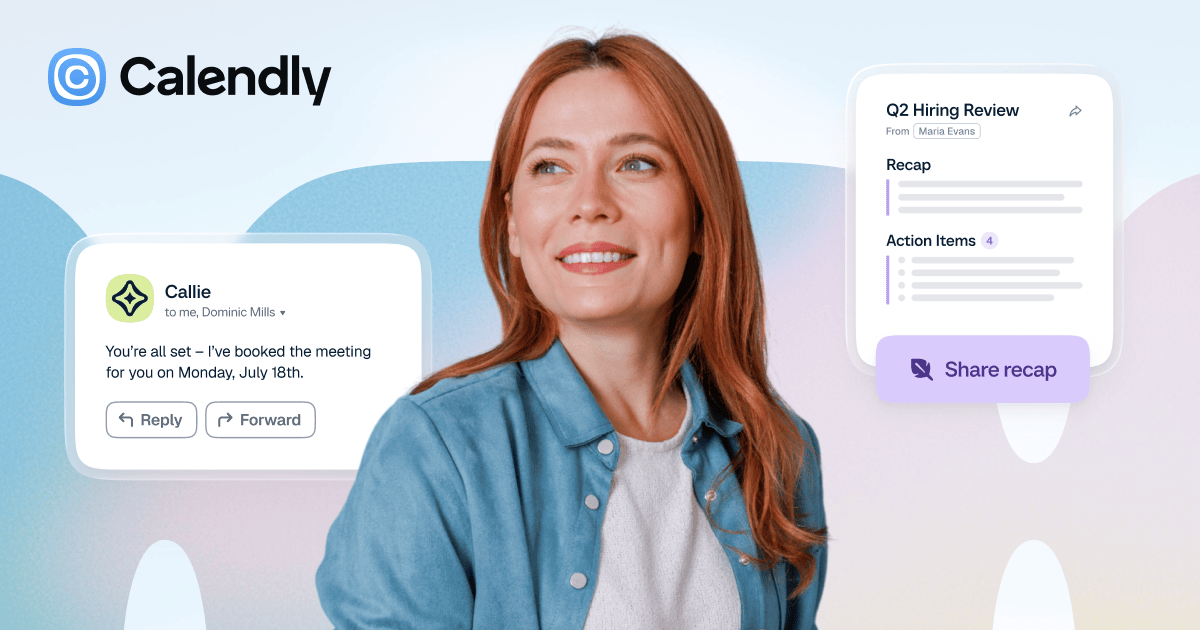

Sharing metadata
| og:url | https://calendly.com |
|---|---|
| og:type | website |
| og:image | https://calendly.com/media/OgImage-v2.png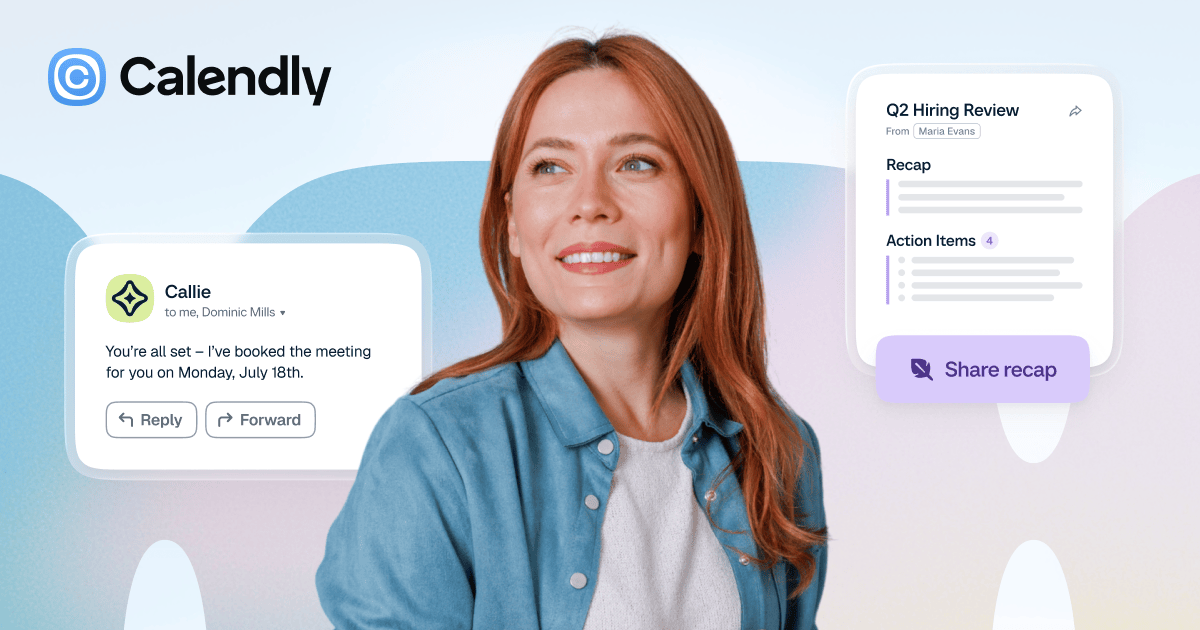 |
| og:title | Meeting Scheduling Software and AI Meeting Tools | Calendly |
| og:site_name | Calendly.com |
| og:description | Calendly connects and simplifies all of the work around meetings, from scheduling, payments, and meeting prep to notetaking, contact management, and follow-up. |
| twitter:card | summary_large_image |
| twitter:image | https://calendly.com/media/OgImage-v2.png |
| twitter:title | Meeting Scheduling Software and AI Meeting Tools | Calendly |
| twitter:description | Calendly connects and simplifies all of the work around meetings, from scheduling, payments, and meeting prep to notetaking, contact management, and follow-up. |
robots.txt (opens in a new tab)
12 rulesAll bots 2 allowed · 3 disallowed

 All bots

/llms.txt/pricing
/abuse_reports/new/*?*/app/
ia_archiver 3 allowed · 1 disallowed
/$/llms.txt/pricing/
ccbot 2 allowed · 1 disallowed
/llms.txt/pricing/
No matching rules.
Sitemaps
1 Registration details RDAP / WHOIS
| Registrar | GoDaddy.com, LLC |
|---|---|
| Registered | 2013-02-26 |
| Expires | 2027-02-26 |
| Domain status | client delete prohibited、client renew prohibited、client transfer prohibited、client update prohibited |
| Nameservers | hope.ns.cloudflare.com、roan.ns.cloudflare.com |
| DNSSEC | signed |
 DNS records
| Type | Name | Value | TTL | Priority |
|---|---|---|---|---|
| A | calendly.com | 104.18.41.175 | 96 | — |
| A | calendly.com | 172.64.146.81 | 96 | — |
| AAAA | calendly.com | 2606:4700:4403::ac40:9251 | 147 | — |
| AAAA | calendly.com | 2606:4700:440d::6812:29af | 147 | — |
| MX | calendly.com | aspmx.l.google.com | 300 | 10 |
| MX | calendly.com | alt1.aspmx.l.google.com | 300 | 20 |
| MX | calendly.com | alt2.aspmx.l.google.com | 300 | 20 |
| MX | calendly.com | aspmx2.googlemail.com | 300 | 30 |
| MX | calendly.com | aspmx3.googlemail.com | 300 | 30 |
| NS | calendly.com | hope.ns.cloudflare.com | 78853 | — |
| NS | calendly.com | roan.ns.cloudflare.com | 78853 | — |
| TXT | calendly.com | 06FB0F4CCD | 300 | — |
| TXT | calendly.com | MS=ms26783193 | 300 | — |
| TXT | calendly.com | MS=ms75363840 | 300 | — |
| TXT | calendly.com | MS=ms75932089 | 300 | — |
| TXT | calendly.com | TAILSCALE-nNYYC0vC9TISAvboCaQA | 300 | — |
| TXT | calendly.com | adobe-idp-site-verification=db378e2b6b1fbb203e2fa8efb4daacdd0b5837d143bd0020257d69866acc6b55 | 300 | — |
| TXT | calendly.com | apple-domain-verification=eAu2dlDrzmPvVHPg | 300 | — |
| TXT | calendly.com | atlassian-domain-verification=HeV4orUbu8ZU/Et3BdlguiFnoc5TqgI5owEFFTeBLYX6Lc6BZK4D0ru001VnnLBk | 300 | — |
| TXT | calendly.com | box-domain-verification=a9f4a950cfdfd3b9cea802a96528ccffbff61184fbb8363037b8cb9eeb1e454c | 300 | — |
| TXT | calendly.com | calendly-site-verification=JLJojO5SGco45xeUJrgD30rJACtPP9JsvM1TDRUSa | 300 | — |
| TXT | calendly.com | carta-domain-verification-p6kprv=Hf8pYNQgbK7i64r9SjTorb0sB | 300 | — |
| TXT | calendly.com | citrix-verification-code=ecbbb3b7-9c8c-4b46-81a7-ecd2c6ff42b9 | 300 | — |
| TXT | calendly.com | cursor-domain-verification-tdtnd4=i4bl9JEOFE1VOQbkiMkpIfGQZ | 300 | — |
| TXT | calendly.com | docusign=26d57faa-4bf8-45cd-866b-a36fdf86e214 | 300 | — |
| TXT | calendly.com | doit-verify295235 | 300 | — |
| TXT | calendly.com | ePwEbxX6T8GLeUY2 | 300 | — |
| TXT | calendly.com | facebook-domain-verification=oiiy3kxhh6i3mzo3tecoolwkzpsqos | 300 | — |
| TXT | calendly.com | google-site-verification=0W2XISvsFG0b1de6rAJqnGOZpeyHioDOc0fCPpkcga0 | 300 | — |
| TXT | calendly.com | google-site-verification=4IlbzuraJEuEWHXSF1ealAXGwgl-01bcFI9b6KiPrzw | 300 | — |
| TXT | calendly.com | google-site-verification=A_dMlj5RIS-42bZbR1vzM__GBhqE_l-CNAt4kHL39K8 | 300 | — |
| TXT | calendly.com | google-site-verification=CT9vkalOAxTSSlMkSYuif3PPR9IfW9wOMDYCpHV8-pQ | 300 | — |
| TXT | calendly.com | google-site-verification=D6kljg6Ozbxz7wkQHTu9bBD58dH48qXc8jbrSvdix20 | 300 | — |
| TXT | calendly.com | google-site-verification=cDMxTqEGKRREjpULRkV3kxo9fUh9AAOy68UKi-sWFDA | 300 | — |
| TXT | calendly.com | google-site-verification=fnhE2QNlMBUWS8UBhCtO4N2xU1Hv5Baq_nAGRKrDOS8 | 300 | — |
| TXT | calendly.com | google-site-verification=l9ghJl2k5pCmyzxgB-u7zk1WdLHRxZ8Gev7eo7j6tlw | 300 | — |
| TXT | calendly.com | google-site-verification=spiNl55E3iYMilE9lM2OB67FTeyJVzNJdYsr8YreMiE | 300 | — |
| TXT | calendly.com | google-site-verification=vvI2V5xXtswv19eoBHMvUfLriiS1W3uTeOrHdusW3AI | 300 | — |
| TXT | calendly.com | h1-domain-verification=jcUKHuDrikH5HZfj3S3op6kzWDJLgLg3d7pmxsKGupBKUPm1 | 300 | — |
| TXT | calendly.com | hubspot-developer-verification=MDZjM2Q5Y2QtYjIxOS00ZTllLWIzYzEtMzI2YzYwZTQxY2My | 300 | — |
| TXT | calendly.com | jamf-site-verification=iYyCRUNw7_AXFUC7zaLiFw | 300 | — |
| TXT | calendly.com | jetbrains-domain-verification=1k4crjxnjx7wtlhja236t8jcn | 300 | — |
| TXT | calendly.com | logmein-verification-code=b644b816-e7f4-45df-8215-6ba8db765fe9 | 300 | — |
| TXT | calendly.com | loom-site-verification=dfbd3882de7e42d39aa63ac12d8f403e | 300 | — |
| TXT | calendly.com | miro-verification=c546481c526d7d0fca4b0def39a0700eeb64f077 | 300 | — |
| TXT | calendly.com | onetrust-domain-verification=0bf92d345265462eb0a4ad38c7b55188 | 300 | — |
| TXT | calendly.com | openai-domain-verification=dv-60PIOwHK0eRDfc2VpmSJ3XY3 | 300 | — |
| TXT | calendly.com | parallels-domain-verification=25c15af2f44f426fa520c0f140c5f3b884327a61390a439495a1e7fa2ee9cf92 | 300 | — |
| TXT | calendly.com | pardot906932=62a94517bea65a4a146e19a380714f589e54114888b639e208605e1b6b445f47 | 300 | — |
| TXT | calendly.com | pardot906932=75d30f44d6d6e89f6ea5ce36bff2d547056f93c17f7034160851f23f09a2448a | 300 | — |
| TXT | calendly.com | pardot906932=d83df604fb40dd187d6c3def3b29591478a195def3dd9223df3d64f3fbabfd0c | 300 | — |
| TXT | calendly.com | pardot986361=84e628bbfec0a11d5baf3b0d9631a46a0e5f6801076cfc694ca8631fc86ee0b2 | 300 | — |
| TXT | calendly.com | pendo-domain-verification=4dace321-4517-49a6-b51a-ec3478a24002 | 300 | — |
| TXT | calendly.com | postman-domain-verification=987281567d45964ffbd83330939d1731ef9199ac6408ad6a641d49813877d64f73114ad25d917bbe3babf4cf554437d1034afcd089f0faf69bbd9c6d9473df5b | 300 | — |
| TXT | calendly.com | qase-ca7eb2da8082aef5bed402accf262d2bca41fd30 | 300 | — |
| TXT | calendly.com | slack-domain-verification=025CLyam48F5ppYztUuMl2Ue4prf01SVmyM06BYy | 300 | — |
| TXT | calendly.com | stripe-verification=7708116a2a258908ad3dde9ebc9ab342c43b7000f582962f69a7fdcab307abab | 300 | — |
| TXT | calendly.com | uber-domain-verification=7898f9ad-15df-4820-b779-92b2bec7858b | 300 | — |
| TXT | calendly.com | v=spf1 include:%{i}._ip.%{h}._ehlo.%{d}._spf.vali.email include:_spf.google.com include:mktomail.com ~all | 300 | — |
| TXT | calendly.com | zoom-domain-verification = afd6de76-b579-11ee-a506-0242ac120002 | 300 | — |
| CAA | calendly.com | 0 iodef "mailto:[email protected]" | 600 | — |
| CAA | calendly.com | 0 issue "amazon.com" | 600 | — |
| CAA | calendly.com | 0 issue "comodoca.com" | 600 | — |
| CAA | calendly.com | 0 issue "digicert.com; cansignhttpexchanges=yes" | 600 | — |
| CAA | calendly.com | 0 issue "godaddy.com" | 600 | — |
| CAA | calendly.com | 0 issue "letsencrypt.org" | 600 | — |
| CAA | calendly.com | 0 issue "pki.goog; cansignhttpexchanges=yes" | 600 | — |
| CAA | calendly.com | 0 issue "sectigo.com" | 600 | — |
| CAA | calendly.com | 0 issue "ssl.com" | 600 | — |
| CAA | calendly.com | 0 issuewild "amazon.com" | 600 | — |
| CAA | calendly.com | 0 issuewild "comodoca.com" | 600 | — |
| CAA | calendly.com | 0 issuewild "digicert.com; cansignhttpexchanges=yes" | 600 | — |
| CAA | calendly.com | 0 issuewild "godaddy.com" | 600 | — |
| CAA | calendly.com | 0 issuewild "letsencrypt.org" | 600 | — |
| CAA | calendly.com | 0 issuewild "pki.goog; cansignhttpexchanges=yes" | 600 | — |
| CAA | calendly.com | 0 issuewild "sectigo.com" | 600 | — |
| CAA | calendly.com | 0 issuewild "ssl.com" | 600 | — |
| DS | calendly.com | 2371 13 2 f7900d988b7fd3b292dfce55754705f86e5e021369dfadf15029c6701a228f59 | 86400 | — |
| DMARC | _dmarc.calendly.com | v=DMARC1; p=quarantine; rua=mailto:[email protected] | 261 | — |
 TLS and certificates
| Assessment | Normal configuration |
|---|---|
| Supported protocols | TLSv1.2、TLSv1.3 |
| Negotiated protocol | TLSv1.3 |
| Certificate subject | calendly.com |
| Issuer | Let's Encrypt |
| Valid until | 2026-12-03T14:05 · Remaining when checked: 71 days |
| Verification details | Certificate trust: Passed · Hostname match: Passed |
 HTTP response headers
| Header | Value |
|---|---|
| content-type | text/html |
| cache-control | no-store, no-cache, must-revalidate, max-age=0, s-maxage=0 |
| server | cloudflare |
| strict-transport-security | max-age=31536000; includeSubDomains; preload |
| x-content-type-options | nosniff |
| set-cookie | Redacted |
 Identified technologies
Recent Updates
- Website images
- Screenshots
- Network details
- Website Technologies
- Pages and Search Information
- HTTP Response Information
- TLS and certificates
- DNS Information
- Domain Registration
- Website profile
- Website Description
- Website Name
- Website profile
- Website Description
- Website Name
User reviews (0)