Website profiles · Technology insights · Alternatives

calm.ovh

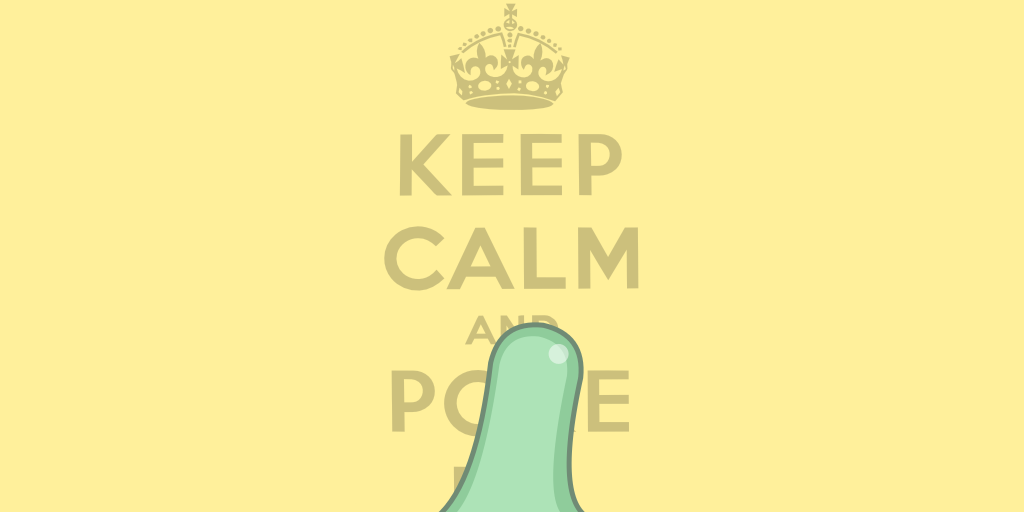
Punch me, smash me, poke me! A weird way to de-stress.

No paid content found
Visit website
Profile views 5 Outbound visits 0 Normal
Calm Full homepage screenshot

At a glance

Category
Other
Language
English
Paid-content signal
No paid content foundObserved
Registered
2016
Hosting
A2 Hosting, Inc.Inferred
HTTPS certificate trusted
PassedObserved
Last updated

Website review

This review may include AI-generated content and is not individually verified. Domain, certificate and other facts come from the observed data on this page.

What is Calm?

Calm is a small browser-based de-stress toy rather than a meditation or mental-health service. Its own description is blunt about the premise: "Punch me, smash me, poke me! A weird way to de-stress." You interact with whatever is on screen, and the site reacts to being hit or poked. The page evidence itself is thin — just a heading area and a credits/attributions note — so treat it as a lightweight novelty page, not a guided relaxation program.

Who it suits

  • Someone at a desk who wants a five-second physical-feeling break between tasks, with no account, audio session or breathing exercise to set up.
  • People who find straight-faced wellness apps off-putting and prefer humour as the release valve.
  • Anyone curious about tiny, single-purpose web toys — the kind of thing you bookmark, use twice, and forget.

It is a poor fit if you actually want structured stress reduction. There is no program, no progress tracking and no clinical grounding implied by the page. For that kind of use, a dedicated service such as Headspace or Calm (the well-known meditation brand, unrelated to this domain) is the relevant comparison — despite the shared name, do not confuse the two.

How to try it

Open the site and interact with the figure directly: click, tap or swipe depending on what the page responds to. Judge it in under a minute. If the interaction amuses you, bookmark it as a micro-break; if you want something that changes your breathing or headspace over ten minutes, this is not that tool.

How does poking or smashing the screen help with stress relief?

Poking or smashing a screen can help with stress relief because it turns frustration into a harmless physical action: your hands move, you get immediate visual feedback, and no real object or person is damaged. The relief usually comes from the quick release of tension and the playful absurdity of the interaction, not from solving the underlying problem.

Calm is built around exactly this idea, inviting you to punch, smash or poke the screen as a “weird way to de-stress.” Its value is in being a short, low-commitment outlet: you tap or click, the page responds, and you move on.

When it actually helps

  • A short frustration spike: after a annoying email or a dropped call, a few seconds of exaggerated tapping can interrupt the spiral before you snap at someone.
  • Restless energy: if you notice you are jiggling a leg or gripping the mouse too hard, a brief physical outlet can discharge some of that tension.
  • A reset between tasks: the silliness of the action can act as a mental palate cleanser, especially when you do not have time for a walk.

When it will not help

  • Ongoing stress: if the source is a heavy workload, money worry or a relationship problem, poking a screen is a pause, not a fix.
  • Anger that needs words: if you are furious at a specific person, the relief may fade in seconds and leave the real conversation untouched.
  • Physical strain: repeated hard clicking or jabbing can irritate your wrist, finger or trackpad. Keep the motion light and short.

A practical way to use it

Try it as a 10–30 second “pressure valve” between tasks: open Calm, poke or smash for a few moments, then take one slow breath and return to what you were doing. If the tension is still there, treat that as a signal to take a longer break, step away from the screen or talk to someone — rather than repeating the poke harder.

Is Calm free to use, or does it require a payment or subscription?

Calm at Calm does not present any payment or subscription requirement. The page is described as a simple de-stress toy — "Punch me, smash me, poke me!" — and the only footer content mentioned is credits and attributions, which is the kind of thing you see on a free browser toy rather than a paid service.

If you want to be certain before relying on it, open the site and look for a pricing, signup or login link. If none appears and you can interact with it immediately, treat it as free to use.

Can I use Calm on a mobile phone or tablet?

Yes. Calm is a browser-based stress-relief toy, so any phone or tablet with a modern browser can run it. There is no app-store download implied by the site itself.

What that means in practice

  • Touch input is the point. The concept is "Punch me, smash me, poke me," which maps naturally to tapping and swiping on a touchscreen. On a phone or tablet, you interact directly with the screen rather than through a mouse.
  • No install friction. Because it runs in the browser, you can open it on a work phone, a borrowed tablet or a locked-down device where you cannot add apps.
  • Small screen, small session. A single-purpose de-stress toy suits short breaks: a minute between meetings, a pause on a commute, or a wind-down before sleep. On a tablet it is easier to use with both hands or rest on a desk.

Trade-offs to weigh

Situation Phone Tablet
Quick one-handed break Best fit Workable, less convenient
Longer, two-handed session Cramped More comfortable
Shared or locked-down device Works in browser Works in browser
Precise, repeated tapping Finger covers the screen More room to aim

A sensible next step

Open the site on the device you actually have with you, and test it for a minute before deciding whether it earns a place in your routine. If you want a browser-based option for a shared or restricted device, this kind of page is a practical choice; if you prefer guided audio or structured programmes, a dedicated meditation service will serve you better.

Who created Calm, and what credits or attributions are listed?

The site identifies itself as Calm under the hostname calm.ovh, but the page evidence available provides no creator name. The only relevant line is a footer-style reference to "back credits, attributions," which indicates such information may exist on a separate or linked page rather than in the main content captured here.

What is actually supported

  • Creator: Not stated in the available page evidence.
  • Credits or attributions listed: None are listed in the captured content; only a pointer to credits and attributions appears.

Practical next step

If you need to trace authorship, check the site's footer or a dedicated credits page, then verify any names against an independent profile or portfolio. Attribution lines on small interactive sites often credit the original concept, code libraries, sound or image assets, and hosting, so expect a short list rather than a single author. Where a name does appear, treat it as a claim by the site unless it matches a verifiable portfolio or repository entry.

Are there different characters or objects I can interact with on Calm?

The page evidence for Calm does not list any named characters or objects, and its own description suggests the interaction is deliberately minimal: "Punch me, smash me, poke me! A weird way to de-stress." The excerpt "back credits, attributions" points to a credits or attribution section rather than a roster of interactive figures.

What that means in practice

  • Treat Calm as a single-target stress toy, not a collection. The phrasing "me" implies one thing on screen that absorbs your input.
  • The variety likely comes from the actions — punching, smashing, poking — rather than from switching between characters or props.
  • The credits/attributions text hints that any visuals or sounds may come from third parties, which can explain a small, fixed set of assets rather than an expandable library.

How to check for yourself

Open the site and look for a menu, selector row, or swipe control near the main object. If you find one, that is your character switcher. If the only controls are input gestures, you are looking at a one-object experience.

If you want a de-stress tool with many distinct characters or scenes to choose from, Calm is probably the wrong fit; if you want something you can tap or hit immediately without choosing anything first, its one-object setup is the point.

Related questions

More questions →
Is Calm (calm.ovh) a meditation app or a stress-relief game?

Calm (calm.ovh) is a stress-relief game, not a meditation app. The site describes itself as "a weird way to de-stress" built around the actions "punch me, smash me, poke me" — you interact with it physically rather than being guided into stillness. It is unrelated to Calm.com, the well-known meditation and sleep app that shares the same name. If you want a quick, playful outlet for frustration, calm.ovh fits. If you want guided breathing, structured courses, or sleep content, it does not.

What calm.ovh actually is

The site's own framing is the clearest signal. Its title is "Calm | Keep calm and poke me," and its description reads: "Punch me, smash me, poke me! A weird way to de-stress." That is the language of an interactive toy or browser-based diversion, not a wellness program.

The page evidence available is minimal — the visible content references "back credits, attributions," suggesting a small, self-contained web project rather than a full product with accounts, libraries, or a curriculum.

How it differs from a meditation app

The two categories solve stress in opposite directions:

Dimension calm.ovh Meditation apps (e.g., Calm.com)
Core action Punch, smash, poke Sit, breathe, listen
Mechanism Physical release / catharsis Down-regulation and calm
Structure Single interactive page Courses, sessions, programs
Session length As short as you like Typically minutes to tens of minutes
Goal Vent frustration Build a practice over time

A meditation app asks you to slow down and observe. calm.ovh asks you to act out the frustration. Neither is better in the abstract — they suit different moods.

Who it suits

calm.ovh is a reasonable fit if you:

  • Want to discharge irritation fast, in the moment
  • Enjoy playful, absurd, or "weird" web toys
  • Don't want to sign up for a program or commit to a routine
  • Are looking for a novelty break rather than a lasting habit

It is a poor fit if you:

  • Want guided breathing or body-scan exercises
  • Need sleep stories, ambient soundscapes, or structured courses
  • Prefer a calm, quiet interface rather than an aggressive one

A practical way to decide

Ask what kind of stress you're carrying. If it's pent-up, restless energy — the kind where sitting still feels impossible — an interactive outlet like calm.ovh matches the state you're in. If it's an overstimulated, racing mind that needs to settle, a guided breathing or meditation session is the better tool.

One caveat worth noting: the site's own description calls it "a weird way to de-stress," which is honest about its scope. Treat it as a quick, playful release valve, not a replacement for a sustained relaxation practice.

Does Calm (calm.ovh) Work on Mobile and Desktop Browsers?

Yes. Calm (calm.ovh) is a browser-based interactive toy rather than an installed app, so it runs in a modern browser on both phones and computers. On a touchscreen you interact with your finger; on a desktop you use a mouse. The main requirement is a browser that can run the page and respond to pointer input — if the interaction stops responding, a refresh or a different browser is the usual fix.

What Calm (calm.ovh) actually is

The site describes itself as "a weird way to de-stress" with the prompt "Punch me, smash me, poke me!" That tells you what to expect: it is not a guided meditation library or a subscription wellness product. It is a single interactive page where you poke, tap, or hit the on-screen element to blow off steam.

This matters for the compatibility question because it changes what "working" means. There is no account, no audio session to load, and no multi-screen flow. If the page loads and responds to your input, it is working.

Mobile browsers

Calm is built around direct physical interaction, which suits a touchscreen well.

  • Tap and poke: a single finger tap acts as the "poke" or "punch."
  • Swiping and dragging: moving your finger across the element can simulate a smash or drag motion.
  • No keyboard needed: the interaction is pointer-based, so a phone or tablet is a natural fit.

If you are on a phone and nothing happens when you tap, the page may not have finished loading, or the browser may be blocking the interactive script. Reload the page first.

Desktop browsers

On a computer, the same interactions map to mouse input:

  • Click to poke or punch.
  • Click and drag to smash or move the element.
  • Repeated clicking for a more vigorous reaction.

Desktop browsers generally have the most consistent support for this kind of page, so if you are troubleshooting, a computer is a good place to confirm the site itself is fine.

If the interaction does not respond

Work through these in order:

  1. Refresh the page. Most unresponsive interactive pages recover on a reload.
  2. Try a different browser. If it fails in one browser, test another before assuming the site is down.
  3. Check that the page fully loaded. An interrupted load can leave the interactive part inactive.
  4. Disable aggressive content blockers or script blockers for this page, since they can prevent the interaction script from running.
  5. Test on the other device type. If it works on desktop but not mobile (or the reverse), the issue is likely the browser or device, not the site.

Quick comparison

Mobile browser Desktop browser
Input method Finger tap, swipe, drag Mouse click, click-and-drag
Natural fit for the site Strong — built for poking/smashing Strong — precise clicking
Typical failure cause Page not fully loaded, script blocked Script blocked, stale page
First fix Refresh, then switch browser Refresh, then switch browser

Bottom line

Calm (calm.ovh) is designed to work on both mobile and desktop browsers, because it is a web page driven by pointer input rather than a platform-specific app. Use touch on a phone or tablet and a mouse on a computer. If it does not respond, refresh the page or switch browsers before concluding anything is broken.

How do you use Calm (calm.ovh) to de-stress?

Open calm.ovh in a browser and interact with the page directly — click, punch, smash, or poke the on-screen element. There is no sign-up, login, or download step described on the site. The page presents itself as "a weird way to de-stress," so the intended use is a short, immediate interaction rather than a guided program.

What Calm (calm.ovh) actually is

Calm is a single interactive web page. Its own description frames it as a physical-style outlet: "Punch me, smash me, poke me! A weird way to de-stress." The page evidence also references "back credits, attributions," indicating the site is a small, self-contained project rather than a full wellness platform.

That matters for expectations. This is not a meditation app, a breathing coach, or a mood-tracking tool. It is a browser toy built around simulated aggression toward an on-screen object.

How to use it

  1. Open the site. Go to calm.ovh in any modern browser. The interactive page loads directly — no account, no onboarding screen.
  2. Choose an action. The site names three: punch, smash, and poke. These map to clicking or tapping the page element.
  3. Interact repeatedly. The feedback is described as visual or audio changes that simulate a release of tension. Keep clicking or tapping to continue the effect.
  4. Stop when you want. There is no session length, streak, or progress to maintain.

Expected result: a short, tactile-feeling interaction that mimics venting frustration on an object. Verification: if the page responds to your clicks or taps with a visible or audible reaction, it is working as intended.

When this fits and when it doesn't

Situation Calm (calm.ovh) fits?
You have 30 seconds and feel tense Yes — instant, no setup
You want a quick physical-feeling outlet Yes — that is the stated purpose
You want guided breathing or meditation No — the site does not offer this
You want to track mood over time No — no accounts or history described
You are on a locked-down work device Check first — it is an external site

Common snags

  • Nothing happens on click. The page depends on browser interaction; try a different browser or check whether scripts are blocked.
  • Expecting more than it is. The site is a novelty de-stress toy. If you want structured relaxation, this will not replace it.
  • Sound. If the interaction includes audio, your browser or device may mute it until you interact with the page first.

The short version

Use calm.ovh when you want a fast, no-commitment way to act out frustration on a screen element. Open it, click or tap the object, and stop whenever. Treat it as a 30-second reset, not a relaxation system.

What Are the Credits and Attributions on Calm (calm.ovh)?

The credits and attributions on Calm (calm.ovh) are the small footer links that acknowledge who made the site and what third-party resources it uses. The page evidence shows a "back credits, attributions" element, which means these notices exist as a separate, secondary section rather than part of the main de-stress interaction. They do not change how the poke/smash/punch mechanic works — they are there for transparency and legal acknowledgment.

What "credits" usually means here

On a small interactive site like Calm, a credits section typically names:

  • The person or team who built and maintains the site
  • Anyone who contributed design, code, or content
  • The origin of the concept (the site describes itself as "a weird way to de-stress")

In short: credits answer "who made this?"

What "attributions" usually means here

Attributions are the licensing side of the same footer. They typically cover third-party assets such as:

Asset type Why it needs attribution
Images / icons Often under Creative Commons or similar licenses
Sound effects May require credit to the original creator
Code libraries / fonts Open-source licenses (e.g., MIT, OFL) often require notice
Inspiration or assets from other projects Ethical and legal acknowledgment

Attributions answer "what outside work is used, and under what terms?"

Why the two are grouped together

The evidence shows them as one combined element ("back credits, attributions"), which is common on lightweight sites. Grouping them keeps the main page clean while still meeting license and courtesy requirements. A "back" link suggests you can return from this section to the main interaction, so it is a detour, not a required step.

Do you need to read them to use Calm?

No. The credits and attributions are informational only. You can poke, smash, and punch the page without ever opening them. Read them if you want to know:

  • Who built the site
  • Whether you can reuse any of its assets
  • What licenses apply to the sounds or graphics

Practical takeaway

If you are just there to de-stress, ignore the footer. If you are a developer, designer, or someone checking reuse rights, open the credits/attributions section and look for named creators and license types. The exact names and licenses are not listed in the available page evidence, so treat the footer itself as the authoritative source rather than any summary.

What Is Calm (calm.ovh)?

Calm (calm.ovh) is a small interactive website that offers a strange but simple way to de-stress: instead of calming you down with meditation or breathing exercises, it invites you to punch, smash, and poke the page. It is best suited for someone who wants a quick, playful release of tension in a browser and does not expect accounts, payments, or a full wellness program.

What the site actually is

Based on the site's own description, Calm presents itself as "a weird way to de-stress." The core idea is physical-feeling interaction with on-screen elements rather than passive content consumption. The tagline "Keep calm and poke me" reinforces that the site is the target of your actions, not a guide telling you what to do.

The page evidence available is minimal — it references "back credits, attributions" — which suggests the site is a lightweight, self-contained experience rather than a platform with profiles, dashboards, or settings.

How the interaction works

The described actions are:

  • Punch me — a forceful click or tap on an element
  • Smash me — a heavier or repeated impact action
  • Poke me — a lighter, more precise touch

These map naturally onto a mouse or a touchscreen:

  1. Open calm.ovh in a browser.
  2. Move the pointer (or your finger) over the interactive element on the page.
  3. Click, tap, or press to trigger the punch/smash/poke response.
  4. Repeat as desired — the point is the repeated physical action, not reaching a score or finishing a task.

The expected result is a reaction from the page element each time you act on it. The site does not appear to require login, and no pricing signals are present in the available information, so nothing indicates a paid tier or account wall.

What it is not

It is worth being clear about the limits of what calm.ovh offers, because the name "Calm" can be misleading:

Expectation Reality on calm.ovh
Guided meditation or breathing Not indicated
Mood tracking or journaling Not indicated
Accounts, profiles, progress Not indicated
Paid subscription features No pricing signals found
A large content library Page evidence is minimal

If you are looking for a structured mindfulness program, this is not that. If you want a five-second outlet for frustration, it fits.

Who it suits

  • Good fit: You are stressed, at a computer or phone, and want a silly, immediate physical-feeling outlet without signing up for anything.
  • Poor fit: You want evidence-based relaxation techniques, long-form audio, or a tool you can track over time.

The appeal is the novelty and the directness — you act, the page reacts, and you move on. Treat it as a tiny interactive toy rather than a wellness system, and its purpose is clear.

Website Overview

Limited stack disclosure and few obvious backend markers suggest a more restrained public footprint. That reduces easy fingerprinting clues but is not proof of overall security. An established domain and managed infrastructure suggest continuity of operations and may support dependable delivery, although neither guarantees service quality.

Domain and Registration

Registered in 2016, this domain has about 9 years of history. That suggests continuity, although ownership and purpose may have changed. Transfer-protection status is present, helping reduce the risk of unauthorized domain transfers. Registration contact information is publicly available through RDAP. The domain uses the common .ovh extension, which is not an independent safety signal.

DNS and Email

The observed email authentication setup is incomplete: DMARC is missing. Nameservers are provided by a2hosting.com, indicating managed DNS hosting. MX records point to the calm.ovh email service. No CNAME was found; the observed records resolve directly to addresses. The lowest observed DNS TTL is 14400 seconds.

TLS and Certificates

The certificate uses an RSA 2048-bit public key, offering broad client compatibility. The server supplied a complete certificate chain. No organization name is present in the certificate; the available fields are consistent with domain validation. The certificate was issued by Let's Encrypt, commonly associated with automated certificate services. The certificate's total validity is about 89 days, consistent with a short renewal cycle.

HTTP and Browser Security

The response lacks these common security headers: CSP, Referrer-Policy, Permissions-Policy. No X-Powered-By header was found, reducing one common source of backend fingerprinting information. No obvious internal addresses or debug information were found in the headers. The Server header contains the custom value LiteSpeed. No explicit CDN or WAF marker was found in the response headers.

Technology Stack Analysis

No obvious technology stack is exposed. This may reflect restrained information disclosure, although the underlying technologies remain unknown.

Search and Social Sharing

Twitter Card metadata is configured. The title has 28 characters, within a common display range. A meta description is present, with 54 characters. The observed directives allow indexing and link following. No Generator meta tag is publicly exposed.

Hosting and Email

DNSa2hosting.com
HostingA2 Hosting, Inc.
Emailcalm.ovh
Approximate IP geolocation (inferred; a CDN or proxy may differ from the origin server) United States flagDetroit, Michigan, United States Inferred 70.32.23.71

Registration details

RDAP / WHOIS

RegistrarOVH
Registered2016-11-16
Expires2027-11-16
Domain statusclient transfer prohibited、client delete prohibited
Nameserversns1.a2hosting.com、ns2.a2hosting.com、ns3.a2hosting.com、ns4.a2hosting.com
DNSSECunknown

DNS records

DNS

TypeNameValueTTLPriority
Acalm.ovh70.32.23.7114400—
MXcalm.ovhmail.calm.ovh144000
NScalm.ovhns1.a2hosting.com86400—
NScalm.ovhns2.a2hosting.com86400—
NScalm.ovhns3.a2hosting.com86400—
NScalm.ovhns4.a2hosting.com86400—
TXTcalm.ovhv=spf1 +a +mx +ip4:70.32.23.71 include:spf.a2hosting.com ~all14400—

TLS and certificates

TLS / SSL

AssessmentNormal configuration
Supported protocolsTLSv1.2、TLSv1.3
Negotiated protocolTLSv1.3
Certificate subjectcalm.ovh
IssuerLet's Encrypt
Valid until2026-12-09T15:41 · Remaining when checked: 64 days
Verification detailsCertificate trust: Passed · Hostname match: Passed

HTTP response headers

HTTP

HeaderValue
content-typetext/html
cache-controlmax-age=3600, must-revalidate
serverLiteSpeed
strict-transport-securitymax-age=63072000; includeSubDomains
x-frame-optionsSAMEORIGIN
x-content-type-optionsnosniff

Identified technologies

Technology stack: Unknown

Pages, Search and Sharing

Meta descriptionPunch me, smash me, poke me! A weird way to de-stress.
Canonical URLhttps://calm.ovh
LanguageEnglish (default)
Twitter Cardsummary_large_image
All bots 0 allowed · 0 disallowed

No sitemaps found

User reviews (0)

  • No reviews yet.