Website profiles · Technology insights · Alternatives

camel-ai.org

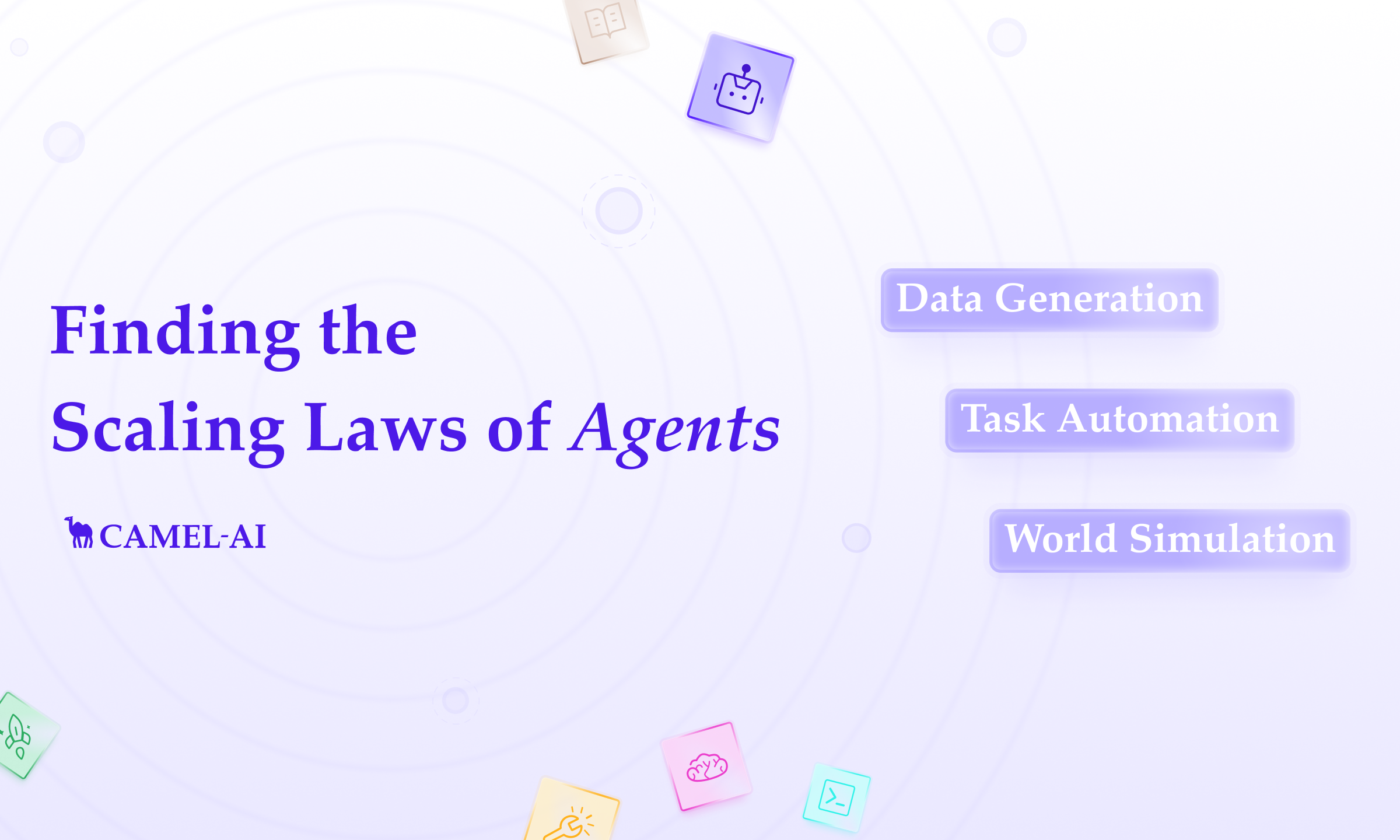
CAMEL-AI is an open-source community for finding the scaling laws of agents for data generation, world simulation, task automation.

No paid content found
Visit website
Profile views 0 Outbound visits 0 Normal
CAMEL-AI Full homepage screenshot

At a glance

Category
Artificial Intelligence
Language
English
Paid-content signal
No paid content foundObserved
Registered
2023
Hosting
camel-ai.orgInferred
HTTPS certificate trusted
PassedObserved
Last updated

Website review

This review may include AI-generated content and is not individually verified. Domain, certificate and other facts come from the observed data on this page.

What is CAMEL-AI?

CAMEL-AI is an open-source research community and framework for building and studying multi-agent AI systems. Its stated mission is to find the "scaling laws of agents"—studying how large numbers of LLM-driven agents behave, coordinate and fail as systems grow. The project combines a Python framework (pip install camel-ai) with research on data generation, world simulation and task automation.

What it offers

  • A multi-agent framework built around four design principles: evolvability (agents improve through data generation and environment interaction), scalability (systems with millions of agents), and stateful, data-driven operation.
  • Named tools and environments for different jobs: CAMEL for agent dialogue and "mind" exploration, OWL for general task automation, OASIS for social-interaction simulation with up to a million agents, SETA for training environments, and CRAB for cross-environment benchmarking of multimodal agents.
  • Published research presented at venues including NeurIPS and ICLR, covering agent communication, workforce learning, long chain-of-thought synthesis and human-trust simulation.
  • A research collective of 100+ researchers that invites outside collaboration on agent projects.

Who it suits

A developer automating a real-world workflow would start with OWL and the CAMEL framework. A researcher studying emergent group behavior would lean toward OASIS or SETA environments. Someone benchmarking agents across different environments would use CRAB.

Practical trade-off

The project is oriented toward research and experimentation rather than a polished end-user product, so expect to work in Python and read papers alongside documentation. As a next step, install the package and run a small two-agent CAMEL example before scaling up; that gives you a feel for coordination overhead before committing to a larger simulation.

How do I install and start building with the CAMEL framework?

Install the Python package with pip install camel-ai, then build a small multi-agent system in Python: define agent roles, give them a task, and let them exchange messages. CAMEL-AI's own site presents the framework as a way to build multi-agent systems for data generation, world simulation and task automation, and shows that pip install camel-ai command as the starting point.

A practical first step

Start with a two-agent setup — one agent proposes, one critiques — on a narrow task such as drafting a short research summary or generating a small dataset. This keeps coordination logic visible before you scale up. CAMEL-AI describes its design around evolvability (agents improving through data generation and environment interaction) and scalability (systems with very large numbers of agents), so the same role-and-message structure you test with two agents is the one you would later extend.

Where to go next, depending on your goal

Your goal Sensible next move
Task automation Explore the OWL project, which CAMEL-AI describes as optimized workforce learning for real-world task automation
Large-scale social or environment simulation Look at OASIS (agent social interaction simulations) and the SETA environment work
Benchmarking agents across environments Review CRAB, the cross-environment agent benchmark for multimodal agents
Research collaboration CAMEL-AI invites researchers to use the framework and join community projects

For anyone comparing options, the trade-off is that CAMEL-AI is a research-oriented, community-driven framework: you get direct access to published methods and simulation tooling, but expect to read papers and examples rather than follow a single polished tutorial path. If you prefer a broader ecosystem of prebuilt integrations, LangChain is a common alternative; if you want Microsoft's agent orchestration patterns, see Microsoft's AutoGen materials.

A concrete decision criterion: if your project needs controlled, reproducible multi-agent experiments or synthetic data at scale, begin with CAMEL-AI's own examples; if you mainly need to wire agents into existing business software, evaluate integration coverage first.

The CAMEL-AI site at CAMEL-AI is the place to find the framework documentation, project repositories and community channels for the next step.

What real-world tasks can CAMEL-AI's multi-agent systems automate?

CAMEL-AI's multi-agent systems are aimed at three broad categories of real-world work: task automation, data generation, and world simulation. Its research projects show what that looks like in practice—one system (OWL) is explicitly framed as "optimized workforce learning for general multi-agent assistance in real-world task automation," while others (OASIS, SETA) target large-scale social and training-environment simulation, and CRAB provides a benchmark for agents operating across different environments.

What this means concretely

  • Delegated work tasks: A multi-agent setup can split a goal into roles—planner, researcher, executor—and carry it out, which suits workflows like compiling information, drafting documents, or coordinating multi-step operations. OWL is the project most directly pointed at this.
  • Synthetic data and training: Agents can generate interaction data and environments at scale, useful if you are building or evaluating your own models rather than automating an end-user task.
  • Simulation: OASIS simulates social interaction among very large agent populations; SETA provides training environments. These are research and testing uses, not production automation.
  • Benchmarking: CRAB lets you test multimodal agents across environments before trusting them with real work.

Who each use fits

If you want to… Look at Trade-off
Automate a concrete workflow OWL / CAMEL framework Needs engineering effort to define roles and tools
Generate training or evaluation data SETA, CAMEL data generation Output quality depends on your verification
Study agent behavior at scale OASIS Research-oriented, not turnkey automation
Compare agent performance CRAB A measurement tool, not an automation tool

A practical next step: pick one narrow, verifiable task you already do manually, such as summarizing a set of documents into a structured brief, and prototype it with the CAMEL framework (pip install camel-ai) before scaling to broader automation. If your interest is research rather than deployment, the project pages at CAMEL-AI list the individual papers and codebases to start from.

How does CAMEL-AI generate synthetic data for training AI agents?

CAMEL-AI treats synthetic data generation as a byproduct of agents interacting with each other and with simulated environments, rather than as a separate labeling pipeline. Its stated principles are evolvability (agents improve through generated data and environment feedback, via reinforcement or supervised learning) and scalability (systems with millions of agents). The page describes the community's focus as data generation, world simulation and task automation, and lists tools including CAMEL, OWL, SETA, OASIS and CRAB, but it does not publish a step-by-step data-generation procedure.

What the page supports

  • Agent-to-agent dialogue as a data source. The CAMEL research line is described as "Communicative Agents for 'Mind' Exploration of Large Language Model Society," i.e., role-playing agents whose conversations can be collected.
  • Environment-driven data. OASIS is framed as social-interaction simulation with up to a million agents; CRAB is a cross-environment benchmark for multimodal agents; Loong is described as synthesizing long chains of thought at scale through verifiers.
  • Evolution loops. Generated data feeds back into agent training under the evolvability principle.

Practical reading for a team

If you want training traces for a task-automation agent, the plausible workflow the page implies is: define roles and a task, run agents in a simulated environment, filter or verify the resulting trajectories, then train. Verification is the weak point in any such loop—Loong's use of verifiers suggests the project treats filtering as essential, and you should budget for it.

A quick decision test: if your bottleneck is diverse conversational trajectories, start with the CAMEL framework (pip install camel-ai per the page). If it is realistic multi-agent social behavior, look at OASIS; if it is evaluating multimodal agents across environments, look at CRAB. Compare with Microsoft Research's agent frameworks or GitHub-hosted open-source agent projects before committing, since data quality depends more on your verifier than on the generator.

How can I join CAMEL-AI's research community or contribute to its projects?

CAMEL-AI invites researchers to join its community-driven collective of 100+ researchers and to contribute to its ongoing multi-agent projects, or to test new ideas with the team. The site's "Research with Us" section is the stated entry point: it says the group welcomes people to use CAMEL for research and to "Join our ongoing projects or test new ideas with us," with a "Contact Us" route for reaching the team.

Practical ways to start

  • Begin with the open-source code. The framework is installable via pip install camel-ai, and the project hosts a HuggingFace-like community for multi-agent systems. Running the framework first gives you something concrete to discuss when you contact the team.
  • Pick a research area that matches your skills. The listed work spans agent evolution and reinforcement learning (SETA, OWL, CAMEL for Agent RL), large-scale social simulation (OASIS), long chain-of-thought synthesis (Loong), cross-environment benchmarking (CRAB), human trust simulation, and multi-robot systems (EMOS). A contribution in benchmarking or evaluation is often the easiest entry for someone new, since it builds on existing environments rather than requiring new infrastructure.
  • Frame your outreach around a specific project. Rather than a general expression of interest, reference one paper or tool from the site and describe what you would add — for example, a new environment for OASIS or an evaluation task for CRAB.

A concrete scenario

Suppose you are a graduate student working on LLM agent evaluation. You install camel-ai, reproduce a small experiment from the CRAB benchmark, and note a gap in multimodal task coverage. You then contact the team through the site's contact route, describing the reproduction and proposing a benchmark extension. That is a far stronger basis for joining a project than asking how to get involved.

Decision criteria

  • If your interest is applied automation, start with OWL and the task-automation tools, then propose a real-world task domain.
  • If your interest is simulation and emergent behavior, OASIS and the scaling-laws research line fit best, and large-scale compute experience matters.
  • If your interest is training and data generation, the evolution and agent-RL work is the natural fit.

For background on the broader ecosystem, the official PyTorch project at PyTorch and Hugging Face at Hugging Face are useful references, since CAMEL-AI describes its community as HuggingFace-like and its tooling builds on common ML infrastructure.

What are the scaling laws of agents that CAMEL-AI is researching?

CAMEL-AI treats "scaling laws of agents" as a research question rather than a settled formula: the aim is to understand how the behaviour, capabilities and risks of intelligent agents change as you increase the number of agents and the scale of their environments and interactions. The premise on the site is that studying agents on a large scale yields insights that small experiments cannot, and that those insights can be used to make multi-agent systems more reliable, interpretable and robust.

What the research actually covers

The site frames scaling along several axes, each with its own projects:

  • Number of agents — CAMEL Workforce and OASIS are listed under this axis, with OASIS described as social-interaction simulation involving up to one million agents.
  • Environments — SETA-ENV and CRAB, the latter a cross-environment benchmark for multimodal model agents.
  • Evolution — SETA, OWL and CAMEL for agent reinforcement learning, i.e. agents improving through data generation and interaction rather than static prompting.

Two design principles connect this to engineering practice: evolvability (agents improve via reinforcement or supervised learning from generated data and environment interaction) and scalability (systems with millions of agents that still coordinate and communicate efficiently). Published work cited on the page includes the original CAMEL paper on communicative agents (NeurIPS 2023), OWL for workforce-style task automation (NeurIPS 2025), OASIS for million-agent social simulation (NeurIPS 2024 workshop), Loong for synthesising long chain-of-thought data, CRAB for cross-environment benchmarking, and EMOS for heterogeneous multi-robot operation.

How to use this

If you are deciding whether multi-agent decomposition is worth it, treat scaling as something to measure in your own setting: pick one axis (more agents, a harder environment, or a learning loop), hold the others fixed, and track task success, coordination cost and failure modes as you increase it. A team building a research assistant, for example, might start with two role-specialised agents and add agents only while each addition measurably improves outcomes; CAMEL's benchmark work (CRAB) and simulation work (OASIS) are the closest references for how such evaluations are structured. For adjacent perspectives on agent evaluation and orchestration, see arXiv for the underlying papers and Hugging Face for community model and dataset hosting.

Related questions

More questions →
What Is a Large Language Model (LLM) and How Does It Work Under the Hood?

A large language model (LLM) is a neural network trained to predict the next token in a sequence, and it generates text by repeating that prediction one token at a time. Under the hood, the text you type is split into tokens, converted into vectors (embeddings), and passed through a stack of transformer layers where an attention mechanism lets each token weigh the others. The final layer scores every possible next token, and one is selected. This explanation fits anyone who wants a working mental model of the pipeline rather than a math-heavy derivation; AnimatedLLM (animatedllm.github.io) is built specifically to visualize these internal steps.

The core components

Component What it is Role in the pipeline
Token A chunk of text (word, subword, or character) The unit the model actually reads and predicts
Embedding A learned vector for each token Turns discrete tokens into numbers the network can compute with
Transformer layer A repeated block of attention + feed-forward sublayers Mixes information across tokens and transforms it
Attention A weighting scheme over other tokens Lets each position pull in relevant context
Output scores (logits) A score per vocabulary token Ranked to pick the next token

The vocabulary is fixed, so every input and output is expressed in terms of tokens the model already knows.

From text to prediction, step by step

  1. Tokenize. Input text is split into tokens. A word may become one token or several subword pieces.
  2. Embed. Each token maps to a vector. Position information is added so the model knows order.
  3. Pass through transformer layers. Each layer applies attention (tokens exchange information) and a feed-forward network (each position is transformed).
  4. Produce logits. The final representation is projected onto the vocabulary, giving a score for every possible next token.
  5. Select a token. The highest score wins under greedy decoding; sampling methods can pick lower-ranked tokens for variety.
  6. Append and repeat. The chosen token is added to the sequence, and the loop runs again to produce the next one.

The expected result at each loop is a single new token; a full response is just this loop repeated.

How attention works, in plain terms

Attention answers: "for this token, which other tokens matter right now?" Each token produces a query, and every token produces a key and a value. The query is compared against all keys to get weights, and the values are combined using those weights. So a pronoun can gather information from the noun it refers to, and a verb can look back at its subject.

This is why context length matters: attention can only weigh tokens inside the window it is given. Multi-head attention runs several of these weightings in parallel so different relationships can be tracked at once.

Training vs. inference

These are the same architecture used in two different modes:

  • Training: the model sees text with the next token known, predicts it, measures the error, and adjusts weights across many examples. This is where knowledge and language patterns are learned.
  • Inference: weights are frozen. The model only predicts forward, token by token, with no learning. This is what happens when you use a chat model.

A useful intuition: training is studying with an answer key; inference is answering without one.

Building intuition with interactive visualizations

Reading the steps is not the same as seeing them. AnimatedLLM is an interactive resource whose stated purpose is to help you understand how large language models work under the hood. Use it to watch tokens become vectors, follow attention weights between positions, and trace how a prediction is produced. For example, if you want to see why a model completes "The cat sat on the ___" with "mat," step through the attention view to observe which earlier tokens the final position is weighting most heavily.

Common sticking points

  • Tokens are not words. A single word can be multiple tokens, which is why models sometimes miscount letters.
  • Embeddings are not meanings you can read off. They are learned coordinates; similarity is geometric, not definitional.
  • Attention is not memory. It operates within the current context window, not a persistent store.
  • One token at a time. Fluency comes from repetition, not from generating a whole sentence in one pass.

If you want to go from "I've heard of transformers" to "I can trace the pipeline," work through the tokenize → embed → attend → score → select loop once, then use an interactive demo to watch each stage on real text.

What Are Open-Source UI Element Libraries and How Do They Differ From UI Frameworks?

An open-source UI element library is a collection of individual, ready-made interface pieces—buttons, cards, inputs, toggles, loaders—that you copy into your own project and adapt. A UI framework, by contrast, is a structured system of components, conventions, and often a theming layer that governs how your whole interface is built. The practical difference: an element library gives you a snippet; a framework gives you a way of working. If you need a polished button in ten minutes, reach for the element library. If you're building a 40-screen product with a team, you probably want the framework.

What "open-source UI element library" actually means

The term gets used loosely, so it helps to separate the parts:

  • Open-source: the code is publicly available, and the license tells you what you may do with it—copy, modify, redistribute, or use commercially.
  • UI element: a single, self-contained piece of interface, usually small enough to read in one sitting. A button with hover states, a pricing card, a search field.
  • Library: a browsable, searchable collection of those elements, typically contributed by many different people.

On a site like Uiverse, elements are shared by a community and written in plain CSS or Tailwind. You find one you like, copy the markup and styles, paste them into your project, and adjust colors, spacing, and text to fit. There's no package to install and no build step required—which is exactly the appeal, and also the source of most of the confusion.

Element library vs. UI framework: the core differences

Dimension Open-source UI element library UI framework / design system
Unit of reuse A single snippet you copy A component you import or call
Installation None; paste into your code Package install, config, sometimes a provider
Consistency Depends on you; each element may look different Enforced by shared tokens and APIs
Theming Manual edits per element Central theme/config file
Updates You own the copy; no upstream updates Version bumps bring fixes and changes
Accessibility Varies per contributor; must be checked Usually tested and documented
Best for Prototypes, landing pages, small sites, one-off needs Multi-page apps, teams, long-lived products
Learning curve Low—read the CSS Higher—learn the API and conventions

The table isn't a verdict. It's a map of trade-offs. Element libraries win on speed and freedom; frameworks win on consistency and maintenance.

Licensing and attribution: what to check before you paste

This is where people get into trouble, and it's worth slowing down for.

  1. Find the license. Every element or collection should state one. Common open-source licenses include MIT, Apache-2.0, and BSD. Some projects use copyleft licenses like GPL, which can impose obligations if you redistribute your code.
  2. Understand what the license permits. MIT and Apache-2.0 are permissive: you can typically use the code in commercial and closed-source projects. Copyleft licenses may require you to release derivative source under the same terms.
  3. Check attribution requirements. Permissive licenses usually require you to keep the copyright notice and license text somewhere in your project. That's a real obligation, not a formality.
  4. Look for per-element terms. On community sites, the site's overall terms and the individual contributor's stated wishes may differ. If a contributor asks for credit, honor it.
  5. When in doubt, ask or avoid. If a snippet has no license at all, you don't have clear permission to reuse it. Treat "no license" as "not open source," even if the code is publicly visible.

This article is general information, not legal advice. For commercial products with real exposure, have someone qualified review the licenses you're relying on.

How to use a community element in your project: a practical workflow

Here's a repeatable process that avoids most of the usual mess.

1. Start from a real need, not a browsing session

Decide what you need first—"a compact primary button with a loading state"—then search. Browsing aimlessly produces a pile of pretty snippets that don't fit together.

2. Copy the smallest version that works

Take the markup and the styles. Strip anything you don't need: demo wrappers, extra animations, decorative layers. Less code means fewer surprises.

3. Convert it to your conventions

If your project uses design tokens or CSS variables, replace hard-coded values:

/* Before: hard-coded */
.button { background: #4f46e5; border-radius: 8px; }

/* After: token-based */
.button { background: var(--color-primary); border-radius: var(--radius-md); }

This one step is what keeps a copied element from looking like a foreign object in your UI.

4. Check accessibility before you ship

Community elements vary widely here. Verify at minimum:

  • Keyboard focus is visible and the element is reachable by Tab.
  • Color contrast meets WCAG AA (4.5:1 for normal text).
  • Interactive elements use semantic HTML (<button>, not a clickable <div>).
  • Form inputs have associated labels.
  • Motion respects prefers-reduced-motion.

5. Test in context

Paste it into a real page with real content. Long labels, small screens, and dark mode break more copied elements than anything else.

6. Note where it came from

Keep a short comment or an internal credits file: source, license, date. Future you—and your legal reviewer—will be grateful.

Where element libraries genuinely shine

  • Prototypes and demos: you need something clickable today, not a design system.
  • Landing pages and marketing sites: a handful of distinctive elements, each custom.
  • Filling gaps: your framework lacks one specific component, and you don't want to build it from scratch.
  • Learning: reading well-made CSS is one of the fastest ways to improve.
  • Small projects: a personal site doesn't need a theming architecture.

Where they fall short

  • Consistency at scale: ten elements from ten contributors rarely look like one product.
  • Maintenance: you own every copy. When your design changes, you edit each one.
  • Accessibility debt: you inherit whatever the contributor did or didn't do.
  • No upstream fixes: a bug fixed in the original won't reach your copy.
  • Integration friction: different naming conventions, different units, different assumptions about resets.

When to choose which

Choose an element library when the scope is small, the timeline is short, or you need a few distinctive pieces rather than a whole system.

Choose a framework or design system when multiple people build multiple screens over months, when consistency is a product requirement, or when accessibility and theming need to be guaranteed rather than checked.

A hybrid works well for many teams: adopt a framework for the structural components—forms, navigation, layout—and borrow individual elements for the places where you want personality. Just route every borrowed element through the same token and accessibility checks, so it lands as part of your system rather than beside it.

The short version: open-source UI element libraries are a fast, flexible way to get good-looking interface pieces into a project. They are not a substitute for a design system, and the license and accessibility details are the part worth reading carefully.

What Is CAMEL-AI and How Do You Start Building Multi-Agent Systems With It?

CAMEL-AI is an open-source community and research project focused on finding the scaling laws of agents—studying how intelligent agents and multi-agent systems behave, perform, and fail as their numbers grow. You start building with it by installing the camel-ai Python package (pip install camel-ai) and then choosing the tool that matches your goal: the CAMEL framework for general multi-agent systems, OWL for real-world task automation, OASIS for large-scale social simulation, SETA for agent training environments, CRAB for cross-environment benchmarking, or Loong for synthesizing long chain-of-thought data. This guide is for developers and researchers who want a working mental model of the project before committing to it.

What CAMEL-AI Is Trying to Do

The project's stated mission is to study agents at scale, on the belief that large-scale observation reveals behaviors, capabilities, and risks that small experiments miss. Its research spans multi-agent coordination, emergent behavior, and methods for making these systems more reliable, interpretable, and robust.

It is community-driven: the site describes a collective of 100+ researchers and invites outside researchers to join ongoing projects or test new ideas. The published work includes:

Work Focus Venue / status
CAMEL Communicative agents for "mind" exploration of LLM societies NeurIPS 2023
OWL Optimized workforce learning for general multi-agent assistance in real-world task automation NeurIPS 2025
OASIS Open agent social interaction simulations with one million agents NeurIPS 2024 Workshop
CRAB Cross-environment agent benchmark for multimodal LLM agents NeurIPS 2024 Workshop
Loong Synthesizing long chain-of-thoughts at scale through verifiers arXiv preprint, Sep 2025
EMOS Embodiment-aware heterogeneous multi-robot operating system with LLM agents ICLR 2025

Treat these as research artifacts with different maturity levels—a benchmark or simulation paper is not the same as a production automation library.

The Core Components and What Each Solves

The site groups its tools under three application areas: data generation, world simulation, and task automation. Mapping tools to problems:

  • CAMEL framework — the base layer for building communicative multi-agent systems. This is where you start if you want agents that talk to each other to complete a task.
  • OWL — aimed at general multi-agent assistance for real-world task automation. Choose this when the goal is an assistant that acts on tasks rather than a research simulation.
  • OASIS — social interaction simulation at the scale of one million agents. Relevant when you need to study emergent social dynamics, not to ship a product.
  • SETA — training environments for agent reinforcement learning (the site lists SETA-ENV and SETA for agent RL). Use it when you want to train or evolve agents rather than just run them.
  • CRAB — a cross-environment benchmark for multimodal agents. Use it to evaluate agents across environments on a common footing.
  • Loong — large-scale synthesis of long chain-of-thought data via verifiers. Relevant for data generation and training pipelines.

If you are unsure, the CAMEL framework is the entry point; the others are specializations you graduate to once you know whether you need automation, simulation, training, or evaluation.

Design Principles That Shape How You Build

The framework is organized around four core principles, and they have practical consequences for how you structure a system:

  1. Evolvability — agents can improve continuously through data generation and interaction with their environment, driven by reinforcement or supervised learning. Practically, this means you should design your agent loop so interactions can be captured and fed back into training, rather than treating each run as disposable.
  2. Scalability — the project targets systems with millions of agents, with coordination, communication, and resource management at scale. If you only need two or three agents, you will not exercise this; if you plan to grow, keep message passing and state management separable from agent logic.
  3. Data-driven and stateful operation — the principles describe building data-driven, stateful systems, so expect to manage agent state explicitly rather than relying on stateless calls.
  4. Research-grade foundations — because the project is oriented toward studying scaling laws, some components are built for measurement and experimentation first. Budget time for reading the corresponding paper before adopting a tool in production.

How to Start: A Concrete Path

The site gives one explicit installation command and names the tools, but not a full quickstart, so the steps below stick to what is supported and mark where you must consult the docs.

Prerequisites: Python and pip, plus access to an LLM provider for the agents to call. The site does not publish pricing or account requirements, so confirm provider access and any login constraints on your own before assuming a free path.

Steps:

  1. Install the package:
    pip install camel-ai
    
    Expected result: the camel package is importable in your environment.
  2. Pick your target from the tool list (CAMEL, OWL, OASIS, SETA, CRAB, Loong) based on the task mapping above.
  3. Go to the official documentation and examples for that tool—the site presents "Start Building" as the entry point and links each tool by name. Read the example closest to your use case before writing code.
  4. Build a minimal two-agent system first: define roles, give each agent a task, and let them exchange messages. Verify that messages route correctly and that the run terminates.
  5. Only then add state persistence, environment interaction, or scale.

How to verify it works: a successful minimal run produces a completed task with a readable message trace between agents. If agents loop without terminating or ignore their roles, the problem is usually in task/role definition or termination conditions, not the install.

Common sticking points:

  • Treating a research tool (OASIS, CRAB, Loong) as a production library—check the paper and repo maturity first.
  • Skipping the minimal two-agent test and jumping to scale, which makes failures hard to attribute.
  • Assuming the package bundles an LLM; you supply model access separately.

When CAMEL-AI Fits and When It Doesn't

It fits when you are researching multi-agent behavior, generating agent interaction data, simulating large agent populations, benchmarking multimodal agents, or building task-automation assistants with an open-source, research-backed stack.

It may not fit when you need a fully managed product with published SLAs and pricing—the site provides none of these signals—or when your problem is a single-agent script that does not benefit from multi-agent coordination.

The honest framing: CAMEL-AI is strongest as a research and experimentation platform with production-oriented pieces (notably OWL for automation). Evaluate each component on its own paper and repository before depending on it.

What Is a Multi-Agent System and How Do Agents Work Together?

A multi-agent system is a setup in which several LLM-powered agents each take on a distinct role and cooperate by exchanging messages to complete a task that would be awkward or unreliable for a single agent. It is the right choice when a job naturally splits into specialized roles, when you need many parallel workers, or when you want to simulate interactions among many participants. It is the wrong choice when one agent with a clear prompt can do the job, because every additional agent adds coordination cost and new failure modes.

The core mechanism: roles, messages, coordination

A multi-agent system has three moving parts:

  • Role assignment. Each agent gets a persona and a job description, for example a "planner" that decomposes the task and an "executor" that carries out each step. The role is what makes the division of labor meaningful.
  • Communication. Agents talk to each other through structured messages rather than sharing one giant prompt. One agent's output becomes another's input, and the conversation history is what keeps the work coherent.
  • Coordination and resource management. Something has to decide who acts next, how work is handed off, and how to keep many agents from duplicating effort or drifting off task. This is the part that gets hard as the number of agents grows.

A useful mental model: a single agent is one person with a long to-do list; a multi-agent system is a small team where the value comes from specialization and parallel work, and the cost comes from meetings.

Single agent vs. multi-agent: when each fits

Dimension Single agent Multi-agent system
Task shape Linear, one clear objective Decomposable into specialized subtasks
Prompt complexity Manageable in one context Too large or conflicting for one context
Scale One task at a time Many tasks or many simulated participants
Failure mode Drifts or loses track in long tasks Coordination errors, duplicated or conflicting work
Cost and latency Lower Higher, grows with agent count and message volume

Choose multi-agent when specialization or scale clearly pays for the coordination overhead. Otherwise, start with one agent and split only when you hit a concrete limit.

How CAMEL-AI approaches it

CAMEL-AI describes itself as an open-source community for finding the scaling laws of agents, aimed at data generation, world simulation, and task automation. Its stated research interest is what happens to agent behavior, capability, and risk as systems grow large, and its framework is organized around design principles that address exactly the coordination problem above:

  • Evolvability. Agents can improve over time through data generation and interaction with their environment, driven by reinforcement or supervised learning.
  • Scalability. The framework targets systems with very large numbers of agents, which puts the emphasis on efficient coordination, communication, and resource management rather than on a single clever prompt.

The project's research output illustrates the range of what "multi-agent" covers in practice: CAMEL (communicative agents, NeurIPS 2023), OWL (optimized workforce learning for real-world task automation, NeurIPS 2025), OASIS (social interaction simulations with up to one million agents), CRAB (a cross-environment benchmark for multimodal agents), and Loong (synthesizing long chains of thought at scale). The named tools on the site—CAMEL, OWL, SETA, OASIS—map onto the same three use areas: task automation, data generation, and world simulation.

Typical uses and what you need to start

The three use areas translate into concrete tasks:

  • Task automation. A planner agent breaks a request into steps and worker agents execute them, which is the pattern OWL targets for general multi-agent assistance.
  • Data generation. Agents with different roles converse or collaborate to produce training or evaluation data at volume.
  • World simulation. Many lightweight agents interact under shared rules to study emergent social behavior, as in OASIS.

To get started, the site's entry point is installing the package (pip install camel-ai) and then building a system from agents, their roles, and the message flow between them. Before you build, decide three things: what each agent's role is, what the handoff between agents looks like, and how you will verify the final output—because with multiple agents, checking the result matters more than checking any single step.

A practical caution from the nature of these systems: the more agents you add, the more your job shifts from writing prompts to designing coordination and verification. Plan for that shift before scaling up.

What Is AI Charge Capture and How Does It Turn Documentation into Billable Codes?

AI charge capture is software that reads clinical documentation and produces coded, bill-ready charges automatically. Instead of a provider or coder manually translating a visit note into CPT and ICD-10 codes, the system extracts the relevant details from the note and selects codes for review or submission. It fits teams that already document visits in an EHR or EMR and want to reduce missed charges, manual coding searches, and claim delays — MediMobile's Genesis is one example of this category, positioned as an automated medical coding and charge capture solution.

How AI charge capture differs from manual charge entry

Manual charge capture depends on a person remembering to log the encounter, then finding the right codes by hand. That creates three predictable failure points:

  1. Encounters get missed — billable work falls through the cracks when a busy provider moves to the next patient.
  2. Coding takes time — manual searches and reviews slow coders down.
  3. Claims get delayed — late or incorrect charges affect reimbursement.

AI charge capture targets all three by making code selection part of the documentation workflow rather than a separate step after it.

The workflow: from EMR documentation to bill-ready charges

The mechanism MediMobile describes is deliberately narrow: providers document their visits in their EMR, and the system handles the rest. In practice that means:

  • Input: the clinical note the provider already writes during or after the visit.
  • Action: AI coding reads that documentation and generates CPT and ICD-10 code selections.
  • Output: coded charges that are ready for billing, with a charge review step available for coding teams.

The stated result is that documentation turns into CPT and ICD-10 codes "instantly," so encounters are captured before revenue slips away. The provider's job ends at documentation; the coding and charge creation happen downstream.

How the AI selects CPT and ICD-10 codes

The platform describes AI-assisted coding that produces "coded, bill-ready charges from documentation," paired with cleaner charge review and fewer manual searches for coding teams. Two things are worth separating here:

  • Code generation — the system proposes CPT and ICD-10 codes based on what the note contains.
  • Charge review — a human-facing step where coding teams check and clean up those charges before they move toward billing.

That review layer matters because it keeps a person in the loop on code selection rather than treating AI output as final. The source does not specify the model, accuracy rates, or whether any codes bypass review, so treat "autonomous" coding as a spectrum and confirm the review policy with any vendor.

Who each part of the platform serves

MediMobile frames the product around three roles, which is a useful way to check whether a tool fits your team:

Role What the platform provides
Providers Mobile tools to manage patients and capture charges without extra friction
Coding teams AI-assisted coding and charge review with fewer manual searches
RCM leaders Visibility into missed charges, coding progress, and revenue workflows

If your bottleneck is providers forgetting to log encounters, the provider-side capture matters most. If it's coder throughput, the AI coding and review layer is the relevant piece.

Where charge capture connects to the rest of the revenue cycle

Charge capture is one link in a longer chain, and the platform's other features show where it plugs in:

  • MIPS reporting — quality measures are tracked inside the same workflow, so reporting doesn't require a separate data pull.
  • Integrations — connections to EHR, billing, and data workflows, which is what allows charges to move toward billing without re-entry.
  • Reporting and analytics — visibility into missed charges and coding progress for revenue cycle leaders.

The practical takeaway: evaluate AI charge capture by how well it hands off to coding review and billing, not just by whether it generates codes.

Common failure points to check before adopting

The problems MediMobile names — missed encounters, slow manual coding, delayed claims — are the same things to test against in a demo. Ask specifically:

  • Does the system capture encounters from the EMR automatically, or does someone still trigger each one?
  • How are generated CPT and ICD-10 codes reviewed, and who signs off?
  • What happens to a charge the AI can't confidently code?
  • How do charges flow into billing, and what integration work is required?

MediMobile lists "Service Levels & Pricing" and a demo request as the next steps, but the source does not publish prices or plan details, so cost and contract terms have to come from the vendor directly.

Website Overview

Page metadata, canonical configuration and social previews work together to provide more consistent search and sharing presentation.

Domain and Registration

Transfer-protection status is present, helping reduce the risk of unauthorized domain transfers. The domain has about 3 years of registration history; its current configuration provides more context than age alone. The registrar is GoDaddy.com, LLC, a widely used domain service provider. The domain uses the common .org extension, which is not an independent safety signal.

DNS and Email

Nameservers are provided by GoDaddy, indicating managed DNS hosting. No MX record was found. A conventional explicit inbound-mail route is not configured. DNSSEC signatures were not detected, so this additional DNS authenticity protection is not confirmed. The lowest observed DNS TTL is 3600 seconds. No CAA record was found; there is no additional DNS-based restriction on certificate issuers.

TLS and Certificates

The certificate uses an RSA 4096-bit public key, offering broad client compatibility. The server supplied a complete certificate chain. No organization name is present in the certificate; the available fields are consistent with domain validation. The certificate was issued by Let's Encrypt, commonly associated with automated certificate services. The certificate's total validity is about 89 days, consistent with a short renewal cycle.

HTTP and Browser Security

X-Powered-By exposes backend information: Next.js. All six checked browser-security headers are present. Their effectiveness still depends on the policy values and application behavior. No obvious internal addresses or debug information were found in the headers. No explicit CDN or WAF marker was found in the response headers. No CORS permission header was found, so browsers normally restrict cross-origin script access.

Technology Stack Analysis

The public page identifies Next.js without precise versions, leaving fewer clues for version-specific scanning.

Search and Social Sharing

Twitter Card metadata is configured. The title has 56 characters, within a common display range. A meta description is present, with 131 characters. The observed directives allow indexing and link following. No Generator meta tag is publicly exposed.

Hosting and Email

DNSGoDaddy
Hostingcamel-ai.org
EmailUnknown
Approximate IP geolocation (inferred; a CDN or proxy may differ from the origin server) United States flagBoardman, Oregon, United States Inferred 34.219.10.225

Registration details

RDAP / WHOIS

RegistrarGoDaddy.com, LLC
Registered2023-03-23
Expires2033-03-23
Domain statusclient delete prohibited、client renew prohibited、client transfer prohibited、client update prohibited
Nameserversns15.domaincontrol.com、ns16.domaincontrol.com
DNSSECunsigned

DNS records

DNS

TypeNameValueTTLPriority
Acamel-ai.org34.219.10.2253600—
NScamel-ai.orgns15.domaincontrol.com3600—
NScamel-ai.orgns16.domaincontrol.com3600—
CNAMEwww.camel-ai.orgcamel-ai.org3600—
DMARC_dmarc.camel-ai.orgv=DMARC1; p=quarantine; adkim=r; aspf=r; rua=mailto:[email protected];3600—

TLS and certificates

TLS / SSL

AssessmentNormal configuration
Supported protocolsTLSv1.2、TLSv1.3
Negotiated protocolTLSv1.3
Certificate subjectwww.camel-ai.org
IssuerLet's Encrypt
Valid until2026-12-18T10:46 · Remaining when checked: 58 days
Verification detailsCertificate trust: Passed · Hostname match: Passed

HTTP response headers

HTTP

HeaderValue
content-typetext/html; charset=utf-8
cache-controls-maxage=31536000
strict-transport-securitymax-age=63072000; includeSubDomains; preload
content-security-policydefault-src 'self'; base-uri 'self'; form-action 'self'; frame-ancestors 'none'; object-src 'none'; script-src 'self' 'unsafe-inline' 'unsafe-eval'; style-src 'self' 'unsafe-inline'; img-src 'self' data: blob: https:; font-src 'self' data:; connect-src 'self' https:; manifest-src 'self'
x-frame-optionsDENY
x-content-type-optionsnosniff
referrer-policystrict-origin-when-cross-origin
permissions-policycamera=(), microphone=(), geolocation=(), browsing-topics=()

Identified technologies

Next.js

Pages, Search and Sharing

Meta descriptionCAMEL-AI is an open-source community for finding the scaling laws of agents for data generation, world simulation, task automation.
Canonical URLhttps://www.camel-ai.org
LanguageEnglish (default)
Twitter Cardsummary_large_image
All bots 1 allowed · 3 disallowed
  • Allow/
  • Disallow/api/
  • Disallow/admin/
  • Disallow/dashboard/

User reviews (0)

  • No reviews yet.