Website profiles · Technology insights · Alternatives

cartboss.io

Recover abandoned carts effortlessly with SMS cart reminders. Boost conversions, increase revenue, and improve ROAS using CartBoss's automated SMS campaigns.

Paid content
Visit website
Profile views 5 Outbound visits 0 Normal
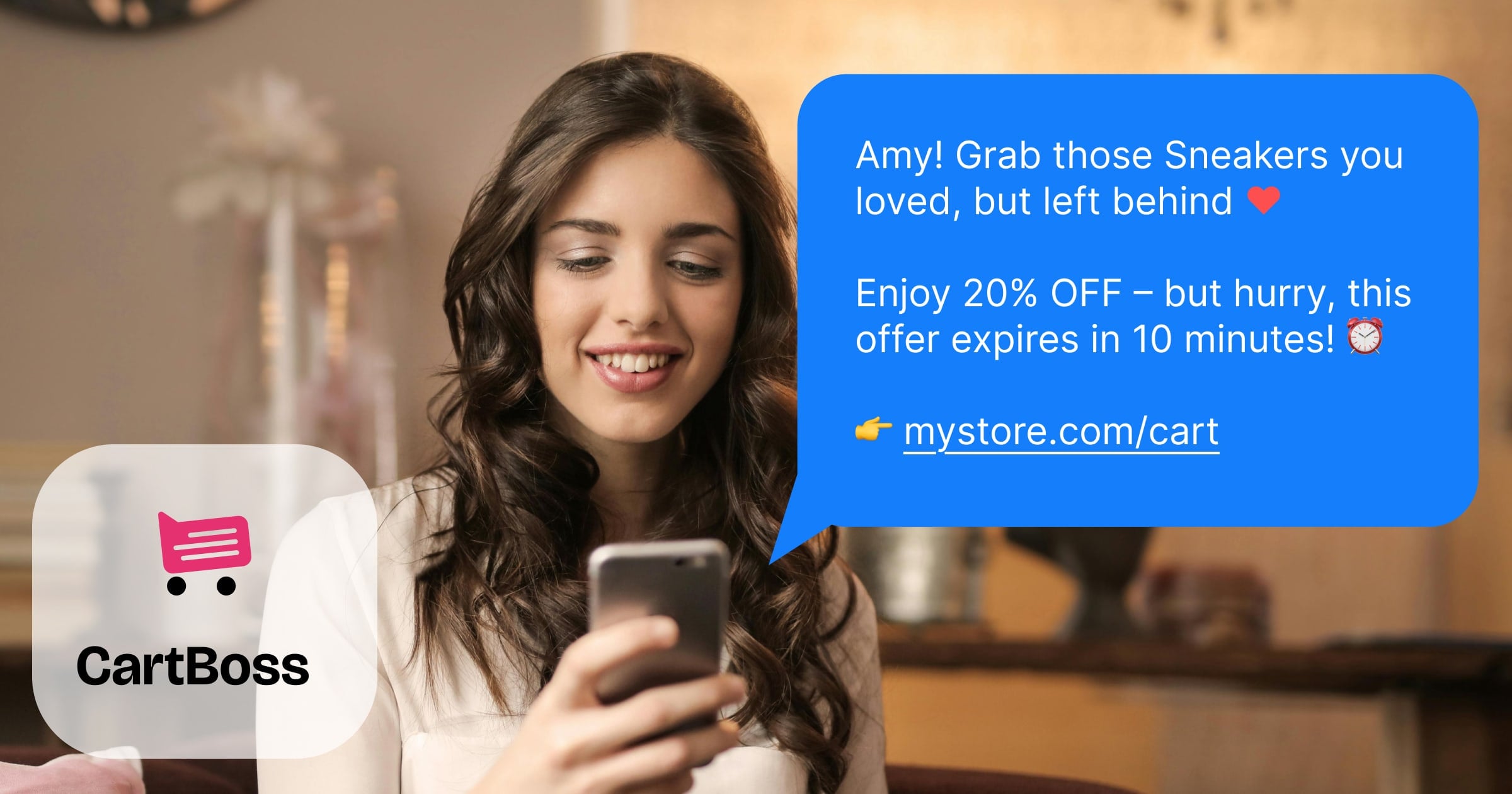
CartBoss Full homepage screenshot

At a glance

Category
Marketing
Language
English
Paid-content signal
Paid contentObserved
Registered
2021
Hosting
CloudflareInferred
HTTPS certificate trusted
PassedObserved
Last updated

Website review

This review may include AI-generated content and is not individually verified. Domain, certificate and other facts come from the observed data on this page.

What is CartBoss?

CartBoss is a Shopify app that sends automated SMS reminders to shoppers who leave items in their cart without completing checkout. Its pitch is straightforward: most visitors abandon before buying, so instead of relying on email alone, CartBoss reaches them by text message and links them back to their existing cart — optionally with a discount already applied.

How it works in practice

  • A shopper adds something and leaves.
  • CartBoss sends an SMS reminder automatically.
  • The customer taps the link, returns to the cart, and completes the purchase.

The page stresses that setup is quick and pre-configured: no coding, no complex flows to build. Messages, send delays, and discounts can all be adjusted if you want to match your brand rather than use the defaults.

Who it suits Shopify sellers who already get steady traffic and cart abandonment but want a channel with higher attention than email. SMS tends to be read quickly, which is the main reason it can outperform email for time-sensitive nudges. The page also notes global reach and quiet-hours handling so messages don't land in the middle of the night.

Trade-offs to weigh

  • SMS is intrusive by nature. A poorly timed or overly frequent reminder can annoy customers in a way an ignored email never would.
  • It is one channel, not a full email or marketing suite. If your abandonment problem is really about pricing, shipping costs, or a confusing checkout, reminders won't fix that.
  • You need phone numbers. Shoppers who never opt in or enter a number can't be reached this way.

A reasonable next step: install it on a trial basis, let it run on default settings for two to three weeks, then compare recovered-cart revenue against your existing email reminders before customizing timing or discounts. If you want a broader comparison, look at Klaviyo for email-plus-SMS in one platform, or Shopify's own abandoned checkout tools as a baseline.

How does CartBoss work to recover abandoned carts?

CartBoss recovers abandoned carts by sending automated SMS reminders to shoppers who leave a store without completing checkout. Once installed on a Shopify store, it watches for abandoned carts and follows up with a text message that links the shopper back to their cart, optionally with a discount already applied.

The recovery flow

  1. A shopper adds items but leaves without buying.
  2. CartBoss sends an SMS reminder automatically.
  3. The shopper clicks the link and returns to their existing cart.
  4. The sale is completed, with an optional discount applied.

What you can control

  • Message content — use CartBoss's default templates or write your own copy.
  • Timing — set custom delays so reminders arrive when your audience is most likely to respond.
  • Discounts — attach an offer to the reminder or skip discounts entirely.

CartBoss also includes quiet-hours handling so messages are not sent late at night, and it is designed to work for stores selling internationally without extra configuration.

Practical considerations

SMS works well for time-sensitive nudges because it reaches people on the device they check most, and CartBoss's page cites very high open and click rates for the channel. The trade-off is that SMS is more intrusive than email, and in many regions you need explicit customer consent plus a way to opt out. The quiet-hours feature helps here, but it does not replace checking your local messaging rules.

If you run a high-volume Shopify store and email reminders are getting ignored, SMS is worth testing as a second channel rather than a replacement. Start with the default message and timing, then adjust once you see which delays and offers actually bring shoppers back.

Next step: install the app and let it run on default settings for a couple of weeks, then compare recovered-cart revenue against your existing email flow before changing messages or adding discounts. See CartBoss for setup details.

How much does CartBoss cost and what does the free trial include?

CartBoss presents itself as a Shopify-focused SMS abandoned-cart recovery tool, and its pricing page is the authoritative place to check current costs. The site signals a free trial with no credit card required, plus a subscription model, but the page evidence provided does not include specific dollar amounts or plan tiers. So the honest answer is: exact pricing isn't published in the supplied material—check CartBoss directly for the current numbers.

What the free trial appears to include

Based on the page evidence, the trial is designed to let you test the core recovery flow before paying:

  • No credit card required to start.
  • Free to start, with the first recovered cart described as "on us."
  • 2-minute install and pre-configured setup, so you can run a live reminder without building campaigns from scratch.
  • Full automation during the trial: SMS cart reminders sent automatically, with optional discounts.
  • Customization of messages, delays and discounts.

What to check before committing

Since pricing isn't in the evidence, treat these as decision criteria rather than confirmed features:

Question Why it matters
Is pricing per SMS, per recovered cart, or a flat subscription? SMS costs scale with volume; flat fees suit high-traffic stores
Are SMS credits included, or billed separately by region? International sending rates vary widely
What happens when the trial ends? Avoid surprise charges or lost automation
Do custom delays and discounts sit behind a higher tier? These are the levers that most affect recovery rates

Practical next step

If you run a Shopify store with meaningful cart abandonment, install the free trial, let it send a few real reminders, and compare recovered revenue against whatever quote you get from the pricing page. That gives you a concrete cost-per-recovered-sale figure instead of a list price.

How do I install CartBoss on my Shopify store?

Install CartBoss from the Shopify App Store: search for CartBoss, click Add app, approve the permissions, and the app connects to your store automatically. No coding or theme edits are required — the page states a "2-minute install" and that it comes pre-configured, so you can start recovering carts right away.

What to expect during setup

  • Permissions: Approve the standard access request (read carts/orders and send SMS).
  • Sender setup: Register or verify the phone number your SMS reminders will come from; this is usually the step that takes the longest, so do it first.
  • Defaults: CartBoss ships with pre-set message templates, send delays, and discount options. You can keep the defaults or customize messages, timing, and discounts to match your brand.
  • Compliance: The app handles global sending and respects Do Not Disturb and silent hours, so reminders don't go out at inappropriate times.

Practical next step

After installing, place a test order on your own store and abandon checkout with a phone number you control. Confirm the reminder arrives, the link returns to the correct cart, and any discount applies as intended — then adjust timing and copy based on what you see.

If you'd rather compare options before committing, look at how each tool handles SMS consent, sender registration, and pricing structure. Shopify's own abandoned checkout emails are free and built in, so SMS tools like CartBoss make sense when you want the higher open and click rates SMS typically delivers.

Can I customize the SMS messages, timing, and discounts in CartBoss?

Yes. CartBoss is built so you can adjust all three: the SMS wording, when reminders go out, and whether a discount is offered. The page presents this as "Customize as you go," with the default setup already optimized so you can start immediately and refine later.

H3 What you can customize

  • Messages: Write your own text or keep the proven defaults.
  • Timing: Set custom delays so reminders arrive when your audience is most likely to respond. CartBoss also respects DND and silent hours, so late-night messages are avoided.
  • Discounts: Attach a deal to the reminder link, or skip discounts entirely. When a shopper clicks the SMS link, they return to their cart with any optional discount already applied.

H3 How this plays out in practice

A pet-supply store with repeat buyers might send a friendly reminder after a few hours with no discount, then a second message the next day with free shipping. A fashion brand with a one-time-purchase audience might lead with a small percentage-off code in the first message, since the shopper may not return without an incentive. The right mix depends on your margin and how price-sensitive your customers are.

H3 Decision criteria

  • If your average order value is low, a discount can erase your profit. Start with message-only reminders and test.
  • If your customers are impulse buyers, a short first delay works better; considered purchases often need a longer gap.
  • If you sell internationally, confirm your sending hours align with each region's local time rather than your own.

H3 Next step

Run the free trial with defaults for one to two weeks, then change only one variable at a time — message copy first, then timing, then discounts — so you can tell what actually moved your recovery rate.

How does CartBoss compare to other abandoned cart recovery apps for Shopify?

CartBoss is a narrow, SMS-first abandoned-cart tool with a deliberately low-effort setup, so it competes best against general email marketing suites rather than against every recovery app. The page positions it as a Shopify app that installs in about two minutes with pre-configured defaults, then runs automated text reminders on a schedule you can adjust. Its stated differentiators are channel and speed: SMS reminders with claimed near-universal open rates, optional discounts baked into the return link, and built-in DND/silent hours plus worldwide sending. If your abandoned-cart problem is mainly "people don't read my emails," that is the gap it targets.

Where it fits in the comparison

Dimension CartBoss (per its page) Typical email-first recovery apps Typical all-in-one SMS/email platforms
Primary channel SMS cart reminders Email sequences Email plus SMS, often as one module
Setup effort Pre-configured, minimal Template and flow setup Account, sender, and compliance setup
Customization Messages, delays, discounts Deep flow branching and segmentation Deep, but split across many features
Best for Sellers who want SMS recovery running now Sellers with strong email lists and content Sellers who want one vendor for everything

The trade-off is real: a focused SMS tool usually gets you live faster and keeps the workflow simple, but it generally gives you less control over multi-step logic, audience segmentation, and channel mixing than a broader platform. Conversely, an all-in-one suite may cost more attention to configure and can bury cart recovery inside a larger feature set. CartBoss also leans on SMS alone, so it does not replace an email program for shoppers who never opted into texts.

How to decide

Start with your list. SMS recovery depends on having phone numbers and consent, so check how many of your abandoned checkouts include a valid mobile number and an opt-in. If that number is small, an email-first tool will reach more people. If it is large and your emails underperform, an SMS-first tool is the more direct fix.

Then weigh operational fit:

  • Choose CartBoss-style SMS focus if you want reminders live today, sell to mobile-heavy audiences, and prefer proven defaults over building flows.
  • Choose an email-first app if your audience is email-driven, you want rich segmentation, and you already have list infrastructure.
  • Choose a combined platform if you would rather manage one vendor and one bill, and you are willing to spend time on setup.

A concrete test

Run a two-week split on your own store: let CartBoss handle SMS reminders for checkouts with a phone number, and keep your existing email sequence for everyone else. Compare recovered revenue per abandoned cart and per contact, not just open rates. Watch for the hidden costs of SMS — per-message fees, quiet-hours rules, and opt-outs — since a high click rate on a small reachable segment can still lose to a modest email flow with a much larger audience.

For benchmarks and channel comparisons, see Shopify's app store listings and reviews, and Klaviyo if you want to see how a broader email-plus-SMS platform frames the same problem. CartBoss's own pricing page is the place to confirm current plan limits before committing.

Related questions

More questions →
How to Get Started with CartBoss on Your Shopify Store

Getting started with CartBoss takes about two minutes and requires no coding. You install the app on your Shopify store, and the pre-configured recovery engine begins sending SMS cart reminders automatically. There is a free trial with no credit card required, so you can test recovery on your first abandoned cart at no cost. This guide is for Shopify sellers who want to set up automated SMS cart reminders without technical work or a lengthy configuration process.

What CartBoss Does Before You Start

CartBoss is an SMS cart recovery tool for Shopify. When a shopper leaves without completing checkout, CartBoss sends an automated text message with a link back to their cart. The link returns the shopper directly to their saved cart, and a discount can be applied automatically at that point.

According to the site, the recovery engine runs continuously once the app is live, and CartBoss reports a 99% open rate and 50%+ click rate on its reminders, with over 7 million carts recovered to date. These figures come from CartBoss's own marketing and are worth treating as vendor-reported rather than independently verified.

Prerequisites

Before you begin, confirm the following:

  • You have an active Shopify store with at least one product available for purchase.
  • You can install apps on the store (typically the account owner or a staff member with app permissions).
  • You have a phone number available for testing the reminder flow, if you want to verify delivery yourself.

CartBoss states it works worldwide with no extra setup, and it respects DND (Do Not Disturb) and silent hours so reminders are not sent late at night.

Step-by-Step Setup

Step 1: Install the app

Add CartBoss to your Shopify store from the app listing. The site describes this as a "2-minute install" done in a few clicks, with no coding involved.

Expected result: CartBoss appears as an installed app in your Shopify admin.

Step 2: Accept the pre-configured defaults

CartBoss ships ready to use. There is no required setup step — messages, timing, and discount behavior come pre-configured so recovery can start immediately.

Expected result: The automated recovery engine is active and will begin sending SMS reminders to new abandoned carts.

Step 3: Start the free trial

Begin the free trial when prompted. CartBoss states no credit card is required, and your first recovered cart is free.

Expected result: You can run the recovery flow without entering payment details.

Step 4: Verify a reminder end to end

Add a product to your cart on your own store, enter your phone number at checkout, then abandon the cart. Wait for the reminder SMS and click the link.

Expected result: The link returns you to your saved cart, with any configured discount already applied. This confirms the full loop — abandonment, reminder, return — is working before you rely on it for real customers.

Step 5 (optional): Customize messages, timing, and discounts

Once the default flow is confirmed working, you can tailor it:

  • Custom messages — write your own copy or keep CartBoss's proven defaults.
  • Custom delays — set when reminders go out to match your audience's habits.
  • Custom discounts — offer a deal that fits your strategy, or keep it simple with none.

Expected result: Reminders match your brand voice and send at times your customers are likely to respond.

Common Sticking Points

  • Assuming you must configure everything first. You don't. The defaults are designed to produce results immediately; customization is optional and can come later.
  • Skipping the test cart. Without running your own abandoned-cart test, you won't know whether reminders are actually delivering or whether the return link works as expected.
  • Ignoring quiet hours. CartBoss handles DND and silent hours for you, but if you set custom delays, check that they don't push messages into late-night windows for your customers' time zones.
  • Expecting recovery without traffic. The engine only acts on carts that are actually abandoned. If your store gets little traffic, you'll see few reminders regardless of setup quality.

What to Expect After Setup

Once installed, CartBoss operates on autopilot: it detects abandoned carts, sends SMS reminders, and re-engages shoppers with a link back to their cart. The vendor reports that thousands of Shopify sellers use it and that it has recovered over 7 million carts. Your own results will depend on your traffic volume, product pricing, and how your audience responds to SMS — so treat the first weeks as a measurement period rather than assuming the reported rates will match your store exactly.

How CartBoss Recovers Abandoned Carts with SMS Reminders

CartBoss recovers abandoned carts by automatically sending SMS reminders to shoppers who leave a Shopify store without completing checkout. Each message links back to the shopper's existing cart, optionally with a discount already applied, so the customer can finish the purchase in a few taps. The whole loop runs without manual intervention, which is why it suits sellers who want recovery running in the background rather than as a daily task.

The recovery loop, step by step

CartBoss describes its process in four stages:

  1. A visitor leaves the store. Most visitors exit without buying, which is the lost revenue the tool targets.
  2. CartBoss sends a cart reminder. Once installed, the automated recovery engine runs continuously and sends SMS abandoned-cart reminders.
  3. The shopper returns to the old cart. Clicking the link in the reminder takes them straight back to their cart, with an optional discount already applied.
  4. The sale completes. The recovered checkout becomes new revenue.

The key mechanic is that the SMS links to the existing cart rather than a generic store page. That removes the friction of re-finding products and rebuilding an order, which is usually where recovery attempts lose people.

What you control

CartBoss ships pre-configured, but the message layer is adjustable:

Element What you can change
Message copy Use your own voice or keep the proven defaults
Timing Set custom delays so reminders arrive when your audience is likely to act
Discounts Offer a deal that fits your strategy, or skip discounts entirely

Two delivery safeguards are built in: DND and silent hours respect customer schedules so reminders don't go out late at night, and global reach means the tool works worldwide without extra setup.

Setup and what to expect

CartBoss is positioned as a no-code install: the site states a 2-minute install, no setup required, and no coding. You add it to your store in a few clicks and the recovery engine starts from there.

The vendor's stated performance figures are:

  • 99% open rate on SMS
  • 50%+ click rate back to the cart
  • 7 million carts recovered to date

Treat these as vendor-reported benchmarks rather than guarantees for your store — your results depend on traffic, audience, and how you configure timing and discounts.

Where it fits

CartBoss is built specifically for Shopify sellers and is aimed at stores that want abandoned-cart recovery handled automatically rather than through manual outreach. The site notes it is trusted by thousands of Shopify sellers, with testimonials from pet, fashion, and general retail merchants citing recovered cart volumes in the thousands.

If your goal is simply to stop losing checkouts you've already earned, the relevant question is whether an SMS reminder with a one-tap return link fits your customer base — and whether your audience responds to text messages at all. CartBoss offers a free trial with no credit card required, so the practical way to judge it is to install it, let the default configuration run, and compare recovered carts against your normal baseline before adjusting copy, delays, or discounts.

What Is CartBoss and What Does It Do?

CartBoss is an SMS cart recovery tool for Shopify sellers. It automatically texts shoppers who leave without checking out, sending them a link back to their cart — optionally with a discount already applied — so they can finish the purchase. It's aimed at sellers who want abandoned-cart recovery running on autopilot rather than handled manually.

The problem it solves

More than 70% of store visitors abandon their carts, according to CartBoss. Those are people who showed buying intent but didn't convert, which means the traffic and marketing spend that brought them in produced nothing. CartBoss targets exactly that gap: the moment between "added to cart" and "paid."

How it works

CartBoss describes a four-step loop:

  1. A shopper leaves your store without completing checkout.
  2. CartBoss sends a cart reminder by SMS.
  3. The shopper returns to their old cart by clicking the link in the message — with an optional discount already applied.
  4. You make the sale.

Once installed, the recovery engine runs continuously, sending reminders without manual intervention.

Key features

Feature What it does
Automated SMS reminders Sends cart recovery texts around the clock
Custom messages Use your own copy or CartBoss's default templates
Custom delays Choose when reminders go out
Custom discounts Attach a discount to the reminder, or skip it
Global reach Works worldwide with no extra setup, per CartBoss
DND & silent hours Avoids sending messages at times customers don't want to be contacted

Setup and cost signals

CartBoss is positioned as low-effort to install: a "2-minute install," no coding, and pre-configured defaults so recovery can start immediately. The site advertises a free trial with no credit card required and says your first recovered cart is free. A pricing page exists at cartboss.io/pricing, but the specific plan tiers and rates aren't stated in the material available here — check that page directly for current numbers.

What the results claims mean

CartBoss cites a 99% open rate and 50%+ click rate for SMS, and says it has recovered over 7 million carts. These are vendor-reported figures, so treat them as marketing claims rather than independently verified benchmarks. The more useful signal is the mechanism: SMS tends to get seen faster than email, which is the basis for the open-rate argument.

Who it's for

CartBoss fits Shopify sellers who:

  • Already get meaningful cart abandonment and want to recover it automatically
  • Prefer SMS over email for time-sensitive reminders
  • Want a tool that works out of the box without custom development
  • Are comfortable letting default message timing and copy run, or want to tune them later

It's less relevant if you're not on Shopify, or if you'd rather handle recovery through email-only flows.

The bottom line

CartBoss is a set-and-forget SMS recovery layer for Shopify stores. If abandoned carts are a real cost in your business and you want reminders going out without manual work, it's built for that job. Start with the free trial, confirm current pricing on the pricing page, and check that SMS timing and discount rules match how you want to treat your customers.

Can You Customize CartBoss SMS Reminders, Timing, and Discounts?

Yes. CartBoss lets you customize all three parts of your abandoned-cart SMS flow: the message content, the delay before each reminder goes out, and the discount you attach. The product ships with pre-configured defaults, so customization is optional — you can start recovering carts immediately and adjust later. This applies to Shopify sellers using CartBoss's SMS cart reminders.

What You Can Customize

CartBoss's own description of its customization options covers three areas:

Element What you can change Why it matters
Messages Use your own brand voice, or keep CartBoss's proven defaults Keeps reminders consistent with how you talk to customers elsewhere
Delays Set when reminders are sent so they match your audience's habits Avoids pinging shoppers at the wrong moment
Discounts Configure a discount that fits your strategy, or skip discounts entirely Lets you protect margin if discounting isn't part of your plan

The site frames this as "Customize as you go" — meaning you don't have to decide everything up front. CartBoss arrives "fully optimized for quick results," and tailoring is positioned as an alternative for sellers who prefer their own style.

How the Defaults Work If You Don't Customize

If you leave everything as-is, the automated recovery engine runs on its own:

  1. A visitor leaves your store without completing checkout.
  2. CartBoss sends an SMS cart reminder automatically.
  3. The shopper clicks the link and returns to their cart — with an optional discount already applied.
  4. The sale completes.

The page also notes two built-in safeguards that apply regardless of your settings: DND & Silent Hours, which respect customer schedules so reminders don't go out late at night, and global reach, meaning the tool works worldwide without extra setup.

What to Check Before You Rely on Customization

  • Discounts are optional, not automatic. The reminder flow mentions "an optional discount already applied," so if you don't want to discount, that's a supported choice — but confirm how the link behaves for your store before launching.
  • Timing interacts with Silent Hours. If you set a custom delay, check that it doesn't push messages into restricted hours.
  • Message tone is yours to set, but defaults exist. You can write your own copy or use CartBoss's defaults; there's no requirement to rewrite anything.

Getting Started

CartBoss advertises a free trial with no credit card required and a "2-Minute Install" with no coding and no setup required. The page states your first recovered cart is free. To customize, install the app on your Shopify store, then adjust messages, delays, and discounts from within the tool. For current plan limits and pricing details, check the pricing page directly, since the source material doesn't specify what each tier includes.

Does CartBoss Work Worldwide and Respect Customer Contact Preferences?

Yes. CartBoss is built to run globally with no extra setup, and it includes DND (Do Not Disturb) and Silent Hours so reminders don't land at inappropriate times. Those two features matter because SMS is permission-sensitive: a reminder that arrives at 3 a.m. local time can turn a recoverable cart into an opt-out. CartBoss addresses this by letting you control when messages go out, while its defaults are pre-configured to start recovering carts immediately.

Global reach without extra configuration

According to CartBoss, the platform "works worldwide—no extra setup needed." In practice that means you don't have to install a separate regional version or toggle a country setting to send reminders to shoppers outside your home market. The automated recovery engine runs continuously and sends SMS abandoned-cart reminders to re-engage shoppers wherever they are.

One caveat worth checking before you scale internationally: SMS deliverability and sender requirements (such as sender IDs or local registration rules) vary by country and carrier. CartBoss states that no extra setup is needed, but if you sell into multiple regions, confirm your sending numbers and any local compliance requirements with the platform before launching high-volume campaigns.

How CartBoss respects contact preferences

CartBoss handles timing through two related controls:

  • DND (Do Not Disturb): suppresses messages during hours the customer shouldn't be contacted.
  • Silent Hours: prevents late-night pings so reminders respect the customer's schedule.

Together these keep your recovery messages inside reasonable windows rather than firing the moment a cart is abandoned. You can also set custom delays to schedule reminders when they suit your audience best—useful if your buyers tend to shop in the evening or on weekends.

What you can customize

CartBoss arrives "fully optimized for quick results," but you can tailor the program to your brand:

Element What you can change Why it matters
Messages Use your own voice or the proven defaults Keeps tone consistent with your store
Timing Custom delays and send windows Aligns reminders with when shoppers actually buy
Discounts Offer deals that fit your strategy—or keep it simple Controls margin while still incentivizing return

If you'd rather not configure anything, the defaults are designed to work out of the box, so you can start recovering carts without tuning each setting first.

Why timing and permission matter for SMS recovery

CartBoss reports a 99% open rate and a 50%+ click rate on its reminders, and says it has recovered over 7 million carts. Those numbers reflect the core advantage of SMS over email: near-universal visibility. But that same visibility is why DND and Silent Hours are not optional niceties—they're what keep a high-open-rate channel from becoming an annoyance.

The recovery flow itself is simple:

  1. A visitor leaves your store without purchasing.
  2. CartBoss sends an SMS cart reminder.
  3. The shopper clicks the link and returns to their cart—optionally with a discount already applied.
  4. The sale completes.

Because the reminder links straight back to the existing cart, the customer doesn't have to rebuild their order. That reduces friction at exactly the moment they're deciding whether to come back.

Practical checklist before you go global

  • Confirm CartBoss is connected to your Shopify store and the automated engine is live.
  • Decide whether to keep default message timing or set custom delays for your audience's active hours.
  • Verify DND and Silent Hours are active so no reminders send overnight in your customers' time zones.
  • Choose whether reminders include a discount, and set the value to protect your margins.
  • If you sell in multiple countries, check local SMS sender and consent requirements before scaling volume.

The bottom line

CartBoss is designed for worldwide use with no extra setup, and its DND and Silent Hours features exist specifically to avoid contacting customers at the wrong time. Combined with customizable messages, delays, and discounts, that makes it a reasonable fit for Shopify sellers who want automated SMS recovery without manually policing send times. The main thing to verify on your side is regional SMS compliance if you operate across borders—everything else is handled by the pre-configured defaults.

Website Overview

Page metadata, canonical configuration and social previews work together to provide more consistent search and sharing presentation.

Domain and Registration

Transfer-protection status is present, helping reduce the risk of unauthorized domain transfers. The domain has about 5 years of registration history; its current configuration provides more context than age alone. The registrar is GoDaddy.com, LLC, a widely used domain service provider. The domain uses the common .io extension, which is not an independent safety signal.

DNS and Email

Nameservers are provided by Cloudflare, indicating managed DNS hosting. MX records point to the Google Workspace email service. No CNAME was found; the observed records resolve directly to addresses. SPF and DMARC are configured. DKIM status is unknown. TXT records include verification markers for Google. Such markers may also remain after a service stops being used.

TLS and Certificates

The public key uses EC with 256 bits. The server supplied a complete certificate chain. No organization name is present in the certificate; the available fields are consistent with domain validation. The certificate was issued within the Google Trust Services cloud or CDN ecosystem. The certificate's total validity is about 90 days, consistent with a short renewal cycle.

HTTP and Browser Security

The response lacks these common security headers: CSP, X-Content-Type-Options, Referrer-Policy, Permissions-Policy, clickjacking protection. No X-Powered-By header was found, reducing one common source of backend fingerprinting information. The cf-ray response header indicates a CDN or caching proxy in the delivery path. No obvious internal addresses or debug information were found in the headers. The Server header identifies cloudflare without an exact version.

Technology Stack Analysis

The public page identifies Alpine.js, Google Analytics, Cloudflare without precise versions, leaving fewer clues for version-specific scanning.

Search and Social Sharing

Twitter Card metadata is configured. JSON-LD includes Organization data, helping describe the organization as an entity. The title has 58 characters, within a common display range. A meta description is present, with 157 characters. The observed directives allow indexing and link following.

Hosting and Email

DNSCloudflare
HostingCloudflare
EmailGoogle Workspace
Approximate IP geolocation (inferred; a CDN or proxy may differ from the origin server) Location unknown Inferred 172.66.40.149

Registration details

RDAP / WHOIS

RegistrarGoDaddy.com, LLC
Registered2021-01-20
Expires2027-01-20
Domain statusclientDeleteProhibited https://icann.org/epp#clientDeleteProhibited、clientRenewProhibited https://icann.org/epp#clientRenewProhibited、clientTransferProhibited https://icann.org/epp#clientTransferProhibited、clientUpdateProhibited https://icann.org/epp#clientUpdateProhibited
Nameserversbowen.ns.cloudflare.com、chin.ns.cloudflare.com
DNSSECunsigned

DNS records

DNS

TypeNameValueTTLPriority
Awww.cartboss.io172.66.40.149300—
Awww.cartboss.io172.66.43.107300—
AAAAwww.cartboss.io2606:4700:3108::ac42:2895300—
AAAAwww.cartboss.io2606:4700:3108::ac42:2b6b300—
MXcartboss.ioaspmx.l.google.com3001
MXcartboss.ioalt1.aspmx.l.google.com3005
MXcartboss.ioalt2.aspmx.l.google.com3005
MXcartboss.ioalt3.aspmx.l.google.com30010
MXcartboss.ioalt4.aspmx.l.google.com30010
NScartboss.iobowen.ns.cloudflare.com86400—
NScartboss.iochin.ns.cloudflare.com86400—
TXTcartboss.iogoogle-site-verification=Gu6a_yg2jzChjtJVUm1e_jPA_p0rFXm-BeecuNMsdvs300—
TXTcartboss.iov=spf1 include:_spf.mlsend.com include:spf.mandrillapp.com include:_spf.google.com include:helpscoutemail.com include:sendgrid.net ~all300—
DMARC_dmarc.cartboss.iov=DMARC1; p=none; pct=100; rua=mailto:[email protected];300—

TLS and certificates

TLS / SSL

AssessmentNormal configuration
Supported protocolsTLSv1.2、TLSv1.3
Negotiated protocolTLSv1.3
Certificate subjectcartboss.io
IssuerGoogle Trust Services
Valid until2026-12-15T11:51 · Remaining when checked: 70 days
Verification detailsCertificate trust: Passed · Hostname match: Passed

HTTP response headers

HTTP

HeaderValue
content-typetext/html; charset=utf-8
cache-controlprivate
servercloudflare
strict-transport-securitymax-age=31536000
set-cookieRedacted

Identified technologies

Alpine.jsGoogle AnalyticsCloudflare

Pages, Search and Sharing

Meta descriptionRecover abandoned carts effortlessly with SMS cart reminders. Boost conversions, increase revenue, and improve ROAS using CartBoss's automated SMS campaigns.
Canonical URLhttps://www.cartboss.io/
LanguageEnglish (default)
Twitter Cardsummary_large_image
All bots 1 allowed · 0 disallowed
  • Allow/

User reviews (0)

  • No reviews yet.