
 简体中文
简体中文 English
Website review
This review may include AI-generated content and is not individually verified. Domain, certificate and other facts come from the observed data on this page.
What is Check for Cloudflare by Selesti?
Check for Cloudflare by Selesti is a free browser-based diagnostic tool that tells you whether a given domain is using Cloudflare. It is aimed at web developers, site owners and IT staff who need a fast, no-login way to confirm what sits in front of a website.
It reports on three separate layers, which is the useful part — "using Cloudflare" is not one yes/no answer:
- Cloudflare DNS — whether the domain's name servers or DNS entries point to Cloudflare.
- Cloudflare CDN/Proxy — whether traffic is actually routed through Cloudflare's proxy rather than merely resolving via its DNS.
- Cloudflare SSL — whether Cloudflare is handling the TLS certificate for the site.
The tool also checks from multiple global locations rather than one, so you see whether the result is consistent worldwide, and it flags the case where a domain is only using a CNAME configuration instead of full Cloudflare DNS. That distinction matters in practice: a site can use Cloudflare DNS without proxying traffic, or proxy traffic while a third party manages DNS.
When it is useful
- Auditing a site you have inherited or acquired, to see what infrastructure is already in place.
- Verifying a migration — for example, confirming that a domain has actually moved onto Cloudflare's proxy after a DNS change, or that it has been fully removed.
- Checking a competitor's or partner's setup out of technical curiosity, since the checks are passive and only read public DNS and response data.
Limits to keep in mind
It is a lookup tool, not a monitoring service: results reflect the moment you run the scan, and DNS changes can take time to propagate. It also answers only the Cloudflare question. If you need broader detail — hosting provider, CDN vendor, or full DNS records — you would pair it with a general DNS lookup such as What's My DNS or DNS Checker.
Next step: if you are troubleshooting, run the scan before and after a DNS change and compare the DNS, proxy and SSL lines separately — that tells you which layer actually changed, which is usually the real question.
How can I check if a domain is using Cloudflare?
Use a DNS lookup and an HTTP header check. Cloudflare is visible in two separate places, and a domain can use one without the other.
Quick checks
- DNS records: Look up the domain's nameservers. If they end in
cloudflare.com, the domain is on Cloudflare DNS. A CNAME pointing tocdn.cloudflare.netor similar is another signal. - HTTP response headers: Request the site and inspect headers. Cloudflare typically adds
server: cloudflare,cf-ray, andcf-cache-status. Thecf-rayheader is a strong indicator that traffic is passing through Cloudflare's proxy. - SSL certificate: Cloudflare-issued edge certificates often name Cloudflare in the issuer field, though this alone is not conclusive.
Using the tool
Check if Cloudflare is enabled by Selesti runs these checks for you. Per the page, it scans from global locations and reports whether the domain is using Cloudflare DNS, the Cloudflare CDN/proxy, and Cloudflare SSL — each as a separate result. It also notes a domain could be using a CNAME configuration rather than Cloudflare nameservers.
A practical scenario
Suppose you are evaluating a vendor and want to know whether their site sits behind Cloudflare. Run the scan. If it reports DNS but not CDN/proxy, the domain uses Cloudflare for DNS only — common when a company wants fast DNS but keeps its own origin infrastructure. If it reports CDN/proxy, traffic is being routed through Cloudflare, which affects caching, WAF rules and how origin IPs are exposed.
Trade-offs
- DNS-only setups are easy to miss if you only check headers. The scan's separate DNS result catches them.
- CNAME setups can produce a "not found" on nameservers while still using Cloudflare. The page explicitly flags this case.
- Header checks can be spoofed or stripped by other proxies, so treat a single signal as a hint, not proof.
Next step
Run the scan, then verify with a manual dig for nameservers and a curl -I for cf-ray. If you need to distinguish DNS-only from proxied traffic, the presence of cf-ray is the more decisive test.
What is the difference between Cloudflare DNS, CDN/Proxy, and SSL detection?
The tool separates three checks because a domain can use one Cloudflare layer without the others. Each answers a different question about how the site is set up.
DNS detection asks whether the domain's name servers or DNS records point to Cloudflare. This is the broadest signal: a site can route DNS through Cloudflare while still serving content directly from its own origin.
CDN/Proxy detection asks whether traffic actually passes through Cloudflare's network before reaching the origin. This is the layer that hides the origin IP and enables caching, WAF and bot rules. A domain can show Cloudflare DNS but "not proxied" — often because records are set to DNS-only, or because a CNAME setup routes only part of the traffic.
SSL detection asks whether Cloudflare issues or terminates the TLS certificate for the domain. This can be true independently of proxying, for example with Cloudflare-issued certificates on a proxied hostname, and it says nothing about whether the origin itself has a valid certificate.
| Check | What it confirms | What it does not confirm |
|---|---|---|
| DNS | Domain resolves via Cloudflare name servers | Traffic is proxied |
| CDN/Proxy | Requests pass through Cloudflare's edge | Origin is protected or cached |
| SSL | Cloudflare certificate is in use | Origin TLS is correctly configured |
A practical example: a marketing team migrating a site might see DNS detection pass immediately after switching name servers, while proxy detection stays negative until they flip the orange-cloud toggle per record. A security reviewer, by contrast, cares most about proxy detection, since that is what actually masks the origin.
Next step: run the domain through Check if Cloudflare is enabled and read the three results together rather than in isolation. If DNS is found but the proxy is not, inspect individual DNS records for DNS-only settings or a partial CNAME setup. If SSL is detected but the proxy is not, treat the certificate result as unrelated to origin security and verify the origin's own certificate separately.
Why might a domain show as not using Cloudflare DNS but still be using Cloudflare?
A domain can show "not using Cloudflare DNS" and still be behind Cloudflare because DNS and the proxy/CDN are separate layers. Cloudflare's authoritative nameservers are one signal; the actual traffic path is another. The checker itself hints at this by looking for separate states — Cloudflare DNS, Cloudflare CDN/Proxy, and Cloudflare SSL — and by noting that a domain "could be using a CNAME configuration."
How the mismatch happens
- CNAME setup / partial setup. The domain keeps its original nameservers (or third-party DNS), but a specific hostname points to Cloudflare via a CNAME. DNS lookups then show the original provider, while requests to that hostname still pass through Cloudflare's edge.
- Partial (CNAME) zone onboarding. Cloudflare supports proxying selected subdomains while the apex and other records stay with the existing DNS host. The nameserver check fails; the proxy check can still pass.
- Proxy disabled on the record. The domain may genuinely use Cloudflare nameservers but have the orange-cloud proxy turned off for that record, so it resolves directly to the origin. The scan can then report Cloudflare DNS as present but the CDN/proxy as absent.
- Different records for different names. A scan of the apex can say one thing while
www, an API subdomain, or a mail-related hostname behaves differently. Always test the exact hostname you care about. - Caching and propagation. DNS answers vary by resolver, geography, and TTL. A recently changed record can produce inconsistent results between the tool's global locations and your own lookup.
What to check instead of relying on one label
| Signal | What it tells you | Limitation |
|---|---|---|
| Nameserver records | Who is authoritative for the zone | Misses CNAME and partial setups |
| Response headers | Whether traffic passes through Cloudflare's edge | Can be stripped or altered by origin config |
| TLS certificate issuer | Often Cloudflare-issued for proxied hostnames | Not conclusive on its own |
| IP ownership of the resolved address | Whether the edge IP belongs to Cloudflare | Anycast and CNAME flattening complicate this |
Practical next step
Run the check on the specific hostname, then confirm with two independent signals: inspect the HTTP response headers for Cloudflare-specific fields, and look at the resolved IP ranges. If the nameserver check fails but headers and IPs point to Cloudflare, treat it as a CNAME or partial setup. If you are the site owner, verify in the Cloudflare dashboard whether the zone is full or partial and whether the relevant record is proxied. For general reference on how these modes differ, see Cloudflare Developers.
Can I detect if a website uses Cloudflare through a CNAME configuration?
Yes, but only partly. A CNAME setup means the visible DNS record points to a provider's hostname rather than directly to Cloudflare's nameservers, so a simple nameserver lookup will miss it. Tools that scan for Cloudflare-specific DNS entries across global locations can still flag it, and the Selesti checker explicitly allows for this: its output includes a "could be using a CNAME configuration" result alongside the plain "is using Cloudflare DNS" and "is NOT using Cloudflare DNS" outcomes.
H3 What the check can and cannot confirm
- CNAME-based Cloudflare use — detectable in principle, but often reported as a qualified "could be" rather than a firm yes, because the record itself doesn't name Cloudflare.
- Cloudflare CDN/proxy active — a separate check; a site can use Cloudflare DNS without proxying traffic through Cloudflare's edge.
- Cloudflare SSL — another separate signal, useful when you care about certificate issuance rather than routing.
- Full origin setup — not something a DNS lookup can establish; you'd need response headers or a direct request inspection.
H3 When this matters
If you're auditing a vendor, comparing hosting setups, or troubleshooting why a domain resolves oddly, a CNAME arrangement is exactly the case where casual checks give false negatives. Run the scan, then treat a "could be using a CNAME configuration" result as a prompt to verify through HTTP response headers rather than as proof. For a second opinion from a different angle, SecurityTrails and DNSdumpster expose historical and current DNS records you can inspect manually.
Is this Cloudflare detection tool free to use?
Yes. The tool at Check for Cloudflare is presented as a free, browser-based checker — you enter a domain and it reports whether Cloudflare is in use, with no pricing page or paid tier mentioned on the site.
What it actually checks
The page reports results across several layers rather than a single yes/no:
- Cloudflare DNS — whether the domain's name servers resolve to Cloudflare, and which global locations showed that
- Cloudflare CDN/Proxy — whether traffic appears to pass through Cloudflare's proxy
- Cloudflare SSL — whether Cloudflare's SSL is in play
- CNAME configuration — a partial signal, where the domain may be using Cloudflare indirectly rather than via full name-server delegation
That distinction matters. A domain can show "not using Cloudflare DNS" while still routing through Cloudflare via a CNAME setup, so reading only the first result can mislead you.
Who tends to use it
- Site owners and agencies auditing a domain they've inherited or acquired, to see what's already in front of it
- Sales and support teams qualifying a prospect or troubleshooting a customer's setup
- Security and IT staff doing quick reconnaissance before deeper checks
Practical next step
Run the domain you care about and read all the result lines together, not just the headline. If DNS doesn't match but the CDN/proxy line does, treat it as a CNAME-based setup and verify in the domain's DNS records directly. For anything security-critical, treat this as a fast first signal and confirm with the DNS records themselves or a broader lookup tool such as What's My DNS or DNSChecker.
 Cloudflare
 Google Workspace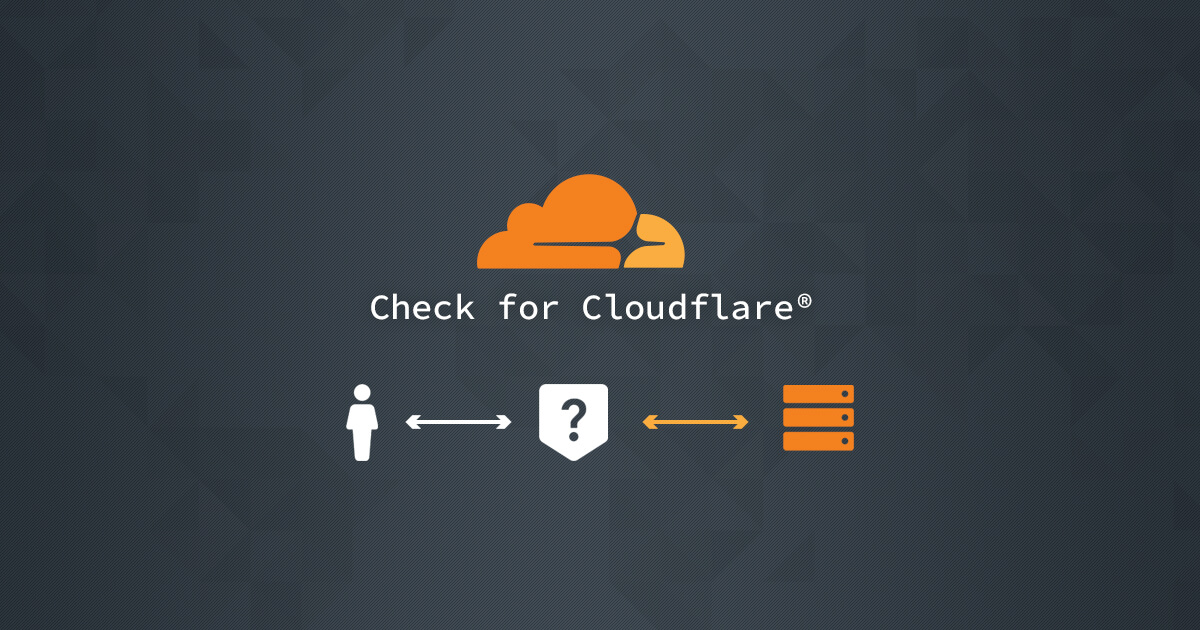
User reviews (0)