Website profiles · Technology insights · Alternatives

cleanlab.ai

Cleanlab helps teams build safer AI agents by preventing incorrect responses from reaching users. Detect and remediate incorrect responses from any AI agent to ensure safety, compliance, and trust at scale.

No paid content found
Visit website
Profile views 7 Outbound visits 1 Normal
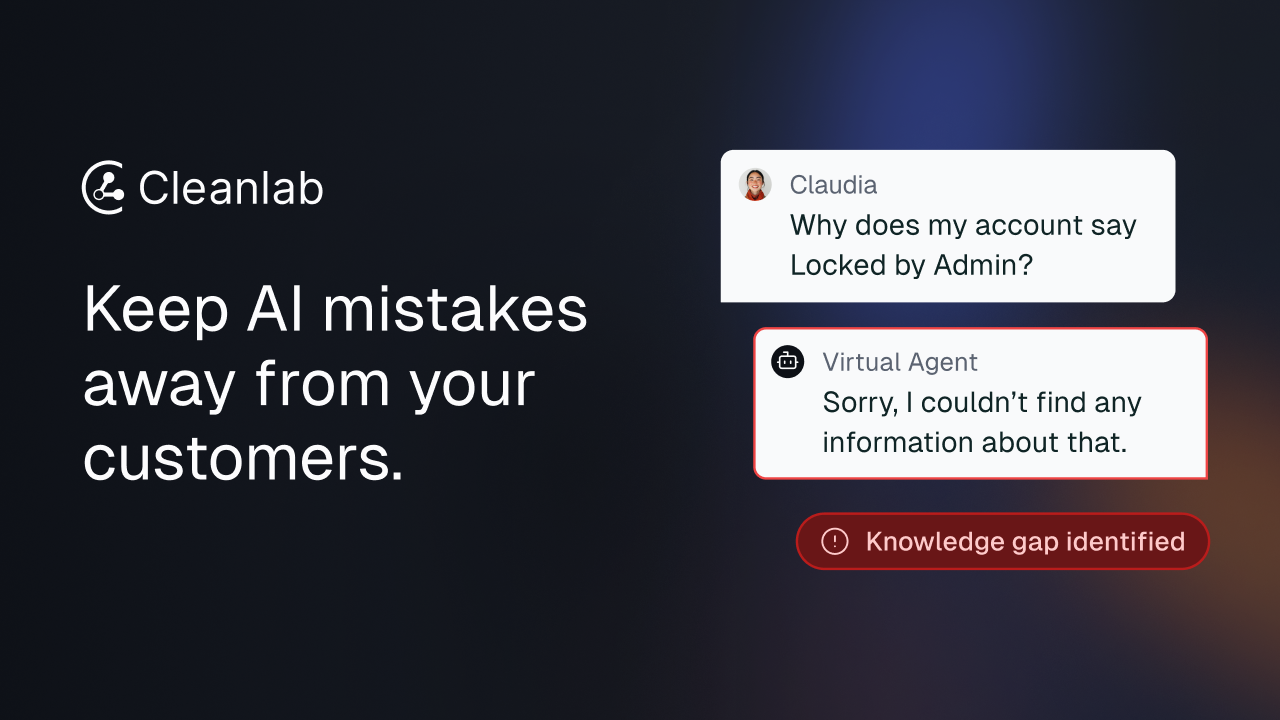
Cleanlab Full homepage screenshot

At a glance

Category
Artificial Intelligence
Language
English
Paid-content signal
No paid content foundObserved
Registered
2021
Hosting
VercelInferred
HTTPS certificate trusted
PassedObserved
Last updated

Website review

This review may include AI-generated content and is not individually verified. Domain, certificate and other facts come from the observed data on this page.

What is Cleanlab?

Cleanlab is a reliability layer for AI agents. Rather than being a model or chatbot itself, it sits alongside an existing AI system and its knowledge base, detecting incorrect or risky responses before they reach users and giving teams a workflow to fix the underlying problems. The site frames this around a simple promise: keep AI mistakes away from your customers.

Its two core functions are detection and remediation. On detection, Cleanlab identifies problems such as hallucinations, retrieval errors, documentation gaps, policy violations, and malicious use in real time. On remediation, it provides a human-in-the-loop workflow so non-technical staff — support agents or subject-matter experts — can correct answers, sources, and guardrails without writing code.

Who it's for

  • Customer support teams that want AI-assisted responses without brand or compliance risk, including smooth escalation to human agents.
  • Teams deploying employee-facing AI agents, where the priority is shortening the time to make new capabilities safe for production.
  • Organizations in regulated or high-stakes settings that need oversight and auditability before scaling AI.

How it fits into a stack

Cleanlab is designed as an independent layer compatible with any AI system and knowledge base, so it does not require replacing your existing models or tooling. It offers two deployment paths: a SaaS option for teams that don't want to manage infrastructure, and a VPC option for private deployment inside your own cloud.

A practical way to evaluate it

If your main worry is answer quality rather than model capability, start by testing whether Cleanlab's detection catches the failure modes you actually see — for example, stale documentation or confident wrong answers — and whether your support staff can resolve them in its workflow. If your concern is broader (prompt orchestration, analytics, or agent building), compare it with platforms built for those jobs, such as LangChain or Humanloop. If you mainly need observability and evaluation dashboards, Langfuse is a reasonable point of comparison.

A concrete next step: pick one high-volume AI workflow, run a sample of its real outputs through Cleanlab's detection, and measure two things — how many bad responses it flags that your team agrees are bad, and how long a non-engineer takes to fix one. Those two numbers tell you more than any feature list.

How does Cleanlab detect and prevent AI hallucinations in real time?

Cleanlab positions itself as a safety layer that sits between your AI agent and your users, rather than as the model itself. Its core promise is catching bad responses before they reach customers: the page describes detecting "AI mistakes in real time" and preventing poor responses from reaching users.

What it says it detects

The site lists several failure types its guardrails target:

  • Hallucinations
  • Retrieval errors
  • Documentation gaps
  • Policy violations
  • Malicious use

That grouping matters. "Hallucination" alone is vague; grouping it with retrieval errors and documentation gaps suggests the system is checking whether an answer is actually grounded in the knowledge base, not just whether it sounds plausible.

How detection and remediation fit together

Two mechanisms are described. Detection flags and blocks questionable responses in real time. Remediation is a human-in-the-loop workflow that lets non-technical teams fix the underlying answers, sources and guardrails — so the same mistake is less likely to recur. In practice, that means the tool is not only a filter but also a feedback loop into your content.

The page also mentions "real-time trust scores" for employee-facing agents, which implies each response gets a confidence-style rating rather than a simple pass/fail.

Deployment trade-off

Cleanlab says it works with any AI system or knowledge base and deploys as an independent layer, without changes to your existing stack. Two options are named: VPC (private deployment in your own cloud, full control) and SaaS (no infrastructure to manage). Teams with strict data-residency or compliance needs will lean VPC; smaller teams usually prefer SaaS for speed.

A practical scenario

Suppose a support agent answers "our refund window is 60 days" when the policy page says 30. A retrieval-error or hallucination check should catch the mismatch before the reply is sent, and the remediation workflow lets a support lead correct the source document so the error stops recurring.

How to evaluate it

Ask three questions before committing:

  1. Does it integrate with your existing model and knowledge base without a rebuild?
  2. How are flagged responses routed — blocked, escalated to a human, or silently rewritten?
  3. Who on your team can edit the guardrails, and how quickly?

For a broader look at grounding techniques, see Cleanlab.

Can Cleanlab integrate with my existing AI stack without changing my infrastructure?

Yes. According to Cleanlab's own product page, it is designed to work with any AI system and knowledge base and deploys as an independent layer that adds safety, control and trust "without requiring changes to your existing stack." The page lists two deployment options: VPC (deployed privately within your own cloud) and SaaS (no infrastructure to manage).

H3 What that means in practice

  • You keep your current models, orchestration and retrieval setup; Cleanlab sits alongside them rather than replacing them.
  • Its two stated functions are detect and remediate: catching poor responses in real time (hallucinations, retrieval errors, documentation gaps, policy violations, malicious use) and giving non-technical teams a human-in-the-loop workflow to fix answers, sources and guardrails.
  • The page describes real-time trust scores and guardrails, plus escalation from AI to human support, aimed at customer support and employee-facing agents.

H3 How to decide The claim is architectural compatibility, not zero effort. Ask the vendor how detection hooks into your specific stack — API gateway, SDK, or log/response stream — and what latency and data-residency implications each deployment option carries. If your agents run in a regulated environment, VPC is the more likely fit; if you want to move quickly, SaaS is the lighter path.

A concrete test: pick one high-traffic support agent, run it in shadow mode for a couple of weeks, and measure how many flagged responses are genuinely wrong before you let it block live answers. That tells you whether the layer is worth adding to your infrastructure — even though you don't have to change it.

For related context on evaluating AI reliability tooling, see Cleanlab.

Which deployment option, VPC or SaaS, is better for handling sensitive customer data?

For sensitive customer data, VPC is usually the safer default because it keeps data inside your own cloud environment. Cleanlab describes VPC as deploying privately within your own cloud to maintain full control, while SaaS is described as secure, seamless access without managing infrastructure. The trade-off is control versus operational simplicity: VPC reduces data-handling exposure and can fit stricter internal or regulatory reviews, but your team owns more of the infrastructure and security work. SaaS is faster to adopt and easier to run, but it places more reliance on the vendor's environment and controls.

A practical decision rule: if your data cannot leave your cloud boundary, or if legal/security review requires customer data to stay in your tenancy, choose VPC. If your data is lower sensitivity, your vendor review is comfortable with a hosted service, and speed matters more than infrastructure control, SaaS can be reasonable.

Example: a support team handling account details, billing information, or health-related conversations would typically start with VPC and confirm that guardrails, human review, and logging still work inside that setup. A team using AI only on public documentation or internal, non-sensitive knowledge might accept SaaS.

Before deciding, ask the vendor and your security team four concrete questions:

  • Where does data reside, and can it stay in your cloud or region?
  • Who can access raw customer data, prompts, and logs?
  • How are retention, deletion, and audit trails handled?
  • Does the deployment option change which guardrails or human-in-the-loop workflows are available?

For a broader comparison of deployment and trust practices, official resources such as Google Cloud and AWS can help your team frame the infrastructure and compliance questions.

How does Cleanlab's human-in-the-loop workflow allow non-technical teams to fix AI responses?

Cleanlab's page describes the human-in-the-loop workflow as the "remediate" half of its product: detection catches bad outputs, and then non-technical staff are given a way to correct the underlying answers, sources and guardrails without engineering work. The page frames this as a way to "empower non-technical teams with the fastest human-in-the-loop workflow to control and improve AI responses where accuracy, safety, and trust matter most," and for employee-facing agents it says subject-matter experts can "improve AI apps without writing code." So the intended division of labor is: the system surfaces suspect responses, a support agent, policy owner or SME decides what the right answer is, and that decision feeds back into the AI and its knowledge base rather than being filed as a one-off ticket.

H3 What the workflow actually changes

  • Detection feeds the queue. Guardrails flag hallucinations, retrieval errors, documentation gaps, policy violations and malicious use in real time, so reviewers work from flagged cases rather than reading every transcript.
  • Fixing happens at the content layer. The reviewer corrects the answer, the source it should have drawn on, or the rule that governs it — not the model itself.
  • Escalation stays human. For support agents, the page notes escalation "smoothly from AI to human support," which means a reviewer's correction can also be the handoff point.
  • Oversight is treated as automation. Cleanlab describes combining agents with human oversight to "automate safety," implying review is a standing process, not a launch-week exercise.

H3 Who benefits and where it gets hard

The clearest fit is a customer-support team moving from static help content to an AI agent, or an internal IT/HR agent answering policy questions. In both cases the people who know the right answer are not engineers, and the cost of a wrong answer is reputational or compliance-related.

The trade-off is throughput and drift. A human queue only helps if someone owns it daily; corrections that aren't reviewed for consistency can produce contradictory guidance across regions or product lines. It also assumes your knowledge base is the real source of truth — if documentation is stale, reviewers will be patching symptoms. Before adopting anything in this category, ask two questions: who is on the review rota, and how does a correction propagate back to the source document?

H3 A practical next step

Pick your ten most-asked customer questions, run them through your current agent, and have a non-technical colleague mark which answers are wrong and why. That single exercise tells you whether you need detection, remediation, or both — and gives you a concrete script for a demo with Cleanlab. If you are comparing approaches, it also helps to look at how observability-focused tools such as Langfuse or Braintrust handle human review, since some teams prefer to keep evaluation separate from the guardrail layer.

What makes Cleanlab suitable for high-stakes customer support AI agents compared to general AI monitoring tools?

Cleanlab is positioned less as a passive monitoring dashboard and more as a control layer that sits between your AI agent and your customers, catching and fixing bad responses before they are seen. For high-stakes support, that distinction matters: monitoring tells you something went wrong, while a guardrail-and-remediation layer is meant to stop it from reaching the user in the first place.

What the product claims to do

According to the page, Cleanlab detects incorrect AI responses in real time and remediates them. The specific failure modes it names are hallucinations, retrieval errors, documentation gaps, policy violations, and malicious use. Detection is paired with a human-in-the-loop workflow so non-technical staff—subject-matter experts, support leads—can correct answers, sources, and guardrails without writing code.

Why that fits customer support specifically

Support is a domain where a single wrong answer about billing, eligibility, or policy can create legal, financial, or trust damage. Cleanlab's page frames two support scenarios:

  • Customer-facing support agents, where the pitch is maximizing AI impact while minimizing brand risk, with smooth escalation from AI to human.
  • Employee-facing agents, where the goal is shortening the time to make a new capability safe for production.

The escalation angle is the practical one. A support bot that can hand off cleanly when confidence is low is more deployable than one that must always answer.

How it differs from general AI monitoring tools

Dimension Cleanlab (as described) Typical general monitoring tool
Primary action Detect and remediate responses Observe, log, alert
Point of intervention Before the response reaches the user After the fact, in dashboards
Who fixes issues Non-technical experts via workflow Often engineering or data teams
Deployment Independent layer; VPC or SaaS Varies; often tied to a platform

The trade-off is real: a layer that intervenes in the response path adds a dependency you must operate and trust. If your agents are low-risk or internal-only, a lighter observability tool may be enough. If a wrong answer carries compliance or brand consequences, the remediation workflow is the part worth paying for.

A concrete decision test

Ask: when your support agent gives a wrong answer tomorrow, who catches it, and how fast? If the honest answer is "a customer complains" or "an engineer reviews logs next week," a guardrail layer addresses a gap monitoring alone does not. If you already have strong human review and low-stakes queries, start with observability and revisit.

Next step: request a demo and ask specifically how detection thresholds are tuned, what the escalation path looks like when the system is unsure, and whether remediation changes persist into the knowledge base. Those three answers will tell you quickly whether it fits your support stack.

Related questions

More questions →
How to Learn More About Cleanlab and Book a Demo

To learn more about Cleanlab and book a demo, go to cleanlab.ai and use the "Book a demo" link on the site. Cleanlab positions itself as a layer that detects and remediates incorrect responses from any AI agent, so the demo is the direct path to see how that would work for your stack. The site also gives you enough public material — product capabilities, deployment options, and recognition — to decide whether a demo is worth your time.

What Cleanlab does, in one paragraph

Cleanlab helps teams keep incorrect AI responses away from users. It detects AI mistakes in real time — hallucinations, retrieval errors, documentation gaps, policy violations, malicious use, and more — and then remediates them through a human-in-the-loop workflow that lets non-technical teams fix answers, sources, and guardrails. It works with any AI system and knowledge base, deploying as an independent layer rather than requiring changes to your existing stack.

Where to look on the site

What you want to know Where it lives on cleanlab.ai
Core capability (detect + remediate) Product sections on the homepage
Fit for your use case "Customer Support AI Agents" and "Employee-facing AI Agents" sections
How it fits your infrastructure "Deployment Options"
Credibility signals "Recognized industry leaders in AI" and "What's new"
Next step "Book a demo"

Decide whether a demo fits your situation

The site names two use cases explicitly, and they map to different buying concerns:

  • Customer support AI agents — relevant if you need AI that escalates smoothly to human support, lets teams refine answers and sources, and moves support from static to AI-powered responses without hurting user experience.
  • Employee-facing AI agents — relevant if your priority is reducing the time to make new internal capabilities safe for production, with real-time trust scores, guardrails, and SME improvements that don't require code.

If your situation is neither — for example, you're evaluating raw model accuracy rather than agent output safety — the demo may still help, but the site's framing is aimed at teams deploying agents where accuracy, safety, and trust carry real stakes.

Deployment options to raise in the demo

Cleanlab lists two deployment paths, and which one you need shapes the conversation:

  • VPC — deploy privately within your own cloud to maintain full control.
  • SaaS — secure, seamless access without managing any infrastructure.

Because Cleanlab deploys as an independent layer, a useful demo question is how detection and remediation would connect to your existing agent and knowledge base without a stack change.

Credibility signals you can check before booking

Cleanlab states it is trusted by startups and enterprises alike, and that it was recognized as a leading solution for reliable AI, including being listed among the 2024 AI 50 — described as the 50 most innovative firms driving advancements and commercial applications in AI. The "What's new" section is the place to check for recent updates before you talk to the team.

What to prepare for the demo

Bring three things so the session is concrete rather than generic:

  1. Your agent's failure modes — which of hallucinations, retrieval errors, documentation gaps, policy violations, or malicious use actually show up in your logs.
  2. Who fixes answers today — Cleanlab's remediation workflow is built for non-technical teams, so knowing whether SMEs or support staff would own it matters.
  3. Your deployment constraint — whether private cloud (VPC) or SaaS is required by your security or compliance posture.

If you can't answer these yet, the site's product and deployment sections are enough to form a first view before you book.

What deployment options does Cleanlab offer for AI safety?

Cleanlab offers two deployment options for its AI safety layer: VPC (deploy privately within your own cloud for full control) and SaaS (secure, seamless access without managing any infrastructure). Both work with any AI system and knowledge base, and both deploy as an independent layer that adds safety, control, and trust without requiring changes to your existing stack. The choice comes down to how much control you need over your data and infrastructure versus how much operational overhead you want to avoid.

The two deployment options

Dimension VPC SaaS
Where it runs Privately within your own cloud Hosted, managed access
Infrastructure management You maintain control of your cloud environment No infrastructure to manage
Control level Full control Secure, seamless access
Integration model Independent layer over any AI system and knowledge base Independent layer over any AI system and knowledge base
Stack changes required None None

The key structural point: Cleanlab is not a replacement for your AI system or knowledge base. It sits alongside them as a separate layer, so neither deployment option forces you to re-architect what you already run.

What the safety layer actually does

Understanding the deployment choice is easier once you know what gets deployed. Cleanlab's layer does two jobs:

  • Detect — catch AI mistakes in real time, automatically identifying and preventing poor responses. The stated guardrail categories include hallucinations, retrieval errors, documentation gaps, policy violations, and malicious use.
  • Remediate — fix AI and knowledge base issues through a human-in-the-loop workflow, letting non-technical teams control and improve responses where accuracy, safety, and trust matter most.

Both jobs run the same way regardless of whether you pick VPC or SaaS. The deployment option changes where the layer lives, not what it does.

How to choose between VPC and SaaS

Choose VPC if:

  • Your data control requirements prevent sending traffic or content outside your own cloud.
  • You already run cloud infrastructure and have the team to maintain it.
  • Compliance or internal policy requires private deployment.

Choose SaaS if:

  • You want to avoid managing any infrastructure.
  • You need to move quickly and don't want deployment work on the critical path.
  • Your data control requirements are satisfied by a managed, secure access model.

The page does not publish pricing, plan tiers, or contractual terms for either option, so cost and procurement fit are not something you can settle from the site alone — that requires a conversation with Cleanlab.

Where each option tends to fit

Cleanlab describes two primary use cases, and the deployment question usually follows from which one applies to you:

  • Customer support AI agents — the goal is maximizing AI impact while minimizing brand risk, with smooth escalation from AI to human support and the ability for teams to refine answers, sources, and guardrails. This moves support teams safely from static to AI-powered responses.
  • Employee-facing AI agents — the goal is deploying reliable AI faster by reducing the time to make new capabilities production-safe, with real-time trust scores and guardrails, SMEs improving AI apps without writing code, and safety automated by combining agents with human oversight.

If your organization handles regulated or sensitive customer data, VPC is the more natural starting point. If you're an internal-tools team trying to shorten the path to production, SaaS removes infrastructure work from that path.

What to verify before deciding

Because the site presents both options at a high level, confirm these points directly with Cleanlab before committing:

  1. Data residency and retention — where data is processed and stored under each option.
  2. Integration surface — how the layer connects to your specific AI system and knowledge base, since "works with any" still needs a concrete connection path.
  3. The human-in-the-loop workflow — who on your team operates it and what access they need.
  4. Guardrail configuration — which of the listed categories (hallucinations, retrieval errors, documentation gaps, policy violations, malicious use) you can tune and how.
  5. Commercial terms — pricing, support, and SLA, none of which are published on the page.

Cleanlab's own positioning is that it helps teams build safer AI agents by preventing incorrect responses from reaching users, and that it is recognized as a leading solution for reliable AI (including a 2024 AI 50 listing). That framing supports the "independent safety layer" model, but it doesn't decide VPC versus SaaS for you — your data control requirements and operational capacity do.

Is Cleanlab Suitable for Customer Support and Employee-Facing AI Agents?

Cleanlab is designed for exactly these two use cases. Its site positions the product around customer support AI agents and employee-facing AI agents, with the stated goal of detecting and remediating incorrect responses before they reach users. If your team runs a support bot or an internal knowledge assistant and you need a safety layer that works on top of your existing stack, Cleanlab is built for that scenario. If you need a general-purpose model or a full agent framework, this is not what it is.

What Cleanlab actually does

Cleanlab describes itself as an independent layer that adds safety, control, and trust to any AI system and knowledge base — without requiring changes to your existing stack. The two core functions are:

  • Detect — catch AI mistakes in real time. The site lists guardrails for hallucinations, retrieval errors, documentation gaps, policy violations, and malicious use.
  • Remediate — fix AI and knowledge base issues through a human-in-the-loop workflow, so non-technical teams can control and improve responses where accuracy and trust matter most.

That combination matters for support and internal agents because the failure mode is usually not "the model can't answer" but "the model answered confidently and wrongly." Cleanlab's pitch is that it intercepts those outputs before a customer or employee sees them.

Fit for customer support AI agents

The site frames the support use case around maximizing AI impact while minimizing brand risk. Three specific claims are worth checking against your own workflow:

  • Smooth escalation from AI to human support. If your current setup has no clean handoff, this is the gap Cleanlab targets.
  • Teams can refine answers, sources, and guardrails. The remediation workflow is aimed at the people who know the right answer, not at engineers.
  • A path from static to AI-powered responses. This suits support organizations that have been cautious about moving beyond canned answers.

The relevant question for a support leader: do you have a process for catching a wrong answer before it ships to a customer? If not, that is the problem Cleanlab addresses. If you already have strong evaluation and review tooling, compare on the specific guardrail categories above rather than on the general promise.

Fit for employee-facing AI agents

For internal agents, the site emphasizes speed to production: reducing the time it takes to make a new capability safe enough to deploy. The stated mechanisms are:

  • Real-time trust scores and guardrails to mitigate AI failures.
  • Subject matter experts improving AI apps without writing code.
  • Automated safety by combining agents with human oversight.

This is a reasonable match if your bottleneck is that every new internal assistant needs engineering review before launch. It is a weaker match if your internal agents are low-stakes and already accurate enough that added controls would just slow things down.

Deployment options

Cleanlab states it works with any AI system and knowledge base, and offers two deployment paths:

Option What it means Choose it when
VPC Deploy privately within your own cloud You need full control over data and infrastructure
SaaS Secure access without managing infrastructure You want to move quickly and don't want to run the layer yourself

Both are described as adding safety and control without changes to your existing stack. The site does not publish pricing on this page, so cost and contract terms are a conversation to have directly — do not assume either option is free or self-serve.

How to decide

Cleanlab is a plausible fit if most of these are true:

  • You run a customer support agent or an employee-facing agent, or plan to.
  • Wrong answers carry real cost — brand, compliance, or trust.
  • You want domain experts, not just engineers, to fix bad responses.
  • You need the safety layer to sit on top of your current stack rather than replace it.
  • You are comfortable with either a private VPC deployment or a hosted SaaS layer.

It is probably not the right fit if you are still choosing a model provider, if your agents are low-stakes experiments, or if you need the vendor to also supply the agent itself rather than the controls around it.

The site's own next step is a demo booking, which is the sensible way to test the two claims that matter most: whether detection catches the failure types you actually see, and whether the remediation workflow is usable by your non-technical staff.

What is Cleanlab and what does it do?

Cleanlab is a safety and trust layer for AI agents. It detects and remediates incorrect responses from any AI agent so that hallucinations, retrieval errors, documentation gaps, policy violations, and malicious use don't reach your users. It's aimed at teams deploying high-stakes AI — customer support agents and employee-facing agents — that need every output to meet standards for safety, compliance, and trust.

How it works

Cleanlab sits as an independent layer on top of your existing AI system and knowledge base. According to its site, it adds safety, control, and trust without requiring changes to your existing stack. That means you don't rebuild your agent or migrate your knowledge base to use it.

The workflow has two halves:

  • Detect — catch AI mistakes in real time. Guardrails automatically identify and prevent poor responses, covering hallucinations, retrieval errors, documentation gaps, policy violations, and malicious use.
  • Remediate — fix AI and knowledge base issues through a human-in-the-loop workflow. Non-technical teams can control and improve AI responses where accuracy, safety, and trust matter most.

The combination is what the site calls "the right controls" to make AI agents production-ready.

Who it's for

Cleanlab targets two main deployment contexts, both described on its site:

Customer support AI agents

  • Maximize AI impact while minimizing brand risk.
  • Escalate smoothly from AI to human support.
  • Let teams refine answers, sources, and guardrails.
  • Move support teams safely from static to AI-powered responses.

Employee-facing AI agents

  • Deploy reliable AI faster by reducing the time to make new capabilities safe for production.
  • Mitigate AI failures with real-time trust scores and guardrails.
  • Let subject-matter experts improve AI apps without writing code.
  • Automate safety by combining agents with human oversight.

The common thread: teams that want AI handling real user or employee questions, but can't accept incorrect answers slipping through.

Deployment options

Cleanlab offers two ways to run it, per its site:

Option What it gives you
VPC Deploy privately within your own cloud to maintain full control.
SaaS Secure, seamless access without managing any infrastructure.

Choose VPC if data residency or infrastructure control is a hard requirement; choose SaaS if you want to avoid managing infrastructure.

What it doesn't tell you

The site positions Cleanlab as working with any AI system and knowledge base, and it's recognized among AI 50 (2024) as a leading solution for reliable AI. It does not publish pricing on the page reviewed, so cost and plan limits aren't something you can determine from the site alone — you'd need to book a demo to get specifics.

When Cleanlab is a fit

Consider it if you're deploying an AI agent in a context where a wrong answer has real consequences — customer-facing support, internal policy or HR questions, or any workflow where compliance and trust are at stake — and you want detection plus a human review loop rather than building that infrastructure yourself. If your agent is low-stakes or you're still prototyping, the safety layer may be more than you need yet.

How does Cleanlab detect and remediate incorrect AI responses?

Cleanlab adds a safety and control layer on top of an existing AI agent or knowledge base. It detects incorrect or unsafe responses in real time, then routes them into a human-in-the-loop workflow so non-technical teams can fix answers, sources, and guardrails. It is designed for teams deploying customer support or employee-facing AI agents who need to prevent bad outputs from reaching users without rebuilding their current stack.

What Cleanlab detects

Cleanlab positions itself as a real-time guardrail that automatically identifies and prevents poor responses from an AI agent. According to the site, detection covers:

  • Hallucinations — fabricated or unsupported model output
  • Retrieval errors — the agent pulling the wrong context
  • Documentation gaps — missing or incomplete source material
  • Policy violations — responses that break defined rules
  • Malicious use — attempts to abuse the agent

The goal is to catch these before they reach customers or employees, rather than reviewing outputs after the fact.

How remediation works

Detection alone does not fix a system. Cleanlab pairs it with a remediation workflow:

  1. A response is flagged by the detection layer in real time.
  2. The issue is surfaced to a human-in-the-loop workflow.
  3. Non-technical teams — such as support or subject-matter experts — refine the answer, correct the source, or adjust the guardrail.
  4. The fix feeds back into the agent so the same class of error is less likely to recur.

This is the mechanism behind the "empowers SMEs to improve AI apps without writing code" claim. The people closest to the domain content make the correction, not engineers.

Trust scores and guardrails

Cleanlab describes mitigating AI failures with real-time trust scores and guardrails. A trust score is a per-response signal of how reliable an output is; guardrails are the rules that decide what happens when a response falls below an acceptable threshold. Combined, they let a team set a policy — for example, escalate to a human when confidence is low — instead of relying on manual spot checks.

Deployment: an independent layer

A key point for teams evaluating this: Cleanlab states it works with any AI system and knowledge base and deploys as an independent layer that adds safety, control, and trust without requiring changes to your existing stack. Two deployment options are listed:

Option What it means
VPC Deploy privately within your own cloud to maintain full control
SaaS Secure, seamless access without managing infrastructure

This matters if your constraint is not model quality but governance — you want oversight and escalation without re-architecting the agent.

Where it fits

The site names two primary use cases:

  • Customer support AI agents — escalate smoothly from AI to human support, refine answers and sources, and move a support team from static to AI-powered responses while limiting brand risk.
  • Employee-facing AI agents — reduce the time to make new capabilities safe for production, with real-time trust scores and automated safety that combines agents with human oversight.

Cleanlab also notes recognition including the 2024 AI 50 list of innovative firms. For specifics on pricing, integration steps, or which plan fits your team, the site directs interested teams to book a demo — those details are not published on the page.

Website Overview

Several search or sharing settings need attention. Together they may make snippets, preview images or preferred URLs less consistent across platforms.

Domain and Registration

Transfer-protection status is present, helping reduce the risk of unauthorized domain transfers. The domain has about 5 years of registration history; its current configuration provides more context than age alone. The registrar is NameCheap, Inc., a widely used domain service provider. Registration contact information is publicly available through RDAP. The domain uses the common .ai extension, which is not an independent safety signal.

DNS and Email

The lowest TTL is 60 seconds, supporting rapid record changes at the cost of more frequent lookups. Nameservers are provided by Namecheap, indicating managed DNS hosting. MX records point to the Google Workspace email service. No CNAME was found; the observed records resolve directly to addresses. SPF and DMARC are configured. DKIM status is unknown.

TLS and Certificates

The certificate uses an RSA 2048-bit public key, offering broad client compatibility. The server supplied a complete certificate chain. No organization name is present in the certificate; the available fields are consistent with domain validation. The certificate was issued by Let's Encrypt, commonly associated with automated certificate services. The certificate's total validity is about 89 days, consistent with a short renewal cycle.

HTTP and Browser Security

The response lacks these common security headers: CSP, X-Content-Type-Options, Referrer-Policy, Permissions-Policy, clickjacking protection. CORS permits any origin to read this response. This is common for public resources; sensitive responses need narrower handling. No X-Powered-By header was found, reducing one common source of backend fingerprinting information. No obvious internal addresses or debug information were found in the headers. The Server header contains the custom value Vercel.

Technology Stack Analysis

The public page identifies Next.js, HubSpot CMS, Google Analytics, Vercel without precise versions, leaving fewer clues for version-specific scanning.

Search and Social Sharing

The meta description has 206 characters and may be shortened in search results. No homepage canonical URL was detected. If duplicate URLs exist, consolidation may be less explicit. Open Graph is partially configured; og:type is missing. Twitter Card metadata is configured. The title has 52 characters, within a common display range.

Hosting and Email

DNSNamecheap
HostingVercel
EmailGoogle Workspace
Approximate IP geolocation (inferred; a CDN or proxy may differ from the origin server) United States flagWalnut, California, United States Inferred 76.76.21.21

Registration details

RDAP / WHOIS

RegistrarNameCheap, Inc.
Registered2021-06-02
Expires2027-06-02
Domain statusclient transfer prohibited
Nameserversdns1.registrar-servers.com、dns2.registrar-servers.com
DNSSECunsigned

DNS records

DNS

TypeNameValueTTLPriority
Acleanlab.ai76.76.21.2160—
MXcleanlab.aiaspmx.l.google.com17991
MXcleanlab.aialt1.aspmx.l.google.com17995
MXcleanlab.aialt2.aspmx.l.google.com17995
MXcleanlab.aialt3.aspmx.l.google.com179910
MXcleanlab.aialt4.aspmx.l.google.com179910
NScleanlab.aidns1.registrar-servers.com1800—
NScleanlab.aidns2.registrar-servers.com1800—
TXTcleanlab.aiMS=ms2151839460—
TXTcleanlab.aibrevo-code:371730265dcef7dc20576ac898c1965d60—
TXTcleanlab.aigoogle-site-verification=0p_8uYoe2m4Bt0AnwUi9Dzx3AZafTP6UCiJNTZw6gkw60—
TXTcleanlab.aigoogle-site-verification=FG7h7U3Emqnf43aMmo8qUQ_KjC28lYBNKj44NSwwXGI60—
TXTcleanlab.aigoogle-site-verification=GVwRxjRs1hfmvTbvJpqmyuitjMQ8XbbRQ1Al5lkheco60—
TXTcleanlab.aigoogle-site-verification=Vxus_N3c8DhW0kBxuOF3HyVniEK61HKEF8HYS7C4Xq060—
TXTcleanlab.aigoogle-site-verification=jUOoWFW0WKbdRzVNyZS_bBTeRik41QvgmzgDmJCDcmQ60—
TXTcleanlab.aisendinblue-code:371730265dcef7dc20576ac898c1965d60—
TXTcleanlab.aiv=spf1 include:_spf.google.com include:spf.sendinblue.com ~all60—
TXTcleanlab.aiv=spf1 include:mailgun.org ~all60—
DMARC_dmarc.cleanlab.aiv=DMARC1;p=quarantine;pct=25;rua=mailto:[email protected]1799—

TLS and certificates

TLS / SSL

AssessmentNormal configuration
Supported protocolsTLSv1.2、TLSv1.3
Negotiated protocolTLSv1.3
Certificate subjectcleanlab.ai
IssuerLet's Encrypt
Valid until2026-11-26T09:57 · Remaining when checked: 56 days
Verification detailsCertificate trust: Passed · Hostname match: Passed

HTTP response headers

HTTP

HeaderValue
content-typetext/html; charset=utf-8
cache-controlpublic, max-age=0, must-revalidate
serverVercel
strict-transport-securitymax-age=63072000
access-control-allow-origin*

Identified technologies

Next.jsHubSpot CMSGoogle AnalyticsVercel

Pages, Search and Sharing

Meta descriptionCleanlab helps teams build safer AI agents by preventing incorrect responses from reaching users. Detect and remediate incorrect responses from any AI agent to ensure safety, compliance, and trust at scale.
Canonical URLNot detected
LanguageEnglish (default)
Twitter Cardsummary_large_image
All bots 1 allowed · 0 disallowed
  • Allow/

User reviews (0)

  • No reviews yet.