
 简体中文
简体中文 English
Website review
This review may include AI-generated content and is not individually verified. Domain, certificate and other facts come from the observed data on this page.
What is ClevAgent?
ClevAgent is a workspace for running and supervising AI agents, built around the idea that agents should be able to act without being able to cause irreversible damage. Its stated focus is twofold: keeping agent work efficient, and keeping execution safe. The page frames this as "smarter agents, safer execution," with the agent doing the work while you retain the ability to step in.
What it actually does
The clearest signal on the page is a control model rather than a feature list: let your agent act, keep the power to revoke. In practice, that means an agent gets a place to work and a degree of autonomy, while you keep a lever to stop or undo what it has done. A second theme is continuity: guidance you give in one session is meant to improve the next one, so corrections accumulate instead of being repeated.
The page also opens with a cautionary example — an AI agent deleting a production database, with a recovery time measured in hours against seconds to delete. That is the scenario ClevAgent positions itself against: agents with real access to real systems, where a wrong action is expensive.
Who it is for
- Teams giving agents access to live systems — production databases, deployment tooling, internal APIs — where an unreviewed action has real consequences.
- People running long or repeated agent sessions where re-explaining context and corrections each time is the main cost.
- Operators who want oversight without micromanagement — approving direction and retaining a stop mechanism, rather than watching every step.
How to judge whether it fits
The trade-off with any supervisory layer is between autonomy and friction. If your agent tasks are read-only, low-stakes, or easily reversed, a safety wrapper adds little. If your agent can write, delete, deploy, or spend, the value is in the revoke path and in whether guidance persists across sessions.
A practical next step: take one recurring agent task that touches something you would not want silently changed, and check two things before committing — how granular the revoke or rollback control is, and whether session-to-session guidance is stored per agent or per workspace. Those two answers usually decide the fit faster than a feature tour. Pricing details are listed on the site at ClevAgent.
How does ClevAgent prevent an AI agent from deleting or damaging my production data?
ClevAgent is positioned as a safety and oversight layer for AI agents: it lets agents act inside a workspace while keeping a human able to intervene and revoke. The page's own framing is the clearest answer to your question — "Let your agent act. Keep the power to revoke" — and its headline example is an agent that deleted a production database, with the contrast "9 seconds to delete. 60 hours to recover." That is the risk it is built around, not a general productivity pitch.
What that means in practice
- A contained workspace. The "give your agent a place to work" idea suggests agent activity is bounded to an environment you control, rather than running loose against live systems.
- Revocability. If the agent's access can be pulled mid-task, the worst case shifts from "the data is gone" to "the session stopped."
- Guidance that carries forward. The page notes guidance "helps make the next session better," implying corrections you make are retained rather than re-explained every run.
- Background safety handling. ClevAgent describes itself as quietly managing efficiency and safety, so oversight is meant to be passive rather than a constant watch.
The trade-off to weigh
A safety layer only helps if the agent's dangerous capability passes through it. If your agent holds direct credentials to a production database or cloud account, no wrapper can revoke what it never mediated. So the decisive question is not "does ClevAgent have a revoke button" but "can my agent reach production without going through ClevAgent?"
Practical next step
Map your agent's blast radius first: list every credential, API key and database it can reach today. Then check whether ClevAgent can sit in front of those paths — and test it the only way that counts, by giving an agent a deliberately destructive instruction in a staging copy and confirming you can stop it and that nothing outside the workspace was touched. Pair that with conventional safeguards: scoped, short-lived credentials, backups you have actually restored from, and no production write access for agents by default.
Can I revoke or undo actions my AI agent takes in ClevAgent?
Yes, revoking is a core part of ClevAgent's pitch. The page frames the workspace around the promise "Let your agent act. Keep the power to revoke," so the intended model is that your agent can operate in a contained place while you retain the ability to pull back its actions rather than watching them run to completion.
What that looks like in practice
- Revocation over prevention. Rather than blocking the agent up front, ClevAgent positions itself as letting the agent act and then stepping in. That suits workflows where you want the agent to make progress but want a stop or rollback option if it heads somewhere you don't want.
- A dedicated workspace. "Give your agent a place to work" suggests the agent operates inside a defined environment, which is what makes revoking meaningful — there's a bounded scope for what it touches.
- Guidance as a follow-on. The page notes that guidance "helps make the next session better," so corrections can feed into later runs, not just stop the current one.
The concrete scenario
Picture an agent editing files or calling internal tools. You'd rather it draft changes and let you approve or revoke them than have it commit directly. ClevAgent's framing targets exactly that: a supervised session where the agent acts and you hold the revoke switch.
What to verify before relying on it
The page's own evidence points at the stakes — it cites an AI agent deleting a production database, with "9 seconds to delete, 60 hours to recover." That gap is the argument for revocation, but it's also the thing to test. Ask specifically:
- Does revoke undo the effect (restore data, reverse a write) or only halt the agent mid-task?
- What's the window — can you revoke after a session ends, or only while it's live?
- Which actions are revocable versus irreversible once taken?
Check ClevAgent's own docs and pricing page for the scope of revocation, since "revoke" can mean anything from pausing a run to a full rollback. If your agent touches production systems, treat rollback capability, not the pause button, as the deciding feature.
How do I set up and run an AI agent inside the ClevAgent workspace?
ClevAgent is a workspace for running AI agents with a safety layer wrapped around them: you let an agent act, but you keep the ability to revoke or intervene. Setup is less about installing a framework and more about defining what the agent may touch, then supervising it from one place.
What setup involves, in practice
Based on the site's own framing — "Give your agent a place to work," "Let your agent act. Keep the power to revoke," and "Our guidance helps make the next session better" — the flow looks like this:
- Create the workspace and connect the agent. Treat ClevAgent as the environment the agent operates in rather than a model you install. You bring the agent; the workspace provides the boundaries.
- Define scope before the first run. Decide which systems, files, or actions the agent can reach. The page's cautionary example — an agent deleting a production database, "9 seconds to delete, 60 hours to recover" — is the scenario this step exists to prevent.
- Set the human-in-the-loop points. Identify which actions run freely and which require your approval or a revoke window.
- Run a supervised session. Watch the first sessions closely, confirm the agent stays inside its scope, and only then loosen constraints.
- Use session guidance to improve the next run. The site describes guidance that makes the following session better, so treat each run as a feedback loop rather than a one-off.
A concrete first session
If you are pointing an agent at a codebase or an internal tool, start with read-only access and a single narrow task — summarising a repository, drafting a change proposal, or querying a staging database. Confirm the agent's actions match your expectations, then grant write access to a sandbox before anything production-facing. The point of the first run is calibration, not output volume.
Trade-offs to weigh
| Approach | Strength | Cost |
|---|---|---|
| Broad access from the start | Fast, fewer interruptions | One bad action can be expensive and slow to undo |
| Scoped access with approval gates | Contained damage, clear audit trail | More human attention per session, slower throughput |
For a solo developer or a small team experimenting with agentic workflows, the scoped approach usually wins because recovery time dominates. For repetitive, low-risk tasks in a non-production environment, broader autonomy is reasonable.
Decision criterion
Ask one question before each session: if this agent does the worst plausible thing within its current scope, how long would recovery take? If the answer is measured in hours, add an approval gate. If it is measured in seconds, let it run.
For background on agent safety patterns and workspace tooling, see Anthropic and Model Context Protocol.
Does ClevAgent improve my agent's performance across sessions, and how?
Yes, with a caveat about what "performance" means. ClevAgent is built less around making a single agent run faster and more around making repeated sessions safer and more consistent. Its page frames this as "Friendly Guardian. Reliable Guidance," and the mechanism it describes is guidance that carries forward: "Our guidance helps make the next session better."
How cross-session improvement is meant to work
- Guidance persists between sessions. Rather than re-establishing your intent each time, the workspace is positioned as a place where your direction accumulates, so the agent's starting point for session two is not the same as session one.
- Action is paired with revocation. The site's phrasing, "Let your agent act. Keep the power to revoke," points to a model where the agent can operate but you retain the ability to pull back permissions or undo its reach.
- Safety work runs in the background. ClevAgent describes itself as quietly handling "efficiency and safety" rather than surfacing them as a separate chore.
- One workspace for running and guiding. The pitch is consolidation: you observe and steer agents in the same place rather than across scattered tools.
Where the real value shows up
The improvement is most visible in tasks with consequences, not in raw speed. The page leads with a cautionary example: an AI agent deleted PocketOS's production database, described as "9 seconds to delete. 60 hours to recover." If your work touches production systems, credentials, or anything expensive to rebuild, a workspace whose selling point is revocable action is addressing a genuine gap. If your agent only drafts text or answers questions, the cross-session guidance is still useful for consistency, but the safety layer matters much less.
A practical way to judge it
Pick one recurring task you run weekly and ask two questions. First, does the agent start each session cold, or does it retain your corrections? Second, if it took a wrong action, how long would recovery take? If the answer to the second is hours or more, the revoke-first design is worth testing directly. If it is seconds, weigh the guidance feature on its own merits.
For context on how other agent platforms frame similar trade-offs, you can compare official documentation from Anthropic or OpenAI on agent safety patterns.
A concrete scenario
A developer gives an agent access to a staging environment to run migrations. In session one, the agent picks a naming convention the developer dislikes; the developer corrects it. In session two, if that correction persists, the agent applies it without being told again. That continuity, plus the ability to halt or reverse a bad migration, is the specific improvement ClevAgent claims. Whether it delivers depends on how thoroughly its guidance captures your corrections, which is the thing to verify in a trial rather than assume.
How much does ClevAgent cost and what pricing plans are available?
ClevAgent's own site lists a Pricing page, but the supplied page information does not include any plan names, tiers or amounts. So the honest answer is that the cost is not stated here; you will need to check ClevAgent directly for current numbers.
What you can infer about how it is sold
The product is described as a workspace for running and guiding AI agents, with safety and efficiency handled in the background. That framing suggests pricing is likely tied to usage or seats rather than a one-off purchase, but that is an expectation based on the category, not a confirmed detail from this page.
A practical way to decide
Before comparing prices, work out what you would actually meter:
- Number of agents or sessions you run per month.
- Number of people who need to review, approve or revoke agent actions.
- Environment sensitivity — a staging-only setup needs less oversight than anything touching production data.
- Recovery needs — the page highlights a case of an agent deleting a production database, with a stark gap between a nine-second deletion and sixty hours of recovery. If your agents can reach live systems, the value of guardrails is measured against downtime cost, not against a subscription fee.
Next step
Open the pricing page on ClevAgent and check three things: whether there is a free or trial tier, whether billing is per seat or per usage unit, and whether safety features such as revocation are included at every level or reserved for higher plans. If the page requires a demo request, ask for a quote based on your expected monthly agent sessions and the number of reviewers — that is the comparison that will actually tell you whether it is cheaper than the incident it is meant to prevent.
 Cloudflare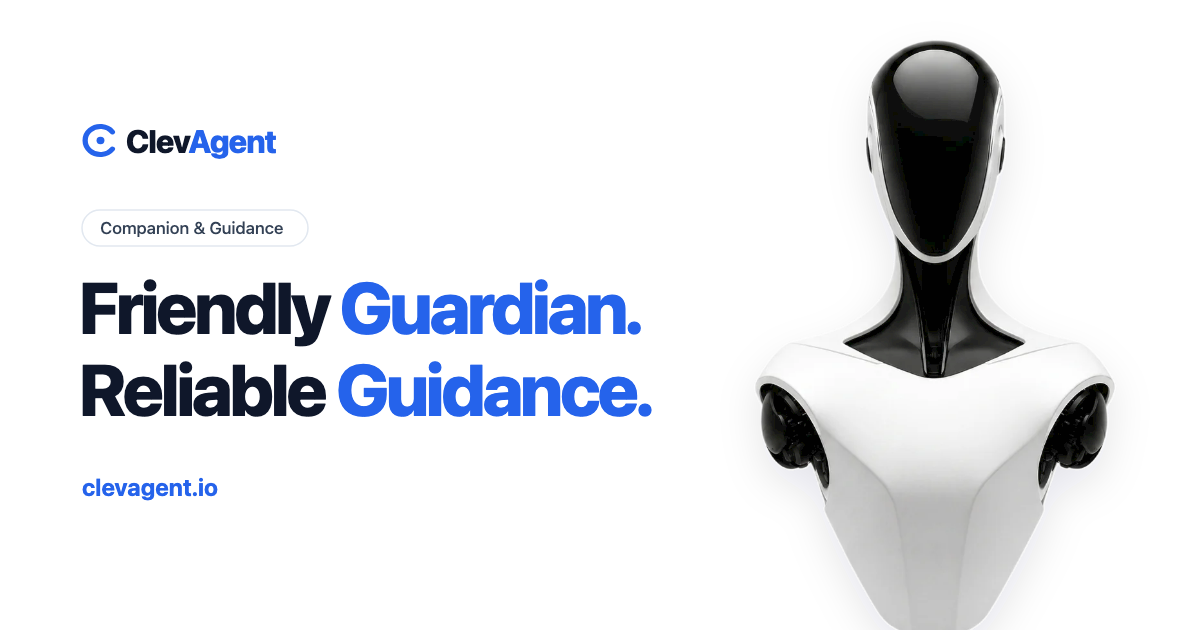

User reviews (0)