Website profiles · Technology insights · Alternatives

clickhouse.com Paid content Multilingual

Categories: Data & Analytics Artificial Intelligence

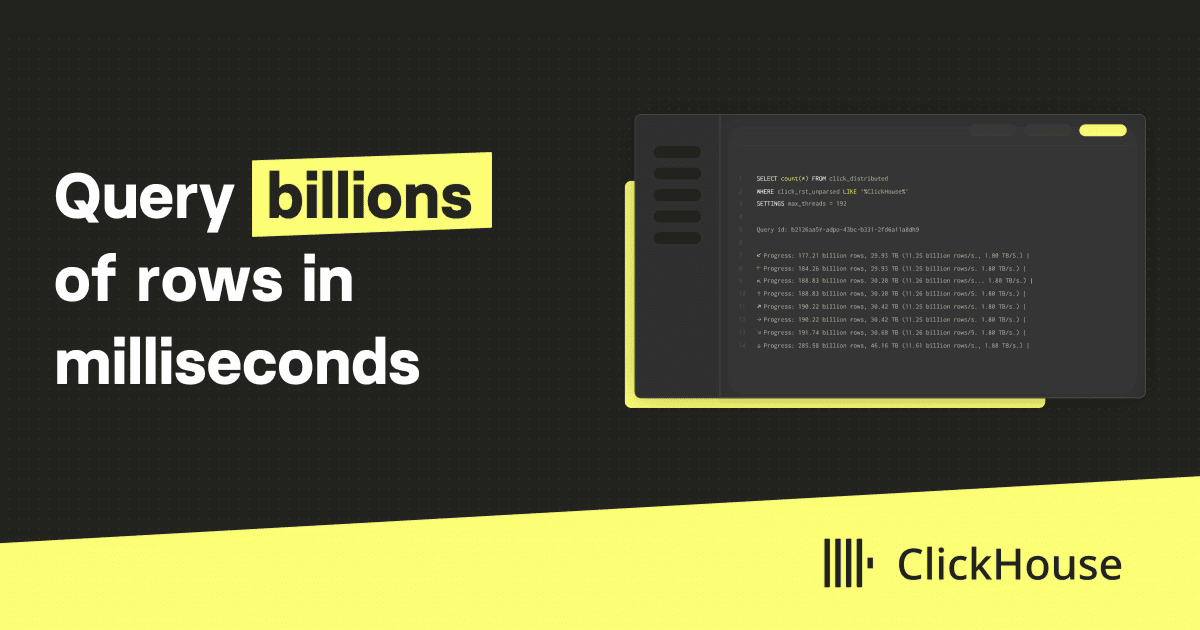
ClickHouse is a fast open-source column-oriented database management system that allows generating analytical data reports in real-time using SQL queries

Visit website

Updated: 2026-09-23 09:58 Language: English (default) Access: Normal

Profile views 2 Outbound visits 0
ClickHouse Full homepage screenshot
Editorial Review

Website Review

What is ClickHouse?

ClickHouse is an open-source, column-oriented database management system built for real-time analytical queries over large datasets using SQL. In practice, it is used as a fast analytical database or data warehouse: instead of handling one row at a time for transactions, it scans and aggregates billions of rows to power dashboards, reports and data products.

What it is good at

  • Real-time analytics: Delivering instant insights and dashboards at scale, with millisecond results on large tables.
  • Observability: Storing and querying logs, metrics and traces at scale; the site points to ClickStack, an open-source observability stack powered by ClickHouse.
  • Data warehousing: Exploring data instantly for insights and apps, and offloading heavy analytical workloads.
  • ML and GenAI: Vector search, fast aggregations and scalable training support.

How it differs from a traditional database

Aspect ClickHouse Typical row-oriented transactional database
Data layout Column-oriented Row-oriented
Best fit Analytical queries over huge datasets Frequent single-row reads and writes
Query style SQL for aggregation and reporting SQL for transactions and record updates
Strength Speed and compression on large scans Transaction integrity and point updates

The trade-off is that ClickHouse is optimized for analytical workloads, not as a drop-in replacement for every transactional system. Its column layout and compression are why it can return millisecond results and reduce storage costs, but that same design means you should evaluate it for reporting, observability and real-time data products rather than routine application record-keeping.

A practical example

Suppose a ride-hailing company wants to slice and dice real-time data such as rides and driver hours across cities and regions. A row-oriented database may struggle with the scan volume, while ClickHouse is built to aggregate that data quickly. Lyft reported performance benefits and cost savings from this kind of use, and the site also cites Anthropic, Tesla, Sony, Cisco and GitLab among users.

Next step

If your workload is analytical — dashboards, log search, or large-scale aggregations — start by testing one representative query pattern on your own data, then compare query latency and storage footprint against your current database.

How does ClickHouse achieve fast query performance compared to traditional databases?

ClickHouse achieves its speed mainly through a set of architectural choices that differ from traditional row-oriented databases. Instead of storing data row by row, it stores each column separately. Analytical queries typically read only a few columns across many rows, so columnar storage means the engine touches far less data. Combined with heavy compression, this reduces both I/O and memory pressure.

Several other design decisions reinforce this:

  • Vectorized execution processes data in batches rather than one row at a time, making better use of modern CPUs.
  • Parallel and distributed processing spreads work across cores and nodes, so large scans and aggregations scale out.
  • MergeTree-style storage engines organize data for fast filtering and aggregation, with sparse indexes that skip irrelevant data blocks.
  • SQL-native analytics means aggregations, joins and time-series-style queries run directly in the database rather than being moved to a separate processing layer.

Traditional transactional databases are optimized for row-level reads and writes, which makes them strong for operational workloads but slower for scanning billions of rows. ClickHouse is built for the opposite pattern: large-scale analytical reads. The trade-off is that it is less suited to frequent single-row updates and highly transactional workloads, which is why many teams pair it with an operational database rather than replacing one.

A practical decision criterion: if your workload is "read many rows, aggregate a few columns, return results quickly," a column-oriented engine like ClickHouse is a natural fit. If it is "update one record, enforce complex transactions," a traditional row store usually remains the better choice. A useful next step is to load a representative slice of your own data and benchmark a few real queries rather than relying on generic speed claims.

What use cases are best suited for ClickHouse, such as real-time analytics or observability?

ClickHouse is best suited to workloads where large volumes of data must be filtered, grouped, and aggregated quickly, often as new data keeps arriving. Its column-oriented design and SQL interface make it a strong fit for analytical queries over event-style data rather than for transactional record-keeping.

H3 Use cases that fit well

  • Real-time analytics: Live dashboards, product metrics, and operational reporting where billions of rows need to return millisecond-level results.
  • Observability: Storing and querying logs, metrics, and traces at scale. ClickHouse presents ClickStack as an open-source observability stack powered by the database.
  • Data warehousing: Offloading heavy analytical workloads from transactional systems, then exploring data instantly for reports and applications.
  • ML and GenAI: Vector search, instant aggregations, and scalable training data preparation for machine learning and generative AI systems.
  • AI application monitoring: Langfuse, now part of ClickHouse, is positioned for LLM observability, evaluations, and prompt management.

H3 Where it is less suitable

ClickHouse is not the natural first choice for high-frequency single-row updates, strict transactional integrity, or workloads dominated by point lookups. Those patterns belong in an OLTP database. A common architecture pairs a transactional database with ClickHouse as the analytical layer, rather than replacing one with the other.

H3 A practical decision test

Ask three questions: Is the data append-heavy or event-shaped? Are the main queries aggregations over many rows? Does the business need answers in seconds or less? Three yes answers point toward ClickHouse. If the main need is order processing, account balances, or frequent row-level edits, look elsewhere.

H3 How to evaluate it

Start with one bounded workload, such as a dashboard or log search, rather than migrating everything at once. Compare query latency and storage footprint against the current setup. The open-source edition allows local testing; ClickHouse also offers a free cloud trial and a pricing page for managed options. For teams weighing alternatives, PostgreSQL is the usual transactional counterpart, while Grafana is commonly used to visualize the dashboards ClickHouse powers.

The useful next step is to list your five most frequent analytical queries, check whether they are aggregation-heavy, and benchmark them on a sample of real data before committing.

How can I integrate ClickHouse with my existing data stack using SQL and other tools?

ClickHouse fits best as the analytical layer of an existing stack: you keep your operational databases, event streams and applications where they are, and feed ClickHouse the data you want to query at high speed with SQL. The integration work is usually less about ClickHouse itself and more about deciding which data moves, how often, and in what shape.

Common integration patterns

  • Streaming ingestion: publish events to Kafka or a similar log, then consume them into ClickHouse so dashboards and alerts read near-real-time data.
  • Batch or scheduled loads: export from Postgres, MySQL, S3, or a warehouse on a schedule and load into ClickHouse for heavier analytical queries.
  • Query federation or external tables: keep cold or rarely used data in object storage and query it alongside ClickHouse tables, rather than copying everything.
  • Application-facing SQL: point BI tools and internal apps at ClickHouse over its SQL interface, so analysts keep using familiar SQL rather than a proprietary query language.

How it typically connects

ClickHouse speaks SQL and exposes standard interfaces (HTTP, native protocol, and JDBC/ODBC drivers), which is why it slots into existing BI and orchestration tools instead of replacing them. The page evidence also points to integration-friendly positioning: "Seamlessly integrate with your stack" and use cases spanning real-time analytics, observability, data warehousing, and ML/GenAI. If you already run an observability stack, the ClickStack option is the vendor's own open-source path for logs, metrics and traces; for general pipelines, treat ClickHouse as the destination and let your existing scheduler or stream processor do the moving.

A practical decision guide

Your situation Sensible starting point
Events already flow through Kafka Stream directly into ClickHouse
Data lives in Postgres/MySQL and changes often Scheduled incremental loads, or Managed Postgres if you want analytics built in
Analysts use a BI tool Connect the BI tool over SQL and keep modelling there
Large historical archive in object storage Query external data rather than duplicating it
Logs, metrics and traces Evaluate ClickStack before building your own pipeline

Next step

Pick one high-value query that is currently slow, such as a daily dashboard or a log search, and move only the tables it needs into ClickHouse first. That gives you a measurable before-and-after, and it tells you whether your bottleneck is ingestion, schema design, or query patterns. If you want a managed route, the page references a free cloud trial and sales contact; if you prefer to stay self-hosted, the open-source core is the same engine. For broader context on the open-source analytical database landscape, ClickHouse and PostgreSQL are useful reference points, though they serve different roles in a stack.

What are the pricing options and free trial availability for ClickHouse Cloud?

ClickHouse Cloud has a free trial and a paid usage-based plan. The site links to a dedicated pricing page, but the page evidence provided here does not include the actual plan tiers, rates, or trial length, so treat any specific numbers as something to confirm on that page before you commit.

What is confirmed here

  • Free cloud trial: The homepage offers a "Start free cloud trial" call to action, so you can evaluate the service before paying.
  • Paid path: There is a "Contact sales" option alongside the trial, which usually suits teams that need committed contracts, volume terms, or procurement support.
  • Pricing page exists: A "Pricing" link points to the official pricing details.

How to choose

  • Just exploring or prototyping? Start with the free trial and test your real query patterns, data volume, and ingestion rate.
  • Production workload with predictable spend? Compare the published pricing page against your own usage estimate, then talk to sales if you need discounts or guarantees.
  • Already self-hosting the open-source version? The trade-off is control and infrastructure cost versus the managed service's convenience; the trial is the cheapest way to measure that difference.

Practical next step

Pick one representative workload — for example, a dashboard that scans a few billion rows — and run it during the trial. Record query latency, storage footprint, and compute hours consumed. That single measurement will tell you more about your likely bill than any generic plan comparison.

For current tiers and rates, check ClickHouse pricing directly.

How does ClickHouse support AI and machine learning applications like vector search?

ClickHouse supports AI and machine learning by acting as a fast analytical database that can also handle vector data and similarity search alongside more traditional SQL analytics. Instead of maintaining a separate vector store for embeddings and a separate warehouse for metrics and logs, teams can keep much of that data in one system and query it with SQL.

Where it fits in AI/ML work

  • Vector search for embeddings: Store high-dimensional vectors (for example, embeddings from text or image models) and run similarity queries to power retrieval, recommendations, or semantic search. This is the core of retrieval-augmented generation (RAG) pipelines, where relevant context is fetched before an LLM answers.
  • Real-time feature and event analytics: Aggregate user behavior, model inputs, or prediction outcomes at scale to feed dashboards, monitoring, or feature pipelines.
  • Observability for AI applications: The page highlights an LLM observability platform for tracing, evaluations, and prompt management, which is useful for teams monitoring model quality and cost in production.
  • Instant aggregations for training and evaluation: Fast scans over large datasets make it practical to slice training data or compute evaluation metrics without long waits.

Practical scenario

Suppose you run a customer-support assistant. You embed past tickets, store the vectors in ClickHouse, and on each new question run a similarity query to retrieve the most relevant tickets. In the same database you keep ticket metadata and usage logs, so you can join retrieval results with business context and later analyze which retrieved documents actually helped. That reduces the number of systems you operate and keeps latency low, which matters when a user is waiting on a response.

Trade-offs to weigh

Consideration Why it matters
One system vs. specialized vector DB Fewer moving parts and easier joins, but a dedicated vector database may offer more specialized indexing or tooling.
SQL-first workflow Familiar to analytics engineers, though teams expecting a Python-native vector API may need adaptation.
Analytical focus Excellent for large-scale aggregation and retrieval over big datasets; not a replacement for transactional or low-latency point lookups.
Operational overhead Self-hosting gives control; a managed option reduces maintenance if your team is small.

Next step

Start with one concrete use case, such as semantic search over a document set or RAG retrieval for an internal assistant. Load a sample of embeddings, run similarity queries, and measure latency and recall against your current approach. If retrieval quality and speed hold up, expand to logging and evaluation in the same system. For official details on capabilities and deployment options, see ClickHouse.

Related questions

More questions →
What Does It Mean to Work With Data? A Beginner's Guide to Data Visualization and Statistics

Working with data means turning raw records into understanding. In practice, that breaks into five repeatable activities: collecting data, cleaning it, exploring it, visualizing it, and interpreting what the results do and do not support. Data visualization and statistics are two halves of the same job — statistics tells you whether a pattern is real and how uncertain it is, while visualization shows you the shape of the pattern and communicates it to others. You do not need a math or programming background to start; you need a question, a small dataset, and a tool simple enough that you spend your time thinking about the data rather than the software.

The Five Core Activities of Data Work

Most data projects, from a personal budget spreadsheet to a public health dashboard, move through the same stages.

1. Collecting

You gather observations: survey responses, website logs, sensor readings, government tables, or a hand-built spreadsheet. The key decision here is what counts as one row (a person? a day? a transaction?) and what each column measures. Getting this "unit of observation" wrong causes problems that no amount of later analysis can fix.

2. Cleaning

Real data arrives messy. Cleaning means handling missing values, fixing inconsistent categories ("USA," "U.S.," "United States"), correcting types (a date stored as text), and removing duplicates. Beginners are often surprised that this is the most time-consuming step. It usually is.

3. Exploring

Before making charts for others, you look for yourself. What is the range of each variable? Are there outliers? How are two variables related? Simple summaries — counts, averages, minimums, maximums — and quick scatterplots answer most early questions.

4. Visualizing

You encode values as position, length, color, or size so that patterns become visible. A good chart answers one question clearly. A bad chart hides the answer behind decoration or distorts it through a misleading axis.

5. Interpreting

You decide what the pattern means, how confident you should be, and what alternative explanations exist. This is where statistics and careful reasoning matter most.

Visualization vs. Statistics: How They Complement Each Other

These are not competing approaches. They answer different questions about the same data.

Question Better served by
Is there a relationship between two variables? Visualization (scatterplot)
How strong is it, and could it be chance? Statistics (correlation, regression, confidence intervals)
Are there clusters, gaps, or outliers? Visualization
How much uncertainty is in this estimate? Statistics
How do I explain this to a non-expert? Visualization
Did this change actually happen, or is it noise? Statistics

A practical rule: visualize to discover, model to confirm, visualize again to communicate. A scatterplot might reveal that one region behaves completely differently from the rest; a statistical model then tests whether that difference holds up; a final chart shows the finding to an audience.

Beginner-Friendly Tools and Formats

You can start with tools you already have.

  • Spreadsheets (Excel, Google Sheets): Best for datasets under a few thousand rows. Built-in chart types cover bar, line, scatter, and pie. Learn to sort, filter, and use pivot tables.
  • Chart types to master first: bar charts for comparisons, line charts for change over time, scatterplots for relationships, and histograms for distributions. These four cover most everyday questions.
  • Simple code options: If you want to go further, R (with ggplot2) and Python (with matplotlib or plotly) are common. Both have large free learning communities. Start with one, not both.
  • Design principles that matter more than the tool: label your axes, start bar charts at zero, avoid 3D effects, use color to encode meaning rather than decoration, and put the most important comparison in the most prominent position.

A Realistic Starting Path

If you have no data background, this sequence works:

  1. Pick a question you actually care about. "How has my city's rent changed over ten years?" beats a generic tutorial dataset.
  2. Find a small, public dataset. Government open-data portals and statistical agencies publish free tables.
  3. Load it into a spreadsheet and clean it. Fix types, remove duplicates, note missing values.
  4. Make three charts. One bar, one line, one scatter. Write one sentence under each describing what you see.
  5. Ask what could be misleading. Is the sample representative? Is the time range fair? Could a third factor explain the pattern?
  6. Repeat with a slightly harder question. Add a second variable, or try a simple statistical summary like a correlation or a group comparison.

Expect the first project to take longer than you think, mostly in cleaning. That is normal, not a sign you are doing it wrong.

What Data Can and Cannot Answer

Data can describe what happened, compare groups, estimate relationships, and quantify uncertainty. It cannot, on its own, establish causation without a proper study design, tell you what you should value, or compensate for a biased sample. A dataset collected from volunteers will not represent the general population no matter how sophisticated the analysis. Treat every result as "what this data suggests under these conditions," not as a final verdict.

Where to Go Next

FlowingData (flowingdata.com) focuses on data visualization and statistics for people who want practical, well-designed charts rather than academic theory. It is a reasonable place to browse examples, see how real datasets are turned into clear graphics, and pick up habits you can apply in your own work. Pair it with one spreadsheet tutorial and one public dataset, and you have everything you need for a first project.

The short version: working with data is a craft of asking clear questions, cleaning messy inputs, looking before you model, and communicating honestly. Start small, start visual, and let the statistics grow as your questions get harder.

What Are Open-Source UI Element Libraries and How Do They Differ From UI Frameworks?

An open-source UI element library is a collection of individual, ready-made interface pieces—buttons, cards, inputs, toggles, loaders—that you copy into your own project and adapt. A UI framework, by contrast, is a structured system of components, conventions, and often a theming layer that governs how your whole interface is built. The practical difference: an element library gives you a snippet; a framework gives you a way of working. If you need a polished button in ten minutes, reach for the element library. If you're building a 40-screen product with a team, you probably want the framework.

What "open-source UI element library" actually means

The term gets used loosely, so it helps to separate the parts:

  • Open-source: the code is publicly available, and the license tells you what you may do with it—copy, modify, redistribute, or use commercially.
  • UI element: a single, self-contained piece of interface, usually small enough to read in one sitting. A button with hover states, a pricing card, a search field.
  • Library: a browsable, searchable collection of those elements, typically contributed by many different people.

On a site like Uiverse, elements are shared by a community and written in plain CSS or Tailwind. You find one you like, copy the markup and styles, paste them into your project, and adjust colors, spacing, and text to fit. There's no package to install and no build step required—which is exactly the appeal, and also the source of most of the confusion.

Element library vs. UI framework: the core differences

Dimension Open-source UI element library UI framework / design system
Unit of reuse A single snippet you copy A component you import or call
Installation None; paste into your code Package install, config, sometimes a provider
Consistency Depends on you; each element may look different Enforced by shared tokens and APIs
Theming Manual edits per element Central theme/config file
Updates You own the copy; no upstream updates Version bumps bring fixes and changes
Accessibility Varies per contributor; must be checked Usually tested and documented
Best for Prototypes, landing pages, small sites, one-off needs Multi-page apps, teams, long-lived products
Learning curve Low—read the CSS Higher—learn the API and conventions

The table isn't a verdict. It's a map of trade-offs. Element libraries win on speed and freedom; frameworks win on consistency and maintenance.

Licensing and attribution: what to check before you paste

This is where people get into trouble, and it's worth slowing down for.

  1. Find the license. Every element or collection should state one. Common open-source licenses include MIT, Apache-2.0, and BSD. Some projects use copyleft licenses like GPL, which can impose obligations if you redistribute your code.
  2. Understand what the license permits. MIT and Apache-2.0 are permissive: you can typically use the code in commercial and closed-source projects. Copyleft licenses may require you to release derivative source under the same terms.
  3. Check attribution requirements. Permissive licenses usually require you to keep the copyright notice and license text somewhere in your project. That's a real obligation, not a formality.
  4. Look for per-element terms. On community sites, the site's overall terms and the individual contributor's stated wishes may differ. If a contributor asks for credit, honor it.
  5. When in doubt, ask or avoid. If a snippet has no license at all, you don't have clear permission to reuse it. Treat "no license" as "not open source," even if the code is publicly visible.

This article is general information, not legal advice. For commercial products with real exposure, have someone qualified review the licenses you're relying on.

How to use a community element in your project: a practical workflow

Here's a repeatable process that avoids most of the usual mess.

1. Start from a real need, not a browsing session

Decide what you need first—"a compact primary button with a loading state"—then search. Browsing aimlessly produces a pile of pretty snippets that don't fit together.

2. Copy the smallest version that works

Take the markup and the styles. Strip anything you don't need: demo wrappers, extra animations, decorative layers. Less code means fewer surprises.

3. Convert it to your conventions

If your project uses design tokens or CSS variables, replace hard-coded values:

/* Before: hard-coded */
.button { background: #4f46e5; border-radius: 8px; }

/* After: token-based */
.button { background: var(--color-primary); border-radius: var(--radius-md); }

This one step is what keeps a copied element from looking like a foreign object in your UI.

4. Check accessibility before you ship

Community elements vary widely here. Verify at minimum:

  • Keyboard focus is visible and the element is reachable by Tab.
  • Color contrast meets WCAG AA (4.5:1 for normal text).
  • Interactive elements use semantic HTML (<button>, not a clickable <div>).
  • Form inputs have associated labels.
  • Motion respects prefers-reduced-motion.

5. Test in context

Paste it into a real page with real content. Long labels, small screens, and dark mode break more copied elements than anything else.

6. Note where it came from

Keep a short comment or an internal credits file: source, license, date. Future you—and your legal reviewer—will be grateful.

Where element libraries genuinely shine

  • Prototypes and demos: you need something clickable today, not a design system.
  • Landing pages and marketing sites: a handful of distinctive elements, each custom.
  • Filling gaps: your framework lacks one specific component, and you don't want to build it from scratch.
  • Learning: reading well-made CSS is one of the fastest ways to improve.
  • Small projects: a personal site doesn't need a theming architecture.

Where they fall short

  • Consistency at scale: ten elements from ten contributors rarely look like one product.
  • Maintenance: you own every copy. When your design changes, you edit each one.
  • Accessibility debt: you inherit whatever the contributor did or didn't do.
  • No upstream fixes: a bug fixed in the original won't reach your copy.
  • Integration friction: different naming conventions, different units, different assumptions about resets.

When to choose which

Choose an element library when the scope is small, the timeline is short, or you need a few distinctive pieces rather than a whole system.

Choose a framework or design system when multiple people build multiple screens over months, when consistency is a product requirement, or when accessibility and theming need to be guaranteed rather than checked.

A hybrid works well for many teams: adopt a framework for the structural components—forms, navigation, layout—and borrow individual elements for the places where you want personality. Just route every borrowed element through the same token and accessibility checks, so it lands as part of your system rather than beside it.

The short version: open-source UI element libraries are a fast, flexible way to get good-looking interface pieces into a project. They are not a substitute for a design system, and the license and accessibility details are the part worth reading carefully.

Website Overview

An established domain and managed infrastructure suggest continuity of operations and may support dependable delivery, although neither guarantees service quality. Page metadata, canonical configuration and social previews work together to provide more consistent search and sharing presentation.

Domain and Registration

Registered in 1999, this domain has about 27 years of history. That suggests continuity, although ownership and purpose may have changed. Transfer-protection status is present, helping reduce the risk of unauthorized domain transfers. The registrar is Squarespace Domains II LLC, a widely used domain service provider. The domain uses the common .com extension, which is not an independent safety signal.

DNS and Email

Nameservers are provided by Cloudflare, indicating managed DNS hosting. MX records point to the Google Workspace email service. CAA records restrict which certificate authorities are authorized to issue certificates. No CNAME was found; the observed records resolve directly to addresses. SPF and DMARC are configured. DKIM status is unknown.

TLS and Certificates

The public key uses EC with 256 bits. The server supplied a complete certificate chain. No organization name is present in the certificate; the available fields are consistent with domain validation. The certificate was issued within the Google Trust Services cloud or CDN ecosystem. The certificate's total validity is about 90 days, consistent with a short renewal cycle.

HTTP and Browser Security

The response lacks these common security headers: Permissions-Policy. CORS permits any origin to read this response. This is common for public resources; sensitive responses need narrower handling. No X-Powered-By header was found, reducing one common source of backend fingerprinting information. The cf-ray response header indicates a CDN or caching proxy in the delivery path. No obvious internal addresses or debug information were found in the headers.

Technology Stack Analysis

The public page identifies Next.js, Cloudflare, Vercel without precise versions, leaving fewer clues for version-specific scanning.

Search and Social Sharing

Twitter Card metadata is configured. The page declares 9 language or regional alternatives using hreflang. The title has 39 characters, within a common display range. A meta description is present, with 153 characters. The observed directives allow indexing and link following.

Hosting and Email

DNSCloudflare
HostingVercel
EmailGoogle Workspace
Location Location unknown 172.66.40.249

User reviews (0)

  • No reviews yet.

Pages, Search and Sharing

Meta descriptionClickHouse is a fast open-source column-oriented database management system that allows generating analytical data reports in real-time using SQL queries
Canonical URLhttps://clickhouse.com
LanguageEnglish (default) · Multilingual
Twitter Cardsummary_large_image
All bots 1 allowed · 2 disallowed
  • Allow/
  • Disallow/admin/
  • Disallow/marketo-forms/

Registration details RDAP / WHOIS

RegistrarSquarespace Domains II LLC
Registered1999-03-12
Expires2032-03-12
Domain statusclient delete prohibited、client transfer prohibited
Nameserversrick.ns.cloudflare.com、roxy.ns.cloudflare.com
DNSSECunsigned

DNS records

TypeNameValueTTLPriority
Aclickhouse.com172.66.40.249300—
Aclickhouse.com172.66.43.7300—
AAAAclickhouse.com2606:4700:3108::ac42:28f9300—
AAAAclickhouse.com2606:4700:3108::ac42:2b07300—
MXclickhouse.comaspmx.l.google.com3001
MXclickhouse.comalt1.aspmx.l.google.com3005
MXclickhouse.comalt2.aspmx.l.google.com3005
MXclickhouse.comalt3.aspmx.l.google.com30010
MXclickhouse.comalt4.aspmx.l.google.com30010
NSclickhouse.comrick.ns.cloudflare.com86400—
NSclickhouse.comroxy.ns.cloudflare.com86400—
TXTclickhouse.com00D5f000000JueF=1TBUy0000000B0H300—
TXTclickhouse.com6F6B894C8D300—
TXTclickhouse.comMS=ms27542495300—
TXTclickhouse.comMS=ms57982715300—
TXTclickhouse.comOSSRH-65794300—
TXTclickhouse.comadobe-idp-site-verification=3a6dbd4e07d39874c3f95dfeebce597841e0e07c0494edf580c7276f1f552a0e300—
TXTclickhouse.comanthropic-domain-verification-vwncbv=8A4HkETleEQSSpOQZm3FQpult300—
TXTclickhouse.comapple-domain-verification=ugeSIx5VCvWz790Y300—
TXTclickhouse.comcanva-site-verification=ppI-UnZvi5WuzUYiRwQkRQ300—
TXTclickhouse.comcursor-domain-verification-w76xsb=mBLQpLdVyoGZEp2IgbemFUk3Y300—
TXTclickhouse.comdocker-verification=c222aa7e-f73c-4299-9ac3-75287c697b8f300—
TXTclickhouse.comdocusign=62b9e2f8-a688-465d-b4f6-10728be28da6300—
TXTclickhouse.comdrift-domain-verification=c44769cdc5922e35eea2b300a405a7236295d072248c99ab47bffffc5015f7b7300—
TXTclickhouse.comfigma-domain-verification=839df2e67cdf6c10396d3c7fd5b365bb988baff6fe68b859adfbf35bb49a4cd4-1739385614300—
TXTclickhouse.comfqlY-HThaULt1ormsI4fX97bcWeSdWRH300—
TXTclickhouse.comgoogle-site-verification=O1_bHA-hC1vBfZQmlCzBEEvjfLnnSovK703wgx5y3tg300—
TXTclickhouse.comgoogle-site-verification=qwN2jIFuxp0Mq6X_yTsSmyfNONtmZxYLAI2r3UScMfY300—
TXTclickhouse.comgoogle-site-verification=xnp4Ip1yoFkCupdTsPONDJFJe2wsKfgVYqOdoXxvon8300—
TXTclickhouse.comhcp-domain-verification=8ad18cbbd9f7969894f290bfa9186dacc11476deabf27fc9cd0f74a14895cb3e300—
TXTclickhouse.comlinear-domain-verification=cd5bvjcxujgf300—
TXTclickhouse.commiro-verification=c5b893596c87efa287e9b99bed982de4a1864d42300—
TXTclickhouse.comnotion-domain-verification=9ftmkACztIDSGQehhVbwRRLVcuC8xcm7cQDlWqxpJAD300—
TXTclickhouse.comopenai-domain-verification=dv-jrzA0CPsRZCCnqspt7ltXqiz300—
TXTclickhouse.compylon-domain-verification-c8m3bt=5pe0EcXXnd6u3MfBBiumZwgst300—
TXTclickhouse.comsegment-site-verification=qesG9auEqe8n9tGC470Tcxl3uiOf2wxm300—
TXTclickhouse.comstripe-verification=11F04ECF9BB216C7F7EDAE666BDB4AEE0F885B40F20CBD0F4562631495F09346300—
TXTclickhouse.comstripe-verification=1827A8936BCA788BE895BD4EBD037A1BD2550B87FA0821F443351E5F6C9407E1300—
TXTclickhouse.comstripe-verification=38941F13DDDE07FBF1390DADB19625BD6356C098CD68726DA72444EC75906E36300—
TXTclickhouse.comstripe-verification=91552BC312742B05BE653D3EB896397CE3CB90D1835BCCAF3F968850AC767FFA300—
TXTclickhouse.comstripe-verification=D1FDD3E89ED6AAEE16B1BD5FB247A0B4B1426E8E0BF7680F35786C16AFB01D6E300—
TXTclickhouse.comuber-domain-verification=da7bb2a0-c395-4baa-b60f-8a034754b5ea300—
TXTclickhouse.comv=spf1 include:_spf.google.com include:mktomail.com include:_spf.salesforce.com include:sendgrid.net ~all300—
CAAclickhouse.com0 issue "amazon.com"300—
CAAclickhouse.com0 issue "amazonaws.com"300—
CAAclickhouse.com0 issue "amazontrust.com"300—
CAAclickhouse.com0 issue "awstrust.com"300—
CAAclickhouse.com0 issue "comodoca.com"300—
CAAclickhouse.com0 issue "digicert.com; cansignhttpexchanges=yes"300—
CAAclickhouse.com0 issue "letsencrypt.org"300—
CAAclickhouse.com0 issue "pki.goog; cansignhttpexchanges=yes"300—
CAAclickhouse.com0 issue "ssl.com"300—
CAAclickhouse.com0 issuewild "amazon.com"300—
CAAclickhouse.com0 issuewild "amazonaws.com"300—
CAAclickhouse.com0 issuewild "amazontrust.com"300—
CAAclickhouse.com0 issuewild "awstrust.com"300—
CAAclickhouse.com0 issuewild "comodoca.com"300—
CAAclickhouse.com0 issuewild "digicert.com; cansignhttpexchanges=yes"300—
CAAclickhouse.com0 issuewild "letsencrypt.org"300—
CAAclickhouse.com0 issuewild "pki.goog; cansignhttpexchanges=yes"300—
CAAclickhouse.com0 issuewild "ssl.com"300—
DMARC_dmarc.clickhouse.comv=DMARC1; p=quarantine; sp=quarantine; rua=mailto:[email protected]300—

TLS and certificates

AssessmentNormal configuration
Supported protocolsTLSv1.2、TLSv1.3
Negotiated protocolTLSv1.3
Certificate subjectclickhouse.com
IssuerGoogle Trust Services
Valid until2026-11-28T04:55 · Remaining when checked: 65 days
Verification detailsCertificate trust: Passed · Hostname match: Passed

HTTP response headers

HeaderValue
content-typetext/html; charset=utf-8
cache-controlpublic, max-age=0, must-revalidate
servercloudflare
strict-transport-securitymax-age=0; includeSubDomains; preload
content-security-policydefault-src 'self' https://www.googletagmanager.com; media-src 'self' https://clickhouse.com; script-src 'self' 'unsafe-eval' 'unsafe-inline' https://js.navattic.com https://*.googletagmanager.com https://www.googletagmanager.com https://googleads.g.doubleclick.net https://pagead2.googlesyndication.com https://www.google.com https://www.googleadservices.com https://cdn.segment.com https://analytics.ahrefs.com https://tag.clearbitscripts.com https://cdn.cr-relay.com https://p.conversion.ai https://connect.facebook.net https://snap.licdn.com https://munchkin.marketo.net https://www.redditstatic.com https://static.reo.dev https://cdn-prod.securiti.ai https://static.ads-twitter.com https://tag.unifyintent.com https://ajax.cloudflare.com https://buttons.github.io https://cdnjs.cloudflare.com https://cdn.ampproject.org https://cdn.redocly.com https://static.cloudflareinsights.com https://yastatic.net https://app.clearbit.io https://marketo.clearbit.com https://x.clearbitjs.com https://discover.clickhouse.com https://galaxy-overlay.clickhouse.com https://forms.conversion.ai https://js.driftt.com https://widget.drift.com https://www.gstatic.com https://widget.kapa.ai https://bam.nr-data.net https://js-agent.newrelic.com otel.fyi https://conversions-config.reddit.com https://pixel-config.reddit.com https://cookie-cdn.cookiepro.com https://embed.lu.ma https://platform.twitter.com https://js.stripe.com https://player.vimeo.com https://www.youtube.com https://bzrcdn.openai.com; style-src 'self' 'unsafe-inline' https://cdn-prod.securiti.ai https://discover.clickhouse.com https://cdnjs.cloudflare.com https://embed.lu.ma https://fonts.googleapis.com; img-src * 'self' data: https: https://*.google-analytics.com https://*.googletagmanager.com https://google.com https://googleads.g.doubleclick.net https://pagead2.googlesyndication.com https://www.google.com https://www.googleadservices.com https://www.facebook.com https://px.ads.linkedin.com https://*.mktoresp.com https://alb.reddit.com https://cdn-prod.securiti.ai https://discover.clickhouse.com https://analytics.twitter.com https://t.co https://bzr.openai.com; object-src 'self' https://blog-images.clickhouse.com; connect-src 'self' https://js.navattic.com https://*.google-analytics.com https://*.analytics.google.com https://analytics.google.com https://*.googletagmanager.com https://stats.g.doubleclick.net https://ad.doubleclick.net https://google.com https://googleads.g.doubleclick.net https://pagead2.googlesyndication.com https://www.google.com https://www.googleadservices.com https://www.google.ad https://www.google.ae https://www.google.com.af https://www.google.com.ag https://www.google.al https://www.google.am https://www.google.co.ao https://www.google.com.ar https://www.google.as https://www.google.at https://www.google.com.au https://www.google.az https://www.google.ba https://www.google.com.bd https://www.google.be https://www.google.bf https://www.google.bg https://www.google.com.bh https://www.google.bi https://www.google.bj https://www.google.com.bn https://www.google.com.bo https://www.google.com.br https://www.google.bs https://www.google.bt https://www.google.co.bw https://www.google.by https://www.google.com.bz https://www.google.ca https://www.google.cd https://www.google.cf https://www.google.cg https://www.google.ch https://www.google.ci https://www.google.co.ck https://www.google.cl https://www.google.cm https://www.google.cn https://www.google.com.co https://www.google.co.cr https://www.google.com.cu https://www.google.cv https://www.google.com.cy https://www.google.cz https://www.google.de https://www.google.dj https://www.google.dk https://www.google.dm https://www.google.com.do https://www.google.dz https://www.google.com.ec https://www.google.ee https://www.google.com.eg https://www.google.es https://www.google.com.et https://www.google.fi https://www.google.com.fj https://www.google.fm https://www.google.fr https://www.google.ga https://www.google.ge https://www.goo
x-frame-optionsDENY
x-content-type-optionsnosniff
referrer-policyno-referrer-when-downgrade
access-control-allow-origin*
set-cookieRedacted

Identified technologies

Next.jsCloudflareVercel