
 clockify.me
 Paid content
 Multilingual
Categories: Productivity
Time tracking software used by millions. A simple time tracker and timesheet app that lets you track work hours across projects.
 Visit website
 Updated: 2026-09-27 22:44
Language: English (default)
Updated: 2026-09-27 22:44
Language: English (default)
 Access: Normal
 Profile views 8
 Outbound visits 0
Related questions
More questions →Where to Find Clockify Pricing and Start Using It
You can reach both the pricing details and the free entry point directly from the Clockify homepage. The site links to a pricing page with a plan comparison, and it also offers a "Start tracking time - it's free!" button that takes you straight into the free version. If you want to compare plans before committing, use the "See pricing" link; if you just want to begin tracking, use the free start button.
Finding Pricing Information
Clockify's homepage surfaces pricing through several links rather than a single button. The main options are:
- See pricing — opens the pricing page where plans and features are compared side by side.
- FREE Time Tracking — points to the free plan details within the pricing comparison.
- PRO Profit & Productivity — a dedicated page for the Pro plan.
- Free — an anchor link that jumps to the free plan section of the pricing page.
The pricing page includes a comparison view (#compare), so you can line up what each plan includes before deciding. The homepage itself does not list exact prices — you need to follow one of these links to see current figures.
Starting to Use Clockify
The homepage provides a direct entry point: "Start tracking time - it's free!" This is the fastest route into the product if you already know you want the free tier.
Once inside, the core tools available include:
| Category | Features |
|---|---|
| Timekeeping | Timer, Timesheet, Calendar, Auto tracker, Kiosk |
| Reporting | Reports, Activity, Rates |
| Projects | Project estimates and budget tracking |
| Management | Scheduling, Time off, Approval, Invoicing, Expenses, Team |
These are the features the homepage highlights, so you can judge whether the free entry point covers what you need before looking at paid tiers.
Free vs. Paid: What the Page Tells You
The homepage confirms a free plan exists and that you can start without paying. It also links to a Pro plan page. What the homepage does not state is the exact price of any plan or the precise feature limits of the free tier — those details live on the pricing page.
To decide between free and paid, open the pricing comparison and check:
- Which features are marked as free versus Pro.
- Whether your required tools (for example, invoicing, approval workflows, or rates) fall inside the free tier.
- Any usage limits that apply to the free plan.
What You Can Verify Before Signing Up
The homepage reports a 4.8 rating from 9,000+ reviews and states the product is used by 7M+ users. It also lists customer support as a highlighted area. These are claims from Clockify itself, useful as context but not a substitute for checking the pricing page against your own requirements.
If your goal is simply to start tracking time, the free start button gets you there. If your goal is to choose a plan, go through "See pricing" and use the comparison view — that is where the plan-level detail actually lives.
How Do Enterprise Teams Adopt Specialist AI Agents Without Disrupting Existing Workflows?
Enterprise teams can adopt specialist AI agents without disruption by starting with one narrow, high-volume workflow, running it as a bounded pilot with human review, measuring against a baseline, and only then expanding. The key is to treat agents as new team members with defined scopes rather than as a replacement for existing tools or a sweeping platform migration. This article explains what specialist agents are, where they fit across common team functions, and a phased approach you can follow.
What Makes an Agent "Specialist" Rather Than General-Purpose
A general-purpose assistant responds to open-ended prompts across many topics. A specialist agent is scoped to one job: it has a defined goal, a limited set of tools and data sources, and a clear definition of "done."
That scoping matters for enterprise teams for three practical reasons:
- Predictability. A narrow agent produces more consistent outputs, which makes it easier to review and trust.
- Permission control. You can grant access only to the systems that specific task needs, rather than broad data access.
- Measurable value. When an agent owns one workflow, you can compare its output against a manual baseline.
A useful rule of thumb: if you cannot describe the agent's job in one sentence with a clear input and output, it is still too broad to deploy safely.
Mapping Team Functions to Agent Use Cases
Most enterprise teams have a handful of repetitive, rules-plus-judgment tasks that are good first candidates. The table below shows typical starting points.
| Team | Candidate agent task | Why it fits |
|---|---|---|
| Sales | Research and enrich inbound leads before handoff | High volume, structured output, easy to verify |
| Customer success | Draft responses to common account questions | Repetitive, benefits from consistency |
| Marketing | Repurpose long-form content into channel variants | Clear brief, reviewable drafts |
| HR | Screen and summarize applications against criteria | High volume, needs audit trail |
| Operations | Triage and route incoming requests | Rule-based with clear routing logic |
Notice that none of these replace a person's judgment. They compress the repetitive portion so the human spends time on exceptions and decisions.
A Phased Adoption Approach: Pilot, Measure, Expand
Phase 1: Pick one workflow and define success
Choose a task that is high-volume, low-risk, and currently a bottleneck. Write down:
- The current process, step by step
- The baseline metric (time per task, volume per week, error rate)
- What "good output" looks like, with two or three examples
- Who reviews the agent's work
Phase 2: Run a bounded pilot
Keep the agent inside the existing workflow rather than beside it. For example, the agent drafts; the human sends. Set a review gate so nothing leaves the team unreviewed. Run for a fixed period, such as four to six weeks, with a small group.
Phase 3: Measure against the baseline
Compare the same metrics you recorded in Phase 1. Look for time saved, consistency gained, and — importantly — where the agent failed. Failures tell you whether the scope was right.
Phase 4: Expand deliberately
Only widen scope after the pilot shows a clear, repeatable gain. Expand in one of two directions: more volume of the same task, or an adjacent task with the same data and review pattern. Avoid expanding into a new function and a new data source at the same time.
Handling Workflow Integration Concerns
Data access
Give each agent the minimum access its task requires. Prefer read access plus a single write action over broad permissions. Document which systems it touches so security and IT can review.
Handoffs
Define exactly where the agent stops and a human begins. A simple handoff rule works well: the agent completes the task and flags anything outside its defined scope for a person. Ambiguous handoffs are the most common source of friction.
Human oversight
Decide the review level up front:
- Full review for anything customer-facing or high-stakes
- Spot check for internal, low-risk outputs
- Exception-only review once the agent has a track record
Start stricter than you think you need, then relax as evidence accumulates.
How Roles and Responsibilities Shift
Adopting agents rarely removes roles; it redistributes effort. Expect these shifts:
- Reviewers become editors. People spend less time producing first drafts and more time improving and approving them.
- Process owners become agent owners. Someone needs to maintain the agent's instructions, examples, and scope as the business changes.
- New quality checks appear. Teams need a lightweight way to catch drift — for example, a weekly sample review.
Be explicit about who owns the agent after launch. An unowned agent degrades quietly.
Practical Criteria for Choosing Where to Start
Score candidate workflows against these questions:
- Volume: Does it happen often enough to matter?
- Risk: What is the cost of a wrong output, and can a human catch it?
- Structure: Is the input and output reasonably consistent?
- Baseline: Can you measure the current state today?
- Ownership: Is there a person who will own the agent after launch?
A workflow that scores well on all five is a strong first pilot. A high-volume task with no clear owner is a poor start, no matter how repetitive it is.
A Simple Pilot Template
You can copy this structure to scope your first agent:
- Task: [one sentence]
- Current baseline: [time/volume/error rate]
- Agent scope: [what it does, what it does not do]
- Data access: [systems, read/write]
- Handoff rule: [when it escalates to a human]
- Review level: [full / spot / exception]
- Owner: [name]
- Pilot length: [weeks]
- Success metric: [target]
Bottom Line
Disruption comes from adopting too much at once, not from agents themselves. Start with one scoped task, keep humans in the loop, measure against a real baseline, and expand only when the evidence supports it. Platforms built around specialist agents — such as Relevance AI, which offers agents for sales, customer success, marketing, and HR — are designed for exactly this kind of task-by-task rollout, so you can add capability without rebuilding your team's existing processes.
Does Clockify Have a Free Plan? Free vs Paid Plans Explained
Yes. Clockify offers a free entry point and at least one paid tier. The site's own pricing links label the entry option "FREE Time Tracking" and "Free," and the homepage invites visitors to "Start tracking time - it's free!" A separate paid option is presented as "PRO Profit & Productivity." If you only need basic time tracking, the free plan is the place to start; if you need profit and productivity features, compare the PRO plan against the free tier on the pricing page before committing.
What the free plan covers
Based on the homepage feature list, the free entry point is built around core timekeeping:
- Timer — track work hours in real time
- Timesheet — enter time in a weekly timesheet
- Calendar — visually block out and manage time
- Auto tracker — track apps and websites you use
- Kiosk — clock in from a shared device
- Projects — track project estimates and budget
The homepage also lists reporting, activity, rates, location, scheduling, time off, approval, invoicing, expenses, and team management as "Time management features." What matters for a buying decision is that the page does not state which of these are included in the free tier versus the paid tier. That boundary is exactly what the pricing comparison page exists to show.
What the paid plan signals
The only paid tier named in the available page evidence is PRO, described as "PRO Profit & Productivity." The label points to money-oriented capabilities — the kind of features that connect tracked hours to cost, rates, and profit rather than just recording time.
The site also links to a pricing comparison at clockify.me/pricing#compare, which is the authoritative place to check feature-by-feature differences. Because the homepage does not publish a free-vs-paid feature matrix, treat any assumption that a specific feature (invoicing, expenses, approval workflows, rates) is free as unverified until you check that page.
How to decide which plan fits
Use the same dimensions for both options:
| Question | If the answer is yes | If the answer is no |
|---|---|---|
| Do you only need to record hours against projects? | Start with the free plan | Look at PRO |
| Do you need to turn tracked time into invoices or profit figures? | Compare PRO against free on the pricing page | Free may be enough |
| Does your team need approval workflows or role management? | Check whether these sit in free or PRO | Confirm on the comparison page |
| Are you tracking attendance, shifts, or time off? | Verify tier availability before rollout | — |
The homepage reports 7M+ users, a 4.8 rating from 9,000+ reviews, and 95% customer satisfaction. Those numbers describe the product overall, not the free tier specifically, so they should not be read as a guarantee that free covers everything.
Practical next step
- Open the pricing comparison page (
clockify.me/pricing#compare) and read the free column against the PRO column. - List the features your team actually needs — timer and timesheet only, or invoicing, rates, and approvals too.
- Match that list to the columns. If everything you need appears in the free column, start there; the homepage explicitly offers a free start.
- If a needed feature sits only in PRO, evaluate PRO on the "profit and productivity" basis the site describes.
One caveat worth stating plainly: the available page evidence does not list prices, seat limits, or which specific features are gated behind PRO. Those details live on the pricing pages, and they are the only reliable source for a final decision.
What Can Teams Use Clockify For?
Clockify is a time tracking and timesheet app used by millions, and teams use it for four main jobs: recording work hours, planning and budgeting projects, managing attendance and payroll, and monitoring activity or billing clients. It fits teams that need to know where hours go across projects — whether for internal reporting, client invoicing, or workforce management. The core features (timer, timesheet, calendar, reports, projects, and team management) are available across the product, with a free entry point and paid plans for more advanced needs.
Time tracking and timesheets
This is the foundation everything else builds on. Teams record hours against projects and turn that data into reports.
- Timer — track work hours in real time as they happen.
- Timesheet — enter time manually in a weekly view, useful for backfilling or reviewing.
- Calendar — visually block out and manage time.
- Auto tracker — track the apps and websites you use.
- Kiosk — clock in from a shared device, handy for shift-based or on-site teams.
- Reports — analyze and export tracked time.
The practical result: you can see where time goes across projects and people, then export that data for clients, managers, or payroll.
Budgeting and planning
Once hours are tracked, teams use Clockify to connect time to money and capacity.
- Projects — track project estimates and budget.
- Rates — see earnings, cost, and profit per project or person.
- Scheduling — schedule work, assignments, and shifts.
- Time off — manage leaves and holidays so planning reflects real availability.
This combination supports resource and capacity planning: you can set client budgets, monitor project status against estimates, and check utilization before committing to new work.
Attendance and payroll
For teams that need more than project tracking, Clockify covers workforce basics.
- Attendance — track daily employee attendance and overtime.
- Approval — submit and approve timesheets before they feed into reporting or payroll.
- Payroll — calculate payroll and employee costs from tracked hours.
The approval step matters here: it creates a checkpoint so payroll and client billing run on verified time rather than raw entries.
Monitoring and client billing
- Activity — see who works on what across the organization.
- Location — see visited sites and routes (relevant for field teams).
- Invoicing — create invoices directly from billable time.
- Expenses — record project expenses and fees alongside hours.
For agencies and consultancies, this closes the loop from tracked hour to invoice without exporting into a separate billing tool.
Which teams get the most out of it
| Team type | Primary use |
|---|---|
| Agencies / consultancies | Billable hours, invoicing, project budgets |
| Internal product or ops teams | Project time, reporting, capacity planning |
| Shift or on-site teams | Kiosk clock-in, attendance, overtime |
| Teams with contractors | Timesheets, approval, payroll costs |
Clockify is widely adopted — the site cites 7M+ users, a 4.8 rating from 9,000+ reviews, and 95% customer satisfaction — which suggests it scales from small teams to larger organizations. If your main need is simply knowing where hours go, the timekeeping features alone may be enough. If you also bill clients or run payroll, the rates, invoicing, and approval features are what make it a single system rather than a stopwatch.
To decide, start from your primary job: track hours, plan capacity, run attendance, or bill clients. Clockify covers all four, so the question is usually which combination you need rather than whether it fits.
What Is Clockify and What Does It Do?
Clockify is a time tracking and timesheet app for individuals and teams. It records work hours across projects, then turns that data into reports, billable rates, invoices, and attendance records. If you need to know where working time goes — or bill clients for it — Clockify is built for that job. The site describes it as "the most popular time tracker for teams," used by millions, with a free plan available to start.
What Clockify actually does
At its core, Clockify answers one question: how was working time spent? It captures time in several ways and organizes it by project, so the same data can serve payroll, client billing, budgeting, and planning.
The site groups its features into two areas:
Timekeeping
- Timer — track work hours in real time
- Timesheet — enter time manually in a weekly grid
- Calendar — visually block out and manage time
- Auto tracker — records the apps and websites you use
- Kiosk — clock in from a shared device
Management
- Scheduling — assign work, shifts, and resources
- Time off — manage leaves and holidays
- Approval — submit and approve timesheets
- Invoicing — create invoices from billable time
- Expenses — record project expenses and fees
- Team — manage members and roles
Reporting and analysis
- Reports — analyze and export tracked time
- Activity — see who works on what
- Rates — see earnings, cost, and profit
- Projects — track estimates and budget
- Location — see visited sites and routes
Who it's for
Clockify fits two broad situations:
| If you are… | You would use it to… |
|---|---|
| A freelancer or contractor | Track billable hours per client and generate invoices |
| A team lead or manager | See project budgets, approve timesheets, schedule shifts |
| An operations or HR role | Track attendance, overtime, and time off |
| Anyone curious about their own time | Run a timer or auto tracker and review reports |
The site lists common use cases as time clock, work hours tracker, employee time tracker, attendance tracker, task timer, and time card calculator — which shows the product is positioned for both hourly work and salaried-team monitoring.
Why teams track time with it
Clockify's own framing of the value is a list of outcomes: timekeeping, budgeting, planning, activity monitoring, attendance, reporting, and payroll. In practice that means the same tracked hours feed several decisions — whether a project is over budget, who has capacity next week, and what a client owes.
The site also reports a 4.8 rating from 9,000+ reviews and 95% customer satisfaction, and says it is trusted by 7M+ users in companies worldwide. Treat those as the vendor's own figures rather than independent verification.
How to get started
- Go to clockify.me and choose the free option to create an account.
- Create a project (or a few) so time can be categorized.
- Start a timer, or enter hours in the weekly timesheet.
- Open Reports to see totals by project, and set Rates if you bill clients.
- If you manage others, add team members and turn on Approval for timesheets.
The expected result after step 4 is a per-project view of hours and cost; after step 5, a review flow where submitted timesheets are approved before they reach payroll or invoicing.
What to check before committing
- Plan limits. The site links to a Free plan, a Pro plan, and a pricing comparison page. Feature availability differs across plans, so check the comparison before assuming a specific feature is included.
- Which tracking method fits. Auto tracker and Location record activity and visited sites — useful for monitoring, but worth confirming with your team before enabling.
- Whether you need billing or just tracking. Invoicing, Rates, and Expenses matter for client work; if you only need attendance, a narrower setup may be enough.
Clockify is worth a closer look if you want one place to record hours and reuse them for reporting, billing, or attendance. Start with the free tier, run it for a week on real projects, and judge from your own reports whether the paid features are needed.
Website Overview
An established domain and managed infrastructure suggest continuity of operations and may support dependable delivery, although neither guarantees service quality. Page metadata, canonical configuration and social previews work together to provide more consistent search and sharing presentation.
Domain and Registration
Registered in 2017, this domain has about 9 years of history. That suggests continuity, although ownership and purpose may have changed. Transfer-protection status is present, helping reduce the risk of unauthorized domain transfers. The registrar is Gandi SAS, a widely used domain service provider. The domain uses the common .me extension, which is not an independent safety signal.
DNS and Email
The lowest TTL is 10 seconds, supporting rapid record changes at the cost of more frequent lookups. Nameservers are provided by Amazon Route 53, indicating managed DNS hosting. MX records point to the Google Workspace email service. No CNAME was found; the observed records resolve directly to addresses. SPF and DMARC are configured. DKIM status is unknown.
TLS and Certificates
The certificate uses an RSA 2048-bit public key, offering broad client compatibility. The server supplied a complete certificate chain. No organization name is present in the certificate; the available fields are consistent with domain validation. The certificate was issued within the Amazon cloud or CDN ecosystem. The certificate is valid for about 197 days in total, with 146 days remaining.
HTTP and Browser Security
The response lacks these common security headers: CSP, X-Content-Type-Options, Referrer-Policy, Permissions-Policy, clickjacking protection. No X-Powered-By header was found, reducing one common source of backend fingerprinting information. The x-cache, via response header indicates a CDN or caching proxy in the delivery path. No obvious internal addresses or debug information were found in the headers. The Server header identifies nginx without an exact version.
Technology Stack Analysis
The public page identifies Google Tag Manager, Amazon CloudFront, nginx without precise versions, leaving fewer clues for version-specific scanning.
Search and Social Sharing
Twitter Card metadata is configured. JSON-LD includes Organization data, helping describe the organization as an entity. The page declares 6 language or regional alternatives using hreflang. The title has 34 characters, within a common display range. A meta description is present, with 128 characters.
 Hosting and Email
 Amazon Route 53
 Hosting
 Google Workspace
 Location
 United States
 Pages, Search and Sharing
| Meta description | Time tracking software used by millions. A simple time tracker and timesheet app that lets you track work hours across projects. |
|---|---|
| Canonical URL | https://clockify.me |
| Language | English (default) · Multilingual |
| Twitter Card | summary_large_image |
Social Sharing Preview
14 fields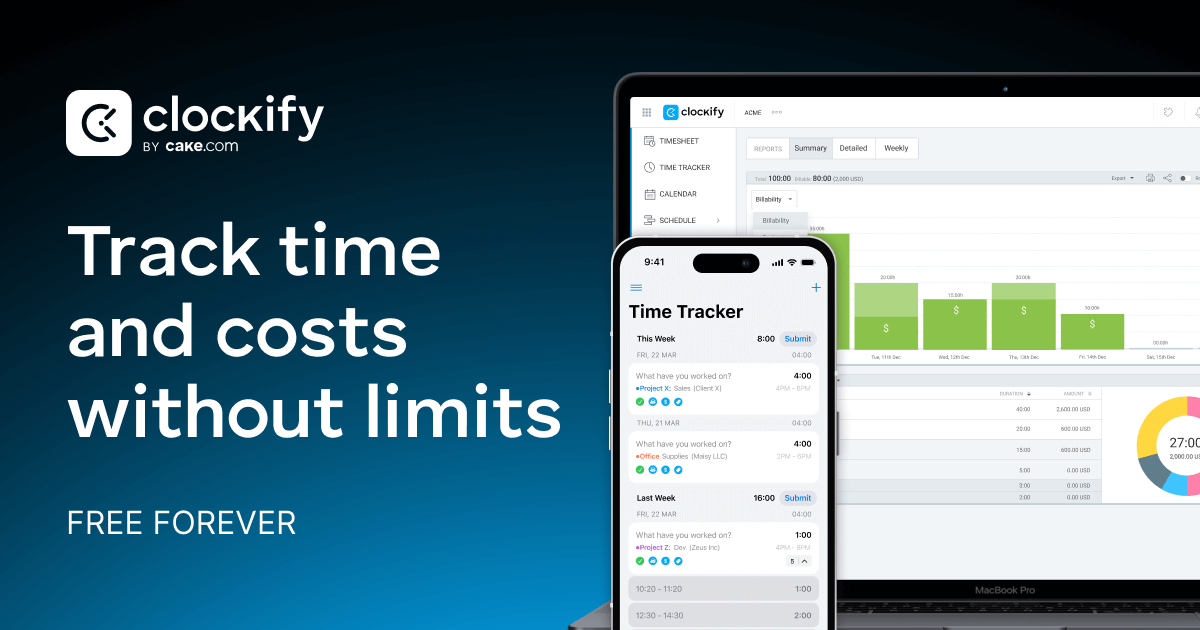

Sharing metadata
| og:url | https://clockify.me |
|---|---|
| og:type | website |
| og:image | https://clockify.me/assets/images/tags-fb-tw/homepage-main.png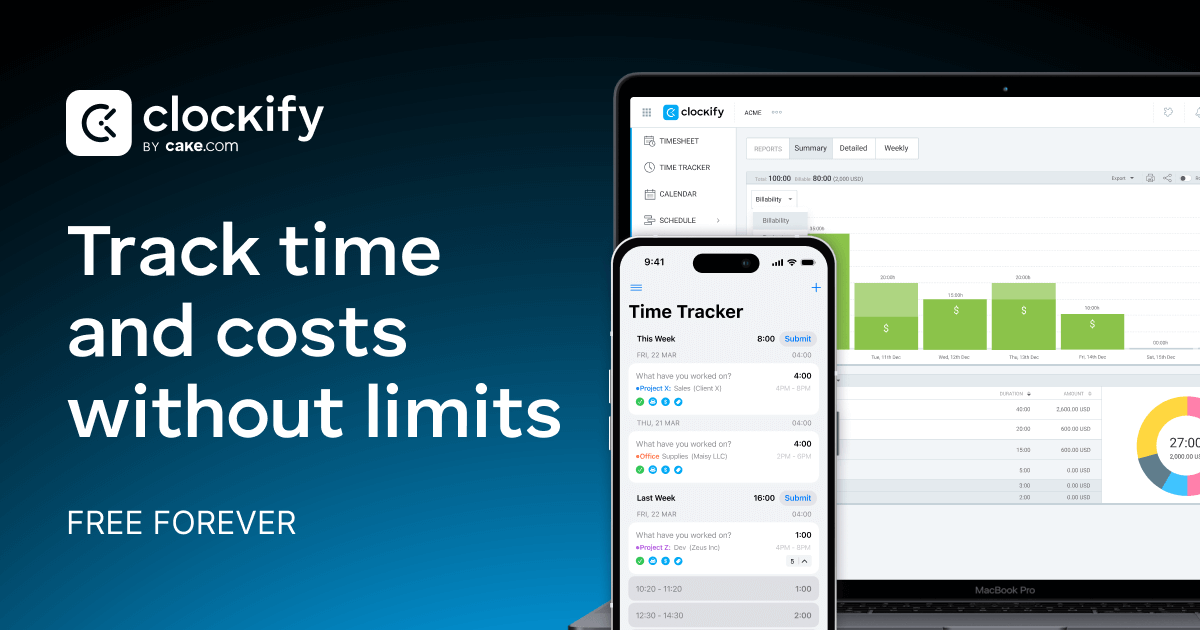 |
| og:title | Clockify - Time Tracking Software |
| og:locale | en_US |
| og:site_name | Clockify |
| og:description | Time tracking software used by millions. A simple time tracker and timesheet app that lets you track work hours across projects. |
| og:image:secure_url | https://clockify.me/assets/images/tags-fb-tw/homepage-main.png |
| twitter:card | summary_large_image |
| twitter:site | @Clockify |
| twitter:image | https://clockify.me/assets/images/tags-fb-tw/homepage-main.png |
| twitter:title | Clockify - Time Tracking Software |
| twitter:creator | @Clockify |
| twitter:description | Time tracking software used by millions. A simple time tracker and timesheet app that lets you track work hours across projects. |
robots.txt (opens in a new tab)
10 rulesAll bots 3 allowed · 6 disallowed

 All bots

//blog/wp-admin/admin-ajax.php/help/wp-admin/admin-ajax.php
/api//blog/wp-admin//help/wp-admin//help/contact/message-sent/downloads//bookmarks
adsbot-google 1 allowed · 0 disallowed
/lp/
No matching rules.
Sitemaps
4 Registration details RDAP / WHOIS
| Registrar | Gandi SAS |
|---|---|
| Registered | 2017-03-14 |
| Expires | 2032-03-14 |
| Domain status | clientTransferProhibited https://icann.org/epp#clientTransferProhibited |
| Nameservers | ns-1336.awsdns-39.org、ns-1902.awsdns-45.co.uk、ns-415.awsdns-51.com、ns-736.awsdns-28.net |
| DNSSEC | unsigned |
 DNS records
| Type | Name | Value | TTL | Priority |
|---|---|---|---|---|
| A | clockify.me | 13.226.209.12 | 60 | — |
| A | clockify.me | 13.226.209.13 | 60 | — |
| A | clockify.me | 13.226.209.35 | 60 | — |
| A | clockify.me | 13.226.209.46 | 60 | — |
| MX | clockify.me | aspmx.l.google.com | 172800 | 1 |
| MX | clockify.me | alt1.aspmx.l.google.com | 172800 | 5 |
| MX | clockify.me | alt2.aspmx.l.google.com | 172800 | 5 |
| MX | clockify.me | aspmx2.googlemail.com | 172800 | 10 |
| MX | clockify.me | aspmx3.googlemail.com | 172800 | 10 |
| NS | clockify.me | ns-1336.awsdns-39.org | 172800 | — |
| NS | clockify.me | ns-1902.awsdns-45.co.uk | 172800 | — |
| NS | clockify.me | ns-415.awsdns-51.com | 172800 | — |
| NS | clockify.me | ns-736.awsdns-28.net | 172800 | — |
| TXT | clockify.me | MS=69CFE267492428ECC95F7128F362519F61CBE394 | 10 | — |
| TXT | clockify.me | ahrefs-site-verification_9150e7b246102f91d3d5f707d997ac6dd2defc39da7823990627a7c955363386 | 10 | — |
| TXT | clockify.me | apple-domain-verification=oLsrmryicwwq5OOE | 10 | — |
| TXT | clockify.me | facebook-domain-verification=95qlhx3nlf25phwm2a1gc0lllhdxbq | 10 | — |
| TXT | clockify.me | google-site-verification=F6yjZjBLB8gD3dm23RnMg4wyFZVzVRgf02vt1nPvmho | 10 | — |
| TXT | clockify.me | google-site-verification=O0flgjnCQi09t732e8c0S2GwQL5HXGccHKVwcwC6HOE | 10 | — |
| TXT | clockify.me | google-site-verification=Sfb6kPVbhY_s8D55vQVer0MU0sHKH02apj7rdc6c1XM | 10 | — |
| TXT | clockify.me | l9InG21zG5NBuc1-goeA9YXncrlXTgGlTdD_yes_foM | 10 | — |
| TXT | clockify.me | stripe-verification=1d620d6eb414defccad579eb560da57f3357280d654ba6307d5b2783776c7f1b | 10 | — |
| TXT | clockify.me | v=spf1 include:spf.email-cake.com include:_spf.google.com include:mail.zendesk.com include:amazonses.com -all | 10 | — |
| TXT | clockify.me | yahoo-verification-key=QEXXkFH5cS1Um5YI5XOw8Ww/AYKd8CbK5bX3WWiuTP4= | 10 | — |
| TXT | clockify.me | yandex-verification: f0a2de0532bf97d7 | 10 | — |
| DMARC | _dmarc.clockify.me | v=DMARC1;p=reject;sp=reject;pct=100;rua=mailto:[email protected];ruf=mailto:[email protected];fo=1 | 60 | — |
 TLS and certificates
| Assessment | Normal configuration |
|---|---|
| Supported protocols | TLSv1.2、TLSv1.3 |
| Negotiated protocol | TLSv1.3 |
| Certificate subject | clockify.me |
| Issuer | Amazon |
| Valid until | 2027-02-20T23:59 · Remaining when checked: 146 days |
| Verification details | Certificate trust: Passed · Hostname match: Passed |
 HTTP response headers
| Header | Value |
|---|---|
| content-type | text/html |
| cache-control | max-age=60 |
| server | nginx |
| strict-transport-security | max-age=31536000; includeSubDomains; preload |
 Identified technologies
Recent Updates
- Website images
- Screenshots
- Network details
- Website Technologies
- Pages and Search Information
- HTTP Response Information
- TLS and certificates
- DNS Information
- Domain Registration
- Website profile
- Website Description
- Website Name
- Website profile
- Website Description
- Website Name
User reviews (0)