
 简体中文
简体中文 English
Website review
This review may include AI-generated content and is not individually verified. Domain, certificate and other facts come from the observed data on this page.
What is Cookie Consent Speed.Run?
Cookie Consent Speed.Run is a small browser game by Fred Wordie, supported by Big Data Girl, that turns the everyday annoyance of cookie consent banners into a timed challenge. Across three levels you work through mock pop-ups full of ambiguous buttons, pre-ticked options and distracting wording, and your goal each time is to reject all cookies as quickly and correctly as possible. The page keeps a running timer and tracks your best time, so repeated attempts become a speed test of how well you spot the real "reject" option.
Who it is for
- Privacy-curious general users who want a light-hearted way to recognise dark-pattern tricks in consent design.
- Designers, developers and product people who build or review consent flows and want a quick illustration of how confusing wording feels from the user's side.
- Teachers or workshop hosts looking for a short, concrete demo of why GDPR consent banners are hard to navigate.
How it plays
The page explains the rules directly: play inside the box, aim to say no to all cookies, and follow each level's instructions. A hint button is available, and the game notes it is best experienced on desktop. There is also a link toward Big Data Girl, the picture book about Big Data that supports the project.
Practical considerations
It is an educational toy rather than a real consent tool: nothing you click affects actual website cookies, and the value is in the practice and the conversation it starts. If you want to test your own instincts, try one run without hints and compare your time to your second attempt—the gap usually shows which banner patterns trip you up. For background on the consent problem more broadly, GDPR.eu is a useful reference.
How do you play the cookie consent game and what are the rules for each level?
Cookie Consent Speed.Run is a browser game about rejecting cookie banners as fast as possible. You play it entirely inside a single box on the page at Cookie Consent Speed.Run, and the goal of every round is to say no to all cookies.
How to play
- Open the site and press Start in the game box.
- Read the instruction shown for the current level.
- Find and click the option that declines all cookies, using the same tactics you would on a real cookie pop-up — checking pre-ticked boxes, looking past the bright "Accept" button, and reading the smaller links.
- Clear the level to move on. The timer runs while you work, and the page shows a running time, a "last time" and a personal best, so the aim is to decline correctly and quickly.
- Use Need a hint? if a banner's wording is deliberately confusing, and Have another go to retry a level you failed.
The rules
The page states three rules: the game is only played inside its box, your end goal is to say no to all cookies, and you should follow the instructions on each level. The first level shown on the page is Level 2, with the instruction "Reject all cookies, 0 left" — meaning you must clear every remaining cookie toggle before the level counts as done. The page lists three levels in its score area, and each one is built from the same text and tricks real consent pop-ups use, such as vague "Marketing," "Performance" or "Statistics" categories and an obvious accept button next to a hidden reject path.
A practical way to use it
Treat it as a five-minute drill before you next meet a real banner. If you keep losing time on the "manage preferences" screen, that is the part to practise: open the settings layer first, switch off every category, then save. Expect the game to be easier with a mouse than on a phone — the page itself notes it is best experienced on desktop, since small screens hide the reject link more effectively.
What tricks and dark patterns from real cookie banners does the game use?
Cookie Consent Speed.Run turns the familiar annoyance of cookie banners into a timed challenge: the goal is to say no to all cookies, and the game uses the same wording and design tricks found in real consent pop-ups. Because the page evidence lists only the game's framing and level structure, the specific patterns below are general categories the game draws on rather than individually documented mechanics.
Common dark patterns this kind of game targets
- Misdirection through visual hierarchy. The "Accept all" button is typically large and colorful while "Reject" is a small grey text link or hidden in a settings submenu. Players learn to hunt for the less obvious option.
- Ambiguous or double-negative wording. Labels like "Accept only necessary" or "Continue without accepting" blur whether you are consenting or refusing.
- Confusing toggles. Pre-ticked boxes, switches whose on/off state is unclear, or "legitimate interest" sections that are on by default and awkward to disable.
- Guilt-tripping copy. Phrases such as "We value your privacy" paired with warnings that rejecting cookies may break the site.
- Endless layers. Consent walls that require several clicks through "Manage preferences" before a reject option appears.
- Asymmetric friction. One click to accept, many steps to refuse, sometimes with a countdown or a re-ask after you decline.
The game's rules state that the objective is to reject everything and that it deliberately reuses "all the text and tricks of normal cookie consent pop-ups," and it warns it may be hard, so expect the difficulty to come from reading carefully under time pressure rather than from trivia. The clock and personal-best tracking add the pressure that makes rushed clicking—exactly what real banners exploit—cost you.
A practical way to use it
Play a round, then open a real site you visit often and try to reject all cookies without accepting anything. Note how many clicks and how much reading it took. That gap between the game and reality is the most useful takeaway: if a banner makes refusing harder than accepting, treat that friction as a signal about how the site values your choice.
How can I improve my time and avoid common mistakes when rejecting cookies?
Practice the interaction pattern rather than the specific banner: the fastest safe habit is to scan for the reject option before clicking anything, and to treat bright "Accept" buttons as the default trap. Cookie Consent Speed.Run is a small browser game built around exactly this skill—clearing cookie pop-ups by rejecting all cookies under a timer—so it works as a low-stakes way to rehearse the moves.
Habits that cut time
- Read the two or three option labels, not the whole paragraph. The reject choice is often a text link or a grey button beside a coloured accept button.
- Check for a "Manage" or "Settings" path when there is no direct reject. It is usually slower but is the only route to a real refusal; decide quickly whether the banner offers a one-click reject.
- Avoid clicking anywhere outside the buttons. Many banners treat an outside click or a close "X" as consent or as "legitimate interest," so it is not a shortcut.
- Do not toggle optional categories one by one unless the banner forces it. Look for "Reject all" inside the settings panel first.
- Watch for pre-ticked boxes and dark patterns such as a disabled-looking reject button or wording like "Accept and continue" with no alternative.
Common mistakes
| Mistake | Why it costs you | Better move |
|---|---|---|
| Clicking the most prominent button | Usually accepts everything | Find the least prominent reject option first |
| Using the "X" to dismiss | May count as consent | Use an explicit reject or settings route |
| Rushing the settings panel | Ticking off categories one by one wastes time | Look for a single "reject all" control |
| Assuming the banner is the same everywhere | Layouts and wording vary widely | Re-scan each new banner rather than relying on muscle memory |
A practical next step: play a few rounds on Cookie Consent Speed.Run and note which level trips you up—usually the one with hidden or misleading options—then apply that same scan-first routine on real sites.
For background on why these banners are designed this way, the game credits Big Data Girl, a picture book about big data aimed at children and adults.
What does Big Data Girl teach about cookies and trackers, and who is it for?
The page does not describe what Big Data Girl teaches about cookies and trackers, so the honest answer is that its specific lessons aren't documented there. What the page does establish is a connection: it credits Fred Wordie's cookie-consent game as "supported by Big Data Girl," and points readers to the book as a way "to learn more about how cookies and other trackers affect your life." The book is described as "the picture book about Big Data for kids & adults," and the game's own welcome text notes that everyone has been "struggling with obtaining our basic privacy rights" since GDPR. From that, the reasonable inference is that the book explains data collection and tracking in accessible, illustrated terms for a mixed-age audience—but treat that as an expectation, not a confirmed syllabus.
Who it appears to suit
- Families and classrooms wanting a gentle, visual entry point to how personal data gets collected, without technical jargon.
- Adults who feel hazy on tracking and prefer a short illustrated overview to a policy document.
- Teachers or parents using the paired game as a hook: play a round of rejecting cookies, then read the book to explain why the tricks exist.
Practical next step
If you want to judge fit before buying, read a sample spread or the table of contents on the book's own site and check the stated age range; a picture book "for kids & adults" can skew either way. For a quick sense of the problem the book addresses, the game at Cookie Consent Speed.Run demonstrates the dark patterns—pre-ticked boxes, misleading button labels—that consent education usually covers. For independent context on tracking and privacy rights, ICO publishes plain-language guidance aimed at the general public.
Why is the game best experienced on desktop rather than mobile?
The game is best experienced on desktop because its core challenge depends on reading and interacting with small, layered cookie-consent text and controls. On a phone, those elements would be cramped, and the "tricks" that make each level tricky become harder to see and respond to precisely.
What the page says
The game's own note states that, like all cookie pop-ups, it is "best experienced on desktop." The stated goal is to say no to all cookies by following each level's instructions, using the same text and tricks found in real consent banners. The desktop preference fits that design: the game is played entirely inside one box, and its difficulty comes from navigating ambiguous wording and distracting options.
Practical reasons this makes sense
- More visible controls. Consent banners often pack several options, toggles and links into a narrow strip. A larger screen lets you scan them without zooming or accidental taps.
- Precise clicking. Choosing a specific "reject" option, rather than an obvious "accept" button, is easier with a mouse than a finger.
- Less scrolling and overlap. On mobile, banners and overlays can cover content or stack awkwardly, which would add frustration unrelated to the game's intended puzzle.
- Reading dense text. The game relies on wording tricks, so seeing the full text at once helps you spot the real choice.
A reader scenario
If you open it on a phone during a commute, you may spend more time pinching and scrolling than solving levels. On a laptop, you can keep the game box in view and work through each level's instructions without the interface getting in the way.
Next step: Use a desktop or laptop browser with a normal-sized window, and read each level's instructions before clicking anything. If you want to explore the subject further, the page points to Big Data Girl, a picture book about big data; the game itself is at Cookie Consent Speed.Run.
 NS1
NS1 Netlify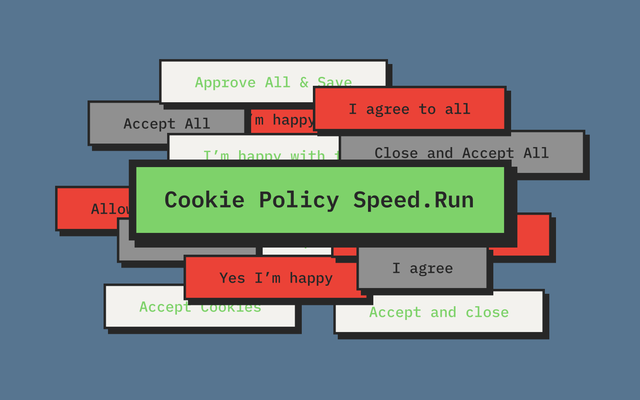
User reviews (0)