Website profiles · Technology insights · Alternatives

deepblizzard.itch.io

No paid content found
Visit website
Profile views 0 Outbound visits 0 Normal
Deepblizzard Full homepage screenshot

At a glance

Category
Other
Language
English
Paid-content signal
No paid content foundObserved
Registered
Unknown
Hosting
CloudflareInferred
HTTPS certificate trusted
PassedObserved
Last updated

Website review

This review may include AI-generated content and is not individually verified. Domain, certificate and other facts come from the observed data on this page.

What is Deepblizzard?

Deepblizzard is an independent game developer's page on itch.io, where small browser-playable games and creative tools are published under the handle @mao_DBmiyuki. The catalog mixes simulation, action, adventure and utility software, with several titles playable directly in the browser.

What you'll find there

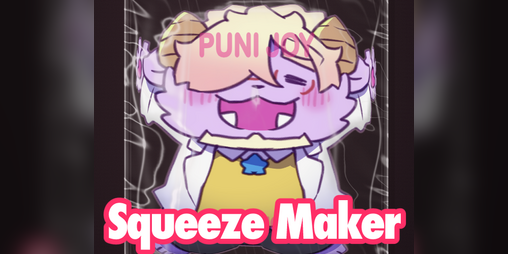
  • Squeeze Maker — a simulation about poking and squishing photos and illustrations, described as "写真もイラストも、プニプニできちゃう."
  • DRAGOOOOON — an action game with the tagline "Rise up! be a DRAGOOOOON!!!!!"
  • Angel in the Demon King's Castle (魔王城のミラテン) — a simulation listed at ¥500, with the line "未来だって、ボクのもの!"
  • GB Dot Converter (for GB Studio) — a browser tool that converts illustrations into pixel art for GB Studio and checks tile counts.
  • Prismatic Glimmer — an adventure about exploring a castle, collecting a demon king's memories, and drawing.

Who it's for

The page suits players who like short, experimental browser games and don't mind Japanese-language titles and descriptions. The GB Dot Converter is aimed at a different audience: hobbyist developers working with GB Studio who need pixel-art conversion and tile-count checks without installing desktop software.

How to approach it

Start with the free browser games to get a feel for the style, then look at the converter if you do pixel art or Game Boy-style development. Since the listing is sparse on detail, treat each game page as the real source for controls, language support and system requirements before committing time or money.

A practical next step: open the free browser titles first, and check the ¥500 simulation's page individually if the premise appeals to you.

Which Deepblizzard games can I play for free in my browser?

Several Deepblizzard titles run directly in a browser without a download: Squeeze Maker, DRAGOOOOON, Angel in the Demon King's Castle (魔王城のミラテン), GB Dot Converter (for GB Studio), and Prismatic Glimmer. All are listed on the developer's itch.io page as playable in browser, so you can try them straight from the page. The ¥500 marker on Angel in the Demon King's Castle suggests it may be a paid or pay-what-you-want release despite the browser option, so check the page before starting.

Quick comparison

Title Genre Browser play Notes
Squeeze Maker Simulation Yes Puni-puni style interaction with photos and illustrations
DRAGOOOOON Action Yes Dragon-themed action
Angel in the Demon King's Castle Simulation Yes Listed with ¥500; may involve payment
GB Dot Converter (for GB Studio) Utility Yes Converts illustrations to pixel art and checks tile counts
Prismatic Glimmer Adventure Yes Explore a castle, collect the Demon King's memories, draw

How to choose

  • Want a playful, tactile toy? Start with Squeeze Maker.
  • Want fast action? Try DRAGOOOOON.
  • Want a narrative adventure with drawing? Pick Prismatic Glimmer.
  • Working on Game Boy-style pixel art? GB Dot Converter is the practical tool.

A useful next step is to open the developer's page on itch.io and filter by "Play in browser" to confirm the current status, since availability and pricing can change. You can find the full list at Deepblizzard.

How does the GB Dot Converter help me make Game Boy-style pixel art for GB Studio?

The GB Dot Converter is a browser-run utility that turns an existing illustration into pixel art sized for Game Boy hardware and checks how many tiles that art will occupy. That tile count is the part that matters most for GB Studio work: Game Boy graphics live in a limited tile budget, so knowing the number before you import tells you whether a sprite, portrait or background will actually fit.

What it does for your workflow

  • Conversion: You feed it an illustration and get back pixel art in a Game Boy-appropriate form, rather than hand-placing every pixel in an editor.
  • Tile counting: It reports the tile count, so you can judge whether a graphic is practical for a scene or needs simplifying.
  • GB Studio orientation: The output is aimed at GB Studio projects, so you spend less time reformatting assets after conversion.
  • No install: It runs in the browser, which makes it convenient for quick tests on a laptop without adding tools to a project folder.

Where it fits, and where it does not

The converter is a starting point, not a finished-art tool. Automatic conversion tends to produce noisy or over-detailed results when the source has gradients, soft shading or lots of colors, because the Game Boy palette and resolution force hard choices. Expect to clean up edges, reduce detail and re-check the tile count after edits.

A practical scenario: you have a character portrait drawn at high resolution and want it in a dialogue scene. Run it through the converter, note the tile count, then decide whether to keep the full portrait, crop it to a bust, or simplify the shading. If the count is far beyond your scene's budget, simplifying the source and converting again is usually faster than fixing the converted output pixel by pixel.

For comparison, dedicated pixel editors give you precise manual control but no automatic tile accounting, while general image-to-pixel converters handle many retro palettes but are not tuned to GB Studio's constraints. This tool's value is the combination of conversion and tile feedback in one place.

Next step

Convert a single test asset first — one small sprite or one portrait — and compare its tile count against the space your scene can spare. If it fits, convert the rest of the set at the same source resolution so the results stay consistent.

You can find it among the developer's other browser tools on Deepblizzard. For the engine side of importing assets and managing tiles, use the official documentation at GB Studio.

What is the story and gameplay of Angel in the Demon King's Castle?

Angel in the Demon King's Castle (魔王城のミラテン) is a simulation title from Deepblizzard, listed at ¥500 on the developer's itch.io page. The page gives the Japanese subtitle and a tagline that translates roughly to "Even the future belongs to me!" but does not lay out a plot synopsis, so the specific narrative — who the angel is, what the demon king's castle contains, and what the ending holds — isn't described in the available page text.

What can be said concretely:

  • Genre framing: It sits alongside Deepblizzard's other simulation works (Squeeze Maker, and the browser title 未来だって、ボクのもの!), so expect an interactive, systems-driven experience rather than a linear action game.
  • Platform: Playable in browser, which means no download and no install — useful if you want to sample it before committing.
  • Language: The title is bilingual, suggesting the store page is aimed at both Japanese and English-speaking itch.io users, though in-game text language isn't confirmed.

How to decide if it's for you

If you're drawn to small, experimental Japanese indie simulations with a strong illustrated aesthetic, this fits that niche. If you need a defined plot or a story-heavy RPG, the page evidence doesn't support that expectation — check the developer's other titles first to calibrate.

Next step: Open the game page on Deepblizzard and read the full description and any comments, since those are where story details and player impressions would actually appear.

What kind of game is Prismatic Glimmer and how do I explore the castle?

Prismatic Glimmer is a browser-playable exploration adventure from Deepblizzard, made in a Japanese indie style: you wander a castle, gather the Demon King's memories, and draw. The loop appears to be exploration first, collection second, with drawing as the payoff rather than a combat system.

What kind of game it is

Expect a short, atmospheric adventure rather than an action game. The store page lists it as Adventure and offers it to play in the browser, so there is nothing to install and no controller needed. The description ("城を探索し、魔王の思い出を集め、描く") points to three activities: searching the castle, collecting memory items, and creating pictures from what you find. If you enjoy slow-paced, curiosity-driven games where progress comes from noticing details, this fits. If you want reflex challenges or long campaigns, it will feel thin.

How to explore the castle

  • Move through the castle and check rooms, objects and characters methodically; memory pieces are the collectibles, so anything that looks interactive is worth a second look.
  • Track what you have already found. In collection-based adventures, backtracking with a mental or written checklist prevents aimless wandering.
  • Treat drawing as part of the progression, not decoration. The description puts it alongside exploring and collecting, so expect to return to it as your memory set grows.
  • Play in one sitting if you can. Browser adventures of this type tend to be short, and holding the castle layout in your head makes the exploration smoother.

Practical next step

Open the game page on Deepblizzard's itch.io profile and start with a full pass of the ground floor before hunting for secrets, then revisit rooms once you have a few memories. For a sense of the creator's range before you commit time, the same profile hosts other browser projects, including the puzzle-like Squeeze Maker and the action game DRAGOOOOON, at Deepblizzard.

One caveat: the page does not spell out controls, save behaviour or length, so check the game itself for those details before planning a long session.

How can I follow Deepblizzard for updates on new games?

Follow Deepblizzard on itch.io by opening the developer's profile page and using the follow option there; you can also check the profile's linked social handle, @mao_DBmiyuki, for day-to-day posts. The profile lists browser-playable projects such as Squeeze Maker, DRAGOOOOON, Angel in the Demon King's Castle, GB Dot Converter, and Prismatic Glimmer, so it is the main hub for new releases.

A practical routine: follow the profile, then revisit it when a new title appears and try the browser build first, since several projects run directly in the browser. If you prefer email-style alerts, check whether the profile offers a notification or contact option; otherwise, following plus a periodic visit is the reliable path. For broader discovery, browse itch.io tags and collections where these games appear.

What following gets you

  • New project announcements and updates posted to the profile.
  • A single place to launch browser-playable demos.
  • A route to the creator's social handle for smaller updates.

Decision criterion

If you only want release news, follow the profile. If you also want work-in-progress notes and casual posts, follow the @mao_DBmiyuki handle alongside it.

Related questions

More questions →
Can I play Deepblizzard's games in my browser?

Yes — most of Deepblizzard's projects listed on itch.io can be played directly in your browser. The page marks several titles with "Play in browser" or "Run in browser," which means you can start them without downloading or installing anything. The exact behavior depends on each project's page, so check the label on the specific title you want.

What "Play in browser" and "Run in browser" mean here

On the Deepblizzard itch.io profile, each project shows a small action label:

  • Play in browser — the project runs inside your browser, typically as a web build (often HTML5 or a browser-embedded engine).
  • Run in browser — used for tools rather than games; same idea, it executes in the browser.

Both labels indicate you don't need to install a separate application to try the project. You open the project page and launch it from there.

Projects marked for browser play

Based on the profile listing, these titles carry a browser label:

Project Label Type
Squeeze Maker Play in browser Simulation
DRAGOOOOON Play in browser Action
Angel in the Demon King's Castle (魔王城のミラテン) Play in browser Simulation
GB Dot Converter (for GB Studio) Run in browser Tool
Prismatic Glimmer Play in browser Adventure

Angel in the Demon King's Castle is also listed with a price of ¥500, so browser play and paid access can coexist — the browser label tells you how it runs, not whether it's free.

How to actually launch one

  1. Open the Deepblizzard profile on itch.io and click the project you want.
  2. On the project page, look for the Play in browser (or Run in browser) button.
  3. Click it — the project loads in the page or a new browser tab.
  4. If the page instead shows a download option, that particular build isn't browser-playable and you'll need to download it.

The expected result is that the project starts running without any install step.

Common snags

  • Not every project is browser-playable. The profile lists titles with different labels; only the ones marked for browser play launch directly. Others may be download-only.
  • A price tag doesn't block browser play. A paid project can still run in the browser once you have access.
  • Performance depends on your browser. Browser builds rely on your browser's capabilities, so a modern browser generally gives the smoothest experience.
  • The label is the source of truth. If a project page doesn't show a browser option, treat it as download-only rather than assuming it will run online.

If your goal is just to try something quickly, start with the titles in the table above — they're the ones set up for instant browser play.

What to Know Before Buying Deepblizzard's Paid Content on itch.io

Deepblizzard's itch.io page currently lists one clearly priced paid item: Angel in the Demon King's Castle (魔王城のミラテン) at ¥500. Everything else visible on the page — Squeeze Maker, DRAGOOOOON, GB Dot Converter (for GB Studio), and Prismatic Glimmer — is presented as a browser-playable or browser-run project without a listed price. If you are considering spending money here, the practical takeaway is simple: the paid catalog is small, the price is shown in yen on the project card, and the transaction itself happens through itch.io's standard checkout rather than any separate storefront.

What the page actually shows

The profile lists these projects:

Project Listed type Price shown
Squeeze Maker Simulation, play in browser None
DRAGOOOOON Action, play in browser None
Angel in the Demon King's Castle (魔王城のミラテン) Simulation, play in browser ¥500
GB Dot Converter (for GB Studio) Run in browser None
Prismatic Glimmer Adventure, play in browser None

Two things stand out. First, the paid title is still tagged "Play in browser," which means the ¥500 is not obviously buying a downloadable executable — it may unlock or support a browser-based experience. Second, the free projects are not marked "free" with a label; they simply have no price attached, which is how itch.io displays projects with no minimum price set.

The ¥500 price and what it does and doesn't tell you

¥500 is the only concrete pricing signal on the page. It appears directly on the Angel in the Demon King's Castle card, so that is the figure you would see at checkout before any platform fees or currency conversion.

What the page does not state:

  • Whether ¥500 is a fixed price, a minimum, or part of a pay-what-you-want setup
  • Whether a downloadable version is included alongside browser play
  • System requirements, language options, or content length
  • Refund terms

Because none of that is on the profile page, treat the ¥500 as the entry price only, not the full picture of what you receive.

Before you buy: what to check on the project page

The profile page is a directory, not a product page. Click through to the individual Angel in the Demon King's Castle page and confirm:

  1. Delivery format — does it say download, browser-only, or both? The profile tag says browser, but the project page is authoritative.
  2. Price type — fixed or pay-what-you-want. This changes whether ¥500 is a floor or the exact amount.
  3. Language — the titles mix Japanese and English, so check the supported languages if that matters to you.
  4. Requirements — browser version, OS, or any runtime notes.
  5. Updates and support — whether the creator posts changelogs or responds to comments.

Free vs. paid: how to read the page

The distinction on this profile is purely the presence or absence of a price on the card. There is no separate "paid" section or badge beyond the ¥500 figure. So if your goal is to try the creator's work before spending, the four unpriced projects are the natural starting point — they run in the browser and cost nothing to open.

If your goal is specifically to support the creator or get the paid title, go straight to the Angel in the Demon King's Castle project page and verify the points above before entering payment details.

A reasonable buying sequence

  • Open the Angel in the Demon King's Castle project page from the profile.
  • Read the description for format, language, and requirements.
  • Confirm whether ¥500 is fixed or a minimum.
  • Check the comments or devlog for any reported issues.
  • Complete checkout through itch.io if everything matches your expectations.

The main risk here is not the price — ¥500 is a low-stakes amount — but the ambiguity about what you get for it. Resolving that on the project page takes a minute and removes the guesswork.

What is Deepblizzard's GB Dot Converter and what does it do?

GB Dot Converter is a browser-based tool from the itch.io creator Deepblizzard that converts illustrations into pixel art and prepares them for GB Studio, with a built-in tile count checker. It is aimed at people making Game Boy-style games who need to turn source images into usable pixel assets without leaving the browser.

What the tool does

According to the project listing on Deepblizzard's itch.io page, GB Dot Converter has three stated functions:

  • Convert illustrations to pixel art — it takes an illustration or image and reduces it to a pixel-art form.
  • Convert for GB Studio — the output is oriented toward GB Studio, the Game Boy game-making tool.
  • Tile count checking — it reports how many tiles the converted art uses, which matters because Game Boy graphics are built from a limited tile budget.

The listing also labels it as running in the browser, so there is no separate download step implied by the page.

Who it is for

This is a utility for a specific workflow rather than a game. It fits if you are:

  • Building a Game Boy or Game Boy-style project in GB Studio and need pixel art from larger source images.
  • Checking whether a piece of art fits within tile limits before committing it to a project.
  • Working on a machine where you would rather not install dedicated pixel-art or conversion software.

If you only want to play something, this is not that — Deepblizzard's playable titles (such as Squeeze Maker, DRAGOOOOON, Angel in the Demon King's Castle, and Prismatic Glimmer) are separate listings on the same page.

How to use it

The page does not document a step-by-step menu walkthrough, so the practical flow is:

  1. Open the GB Dot Converter listing on deepblizzard.itch.io and launch it in the browser.
  2. Provide your source illustration as input.
  3. Run the conversion to produce pixel art.
  4. Read the tile count result and adjust the source image or settings if the count is too high for your target.
  5. Take the converted output into GB Studio.

Expected result: a pixel-art version of your illustration plus a tile count you can use to decide whether it is usable in a Game Boy project.

Points to watch

  • Tile limits are the real constraint. The checker exists because Game Boy graphics are tile-based; a conversion that looks fine can still be unusable if it exceeds your budget. Treat the count as the deciding number, not the visual preview alone.
  • The page does not state pricing for this tool. The only price shown on the listing is ¥500 for Angel in the Demon King's Castle; nothing on the page confirms whether GB Dot Converter is free, paid, or requires login. Check the listing itself before assuming.
  • "Run in browser" is what the page says. It does not describe offline use or a downloadable build, so plan around a browser session.

Quick reference

Item Detail
Creator Deepblizzard (itch.io)
Tool type Browser-based converter
Input Illustrations
Output Pixel art, GB Studio-oriented
Extra feature Tile count checking
Price Not stated on the page for this tool
What is Deepblizzard on itch.io?

Deepblizzard is an independent creator page on itch.io that publishes small browser-playable games and creative tools. The page lists simulation, action, and adventure titles, plus a pixel-art converter, and most items can be played or run directly in the browser. One title, Angel in the Demon King's Castle (魔王城のミラテン), is listed at ¥500, so the page is not entirely free content.

What the page offers

The itch.io profile presents a mix of games and utilities rather than a single product line. Based on the listed titles:

  • Squeeze Maker — a simulation described as letting you "squeeze" photos and illustrations.
  • DRAGOOOOON — an action game with the tagline "Rise up! be a DRAGOOOOON!!!!!"
  • Angel in the Demon King's Castle (魔王城のミラテン) — a simulation priced at ¥500, with the line "未来だって、ボクのもの!" ("The future is mine too!").
  • GB Dot Converter (for GB Studio) — a browser tool that converts illustrations to pixel art for GB Studio, with tile-count checking.
  • Prismatic Glimmer — an adventure game about exploring a castle, collecting the Demon King's memories, and drawing.

How to access the content

Most entries are marked "Play in browser" or "Run in browser," meaning you can start them without downloading or installing anything. The exception is the ¥500 title, which is a paid listing. The page also links to a community profile, so following the creator is an option if you want updates on new releases.

Who this is for

This page is worth checking if you want quick, browser-based indie games and small creative tools, especially if you work with GB Studio or pixel art. If you only want free content, filter out the ¥500 title; if you want to support the creator, the paid simulation is the direct way to do so.

What games and projects has Deepblizzard released on itch.io?

Deepblizzard is an itch.io creator profile that hosts a small catalog of browser-playable games and creative tools, spanning simulation, action, adventure, and pixel-art conversion. Based on the profile page, the visible projects are Squeeze Maker, DRAGOOOOON, Angel in the Demon King's Castle (魔王城のミラテン), GB Dot Converter (for GB Studio), and Prismatic Glimmer. Most are listed as "Play in browser" or "Run in browser," meaning you can try them without downloading anything; one title shows a ¥500 price.

Projects listed on the profile

Project Type / purpose Play mode Pricing signal
Squeeze Maker Simulation — described as letting you "squeeze" photos and illustrations Play in browser Not shown
DRAGOOOOON Action — "Rise up! be a DRAGOOOOON!!!!!" Play in browser Not shown
Angel in the Demon King's Castle (魔王城のミラテン) Simulation — tagline "未来だって、ボクのもの!" Play in browser ¥500
GB Dot Converter (for GB Studio) Tool — converts illustrations to pixel art for GB Studio, with tile-count checking Run in browser Not shown
Prismatic Glimmer Adventure — explore a castle, collect the Demon King's memories, and draw Play in browser Not shown

What each project is for

Squeeze Maker

A simulation-style toy where the gimmick is deforming or "squeezing" images. The page description says it works with both photos and illustrations (写真もイラストも、プニプニできちゃう), so it is closer to a playful image-manipulation tool than a game with goals.

DRAGOOOOON

An action project with an emphatic, all-caps title and the tagline "Rise up! be a DRAGOOOOON!!!!!" It runs in the browser, so it is a quick pick if you want an arcade-style distraction rather than a long-form game.

Angel in the Demon King's Castle (魔王城のミラテン)

A simulation project and the only one on the profile showing a price (¥500). Its tagline, "未来だって、ボクのもの!" ("Even the future is mine!"), suggests a character- or story-driven premise. Because a price is listed, treat it as a paid title rather than a free download.

GB Dot Converter (for GB Studio)

This is the odd one out: a utility rather than a game. It converts illustrations into pixel art compatible with GB Studio and includes a tile-count checking feature — useful if you are building Game Boy-style assets and need to stay within tile limits. It runs in the browser, so no install is implied.

Prismatic Glimmer

An adventure project where the loop is exploring a castle, collecting the Demon King's memories, and drawing. The combination of exploration and drawing suggests it leans more experimental than a conventional action-adventure.

How to decide what to try first

  • Want a quick browser toy: start with Squeeze Maker or DRAGOOOOON — both are listed as browser-playable with no price shown.
  • Making Game Boy-style art: GB Dot Converter is the practical choice, especially for its tile-count check.
  • Want something with more structure: Prismatic Glimmer (exploration + drawing) or the paid Angel in the Demon King's Castle.
  • Budget-conscious: four of the five visible projects show no price, while Angel in the Demon King's Castle is listed at ¥500. A missing price on the page is not proof a project is free — check the individual project page before assuming.

Practical notes

The profile also lists a social handle (@mao_DBmiyuki) and an itch.io community profile link, which is where updates and comments would appear. Since several entries are labeled "Play in browser" or "Run in browser," the fastest way to evaluate any of them is to open the project page and launch it directly rather than looking for a download.

Website Overview

Several search or sharing settings need attention. Together they may make snippets, preview images or preferred URLs less consistent across platforms.

Domain and Registration

Unknown

DNS and Email

Nameservers are provided by Cloudflare, indicating managed DNS hosting. MX records point to the Zoho Mail email service. No CNAME was found; the observed records resolve directly to addresses. SPF and DMARC are configured. DKIM status is unknown. TXT records include verification markers for Google. Such markers may also remain after a service stops being used.

TLS and Certificates

The public key uses EC with 256 bits. The server supplied a complete certificate chain. No organization name is present in the certificate; the available fields are consistent with domain validation. The certificate was issued within the Google Trust Services cloud or CDN ecosystem. The certificate's total validity is about 90 days, consistent with a short renewal cycle.

HTTP and Browser Security

The response lacks these common security headers: HSTS, CSP, Permissions-Policy. No X-Powered-By header was found, reducing one common source of backend fingerprinting information. The cf-ray response header indicates a CDN or caching proxy in the delivery path. No obvious internal addresses or debug information were found in the headers. The Server header identifies cloudflare without an exact version.

Technology Stack Analysis

The public page identifies Google Analytics, Cloudflare without precise versions, leaving fewer clues for version-specific scanning.

Search and Social Sharing

No homepage meta description was detected, leaving snippet selection more dependent on page text. No homepage canonical URL was detected. If duplicate URLs exist, consolidation may be less explicit. No Open Graph metadata was detected, so social previews may depend on platform inference. Twitter Card metadata is configured. The title has 22 characters, within a common display range.

Hosting and Email

DNSCloudflare
HostingCloudflare
EmailZoho Mail
Approximate IP geolocation (inferred; a CDN or proxy may differ from the origin server) Location unknown Inferred 104.26.8.198

Registration details

RDAP / WHOIS

Unknown

DNS records

DNS

TypeNameValueTTLPriority
Adeepblizzard.itch.io104.26.8.198300—
Adeepblizzard.itch.io104.26.9.198300—
Adeepblizzard.itch.io172.67.69.99300—
AAAAdeepblizzard.itch.io2606:4700:20::681a:8c6300—
AAAAdeepblizzard.itch.io2606:4700:20::681a:9c6300—
AAAAdeepblizzard.itch.io2606:4700:20::ac43:4563300—
MXitch.iomx.zoho.com30010
MXitch.iomx2.zoho.com30020
NSitch.iodawn.ns.cloudflare.com86400—
NSitch.ionoah.ns.cloudflare.com86400—
TXTitch.iogoogle-site-verification=6hl42kO3bIWWIu-mf44uXdzQc2ckxn-If90YdNhRUBg300—
TXTitch.iov=spf1 include:mailgun.org include:zohomail.com include:mail.zendesk.com include:spf.mtasv.net -all300—
TXTitch.iozoho-verification=zb14183429.zmverify.zoho.com300—
DMARC_dmarc.itch.iov=DMARC1; p=none; pct=100; rua=mailto:[email protected]; sp=none; aspf=r;300—

TLS and certificates

TLS / SSL

AssessmentNormal configuration
Supported protocolsTLSv1.2、TLSv1.3
Negotiated protocolTLSv1.3
Certificate subjectitch.io
IssuerGoogle Trust Services
Valid until2026-11-18T16:44 · Remaining when checked: 32 days
Verification detailsCertificate trust: Passed · Hostname match: Passed

HTTP response headers

HTTP

HeaderValue
content-typetext/html
servercloudflare
x-frame-optionsSAMEORIGIN
x-content-type-optionsnosniff
referrer-policyno-referrer-when-downgrade
set-cookieRedacted

Identified technologies

Google AnalyticsCloudflare

Pages, Search and Sharing

Meta descriptionNot detected
Canonical URLNot detected
LanguageEnglish (default)
Twitter Cardsummary_large_image
mediapartners-google 0 allowed · 0 disallowed
All bots 0 allowed · 4 disallowed
  • Disallow/*/download/
  • Disallow/*/rh/
  • Disallow/*/rp/
  • Disallow/-/

User reviews (0)

  • No reviews yet.