Website profiles · Technology insights · Alternatives

draftss.com

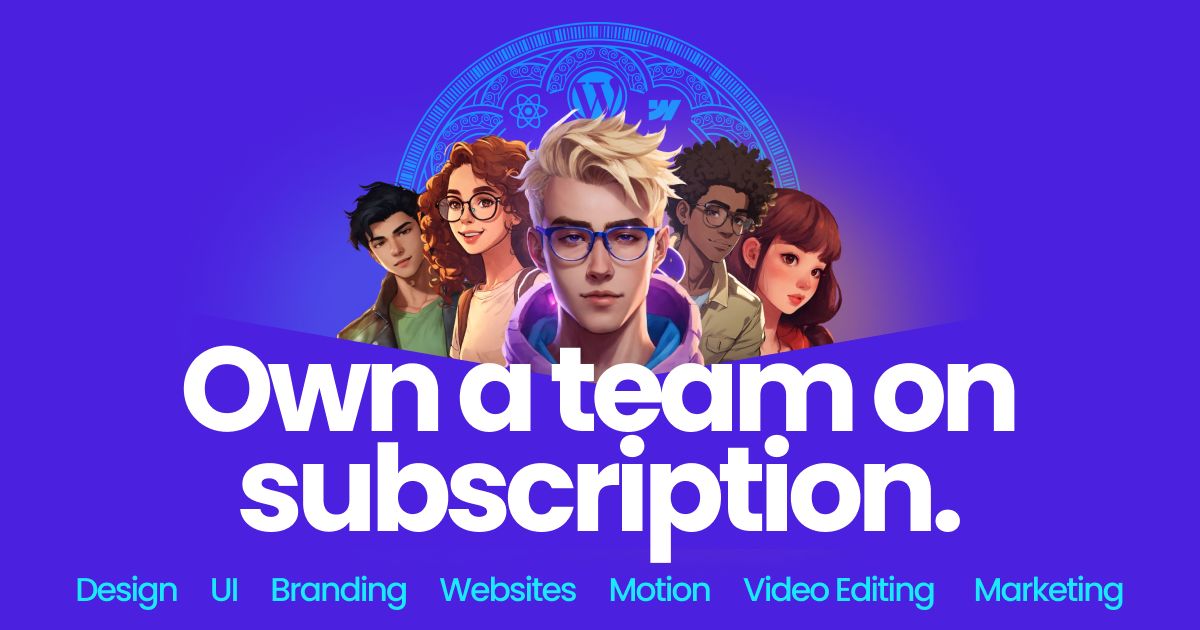
Top Graphic Designers, UI Designers, Developers, Marketers, Video Editors & Motion Graphic Experts in one subscription. Unlimited graphic design Service. Hire Full Creative Team on monthly subscription.

Paid content
Visit website
Profile views 0 Outbound visits 0 Normal
Draftss Full homepage screenshot

At a glance

Category
Design & Creativity
Language
English
Paid-content signal
Paid contentObserved
Registered
2018
Hosting
CloudflareInferred
HTTPS certificate trusted
PassedObserved
Last updated

Website review

This review may include AI-generated content and is not individually verified. Domain, certificate and other facts come from the observed data on this page.

What is Draftss?

Draftss is a subscription-based creative and marketing service that gives you an ongoing remote team rather than a single freelancer or a one-off project quote. According to its own site, one plan covers graphic design and illustration, web and app UI, motion graphics and video editing, website development, digital ads, SEO and content, and growth marketing tasks. You submit requests, and the team works through them for a flat recurring fee.

What the service actually covers

Draftss positions itself as a "Creative & Marketing Agency On Subscription." The task list on its page is broad:

  • Brand and graphic design: logos, full brand identity, stationery, packaging, pitch decks, brochures, social media images, infographics, banners, and print items such as menus and signage.
  • Web and app UI: landing pages, website redesigns, mobile app UI, and dashboard UI.
  • Video and motion: explainer videos, logo animations, animated ads, Instagram Reels, YouTube Shorts, and UI animations.
  • Development: WordPress, Webflow, Shopify, HTML/CSS, React.js, and common page builders including Elementor, Divi, and WooCommerce.
  • Marketing: SEO, content strategy, performance marketing, email and lifecycle marketing, conversion rate optimization, and PR or outreach.

The page also cites a 7-day free trial, a claimed 2-minute setup, cancel-any-time terms, and 560,200+ hours of creative work delivered across 70+ countries since 2018.

Who it suits, and where it fits less well

This model tends to work for startups, small brands, and agencies that have a steady stream of small-to-medium creative tasks but not enough volume to justify full-time hires. If you regularly need social assets, landing pages, ad variations, and short videos, a subscription can be cheaper and faster than briefing a new freelancer each time.

It fits less well if you need one highly specialized deliverable, strict regulatory or security review, or a named senior designer embedded in your team. Subscription services optimize for throughput across many task types; deep specialization in a single niche is a different purchase.

How to decide

Use the free trial as a real test: send two or three tasks that resemble your actual workload, including one with a tight deadline, and judge turnaround, revision handling, and communication quality. Compare the monthly fee against what those same tasks would cost at your current freelance or agency rates, then decide whether the breadth of the task list matters more to you than specialist depth.

For alternatives with a similar on-demand model, you can compare Design Pickle and ManyPixels.

How does Draftss's subscription model work for unlimited design requests?

Draftss sells access to a creative team rather than a fixed number of design files. You subscribe, then submit requests one at a time or in a queue; the team works through them and delivers designs, with revisions handled inside the same subscription. The site frames it as "one flat fee" for "any task, all tasks," covering graphic design, web and app UI, motion graphics and video editing, website development, and marketing work such as ads, SEO and email. A 7-day free trial is advertised, with "cancel any time" and a claimed setup time of about two minutes.

How the workflow typically looks

  • You sign up and complete a short onboarding brief about your brand, preferences and goals.
  • You add requests to a queue or board, usually with references, dimensions and copy.
  • Designers pick up the next request, deliver a first version, and you request revisions until it is right.
  • Work is delivered in batches rather than all at once, so the practical limit is your review speed and how many active requests the plan allows.

What "unlimited" means in practice

"Unlimited" refers to the number of requests you can submit over time, not simultaneous delivery. Most subscription design services, including this one, work on a queue: one or two active tasks at a time per subscriber, with the rest waiting. If you need five landing pages by Friday, a subscription will not behave like five parallel freelancers unless your plan explicitly allows multiple concurrent requests. Check the pricing page for the number of active requests, seats and turnaround expectations before committing.

Who gets the most value

Situation Fit
Steady stream of social, ad and brand assets Strong — repetitive work benefits from a retained team
Startup needing logo, deck, site and launch videos Strong — one subscription covers several disciplines
Occasional one-off project Weak — a single freelancer or fixed-scope project may cost less
Highly specialized work (complex 3D, regulated UX) Mixed — confirm relevant portfolio work first
Fast, high-volume campaign spikes Mixed — queue limits matter more than the headline promise

Practical next step

Before starting the trial, list your next 10–15 requests with deadlines, then compare that list against the plan's active-request limit and typical turnaround. During the trial, submit two real tasks — one simple (social graphics) and one complex (a landing page or explainer video) — to judge quality, communication and revision speed. For background on the subscription-design category, Design Joy and ManyPixels describe similar models, and Draftss itself is the place to confirm current plan limits and trial terms.

What types of projects can Draftss handle beyond graphic design?

Draftss is positioned as a subscription creative and marketing team, so its scope extends well past static design work. Based on the service categories listed on its site, projects fall into five broad areas.

Web and product design

  • Landing page design and full website redesigns
  • Mobile app UI and dashboard UI design
  • Web development, with listed tooling that includes WordPress, Webflow, Shopify, HTML/CSS, Elementor, React.js, WooCommerce and several page builders

This suits a startup that needs a marketing site and a product interface handled by the same team, or an agency that wants overflow capacity without hiring. The trade-off is that a subscription team works through a queue, so a large build benefits from being broken into discrete tasks rather than handed over as one open-ended brief.

Video and motion

  • Explainer videos, demo videos and tutorial or e-learning videos
  • Logo animations, typography animation and simple character animation
  • Animated ads, UI animations, GIFs and text overlays
  • Social formats such as Instagram Reels, YouTube Shorts and audiograms

A practical use case: a SaaS company launching a feature can request a short demo video, a set of animated ad variants and social cutdowns in one place instead of briefing three separate freelancers.

Marketing and growth

  • Performance marketing, digital ads and product launch campaigns
  • SEO and content strategy, plus analytics and reporting
  • Email and lifecycle marketing, conversion rate optimisation
  • Outreach and PR

These are ongoing retainers in most organisations, so the subscription model fits teams that want continuous output rather than a one-off campaign. The caveat is strategic ownership: someone in-house should still set positioning and channel priorities, because a production team executes briefs rather than defining them.

Branding and print

  • Full brand identity, logo design, stationery and packaging
  • Presentations and pitch decks, brochures, flyers and catalogues
  • Signage, vehicle wraps, tradeshow banners, rollup and standee banners
  • Merchandise, T-shirt, sticker and label design

Illustrations and niche assets

  • Character design, mascots, icon packs and infographics
  • Ebook covers, podcast covers, newsletter and email templates
  • Photo manipulation, Google Display Ads and billboard design

How to decide

Match the request type to how you would brief it. Repeatable, well-specified tasks such as social images, ad variants or UI screens are the easiest fit. Work needing deep discovery, such as a brand repositioning or a complex web application, needs a clear scope document before it enters the queue.

A useful next step is to list your next quarter of creative needs, split them into design, video, web and marketing, and check whether each can be described as a concrete deliverable. Draftss publishes its plan details at Draftss, and for comparison of the subscription-design model more broadly, Design Pickle and ManyPixels are established alternatives.

Is Draftss suitable for a startup that needs both design and development?

Yes. Draftss is positioned as a subscription creative and marketing team rather than a design-only service, and its listed capabilities span both design and front-end website development, which fits a startup that wants one vendor for branding, product UI and a marketing site.

Where it fits a startup

  • Design breadth: branding and logo work, illustration, social and ad graphics, presentations and pitch decks, plus web and app UI including landing pages, dashboards and redesigns.
  • Development scope: the page lists website development with WordPress, Webflow, Shopify, HTML/CSS, React.js and several page builders (Elementor, Divi, WP Bakery, Beaver Builder, Oxygen, WooCommerce).
  • Motion and video: explainer videos, logo animations, animated ads, reels and shorts — useful if your launch needs promo assets alongside the site.
  • Marketing add-ons: the same subscription is described as covering copywriting, SEO, paid campaigns and lifecycle email, so early-stage founders can avoid hiring separate freelancers for each channel.

The practical appeal is queue-based, flat-fee access: you submit tasks and a team works through them, instead of managing contracts with a designer, a developer and an editor separately. The page mentions a 7-day free trial, so the low-risk move is to test it with one real deliverable rather than a sample brief.

Trade-offs to weigh

Need Subscription team Dedicated hire or agency
Multiple disciplines at once One vendor, one fee Several contracts or one senior salary
Speed on small, repeatable tasks Strong — continuous queue Depends on availability
Deep, complex engineering Limited to listed stacks and front-end work Better for backend, infrastructure, custom apps
Brand consistency Good if you keep one point of contact Stronger with a long-term in-house owner
Cost predictability Flat monthly fee Variable or salary-plus-benefits

Decision criterion

Choose Draftss if your startup needs a steady stream of marketing-site pages, product UI screens, brand assets and short videos, and your engineering needs are mostly front-end or CMS-based. Look elsewhere for a backend-heavy product build, a complex web app, or work requiring a single senior engineer embedded in your team.

A useful first step: run the free trial on two tasks at once — one design task (for example, a landing page) and one development task (turning that page into a working WordPress or Webflow build). That tests handoff quality between the design and dev sides, which is where multi-service subscriptions usually succeed or fail. For comparison, you can also review what a dedicated freelance marketplace offers at Upwork or how a design-focused subscription works at Design Pickle.

How does Draftss compare to hiring an in-house creative team?

Draftss sells a subscription-based creative and marketing team rather than a single freelancer or a traditional agency retainer. The core trade-off against in-house hiring is simple: you get a broad set of skills immediately, without recruiting, benefits or long-term commitments, but you give up direct control over who does the work and how quickly context is built.

What the subscription model gives you

From the site, Draftss positions one subscription as covering graphic design, web and app UI, motion graphics and video editing, website development, digital ads, SEO and growth marketing. It advertises a 7-day free trial, a two-minute setup, cancellation at any time, and says it has delivered over 560,200 hours of creative work for customers across 70+ countries since 2018. It also cites a 4.8 out of 5 rating and more than 1,567 startups, brands and agencies reviewing it on Trustpilot, G2 and ProductHunt.

That breadth is the main advantage over a single in-house hire. A small company rarely needs a full-time illustrator, video editor, SEO specialist and WordPress developer at once, but it often needs all of them occasionally. A subscription lets those skills sit on the sidelines until a project appears.

Where in-house still wins

An in-house designer or developer knows your product, your brand voice and your internal stakeholders. They can join a planning meeting, iterate on a whiteboard and ship a fix the same afternoon. With an external subscription team, every new request starts with a brief, and quality depends on how well you communicate context. If your work is highly confidential, deeply integrated with proprietary systems, or requires constant real-time collaboration, in-house is usually the better fit.

A practical comparison

Factor Draftss subscription In-house creative team
Time to start Trial and setup advertised as very fast Weeks to months of recruiting and onboarding
Skill range Design, UI, development, video, marketing in one plan Limited to the roles you hire
Cost pattern Flat recurring fee, cancellable Salaries, benefits, equipment, management time
Brand context Built through briefs and feedback Built daily through proximity
Control over workload Shared queue with other clients Direct and immediate
Best for Variable, multi-discipline project flow Constant, specialized, confidential work

How to decide

List the creative tasks you expect over the next six months. If they span several disciplines and arrive in bursts, a subscription is likely cheaper and faster than hiring. If one discipline dominates and the work is continuous, hiring that person usually pays off. A common middle path is to keep one in-house generalist for day-to-day work and use a service like Draftss for overflow or specialist tasks.

Before committing, run the advertised free trial on a real brief, not a test project. Give the team a task with the same ambiguity and feedback loop you would use internally, then judge turnaround, revision quality and how much management time it consumed. Those three signals will tell you more than any plan comparison.

For a broader view of subscription design services, you can also look at Design Pickle and ManyPixels.

What is the process for requesting and receiving designs with Draftss?

Draftss is a subscription-based creative service: you pay a recurring fee, then submit design requests to a dedicated team rather than hiring freelancers one project at a time. The page describes it as a "Creative & Marketing Agency On Subscription" with a 7-day free trial, a roughly 2-minute setup, and the ability to cancel anytime.

How the request-and-delivery loop typically works

  1. Sign up and pick a plan. The site points to a free trial and monthly subscription tiers; the exact limits (number of active requests, turnaround, seats) live on the pricing page rather than the homepage.
  2. Submit a request. You send a brief for the task — for example a logo, landing page, explainer video, or social media graphics. The page lists dozens of supported deliverables across graphic design, web/app UI, video, development, and marketing.
  3. Get matched with the right specialist. Because the subscription includes graphic designers, UI designers, developers, video editors, and marketers, your request is routed to whoever handles that category.
  4. Review and revise. You receive a draft, give feedback, and the team iterates until it's approved.
  5. Queue the next task. With unlimited requests, you keep adding work as previous items are completed.

A concrete scenario

A startup founder needs a pitch deck, a logo refresh, and a set of Instagram ads before an investor meeting. Instead of briefing three separate freelancers, they submit all three requests through one subscription and track them in a single queue. The trade-off is that you're working within an agency's process and capacity rather than directing one person full-time.

What to check before committing

  • Turnaround time per request — "unlimited" usually means unlimited requests, not unlimited speed.
  • Active request slots — many subscription services let you have only one or two tasks in progress at once.
  • Revision policy — how many rounds are included before extra charges.
  • Ownership and source files — confirm you receive full rights and editable files.
  • Scope fit — the page advertises development and marketing alongside design; verify the specific stack or channel you need is covered.

For a fuller picture of the model, the official Draftss pricing page is the place to confirm plan limits, and Trustpilot or G2 carry the reviews the site cites.

Related questions

More questions →
What Is a Graphic Design Subscription and How Do You Choose the Right Plan?

A graphic design subscription is a flat monthly fee that gives you ongoing access to a design team instead of hiring one designer or commissioning projects one at a time. You submit requests to a queue, the team works through them, and you keep submitting as long as the subscription is active. It fits teams with a steady stream of design needs — startups, brands, and agencies — and it's a poor fit if you need only one logo or one landing page ever. Draftss, for example, describes itself as a "Creative & Marketing Agency On Subscription" offering a 7-day free trial with "real work done, cancel anytime," and reports 560,200+ hours of creative work delivered across 70+ countries since 2018.

How the subscription model actually works

The mechanics are consistent across most providers:

  1. You pay a recurring monthly fee (Draftss advertises "SIGNUP - 50% OFF for 6 Months" on its pricing page).
  2. You submit design requests — logos, social images, landing pages, and so on — into a shared queue.
  3. The team picks up tasks in order and delivers them.
  4. You request revisions until the work is approved.
  5. You keep submitting new tasks for as long as you're subscribed.

The key word is queue. "Unlimited" almost always means unlimited requests, not unlimited simultaneous output. Most plans cap how many tasks are in active production at once, so your real throughput depends on that cap and on how fast you approve work.

Who this model suits — and who it doesn't

Good fit:

  • Startups and small brands that need a continuous flow of marketing graphics, decks, and social assets
  • Agencies that want to white-label overflow capacity without adding headcount
  • Teams that would otherwise juggle multiple freelancers for different asset types

Poor fit:

  • One-off projects (a single logo, a single brochure)
  • Work requiring deep, ongoing strategic ownership by one dedicated person
  • Highly specialized or regulated design where you need a named in-house expert

Draftss positions itself for the first group, listing branding, illustration, web/app UI, motion graphics, video editing, and web development under one subscription — so the appeal is breadth: "One Subscription, Full Team."

Subscription vs. freelancers vs. full-time hire

Dimension Subscription Per-project freelance Full-time designer
Cost structure Flat recurring fee Per-project quotes Salary + benefits
Speed Depends on queue depth and concurrency Depends on freelancer availability Fast for in-scope work, slow to scale
Flexibility Pause/cancel per terms Start and stop freely Hiring and letting go is slow
Breadth Often multiple disciplines Usually one specialty Usually one specialty
Management overhead Low — one point of contact High — you coordinate each person Medium

The trade-off is control. A subscription buys throughput and simplicity; a full-time hire buys context and priority. If your design volume is unpredictable, per-project freelancing may still be cheaper.

What to check before you subscribe

  • Turnaround time — ask for the typical delivery window per task type, not the marketing average.
  • Revision policy — how many rounds are included, and what counts as a "revision" versus a new task.
  • Concurrent task limit — this is the real throttle on "unlimited." A plan with one active task at a time delivers far less than one with four.
  • Scope of services — does it cover only graphic design, or also UI, video, and development? Draftss bundles graphic design, web/app UI, motion graphics and video editing, and website development (WordPress, Webflow, Shopify, React.js, and builders like Elementor and Divi).
  • Trial and cancellation terms — Draftss offers a 7-day free trial and states "cancel anytime"; confirm the exact terms on the pricing page before committing.
  • Proof of quality — Draftss cites 1,567+ startups, brands, and agencies on Trustpilot, G2, and ProductHunt with a 4.8/5 rating. Check recent reviews for your specific asset types.

Common pitfalls

  • "Unlimited" ≠ unlimited parallel work. Read the concurrency clause.
  • Queue position matters. If your tasks sit behind other clients', your effective speed drops.
  • Pause vs. cancel. Some plans let you pause and bank unused time; others don't. Confirm before you sign.
  • Scope creep. A "revision" that's really a redesign may be billed as a new task.
  • Onboarding cost. Even a 2-minute setup (as Draftss advertises) still requires you to write clear briefs — vague requests slow everything down.

A practical way to test before committing

Use the trial or your first paid month to run a real workload, not a demo:

  1. Submit three tasks of different types (e.g., a logo variation, a social image set, a landing page section).
  2. Note the time from submission to first delivery for each.
  3. Request one round of revisions and see how it's handled.
  4. Judge whether the communication style works for your team.

If the trial delivers usable work at a pace you can live with, scale up. If not, you've spent a week instead of a year.

What Is Design as a Service (DaaS) and When Should You Use It?

Design as a service (DaaS) is a subscription model where you pay a recurring fee for ongoing design work delivered by a remote creative team, instead of hiring a freelancer per project or retaining a traditional agency. It fits teams that have a steady or unpredictable stream of design requests—branding, UI, social, video, web—and want one flat cost with no per-task quoting. It is a poor fit if you need only one small one-off asset, or if your work requires deep, specialized expertise that a generalist subscription team doesn't staff.

How the subscription model works in practice

A DaaS plan replaces project-by-project billing with a queue-based workflow:

  1. You subscribe to a plan tier (often monthly), which sets how many active requests you can run at once and how fast they turn around.
  2. You submit requests into a shared board or queue—logos, landing pages, ad creatives, explainer videos, and so on.
  3. The team works through the queue, delivering drafts you can review.
  4. You request revisions until the asset is approved, then the next request moves up.

Draftss, for example, describes itself as a "Creative & Marketing Agency On Subscription" that bundles graphic designers, UI designers, developers, video editors, and marketers into one subscription, with a 7-day free trial and cancel-anytime terms. Its own page cites 560,200+ hours of creative work delivered across 70+ countries since 2018 and a 4.8/5 rating, which signals the model is built for continuous volume rather than single deliverables.

The key mechanic to understand: you are buying capacity and turnaround, not a fixed scope. That is what makes the flat fee possible—and also what creates the main trade-offs.

DaaS vs. freelancers vs. agencies vs. in-house

Dimension DaaS subscription Freelancer Traditional agency In-house designer
Pricing structure Flat recurring fee Per project/hourly Retainer or per project Salary + benefits
Breadth of skills Multiple roles in one plan Usually one specialty Broad but costly Limited to who you hire
Turnaround Queue-based, often fast Varies by availability Slower, more process Fast but capacity-capped
Scalability Add requests within plan limits Hire more freelancers Expand scope = higher cost Hire more people
Best for Ongoing, varied design needs One-off or niche tasks Large campaigns, strategy High-volume, single-brand work

The practical distinction: freelancers are cheapest for isolated tasks but you manage each one separately; agencies offer depth and strategy but at agency rates; in-house gives control but locks you into fixed headcount. DaaS sits in the middle—broad skills, predictable cost, less control over exactly who does the work.

What tasks and roles a DaaS plan typically covers

Because the value comes from breadth, most DaaS providers stack multiple disciplines. Based on Draftss's listed services, a single subscription can span:

  • Graphic design & illustration — brand identity, logo design, packaging, pitch decks, social media images, infographics, brochures, banner ads, merchandise, and more.
  • Web & app UI — landing pages, website redesigns, mobile app UI, dashboard UI.
  • Motion graphics & video — explainer videos, logo animations, animated ads, Instagram Reels, YouTube Shorts, UI animations.
  • Web development — WordPress, Webflow, Shopify, HTML/CSS, plus builders like Elementor, Divi, and WooCommerce.
  • Marketing & growth — SEO, content strategy, performance marketing, email/lifecycle marketing, conversion rate optimization, PR.

That range matters when you evaluate a plan: if your needs are mostly one category (say, only video), a broad subscription may be more than you need. If your needs jump between categories week to week, the bundled model is where the value shows up.

How to evaluate a DaaS plan

Use the same criteria you'd apply to any ongoing service:

  • Turnaround time — how fast does a typical request come back? Queue-based models vary widely.
  • Revision policy — how many rounds are included before it counts as a new request?
  • Concurrent requests — how many tasks can run at once? This caps your real throughput more than the total task list.
  • Role coverage — does the plan actually include the disciplines you need, or just design?
  • Scalability — can you pause, upgrade, or cancel without penalty? Draftss advertises "cancel anytime" and a 7-day free trial, which lowers the risk of testing fit.
  • Pricing structure — confirm what the flat fee includes and whether discounts (Draftss shows a "50% OFF for 6 Months" signup offer) change the effective cost.

When DaaS is a good fit—and when it isn't

Good fit:

  • You have a continuous or spiky flow of design requests across multiple formats.
  • You want predictable monthly cost instead of per-project quotes.
  • You need several skill sets (design + UI + video + web) but can't justify hiring each role.
  • You're a startup, brand, or agency that needs to scale output up and down.

Poor fit:

  • You need a single one-off asset—per-project freelancing is usually cheaper.
  • Your work demands rare, deep specialization a generalist team won't have.
  • You need tight, real-time collaboration or someone embedded in your team.
  • You require strict control over exactly who executes each task.

If you're unsure, the lowest-risk test is a trial: Draftss offers a 7-day free trial explicitly framed as "get real work done, cancel anytime," which lets you judge turnaround and quality against your actual queue before committing.

What Is an Unlimited Graphic Design Subscription and How Do You Choose One?

An unlimited graphic design subscription is a flat-fee service that gives you ongoing access to a design team through a task queue, rather than billing you per project. You submit requests, the team works through them one or a few at a time, and you keep requesting as long as your subscription is active. It suits teams with a steady or unpredictable flow of design needs—social graphics, ads, decks, UI, branding assets—who would rather pay a predictable monthly rate than negotiate each project. It is a poor fit if you need a single one-off logo, or if you need many deliverables delivered simultaneously by many people.

Draftss is one example: it markets itself as a "Creative & Marketing Agency On Subscription" covering graphic design, web and app UI, motion graphics and video, website development, and marketing, with a 7-day free trial, a 2-minute setup, and cancel-anytime terms. The sections below explain the model and how to evaluate any provider, using Draftss's published details as a concrete reference.

How the subscription model actually works

The mechanics are consistent across most providers, including what Draftss describes:

  • One flat fee, one queue. You pay monthly and submit tasks into a shared queue instead of opening a new contract per deliverable.
  • Sequential or limited parallel work. "Unlimited" refers to the number of requests you can submit over time, not to infinite simultaneous output. Most services work on one or a small number of active tasks at a time.
  • Revisions within the active task. You review a draft, request changes, and the team revises before moving on.
  • Rollover and pause rules vary. Some plans let unused days roll over or let you pause; others don't. Check this before subscribing.
  • Scope boundaries matter. Draftss lists a very wide scope—branding and logo design, illustrations, packaging, presentations and pitch decks, social media images, banner ads, infographics, ebook covers, web and app UI, dashboard UI, motion graphics, video editing, and website development across WordPress, Webflow, Shopify, HTML/CSS, React.js, and page builders like Elementor, Divi, and Beaver Builder. Confirm that your specific need falls inside the advertised scope rather than assuming it does.

Subscription vs. freelancer vs. agency vs. per-project

Use the same dimensions to compare, then pick the model that matches your workload shape.

Dimension Unlimited subscription Freelancer Traditional agency Per-project
Pricing Flat monthly fee Hourly or per project Retainer or project fee Fixed per deliverable
Throughput Queue-based, limited parallel Depends on one person's capacity Higher, but scheduled One deliverable at a time
Best for Continuous, varied design needs Focused, specialized work Large campaigns, strategy One-off or occasional needs
Consistency Team-based, so style can drift Single person, consistent style Team with account management Varies
Commitment Monthly, often cancel anytime Per engagement Longer retainers None after delivery

A subscription wins when you have a recurring stream of small-to-medium tasks. A freelancer wins when you need one specialist's consistent hand. An agency wins when you need strategy plus execution at scale. Per-project wins when you genuinely have one thing to make.

What to evaluate before you subscribe

Delivery speed and queue behavior

Ask how many active tasks run at once and what the typical turnaround is per task. "Unlimited" requests mean little if the queue backs up during your busiest weeks.

Revision policy

Find out how many revision rounds are included per task and whether revisions reset the queue position. This is where most frustration originates.

Team coverage and skill range

A single generalist and a full-stack team produce very different results. Draftss, for instance, advertises designers, developers, video editors, and marketers under one subscription—useful if your needs span disciplines, less relevant if you only need logos.

Collaboration and handoff

Check how you submit tasks, how you review drafts, and what file formats you receive. Confirm you get editable source files, not just flattened exports.

Cancellation and trial terms

Draftss offers a 7-day free trial, a 2-minute setup, and cancel-anytime terms, and its pricing page advertises a signup discount. Verify current pricing and terms on the provider's own pricing page before committing, since these change.

Track record

Draftss cites 1,567+ startups, brands, and agencies reviewing it on Trustpilot, G2, and Product Hunt, a 4.8 out of 5 rating, and 560,200+ hours of creative work delivered across 70+ countries since 2018. Treat third-party review counts and ratings as a starting signal, not proof—read recent reviews for turnaround and communication complaints specifically.

How to test a provider before committing

  1. Use the free trial for real work. Draftss's trial is framed as "get real work done," so submit an actual task you need, not a throwaway. A 7-day trial is enough to judge one or two deliverables.
  2. Start with a representative task. Pick something mid-complexity that reflects your typical work—not your easiest request, not your hardest.
  3. Measure turnaround and revision rounds. Note how long the first draft took and how many rounds it needed to reach acceptable quality.
  4. Test communication. See how the team handles a vague brief and whether they ask clarifying questions or guess.
  5. Check brand consistency. Submit a second task and see whether it matches the first in style and quality.

If the trial output is usable and the communication is smooth, the model likely fits. If you spend the trial chasing clarifications, it won't improve much after you pay.

Common pitfalls and how to avoid them

  • "Unlimited" isn't infinite parallel capacity. Expect a queue. Plan around it for deadline-driven work.
  • Queue pile-up. If you submit twenty tasks at once, the last ones wait. Prioritize and stagger.
  • Brand drift. With a rotating team, output can vary. Provide a brand guide and reference files up front.
  • Scope surprises. Confirm your task type is covered before subscribing; a broad service list doesn't guarantee every request is in scope.
  • Hidden costs. Check what's included versus billed separately—rush fees, extra revision rounds, or add-on services.
  • Weak onboarding. A 2-minute setup is convenient, but make sure you can hand over brand assets and context properly.

Bottom line

Choose an unlimited graphic design subscription if you have a continuous, varied flow of design work and value a predictable flat fee over per-project pricing. Choose Draftss or a similar provider only after confirming that its scope covers your needs, its queue speed matches your deadlines, and its revision and cancellation terms work for you—and validate all of that with real tasks during the free trial before you commit.

What to Look for in a Video Platform Beyond Hosting and Sharing

If you're evaluating a video platform for a small business or marketing team, hosting and sharing are just the entry point. The features that actually determine whether a platform fits your workflow fall into four areas: privacy and playback control, collaboration and review tools, marketing and analytics capabilities, and practical limits like storage and mobile support. Most general-purpose tools (cloud storage, social networks, free hosts) cover hosting well but leave gaps in the other three. This guide walks through what each area means in practice, so you can map features to your own situation instead of comparing endless checklists.

Start by separating three jobs: hosting, editing, and marketing

Video platforms tend to bundle three distinct functions, and confusion usually comes from mixing them up:

  • Hosting — storing a file, generating a player, delivering it reliably to viewers. This is the baseline.
  • Editing — trimming, assembling, adding captions or branding. Some platforms include basic editors; others expect you to edit elsewhere and upload the result.
  • Marketing and business features — privacy controls, lead capture, calls to action, analytics, team review workflows. These are what separate a "video host" from a "video platform."

A useful exercise: write down your last five video tasks (a product demo, a client pitch, a social clip, an internal training, a landing page embed). For each one, note which of the three jobs it required. If most of your tasks stop at hosting, a lighter tool may be enough. If several involve review cycles, gated access, or measuring viewer behavior, a fuller platform earns its cost.

Privacy and playback control: the business-vs-social divide

On social platforms, everything is public by default and wrapped in ads and recommendations. For business use, that's often the opposite of what you want. Look for:

  • Granular privacy settings — can you restrict a video to specific people, a password, a domain, or an embed location? Can you make it unlisted but still embeddable?
  • Ad-free playback — your product demo shouldn't end with a competitor's ad or an unrelated recommendation.
  • Customizable embeds — control over player color, logo, and whether related videos appear. This matters when the video sits on your own site and represents your brand.
  • Domain-level restrictions — the ability to limit playback to your own website prevents your content from being re-embedded elsewhere.

If your videos are purely promotional and public, these controls matter less. If you share client work, internal training, or pre-release material, they become the deciding factor.

Collaboration and review: the most common gap

This is where general-purpose tools most often fall short. A shared drive lets people comment on a file, but it doesn't give you a structured review process. A dedicated platform typically offers:

  • Timestamped comments — feedback attached to a specific moment in the video, so "the logo looks off" points to an exact frame.
  • Versioning — uploading a new cut while keeping the old one, so reviewers can see what changed.
  • Approval status — a clear "approved" or "needs changes" state rather than a scattered email thread.
  • Role-based access — reviewers who can comment but not download or reshare.

When this becomes relevant: as soon as more than two people need to sign off on a video, or when you're producing videos on a recurring schedule. For a solo operator publishing once a month, a simple comment thread may be sufficient.

Analytics and lead capture: beyond view counts

A raw view count tells you almost nothing actionable. Business-oriented platforms go further:

Feature What it tells you When it matters
Watch time / engagement graph Where viewers drop off Improving content or editing
Viewer identity Who watched (when gated) Sales follow-up, internal training
Lead capture forms Email collected before or during playback Demand generation
Calls to action Click-through to a page or booking link Converting viewers
Embed/domain reports Where your video is being watched Tracking campaign performance

If your goal is brand awareness, basic view counts may be fine. If you're using video to generate leads or train staff, the deeper metrics are the reason to choose a platform over a free host.

Practical limits that affect daily use

Feature lists rarely mention the constraints that cause friction later. Check these before committing:

  • Storage and bandwidth limits — how much you can upload, and whether high viewership triggers overage fees.
  • Upload size and length caps — relevant if you work with long recordings or high-resolution footage.
  • Mobile app support — can you upload, review, and respond to comments from a phone? For teams that shoot on mobile, this is a real workflow factor.
  • Export and portability — can you download your originals and embed codes if you leave? Lock-in is a hidden cost.
  • Integrations — does it connect to the tools you already use (your website builder, CRM, or project tracker)?

Deciding between a full platform and a lighter tool

Use these rough conditions as a starting point:

A lighter tool (free host, cloud storage, social platform) is likely enough if:

  • You publish occasionally and mostly to public channels.
  • One person handles video end to end.
  • You don't need gated access or viewer-level analytics.

A dedicated platform is worth evaluating if:

  • Multiple people review or approve videos.
  • You need privacy controls, ad-free playback, or branded embeds.
  • You're using video for lead generation, training, or client delivery.
  • You publish frequently enough that manual workarounds cost more than a subscription.

Pricing and plan details change often, so check the platform's current plans page directly rather than relying on secondhand comparisons. The right approach is to list your actual requirements first, then match them against what each option offers — not the other way around.

What Is On-Demand Design and How Does the Subscription Model Work?

On-demand design is a service model where you submit design requests and receive finished work from an external creative team, without hiring in-house designers or managing individual freelancers. It usually runs on a subscription: you pay a recurring fee, get access to a team or a queue, and request work as you need it. This model fits teams with a steady but unpredictable flow of design tasks — recurring social graphics, landing pages, decks, branding assets — who want output without recruiting. It fits less well if you need only one small project, or if your work requires deep, ongoing immersion in your product.

How the subscription model actually works

The mechanics are simple, but the details decide whether it works for you:

  1. You subscribe to a plan at a flat recurring fee rather than paying per project.
  2. You submit requests — one at a time or several, depending on the provider's queue rules.
  3. A team picks up the work. Providers like Draftss describe this as "your own personal team of Creatives, Developers & Marketers" on subscription, covering graphic design, web and app UI, motion graphics and video editing, web development, and marketing tasks.
  4. You review and request revisions until the deliverable is approved.
  5. The next request moves forward once the current one is done or the queue allows.

Draftss positions this as "One Subscription, Full Team" and "Any Task. All Tasks. One Flat Fee," with a stated 2-minute setup and the ability to cancel anytime. It also advertises a 7-day free trial with the framing "Get real work done, cancel anytime" — which matters, because a trial that lets you push a real request through the queue tells you far more than a demo call.

On-demand subscription vs. freelancers vs. agencies

Dimension On-demand subscription Freelancers Traditional agency
Pricing structure Flat recurring fee Per project or hourly Per project, often with retainers
Speed to start Fast setup, work begins on request Depends on finding and vetting Longer onboarding and scoping
Scope Broad, multi-discipline (design, dev, video, marketing) Usually narrow to one skill Broad but scoped per engagement
Scalability Add requests within plan limits Add more freelancers, more management Expand scope, higher cost
Management overhead Low — one vendor, one queue High — you coordinate each person Medium — account manager involved
Best for Continuous, varied design needs Specific one-off skills Large, complex, strategic projects

The trade-off is consistent: subscriptions reduce coordination cost and give you breadth, while freelancers give you depth in a single skill and agencies give you strategic ownership. If your bottleneck is volume and variety, a subscription tends to win. If your bottleneck is one hard problem, a specialist usually wins.

What to check before you commit

  • Turnaround time. Ask what a typical request takes, and whether that changes with queue depth. "Unlimited" requests rarely mean unlimited parallel work.
  • Queue rules. Most subscription models process requests sequentially. Know how many active requests you can have at once.
  • Revision policy. Confirm how many rounds are included and whether revisions reset the queue position.
  • Scope of services. Verify the specific tasks you need are covered. Draftss, for example, lists branding and logo design, illustrations, web and app UI, motion graphics and video editing, website development, digital ads, SEO, and content strategy — a wide net, but you should still confirm your exact deliverable type.
  • Trial availability. A free trial is the cheapest way to test workflow, communication speed, and output quality. Draftss offers a 7-day free trial; use it to submit a representative task, not a trivial one.
  • Track record signals. Draftss cites being trusted by 1,567+ startups, brands, and agencies across TrustPilot, G2, and ProductHunt, a 4.8 out of 5 rating, and 560,200+ hours of creative work delivered across 70+ countries since 2018. Treat these as vendor-reported signals, and weigh them alongside your own trial experience.

Common limitations to expect

  • Queue time, not unlimited parallelism. "Unlimited design" typically means unlimited requests over time, not unlimited simultaneous work. A backlog slows everything.
  • Task scope restrictions. Some providers exclude certain deliverable types or cap complexity per request.
  • Quality consistency. With a team rather than one named designer, output can vary between requests. Clear briefs and reference examples reduce this.
  • Communication latency. Async workflows are efficient but slower for highly iterative, feedback-heavy work.

A practical way to decide

Run a trial with one real, medium-complexity task from your actual backlog — not a test logo. Measure three things: time from submission to first draft, quality against your brief, and how smoothly revisions were handled. If all three hold up, a subscription is likely a good fit. If turnaround drags or revisions feel like starting over, the model isn't the problem — the provider is, and you should test another before signing an annual commitment.

Website Overview

An advisory match combined with missing browser safeguards may increase exposure if the affected component is active. Deployment-specific verification and remediation deserve priority. Identifiable technologies and additional version or configuration signals make the service easier to fingerprint, which may help targeted scanners narrow their checks.

Domain and Registration

Registered in 2018, this domain has about 8 years of history. That suggests continuity, although ownership and purpose may have changed. Transfer-protection status is present, helping reduce the risk of unauthorized domain transfers. The registrar is Porkbun LLC, a widely used domain service provider. The domain uses the common .com extension, which is not an independent safety signal.

DNS and Email

Nameservers are provided by Cloudflare, indicating managed DNS hosting. MX records point to the Google Workspace email service. No CNAME was found; the observed records resolve directly to addresses. SPF and DMARC are configured. DKIM status is unknown. TXT records include verification markers for Google. Such markers may also remain after a service stops being used.

TLS and Certificates

The public key uses EC with 256 bits. The server supplied a complete certificate chain. No organization name is present in the certificate; the available fields are consistent with domain validation. The certificate was issued within the Google Trust Services cloud or CDN ecosystem. The certificate's total validity is about 90 days, consistent with a short renewal cycle.

HTTP and Browser Security

The checked browser-security headers were not detected, leaving fewer explicit browser-side safeguards. No X-Powered-By header was found, reducing one common source of backend fingerprinting information. The cf-ray response header indicates a CDN or caching proxy in the delivery path. No obvious internal addresses or debug information were found in the headers. The Server header identifies cloudflare without an exact version.

Technology Stack Analysis

The public page identifies Astro 5.18.1, Tailwind CSS, Google Tag Manager, Cloudflare, with exact versions exposed for 1 technologies. These details can narrow vulnerability checks, although exposure alone is not a vulnerability. The advisory source OSV places Astro 5.18.1 in the affected range of GHSA-26w7-cxv4-gfx2, GHSA-2pvr-wf23-7pc7, GHSA-376h-93r7-7g6f, GHSA-4g3v-8h47-v7g6, GHSA-7pw4-f3q4-r2p2 等 10 项. Verify the deployed version and relevant configuration before drawing conclusions about exploitability. Updating affected components should be a priority.

Search and Social Sharing

The title has 83 characters and may be truncated in search results. The meta description has 202 characters and may be shortened in search results. The Generator tag identifies Astro v5.18.1, making the publishing system easier to fingerprint. Twitter Card metadata is configured. The observed directives allow indexing and link following.

Hosting and Email

DNSCloudflare
HostingCloudflare
EmailGoogle Workspace
Approximate IP geolocation (inferred; a CDN or proxy may differ from the origin server) Location unknown Inferred 104.21.52.148

Registration details

RDAP / WHOIS

RegistrarPorkbun LLC
Registered2018-04-02
Expires2027-04-02
Domain statusclient delete prohibited、client transfer prohibited
Nameserversbethany.ns.cloudflare.com、drew.ns.cloudflare.com
DNSSECunsigned

DNS records

DNS

TypeNameValueTTLPriority
Adraftss.com104.21.52.148300—
Adraftss.com172.67.200.139300—
AAAAdraftss.com2606:4700:3032::6815:3494300—
AAAAdraftss.com2606:4700:3032::ac43:c88b300—
MXdraftss.comaspmx.l.google.com3001
MXdraftss.comalt1.aspmx.l.google.com3005
MXdraftss.comalt2.aspmx.l.google.com3005
MXdraftss.comalt3.aspmx.l.google.com30010
MXdraftss.comalt4.aspmx.l.google.com30010
NSdraftss.combethany.ns.cloudflare.com86400—
NSdraftss.comdrew.ns.cloudflare.com86400—
TXTdraftss.comSendinblue-code:6e03800419ba645c302989edc8dedcce300—
TXTdraftss.combrevo-code:e9061d497e3b1e4f41e174d35549c5cb300—
TXTdraftss.comgoogle-site-verification=41SL1z_T0laOBIqEMC5WUNIAyGYSlfQdHUjy4Lkn1qk300—
TXTdraftss.comgoogle-site-verification=Ac3GO3vQRk1zjGrDF1tUPWtzIvzUIJZjaxjGEsB_uLg300—
TXTdraftss.comgoogle-site-verification=ExMDALdvRVoAeS8IjwueEjTCVzt9gBHXQ1ejgUI0990300—
TXTdraftss.comgoogle-site-verification=e-BGfqm96x6HpmlN_Re0rixzL1WNSt67reTDXqNGHgg300—
TXTdraftss.comv=spf1 include:amazonses.com mx include:_spf.google.com ~all300—
DMARC_dmarc.draftss.comv=DMARC1; p=none; sp=none; rua=mailto:[email protected]!10m; ruf=mailto:[email protected]!10m; rf=afrf; pct=100; ri=86400300—

TLS and certificates

TLS / SSL

AssessmentNormal configuration
Supported protocolsTLSv1.2、TLSv1.3
Negotiated protocolTLSv1.3
Certificate subjectdraftss.com
IssuerGoogle Trust Services
Valid until2026-11-27T20:14 · Remaining when checked: 42 days
Verification detailsCertificate trust: Passed · Hostname match: Passed

HTTP response headers

HTTP

HeaderValue
content-typetext/html; charset=utf-8
cache-controlpublic, max-age=0
servercloudflare

Identified technologies

Astro 5.18.1Tailwind CSSGoogle Tag ManagerCloudflare

Pages, Search and Sharing

Meta descriptionTop Graphic Designers, UI Designers, Developers, Marketers, Video Editors & Motion Graphic Experts in one subscription. Unlimited graphic design Service. Hire Full Creative Team on monthly subscription.
Canonical URLhttps://draftss.com
LanguageEnglish (default)
Twitter Cardsummary_large_image
All bots 0 allowed · 0 disallowed

User reviews (0)

  • No reviews yet.