
 简体中文
简体中文 English
Website review
This review may include AI-generated content and is not individually verified. Domain, certificate and other facts come from the observed data on this page.
What is EvaSpy?
EvaSpy is a parental control and family device monitoring tool that collects activity from a child's or family device into one online dashboard. According to its own description, it covers location history, app activity, websites, calls, incoming SMS, screenshots, blocked-content events, and device usage statistics.
It works across three platform families, and the feature set is not identical on each:
| Platform | Examples of what the page lists |
|---|---|
| Android | Messenger activity, location tracking, live screen viewing, app and website activity, incoming SMS, call history, screenshots |
| Windows | Messenger activity, website activity, live screen viewing, internet traffic usage, active apps, website blocking, installed apps, screenshots |
| macOS | Active app tracking, website activity in supported browsers, location tracking, app and website blocking, screenshots with text recognition |
Two things stand out as practical decisions rather than marketing points. First, EvaSpy says it stays visible on the device and encourages an open conversation with your child — so it is aimed at transparent monitoring, not covert tracking. Second, the page states it should only be used on your own devices, your child's devices, or devices you have a legal right and required consent to monitor.
A concrete scenario: a parent who wants to know whether a younger teenager is being contacted by strangers might care most about incoming SMS, call history, and messenger screenshots on Android. A parent worried about late-night computer use would get more from Windows active-app and internet traffic data. Match the platform to the concern before comparing plans, because availability also depends on device model, permissions, setup, and the plan you choose.
Next step: open the demo or the pricing page at EvaSpy and check the feature list for your specific device type, since the platform differences above are the main trade-off.
How do I set up EvaSpy on my child's Android phone?
The setup itself happens on your child's Android phone, and EvaSpy is designed to stay visible there rather than hide — the site frames this as part of an open conversation with your child. So plan the install as something you do together, not something you slip onto the device.
What the setup involves
- Check the requirements first. EvaSpy supports Android phones, but the site notes that feature availability can differ by platform, device model, permissions, setup, and selected plan. Confirm your child's phone and Android version are supported before you start.
- Create your account and pick a plan. You need a dashboard login before the phone can be linked to it. EvaSpy's own pricing page is the place to confirm what each plan covers: EvaSpy Pricing.
- Install on the child's device. The app goes on the Android phone being monitored. Expect to grant several Android permissions during setup — location, notifications access, and similar — because features like location tracking, incoming SMS, call history, and screenshots depend on them.
- Confirm the device is reporting. After setup, open the web dashboard and verify that basic signals (device activity, location history) are arriving. If nothing appears, permissions are the usual culprit.
- Have the conversation. Because the app remains visible on the device, your child will see it. Explaining what you're monitoring and why usually goes better before they discover it themselves.
What you'll see once it's running
On Android, the dashboard is built around messenger activity, location tracking, live screen viewing, app activity, website activity, incoming SMS, call history, and screenshots. Note that messenger and AI chat content is reviewed through screenshots rather than full message text, so it's a visual record, not a searchable transcript.
A realistic scenario
A parent setting this up on a younger teen's phone might care most about location history and who's contacting them — that maps to location tracking, call history, and incoming SMS. A parent of an older teen worried about late-night browsing would lean on website activity and app activity instead. Decide which signals you actually need before setup, because granting every permission "just in case" is harder to justify to your child than a short, specific list.
Before you install
- Consent matters legally. EvaSpy states it should be used only on your own devices, your child's devices, or devices you have a legal right and required consent to monitor. Rules on monitoring a child's phone vary by country and by the child's age.
- Platform differences are real. Features listed for Android don't all appear on Windows or macOS, so don't assume parity if you later add a computer.
Next step: read the Android feature page on EvaSpy and the pricing page side by side, and check that the specific features you want are included in the plan you're considering before you touch your child's phone.
How much does EvaSpy cost and what do the different plans include?
EvaSpy doesn't publish plan prices or a feature-by-plan breakdown in the material I have, so I can't give you a number or a plan comparison table. What I can do is tell you what the product covers and how to get the cost.
Where the price lives
EvaSpy has a dedicated pricing page — EvaSpy Pricing — which is the only place to get current figures, since monitoring services change plan names and tiers often.
What EvaSpy covers overall
According to the site, EvaSpy is a parental-control dashboard for Android phones, Windows computers and macOS computers. Across the product it advertises:
- Location history and tracking
- App activity, active apps and installed apps (platform-dependent)
- Website activity in supported browsers, plus website blocking
- Messenger and AI chat activity reviewed via screenshots
- Incoming SMS and call history (Android)
- Live screen viewing, screenshots, and screenshot text recognition
- Device activity and usage statistics
The site states plainly that feature availability differs by platform, device model, permissions, setup and selected plan. So the plan tier is only one of several things that determine what you actually see.
How to decide between plans
Rather than comparing prices in the abstract, work out which features you'd genuinely use, then check which tier unlocks them:
- Write down your must-haves — for example, location history plus website blocking, or messenger screenshots.
- Check the platform — the same feature can exist on Android but not on macOS, or require different permissions.
- Match must-haves to tiers on the pricing page, and note whether the tier is per-device or covers several.
- Check the billing period — monthly versus longer terms usually changes the effective cost most.
Two practical cautions
EvaSpy says it stays visible on the device and encourages an open conversation with your child, which is worth factoring into your choice: a visible tool suits a transparent family agreement, not covert monitoring. And the site limits use to your own devices, your child's devices, or devices you have a legal right and required consent to monitor — confirm that applies to your situation before buying.
If you tell me which platform (Android, Windows or macOS) and which two or three features matter most, I can point you to the specific sections of the site to check.
Can EvaSpy monitor my child's iPhone or iPad?
No. EvaSpy's own platform list covers Android phones, Windows computers and macOS computers — iOS and iPadOS are not among them. If your child uses an iPhone or iPad, EvaSpy is not the tool for that device.
What this means in practice
| Device your child uses | EvaSpy coverage |
|---|---|
| Android phone | Yes — app activity, websites, calls, incoming SMS, location history, screenshots, live screen viewing |
| Windows PC | Yes — websites, active apps, installed apps, internet traffic usage, screenshots, website blocking |
| Mac | Yes — active apps, website activity in supported browsers, location tracking, app and website blocking |
| iPhone / iPad | Not listed as supported |
Even within the supported platforms, EvaSpy notes that feature availability can differ by platform, device model, permissions, setup and selected plan — so a feature you see on the Android list may not behave identically on Windows or Mac.
A practical next step
If an iPhone or iPad is the device you actually need to cover, check the built-in options first: Apple's Screen Time and Family Sharing provide app limits, downtime schedules, content restrictions and purchase approvals without installing anything. Those cover rules and limits rather than the detailed activity review EvaSpy describes. If you specifically want message, call or location detail on an iPhone, look for a tool that explicitly lists iOS support on its own site before you buy — and confirm it matches your child's iOS version.
One thing worth deciding first
EvaSpy states it is intended for your own devices, your child's devices, or devices you have a legal right and required consent to monitor, and that it stays visible on the device to encourage an open conversation. If covert monitoring is what you had in mind, that expectation conflicts with how this product is positioned. For a mixed household — an Android phone plus a family PC or Mac — EvaSpy's single dashboard is a reasonable fit; for an all-Apple household, it is not.
How does EvaSpy keep my child's monitoring data private and secure?
EvaSpy's own documentation is thin on the specific privacy and security mechanics. Its page describes a "secure dashboard" that consolidates activity data, and states the app stays visible on the device, with the company encouraging an open conversation with your child. Those are the only privacy-relevant claims it makes directly; it does not publish details here about encryption, data retention or where data is stored.
What the page does say about scope is worth noting, because it shapes your risk:
- The dashboard pulls together location history, app and messenger activity, websites, calls, incoming SMS, screenshots, blocked-content events and device statistics.
- Supported platforms are Android, Windows and macOS, with feature availability varying by platform, device model, permissions, setup and plan.
- EvaSpy states it should be used only on your own devices, your child's devices, or devices you have a legal right and required consent to monitor.
That last point is the honest starting position: the sensitivity of this data is high, so the practical question is less "is the vendor trustworthy" and more "what does my setup expose."
What to verify before installing
Ask EvaSpy support directly, in writing, for:
- Whether data is encrypted in transit and at rest, and whether screenshots and location history are stored on their servers or only streamed to your dashboard.
- How long data is retained and whether you can delete it on demand.
- Who at the company can access your child's data, and under what circumstances.
- Whether two-factor authentication protects the parent dashboard account.
Protect your side of it
Most real-world exposure comes from the parent account, not the vendor. Use a unique password, turn on two-factor authentication if offered, and avoid logging into the dashboard on shared or public computers. Because the app is visible on the child's device, treat the login as a family secret rather than something to hide.
A decision criterion
If transparency matters to you, EvaSpy's visible-on-device design fits a household where the child knows monitoring exists. If you want covert monitoring or a vendor with published security documentation, this may not be the right fit. For a comparison of how parental-control tools handle data, see U.S. Federal Trade Commission guidance on children's privacy and ConnectSafely for family tech advice.
Next step: email EvaSpy support with the four questions above and keep the reply, so you know exactly what you agreed to before setup.
What should I do if EvaSpy isn't showing activity from a specific app?
Start with the platform check, because EvaSpy's feature list differs by device type. The page states that feature availability may differ by platform, device model, permissions, setup, and selected plan, so an app visible on Android may not be reportable on Windows or macOS.
Work through these in order:
- Confirm the app is supported on that platform. EvaSpy's page lists platform-specific capabilities: Android covers messenger activity, app activity, websites, calls, SMS, screenshots, and location; Windows covers messenger activity, websites, internet traffic, active apps, device activity, installed apps, and statistics; macOS covers active apps, supported-browser website activity, location, device activity, and app/website blocking. If your app isn't in the relevant list, the dashboard may simply have nothing to show.
- Check how that app is reported. On the page, messenger and AI chat activity is described as reviewed "through screenshot," so some apps appear as images rather than neatly labelled entries. A messaging app may be captured visually while showing no separate activity row.
- Verify permissions and setup on the device. Missing or revoked permissions, a changed device setting, or an incomplete setup step can stop data collection for one app while others keep reporting.
- Rule out a plan limitation. Since availability can vary by selected plan, compare what you're seeing against the features included in your plan.
- Test with a known app. Ask your child to open a supported app you can compare against, then check whether the dashboard updates. If that works but the problem app doesn't, the issue is app-specific rather than a general connection problem.
A useful next step: keep the device visible and the conversation open, as EvaSpy's page encourages, and ask your child whether the app was recently updated, reinstalled, or moved to a different account. Major app updates sometimes change how activity is stored or displayed, which affects what any monitoring tool can capture.
Decision criterion: if the app isn't listed for your platform, treat it as out of scope rather than broken. If it is listed and still silent after checking permissions, setup, and plan, contact EvaSpy support with the platform, device model, app name, and what you expected to see — that detail makes the problem reproducible. You can also review the official feature breakdown at EvaSpy before troubleshooting further.
 Cloudflare
 Proton Mail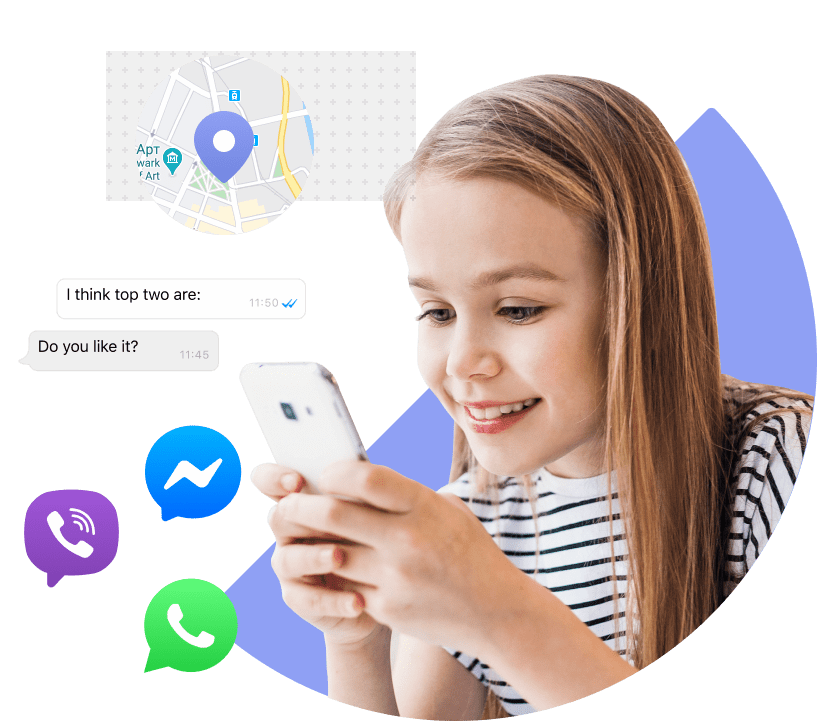

User reviews (0)