Website profiles · Technology insights · Alternatives

extract.pics

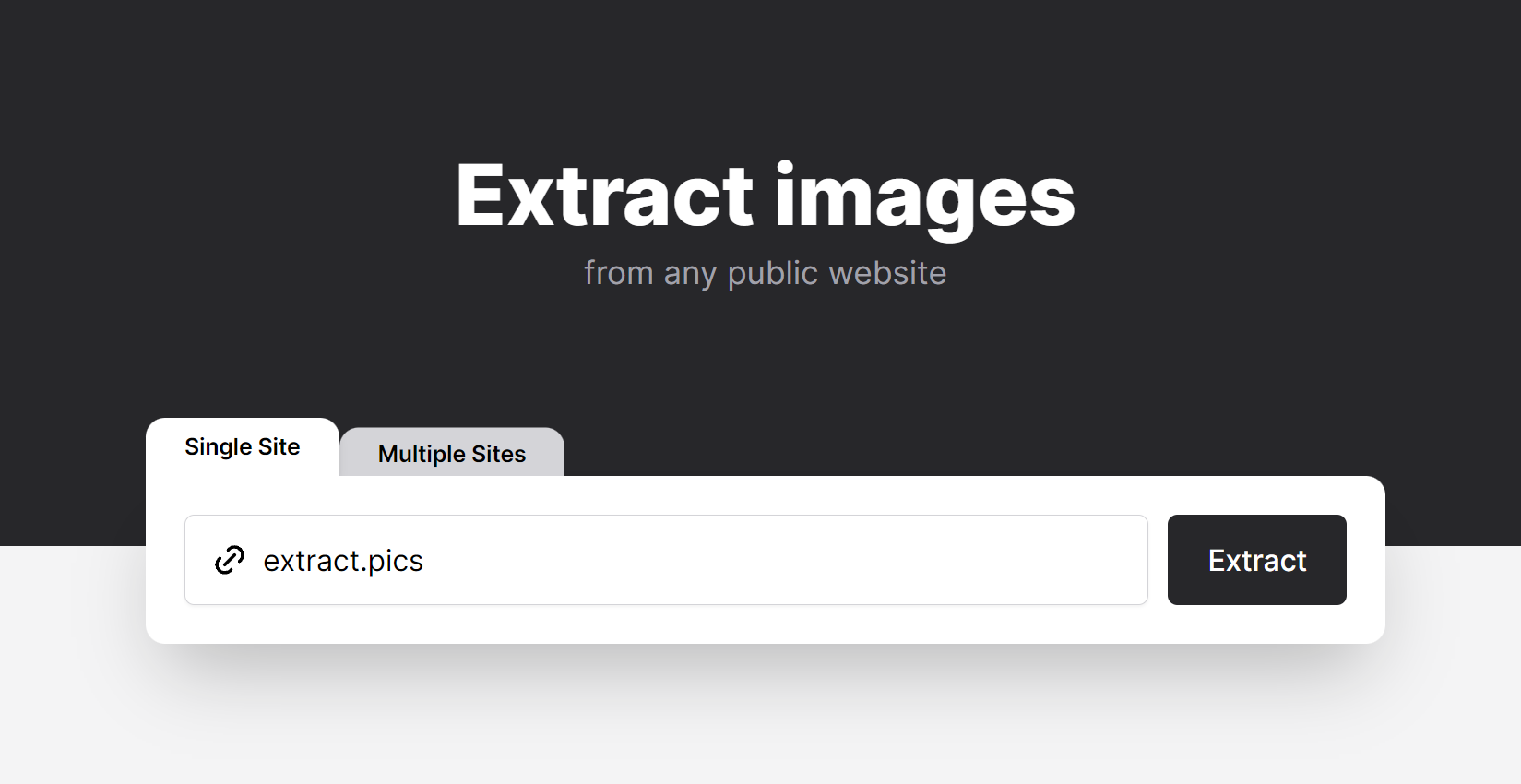
extract.pics is a free tool to extract, view and download images from any public website by using a virtual browser. Now with an easy-to-use API.

Paid content
Visit website
Profile views 6 Outbound visits 6 Normal
extract.pics Full homepage screenshot

At a glance

Category
Development
Language
English
Paid-content signal
Paid contentObserved
Registered
2020
Hosting
CloudflareInferred
HTTPS certificate trusted
PassedObserved
Last updated

Website review

This review may include AI-generated content and is not individually verified. Domain, certificate and other facts come from the observed data on this page.

What is extract.pics?

extract.pics is a browser-based tool for pulling images out of public web pages. You give it a URL, it loads the page in a virtual browser, and it returns the images it finds so you can view or download them individually or in bulk. It also offers an API for doing the same thing programmatically.

What that means in practice

  • Finding images: Useful when a page hides its image URLs behind JavaScript, lazy loading or a gallery viewer, so right-clicking and saving one by one is slow.
  • Bulk downloading: Instead of visiting each image, you can gather a set from a single page and download them together.
  • Viewing first: You can review what was found before committing to a download, which helps avoid grabbing icons, tracking pixels and other junk.
  • API access: For developers, the API lets you automate extraction — for example, feeding a list of product or article URLs and collecting their images into a pipeline.

Who it suits

User Typical use
Designer or researcher Collecting reference images from public pages
Marketer Gathering a site's visual assets for review or migration
Developer Automating image collection via the API
Everyday user Saving a gallery or set of images without clicking each one

Trade-offs to keep in mind

It works on public pages, so anything behind a login or otherwise restricted isn't a target. Extraction results depend on how the page loads; heavily dynamic or anti-bot-protected sites may return fewer images than expected. And the images you collect are still someone else's content — check licensing or terms before reusing them.

Next step: Try it with one page you already know well, such as a news article or product listing, and compare what it finds against the images you can see. That tells you quickly whether the tool fits your workflow. If you need programmatic runs, evaluate the API separately from the free web interface.

How do I extract images from a website using extract.pics?

Paste the page URL into extract.pics and it renders the page in a virtual browser, then lists the images it finds so you can preview and download them — individually or in bulk. Because it renders rather than just reading raw HTML, images loaded by JavaScript (lazy-loaded galleries, infinite-scroll feeds) are more likely to appear than with a plain source-code scraper.

A typical run

  1. Open extract.pics and enter the full public URL of the page you want images from.
  2. Let the virtual browser load the page; wait a moment so lazy-loaded images can finish appearing.
  3. Review the extracted list, then download single images or select several for a bulk download.
  4. If the tool offers an API and you need to repeat this often, use it to script extraction across many URLs instead of pasting them one by one.

When it fits, and when it doesn't

Situation extract.pics is a good fit Consider something else
Public page with a JavaScript gallery Yes — rendering catches dynamic images —
One-off grab of a handful of images Yes, quickest path —
Behind a login or paywall No — it only reaches public pages Browser dev tools or a saved-page workflow
You need originals in a specific resolution Depends what the page serves Check the source directly for full-size assets
Recurring, large-scale extraction Yes, if you use the API A custom script with a headless browser

Practical notes

  • Extraction returns what the page actually serves. Thumbnails may be listed alongside full-size versions, so sort by dimensions or file size before bulk downloading.
  • Expect duplicates when the same image appears in multiple sizes or as a CSS background and an <img> tag.
  • Respect copyright and the site's terms. Extracting for personal reference or with permission is very different from republishing someone else's images.

For a single page, just run it once and skim the results. If you'll repeat the task weekly, the API is the deciding factor — otherwise a one-off paste is faster than setting anything up.

Can extract.pics download images from websites that use JavaScript or lazy loading?

Yes. extract.pics is built around a virtual browser rather than a simple HTML scraper, which is the key difference for JavaScript-heavy and lazy-loaded pages. It renders the page the way a real browser would, then collects the images that actually appear.

H3 What that means in practice

  • JavaScript-rendered images: Images inserted into the DOM by scripts after load — common on galleries, marketplaces, social feeds and single-page apps — can be picked up because the page is executed, not just fetched.
  • Lazy loading: Images that only load when scrolled into view are the classic failure case for basic extractors. A virtual browser can trigger those loads, so images below the fold are more likely to be included.
  • Bulk handling: The tool is positioned as an image extractor and bulk downloader, so the intended workflow is grabbing many images at once rather than one at a time.

H3 Where it can still fall short

Rendering does not guarantee everything is captured. Expect gaps when:

  • Images sit behind a login, paywall or consent wall the virtual browser cannot pass.
  • Content loads only after interaction (clicking "load more", opening a lightbox, infinite scroll far down the page).
  • Images are drawn into a <canvas> or delivered as blobs, which are not standard <img> sources.
  • The site actively blocks automated browsers.

H3 A sensible test

Take one target page with known lazy-loaded images, run it through extract.pics, and compare the result count against what you can see after manually scrolling to the bottom. If the numbers roughly match, the tool is handling that site's loading pattern; if you are missing the lower half of the page, the site needs interaction the virtual browser is not performing. For sites that block automated access entirely, a browser extension or manual save may be the more reliable route.

Is it legal to download images from any website with extract.pics?

No, using a tool like extract.pics does not make downloading images automatically legal. The tool is a technical means of collecting image URLs from public pages; legality depends on the image's copyright status, the site's terms, and what you do with the file afterward.

General legal considerations (advice, not legal advice):

  • Copyright: Most images are protected the moment they are created. Downloading a copy is generally reproduction, and republishing it is distribution — both typically require the rights holder's permission unless an exception applies.
  • Site terms: Many websites prohibit scraping or bulk downloading in their terms of service. Violating those terms is usually a contract issue rather than a criminal one, but it can lead to blocked access or account termination.
  • Exceptions and limits: Fair use/fair dealing, personal study, criticism, or news reporting may permit some uses in some jurisdictions, but these are fact-specific and narrow. They rarely cover reposting an image on your own site or in commercial material.
  • Practical gray areas: Images that are public domain, CC0, or explicitly licensed for reuse are the safe cases. "Publicly viewable" is not the same as "free to reuse."

A useful decision criterion

Before downloading, ask: Will this image leave my private device? If yes, check the licence or get permission. If it stays as a private reference, the risk is much lower than if you publish, sell, or redistribute it.

Example scenario

A designer collects mood-board references from public sites into a private folder — generally low risk. The same designer then uses one of those images in a client's commercial landing page without a licence — that is where infringement claims typically arise.

Next step

For each image you plan to use publicly, trace it back to its source and look for a licence statement. If you cannot find one, treat it as all-rights-reserved and seek permission. For anything commercial, consult a lawyer in your jurisdiction, since rules differ between countries such as the US, EU, and UK.

How does the extract.pics API work for bulk image extraction?

The extract.pics API lets you run the same image extraction the web tool performs—pointing a virtual browser at a public page and returning the images it finds—without going through the interface manually. That makes it useful when you want bulk image extraction wired into a script, a scheduled job, or a pipeline rather than a one-off download.

extract.pics describes the API as an addition to its free extract/view/download tool, so the practical mental model is: you submit a public page URL, the service renders that page in a virtual browser, and you get back the image assets it detects for viewing or downloading.

What it is good for

  • Bulk work across many pages: product catalogs, blog archives, documentation sites or listing pages where you need images from dozens or hundreds of URLs.
  • Automation: feeding extracted image URLs into your own storage, CMS, dataset or review queue.
  • Dynamic pages: because extraction uses a virtual browser rather than a simple HTML fetch, it is aimed at pages where images appear after client-side rendering.
  • Triage before download: getting a list of image URLs so you can filter by size, format or naming before pulling files.

What to check before committing

  • Public pages only: the tool is framed around public websites, so don't expect it to handle logins or private dashboards.
  • Rights and terms: extracting images is technically easy; using them is a separate question. Check the source site's terms and the image licences.
  • Scale and rate: if you're extracting thousands of pages, test throughput and error handling on a small batch first.
  • Output shape: confirm what the API returns (image URLs, metadata, direct files) and how that fits your downstream step.

A concrete next step

Take one representative page from your target site, run it through the API, and inspect the returned image list. If the count and formats look right, expand to ten pages and add retry logic for failures. If you'd rather avoid code entirely, the browser-based extractor on extract.pics covers the same job manually; for a broader rendering-and-automation stack, tools like Playwright or Scrapy are the general-purpose alternatives when you need full control.

What are the limitations of the free version of extract.pics?

The free version is primarily limited by scale and by how much control you get over the extraction process. Based on the site's own description, it is a free tool that extracts, views, and downloads images from public websites using a virtual browser, and it also offers an API. The description does not list specific free-tier caps, so treat any exact numbers as unconfirmed until you check the tool itself.

In practice, the common friction points for this kind of service are:

  • Batch size and session limits. You may be able to extract images from a page or a small set of pages, but large crawls or repeated runs can be throttled or require a paid plan.
  • Rate or usage caps on the API. The API is advertised as part of the offering, but free API access often comes with lower request limits, slower queues, or restricted endpoints.
  • Depth of crawling. Free tools usually handle a single URL or a shallow crawl well; following many internal links or paginating through a whole site is typically where paid tiers appear.
  • Output and format options. Bulk ZIP downloads, filtering by size or format, or exporting metadata may be limited or absent on the free tier.
  • Dynamic content. Because it uses a virtual browser, JavaScript-rendered images are more likely to be captured than with simple HTML scrapers, but lazy-loaded images that require scrolling or interaction may still be missed.
  • Commercial use and support. Free tiers commonly restrict commercial use or offer no priority support, which matters if you are using it for client work.

Next step: Open the tool, run one test extraction on a page you know well, and note the exact limits shown in the interface or on any pricing page before relying on it for a larger job. If you need a fallback for simple static pages, browser-based options like Chrome Web Store extensions or command-line tools can complement it.

Related questions

More questions →
How to Download Images from a Website Link with an Online Image Downloader

Paste the URL of a public webpage into an online image downloader, run the extraction, preview the results, and save the images you want — either one at a time or all at once as a ZIP. This works for publicly accessible pages such as blogs, galleries, and product pages, and needs no installation. It does not apply to pages behind a login, and results depend on how the source site loads its images.

What you need before starting

  • The full URL of a public webpage that contains the images.
  • A browser and an internet connection.
  • A destination folder on your device for the downloaded files.

If the page requires a sign-in or sits behind a paywall, extraction will typically return nothing useful. Check that you can open the page normally in a private/incognito window first — that confirms it is publicly reachable.

Step-by-step: extract and download images from a link

1. Copy the page link

Open the webpage in your browser and copy the full address from the address bar. Include the whole URL, not just the domain.

2. Paste it into the image downloader

Go to the online image downloader, paste the URL into the input field, and start the extraction. The tool scans the page and collects the image assets it can find.

3. Browse the extracted images

The results show the photos, illustrations, and graphics available on that page. Common formats you may see include:

Format Typical use
JPG Photos, general web images
PNG Graphics, transparency
WebP Modern compressed web images
GIF Simple animations
SVG Icons and vector graphics
AVIF Next-gen compressed images

Which formats appear depends entirely on the source website.

4. Preview before saving

Open each image to check it is the right one — resolution, crop, and content. This lets you pick individual pictures without downloading the entire page.

5. Download your selection

  • Single images: save the ones you need one by one.
  • Everything at once: use Download All to package all downloadable results into a single ZIP archive, keeping photos, illustrations, and other assets together.

6. Verify the files

Open the downloaded files (or unzip the archive) and confirm they open correctly and match what you previewed.

When a page returns no images or incomplete results

  • The page loads images with JavaScript. Some sites inject images after the page loads, so a simple link scan may miss them. Try the page's direct image URLs, or a browser extension approach.
  • Lazy loading. Images far down the page may not load until you scroll. Scroll through the whole page first, then re-run the extraction.
  • The page is not public. Login walls, paywalls, and region locks block extraction.
  • The site blocks automated access. Some servers refuse scraper requests; there is no reliable workaround from the tool side.
  • Background images and CSS sprites. Images set in CSS rather than as <img> elements often won't appear in results.

Before you reuse downloaded images

Extraction only gets you the file — it does not grant you rights to it. Check the usage rights and licensing for every asset before republishing, especially product photography and stock-style images. When in doubt, treat the image as all-rights-reserved and seek permission or use a properly licensed alternative.

How to Extract and Download All Images from a Website Online

Paste the public page URL into an online image extractor such as extract.pics, run the scan, review the thumbnails, then select and download the images you want. This works for publicly reachable pages and requires no software installation. It will not work for pages behind a login, and results can be incomplete when images load lazily or scripts are blocked.

What the tool does

extract.pics is described as a free tool that extracts, views, and downloads images from any public website using a virtual browser, and it also offers an API. The virtual browser matters: instead of just reading the raw HTML, it renders the page the way a browser would, which is what lets it pick up images that only appear after scripts run.

Step-by-step: extract images from a page

  1. Copy the full page URL. Use the address of the specific page that contains the images, not just the site's homepage.
  2. Paste it into the extractor and start the scan. The tool loads the page in its virtual browser and collects the image URLs it finds.
  3. Review the thumbnails. Results typically include everything on the page, so you will often see icons, logos, spacers, and tracking pixels mixed in with the images you actually want.
  4. Filter the list. Sort or scan by size and dimensions to push tiny decorative assets to the bottom, and ignore anything that looks like a UI element rather than content.
  5. Select images. Pick individual thumbnails, or bulk-select when you want everything that survived your filtering.
  6. Download. Save a batch as a ZIP, or download images one at a time if you only need a few.

Choosing between bulk download and single saves

Situation Better option
You need most of the images on the page Bulk-select and download as a ZIP
You only want one or two specific images Download them individually
The page mixes content images with lots of UI assets Filter first, then bulk-select the remainder
You plan to repeat this on many pages Use the API instead of the web interface

Common problems and fixes

The scan returns nothing or very few images. The page may load its images lazily, meaning they only appear as a visitor scrolls. Some extractors handle this automatically; if yours does not, the results will be incomplete.

Images are missing even though you can see them. Content behind a login, or images served only after authentication, generally cannot be reached by a tool that visits the page as an anonymous visitor.

The page blocks automated access. Some sites detect and block scripted browsers, which can produce empty or partial results.

You get too many results. This is usually tracking pixels and icons rather than a real problem — filter by dimensions and file size rather than trying to review every thumbnail.

Before you download

Check that you have the right to reuse the images. Publicly visible does not mean free to use, and site terms or copyright still apply to whatever you save.

How to View and Download All Images from a Website Online

To view and download every image on a public webpage, paste the page URL into an online image extractor such as extract.pics. The tool loads the page in a virtual browser, lists the images it finds, and lets you preview them and download them individually or in bulk — no installation required. This works for public pages whose images load normally; it does not bypass login walls, and images that only appear after scrolling or clicking may be missed.

What an online image extractor actually does

An extractor like extract.pics runs a virtual browser on its own servers. You give it a URL, it fetches the page the way a normal browser would, then collects the image files referenced in the page's HTML and loaded assets. You get back a gallery you can browse and download from.

Two consequences follow from that design:

  • It sees what a first load sees. If the page uses lazy loading (images that only load as you scroll), some images may not be captured.
  • It stays outside the page's permissions. Anything behind a login, paywall, or region block is not accessible to the tool.

Step-by-step: view and download images from a page

  1. Copy the full URL of the public page you want images from — for example, a product listing, blog post, or gallery page.
  2. Paste it into the extractor's input field and start the extraction. The tool loads the page in its virtual browser.
  3. Wait for the gallery to populate. You'll see thumbnails of every image the tool found.
  4. Preview before downloading. Click a thumbnail to view the full-size image so you can confirm it's the version you want, not a small icon or placeholder.
  5. Select what you need. Pick individual images, or use the bulk option to grab all of them at once.
  6. Download. Save the selected files to your device.

Expected result: a local folder of image files matching what the page displayed, without you having to right-click each one.

Common reasons images go missing

Symptom Likely cause What to try
Only a few images appear Lazy loading — images load on scroll Try a different page URL, or a browser extension that scrolls the page
No images at all Login wall or script-blocked content The tool can't authenticate; use a browser extension while logged in
Icons and logos instead of photos The extractor grabbed all <img> elements, including UI graphics Filter by file size or preview each image before downloading
Broken or low-res files Page serves thumbnails and loads full-size on click Check whether the page links to larger versions

When an extractor isn't the right tool

  • Logged-in content: if the images sit behind an account, a browser extension that runs in your own session is the practical choice.
  • Large or repeated jobs: if you're extracting from many pages on a schedule, an API is a better fit than pasting URLs one at a time. extract.pics offers an API for this.
  • One or two images: right-click and save is faster than running an extractor.

A quick note on limits and cost

extract.pics describes itself as a free tool for extracting, viewing, and downloading images from public websites, with an API available. Free tools of this kind typically cap how much you can pull in one go, so if you hit a limit on a big page, splitting the work across several URLs or moving to the API is the usual next step. Check the site for current terms before relying on it for high-volume use.

The short version

Paste a public URL, preview the gallery, and download what you need — that covers most everyday cases. Reach for a browser extension when the images are behind a login, and an API when you need to do this repeatedly or at scale.

How to Download Images from a Webpage Link Online

Paste a public webpage URL into an online image downloader, run the extraction, preview the results, then save individual images or use Download All to get a single ZIP archive. This works for publicly accessible pages such as blogs, galleries, and product pages, and needs no installation. It won't work on private or login-protected pages, and results depend on what the source site exposes.

Step-by-step: from link to saved files

  1. Copy the page link. Grab the URL of a public webpage that contains the images you want.
  2. Paste it into the downloader. Enter the webpage URL and start the extraction.
  3. Browse the extracted images. The tool presents available photos, illustrations, and graphics found on the page.
  4. Preview each image. Check the file before saving so you only keep what you need.
  5. Download. Save individual pictures, or choose Download All to package all downloadable results into one ZIP archive.

Expected result: the images you selected end up as local files, either one by one or grouped in a ZIP.

What you can extract

The downloader surfaces image assets found on publicly accessible webpages — blogs, galleries, and product pages included. You may see any of these formats:

Format Typical use
JPG Photos
PNG Graphics, transparent images
WebP Modern web images
GIF Animated or simple graphics
SVG Icons and vector graphics
AVIF Next-gen compressed images

Which formats actually appear depends on the source website. The extractor can only show images the page makes available.

Choosing individual files vs. Download All

  • Individual download: best when you only need one or a few images, or when you want to review each file first.
  • Download All (ZIP): best when you're collecting many assets — visual references, product photography, graphics — and want them together in a single download.

Previewing before downloading is the safer default, since it lets you skip duplicates, thumbnails, or images you don't need.

Before you reuse a downloaded image

Check the usage rights on the source site. Extracting an image does not grant permission to republish it. Confirm licensing or ownership before using downloaded assets in your own projects.

When no images appear

If the extraction returns nothing or fewer images than expected, the usual causes are:

  • The page is private or behind a login. Only public webpages can be extracted.
  • The source blocks or limits access. Results depend on the source website.
  • Images load dynamically. Some pages only render images after interaction, so they may not be exposed to the extractor.

In these cases, try a different public page or check whether the images are reachable directly.

What Is OpenAPI-Generated API Documentation and How Does It Work?

OpenAPI-generated API documentation is reference documentation that is produced automatically from an OpenAPI description file rather than written by hand. You write (or generate) a machine-readable specification of your API — endpoints, parameters, request bodies, responses, schemas, and auth — and a documentation tool reads that file and renders a browsable, often interactive reference site. The spec becomes the single source of truth; the docs become a build artifact.

This differs from manually written docs in one fundamental way: with hand-written docs, the prose is the source of truth and the API is described separately. With spec-driven docs, the API description is the source, and every page, table, and code sample is derived from it.

How the workflow actually runs

A typical spec-driven documentation pipeline has five stages:

  1. Author or generate the spec. You either write an OpenAPI document by hand (YAML or JSON), or generate it from code annotations, framework metadata, or a design-first editor. Design-first means the spec is written before implementation; code-first means it is extracted from existing code.
  2. Validate and lint. The spec is checked against the OpenAPI schema and against style rules — consistent naming, required descriptions, no undocumented 4xx responses, no orphaned schemas.
  3. Bundle and transform. Multi-file specs are combined, $ref pointers are resolved, and the document is optionally split into per-tag or per-version outputs.
  4. Render. A documentation tool converts the spec into HTML: an endpoint list, a sidebar of operations, parameter tables, response schemas, and a "try it" console.
  5. Publish and version. The rendered site is deployed, and each API version gets its own snapshot so consumers can read docs matching the version they call.

Steps 2 through 5 are usually automated in CI. If the spec fails validation, the docs build fails — which is the point.

Spec-driven vs. hand-written documentation

Dimension OpenAPI-generated Hand-written
Source of truth The spec file The prose
Consistency with the API High, if the spec is accurate Drifts as the API changes
Effort per endpoint Low after setup Repeated for every endpoint
Narrative and tutorials Weak; needs separate pages Strong
Code samples Generated per language from schemas Written and maintained manually
Customization Bounded by the tool's templates Unlimited
Failure mode Accurate spec, poor docs, or stale spec Beautiful docs that describe an API that no longer exists

The practical conclusion most teams reach: generate the reference, write the guides. Reference material is repetitive and mechanical, which is exactly what generation is good at. Conceptual explanations, migration notes, and tutorials carry judgment that a spec cannot express.

What you get out of the box

Generated reference pages commonly include:

  • An operation list grouped by tag or path, with HTTP method and path.
  • Parameter tables showing name, location (path, query, header, cookie), type, required flag, and description.
  • Request and response schemas rendered as expandable trees, including nested objects and arrays.
  • Authentication details pulled from the securitySchemes section.
  • Interactive request consoles that let a reader send a real call from the browser.
  • Generated code samples in several languages, derived from the same schemas.
  • Multiple output formats, such as a static site, a single HTML file, or a mock server.

Because all of these come from one document, changing a field name in the spec updates the parameter table, the schema tree, and every code sample at once.

Where spec-driven documentation breaks down

Generation is not free. The trade-offs are real:

Spec quality becomes documentation quality. A field with no description produces a table row with an empty cell. A vague summary produces a vague heading. Tools can enforce presence of descriptions via linting, but they cannot enforce that the description is useful.

Customization has limits. If you need a page that does not map to an OpenAPI concept — a conceptual overview, a pricing explanation, a comparison of two endpoints — you write it outside the generator and link to it.

Not everything is expressible. Webhooks, streaming responses, long-polling behavior, and complex multi-step flows are awkward or impossible to describe fully in OpenAPI. Those need prose.

The spec can go stale. If the spec is maintained separately from the implementation, it drifts just like hand-written docs. The mitigation is to generate the spec from code, or to test the implementation against the spec in CI.

Interactive consoles need care. A "try it" button that hits a production API with real credentials is a security and rate-limit problem. Point it at a sandbox, or disable it.

Deciding whether to adopt it

Adopt spec-driven reference documentation if most of these are true:

  • Your API has more than a handful of endpoints, or changes frequently.
  • You ship client SDKs or code samples in more than one language.
  • Multiple teams consume the API and need a consistent, always-current reference.
  • You already have, or are willing to maintain, an OpenAPI description.

Stay with hand-written docs, or a hybrid, if:

  • Your API is small and stable, and the reference fits on one page.
  • Your documentation is mostly conceptual and contains little endpoint-level detail.
  • You cannot commit to keeping the spec in sync with the implementation.

A reasonable middle path: generate the reference from the spec, and hand-write the getting-started guide, authentication walkthrough, and error-handling page. Link the two directions so readers can move from concept to endpoint and back.

A minimal starting checklist

  1. Produce one valid OpenAPI document for a single API version.
  2. Add a linter with rules for descriptions, operation IDs, and error responses.
  3. Wire the docs build into CI so a failing spec fails the build.
  4. Render the reference and review it as a reader, not as the author.
  5. Write the two or three conceptual pages the generator cannot produce.
  6. Version the published docs alongside the API version.

The core idea is simple: describe the API once, in a format both machines and humans can read, and let the reference documentation fall out of that description. Everything else — tooling, hosting, interactivity — is a detail on top of that decision.

Website Overview

An established domain and managed infrastructure suggest continuity of operations and may support dependable delivery, although neither guarantees service quality. Several search or sharing settings need attention. Together they may make snippets, preview images or preferred URLs less consistent across platforms.

Domain and Registration

Registered in 2020, this domain has about 6 years of history. That suggests continuity, although ownership and purpose may have changed. Transfer-protection status is present, helping reduce the risk of unauthorized domain transfers. The registrar is NameCheap, Inc., a widely used domain service provider. The domain uses the common .pics extension, which is not an independent safety signal.

DNS and Email

Nameservers are provided by Cloudflare, indicating managed DNS hosting. MX records point to the Namecheap Private Email email service. No CNAME was found; the observed records resolve directly to addresses. SPF and DMARC are configured. DKIM status is unknown. TXT records include verification markers for Google. Such markers may also remain after a service stops being used.

TLS and Certificates

The public key uses EC with 256 bits. The server supplied a complete certificate chain. No organization name is present in the certificate; the available fields are consistent with domain validation. The certificate was issued within the Google Trust Services cloud or CDN ecosystem. The certificate's total validity is about 90 days, consistent with a short renewal cycle.

HTTP and Browser Security

The response lacks these common security headers: HSTS, CSP, Referrer-Policy, Permissions-Policy. No X-Powered-By header was found, reducing one common source of backend fingerprinting information. The cf-ray response header indicates a CDN or caching proxy in the delivery path. No obvious internal addresses or debug information were found in the headers. The Server header identifies cloudflare without an exact version.

Technology Stack Analysis

The public page identifies Cloudflare without precise versions, leaving fewer clues for version-specific scanning.

Search and Social Sharing

No homepage canonical URL was detected. If duplicate URLs exist, consolidation may be less explicit. Open Graph is partially configured; og:type is missing. Twitter Card metadata is configured. The title has 12 characters, within a common display range. A meta description is present, with 145 characters.

Hosting and Email

DNSCloudflare
HostingCloudflare
EmailNamecheap Private Email
Approximate IP geolocation (inferred; a CDN or proxy may differ from the origin server) Location unknown Inferred 104.21.69.47

Registration details

RDAP / WHOIS

RegistrarNameCheap, Inc.
Registered2020-06-17
Expires2027-06-17
Domain statusclient transfer prohibited
Nameserverselinore.ns.cloudflare.com、tony.ns.cloudflare.com
DNSSECunsigned

DNS records

DNS

TypeNameValueTTLPriority
Aextract.pics104.21.69.47300—
Aextract.pics172.67.204.87300—
AAAAextract.pics2606:4700:3035::6815:452f300—
AAAAextract.pics2606:4700:3035::ac43:cc57300—
MXextract.picsmx1.privateemail.com30010
MXextract.picsmx2.privateemail.com30010
NSextract.picselinore.ns.cloudflare.com86400—
NSextract.picstony.ns.cloudflare.com86400—
TXTextract.picsdefault._domainkey IN TXT ("v=DKIM1;k=rsa;p=MIIBIjANBgkqhkiG9w0BAQEFAAOCAQ8AMIIBCgKCAQEA1abA3sr3WU/Fpg0M+QCnPEgORVDD7rWQhyl9SQWuRuQnNbxc1mxTa1QwvYPTfUcGG0D5kgGWm7r0l1WYV7vDZQPJMK7KhkgCX+Yoe6MXQZe3ZZqBf6WP6nO4phSaGloBLz/Vcuxjl8jYXyluNxMTmkz1v9fM1Su85wpVG4m+Z8I8nPpxGhH9kF7ISQlHCSkHseycK9xnbVEgHnU/SfCr5rA/I9qB/IBfFrgxf2Hh6lpj5ZMlo5ZCOPsvccLmDBVco1fI+f3Hks3EMrp6TZ1Mq4EhrN6FoaSvosPuELiJmq4IE0ZWpVEQJ5TrNdeTt9CihgZSOLd73wrL+rx9btb+sQIDAQAB");300—
TXTextract.picsgoogle-site-verification=l3CML-gT1bfN1RNgE5LiUTQfZcFVLwpgLAXkIgspCsc300—
TXTextract.picsmailcoach-verification=34c2c5a8-3210-40d7-ac38-87ffc8508f27300—
TXTextract.picspaddle-verification=46a8d468300—
TXTextract.picsv=spf1 include:spf.privateemail.com ~all300—
DMARC_dmarc.extract.picsv=DMARC1; p=none; rua=mailto:[email protected]300—

TLS and certificates

TLS / SSL

AssessmentNormal configuration
Supported protocolsTLSv1.2、TLSv1.3
Negotiated protocolTLSv1.3
Certificate subjectextract.pics
IssuerGoogle Trust Services
Valid until2026-12-01T05:43 · Remaining when checked: 64 days
Verification detailsCertificate trust: Passed · Hostname match: Passed

HTTP response headers

HTTP

HeaderValue
content-typetext/html; charset=utf-8
cache-controlno-cache, private
servercloudflare
x-frame-optionsSAMEORIGIN
x-content-type-optionsnosniff
set-cookieRedacted

Identified technologies

Cloudflare

Pages, Search and Sharing

Meta descriptionextract.pics is a free tool to extract, view and download images from any public website by using a virtual browser. Now with an easy-to-use API.
Canonical URLNot detected
LanguageEnglish (default)
Twitter Cardsummary_large_image
All bots 0 allowed · 0 disallowed

No sitemaps found

User reviews (0)

  • No reviews yet.