Website profiles · Technology insights · Alternatives

fieldrobin.com

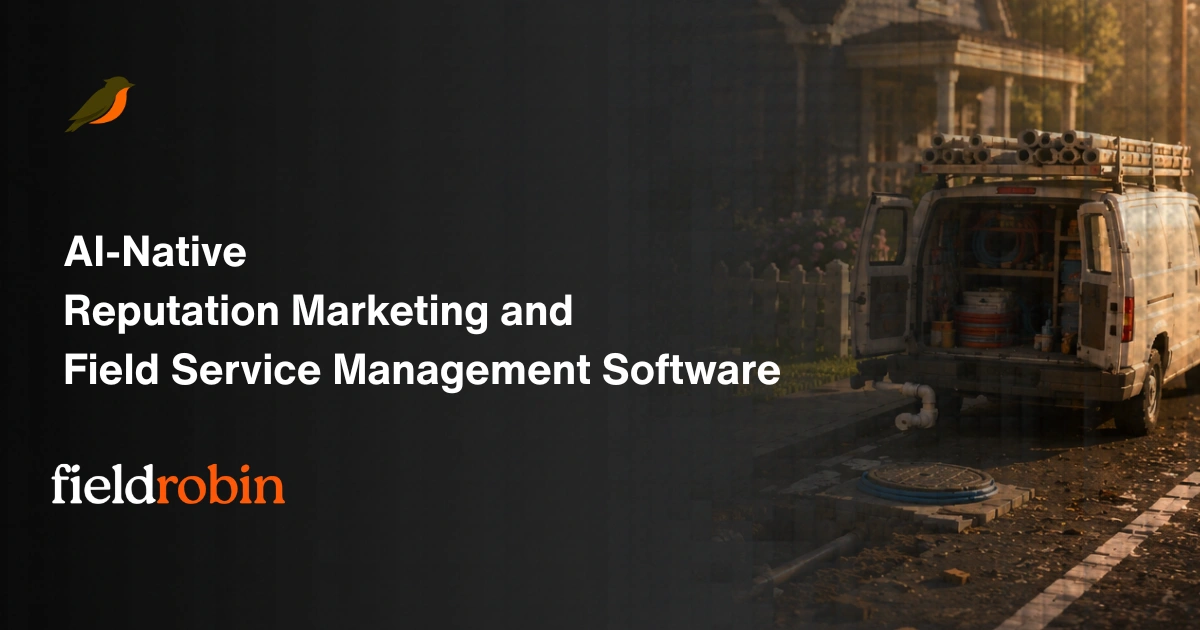
AI-native field service management software for Solo, Crew, Growing, and Medium businesses. Run jobs, scheduling, invoicing, reviews, and AI follow-ups in one app.

Paid content Multilingual
Visit website
Profile views 7 Outbound visits 12 Normal
FieldRobin Full homepage screenshot

At a glance

Category
Artificial Intelligence
Language
English
Paid-content signal
Paid contentObserved
Registered
2026
Hosting
CloudflareInferred
HTTPS certificate trusted
PassedObserved
Last updated

Website review

This review may include AI-generated content and is not individually verified. Domain, certificate and other facts come from the observed data on this page.

What is FieldRobin?

FieldRobin is field service management software for small and growing service businesses — solo operators, small crews, and medium-sized teams. It combines the day-to-day office work of a trade business (scheduling jobs, invoicing, collecting reviews) with AI-assisted follow-ups, in one app.

What it covers

  • Jobs and scheduling — booking work and keeping the day organised.
  • Invoicing — billing tied to the jobs you complete.
  • Reviews — prompting customers for feedback after the work.
  • AI follow-ups — automated chasing of the admin tasks that normally slip when you're on the road.
  • Approval before sending — customer-facing messages don't go out until you approve them, which matters if you're protective of your reputation and tone.

Who it fits

The product positions itself across four sizes: Solo, Crew, Growing, and Medium. That's a useful signal if you're a one-person operation that doesn't want enterprise complexity, or a small team that has outgrown spreadsheets and text threads but isn't ready for a heavy platform.

The trade-off to weigh

AI follow-ups and automated reviews are most valuable when you're too busy to do them manually — but they only help if the automation matches how you actually talk to customers. The approval step reduces that risk at the cost of one extra check per message. If you'd rather everything send automatically, that friction will annoy you; if you've ever winced at an automated text going out under your name, it's the right default.

Next step

Look at the pricing tiers against your headcount and how many jobs you run in a typical week — that's the fastest way to tell whether you'd land in Solo, Crew, or Growing. See FieldRobin for the plan breakdown.

How does FieldRobin handle scheduling and dispatching jobs for field service teams?

FieldRobin treats scheduling and dispatching as one continuous flow rather than two separate tools. You book the job, and the app keeps the schedule and the office follow-up moving — the page frames it as “Book the job, do the work. FieldRobin runs the office after.” The dispatch side is not described as a separate module; jobs, scheduling, invoicing, reviews, and AI follow-ups live in one app, so a job created or rescheduled is visible to whoever is assigning and doing the work.

What that looks like in practice

  • A solo operator books a job and the schedule updates without switching apps.
  • A crew or growing team uses the same job record to assign work, then trigger invoicing and review requests afterward.
  • AI follow-ups handle the office chasing (confirmations, reminders, review requests), but nothing reaches a customer without your approval — the page states this explicitly as “Nothing reaches a customer without your okay.”

The trade-off to weigh

The appeal is consolidation: fewer tools, less re-entry, and automated follow-up on jobs you have already scheduled. The cost is that AI-drafted customer messages still need a human check, so you are trading manual scheduling work for a quick review step. If your dispatchers want deep route optimization or complex multi-crew capacity planning, that is the kind of capability worth verifying on a demo rather than assuming.

Next step

If you run a small or growing field service business, start with the tier that matches your headcount — the site segments plans for Solo, Crew, Growing, and Medium operations. Before committing, ask for a walkthrough of one real job from booking through dispatch, invoice, and review request, so you can see exactly where you would still need to approve something. See FieldRobin.

What AI follow-ups and automation does FieldRobin provide after a job is completed?

FieldRobin's page positions AI follow-ups as an after-the-job layer: once a job is booked and completed, the software handles the office work that normally follows, and the page states that nothing reaches a customer without your approval. The site describes this as running jobs, scheduling, invoicing, reviews, and AI follow-ups in one app, so the automation is meant to sit alongside the invoice and review steps rather than replace them.

What the page supports

  • AI follow-ups after completion — described as an AI-native feature of the product, aimed at the admin that continues once the technician leaves.
  • Invoicing and reviews in the same flow — the page groups invoicing and reviews with AI follow-ups, suggesting the follow-up is triggered around the same completed-job stage.
  • Approval before customer contact — the heading "Nothing reaches a customer without your okay" indicates a review gate, so drafted messages or requests wait for your sign-off.

H3: How this plays out in practice A one-person operation finishing a repair could close the job, send the invoice, and let FieldRobin draft the follow-up asking for a review — then approve it from the phone before it goes out. A growing crew benefits more from the gate: with several techs completing jobs daily, an approval queue prevents an automated message from reaching a customer with the wrong name or tone.

H3: What to verify before relying on it The page does not spell out which channels the follow-ups use, how many can run per job, or whether review requests and payment reminders are separate sequences. Check those in a trial, and confirm the approval step is mandatory rather than optional if customer-facing mistakes are your main concern.

Next step: run one real completed job through FieldRobin end to end — invoice, follow-up, review request — and see how many taps the approval step actually costs you. For a broader look at the product and its tiers, see FieldRobin.

How does FieldRobin support invoicing and customer reviews in one app?

FieldRobin treats invoicing and review requests as two ends of the same job record, so the office work after a visit happens from the same app you used to book and run it.

Invoicing

  • The job, scheduling, and invoicing live in one place, so an invoice is created from completed work rather than re-entered into separate accounting or billing software.
  • Because FieldRobin describes itself as AI-native, AI follow-ups are part of the flow — practical uses include chasing unpaid invoices or prompting the next step on a job without you writing each message.
  • The stated guardrail is that nothing reaches a customer without your approval, so you review AI-drafted invoices and messages before they go out.

Customer reviews

  • Review requests sit alongside invoicing in the same app, which matters because the natural moment to ask is right after the job is done and paid.
  • The same approval step applies: you okay the request before it reaches the customer.

Where this fits The stated fit runs from Solo to Medium operations — solo operators who want one app instead of three, and growing crews where someone in the office is chasing invoices and reviews. If you already run dedicated accounting software you like, check how invoicing here would coexist with it rather than replace it.

Next step: pick one recent completed job and walk it through in a trial — create the invoice, then trigger the review request — to see whether the approval step feels like control or friction for your volume. Pricing tiers are listed at FieldRobin.

Is FieldRobin a good fit for a solo operator or a growing crew?

FieldRobin is designed for both ends of that range, but the fit differs by how much office work you want to hand off.

Solo operators get the most obvious benefit: one app for jobs, scheduling, invoicing, review requests and AI follow-ups, so you aren't stitching together a calendar, an invoice tool and a review request service. The page's framing — "Book the job, do the work. FieldRobin runs the office after" — describes exactly the solo pain point: you're on site all day and admin piles up at night.

Growing crews are where the AI-native angle matters more. With multiple technicians, the bottleneck shifts from doing the work to coordinating it and keeping customers informed. FieldRobin's stated positioning covers "Solo, Crew, Growing, and Medium" operations, so it's intended to scale past one person rather than forcing a migration at the second hire.

A detail worth weighing: the page states "Nothing reaches a customer without your okay." That suggests AI-generated follow-ups, messages or review requests are drafted for approval rather than sent automatically. For a solo operator that's a safety net; for a growing crew it can become a bottleneck if every message needs a human sign-off — worth testing against your actual message volume.

How to decide

  • Choose it if you want scheduling, invoicing, reviews and follow-ups in one place, and you're comfortable reviewing AI-drafted customer communication before it goes out.
  • Look elsewhere if you need deep accounting, inventory or enterprise dispatch features, or you want fully autonomous customer messaging with no approval step.
  • Test the crew scenario specifically if you're between one and ten technicians: add a second user, run a week of real jobs, and see whether the approval step slows you down or saves you from mistakes.

Next step: check the pricing tiers for Solo, Crew, Growing and Medium at FieldRobin and map your current headcount and job volume to the closest tier before committing.

How much does FieldRobin cost and what are the subscription options?

FieldRobin does not publish dollar amounts in the material available here. Its pricing page presents tiers rather than numbers: Solo, Crew, Growing, and Medium, described as "simple pricing" for each operation size, with a Subscribe link for signing up. So the practical answer is that cost depends on which tier matches your headcount and job volume, and you need the pricing page itself for current figures.

What the tiers suggest

The four names map to how a field service business scales, not to feature gimmicks:

  • Solo — one operator handling jobs, scheduling, and invoicing alone.
  • Crew — a small team where more than one person needs to see and run the day's work.
  • Growing — a business adding staff or admin help and feeling the strain of manual follow-up.
  • Medium — a larger operation where dispatch, invoicing, and customer communication need to run without the owner in every loop.

Deciding which tier fits

Judge by two things: how many people need to log in, and how much office work you want the software to absorb. A solo tradesperson who only needs jobs and invoices will likely find the smallest tier sufficient; a crew juggling overlapping schedules will hit limits faster. The AI follow-ups and review requests matter more once you have enough jobs that chasing customers manually becomes a real time cost.

Next step

Open the pricing page and compare the four tiers against your current headcount and monthly job count, then check whether the Subscribe flow requires a card up front or offers a trial. Also confirm what the AI follow-ups actually do — the site's own line, "Nothing reaches a customer without your okay," indicates messages wait for your approval, which is worth verifying if you want automation to run unattended.

For general market context, you can compare tier structures at Jobber and Housecall Pro, two established field service platforms.

Related questions

More questions →
What Is FieldRobin?

FieldRobin is an AI-native field service management app for small and growing service businesses. It puts the core office work — booking jobs, scheduling, invoicing, review requests, and AI follow-ups — into one system, with the stated principle that nothing reaches a customer without your approval. It fits operations that spend more time on the road than behind a desk, and the vendor segments its plans for Solo, Crew, Growing, and Medium operations.

What "field service management" means here

Field service management (FSM) software handles the work that surrounds a job: capturing the request, putting it on a calendar, tracking completion, billing the customer, and following up afterward. FieldRobin's page frames this as running the office after the job is booked and done — the field work happens as usual, and the app carries the administrative load.

Core tasks FieldRobin covers

Based on the vendor's own description, the product spans:

  • Jobs — recording and tracking work to be done
  • Scheduling — placing jobs on the calendar
  • Invoicing — billing customers for completed work
  • Reviews — requesting and managing customer feedback
  • AI follow-ups — automated follow-up messages, subject to your approval before they go out

The "AI-native" label means these AI features are built into the product rather than added on, and the approval gate is positioned as the control that keeps automated messages accurate and on-brand.

Who it's built for

FieldRobin targets four segments, from smallest to largest:

Segment Typical shape
Solo One-person operation handling both field work and admin
Crew A small team coordinating shared jobs
Growing A business adding staff and volume
Medium A larger operation with more scheduling and billing load

If you are a solo operator or run a small crew and are currently stitching together a calendar, an invoicing tool, and manual follow-up texts, that is the profile the product describes. Larger enterprises with complex dispatch, inventory, or compliance requirements are outside the stated range.

How to judge whether it fits

  1. List your current tools. If jobs, scheduling, invoicing, and follow-ups live in four different places, consolidation is the main value on offer.
  2. Check the AI follow-up workflow. The vendor's stated rule is that nothing reaches a customer without your okay — confirm this matches how much oversight you want over automated messages.
  3. Match your size to a plan. The pricing page describes plans for Solo, Crew, Growing, and Medium operations; pick the tier that matches your headcount and job volume rather than the largest one.
  4. Verify pricing and sign-up terms directly. Pricing details and subscription terms are on fieldrobin.com/pricing and fieldrobin.com/subscribe — read them there, since plan limits and billing conditions are not summarized here.

Common questions

Is it only for large companies? No — the stated range starts at Solo and runs up to Medium, so single operators are explicitly in scope.

Does it replace my field work tools? It manages the office side around the job. The description centers on jobs, scheduling, invoicing, reviews, and follow-ups, not on the technical tools you use on site.

Will AI message my customers on its own? The vendor states that nothing reaches a customer without your approval, so follow-ups are presented as reviewed before sending.

How much does it cost? Pricing is published at fieldrobin.com/pricing. Check there for current figures and what each tier includes.

How Is FieldRobin Priced for Different Business Sizes?

FieldRobin is subscription-based field service management software, and its pricing is organized around four operation sizes: Solo, Crew, Growing, and Medium. The site describes this as "simple pricing" for those four tiers, so the practical question isn't whether there's a free tier or a per-job fee — it's which tier matches how your business actually runs. The exact dollar amounts aren't published in the material available here, so you'll need to check the pricing page directly before subscribing.

The four pricing tiers

FieldRobin frames its plans around business size rather than feature bundles, which is a meaningful signal: the tier you pick should reflect your crew size and job volume, not which features you want to unlock.

Tier Who it's aimed at
Solo One-person operations
Crew Small teams working together
Growing Businesses adding capacity
Medium Larger established operations

The site's own framing — "A clear fit from Solo to Medium" — confirms these are the only four tiers. There's no enterprise or custom tier mentioned, so if you're above "Medium," FieldRobin may not be positioned for you.

What the subscription covers

Because FieldRobin is AI-native, the subscription isn't just scheduling software. According to the site, one app handles:

  • Running jobs
  • Scheduling
  • Invoicing
  • Reviews
  • AI follow-ups

That matters for pricing comparison. If you're currently paying separately for scheduling, invoicing, and a review tool, the relevant number isn't FieldRobin's sticker price — it's that price minus what you'd stop paying elsewhere. The AI follow-ups in particular are positioned as office work that happens automatically after the job, which is a labor cost you'd otherwise absorb.

The control point that affects plan choice

One heading on the site is worth reading before you pick a tier: "Nothing reaches a customer without your okay." This describes an approval step — AI-drafted follow-ups and customer communication wait for your sign-off before going out.

For a Solo operator, that's a safety feature. For a Crew or Growing business, it's a workflow question: who on your team holds approval rights, and does that person have the time? If the answer is "nobody," the value of the AI follow-up feature drops regardless of which tier you buy.

How to check pricing and subscribe

The site provides two direct entry points:

  1. Pricing page — https://fieldrobin.com/pricing, described as "Simple pricing for Solo, Crew, Growing, and Medium operations."
  2. Subscribe page — https://fieldrobin.com/subscribe

Start with the pricing page to get the actual figures, then move to subscribe once you've matched your operation to a tier.

What to verify before choosing a plan

Since the published material doesn't include dollar amounts, seat limits, or job caps per tier, confirm these directly:

  • What separates Crew from Growing — is it user count, job volume, or features?
  • Whether AI follow-ups are included at every tier or only from a certain level up
  • Billing terms — monthly vs. annual, and whether you can change tiers as you grow
  • The approval workflow — how many people can review and release customer communication

The tier names tell you the intended fit, but not the boundaries between them. Those boundaries are exactly where a Solo business becomes a Crew business, and where an upgrade gets triggered — so they're worth pinning down before you commit.

Does FieldRobin Let You Approve Messages Before They Reach Customers?

Yes. FieldRobin is built so that nothing reaches a customer without your approval. The site states this directly — "Nothing reaches a customer without your okay" — which means AI-generated follow-ups and customer messages pass through a human review step before they go out. This matters most for businesses that want the speed of automated outreach without handing full control of customer communication to software.

What the approval step covers

FieldRobin describes itself as AI-native field service software that runs jobs, scheduling, invoicing, reviews, and AI follow-ups in one app. The follow-ups are the part that touches customers directly, so that is where the approval control applies. Based on the site's framing, the workflow is:

  • FieldRobin drafts or generates the customer-facing message (for example, a follow-up after a completed job).
  • The message waits for your review rather than sending automatically.
  • You approve it, and only then does it reach the customer.

The exact review interface — whether it's a queue, a notification, or an edit-then-send screen — is not detailed in the available page evidence, so treat the specific mechanics as something to confirm in a trial or demo.

Why this design fits field service businesses

Field service work happens on the road, often by solo operators or small crews who can't monitor every automated message in real time. An approval gate gives you two things at once:

  • Speed without risk. AI can draft follow-ups and review requests immediately after a job, but you keep the final say.
  • Brand control. Messages about pricing, scheduling changes, or service outcomes go out in your voice, not a generic template.

This is a reasonable middle ground if you've been hesitant about automated customer outreach — you get the drafting help without the "sent before I saw it" problem.

What to verify before committing

The approval promise is clear, but a few practical details determine whether it fits your operation:

Question Why it matters
Can you edit a draft before approving, or only approve/reject? Editing matters if AI tone doesn't match your brand.
Are there message types that bypass approval? Confirm nothing sends without review.
How are approvals delivered — app, email, notification? Determines whether you can approve from the field.
Does it fit your business size? FieldRobin targets Solo, Crew, Growing, and Medium operations.

Who this is for

If you run a solo or small field service business and want AI help with follow-ups and reviews but refuse to let messages go out unchecked, FieldRobin's approval model is designed for exactly that concern. If you need fully hands-off automation with no review step, this control may feel like friction rather than a feature.

Pricing and plan details are listed on the site's pricing page, which references plans for Solo, Crew, Growing, and Medium operations. Check that page for current terms, since the available evidence doesn't include specific figures.

How FieldRobin Uses AI in Field Service Management

FieldRobin is an AI-native field service management app for Solo, Crew, Growing, and Medium businesses. Its AI works on the office side of the job: after the work is done, it handles follow-ups and other back-office tasks, while a human approval step keeps anything from reaching a customer without your okay. If you run a small or growing field service business and want scheduling, invoicing, reviews, and follow-ups in one place, this is the part of the product worth understanding.

The core idea: AI runs the office after the job

FieldRobin's own framing is "Book the job, do the work. FieldRobin runs the office after." That splits the workflow into two halves:

  • You and your crew: booking the job and doing the work in the field.
  • The software: the administrative follow-through that normally happens after you leave the site.

The AI-native label means these office tasks aren't a bolt-on feature — they're the product's central design. The stated scope covers running jobs, scheduling, invoicing, reviews, and AI follow-ups in one app.

Which parts of the workflow AI supports

Based on the product description, the workflow areas FieldRobin covers are:

Workflow area What it handles
Jobs Running jobs from booking through completion
Scheduling Organizing when work happens
Invoicing Billing after the job
Reviews Collecting customer reviews
AI follow-ups Post-job follow-up with customers

The AI follow-ups are the clearest example of the AI-native approach: instead of you remembering to circle back with a customer after a job, the system drives that follow-up as part of the normal flow.

Human approval before anything reaches a customer

The most important control in FieldRobin is stated directly: "Nothing reaches a customer without your okay."

This matters if you're evaluating AI in a customer-facing role. It means the AI can draft or prepare follow-up communication, but a person on your side approves it before the customer sees it. For a small business where your reputation rides on every message, that's the difference between AI as a helper and AI as a liability.

If your main concern about AI in field service is "will it say something wrong to my customer," the approval gate is the feature to check first.

Who this fits

FieldRobin describes itself as built for businesses that spend more time on the road than behind a desk, with "a clear fit from Solo to Medium." The pricing page frames plans around Solo, Crew, Growing, and Medium operations, so the tiers map to how your business is structured rather than to feature gating alone.

Practical fit check:

  • Solo operators: you're the office, so post-job follow-up is exactly the work that slips.
  • Crews and growing businesses: more jobs means more invoicing, review requests, and follow-ups to track.
  • Medium operations: the same workflow at higher volume, where an approval step keeps quality consistent across the team.

What to verify before deciding

The product description and headings confirm the workflow areas and the approval rule, but they don't specify how the AI follow-ups are triggered, what channels they use, or how plan limits apply. Before subscribing, check:

  1. Follow-up mechanics — when a follow-up fires after a job, and through which channel.
  2. Approval flow — where approvals happen and how quickly you can review a batch.
  3. Plan boundaries — which of the four tiers include the AI follow-up features you need.
  4. Pricing terms — the site links to a pricing page and a subscribe page; confirm current plan details there rather than assuming.

FieldRobin's answer to "how does it use AI" is narrow and specific: it automates the office work that follows a completed job, and it keeps a human in the loop before customers are contacted. If that's the bottleneck in your business, it's aimed at you.

Which business sizes does FieldRobin support?

FieldRobin is built for field service businesses across four named tiers: Solo, Crew, Growing, and Medium. If your operation spends more time on the road than behind a desk — running jobs, scheduling, invoicing, and customer follow-ups — it is designed to fit. The practical question is which tier matches your headcount and job volume, and whether the product's AI-native office automation is worth adopting at your scale.

The four business tiers

FieldRobin's own pricing page describes "Simple pricing for Solo, Crew, Growing, and Medium operations." The homepage headline targets "Small, and Growing businesses," and a section states "A clear fit from Solo to Medium." So the supported range runs from a one-person operation up to a medium-sized company.

Tier Likely shape of the business What to check before choosing
Solo Owner-operator doing the work and the admin Whether you want AI handling follow-ups when you're on a job
Crew A small team sharing jobs and scheduling How jobs get assigned and how invoicing is split
Growing Adding staff and job volume, admin becoming a bottleneck Whether the AI follow-up layer replaces manual chasing
Medium Multiple crews, higher job throughput Whether the tier's limits match your scheduling and invoicing load

The tier names are the vendor's own categories. Exact seat counts, job limits, or feature gates per tier are not specified in the available page content, so confirm those on the pricing page before committing.

Who it is actually built for

Two statements on the site define the target user:

  • "Built for businesses that spend more time on the road than behind a desk." This points to trades and services where the work happens on-site — the software is meant to run the back office rather than add to it.
  • "Book the job, do the work. FieldRobin runs the office after." The value proposition is that scheduling, invoicing, reviews, and AI follow-ups happen in one app without you sitting at a desk.

If your business is office-based, or if field work is a small part of what you do, the fit is weaker. The product assumes the field is where your revenue is generated.

How it scales from solo to medium

The scaling story is about what gets automated as you add people, not just about adding seats:

  • Solo: you do everything. The AI follow-up layer is most valuable here because there is no admin staff to chase quotes, reviews, or invoices.
  • Crew and Growing: coordination overhead rises — who does which job, what gets billed. The single-app model keeps scheduling and invoicing in one place instead of spread across tools.
  • Medium: the constraint shifts to throughput and consistency. The relevant question becomes whether the tier handles your job volume and whether AI follow-ups keep quality steady as more people touch the customer.

One control point applies at every size: "Nothing reaches a customer without your okay." AI drafts and follow-ups are gated by your approval, so scaling up does not mean losing control of customer communication.

Deciding whether you fit

Work through these in order:

  1. Confirm you are a field service business. If most of your work is on-site and your admin happens between jobs, you are in the target group.
  2. Place yourself in a tier. Solo if you work alone; Crew if you share jobs with a small team; Growing if admin is now the bottleneck; Medium if you run multiple crews.
  3. Check the tier's actual limits. The available content names the tiers but not their seat or job caps — verify on the pricing page.
  4. Test the AI follow-up value at your scale. The core promise is that the office runs itself after the job. If you already have admin staff handling that, the benefit is smaller.

If you are unsure between two tiers, the deciding factor is usually whether your current admin load is handled by people or by you personally. That is the gap the product is aimed at.

Website Overview

The available information shows a mix of normal operation and configuration gaps. Depending on how the website is used, these gaps may affect secure access or the consistency of its public presentation.

Domain and Registration

The domain was registered less than a year ago and has limited historical evidence to assess. Transfer-protection status is present, helping reduce the risk of unauthorized domain transfers. The registrar is Cloudflare, Inc., a widely used domain service provider. The domain uses the common .com extension, which is not an independent safety signal.

DNS and Email

Nameservers are provided by Cloudflare, indicating managed DNS hosting. MX records point to the Cloudflare Email Routing email service. DNSSEC is enabled, allowing validating resolvers to authenticate signed DNS data. No CNAME was found; the observed records resolve directly to addresses. SPF and DMARC are configured. DKIM status is unknown.

TLS and Certificates

The public key uses EC with 256 bits. The server supplied a complete certificate chain. No organization name is present in the certificate; the available fields are consistent with domain validation. The certificate was issued by Let's Encrypt, commonly associated with automated certificate services. The certificate's total validity is about 89 days, consistent with a short renewal cycle.

HTTP and Browser Security

The response lacks these common security headers: CSP. No X-Powered-By header was found, reducing one common source of backend fingerprinting information. The cf-ray response header indicates a CDN or caching proxy in the delivery path. No obvious internal addresses or debug information were found in the headers. The Server header identifies cloudflare without an exact version.

Technology Stack Analysis

The public page identifies Next.js, Cloudflare without precise versions, leaving fewer clues for version-specific scanning.

Search and Social Sharing

The meta description has 163 characters and may be shortened in search results. Twitter Card metadata is configured. JSON-LD includes Organization data, helping describe the organization as an entity. The page declares 3 language or regional alternatives using hreflang. The title has 47 characters, within a common display range.

Hosting and Email

DNSCloudflare
HostingCloudflare
EmailCloudflare Email Routing
Approximate IP geolocation (inferred; a CDN or proxy may differ from the origin server) Location unknown Inferred 104.21.4.61

Registration details

RDAP / WHOIS

RegistrarCloudflare, Inc.
Registered2026-05-10
Expires2027-05-10
Domain statusclient transfer prohibited
Nameserversalfred.ns.cloudflare.com、lara.ns.cloudflare.com
DNSSECsigned

DNS records

DNS

TypeNameValueTTLPriority
Afieldrobin.com104.21.4.61300—
Afieldrobin.com172.67.154.11300—
AAAAfieldrobin.com2606:4700:3034::6815:43d300—
AAAAfieldrobin.com2606:4700:3035::ac43:9a0b300—
MXfieldrobin.comroute2.mx.cloudflare.net30016
MXfieldrobin.comroute3.mx.cloudflare.net30032
MXfieldrobin.comroute1.mx.cloudflare.net30035
NSfieldrobin.comalfred.ns.cloudflare.com86400—
NSfieldrobin.comlara.ns.cloudflare.com86400—
TXTfieldrobin.comgoogle-site-verification=VZy0YufS8zdyvan9GRQCMoLXqpo4SC6Fq21r-JUq9SY300—
TXTfieldrobin.comv=MCPv1; k=ed25519; p=vY128gXkXf09AT3dNBN9E4qCqxvIo/63S8aF5PKec/w=300—
TXTfieldrobin.comv=spf1 include:spf.mailjet.com include:_spf.mx.cloudflare.net -all300—
DSfieldrobin.com2371 13 2 c9600e6066fd39cf44754907f849efbafe9b7f04dd49c069a5100ddce9efbb9786400—
DMARC_dmarc.fieldrobin.comv=DMARC1; p=quarantine; sp=quarantine; adkim=s; aspf=s; pct=100300—

TLS and certificates

TLS / SSL

AssessmentNormal configuration
Supported protocolsTLSv1.2、TLSv1.3
Negotiated protocolTLSv1.3
Certificate subjectfieldrobin.com
IssuerLet's Encrypt
Valid until2026-12-04T17:22 · Remaining when checked: 72 days
Verification detailsCertificate trust: Passed · Hostname match: Passed

HTTP response headers

HTTP

HeaderValue
content-typetext/html; charset=utf-8
cache-controls-maxage=30, stale-while-revalidate=31535970
servercloudflare
strict-transport-securitymax-age=63072000; includeSubDomains; preload
x-frame-optionsDENY
x-content-type-optionsnosniff
referrer-policystrict-origin-when-cross-origin
permissions-policycamera=(), microphone=(), geolocation=()

Identified technologies

Next.jsCloudflare

Pages, Search and Sharing

Meta descriptionAI-native field service management software for Solo, Crew, Growing, and Medium businesses. Run jobs, scheduling, invoicing, reviews, and AI follow-ups in one app.
Canonical URLhttps://fieldrobin.com
LanguageEnglish (default) · Multilingual
Twitter Cardsummary_large_image
All bots 7 allowed · 16 disallowed
  • Allow/
  • Allow/llms.txt
  • Allow/llms-full.txt
  • Allow/ai/
  • Allow/api/ai
  • Allow/api/ai/
  • Allow/sitemap-ai.xml
  • Disallow/app/
  • Disallow/platform
  • Disallow/api/
  • Disallow/i/
  • Disallow/q/
  • Disallow/quote/
  • Disallow/reviews/
  • Disallow/request/
  • Disallow/req/
  • Disallow/track/
  • Disallow/j/
  • Disallow/r/
  • Disallow/invite/
  • Disallow/sc/
  • Disallow/tech/
  • Disallow/t/
gptbot 6 allowed · 3 disallowed
  • Allow/
  • Allow/llms.txt
  • Allow/llms-full.txt
  • Allow/ai/
  • Allow/api/ai
  • Allow/sitemap-ai.xml
  • Disallow/app/
  • Disallow/platform
  • Disallow/api/
chatgpt-user 6 allowed · 3 disallowed
  • Allow/
  • Allow/llms.txt
  • Allow/llms-full.txt
  • Allow/ai/
  • Allow/api/ai
  • Allow/sitemap-ai.xml
  • Disallow/app/
  • Disallow/platform
  • Disallow/api/
claudebot 6 allowed · 3 disallowed
  • Allow/
  • Allow/llms.txt
  • Allow/llms-full.txt
  • Allow/ai/
  • Allow/api/ai
  • Allow/sitemap-ai.xml
  • Disallow/app/
  • Disallow/platform
  • Disallow/api/
anthropic-ai 6 allowed · 3 disallowed
  • Allow/
  • Allow/llms.txt
  • Allow/llms-full.txt
  • Allow/ai/
  • Allow/api/ai
  • Allow/sitemap-ai.xml
  • Disallow/app/
  • Disallow/platform
  • Disallow/api/
perplexitybot 6 allowed · 3 disallowed
  • Allow/
  • Allow/llms.txt
  • Allow/llms-full.txt
  • Allow/ai/
  • Allow/api/ai
  • Allow/sitemap-ai.xml
  • Disallow/app/
  • Disallow/platform
  • Disallow/api/
google-extended 6 allowed · 3 disallowed
  • Allow/
  • Allow/llms.txt
  • Allow/llms-full.txt
  • Allow/ai/
  • Allow/api/ai
  • Allow/sitemap-ai.xml
  • Disallow/app/
  • Disallow/platform
  • Disallow/api/
bytespider 0 allowed · 1 disallowed
  • Disallow/

User reviews (0)

  • No reviews yet.