
 简体中文
简体中文 English
finds.org.uk
Your finds, our historyWelcome to finds.org.uk, the home of the Portable Antiquities Scheme. From the British Museum and Amgueddfa Cymru, we support the recording of archaeological finds by the public in England and Wales.
At a glance
- Category
- Other
- Language
- English
- Paid-content signal
- No paid content foundObserved
- Registered
- 1999
- Hosting
- CloudflareInferred
- HTTPS certificate trusted
- PassedObserved
- Last updated
Related questions
More questions →How to Search for Archaeological Finds on finds.org.uk
You can search the Portable Antiquities Scheme (PAS) database at finds.org.uk in two main ways: a keyword search from the homepage, or an advanced search that lets you narrow results by criteria such as find ID, date range, and area. Both are free to use and open to anyone; you only need to register as a member if you want to record finds or use member features. The site covers archaeological finds discovered by the public in England and Wales, and is run from the British Museum and Amgueddfa Cymru.
Start with the homepage search
The homepage carries a single search box labelled "Keyword" with an "Apply" button, plus a link to "Advanced search".
- Type a term into the Keyword box — for example an object type ("brooch", "coin", "arrowhead"), a period ("Medieval", "Bronze Age"), or a find ID if you already have one.
- Select Apply to run the search.
- If the results are too broad or too narrow, switch to Advanced search to add filters.
Use advanced search to filter results
Advanced search is the better route when you know roughly what you are looking for but not the exact record. The filters that matter most for browsing the database are:
- Find ID — the PAS record reference, which follows a prefix-plus-number pattern (for example
BERK-A239D9). The prefix identifies the recording scheme or county, so a find ID is the fastest way to jump straight to a known record. - Date range — expressed as a start and end year, sometimes spanning BC to AD (for example
2400 BC - 1500 BCfor a Bronze Age arrowhead). - Area — the historic county or region where the find was made, such as Berkshire, Buckinghamshire, or Wales.
Combining these lets you answer questions like "show me all Medieval brooches recorded in Somerset" without scrolling through unrelated records.
What each record tells you
Every PAS record is built around a consistent set of fields, so once you can read one record you can read them all. The featured finds on the homepage show the pattern clearly:
| Field | What it means | Example |
|---|---|---|
| Find ID | Unique PAS reference | BUC-5D596F |
| Object type | What the object is | Stirrup |
| Period | Broad archaeological era | Medieval |
| Date range | Narrower dating | AD 1350 - AD 1400 |
| Area | Where it was found | Buckinghamshire |
The object type and period together are usually enough to judge whether a record is relevant. The date range refines that, and the area tells you the findspot at county level.
Browse featured finds for examples
If you are new to the database, the featured finds section on the homepage is a useful orientation. It shows a rotating sample of records across periods and object types — for instance a Medieval brooch from Berkshire, a Bronze Age arrowhead from Cheshire, an Iron Age vessel from the Isle of Wight, and a Post-medieval hoard from Staffordshire. Reading a few of these gives you a feel for how records are worded and dated before you run your own searches.
Guides if you want to go further
The site also publishes PAS guides, grouped into:
- How to use this site — site guides for registered members.
- Detecting guidance — guidance aimed at finders.
- Treasure — how to identify, report, and manage Treasure finds in England and Wales.
- 'How to' guides for recorders — practical recording skills such as photographing and editing images of finds, plotting grid references with maps and GPS, and writing a good object description for a PAS record.
These are worth checking if your interest moves from searching the database to contributing to it.
What is finds.org.uk (Portable Antiquities Scheme)?
finds.org.uk is the official website of the Portable Antiquities Scheme (PAS), a programme that records archaeological objects found by members of the public in England and Wales. It is run from the British Museum and Amgueddfa Cymru (Museum Wales), and its tagline is "Your finds, our history." If you have found an archaeological object in England or Wales and want to know what it is, get it recorded, or search what others have found, this is the site to use.
What the site is for
The PAS exists to record small archaeological finds made by the public — typically by metal-detector users, but also by people who come across objects while walking, gardening, or working. Recording these finds creates a permanent, publicly searchable record that contributes to archaeological knowledge.
The site serves two broad audiences:
- Finders who want to report an object, learn how to record it properly, or understand the rules around Treasure.
- Researchers and the curious who want to search the database of recorded finds by object type, date, or location.
What you can do on finds.org.uk
Search the finds database
The homepage features a search box with an Advanced search option. Recorded finds are listed with a Find ID, object type, date range, and area. Examples from the homepage include:
| Find ID | Object | Period | Area |
|---|---|---|---|
| BERK-A239D9 | Brooch | Medieval (AD 1200–1400) | Berkshire |
| LVPL-DCD875 | Arrowhead | Bronze Age (2400–1500 BC) | Cheshire |
| WAW-96C6BA | Hoard | Roman (157 BC–AD 55) | Worcestershire |
| WREX-97F84B | Pipe tamper | Post-medieval (AD 1800–1900) | Wales |
Each Find ID is a unique reference you can use to look up the full record.
Use the user guides
The site hosts a set of PAS guides covering:
- How to use the site — for registered members who want to get the most out of finds.org.uk.
- Detecting guidance — practical guidance for finders.
- Treasure guidance — how to identify, report, and manage Treasure finds in England and Wales.
- "How to" guides for recorders — including taking and editing photographs of finds, plotting grid references using maps and GPS, and writing good object descriptions for a PAS record.
Who runs it and why it matters
The Scheme is supported by the British Museum and Amgueddfa Cymru. Because records are made publicly available, a single find reported by one person can be studied by archaeologists, historians, and other finders. The database is one of the main ways small archaeological finds from England and Wales enter the public record.
When to use it
- You found an object and want to know whether it qualifies as Treasure.
- You want to record a find so it becomes part of the archaeological record.
- You want to check whether similar objects have been found in your area.
- You need guidance on photographing, describing, or locating a find before reporting it.
If your find was made outside England or Wales, this Scheme does not cover it — PAS records finds from those two countries only.
How to Record a Find with the Portable Antiquities Scheme (finds.org.uk)
The Portable Antiquities Scheme (PAS) records small archaeological finds discovered by the public in England and Wales, and you can report a find by working with your local Finds Liaison Officer (FLO) rather than by submitting a form on the website yourself. The site at finds.org.uk is the public home of the Scheme, run from the British Museum and Amgueddfa Cymru, and it provides the guides you need to prepare a good record: how to photograph finds, how to plot grid references, and how to write a useful description. This guide covers what to prepare, how to find the right contact, and what happens to your record afterwards.
What the Scheme records
PAS records small archaeological objects found by members of the public. The featured finds on the homepage show the range involved — a medieval brooch from Berkshire, a Bronze Age arrowhead from Cheshire, a Roman vessel from Warwickshire, a post-medieval pipe tamper from Wales — each with a Find ID, a date range, and an area.
Two points follow from this:
- You do not need to be a professional. The Scheme exists precisely because finders, including metal-detector users and people who pick something up while walking, are the ones who encounter these objects.
- Not everything is a "find" in the PAS sense. Treasure finds follow a separate legal process in England and Wales, and the site has dedicated Treasure guidance covering identification, reporting and management. If you think your object may be Treasure, read that guidance before anything else.
What to prepare before you make contact
The PAS recorder guides point to three things you should have ready. Preparing them first makes the recording conversation much shorter.
1. Photographs
The site publishes 'how to' guides for recorders on taking and editing photographs of finds. In practice you want:
- A clear image of the front and back of the object.
- Something for scale in the frame (a ruler is standard practice for archaeological recording).
- Even, diffuse light rather than a hard flash, which flattens surface detail.
- A sharp, in-focus image — a slightly soft photo is much harder to identify from than a crisp one.
2. A grid reference for the findspot
The recorder guides include how to plot grid references using maps and GPS. A grid reference is what allows the record to place the object in the landscape; a vague description like "a field near the village" is far less useful. Record the reference at the time of finding if you can, and note it accurately rather than from memory later.
3. A written description
The guides also cover how to write a good description of an object on a PAS record. A useful description typically states:
- What the object appears to be (coin, brooch, buckle, vessel fragment, and so on).
- Its material — copper alloy, silver, lead, ceramic, flint.
- Its dimensions and weight if you can measure them.
- Any decoration, inscription, or maker's mark.
- Its condition — complete, fragmentary, corroded, bent.
You do not need to identify it correctly. Describing what you actually see is more valuable than guessing a period.
How to get your find recorded
- Check whether it may be Treasure. If the object could fall under the Treasure Act in England and Wales, follow the Treasure guidance on the site rather than the general recording route.
- Find your local contact. PAS recording is delivered through Finds Liaison Officers covering different areas. The site's user guides and "How to use this site" pages explain how to make the most of finds.org.uk as a registered member, which is where the contact and recording routes are set out.
- Send your photographs, grid reference, and description. Expect the officer to ask follow-up questions — this is normal and is part of building an accurate record.
- The officer creates the record. Records appear on the database with a Find ID in the format shown on the homepage (for example BERK-A239D9, LVPL-DCD875, WAW-96C6BA), a date range, and an area.
- Your record joins the wider dataset. Once recorded, the object contributes to the distribution of finds across England and Wales that researchers, archaeologists and the public can search.
What you get back
A PAS record is not a valuation and not a legal title document. What it gives you is:
- A permanent Find ID for your object.
- A date range and identification based on specialist knowledge.
- A place in the national picture — the homepage's featured finds are drawn from exactly this pool of public records.
The Scheme's own framing is "Your finds, our history": the recording effort is what turns an individual discovery into information that survives.
Common sticking points
- Assuming you must upload the record yourself. The site is built around recording through the Scheme's officers and its recorder guides, not a self-service public upload form.
- Poor findspot information. A grid reference taken on the day is worth far more than one reconstructed weeks later.
- One photo, bad light. Front, back, scale, diffuse light.
- Confusing PAS recording with the Treasure process. They are separate; Treasure has its own guidance on the site.
- Expecting a valuation. Recording is about identification and context, not appraisal.
If you are unsure where to start, the "Explore all PAS guides" section on finds.org.uk is the entry point — it groups the site guides, detecting guidance, Treasure guidance, and the recorder 'how to' guides in one place.
What is Treasure and how do I report it in England and Wales?
Treasure is a legal category of archaeological find in England and Wales, and if you discover something that may qualify, you are legally obliged to report it to the coroner within 14 days. The Portable Antiquities Scheme (PAS), run from the British Museum and Amgueddfa Cymru, publishes guidance on identifying, reporting and managing Treasure finds, and its site finds.org.uk is where you record and search finds. This article explains what makes a find Treasure, how the reporting process works, and where to find the official PAS guidance.
What counts as Treasure
Treasure is defined in law, not by how valuable or old something looks. The PAS Treasure guidance covers the criteria used to identify and manage Treasure finds in England and Wales. In broad terms, a find is assessed against conditions such as:
- Material and age: objects made of gold or silver that are at least 300 years old when found.
- Prehistoric base-metal assemblages: groups of base-metal objects from the prehistoric period.
- Associated objects: items found together with Treasure objects, such as a container or the remains of one.
- Coins: hoards of coins that meet the age and metal thresholds set out in the guidance.
Because the exact thresholds and exceptions are legal tests, treat the PAS Treasure guidance as the authoritative starting point rather than a summary. If you are unsure whether your find qualifies, the safe course is to report it and let the process determine the outcome.
How to report a Treasure find
The reporting route runs through the coroner for the area where the find was made, with PAS recording supporting the process. The steps below follow the general framework described in the PAS guidance; the site's user guides explain how to record finds on finds.org.uk as a registered member.
- Identify the find. Note what the object is, its material, and where and when you found it. Photographs and an accurate description matter — PAS recorder guides cover how to take and edit photographs of finds and how to write a good object description.
- Record the location precisely. Plot the grid reference using maps or GPS. The PAS "how to" guides for recorders explain how to plot grid references, which supports both recording and any later Treasure case.
- Report within 14 days. Contact the coroner for the area, or report through your local Finds Liaison Officer, who can advise on the correct route. Do not clean, alter or dispose of the find before reporting.
- Record the find with PAS. Registering on finds.org.uk and recording the object creates a permanent public record and connects you to the Scheme's support. The site guides explain how to make the most of finds.org.uk as a registered member.
- Cooperate with the assessment. The find may be examined and valued as part of the Treasure process. The PAS Treasure guidance sets out how finds are identified, reported and managed.
What to expect after reporting
The find is assessed against the legal criteria. If it is confirmed as Treasure, ownership and any reward are handled through the established process; if it is not, it can still be recorded as a normal PAS find. Recording non-Treasure finds is voluntary but is the core purpose of the Scheme — its records cover objects from the Bronze Age through to post-medieval times, as the featured finds on the homepage illustrate (for example a Bronze Age arrowhead from Cheshire, a Medieval brooch from Berkshire, and a Roman hoard from Worcestershire).
Where to find the official guidance
finds.org.uk is the home of the Portable Antiquities Scheme and the entry point for all of the above. The site organises its help into three guide areas:
| Guide area | What it covers |
|---|---|
| How to use this site | Site guides and how to make the most of finds.org.uk as a registered member |
| Detecting guidance | Guidance for finders |
| Treasure guidance | Identifying, reporting and managing Treasure finds in England and Wales |
| "How to" guides for recorders | Recording skills such as photographing finds, plotting grid references with maps and GPS, and writing good object descriptions |
You can browse all PAS guides from the site's user guides section.
Practical points to keep in mind
- The 14-day reporting duty is a legal obligation, not a suggestion — report first, ask questions afterwards.
- Don't clean or repair a potential Treasure find. Cleaning can remove evidence and may affect assessment.
- Record location accurately from the start. A precise grid reference supports both the PAS record and any Treasure case.
- Recording is not only for Treasure. PAS supports the recording of archaeological finds discovered by the public across England and Wales, so ordinary finds are welcome too.
- Use the Scheme's own guides for the detail. The criteria and process are legal matters, and the PAS Treasure guidance is the reference to follow.
Website Overview
An established domain and managed infrastructure suggest continuity of operations and may support dependable delivery, although neither guarantees service quality. Several search or sharing settings need attention. Together they may make snippets, preview images or preferred URLs less consistent across platforms.
Domain and Registration
Registered in 1999, this domain has about 27 years of history. That suggests continuity, although ownership and purpose may have changed. The registrar, CSC Corporate Domains, Inc, specializes in corporate domain and brand management, suggesting attention to domain asset protection. Transfer-protection status is present, helping reduce the risk of unauthorized domain transfers. Registration contact information is publicly available through RDAP. The domain uses the common .uk extension, which is not an independent safety signal.
DNS and Email
Nameservers are provided by Cloudflare, indicating managed DNS hosting. MX records point to the Microsoft 365 email service. No CNAME was found; the observed records resolve directly to addresses. SPF and DMARC are configured. DKIM status is unknown. TXT records include verification markers for Google. Such markers may also remain after a service stops being used.
TLS and Certificates
The public key uses EC with 256 bits. The server supplied a complete certificate chain. No organization name is present in the certificate; the available fields are consistent with domain validation. The certificate was issued within the Google Trust Services cloud or CDN ecosystem. The certificate's total validity is about 90 days, consistent with a short renewal cycle.
HTTP and Browser Security
The response lacks these common security headers: CSP, Referrer-Policy, Permissions-Policy. Debug-related headers are present: x-debug-info. Check whether they are needed in production. No X-Powered-By header was found, reducing one common source of backend fingerprinting information. The cf-ray response header indicates a CDN or caching proxy in the delivery path. The Server header identifies cloudflare without an exact version.
Technology Stack Analysis
The public page identifies Drupal 11 (https://www.drupal.org), Drupal, Google Tag Manager, Cloudflare without precise versions, leaving fewer clues for version-specific scanning.
Search and Social Sharing
The meta description has 222 characters and may be shortened in search results. The Generator tag identifies Drupal 11 (https://www.drupal.org), making the publishing system easier to fingerprint. Open Graph is partially configured; og:type is missing. Twitter Card metadata is configured. The title has 38 characters, within a common display range.
Hosting and Email
 Cloudflare
 Microsoft 365
Registration details
| Registrar | CSC Corporate Domains, Inc |
|---|---|
| Registered | 1999-03-04 |
| Expires | 2027-03-04 |
| Domain status | client transfer prohibited |
| Nameservers | kurt.ns.cloudflare.com、sureena.ns.cloudflare.com |
| DNSSEC | unsigned |
DNS records
| Type | Name | Value | TTL | Priority |
|---|---|---|---|---|
| A | finds.org.uk | 104.26.10.202 | 300 | — |
| A | finds.org.uk | 104.26.11.202 | 300 | — |
| A | finds.org.uk | 172.67.72.125 | 300 | — |
| AAAA | finds.org.uk | 2606:4700:20::681a:aca | 300 | — |
| AAAA | finds.org.uk | 2606:4700:20::681a:bca | 300 | — |
| AAAA | finds.org.uk | 2606:4700:20::ac43:487d | 300 | — |
| MX | finds.org.uk | finds-org-uk.mail.protection.outlook.com | 300 | 10 |
| NS | finds.org.uk | kurt.ns.cloudflare.com | 86400 | — |
| NS | finds.org.uk | sureena.ns.cloudflare.com | 86400 | — |
| TXT | finds.org.uk | google-site-verification=yUmM58WL7I7_YxhPyAwfWCfbjXj50Fqq7vkEveQ4lN4 | 300 | — |
| TXT | finds.org.uk | v=spf1 include:spf.protection.outlook.com ip4:20.108.240.186 ip4:51.11.33.138 -all | 300 | — |
| DMARC | _dmarc.finds.org.uk | v=DMARC1; p=reject; rf=afrf; fo=1; pct=100; aspf=s; | 300 | — |
TLS and certificates
HTTP response headers
| Header | Value |
|---|---|
| content-type | text/html; charset=UTF-8 |
| content-language | en |
| cache-control | max-age=600, public, no-store |
| server | cloudflare |
| strict-transport-security | max-age=2592000; includeSubDomains |
| x-frame-options | SAMEORIGIN |
| x-content-type-options | nosniff |
Identified technologies
Pages, Search and Sharing
| Meta description | Your finds, our historyWelcome to finds.org.uk, the home of the Portable Antiquities Scheme. From the British Museum and Amgueddfa Cymru, we support the recording of archaeological finds by the public in England and Wales. |
|---|---|
| Canonical URL | https://finds.org.uk/ |
| Language | English (default) |
| Twitter Card | summary_large_image |
Social Sharing Preview
8 fields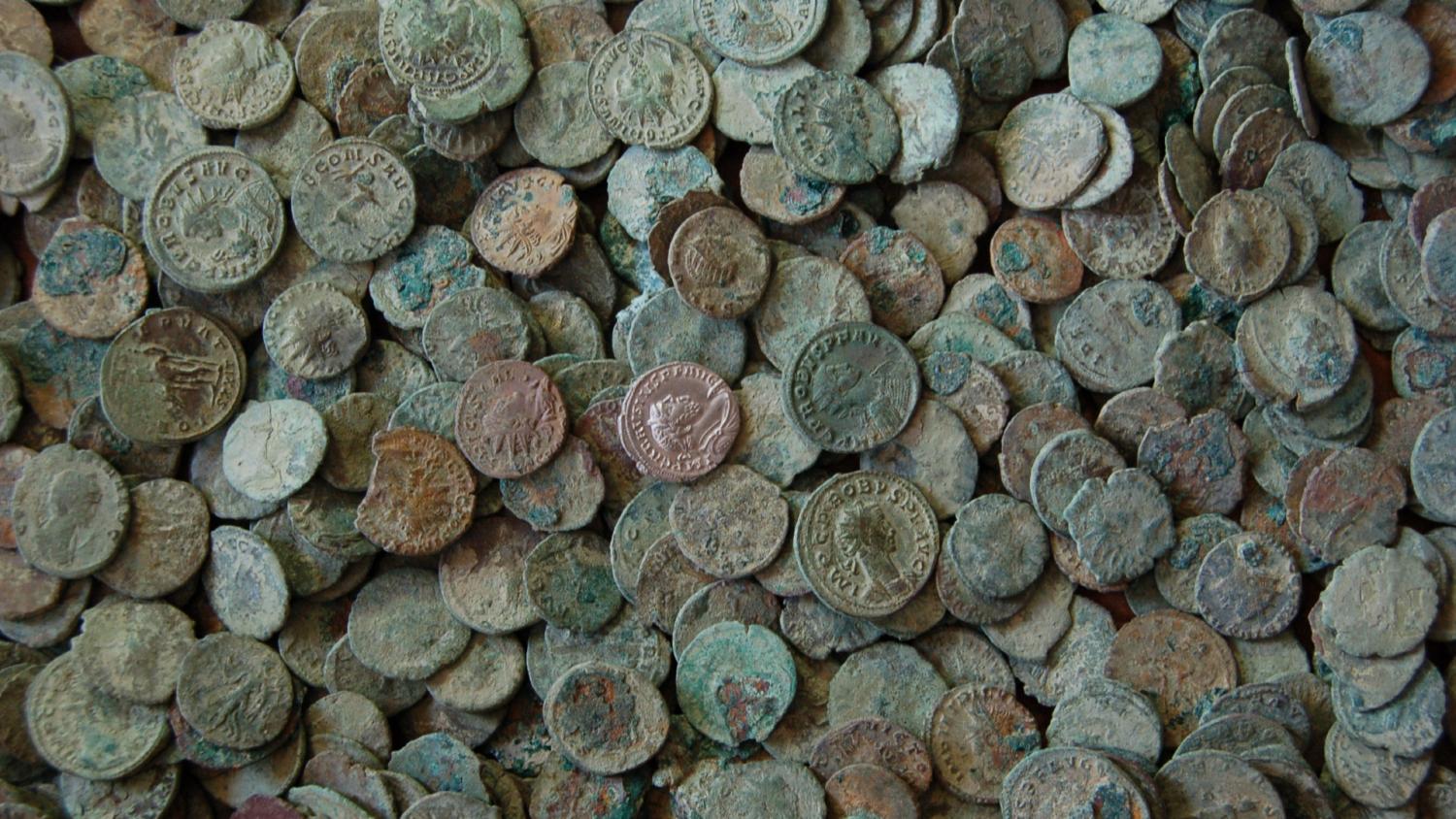

robots.txt (opens in a new tab)
54 rulesAll bots 18 allowed · 36 disallowed
- Allow
/core/*.css$ - Allow
/core/*.css? - Allow
/core/*.js$ - Allow
/core/*.js? - Allow
/core/*.gif - Allow
/core/*.jpg - Allow
/core/*.jpeg - Allow
/core/*.png - Allow
/core/*.svg - Allow
/profiles/*.css$ - Allow
/profiles/*.css? - Allow
/profiles/*.js$ - Allow
/profiles/*.js? - Allow
/profiles/*.gif - Allow
/profiles/*.jpg - Allow
/profiles/*.jpeg - Allow
/profiles/*.png - Allow
/profiles/*.svg - Disallow
/core/ - Disallow
/profiles/ - Disallow
/README.md - Disallow
/composer/Metapackage/README.txt - Disallow
/composer/Plugin/ProjectMessage/README.md - Disallow
/composer/Plugin/Scaffold/README.md - Disallow
/composer/Plugin/VendorHardening/README.txt - Disallow
/composer/Template/README.txt - Disallow
/modules/README.txt - Disallow
/sites/README.txt - Disallow
/themes/README.txt - Disallow
/admin/ - Disallow
/comment/reply/ - Disallow
/filter/tips - Disallow
/node/add/ - Disallow
/search/ - Disallow
/user/register - Disallow
/user/password - Disallow
/user/login - Disallow
/user/logout - Disallow
/media/oembed - Disallow
/*/media/oembed - Disallow
/index.php/admin/ - Disallow
/index.php/comment/reply/ - Disallow
/index.php/filter/tips - Disallow
/index.php/node/add/ - Disallow
/index.php/search/ - Disallow
/index.php/user/password - Disallow
/index.php/user/register - Disallow
/index.php/user/login - Disallow
/index.php/user/logout - Disallow
/index.php/media/oembed - Disallow
/index.php/*/media/oembed - Disallow
/database? - Disallow
/pas/recorded-find/search/? - Disallow
/pas/finder-submission/search/? - Interval
Crawl delay 10 seconds
No matching rules.
Sitemaps
1Recent Updates
- Website images
- Screenshots
- Network details
- Website Technologies
- Pages and Search Information
- HTTP Response Information
- TLS and certificates
- DNS Information
- Domain Registration
- Website profile
- Website Description
- Website Name
- Website profile
- Website Description
- Website Name
User reviews (0)