
 简体中文
简体中文 English
Website review
This review may include AI-generated content and is not individually verified. Domain, certificate and other facts come from the observed data on this page.
What is Functionize Studio?
Functionize Studio is an AI testing agent that builds, runs, and maintains tests against your live web application. Its stated purpose is to act as a quality layer for AI-written code: coding agents ship changes quickly, and Studio independently verifies that the application still works as intended. Functionize describes it as "an independent agent with no loyalty to your code. Only to the quality of your application."
What it does
- Builds tests from your description. You describe what to test in plain language, and Studio creates the test.
- Runs and maintains them. It executes tests and keeps them passing as the application changes, rather than leaving you with a brittle suite to repair.
- Verifies intent on every release. You define what "good" looks like; Studio does the checking in between and you make the release call.
- Learns your app over time. According to Functionize, every run trains Studio on your application, so coverage sharpens with use.
Who it is for
| Audience | How they use it |
|---|---|
| Testers | Describe what to test; Studio builds, runs, and maintains it |
| Developers | Coding agents write the code; Studio proves it works |
| Leaders | Treat quality as something that compounds as teams scale |
| Enterprises | Standardize agentic testing across multiple teams |
How to decide if it fits
The clearest fit is a team already using AI coding agents and finding that review and testing cannot keep pace. If your main pain is a slow, manually maintained test suite rather than fast AI-generated changes, the value proposition is less direct.
A practical first step: pick one critical user workflow in your live application, describe it to Studio, and see whether the generated test holds up across a real release. Functionize offers a free tier at $0 and a free trial, with paid plans listed for Growth and Scale, so you can evaluate it on your own app before committing.
How does an independent testing agent verify AI-written code?
An independent testing agent verifies AI-written code by treating the running application, not the generated source, as the source of truth. It builds and executes tests against the live app, then compares observed behavior with the intent a human defined. Because it isn't the agent that wrote the code, it has no reason to assume the code is correct.
The Quality Layer for AI-Written Code describes this as an "independent agent with no loyalty to your code," and its Studio product is positioned to build, run and maintain tests against a live application. The page frames the division of labor clearly: coding agents write code, Studio proves it works, and "your intent, verified on every release."
What the loop looks like
- You define intent. A tester or product owner describes what "good" means in business terms—what must work, what must not break.
- The agent builds the test. It turns that description into an executable check against the real UI and workflow, rather than a unit test written alongside the code.
- It runs on every release. Verification happens continuously, not once at the end.
- It maintains the tests. As the app changes, the agent updates the checks so coverage doesn't rot.
- It reports against your criteria. You make the release call; the agent supplies the evidence.
Why independence matters
The core risk with AI-written code is correlated failure: the same model that misunderstood your requirement can write a test that encodes the same misunderstanding. An independent agent breaks that loop because its job is to challenge the build, not defend it. Functionize describes its intelligence—models, data layer and execution engine—as its own, built for testing and sharpened on your application, with every run training it on your app so coverage improves with use.
Where reasoning vs. determinism fits
The page notes a deliberate split: reasoning where reasoning helps, deterministic where the answer has to be exact. In practice, that means using model judgment for interpreting intent, exploring flows and adapting to UI changes, but relying on exact, repeatable checks for pass/fail decisions. That combination is what makes results trustworthy enough to gate a release.
Who this suits
- Testers who want to describe what to test rather than hand-build and maintain every script.
- Developers whose coding agents ship faster than manual review can keep up with.
- Leaders who need quality to scale with release frequency instead of headcount.
- Regulated teams in healthcare, insurance, financial services and SaaS, where evidence of verification matters.
Trade-offs to weigh
An agentic approach shifts effort from authoring tests to defining intent and reviewing results—valuable only if your team can articulate what "good" means. It also depends on running against a live application, so environment stability and test data management remain your responsibility. And while self-maintaining tests reduce upkeep, you still need a human to own the release decision.
A practical next step
Pick one high-traffic, revenue-critical workflow—say, checkout or claims submission—and write down five things that must be true for it to be correct. Run an agent against that flow and compare its findings with your current test suite. If it catches gaps your existing tests miss, expand from there; if it can't express your intent precisely, that's a signal your acceptance criteria need sharpening before automation helps.
How do I get started with the free plan and what does it include?
Start with the Free plan if you want to see how Functionize Studio behaves on your own application before committing budget or team process.
What the free plan gives you
- Access to Studio, the agentic testing agent that builds, runs, and maintains tests against your live web UI.
- A way to see how the agent interprets your intent and reports quality against your app.
- A starting point for evaluating whether agent-native testing fits how your team releases.
How to get started
- Go to Functionize and choose the free trial or sign-up entry.
- Point Studio at your live application so it can begin learning your UI and flows.
- Describe what "good" looks like for a small, high-value workflow — for example, login, checkout, or a core dashboard action.
- Review what Studio builds and runs, then decide whether the coverage matches your expectations.
What to watch for
The free plan is best treated as a proof-of-concept, not a production commitment. Use it to answer one question: does Studio's independent testing agent catch meaningful issues in your app without heavy setup? If yes, the Growth plan is positioned for a product you are actively building coverage for, and Scale for teams across multiple products. Enterprise is aimed at organizations standardizing agentic testing across every team.
A practical next step: pick one workflow that breaks often in production, run it through the free plan, and compare what Studio finds against what your current process misses. That comparison tells you more than any feature list.
How does Studio integrate with my existing development workflow?
Studio is designed to sit alongside your existing workflow as an independent testing agent rather than replacing your tools. You point it at your live application, describe what "good" looks like, and it builds, runs, and maintains tests against the running app. That means it works on the deployed product, not a mock or a frozen test environment, so it fits teams that ship continuously.
Where it fits in practice
- Testers: describe what to test in plain intent; Studio builds and runs the coverage and keeps it green.
- Developers: your coding agent writes the code; Studio verifies the result against the live UI.
- Leaders: coverage compounds as you scale across products and release cadence.
What to check before adopting
Functionize lists integrations as "coming soon" on the platform page, so if your workflow depends on specific CI/CD hooks, issue trackers, or chat alerts, confirm the current state of those connections before you commit. The page evidence does not name specific tools, so treat integration depth as something to validate in a trial rather than assume.
A useful next step
Pick one active product and one release cycle. Describe a handful of critical user journeys to Studio, let it run against your live app, and see whether the results are actionable enough to gate a release. If you need pipeline-level integration on day one, ask about timelines first. You can start with the free tier to test this on your own app, then move to a paid plan if coverage needs to span multiple products.
For reference, the platform is Functionize.
What makes Studio's testing approach different from traditional automation tools?
Studio is positioned as an independent AI testing agent rather than a conventional script-based automation tool. The core difference: you describe what "good" looks like in intent, and Studio builds, runs, and maintains the tests itself against your live application. Traditional tools typically require you to write and then continuously repair brittle selectors and scripts as the UI changes.
Where the practical differences show up
- Maintenance model. With classic automation, a UI change breaks locators and someone fixes them. Functionize's page describes Studio as learning from every run, so coverage "sharpens with use" rather than degrading. That's the vendor's claim; validate it against your own churn-heavy screens.
- Ownership of the stack. The models, data layer, and execution engine are described as Functionize's own, built for testing. Many traditional tools are frameworks you assemble yourself, so your team owns the glue and the flakiness.
- Reasoning vs. determinism. Functionize says it uses reasoning where it helps and deterministic execution where exactness matters. That hybrid is the interesting trade-off: pure AI agents can be non-reproducible, which is fatal for regression suites.
- Independence. Studio is framed as having "no loyalty to your code" — it verifies the running app, not the code an AI coding agent just produced. That matters if your pipeline already has AI writing code and you need a separate check.
Who each approach suits
| Situation | Traditional automation | Studio-style agentic testing |
|---|---|---|
| Stable UI, few releases | Fine, low overhead | Probably overkill |
| Fast-shipping AI-generated code | High maintenance burden | Aimed at exactly this |
| Small team, no automation engineers | Slow to start | Describe intent, less scripting |
| Strict audit/reproducibility needs | Predictable, inspectable | Check the deterministic-execution claims |
Next step: run one flaky end-to-end flow you already automate — ideally a screen that changes often — through a free trial and compare the maintenance effort over a few weeks, not the first demo. If you're weighing alternatives, established options include Testim and Mabl.
How does Studio handle testing for regulated industries like healthcare and finance?
Studio is positioned for regulated industries through its independence from the code it tests and its ability to verify intent on every release. On the page, healthcare, insurance, financial services and SaaS are listed as target industries, and leaders are addressed separately from testers and developers. The core idea: your team defines what "good" looks like, Studio builds and runs the tests, and you make the release call.
For a regulated workflow, that division matters. In healthcare or finance, the person who signs off usually cannot be the same person who wrote the change, and auditors want evidence that checks ran against the live application. Studio's stated role as an independent agent "with no loyalty to your code" fits that separation of duties. The page also says every run trains Studio on your app, so coverage sharpens with use — useful when the same critical journeys must be re-verified release after release.
H3 Practical fit by role
| Role | What the page supports | What you still own |
|---|---|---|
| Testers | Describe what to test; Studio builds, runs and maintains it | Deciding which journeys are regulated-critical |
| Developers | Coding agents ship; Studio proves it works | Fixing failures and documenting changes |
| Leaders | Quality that compounds as you scale | Release approval and audit narrative |
H3 What to check before relying on it
- Evidence export: confirm what artifacts a run produces, since regulated reviews need traceable results, not just pass/fail.
- Environment coverage: verify Studio can run against your pre-production and production-like environments, not only a demo app.
- Data handling: ask how test data, screenshots and logs are stored, and whether that matches your privacy obligations.
- Access control: check role separation so test authorship, execution and approval can sit with different people.
A concrete scenario: a payments team uses a coding agent to ship a change to a claims-submission form. A tester describes the required behavior in Studio, Studio builds and runs the checks against the live app, and the compliance lead reviews the run before release. The tester's description becomes the documented intent; the run becomes the evidence.
Next step: start on the free plan with one regulated-critical journey, then compare plans if you need coverage across multiple products. See Functionize for the platform details and Pricing. If you want a second reference point on agent-native testing practice, the same site's resources section covers guides and playbooks.
 Cloudflare
 Google Workspace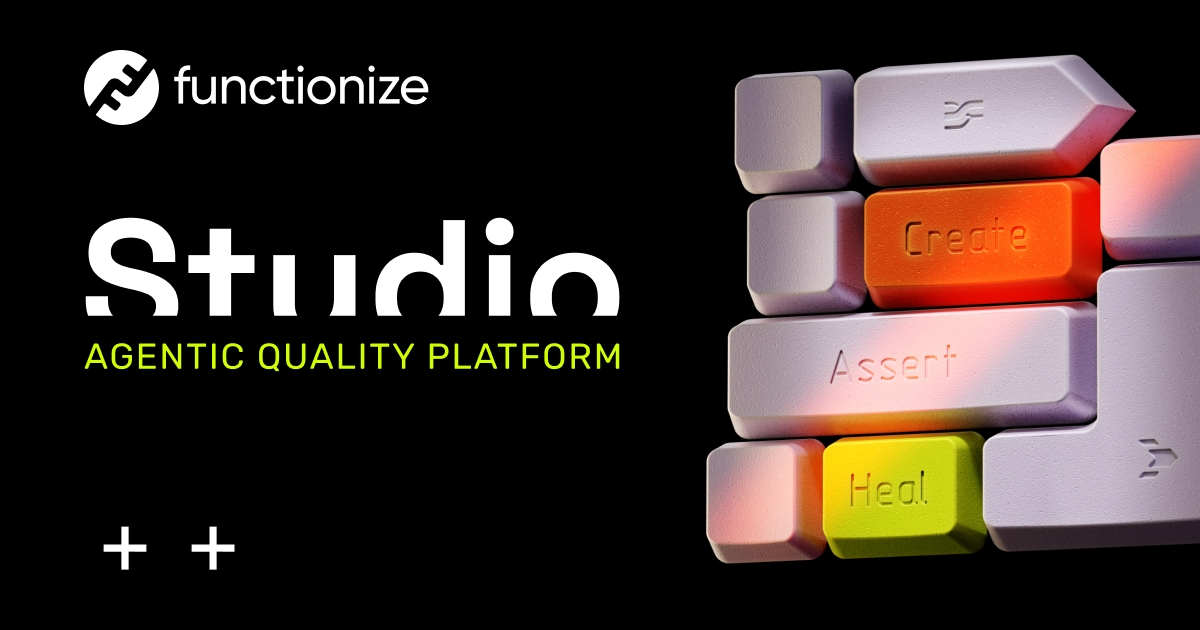
User reviews (0)