
 简体中文
简体中文 English
Website review
This review may include AI-generated content and is not individually verified. Domain, certificate and other facts come from the observed data on this page.
What is Geekflare Tools?
Geekflare Tools is a web-data API suite aimed at developers and AI agents that need to turn live web pages into usable structured output. Its core pitch is consolidation: instead of assembling your own proxies, headless browsers and parsers, you call one API and get back Markdown, JSON, HTML, a screenshot or a PDF. The site frames this around AI use cases specifically — RAG pipelines, agent workflows and automation — with an MCP server for tools like Claude, Cursor and Codex, plus Python and cURL examples.
What it actually does
The suite covers several distinct jobs rather than one:
- Web Scraping API — fetches a URL and returns LLM-ready Markdown, HTML or JSON, with JavaScript rendering, CAPTCHA and anti-bot handling built in. A sample request posts a URL and asks for
markdown-llm, which keeps headings and links while stripping boilerplate. - Search API — real-time web results with titles, links and snippets, plus optional AI-grounded answers, positioned for agents that need to look things up mid-task.
- Screenshot API — full-page or viewport captures with ads and cookie banners blocked, useful for visual QA or archiving.
- Meta Scraping API — Open Graph, JSON-LD, Twitter cards and canonical tags in one response, without parsing the whole DOM.
- DNS Lookup API and Redirect Checker API — domain record checks (A, MX, TXT, SPF, DMARC) and redirect-chain tracing, more infrastructure auditing than content extraction.
Who it suits, and the trade-off
If you are building a RAG or agent pipeline and your bottleneck is getting clean text out of messy pages, the appeal is skipping the proxy-and-parser maintenance work. The Markdown-for-LLMs format and MCP integrations target that directly. The trade-off is the usual one for managed scraping: you gain reliability and speed of setup, but you accept a credit-based meter and less control over exactly how a page is fetched and parsed than a self-hosted stack would give you.
The site's own comparison angle — "what an in-house scraping stack actually costs" — is worth taking seriously as a decision criterion rather than a slogan. Price out your real alternative: proxy subscriptions, browser infrastructure, anti-bot handling and the engineering time to maintain parsers when sites change. If that total is high and your volume is moderate, a managed API usually wins. If you scrape a handful of stable, well-structured sites at very high volume, owning the stack can be cheaper.
Trying it
There is a free plan with 500 credits a month, no card required, and failed requests reportedly cost nothing — which matters because scraping failures are common and unpredictable. The playground exposes every endpoint and parameter with saved requests, so the fastest way to judge fit is to run one real target page through the scraping API in markdown-llm format and inspect the output quality against what your pipeline needs. If the Markdown is clean enough to embed without heavy post-processing, the suite is doing its main job.
For a broader look at the tools and the company behind them, see Geekflare Tools.
How do I make my first API request with Geekflare?
Start in the Geekflare playground, pick an endpoint, paste a URL, choose a format, and press run. The same request is shown as a copyable cURL command you can move into your own code.
The playground is the fastest first step because it exposes every endpoint and parameter and lets you save requests. You can test an idea before writing any application code, and the free tier gives you 500 credits a month with no card required. Failed requests cost nothing, so a malformed URL or wrong parameter does not burn your allowance.
A concrete first request
The page shows a web scraping call that turns a URL into LLM-ready Markdown:
curl -X POST /webscraping \
  -H "Content-Type: application/json" \
  -d '{"url": "stripe.com", "format": ["markdown-llm"]}'
The body carries the URL and the output format. The response is Markdown with headings and links kept and boilerplate stripped — useful when you want to feed a page into a RAG pipeline or an agent rather than read it yourself.
Choosing the right endpoint
| What you need | Endpoint | Output |
|---|---|---|
| Page content for an LLM or RAG | Web Scraping API | Markdown, HTML or JSON |
| Live results to ground an agent | Search API | Titles, links, snippets, optional AI answers |
| A visual capture of a page | Screenshot API | Viewport or full-page image |
| Only the document head | Meta Scraping API | Open Graph, JSON-LD, canonical |
| Domain or email verification | DNS Lookup API | A, MX, TXT, DMARC and more |
| Where a URL actually lands | Redirect Checker API | Redirect chain |
If you are unsure, start with the Web Scraping API in markdown-llm format. It is the broadest starting point and the output drops straight into most AI workflows.
Practical notes
The service handles proxies, headless browsers, JavaScript rendering, CAPTCHAs and anti-bot handling, so you are not maintaining that stack yourself. The Screenshot API blocks ads and cookie banners by default, which matters when a capture is going into documentation or a test suite. The Meta Scraping API exists precisely so you do not pull an entire DOM just to read a title and an Open Graph image.
Two things are worth deciding before you scale: which format your downstream consumer expects, and whether you need a single request or a scheduled one. The playground answers the first question in seconds. For the second, check the pricing page at Geekflare to see how credits map to your expected volume.
If you already work inside an agent framework, the MCP server is the shortest path — Cursor, Claude, Codex and n8n integrations are listed, alongside Python and cURL. Otherwise, copy the cURL from the playground, confirm the JSON shape, then port it to your language's HTTP client.
Can I use Geekflare to prepare web pages for LLM or RAG pipelines?
Yes. Geekflare Tools is built around exactly that use case: turning a URL into LLM-ready output rather than raw HTML. The Web Scraping API returns Markdown, HTML or JSON from any URL, with a markdown-llm format intended for LLMs and RAG, and the page states that links and headings are kept while boilerplate is stripped. JavaScript rendering, CAPTCHAs and anti-bot handling are handled for you, which matters because most RAG pipelines break on pages that only render client-side.
Where it fits in a RAG pipeline
| Pipeline step | Relevant capability |
|---|---|
| Find pages to ingest | Search API returns real-time results with titles, links and snippets, plus optional AI-grounded answers |
| Fetch and clean content | Web Scraping API returns Markdown or JSON, boilerplate stripped, JS rendered |
| Capture visual context | Screenshot API for full-page or viewport captures, with ads and cookie banners blocked |
| Enrich metadata | Meta Scraping API returns Open Graph, JSON-LD, canonical and schema.org fields in one response |
| Verify sources | DNS Lookup API and Redirect Checker API for domain ownership, SPF/DMARC audits and redirect tracing |
A practical pattern: use the Search API to discover candidate URLs, pass each through the Web Scraping API in markdown-llm format, then chunk and embed the Markdown. Keeping headings and links intact is useful because headings give you natural chunk boundaries and links preserve citation paths back to the source.
Practical considerations
Markdown output is a good default for prose-heavy pages, but it flattens tables and interactive elements. For pricing pages, spec sheets or anything with structured data, request JSON instead, or pair the scrape with the Meta Scraping API for head-level fields. Screenshots are worth storing alongside text when a page's meaning depends on layout, such as dashboards or comparison grids that lose structure in Markdown.
Two things to check before committing. First, whether the free tier's 500 monthly credits cover your crawl volume — the page notes failed requests cost nothing, which helps when you are experimenting with selectors or formats. Second, whether the pages you need are behind logins or aggressive bot protection; anti-bot handling is advertised, but you should verify against your own target sites rather than assume.
A concrete first test
Pick ten URLs typical of your corpus — a mix of static docs, a JavaScript-heavy page and a page with a cookie banner. Run each through the playground in markdown-llm format and inspect the output. If headings survive and navigation cruft is gone, you can likely skip building your own proxy and headless-browser stack. The page also argues that an in-house scraping stack carries real cost, which is the trade-off worth weighing: managed convenience and per-request credits versus infrastructure you control but must maintain.
For a fuller picture of the API suite and its options, see Geekflare Tools.
What does Geekflare cost and how do the free credits work?
Geekflare Tools uses a credit-based model: every request consumes credits, and the free plan includes 500 credits per month with no card required to start. Failed requests cost nothing, so a blocked or errored call doesn't burn your allowance.
What the free credits get you
The free tier is aimed at evaluation and light production use rather than high-volume crawling. In practice, 500 credits a month suits:
- Prototyping an AI or RAG pipeline where you scrape a handful of pages to test whether Markdown output fits your chunking and embedding workflow.
- Trying each endpoint once — scraping, search, screenshots, meta extraction, DNS lookups and redirect tracing are separate APIs, so you'll want to spend a few credits on each before committing.
- Small automations such as a weekly check on a competitor's pricing page or a scheduled metadata audit.
Heavier users — say, an agent that searches and scrapes dozens of pages per user session — will exhaust 500 credits quickly and should look at paid tiers.
How to judge whether it's worth paying
The page frames the trade-off as build-versus-buy: an in-house scraping stack means paying for proxies, headless browsers, anti-bot handling and ongoing parser maintenance, plus engineering time when sites change. Geekflare bundles those into one API and hands back Markdown, JSON, screenshots or PDFs.
A practical decision test: estimate your monthly request volume, multiply by your tolerance for retries, and compare that against the engineering hours you'd otherwise spend maintaining scrapers. If you're a solo developer or small team, the managed route usually wins; if you scrape millions of pages with stable targets, self-hosting can still be cheaper.
Next step
Check current plan limits and per-credit rates on the Geekflare Tools pricing page, then run a single real target URL through the playground to confirm the Markdown output matches what your pipeline expects before you scale up.
How does Geekflare compare to building my own scraping stack?
Geekflare is a managed web-data API suite: you send a URL or query, and it handles proxies, headless browsers, CAPTCHA and anti-bot handling, and parsing, returning Markdown, JSON, HTML, screenshots or PDFs. Building your own stack means owning that same pipeline yourself — which is a reasonable choice only if you have ongoing engineering time to spend on it.
Where a hosted API wins
- Time to first result. Geekflare's page shows a single
POST /webscrapingcall with a URL and aformatfield. A DIY stack starts with browser automation, a proxy pool, retry logic and a parser before you get anything useful. - Maintenance is the real cost. Anti-bot systems, cookie banners, layout changes and CAPTCHA challenges shift constantly. A hosted service absorbs that churn; in-house, it becomes a standing backlog item.
- Breadth beyond scraping. The same suite covers search results with titles, links and snippets, full-page or viewport screenshots with ads and cookie banners blocked, Open Graph/JSON-LD/canonical metadata, and DNS records for SPF/DMARC auditing. Replicating all of that means four or five separate integrations.
- AI-oriented output. A
markdown-llMformat strips boilerplate and keeps links and headings, which is the shape RAG and agent pipelines want. That is a parsing decision you would otherwise design, test and maintain yourself.
Where DIY still makes sense
- Volume and predictability. If you scrape a small, stable set of sites at high frequency, your own fetcher can be cheaper per request and free of credit accounting.
- Full control. Custom rate limits, bespoke extraction rules, unusual authentication, or data that must never leave your infrastructure.
- No external dependency. You are not affected by another vendor's uptime, quota policy or format changes.
What to weigh in practice
Geekflare's page states a free plan with 500 credits a month, no card required, and that failed requests cost nothing — useful for prototyping without committing. It also publishes a section on what an in-house scraping stack actually costs, which is the right framing: your comparison is not "API fee vs. nothing," it is "API fee vs. engineer hours plus proxy and browser infrastructure." The page also notes an MCP server and integrations for Cursor, Claude, Codex, n8n, Python and cURL, which matters if your consumers are agents rather than scripts.
A practical way to decide: run one real target through Geekflare's playground and through a minimal local script, then compare not the first successful request but the effort to keep both working for a month. If your targets change often or you need search, screenshots and metadata alongside scraping, the hosted route usually wins on total effort; if your targets are few, stable and high-volume, DIY stays defensible.
For adjacent reference points, ScrapingBee and Bright Data occupy similar managed-scraping territory, while Playwright is the common foundation for a self-built stack.
Which Geekflare endpoint should I use for search, screenshots, metadata, or DNS?
Match the endpoint to what you need back, not to the site you're pointing at. Geekflare's page groups five distinct jobs under one API key, and the right pick is almost always determined by the output shape you want.
| What you need | Endpoint | Output | Typical use |
|---|---|---|---|
| Live web results for an agent | Search API | Titles, links, snippets; optional AI-grounded answers | Agentic research, RAG retrieval, "what's happening now" queries |
| Clean page content | Web Scraping API | LLM-ready Markdown, HTML or JSON | Feeding documents into an LLM or RAG index |
| A visual of a page | Screenshot API | Full-page or viewport image | Visual QA, design monitoring, archiving how a page looked |
| Just the head of a document | Meta Scraping API | Open Graph, JSON-LD, canonical, title, favicon | Link previews, social cards, SEO audits |
| Domain records | DNS Lookup API | A, AAAA, MX, TXT, NS, DMARC | Ownership verification, SPF/DMARC auditing, change monitoring |
Choosing between the two that overlap most
Scraping API and Meta Scraping API both accept a URL, so the deciding question is whether you need the body. If you only want the title, Open Graph tags, Twitter card fields, schema.org data or the canonical URL, Meta Scraping API returns those without pulling and parsing the whole DOM — cheaper in credits and tokens, and less to break when a page's layout changes. Use the full Web Scraping API when you actually need page content, and pick markdown-llm as the format when the destination is a model or a vector store, since headings and links survive while boilerplate is stripped.
A concrete scenario
Suppose you're building an agent that tracks a competitor's pricing page. You'd start with the Search API to find the current URL for the page — results include titles, links and snippets, and each result links to its source. Then call the Web Scraping API on that URL in Markdown to compare the plan text against last week's copy. If you also want to know whether the page's social preview changed, the Meta Scraping API answers that in a single small response. Screenshots are the extra step only if a human needs to see the layout, and DNS Lookup is irrelevant here unless you're verifying that the domain you're tracking is the one you think it is.
Practical notes
The page states that proxies, headless browsers and parsing are handled for you, and that JavaScript rendering, CAPTCHAs and anti-bot handling are built in for scraping. Screenshots are rendered with JavaScript, with ads and cookie banners blocked, and can be full-page or viewport. Failed requests are described as costing nothing, which matters when you're testing selectors or URLs at volume. A free plan with 500 credits a month and no card is mentioned, and the playground exposes every endpoint and parameter with saved requests — the fastest way to see which output shape fits before writing code.
Start in the playground with one URL you already know well, run it through Meta Scraping and then Web Scraping in Markdown, and compare the two responses. That single comparison usually settles which endpoint belongs in your pipeline.
 Cloudflare
 Google Workspace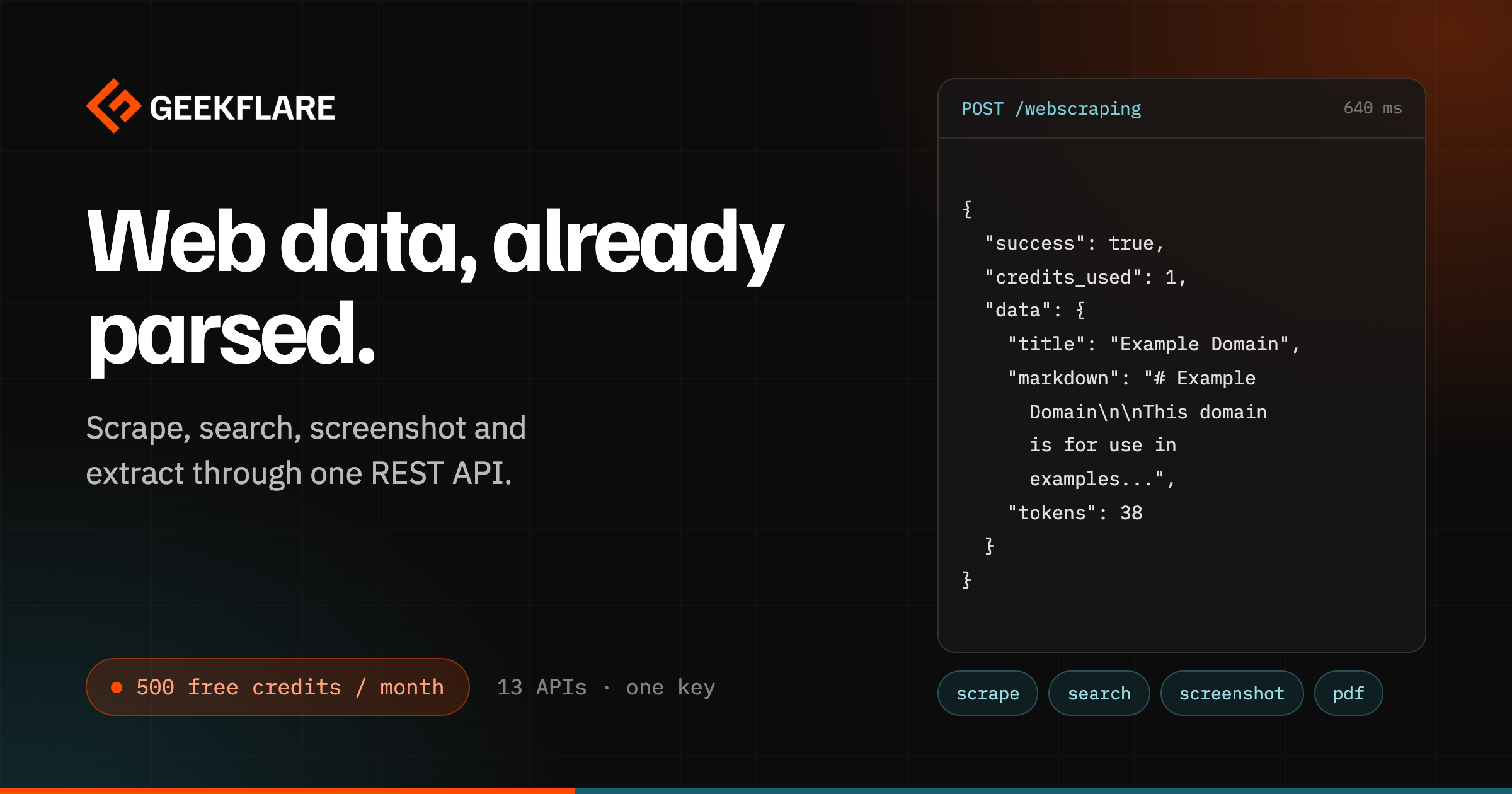

User reviews (0)