Website profiles · Technology insights · Alternatives

genai.owasp.org No paid content found

Categories: Artificial Intelligence Security & Privacy

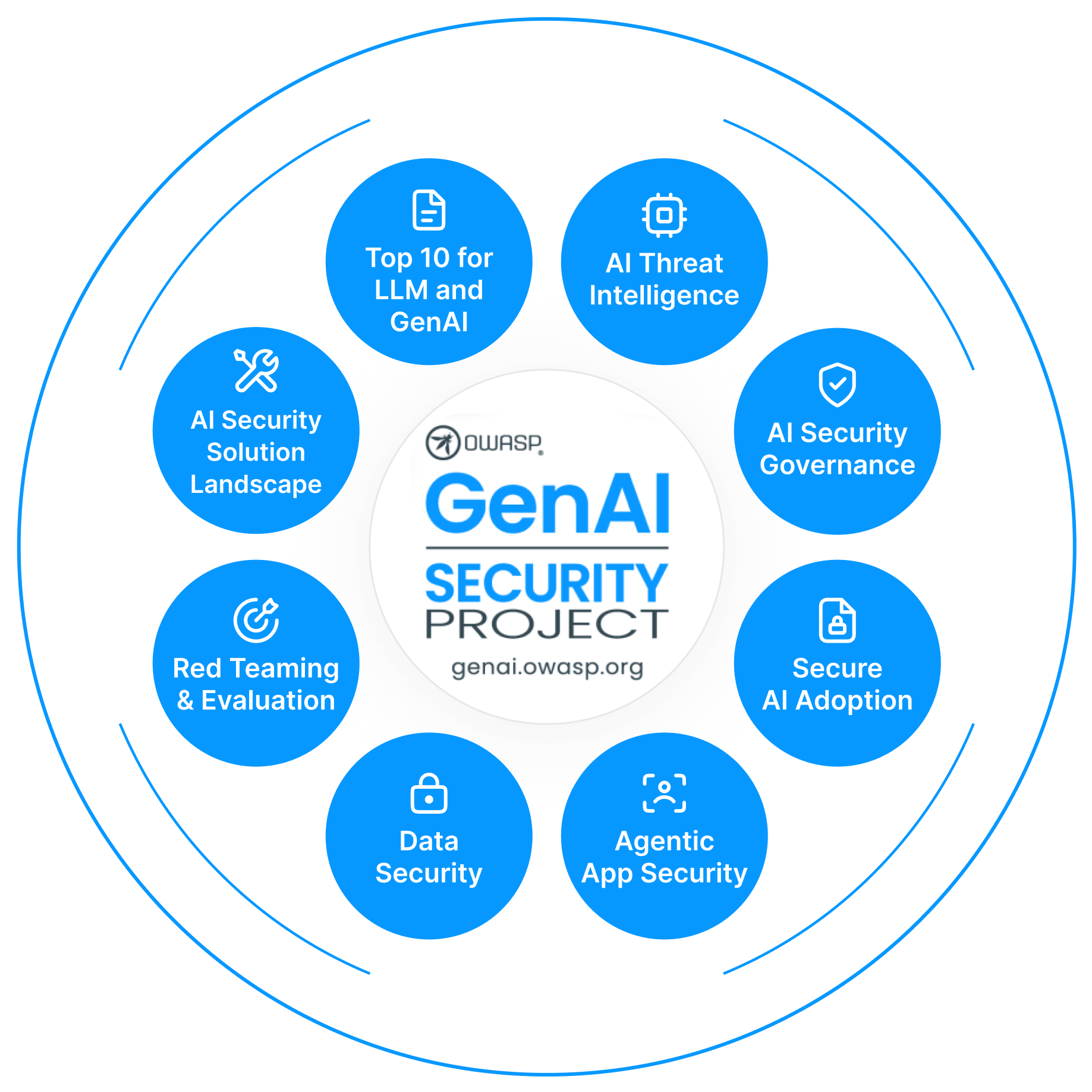
Identifying and tackling the risks of Gen AI systems and applications OWASP GenAI Security Project A global community-driven and expert led initiative to create freely available open source guidance and resources for understanding and mitigating security and safety concerns for Generative AI applications and adoption. Join Now Members k+ Countries + AI Cybersecurity Publications + […]

Visit website

Updated: 2026-09-28 02:00 Language: English (default) Access: Normal

Profile views 5 Outbound visits 1
Home - OWASP Gen AI Security Project Full homepage screenshot
Editorial Review

Website Review

What is the OWASP Gen AI Security Project?

The OWASP Gen AI Security Project is a community-driven, expert-led open source initiative that produces free guidance and resources for understanding and mitigating security and safety risks in generative AI applications. Its focus is practical: helping teams that build, deploy or govern Gen AI systems find concrete, reusable material rather than vendor-specific advice.

What it actually publishes

  • The OWASP Top 10 for LLM Applications — a community-maintained list of the most critical security risks for applications powered by large language models, with a 2026 edition.
  • The GenAI Security Industry Framework Crosswalk, which connects OWASP Gen AI risks to established security, governance and compliance frameworks — useful if you already report against another framework and need to map Gen AI risks into it.
  • The Agent Control Standard (ACS), aimed at the transparency and control enterprises need before trusting AI agents that operate across cloud, SaaS and on-premises environments.
  • Hands-on material such as FinBot CTF, an interactive capture-the-flag environment built around a simulated financial services application.
  • Community writing on specific attack surfaces, for example memory and context poisoning as covered in the Top 10 for Agentic Applications work.

Who it is for and how to use it

Role Typical starting point
App or ML engineer Top 10 for LLM Applications as a threat checklist during design review
Security architect / AppSec Crosswalk to align Gen AI risks with existing controls and compliance reporting
Risk, audit or governance Crosswalk plus the blog entries on specific risks for policy language
Platform team deploying agents Agent Control Standard for transparency and control expectations
Anyone learning FinBot CTF to practice against a simulated application

Trade-offs worth knowing: the material is community-produced and open, so it moves quickly and reflects consensus rather than a certification or a formal standard you can be audited against. It is strongest as a shared vocabulary and risk checklist; it will not replace your own threat model, and it does not tell you which controls to buy.

A practical next step: pick one Gen AI feature you are shipping, walk it against the Top 10 for LLM Applications, and note which risks you cannot currently detect or log. Then check the Crosswalk to see how those gaps map to frameworks your organisation already reports on. For related open source application security guidance, see OWASP; for the project itself, see OWASP Gen AI Security Project.

How can I use the OWASP GenAI LLM Top 10 2026 to assess risks in my LLM application?

Use it as a structured risk-assessment checklist, not a compliance certificate. The OWASP GenAI LLM Top 10 2026 is described on the project site as a community-driven guide to the most critical security risks facing applications powered by large language models — so its natural role is to frame what to examine, while your own architecture and data determine how much each risk matters.

A practical assessment loop

  1. Map your system first. List every place an LLM touches: prompts, retrieved documents, tool/function calls, memory or context stores, output rendering, and the humans who review results. Risks that look abstract become concrete once tied to a component.
  2. Walk the Top 10 against each component. For every entry, ask three questions: Does this apply here? What existing control already covers it? What evidence would prove the control works? Record "not applicable" with a reason — that is a finding too.
  3. Score by exposure, not by list order. A chatbot answering public FAQs and an agent that moves money have very different consequences. Rank by blast radius and by how much untrusted input reaches the model.
  4. Turn gaps into tests. Prompt injection, unsafe output handling, and data leakage are far easier to argue about with a reproducible test case than with a severity label. The project also offers a hands-on Capture-The-Flag environment built around a simulated financial services application, which is a low-cost way to build intuition before testing production-like systems.
  5. Re-run when the system changes. New tools, new retrieval sources, or a switch from suggestions to autonomous actions can invalidate earlier conclusions.

Where the wider project helps

The LLM Top 10 is one artifact in a broader set. The GenAI Security Industry Framework Crosswalk is described as connecting OWASP GenAI risks to established security, governance, and compliance frameworks — useful when your assessors already work in a control framework and you need to translate. The Agent Control Standard addresses transparency and control for agents operating across cloud, SaaS, and on-premises environments, which matters if your LLM application can take actions rather than only produce text.

For adjacent, non-LLM-specific ground, the parent organization's main site covers broader application security practice: OWASP Foundation.

A concrete scenario

Suppose you run an internal assistant that summarizes customer support tickets and drafts replies, with an optional "send" button. A defensible first pass might be: treat retrieved ticket text as untrusted input (injection and poisoning surface), treat the draft as untrusted output until a human approves it, restrict what the assistant can read to the tickets relevant to the requester, and log both the retrieved context and the final sent message so you can reconstruct what happened. The Top 10 gives you the categories; your ticket workflow gives you the boundaries.

Decision criteria for depth

  • Text-only, human-reviewed output: a lighter pass, focused on input trust and output handling, is usually proportionate.
  • Tool-calling or autonomous agents: treat the Agent Control Standard and the agentic risk material as required reading, because errors compound across steps.
  • Regulated data or customer-facing decisions: pair the technical review with the Crosswalk so your findings land in the language your risk and compliance reviewers already use.

Next step: pick one component — the retrieval pipeline is often the highest-yield starting point — and write down, for each applicable Top 10 entry, the control, the owner, and the test that would show it failing.

What is the Agent Control Standard (ACS) and how does it help enterprises deploy AI agents securely?

The Agent Control Standard (ACS) is an open-source OWASP GenAI Security Project resource aimed at the trust problem in enterprise AI agents: organizations can't safely adopt agents they can't observe or constrain, especially when those agents act across cloud, SaaS, and on-premises systems. ACS addresses that by defining a common basis for transparency and control over agent behavior, rather than leaving each vendor to invent its own model.

Why it matters for deployment

  • Agent-specific risk. Traditional application security assumes deterministic code paths. Agents plan, call tools, retain memory, and take actions, which widens the attack surface.
  • Black-box adoption. If an agent's decisions and actions can't be inspected or bounded, security teams have little basis for approval.
  • Cross-environment sprawl. Agents that reach into multiple platforms need consistent controls, not per-platform patches.

How enterprises can use it

  1. Use ACS as a shared vocabulary when evaluating agent platforms and writing internal requirements.
  2. Pair it with the OWASP GenAI LLM Top 10 for model-level risks and the GenAI Security Industry Framework Crosswalk to align controls with existing governance and compliance frameworks.
  3. Test controls in a safe environment — the project's FinBot CTF, built around a simulated financial services application, is a practical way for practitioners to exercise agent-related attack scenarios.

Trade-offs to weigh

Standards like ACS are guidance, not certification, and adoption depends on vendor willingness to expose control interfaces. Expect effort in mapping ACS concepts onto your existing risk register and in negotiating agent telemetry and kill-switch capabilities with suppliers. Community-driven resources also evolve, so plan to re-review as versions change.

A useful next step: pick one agent use case already in pilot, list the actions it can take and the data it can reach, then check which of those you can currently observe, limit, and revoke. That gap list becomes your ACS-based requirements. Start at OWASP Gen AI Security Project.

How does the OWASP GenAI Security Industry Framework Crosswalk map GenAI risks to compliance frameworks like NIST or ISO?

The Crosswalk is an open-source mapping resource that connects OWASP GenAI security risks to established industry security, governance and compliance frameworks. In practice, that means it takes entries from OWASP's GenAI risk lists — most notably the Top 10 for LLM Applications — and shows which requirements or control categories in external frameworks correspond to each risk. NIST and ISO are the kinds of frameworks such a crosswalk is built to align with, alongside other governance and compliance schemes.

What the mapping is useful for

  • Gap analysis: you already track a framework like NIST AI RMF or ISO/IEC 42001, and want to see which GenAI-specific risks your existing controls may not cover.
  • Control reuse: instead of writing new policies from scratch, you identify which existing controls address an OWASP risk and document the link.
  • Reporting: security and compliance teams can present one risk register that satisfies both GenAI-specific concerns and general framework obligations.
  • Prioritisation: mapping several risks to the same framework clause shows where a single control investment covers the most ground.

How to use it in a real project

Suppose your team is deploying an LLM-backed assistant and your organisation already runs an ISO-aligned management system. Start with the OWASP risk list, pick the entries that apply to your architecture (for example prompt injection or sensitive information disclosure), then use the Crosswalk to find the matching clauses in your existing framework. Record the mapping in your risk register, note any risk with no corresponding control, and treat those gaps as your remediation backlog.

A practical decision criterion: use the Crosswalk when you need to reconcile GenAI-specific threats with an audit or certification programme you already follow. If you have no existing framework, the OWASP risk lists themselves are the more direct starting point.

Where to look next

The project publishes the Crosswalk alongside its other resources, including the Top 10 for LLM Applications and the Agent Control Standard, and runs a community and events programme. See OWASP GenAI Security Project for the current downloads and related guidance.

What is FinBot CTF and how can it help me practice securing a generative AI application?

FinBot CTF is a hands-on Capture-The-Flag environment from the OWASP GenAI Security Project, built around a simulated financial services application. Instead of reading about generative AI risks in the abstract, you work against a realistic app and try to find and exploit its weaknesses yourself.

How it helps you practice

  • It gives you a sandbox where mistakes are safe: you can probe prompts, data flows and agent behaviour without touching a production system.
  • The financial-services setting is deliberate. Money-moving assistants raise the stakes on authorization, data leakage and transaction integrity, so the scenarios map to problems teams actually face.
  • It pairs with the project's written guidance, so you can read a risk category and then go try it against a running target. That read-then-exploit loop is where the learning sticks.

Who gets the most from it

Application security engineers moving into AI systems, red teamers adding LLM and agent techniques, and developers who own an AI feature and want to understand how it can be abused. If you have never done a CTF, expect a slower start; the value is highest if you already know basic web exploitation and can focus your attention on the AI-specific layer.

A concrete way to use it

Pick one risk from the OWASP Top 10 for LLM Applications, attempt it in FinBot, then write down the mitigation you would ship and how you would test it in your own product. Repeat for prompt injection, insecure output handling and excessive agency. You finish with a personal playbook rather than a certificate.

Trade-offs to weigh

A CTF teaches attack intuition, not full assurance. It will not cover your logging, model supply chain or incident response, and simulated targets rarely match the messiness of a real deployment. Treat it as one station in a rotation: pair it with threat modelling of your own application and a review of the project's frameworks.

Next step

Start with the FinBot CTF page to see the current challenge set, then browse the wider resources at OWASP Gen AI Security Project. If you want the risk taxonomy first, the OWASP Top 10 for LLM Applications is the natural companion, and the project's crosswalk helps you connect those risks to governance and compliance frameworks you may already be using.

How can I join the OWASP Gen AI Security Project community or contribute to its open-source resources?

You can join through the project's own website, where membership is free and open to anyone, and you can contribute to its resources through community working groups rather than a formal application process.

Joining the community

The OWASP Gen AI Security Project describes itself as a global, community-driven and expert-led initiative producing freely available open-source guidance on generative AI security and safety. Its site reports a community in the tens of thousands of members across many countries, and it hosts a "Join Now" entry point for new participants.

Practical starting points:

  • Use the "Join Now" link on OWASP Gen AI Security Project to register interest and get connected to the community.
  • Check the "What's New" and "Events" sections for summits and conferences where the project convenes; the site lists appearances such as InfoSec World 2026 in Orlando, OWASP Global AppSec USA 2026, and a Gen AI Security Summit in London at Infosec Europe.
  • Follow the blog and news posts to see which topics are currently active before you volunteer.

Contributing to the open-source resources

Contributions typically take the form of helping build or review the project's published guidance. Named resources on the site include:

  • OWASP GenAI LLM Top 10 2026 — a community-driven list of the most critical security risks for LLM-powered applications.
  • Agent Control Standard (ACS) — work on transparency and control for AI agents operating across cloud, SaaS and on-premises environments.
  • GenAI Security Industry Framework Crosswalk — an open-source mapping of OWASP GenAI risks to established security, governance and compliance frameworks.
  • OWASP Top 10 for Agentic Applications — including entries such as memory and context poisoning, which the site notes has community co-leads.
  • FinBot CTF — a hands-on capture-the-flag environment built around a simulated financial services application, useful if you prefer learning and testing over document writing.

Because these are community-driven, the realistic path is to pick one resource, read it, and offer concrete input — a gap you noticed, a mapping you can verify, a test case for the CTF — rather than asking for a general assignment.

A useful next step

Open the project site, register through "Join Now", then read the LLM Top 10 2026 and the Crosswalk side by side. If you work in compliance or governance, the Crosswalk is where your existing framework knowledge is most directly useful; if you build or test applications, the LLM Top 10 and FinBot CTF give you a concrete place to contribute findings. Mention the specific resource and the specific gap when you introduce yourself — that is what turns a membership into a contribution.

Related questions

More questions →
How to Get Involved With the OWASP Gen AI Security Project

You can get involved with the OWASP Gen AI Security Project by joining it as a member, following its What's New, blog, events, and news channels, attending or meeting the project at conferences such as InfoSec World 2026 and OWASP Global AppSec USA 2026, and contributing to its open-source guidance and resources. The project describes itself as a global, community-driven and expert-led initiative that produces freely available open-source guidance for understanding and mitigating security and safety concerns in Generative AI applications and adoption, so participation is aimed at people who want to help build or apply that guidance rather than consume a commercial product.

Ways to Participate

The site presents involvement along a few concrete paths:

  • Join as a member. The project's own call to action is "Join Now," and it reports a community that has topped 30,000 members across many countries. Membership is the entry point for the wider community.
  • Contribute to open-source guidance and resources. The project frames its output as community-driven guidance and resources, which is where subject-matter contributions land.
  • Follow the project's updates. The site maintains What's New, Resources, Blog, Events, and News sections, so you can track releases and activity without committing to a working role first.
  • Meet the project in person. It hosts and attends events, including InfoSec World 2026 in Orlando, FL (10/11–10/15), OWASP Global AppSec USA 2026 (11/5–11/6), and the OWASP Gen AI Security Summit, London at Infosec Europe.

What You'd Be Contributing To

Knowing the current output helps you decide where you can add value. The project's recent and featured publications include:

Resource What it is
OWASP GenAI LLM Top 10 2026 The latest community-driven guide to the most critical security risks facing applications powered by large language models
GenAI Security Industry Framework Crosswalk An open-source resource connecting OWASP GenAI security risks to established industry security, governance, and compliance frameworks
Agent Control Standard (ACS) A standard aimed at transparency and control for AI agents operating across cloud, SaaS, on-premises, and other environments
FinBot CTF A hands-on Capture-The-Flag environment built around a simulated financial services application, as a companion to the project

The project also publishes blog analysis from contributors, such as a piece on memory and context poisoning written by a co-lead of the OWASP ASI06: Memory & Context Poisoning entry in the OWASP Top 10 for Agentic Applications.

Who This Suits

Because the initiative is expert-led but community-driven, the fit is broad: security practitioners assessing GenAI and agentic AI risk, developers building LLM-powered applications, governance and compliance staff who need to map AI risk to existing frameworks, and researchers or writers who want to contribute analysis. If your goal is simply to read the guidance, the Resources, Blog, and What's New sections cover that without joining.

Practical Notes

  • The project describes its guidance and resources as freely available and open source; the site does not present pricing or paid tiers, and no login requirement is stated for reading its published material.
  • Event attendance is separate from membership — conferences like InfoSec World 2026 and OWASP Global AppSec USA 2026 are external OWASP and industry events where the project appears, so check those events' own registration details.
  • Start with the resource closest to your work (for example, the LLM Top 10 if you build LLM applications, or the Crosswalk if you handle governance), then use "Join Now" if you want to move from reading to contributing.
What Are Open-Source UI Element Libraries and How Do They Differ From UI Frameworks?

An open-source UI element library is a collection of individual, ready-made interface pieces—buttons, cards, inputs, toggles, loaders—that you copy into your own project and adapt. A UI framework, by contrast, is a structured system of components, conventions, and often a theming layer that governs how your whole interface is built. The practical difference: an element library gives you a snippet; a framework gives you a way of working. If you need a polished button in ten minutes, reach for the element library. If you're building a 40-screen product with a team, you probably want the framework.

What "open-source UI element library" actually means

The term gets used loosely, so it helps to separate the parts:

  • Open-source: the code is publicly available, and the license tells you what you may do with it—copy, modify, redistribute, or use commercially.
  • UI element: a single, self-contained piece of interface, usually small enough to read in one sitting. A button with hover states, a pricing card, a search field.
  • Library: a browsable, searchable collection of those elements, typically contributed by many different people.

On a site like Uiverse, elements are shared by a community and written in plain CSS or Tailwind. You find one you like, copy the markup and styles, paste them into your project, and adjust colors, spacing, and text to fit. There's no package to install and no build step required—which is exactly the appeal, and also the source of most of the confusion.

Element library vs. UI framework: the core differences

Dimension Open-source UI element library UI framework / design system
Unit of reuse A single snippet you copy A component you import or call
Installation None; paste into your code Package install, config, sometimes a provider
Consistency Depends on you; each element may look different Enforced by shared tokens and APIs
Theming Manual edits per element Central theme/config file
Updates You own the copy; no upstream updates Version bumps bring fixes and changes
Accessibility Varies per contributor; must be checked Usually tested and documented
Best for Prototypes, landing pages, small sites, one-off needs Multi-page apps, teams, long-lived products
Learning curve Low—read the CSS Higher—learn the API and conventions

The table isn't a verdict. It's a map of trade-offs. Element libraries win on speed and freedom; frameworks win on consistency and maintenance.

Licensing and attribution: what to check before you paste

This is where people get into trouble, and it's worth slowing down for.

  1. Find the license. Every element or collection should state one. Common open-source licenses include MIT, Apache-2.0, and BSD. Some projects use copyleft licenses like GPL, which can impose obligations if you redistribute your code.
  2. Understand what the license permits. MIT and Apache-2.0 are permissive: you can typically use the code in commercial and closed-source projects. Copyleft licenses may require you to release derivative source under the same terms.
  3. Check attribution requirements. Permissive licenses usually require you to keep the copyright notice and license text somewhere in your project. That's a real obligation, not a formality.
  4. Look for per-element terms. On community sites, the site's overall terms and the individual contributor's stated wishes may differ. If a contributor asks for credit, honor it.
  5. When in doubt, ask or avoid. If a snippet has no license at all, you don't have clear permission to reuse it. Treat "no license" as "not open source," even if the code is publicly visible.

This article is general information, not legal advice. For commercial products with real exposure, have someone qualified review the licenses you're relying on.

How to use a community element in your project: a practical workflow

Here's a repeatable process that avoids most of the usual mess.

1. Start from a real need, not a browsing session

Decide what you need first—"a compact primary button with a loading state"—then search. Browsing aimlessly produces a pile of pretty snippets that don't fit together.

2. Copy the smallest version that works

Take the markup and the styles. Strip anything you don't need: demo wrappers, extra animations, decorative layers. Less code means fewer surprises.

3. Convert it to your conventions

If your project uses design tokens or CSS variables, replace hard-coded values:

/* Before: hard-coded */
.button { background: #4f46e5; border-radius: 8px; }

/* After: token-based */
.button { background: var(--color-primary); border-radius: var(--radius-md); }

This one step is what keeps a copied element from looking like a foreign object in your UI.

4. Check accessibility before you ship

Community elements vary widely here. Verify at minimum:

  • Keyboard focus is visible and the element is reachable by Tab.
  • Color contrast meets WCAG AA (4.5:1 for normal text).
  • Interactive elements use semantic HTML (<button>, not a clickable <div>).
  • Form inputs have associated labels.
  • Motion respects prefers-reduced-motion.

5. Test in context

Paste it into a real page with real content. Long labels, small screens, and dark mode break more copied elements than anything else.

6. Note where it came from

Keep a short comment or an internal credits file: source, license, date. Future you—and your legal reviewer—will be grateful.

Where element libraries genuinely shine

  • Prototypes and demos: you need something clickable today, not a design system.
  • Landing pages and marketing sites: a handful of distinctive elements, each custom.
  • Filling gaps: your framework lacks one specific component, and you don't want to build it from scratch.
  • Learning: reading well-made CSS is one of the fastest ways to improve.
  • Small projects: a personal site doesn't need a theming architecture.

Where they fall short

  • Consistency at scale: ten elements from ten contributors rarely look like one product.
  • Maintenance: you own every copy. When your design changes, you edit each one.
  • Accessibility debt: you inherit whatever the contributor did or didn't do.
  • No upstream fixes: a bug fixed in the original won't reach your copy.
  • Integration friction: different naming conventions, different units, different assumptions about resets.

When to choose which

Choose an element library when the scope is small, the timeline is short, or you need a few distinctive pieces rather than a whole system.

Choose a framework or design system when multiple people build multiple screens over months, when consistency is a product requirement, or when accessibility and theming need to be guaranteed rather than checked.

A hybrid works well for many teams: adopt a framework for the structural components—forms, navigation, layout—and borrow individual elements for the places where you want personality. Just route every borrowed element through the same token and accessibility checks, so it lands as part of your system rather than beside it.

The short version: open-source UI element libraries are a fast, flexible way to get good-looking interface pieces into a project. They are not a substitute for a design system, and the license and accessibility details are the part worth reading carefully.

What Does the Arts & Recreation Foundation of Overland Park Support?

The Arts & Recreation Foundation of Overland Park is a nonprofit organization that raises money and builds community partnerships to support arts, culture, and recreation in Overland Park, Kansas. If you live in or near the city, its work shows up in places you may already visit: Deanna Rose Children's Farmstead, the Overland Park Arboretum & Botanical Gardens, and public art projects across the community. The foundation itself is not a city department; it works alongside the city and donors to fund enhancements, programs, and special projects that go beyond what tax dollars alone cover.

What the Foundation Actually Does

Think of the foundation as a charitable partner for Overland Park's cultural and recreational assets. Its role generally includes:

  • Fundraising: Accepting donations and gifts that are directed toward specific attractions, programs, or public art.
  • Community partnerships: Working with businesses, civic groups, and residents who want to support local amenities.
  • Events: Hosting or supporting events that both raise funds and give the community a reason to gather.
  • Project support: Helping pay for improvements, additions, and experiences at the destinations it serves.

Because it is a nonprofit, money raised goes back into the community rather than to private owners. That structure is what allows residents and local businesses to contribute directly to the places they care about.

The Destinations and Initiatives It Supports

Deanna Rose Children's Farmstead

Deanna Rose Children's Farmstead is a family-oriented attraction that gives children and adults a hands-on look at farm life, animals, and Kansas history. Foundation support for the Farmstead typically means helping fund enhancements, educational experiences, and community events that keep the site engaging for repeat visitors and first-timers alike.

Overland Park Arboretum & Botanical Gardens

The Arboretum & Botanical Gardens is a living collection of gardens, trails, and natural areas. Supporting it can involve funding plantings, garden features, educational programming, and long-term care that keeps the grounds beautiful and accessible through the seasons.

Public Art Projects

Public art is another core focus. The foundation helps bring sculptures, installations, and other artistic works into shared spaces, making art part of everyday life rather than something you only see in a museum. These projects often depend on donations and partnerships to move from idea to installation.

How Community Partnerships and Events Fit In

The foundation's model relies on the community, not just on institutional funding. Local businesses may sponsor an event or a project. Residents may attend a fundraiser, buy a ticket, or make a donation. Civic organizations may partner on a specific initiative.

Events serve two purposes at once: they raise money and they build awareness. A well-attended event introduces new people to the Farmstead, the Arboretum, or a public art effort, and some of those people become ongoing supporters. Over time, this cycle of participation and giving is what sustains projects that a city budget alone might not fully fund.

Practical Ways Residents Can Get Involved

If you want to support this work, you do not need to be a major donor. Here are realistic starting points:

  1. Visit the attractions. Attendance and word-of-mouth support matter. Spend a day at the Farmstead or the Arboretum and bring friends or family.
  2. Attend a foundation event. Events are the easiest entry point. You get an experience, and your ticket or participation helps fund projects.
  3. Donate. Contributions can often be directed toward a specific area, such as the Farmstead, the Arboretum, or public art. Check the foundation's website for current giving options.
  4. Volunteer. Nonprofits frequently need help with events, outreach, and administrative tasks. Volunteering is a low-cost way to contribute time and skills.
  5. Partner as a business. If you own or manage a local business, sponsorship or in-kind support can align your brand with community assets people genuinely value.
  6. Spread the word. Sharing events and projects with neighbors, school groups, or community boards helps the foundation reach people who might want to help.

For current details on events, donation methods, and volunteer needs, go directly to the foundation's website, since programs and opportunities change over time.

Why This Matters for Local Quality of Life

Arts, culture, and recreation are not extras. They shape how a city feels to live in. A children's farmstead gives families a shared destination. Botanical gardens provide green space and seasonal beauty. Public art makes ordinary streets and parks more interesting. When residents and businesses invest in these things through a foundation, they are effectively choosing the kind of community they want.

The Arts & Recreation Foundation of Overland Park exists to make that choice easier and more organized. It connects people who care about these places with the projects that need support, and it keeps the benefits local.

A Simple Way to Think About It

If you are trying to understand the foundation in one sentence: it is the community's fundraising and partnership arm for Overland Park's arts, culture, and recreation, with a focus on Deanna Rose Children's Farmstead, the Overland Park Arboretum & Botanical Gardens, and public art. You benefit from its work when you visit these places, and you can contribute by attending, donating, volunteering, or partnering. Start with a visit, then decide how you want to take part.

What Is the OWASP Gen AI Security Project Website?

genai.owasp.org is the home of the OWASP GenAI Security Project, a global, community-driven and expert-led initiative that produces freely available open-source guidance for understanding and mitigating the security and safety risks of generative AI systems and applications. It is the site to use if you need vendor-neutral, community-reviewed material on GenAI and agentic AI security — for example, when threat-modeling an LLM-backed feature, building an AI governance checklist, or briefing a security team. It is not a commercial product page and not a substitute for your own risk assessment.

What the project is

The site describes the initiative as:

  • Global and community-driven — contributors span many countries, and the project reports a community in the tens of thousands of members.
  • Expert-led — content is developed by practitioners rather than published as a single vendor's opinion.
  • Open source and freely available — the guidance and resources are published for anyone to read and reuse.
  • Focused on GenAI security and safety — the scope covers both security concerns and broader safety concerns around generative AI adoption.

What you can find there

The site organizes its output into a few recurring categories.

Category What it covers Example from the site
Top 10 risk lists The most critical security risks for a given class of AI system OWASP Top 10 for LLM Applications 2026; OWASP Top 10 for Agentic Applications
Standards and controls Requirements for controlling how AI systems behave Agent Control Standard (ACS)
Framework mapping Links between OWASP GenAI risks and other governance/compliance frameworks GenAI Security Industry Framework Crosswalk
Hands-on practice Interactive environments for testing skills FinBot CTF, a capture-the-flag built around a simulated financial services application
Blog, news, events Project announcements, technical write-ups, and conference appearances Posts such as "Memory Is a Feature. It Is Also an Attack Surface"; InfoSec World 2026 and OWASP Global AppSec USA 2026

The flagship resources

OWASP Top 10 for LLM Applications 2026 is described as the latest community-driven guide to the most critical security risks facing applications powered by large language models. Use it as a starting taxonomy when scoping an LLM application's threat model.

Agent Control Standard (ACS) addresses trust in AI agents. The site's framing is that widescale adoption of agents depends on trust, and trust requires transparency and control — enterprises cannot rely on black-box agents operating across cloud, SaaS, and on-premises environments. Use it when you need to define what an agent must expose or how it must be constrained before it is allowed to act.

GenAI Security Industry Framework Crosswalk connects OWASP GenAI security risks to established industry security, governance, and compliance frameworks. Use it when you already report against another framework and need to show where GenAI risks fit rather than maintaining a separate list.

How to use the site

  1. Start with the risk list that matches your system. If you are building on an LLM, begin with the Top 10 for LLM Applications. If you are deploying autonomous or semi-autonomous agents, look at the agentic list and the Agent Control Standard.
  2. Map to your existing program. Pull the Crosswalk to translate OWASP risk entries into the governance or compliance framework your organization already uses.
  3. Test understanding. The FinBot CTF provides a simulated environment for practicing against GenAI security issues rather than only reading about them.
  4. Follow changes. The blog, news, and events sections carry releases and technical discussion; the project also appears at conferences such as InfoSec World and OWASP Global AppSec.

What it is not

  • It is not a certification body or an audit standard you can be "compliant" with in a formal regulatory sense.
  • It is not a product, and the site does not present itself as a paid service.
  • It is not a replacement for legal, compliance, or risk decisions specific to your organization — treat the material as input to those decisions.

Joining the community

The site invites participation through a "Join Now" path and lists members, countries, and publications as community metrics. If you want to contribute guidance, review drafts, or follow releases, that is the entry point.

What Resources and Standards Does the OWASP Gen AI Security Project Publish?

The OWASP Gen AI Security Project publishes freely available, open-source guidance for understanding and mitigating security and safety concerns in generative AI applications. Its flagship resources are the OWASP GenAI LLM Top 10 2026, the Agent Control Standard (ACS), and the GenAI Security Industry Framework Crosswalk, supported by blogs, events, news, and hands-on training material. These resources suit security engineers, architects, governance and compliance teams, and anyone adopting LLMs or AI agents who needs a structured way to identify and prioritize risk.

The three core publications

OWASP GenAI LLM Top 10 2026

The OWASP Top 10 for LLM Applications 2026 is described as the latest community-driven guide to the most critical security risks facing applications powered by large language models. Use it as a starting point when you need to enumerate and prioritize the risks specific to an LLM-powered application, rather than generic web application risks.

Agent Control Standard (ACS)

The ACS addresses a different problem: trust in AI agents. The project's framing is that widescale adoption of AI agents depends on trust, and trust requires transparency and control — enterprises cannot rely on black-box agents operating across cloud, SaaS, and on-premises environments. Reach for the ACS when your concern is governing what an autonomous or semi-autonomous agent is allowed to do, and how that behavior is made visible and controllable.

GenAI Security Industry Framework Crosswalk

The Crosswalk is an open-source resource that connects OWASP GenAI security risks to established industry security, governance, and compliance frameworks. It is the mapping layer: if you already work within an existing framework and need to show where GenAI risks fit into it, this is the document that saves you rebuilding that mapping yourself.

Resource Problem it solves Best fit
GenAI LLM Top 10 2026 Which risks matter most for LLM-powered applications Application security teams doing risk assessment
Agent Control Standard (ACS) Transparency and control over AI agents across environments Teams deploying or governing AI agents
GenAI Security Industry Framework Crosswalk Aligning GenAI risks with existing security, governance, and compliance frameworks Governance, risk, and compliance functions

Beyond the standards: blogs, events, and hands-on material

The site also carries a blog, an events section, and news. Two examples show the range:

  • Memory & Context Poisoning — a blog post written by a co-lead of the OWASP ASI06 entry in the OWASP Top 10 for Agentic Applications, discussing memory as both a feature and an attack surface.
  • FinBot CTF — a hands-on Capture-The-Flag environment built around a simulated financial services application, positioned as an interactive companion to the project.

If you learn better by doing than by reading, the FinBot CTF is the practical entry point; if you want current thinking on emerging agent risks, the blog is where those discussions appear first.

Community and events

The project describes itself as a global, community-driven and expert-led initiative with members and countries counted in the thousands and a growing set of AI cybersecurity publications. It also lists affiliated standards organizations and projects, and upcoming events including OWASP Global AppSec USA 2026 (November 5–6, 2026), InfoSec World 2026, and the OWASP Gen AI Security Summit in London at Infosec Europe.

How to choose where to start

  • Assessing an LLM application's risk surface → start with the GenAI LLM Top 10 2026.
  • Deploying or governing AI agents → start with the Agent Control Standard.
  • Mapping GenAI risk into an existing compliance or governance program → start with the Crosswalk.
  • Wanting practical, hands-on exposure → try the FinBot CTF.
  • Tracking emerging issues → follow the blog and events.

All of these are published as freely available open-source guidance, so you can download and use them without a commercial relationship with the project.

Website Overview

An established domain and managed infrastructure suggest continuity of operations and may support dependable delivery, although neither guarantees service quality.

Domain and Registration

Registered in 2001, this domain has about 25 years of history. That suggests continuity, although ownership and purpose may have changed. Transfer-protection status is present, helping reduce the risk of unauthorized domain transfers. The registrar is GoDaddy.com, LLC, a widely used domain service provider. The domain uses the common .org extension, which is not an independent safety signal.

DNS and Email

Nameservers are provided by Cloudflare, indicating managed DNS hosting. MX records point to the Google Workspace email service. No CNAME was found; the observed records resolve directly to addresses. SPF and DMARC are configured. DKIM status is unknown. TXT records include verification markers for Google, Atlassian, Microsoft. Such markers may also remain after a service stops being used.

TLS and Certificates

The public key uses EC with 256 bits. The server supplied a complete certificate chain. No organization name is present in the certificate; the available fields are consistent with domain validation. The certificate was issued within the Google Trust Services cloud or CDN ecosystem. The certificate's total validity is about 89 days, consistent with a short renewal cycle.

HTTP and Browser Security

The response lacks these common security headers: CSP, X-Content-Type-Options, Referrer-Policy, Permissions-Policy, clickjacking protection. No X-Powered-By header was found, reducing one common source of backend fingerprinting information. No obvious internal addresses or debug information were found in the headers. The Server header identifies nginx without an exact version. No explicit CDN or WAF marker was found in the response headers.

Technology Stack Analysis

The public page identifies Elementor 4.1.4; features: e_font_icon_svg, additional_custom_breakpoints; settings: css_print_method-internal, google_font-enabled, font_display-swap, WordPress, jQuery, nginx without precise versions, leaving fewer clues for version-specific scanning.

Search and Social Sharing

No homepage meta description was detected, leaving snippet selection more dependent on page text. The Generator tag identifies Elementor 4.1.4; features: e_font_icon_svg, additional_custom_breakpoints; settings: css_print_method-internal, google_font-enabled, font_display-swap, making the publishing system easier to fingerprint. Twitter Card metadata is configured. JSON-LD includes Organization data, helping describe the organization as an entity. The title has 36 characters, within a common display range.

Hosting and Email

DNSCloudflare
HostingAutomattic, Inc
EmailGoogle Workspace
Location United States flagSan Francisco, California, United States 192.0.78.146

User reviews (0)

  • No reviews yet.

Pages, Search and Sharing

Meta descriptionNot detected
Canonical URLhttps://genai.owasp.org/
LanguageEnglish (default)
Twitter Cardsummary_large_image
All bots 0 allowed · 1 disallowed
  • Disallow/wp-content/uploads/wpo/wpo-plugins-tables-list.json

Registration details RDAP / WHOIS

RegistrarGoDaddy.com, LLC
Registered2001-09-21
Expires2031-09-21
Domain statusclient delete prohibited、client renew prohibited、client transfer prohibited、client update prohibited
Nameserversfay.ns.cloudflare.com、west.ns.cloudflare.com
DNSSECunsigned

DNS records

TypeNameValueTTLPriority
Agenai.owasp.org192.0.78.146300—
Agenai.owasp.org192.0.78.252300—
MXowasp.orgaspmx.l.google.com3001
MXowasp.orgalt1.aspmx.l.google.com3005
MXowasp.orgalt2.aspmx.l.google.com3005
MXowasp.orgalt3.aspmx.l.google.com30010
MXowasp.orgalt4.aspmx.l.google.com30010
NSowasp.orgfay.ns.cloudflare.com86400—
NSowasp.orgwest.ns.cloudflare.com86400—
TXTowasp.orgMS=ms73859685300—
TXTowasp.orgRrGYbfHtHhF55ld5k5Rw87iuBu7wAWOX4GR9zffrTh4=300—
TXTowasp.orgatlassian-domain-verification=BhaFKFKoRcW20xvi6UJ3U0CKocKOCgLH6LSuiBYPQ5A53cSCUN6gcbzcKSOmlVGs300—
TXTowasp.orggoogle-site-verification=1zT9Of9pBuTj1rgeGCxMbya3iQQMxFE9-DzUBhftUVQ300—
TXTowasp.orggoogle-site-verification=I9qx_X9EKlR_rfceG25-iXHBXJvLrmeNbkEdy182iI300—
TXTowasp.orggoogle-site-verification=_slXlbOCopK1Ss9VQEoxdsNxpScVKvXVB_JtPpyL3eQ300—
TXTowasp.orggoogle-site-verification=hJ9eCIFoexfh1sb-WVBkVB5PEND3JiaojOVyaNpyWK8300—
TXTowasp.orggoogle-site-verification=kmxuuCvLW4gII8YaV-3ilTOLUvjZa3uaipm0tmpVGpU300—
TXTowasp.orggoogle-site-verification=ubHJGF1N2ylOhYxQnIzEIIFaqUodqsIdTLXF-rCX9ps300—
TXTowasp.orgv=spf1 include:_spf.google.com include:servers.mcsv.net include:amazonses.com -all300—
DMARC_dmarc.owasp.orgv=DMARC1; p=quarantine; rua=mailto:[email protected],mailto:[email protected]300—

TLS and certificates

AssessmentNormal configuration
Supported protocolsTLSv1.2、TLSv1.3
Negotiated protocolTLSv1.3
Certificate subjecttls.automattic.com
IssuerGoogle Trust Services
Valid until2026-12-21T02:37 · Remaining when checked: 84 days
Verification detailsCertificate trust: Passed · Hostname match: Passed

HTTP response headers

HeaderValue
content-typetext/html; charset=UTF-8
cache-controlmax-age=279, must-revalidate
servernginx
strict-transport-securitymax-age=31536000

Identified technologies

Elementor 4.1.4; features: e_font_icon_svg, additional_custom_breakpoints; settings: css_print_method-internal, google_font-enabled, font_display-swapWordPressjQuerynginx