Website profiles · Technology insights · Alternatives

getleon.ai

Leon is an open-source personal assistant who can live on your server. He is built on the top of Node.js, Python and artificial intelligence concepts.

No paid content found
Visit website
Profile views 3 Outbound visits 0 Normal
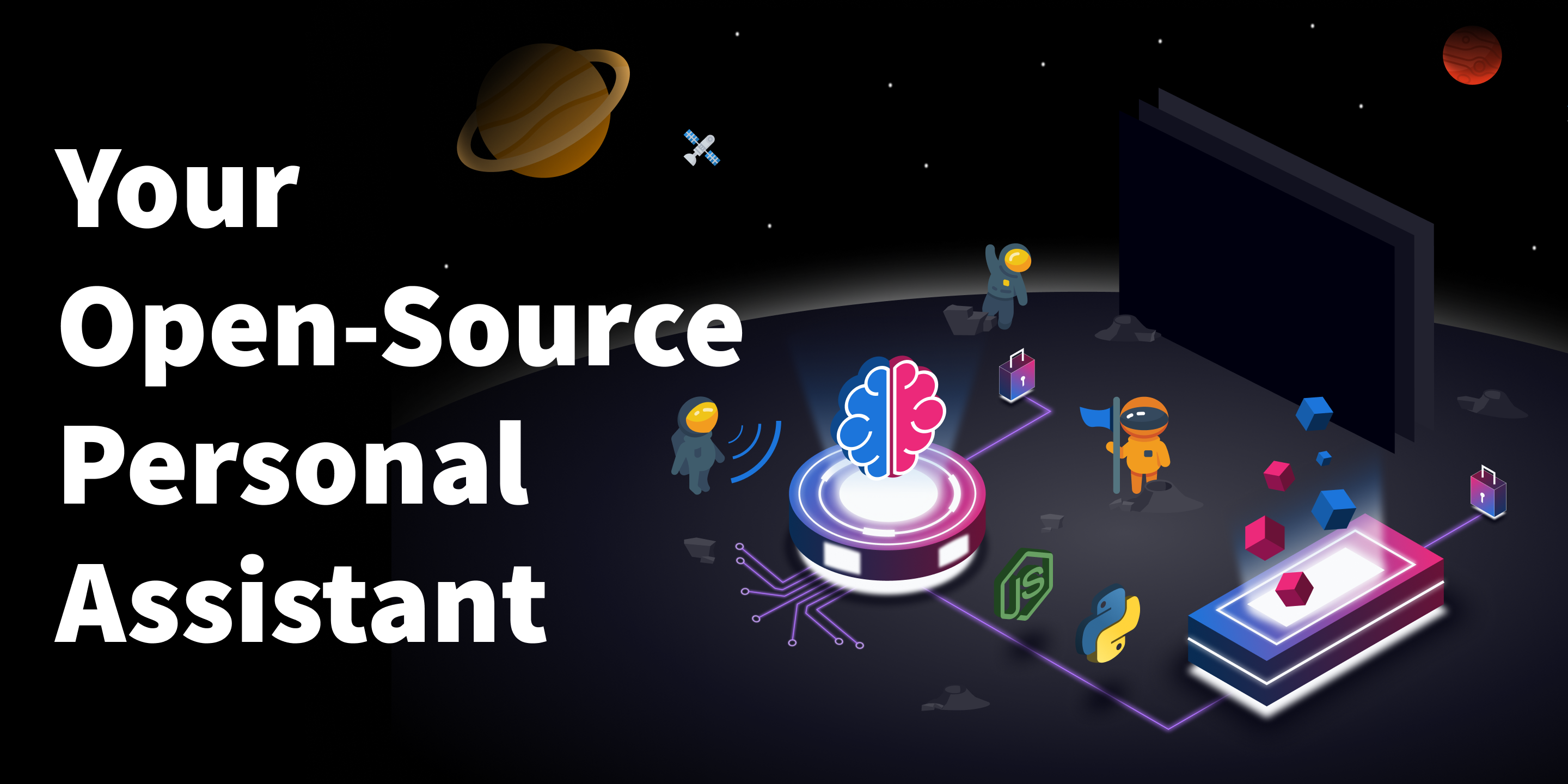
Leon - Your Open-Source Personal Assistant Full homepage screenshot

At a glance

Category
Artificial Intelligence
Language
English
Paid-content signal
No paid content foundObserved
Registered
2018
Hosting
VercelInferred
HTTPS certificate trusted
PassedObserved
Last updated

Website review

This review may include AI-generated content and is not individually verified. Domain, certificate and other facts come from the observed data on this page.

What is Leon?

Leon is an open-source personal assistant you run on your own server. It is built with Node.js, Python and AI concepts, and it acts on your requests rather than living inside a vendor's cloud. The project describes itself as a "virtual brain" you can automate and extend.

What it does

  • Responds to spoken or typed commands and carries them out through skills.
  • Supports text-to-speech and speech-to-text, with cloud options such as Google Cloud, AWS, IBM Watson, Alibaba Cloud and Microsoft Azure, plus offline options including CMU Flite and Coqui STT.
  • Uses a modular architecture: you can install, create or adapt packages/modules (skills) for your needs.
  • Ships under the MIT licence, which is permissive and allows broad reuse and modification.

Who it suits

A practical fit is someone comfortable running a server and editing configuration, who wants an assistant they control and can extend. If you want a hosted assistant that works out of the box with no maintenance, Leon's self-hosted, modular approach will feel like extra work.

A quick comparison

Aspect Leon Typical hosted assistant
Where it runs Your server Vendor cloud
Data control You decide whether third parties are used Vendor policies apply
Extending it Create or add skills Limited to vendor features
Setup effort Requires server and technical work Minimal

Next step

If you have a spare server or VPS and some Python/Node.js familiarity, start with the project's documentation and roadmap, then try one skill end to end before adding speech services. Choose a cloud speech provider only if you are comfortable sending audio to it; otherwise begin with an offline option and keep everything local.

For related open-source assistants, you can also look at Mycroft and Rasa.

How do I install and set up Leon on my own server?

Leon is installed by running it from its source on a server you control, then configuring its skills and speech services through its own setup process. The project describes itself as living on your server, so the practical path is: prepare a Linux host, install the runtime dependencies, clone and build the project, then start it and complete the guided setup.

What you need first

  • A server or always-on machine you administer, ideally Linux. The project's release notes mention compatibility work for ARM architectures and GNU/Linux distributions, which suggests ARM boards and common Linux distributions are reasonable targets.
  • Node.js and Python, since the assistant is built on top of both.
  • Basic command-line comfort: cloning a repository, installing packages, editing a configuration file, and managing a background process.

The general setup sequence

  1. Install Node.js and Python on the host, plus the usual build tools for native packages.
  2. Get the source and install dependencies, then build the client and server components.
  3. Run the setup step, which walks you through core choices such as your language and which speech services to connect.
  4. Start the server and confirm you can reach its interface from your browser.
  5. Add skills (the project calls them skills or modules) for the tasks you actually want automated.

Choosing speech services

The project supports both cloud and offline options, and this is the decision most people get wrong on the first attempt.

Choice Trade-off
Cloud text-to-speech and speech-to-text (Google Cloud, AWS, IBM Watson, Alibaba Cloud, Microsoft Azure) Better voice quality and recognition, but audio leaves your server and you need accounts with those providers
Offline options (CMU Flite for speech output, Coqui STT for recognition) Nothing leaves your machine, matching the project's privacy emphasis, but quality and language coverage are typically more limited

If privacy is why you chose a self-hosted assistant, start offline and only add a cloud provider for a specific language or accent you cannot get otherwise.

A realistic first run

A sensible first project is a single narrow skill rather than a broad assistant. For example, set up one recurring task — a daily summary, a news fetch, or a home-server command — and get it working end to end. The project's own release notes list skills such as news, discounts, crypto and background removal, so there is a range of ready examples to copy from when writing your own. Once one skill works, the modular architecture makes the next one much faster.

For background reading on the project itself, see Leon and its repository on GitHub, where installation instructions and the roadmap are maintained. Expect a beta-stage tool: version numbers in the release notes are still in the 1.0.0-beta range, so plan for occasional breakage and read the changelog before upgrading.

How does Leon protect my privacy compared to other personal assistants?

Leon's privacy advantage comes from where it runs: on your own server, under your control. According to the project's own description, "Leon lives on your server and you decide if you wish to make use of any third party." That is a different default from mainstream cloud assistants, where your requests typically pass through the vendor's infrastructure before you see a result.

What that means in practice

  • Self-hosting is the core protection. Because Leon runs on hardware you manage, the data it handles stays within your environment unless you deliberately connect an outside service.
  • Third parties are opt-in, not built in. The site states you choose whether to use any third-party component. So the privacy boundary is something you configure rather than something the vendor sets for you.
  • The license supports scrutiny. Leon is released under the MIT license, described on the page as the most permissive in open source. In privacy terms, that matters because you (or others) can read the code, check what it sends where, and modify it.

Where the trade-off appears

Leon's page lists cloud options for speech, including Google Cloud, AWS and IBM Watson for text-to-speech, and Google Cloud, IBM Watson and Coqui STT for speech-to-text. It also notes offline alternatives such as CMU Flite for TTS and Coqui STT. This is the key comparison point: a cloud voice service may produce better recognition or more natural speech, but it sends audio off your server. An offline engine keeps audio local, usually at some cost in accuracy or voice quality. Leon lets you pick, which is the privacy-relevant difference — the choice is yours rather than the product's.

A reasonable decision rule: if your concern is metadata and content leaving your network, run Leon with offline speech components and avoid third-party skills. If you mainly want to avoid a vendor building a profile from your requests, self-hosting alone already changes that dynamic, even with some cloud components enabled.

A concrete scenario

Suppose you want a daily briefing that reads your calendar and news. On a hosted assistant, that request and its context sit with the provider. With Leon on your own server, the same request is processed locally, and you can decide whether the news skill calls an external API. If it does, only that specific query leaves your machine — not your whole interaction history.

Next step

Start by listing every skill and speech component you would enable, then mark which ones contact an outside service. That list, not the marketing description, is your actual privacy footprint.

For comparison, other self-hosted or privacy-oriented assistants exist, but verify their current capabilities directly rather than assuming equivalence.

What skills or modules can I add to Leon to automate my daily tasks?

Leon's automation comes from skills/modules you install or build yourself, not from one fixed feature set. The page describes a modular architecture where you add packages that fit your needs, so the practical answer is: think in categories, then check the project's skill list and roadmap for what already exists.

Skill categories shown on the page

  • News — a "News" skill listed under a Programming Language domain
  • Background Removal — a utilities-domain skill
  • Discounts — a deals-focused skill
  • Crypto — market or asset-related skill
  • Knowledge base — implemented via a "Skill Writer" skill
  • Browser automation — a tool for controlling a browser
  • Third-party integrations — connecting external services
  • Voice input/output — offline or cloud TTS/STT, which underpins hands-free task running

How to choose what to add

If your daily task is… Look for a skill that… Trade-off
Reading news or feeds Fetches and summarizes content Cloud sources may send data off your server
Handling images Processes files locally Heavier CPU use on a small server
Tracking deals or prices Polls external sites Needs reliable scheduling and may break when sites change
Managing crypto data Pulls market data Depends on third-party APIs
Repeating browser steps Automates clicks/forms Brittle if page layouts change
Speaking/listening Adds TTS/STT Offline options are private but less accurate; cloud options are better but share audio

A concrete starting scenario

Suppose you want a morning briefing: a news skill gathers headlines, a TTS option reads them aloud, and a browser-automation or integration skill triggers the routine. You would install the relevant skills, configure your preferred TTS/STT provider, and let Leon run on your own server so your data stays under your control.

Next step

Browse Leon's roadmap and skill list to see which of these already exist, then pick one skill that matches a task you repeat daily. If nothing fits, the modular design lets you write your own skill.

For comparison, other open-source assistants with skill ecosystems include Home Assistant for home automation and Rasa for conversational flows.

What speech-to-text and text-to-speech options does Leon support?

Leon supports both cloud and offline speech services, with the choice made during setup rather than fixed by the product.

Text-to-speech (TTS): Google Cloud, AWS, IBM Watson, CMU Flite (offline), with Alibaba Cloud and Microsoft Azure listed as coming soon.

Speech-to-text (STT): Google Cloud, IBM Watson, Coqui STT (offline), with Alibaba Cloud and Microsoft Azure listed as coming soon.

The practical split is cloud versus offline. Cloud options (Google, AWS, IBM Watson) generally give more natural voices and stronger recognition but send audio to a third party. CMU Flite for TTS and Coqui STT for STT keep processing local, which fits Leon's stated privacy stance of living on your own server. The trade-off is usually voice quality and accuracy versus data control.

A concrete scenario: if you run Leon on a home server for voice control of private notes or smart-home tasks, Coqui STT plus CMU Flite keeps everything on your hardware. If you need multilingual, high-accuracy transcription, a cloud provider is the more realistic pick.

Next step: check the roadmap entries for TTS and STT to see which "coming soon" integrations have landed, then confirm the current setup steps in the project's documentation at Leon.

How can I contribute to or sponsor the Leon open-source project?

You can contribute to Leon either by writing code and skills or by funding the project directly. The site presents Leon as a modular, self-hosted assistant under the MIT license, so contributions generally happen at the module level rather than in one monolithic codebase.

Ways to contribute

  • Build or improve a skill/module. Leon's modular architecture is explicitly meant for packages that fit a specific need, so a new domain skill (news, utilities, crypto, discounts, etc.) is a natural contribution.
  • Work on the client, server or tooling. The roadmap entries reference client/server changes, browser automation, third-party integrations, and offline TTS/STT, which are concrete areas where help is useful.
  • Add translations. The roadmap mentions French translation across skill actions, so localization is an accepted contribution type.
  • Improve documentation or test compatibility. The roadmap notes ARM and GNU/Linux compatibility work, an area where testing and bug reports matter.
  • Report issues and refine existing skills. Because skills are independent, small fixes are easy to review and merge.

Ways to sponsor The site includes a "Become a sponsor" link and states that the maintainer dedicates most free time to the project, with effort going beyond visible GitHub activity into direction and design. Sponsorship is therefore positioned as funding time and sustainability rather than buying a feature or support contract. Use the sponsor link on the project site to see the current options.

How to choose If you can code, start with one skill or roadmap item that matches your own use case — you will test it yourself, which makes the contribution more likely to be maintained. If you cannot code, sponsorship or documentation and translation work are the practical alternatives.

A useful next step: open the roadmap on Leon and pick a single unstarted item, then check the repository for the corresponding issue before writing code.

Related questions

More questions →
What Are Open-Source UI Element Libraries and How Do They Differ From UI Frameworks?

An open-source UI element library is a collection of individual, ready-made interface pieces—buttons, cards, inputs, toggles, loaders—that you copy into your own project and adapt. A UI framework, by contrast, is a structured system of components, conventions, and often a theming layer that governs how your whole interface is built. The practical difference: an element library gives you a snippet; a framework gives you a way of working. If you need a polished button in ten minutes, reach for the element library. If you're building a 40-screen product with a team, you probably want the framework.

What "open-source UI element library" actually means

The term gets used loosely, so it helps to separate the parts:

  • Open-source: the code is publicly available, and the license tells you what you may do with it—copy, modify, redistribute, or use commercially.
  • UI element: a single, self-contained piece of interface, usually small enough to read in one sitting. A button with hover states, a pricing card, a search field.
  • Library: a browsable, searchable collection of those elements, typically contributed by many different people.

On a site like Uiverse, elements are shared by a community and written in plain CSS or Tailwind. You find one you like, copy the markup and styles, paste them into your project, and adjust colors, spacing, and text to fit. There's no package to install and no build step required—which is exactly the appeal, and also the source of most of the confusion.

Element library vs. UI framework: the core differences

Dimension Open-source UI element library UI framework / design system
Unit of reuse A single snippet you copy A component you import or call
Installation None; paste into your code Package install, config, sometimes a provider
Consistency Depends on you; each element may look different Enforced by shared tokens and APIs
Theming Manual edits per element Central theme/config file
Updates You own the copy; no upstream updates Version bumps bring fixes and changes
Accessibility Varies per contributor; must be checked Usually tested and documented
Best for Prototypes, landing pages, small sites, one-off needs Multi-page apps, teams, long-lived products
Learning curve Low—read the CSS Higher—learn the API and conventions

The table isn't a verdict. It's a map of trade-offs. Element libraries win on speed and freedom; frameworks win on consistency and maintenance.

Licensing and attribution: what to check before you paste

This is where people get into trouble, and it's worth slowing down for.

  1. Find the license. Every element or collection should state one. Common open-source licenses include MIT, Apache-2.0, and BSD. Some projects use copyleft licenses like GPL, which can impose obligations if you redistribute your code.
  2. Understand what the license permits. MIT and Apache-2.0 are permissive: you can typically use the code in commercial and closed-source projects. Copyleft licenses may require you to release derivative source under the same terms.
  3. Check attribution requirements. Permissive licenses usually require you to keep the copyright notice and license text somewhere in your project. That's a real obligation, not a formality.
  4. Look for per-element terms. On community sites, the site's overall terms and the individual contributor's stated wishes may differ. If a contributor asks for credit, honor it.
  5. When in doubt, ask or avoid. If a snippet has no license at all, you don't have clear permission to reuse it. Treat "no license" as "not open source," even if the code is publicly visible.

This article is general information, not legal advice. For commercial products with real exposure, have someone qualified review the licenses you're relying on.

How to use a community element in your project: a practical workflow

Here's a repeatable process that avoids most of the usual mess.

1. Start from a real need, not a browsing session

Decide what you need first—"a compact primary button with a loading state"—then search. Browsing aimlessly produces a pile of pretty snippets that don't fit together.

2. Copy the smallest version that works

Take the markup and the styles. Strip anything you don't need: demo wrappers, extra animations, decorative layers. Less code means fewer surprises.

3. Convert it to your conventions

If your project uses design tokens or CSS variables, replace hard-coded values:

/* Before: hard-coded */
.button { background: #4f46e5; border-radius: 8px; }

/* After: token-based */
.button { background: var(--color-primary); border-radius: var(--radius-md); }

This one step is what keeps a copied element from looking like a foreign object in your UI.

4. Check accessibility before you ship

Community elements vary widely here. Verify at minimum:

  • Keyboard focus is visible and the element is reachable by Tab.
  • Color contrast meets WCAG AA (4.5:1 for normal text).
  • Interactive elements use semantic HTML (<button>, not a clickable <div>).
  • Form inputs have associated labels.
  • Motion respects prefers-reduced-motion.

5. Test in context

Paste it into a real page with real content. Long labels, small screens, and dark mode break more copied elements than anything else.

6. Note where it came from

Keep a short comment or an internal credits file: source, license, date. Future you—and your legal reviewer—will be grateful.

Where element libraries genuinely shine

  • Prototypes and demos: you need something clickable today, not a design system.
  • Landing pages and marketing sites: a handful of distinctive elements, each custom.
  • Filling gaps: your framework lacks one specific component, and you don't want to build it from scratch.
  • Learning: reading well-made CSS is one of the fastest ways to improve.
  • Small projects: a personal site doesn't need a theming architecture.

Where they fall short

  • Consistency at scale: ten elements from ten contributors rarely look like one product.
  • Maintenance: you own every copy. When your design changes, you edit each one.
  • Accessibility debt: you inherit whatever the contributor did or didn't do.
  • No upstream fixes: a bug fixed in the original won't reach your copy.
  • Integration friction: different naming conventions, different units, different assumptions about resets.

When to choose which

Choose an element library when the scope is small, the timeline is short, or you need a few distinctive pieces rather than a whole system.

Choose a framework or design system when multiple people build multiple screens over months, when consistency is a product requirement, or when accessibility and theming need to be guaranteed rather than checked.

A hybrid works well for many teams: adopt a framework for the structural components—forms, navigation, layout—and borrow individual elements for the places where you want personality. Just route every borrowed element through the same token and accessibility checks, so it lands as part of your system rather than beside it.

The short version: open-source UI element libraries are a fast, flexible way to get good-looking interface pieces into a project. They are not a substitute for a design system, and the license and accessibility details are the part worth reading carefully.

What Is Leon on getleon.ai?

Leon is an open-source personal assistant that you host on your own server. It is built on Node.js, Python, and artificial intelligence concepts, and it responds to requests by running "skills" — modular packages you choose to install. The core appeal is control: because Leon lives on your infrastructure, you decide whether any third-party service ever touches your data. If you want a self-hosted assistant you can extend yourself, Leon is aimed at you. If you want a zero-setup cloud assistant, it is not.

What Leon actually does

Leon is best understood as a hub rather than a single app. The site describes it as a "virtual brain" that "does stuff when you ask him to." That work is divided into skills, and the architecture is explicitly modular — you create or use only the packages that fit your needs.

The project's own release notes give a concrete sense of the skill range:

  • Knowledge base skill (built using a Skill Writer skill)
  • News skill in a programming-language domain
  • Background Removal under a utilities domain
  • Discounts, Crypto, and other standalone skills
  • Browser automation tool
  • Third-party integration support

So the practical picture is: Leon handles a set of discrete tasks, and the set grows as you add skills. There is no fixed feature list to memorize — the modularity is the feature.

Privacy and hosting: the core design choice

Two claims on the site define Leon's positioning:

  1. You are in control of your data. Leon lives on your server, and you decide whether to use any third party.
  2. Open source under the MIT license, described as the most permissive license in open source, chosen so Leon can grow with the fewest restrictions.

The MIT license matters for a practical reason: it gives you broad freedom to modify and redistribute, which fits a project meant to be extended by its users. Combined with self-hosting, this means the privacy guarantee is architectural, not a policy promise — nothing leaves your server unless you configure it to.

Voice: text-to-speech and speech-to-text

Leon supports adding "ears and mouth" through several TTS and STT options, including offline choices. The site lists:

Capability Options named
Text-to-Speech Google Cloud, AWS, IBM Watson, CMU Flite, Alibaba Cloud (coming soon), Microsoft Azure (coming soon)
Speech-to-Text Google Cloud, IBM Watson, Coqui STT, Alibaba Cloud (coming soon), Microsoft Azure (coming soon)

The distinction worth noting: cloud options trade privacy and setup effort for quality and convenience, while offline options (CMU Flite for TTS, Coqui STT for STT) keep processing local. Since you control the server, this is your call to make per component.

AI concepts behind the interaction

Leon uses AI concepts to ease human interaction — the site names NLP, TTS, and STT, with more planned. Recent development notes also mention implementing a ReAct loop with direct tools exposure, which is the mechanism that lets the assistant reason about which tool or skill to invoke rather than following only rigid commands. Earlier notes reference invoking skills via commands, so both paths exist depending on version.

Who should consider it

Leon fits you if:

  • You have a server and are comfortable running Node.js/Python software on it.
  • Data control is a priority and you want to opt into third parties deliberately.
  • You want to build or install your own skills rather than accept a fixed feature set.

Leon likely does not fit you if:

  • You want an assistant working in minutes with no hosting.
  • You need a guaranteed, stable feature set — the project is in beta (version strings like 1.0.0-beta.10 and 1.0.0-beta.12 appear in the release notes), so expect movement.
  • You need ARM or specific GNU/Linux compatibility confirmed — one note lists "Compatibility with ARM architectures and GNU/Linux distributions" as a 1.0.0 item, so check your platform against the current release before committing.

Getting oriented

The site points to a roadmap and a sponsor option, and notes the project depends on volunteer time and energy. Before installing, the useful sequence is: check the roadmap for what is stable versus planned, confirm your platform is supported in the current release, then decide which TTS/STT and skills you actually want — since every third-party choice is one you are opting into.

How Leon Handles Privacy and Data Control

Leon is an open-source personal assistant that runs on your own server, and that single design decision answers most privacy questions up front: your data stays on infrastructure you control, and you decide whether any third-party service ever sees it. If you want an assistant you can self-host and inspect, Leon is built for exactly that. If you'd rather not run a server or manage Node.js and Python yourself, the self-hosted model is the main trade-off to weigh.

Where your data actually lives

Leon "lives on your server." That means conversations, skills, and any data a skill processes are handled on hardware you provision, not on a vendor's cloud by default. The site states plainly: "You are in control of your data. Leon lives on your server and you decide if you wish to make use of any third party."

The practical consequence is that privacy is a configuration choice, not a promise you have to trust. Two things follow from that:

  • Default posture: nothing leaves your server unless a skill or integration you enable sends it somewhere.
  • Your responsibility: because you control the server, you also control backups, access, and network exposure. Self-hosting shifts privacy control to you, and so does the operational burden.

The open-source guarantee

Leon is released under the MIT license, described on the site as "the most permissive license in the open-source world." For privacy specifically, this matters because you can read the code, verify what it does with data, and modify it if you disagree with a behavior. You aren't relying on a vendor's description of its own data handling.

MIT also means you can fork, extend, or strip out components without restriction — useful if you want to remove a third-party integration entirely rather than just disable it.

Third-party services are opt-in, not baked in

Leon supports several cloud speech services, but the site frames them as choices you make, not defaults. The available options:

Capability Cloud options Offline option
Text-to-Speech Google Cloud, AWS, IBM Watson, Alibaba Cloud (coming soon), Microsoft Azure (coming soon) CMU Flite
Speech-to-Text Google Cloud, IBM Watson, Alibaba Cloud (coming soon), Microsoft Azure (coming soon) Coqui STT

The key privacy point: offline options exist for both directions. If you use CMU Flite for TTS and Coqui STT for STT, voice data doesn't need to reach a cloud provider at all. If you pick a cloud service, you're explicitly opting into sending that audio to that provider — a decision the architecture leaves to you.

Modularity limits your exposure surface

Leon uses a modular architecture where functionality comes from packages/modules called "skills." You install only the skills you need. Fewer skills means fewer integrations that could transmit data outward, and each skill can be inspected before you enable it. The site describes this as "no barrier, only an infinity of possibilities" — but from a privacy standpoint, the useful reading is that you can keep the footprint small.

What to check before you commit

Because the site doesn't publish a data-handling policy beyond the self-hosted model, verify these yourself:

  1. Which skills you enable — each may have its own external dependencies.
  2. Which speech services you configure — cloud options send audio to that provider; offline options don't.
  3. Your server's security — since Leon runs on your infrastructure, its privacy is only as good as your server's access controls.

If self-hosting and inspecting the code fit how you want to handle your data, Leon's model gives you direct control. If you need a managed service with a vendor-held privacy policy, this isn't that — and the site doesn't claim otherwise.

What AI Concepts Power Leon?

Leon is an open-source personal assistant that runs on your own server, and its AI layer is built around a small set of well-established concepts rather than a single proprietary model. According to the project's own site, those concepts are NLP (natural language processing), TTS (text-to-speech), and STT (speech-to-text), with more planned. The site describes these as "empowering Leon to ease the interaction with humans," and the whole system is built on top of Node.js, Python, and artificial intelligence concepts.

That description matters if you're deciding whether Leon fits your setup: the AI is not a black box you query remotely, it's a set of capabilities you assemble and host yourself.

The three AI concepts named by the project

NLP — natural language processing

NLP is what lets you talk to Leon in ordinary language instead of memorizing exact commands. The site frames this as the core of human interaction with the assistant. In practice, NLP is the layer that interprets what you asked and routes it to the right skill.

TTS — text-to-speech ("add a mouth")

Leon supports several text-to-speech options, and you choose which one to use. The site lists:

  • Google Cloud
  • AWS
  • IBM Watson
  • CMU Flite
  • Alibaba Cloud (coming soon)
  • Microsoft Azure (coming soon)

The important detail is the split between cloud and offline solutions. The site explicitly says you can "go for the offline ones," and CMU Flite is the offline option named in the list. That choice is what connects the AI features to Leon's privacy stance — see below.

STT — speech-to-text ("add ears")

For hearing you, Leon supports:

  • Google Cloud
  • IBM Watson
  • Coqui STT
  • Alibaba Cloud (coming soon)
  • Microsoft Azure (coming soon)

Coqui STT is the offline option here. So the same pattern holds: for both ears and mouth, you can pick a cloud provider or keep processing local.

Why the cloud/offline split is the real decision

The list of providers is less interesting than what it implies. Every cloud TTS/STT option sends audio or text to a third party. Every offline option (CMU Flite, Coqui STT) does not.

The site states this directly under "Privacy matters": "You are in control of your data. Leon lives on your server and you decide if you wish to make use of any third party."

So if your reason for choosing Leon is data control, the AI configuration is where that promise is either kept or broken. Choosing Google Cloud for STT is a deliberate trade of privacy for accuracy or convenience; choosing Coqui STT keeps the loop on your machine. The project leaves that decision to you rather than making it for you.

How the AI connects to skills

The AI concepts above are the interaction layer. What Leon actually does comes from its modular architecture — packages/modules the site calls "skills." The site describes this as giving you "the flexibility to create or use packages/modules (skills) that fit your need," with "no barrier, only an infinity of possibilities."

The roadmap entries on the page show this layer actively growing, including a knowledge base skill, a browser automation tool, a background removal utility, and third-party integrations. One roadmap item is notable for the AI story: "Implement ReAct loop with direct tools exposure" (listed under Client Server 1.0.0-beta.10). A ReAct loop is a pattern where a model reasons about a task and then calls tools — which is how an assistant moves from "understanding your sentence" to "taking an action."

What the project says about future AI

The site is explicit that the current set is not final: it names NLP, TTS, STT, "and more in the future." The roadmap also lists "Implement new offline TTS" under Server, reinforcing that offline capability is an active direction, not a one-time checkbox.

Practical takeaway

If you're evaluating Leon, the AI question reduces to three choices you make yourself:

Layer What it does Your choice
NLP Interprets your language Built into the assistant's interaction layer
TTS Speaks to you Cloud (Google, AWS, IBM Watson) or offline (CMU Flite)
STT Listens to you Cloud (Google, IBM Watson) or offline (Coqui STT)

Pick cloud options when you want the providers' capabilities and don't mind sending data out. Pick the offline options when keeping data on your own server is the point. Either way, the AI is assembled from these parts on infrastructure you control — which is the distinction the project is built around.

What text-to-speech and speech-to-text options does Leon support?

Leon supports both cloud and offline voice options, so you can choose based on your privacy needs, budget, and language. According to getleon.ai, Leon's text-to-speech (TTS) integrations include Google Cloud, AWS, IBM Watson, CMU Flite, and Alibaba Cloud, while its speech-to-text (STT) integrations include Google Cloud, IBM Watson, and Coqui STT. Microsoft Azure is listed for both TTS and STT, but as "coming soon" rather than available now.

Text-to-speech (TTS) options

Provider Type Status
Google Cloud Cloud Available
AWS Cloud Available
IBM Watson Cloud Available
CMU Flite Offline Available
Alibaba Cloud Cloud Coming soon
Microsoft Azure Cloud Coming soon

Speech-to-text (STT) options

Provider Type Status
Google Cloud Cloud Available
IBM Watson Cloud Available
Coqui STT Offline Available
Alibaba Cloud Cloud Coming soon
Microsoft Azure Cloud Coming soon

How to choose between cloud and offline

The site frames this as a privacy trade-off: Leon "lives on your server and you decide if you wish to make use of any third party." That means:

  • Pick a cloud provider (Google Cloud, AWS, IBM Watson) if you want higher-accuracy speech recognition or natural-sounding voices and are comfortable sending audio or text to a third party.
  • Pick an offline option (CMU Flite for TTS, Coqui STT for STT) if you want voice features to run without external API calls, which keeps data on your own server.
  • Wait on Alibaba Cloud or Microsoft Azure if you specifically need those providers — both are listed as "coming soon" for TTS and STT.

What this means in practice

Leon is described as an open-source personal assistant built on Node.js, Python, and AI concepts such as NLP, TTS, and STT. The voice layer is modular, so TTS and STT are separate choices — you can mix a cloud TTS with an offline STT, or the reverse, depending on which direction matters more for your setup.

If you're deciding, start with what you already have: an existing Google Cloud or AWS account makes the cloud path the least setup work, while a fully self-hosted preference points to CMU Flite and Coqui STT.

Website Overview

An established domain and managed infrastructure suggest continuity of operations and may support dependable delivery, although neither guarantees service quality. An active inbound-mail setup with incomplete authentication may leave the domain more open to impersonation. Provider hosting alone does not close that gap.

Domain and Registration

Registered in 2018, this domain has about 8 years of history. That suggests continuity, although ownership and purpose may have changed. Transfer-protection status is present, helping reduce the risk of unauthorized domain transfers. The registrar is NameCheap, Inc., a widely used domain service provider. Registration contact information is publicly available through RDAP. The domain uses the common .ai extension, which is not an independent safety signal.

DNS and Email

MX records exist, but SPF, DKIM and DMARC were not detected. Protection against domain impersonation may be incomplete. Nameservers are provided by Namecheap, indicating managed DNS hosting. MX records point to the Namecheap Private Email email service. No CNAME was found; the observed records resolve directly to addresses. TXT records include verification markers for Google. Such markers may also remain after a service stops being used.

TLS and Certificates

The certificate uses an RSA 2048-bit public key, offering broad client compatibility. The server supplied a complete certificate chain. No organization name is present in the certificate; the available fields are consistent with domain validation. The certificate was issued by Let's Encrypt, commonly associated with automated certificate services. The certificate's total validity is about 89 days, consistent with a short renewal cycle.

HTTP and Browser Security

X-Powered-By exposes backend information: Next.js. The response lacks these common security headers: CSP, X-Content-Type-Options, Referrer-Policy, Permissions-Policy, clickjacking protection. No obvious internal addresses or debug information were found in the headers. The Server header contains the custom value Vercel. No explicit CDN or WAF marker was found in the response headers.

Technology Stack Analysis

The public page identifies Next.js, Vercel without precise versions, leaving fewer clues for version-specific scanning.

Search and Social Sharing

No homepage canonical URL was detected. If duplicate URLs exist, consolidation may be less explicit. Twitter Card metadata is configured. The title has 42 characters, within a common display range. A meta description is present, with 150 characters. The observed directives allow indexing and link following.

Hosting and Email

DNSNamecheap
HostingVercel
EmailNamecheap Private Email
Approximate IP geolocation (inferred; a CDN or proxy may differ from the origin server) United States flagUnited States Inferred 216.198.79.1

Registration details

RDAP / WHOIS

RegistrarNameCheap, Inc.
Registered2018-02-16
Expires2028-02-16
Domain statusclient transfer prohibited
Nameserversdns1.registrar-servers.com、dns2.registrar-servers.com
DNSSECunsigned

DNS records

DNS

TypeNameValueTTLPriority
Agetleon.ai216.198.79.11799—
MXgetleon.aimx1.privateemail.com180010
MXgetleon.aimx2.privateemail.com180010
NSgetleon.aidns1.registrar-servers.com1800—
NSgetleon.aidns2.registrar-servers.com1800—
TXTgetleon.aiamazonses:VJzWiYFwH43pmLzYiflkJt2Pw2fHkB3FeEpt6DwDcYU=1799—
TXTgetleon.aibrave-ledger-verification=754ec760700d7f15ee0930692eddfa8bf15e6f456388b9016170da378347317a1799—
TXTgetleon.aigoogle-site-verification=GvSzrYIJuNZm8MZeEJ1nXjFy-W6JXb9HyaS96ukLgsk1799—

TLS and certificates

TLS / SSL

AssessmentNormal configuration
Supported protocolsTLSv1.2、TLSv1.3
Negotiated protocolTLSv1.3
Certificate subjectgetleon.ai
IssuerLet's Encrypt
Valid until2026-12-17T22:14 · Remaining when checked: 73 days
Verification detailsCertificate trust: Passed · Hostname match: Passed

HTTP response headers

HTTP

HeaderValue
content-typetext/html; charset=utf-8
cache-controlpublic, max-age=0, must-revalidate
serverVercel
strict-transport-securitymax-age=63072000

Identified technologies

Next.jsVercel

Pages, Search and Sharing

Meta descriptionLeon is an open-source personal assistant who can live on your server. He is built on the top of Node.js, Python and artificial intelligence concepts.
Canonical URLNot detected
LanguageEnglish (default)
Twitter Cardsummary_large_image
All bots 0 allowed · 1 disallowed
  • Disallow/api

No sitemaps found

User reviews (0)

  • No reviews yet.