
 简体中文
简体中文 English
Website review
This review may include AI-generated content and is not individually verified. Domain, certificate and other facts come from the observed data on this page.
What is Girkov Arpa?
Girkov Arpa is the itch.io page of a solo developer who publishes a large, eclectic collection of small desktop tools, browser toys and game-development utilities. The catalogue is less a single product than a portfolio: most items solve one narrow, concrete problem, and many are free or browser-based.
What kinds of tools are there
- DNA and ancestry helpers built around consumer genetic data: 23andMe visualisers for ancestral origins, region-relative counts, and sorting relatives by haplogroup or surname, plus heatmap painters that plot G25 or K36 coordinates on European maps.
- Game-making utilities: a GameMaker textbox injector, a LengthDir GML generator, a .ini-driven RPG engine, depth sorting examples, notes on using Rust with GameMaker, and GameScripter.JS for writing games in JavaScript.
- Everyday desktop conveniences: clipboard managers, a floating clipboard, an image previewer, a screen colour picker, a file-content search tool, and a "PikPicPASTE" utility for people who paste pictures constantly.
- Novelty and niche items: a desktop fly-swatting game, a karaoke-style to-do overlay that refuses to disappear, a pen-tracking overlay for vtubers, and a German grammatical-gender highlighter.
Who it suits
The page is aimed at tinkerers rather than teams. If you already have raw DNA files and want to see them plotted, or you are a GameMaker beginner looking for drop-in components, there is likely a small tool here for you. Someone expecting a polished, documented suite with support will find the opposite: each listing is a single-purpose experiment, sometimes paid, sometimes free in the browser.
Practical next step
Pick the one task you actually need solved and open that listing first, checking whether it runs in the browser or requires a download. As a general rule, treat these as lightweight utilities to test on sample data before trusting them with anything important — an approach worth applying to any indie tool of this size.
Which Girkov Arpa tools can I run directly in my browser without paying?
The free, no-install tools are the ones marked Run in browser on the Girkov Arpa itch.io page: G25 France Heatmap, G25 Europe Heatmap, Who Wants To Be The Next Voltaire?, and Relative Browser. Everything else on that page is a downloadable desktop tool, and several of those are paid.
What each free browser tool is for
- G25 Europe Heatmap / G25 France Heatmap – Generate a heatmap from your G25 coordinates, with the France version focused on French regional placement. Useful if you already have G25-format ancestry coordinates and want a quick visual rather than a spreadsheet.
- Who Wants To Be The Next Voltaire? – A debate-style game you play in the browser. The lightest option here if you just want to try something without any data files.
- Relative Browser – Sort 23andMe relatives by haplogroup, surname, gender and similar fields. It runs in the browser, but it needs your 23andMe relative data to do anything.
Practical distinction
The two heatmap tools and Relative Browser are viewers: they turn data you supply into a picture or a sorted list. They do not replace the paid siblings. If you want to paint with K36 as well as G25 coordinates, that is the separate G25 Europe Heatmap PLUS listing; if you want ancestral-origin visualisation from 23andMe data, that is Genetic Origins Heatmap. Both of those are paid downloads, so the free browser versions are best treated as a way to check whether the output style suits you before considering the fuller tools.
Next step
Start with G25 Europe Heatmap if you have G25 coordinates, or Who Wants To Be The Next Voltaire? if you have no data to hand and simply want to test the browser experience. Check that your coordinates or export are in the format the tool expects before uploading, since these are single-purpose utilities rather than general converters.
How can I use my 23andMe data to explore my genetic relatives and ancestry on this site?
On Girkov Arpa's itch.io page, the 23andMe-related tools split into two jobs: ancestry visualization and relative exploration. For ancestry, Genetic Origins Heatmap ($4.99) is described as visualizing ancestral origins with your 23andMe data. For relatives, Relative Browser (marked as a 23andMe tool, run in browser) sorts relatives by haplogroup, surname, gender and more, and Region Relatives ($3.50) is described as revealing your region relative counts.
Which tool fits your goal
| Your goal | Tool on the page | What the page says it does |
|---|---|---|
| See where your ancestry maps | Genetic Origins Heatmap | Visualizes ancestral origins from 23andMe data |
| Sort and filter your relative list | Relative Browser | Sorts relatives by haplogroup, surname, gender and more |
| Count relatives by region | Region Relatives | Reveals your region relative counts |
If you are unsure which to start with, begin with Relative Browser, since it runs in the browser and needs no purchase. Use it to get a sense of how your matches cluster by haplogroup or surname, then decide whether a paid ancestry visualization adds anything you don't already see in 23andMe's own charts.
A practical example: someone with a large match list might use Relative Browser to group relatives by surname and spot clusters that suggest a single branch of the family, then check whether those clusters line up with the regions shown by Region Relatives.
For a second opinion on interpreting 23andMe ancestry results generally, the official 23andMe help pages at 23andMe explain how its own ancestry composition and relative-matching features work, which is useful context before relying on any third-party viewer.
What paid tools does Girkov Arpa offer for GameMaker and game development?
Girkov Arpa's paid GameMaker and game-development tools are small, single-purpose utilities rather than a suite. The paid items the page lists for this area are:
- LengthDir GML Generator ($4.99) — described as being for GameMaker programmers, generating GML code for length/direction calculations.
- Textbox Injector for GMS:2.2 — adds a textbox to your game, aimed at GameMaker Studio 2.2 projects.
- GIF GameScripter.JS ($4.99) — a tool for writing games in JavaScript, so it suits browser or JS-based projects rather than GameMaker specifically.
- Super Advanced Update Utility ($4.99) — a customizable game launcher and updater, useful once a game is built and needs distributing and patching.
Two related free resources sit alongside these: How To Use GameMaker with Rust (Rust DLL plus GameMaker examples) and Depth Sorting For GameMaker, which are reference material rather than paid tools.
Choosing between them
| If your need is… | Consider | Trade-off |
|---|---|---|
| Writing GML faster for movement/aiming math | LengthDir GML Generator | Saves typing for one recurring calculation; not a general code helper |
| Adding dialogue or text input to an existing GMS 2.2 game | Textbox Injector | Tied to GMS 2.2, so check it fits your version |
| Shipping and patching a finished game | Super Advanced Update Utility | Solves distribution, not development |
| Building in JavaScript instead of GameMaker | GIF GameScripter.JS | Different engine entirely; only useful if you're working in JS |
A practical next step: if you're mid-project in GameMaker and keep hand-writing lengthdir calculations, start with the LengthDir GML Generator — it's the cheapest and most narrowly scoped. If you're still deciding on an engine, the JavaScript tool won't help a GameMaker workflow, so treat the two paths as separate. The developer also publishes free GameMaker notes, such as the Rust integration examples, which are worth reading before buying anything.
How do I create a heatmap from my G25 or K36 genetic coordinates?
The page lists two browser-based tools for this: G25 Europe Heatmap, which is free and runs in the browser, and G25 Europe Heatmap PLUS, which is paid and lets you paint a heatmap with K36 or G25 coordinates. A third tool, Genetic Origins Heatmap, is built around 23andMe data rather than raw G25/K36 coordinates. All are by Girkov Arpa on Girkov Arpa.
Which tool fits your case
| Your input | Tool listed on the page | Notes |
|---|---|---|
| G25 coordinates, quick look | G25 Europe Heatmap (free, in browser) | Fastest route; no cost to try |
| G25 or K36 coordinates, custom painting | G25 Europe Heatmap PLUS | Paid; the only listed option that accepts K36 |
| 23andMe raw data, ancestry view | Genetic Origins Heatmap | Different input type — not raw coordinates |
There is also a France-specific free heatmap ("Paint France w/ your coords!"), useful only if your question is about French regional placement.
Practical next step
Locate your coordinate file first. G25 users typically have a text list of values per component; K36 users have a 36-value breakdown. Open the free G25 heatmap in your browser and paste the G25 values to see whether the output answers your question. If you need K36 support or want to adjust how the map is painted rather than accept a fixed rendering, the PLUS version is the one to check.
A concrete example: someone comparing their G25 position against western versus eastern European reference points can use the free tool for a first read, then move to PLUS only if they want to test K36 components or fine-tune the visual.
Decision criteria
- Input format decides first. K36 rules out the free tool as described.
- Try before paying. The free browser version costs nothing and tells you whether the map style suits you.
- Privacy matters with genetic data. These run in a browser; check what the page says about whether coordinates are processed locally before pasting anything sensitive.
- Don't expect interpretation. A heatmap shows where your coordinates sit relative to reference populations; it is a visualization, not a genealogical conclusion. Treat any single map as one view among several.
Which Girkov Arpa utilities help with everyday tasks like clipboard management, color picking, or file searching?
For everyday utility work, the relevant Girkov Arpa tools are Clipomagic (clipboard management), ColPik (on-screen color picking), File Content Search (finding files by their text), and Floating Clipboard (quick copy-and-paste access). PikPicPASTE is aimed at people who paste images frequently, and Nifty Image Previewer is a lightweight image viewer. All of these are listed on Girkov Arpa.
What each one is for
- Clipomagic — a clipboard manager for keeping and recalling things you copy. Best if you copy and paste throughout the day and lose track of earlier clips.
- Floating Clipboard — a persistent on-screen clipboard for convenience. Simpler than a full manager; suited to people who want a visible paste area rather than a history.
- ColPik — grabs and saves colors from anywhere on your screen. Useful for design, matching brand colors, or sampling from a screenshot.
- File Content Search — finds files that contain a given piece of text. Handy when you remember the wording but not the filename or folder.
- PikPicPASTE — built for heavy image pasting, such as moving screenshots into documents or chats.
- Nifty Image Previewer — straightforward image viewing without extra steps.
Choosing between them
| Need | Tool | Trade-off |
|---|---|---|
| Recall earlier copies | Clipomagic | More features than a plain clipboard |
| Always-visible paste area | Floating Clipboard | Less history-oriented |
| Sample colors on screen | ColPik | Focused on color, not general capture |
| Find files by their text | File Content Search | Searches content, so large folders may take longer |
| Frequent image pasting | PikPicPASTE | Narrow purpose |
A practical next step: if you often hunt for a document by a phrase inside it, start with File Content Search; if your problem is losing copied text, start with Clipomagic.
 Cloudflare
 Zoho Mail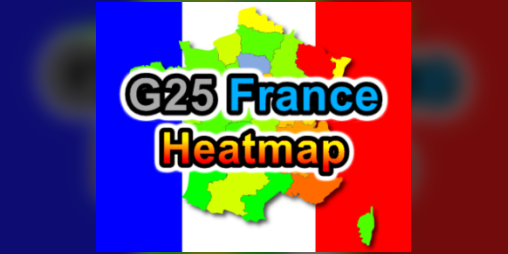
User reviews (0)