Website profiles · Technology insights · Alternatives

grubpick.com

A recipe library to help you decide what to cook.

No paid content found
Visit website
Profile views 8 Outbound visits 12 Normal
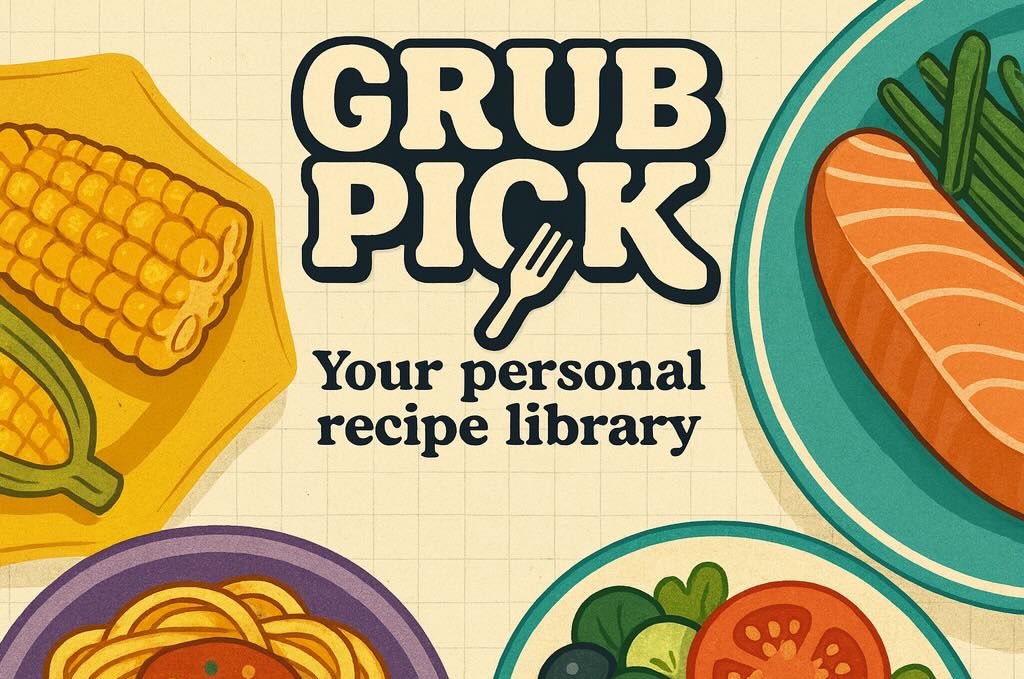
GrubPick Full homepage screenshot

At a glance

Category
Food & Recipes
Language
English
Paid-content signal
No paid content foundObserved
Registered
2025
Hosting
VercelInferred
HTTPS certificate trusted
PassedObserved
Last updated

Website review

This review may include AI-generated content and is not individually verified. Domain, certificate and other facts come from the observed data on this page.

What is GrubPick?

GrubPick is a recipe library built to answer the everyday question of what to cook. Its focus is decision support: rather than being a general cooking encyclopedia, it is positioned as an AI recipe companion that helps you settle on a dish.

Who it suits

  • Home cooks who stare at their pantry and draw a blank.
  • Busy people who want a suggestion instead of browsing dozens of pages.
  • Anyone cooking for a household where "what do you want?" gets no answer.

How to use it Treat it as a starting point, not a final authority. Bring a constraint — an ingredient you need to use up, a cuisine you're in the mood for, or a time limit — and let it narrow the field. Then apply your own judgment on seasoning, portion size and doneness, which no recommendation engine can taste for you.

For a second opinion on a specific dish, cross-check with an established source such as BBC Good Food or Serious Eats, where technique and tested ratios are documented in more depth.

Trade-off to weigh A recommendation tool saves time but can flatten your repertoire toward safe, popular choices. If you already know what you want to cook, a conventional recipe site will usually give you more control.

How does GrubPick help me decide what to cook?

GrubPick is built around a recipe library whose stated purpose is to help you decide what to cook. In practice, that means the site's value is in narrowing your options rather than adding to them: instead of browsing an endless feed, you use it at the moment you're stuck and want a shortlist you can act on.

How that plays out for different cooks

  • Weeknight, low energy: You know you want something quick but not which dish. A decision-focused library is most useful here, because the bottleneck is choosing, not cooking.
  • Cooking for others: You have constraints (dietary needs, what's in the fridge, time) and need options that fit all of them at once. This is where a library that supports filtering or suggestions earns its place.
  • Curious cook: You want ideas outside your usual rotation. Here the risk is the opposite — too many suggestions and you're back where you started.

What to check on the site itself

The product's own pages are the only reliable source for what it actually does. Look for:

  1. Whether you can enter ingredients you already have, or only browse fixed recipes.
  2. Whether suggestions are filtered by time, diet or cuisine.
  3. Whether saved recipes or a shopping list exist, which determines if it's a one-off decider or something you return to.

A practical next step

Pick a real meal you need to sort out this week, then try to reach a decision on GrubPick in under five minutes. If you land on something you'd actually cook, the tool is doing its job for you; if you end up scrolling without choosing, a plain search or a site like Allrecipes may serve you better for that occasion.

How does GrubPick's AI recipe companion work?

GrubPick presents itself as a recipe library built around an AI companion whose job is to help you decide what to cook. The decision is the product's focus: instead of browsing endless recipe lists, you bring a vague situation — what's in the fridge, how much time you have, what you feel like eating — and the companion narrows it to something cookable.

What that looks like in practice

  • You describe your constraints in plain language rather than filtering by tags and cuisines.
  • The AI suggests dishes drawn from the library, so a recommendation comes with an actual recipe attached.
  • The library is the backing store; the companion is the interface on top of it.

Who gets the most out of it

It suits weeknight cooks facing the "what's for dinner" stall, people trying to use up ingredients before they spoil, and anyone who finds traditional recipe search tiring because it demands you already know what you want. Cooks with a firm plan and a shortlist of trusted recipes gain less.

How to judge it against alternatives

The real test is whether the suggestions respect your constraints — dietary needs, time, what's actually on hand — rather than producing plausible-sounding dishes you can't make tonight. Try it once with a genuinely awkward set of constraints, such as three random leftovers and twenty minutes, and see whether the result is something you'd actually cook. If it is, the companion is doing its job; if you have to rephrase repeatedly, a plain recipe index may serve you better.

For a broader starting point on recipe collections, Allrecipes and BBC Good Food are long-established libraries worth comparing against.

Can I save or organize recipes in GrubPick?

GrubPick is presented as a recipe library built to help you decide what to cook, and saving or organizing recipes fits naturally into that purpose. The available page information doesn't confirm specific features like collections, folders, tags, or a favorites list, so treat those as things to check rather than guarantees.

If you want to keep track of recipes, look for options such as:

  • A save, bookmark, or favorite control on individual recipe pages
  • Collections, folders, or tags for grouping by meal, cuisine, or diet
  • A personal area or account where saved recipes persist
  • Search or filters that work across your saved items

A quick way to test it: save one recipe, then return later and see whether it's still there and whether you can group it with another. If saving requires an account, decide whether that trade-off is worth it for you.

Is GrubPick free to use?

GrubPick presents itself as a recipe library designed to help you decide what to cook, but the information available does not include any pricing details, subscription tiers, or payment options. That means there is no stated price to report either way.

How to check for yourself

The most reliable way to confirm whether GrubPick is free is to visit the site directly and look for a pricing page, a sign-up flow, or a paywall that appears after a certain number of recipes or AI suggestions. Many AI-assisted cooking tools follow a pattern where browsing is free but advanced features sit behind an account or paid plan, so it is worth testing a few searches before assuming anything.

What to weigh

  • Free browsing vs. free accounts: A site can be free to read but require registration for saved recipes or personalized suggestions.
  • Usage limits: Some tools allow a set number of AI-generated ideas per day before asking for payment.
  • Alternatives to compare: If cost matters, you can check general recipe resources such as Allrecipes or BBC Good Food, which are known for free access to large recipe collections, and compare what GrubPick offers beyond that.

As a practical next step, open GrubPick, try one or two recipe searches, and note whether any prompt asks for payment or an account. That will give you a definite answer for your own use case.

How is GrubPick different from a regular recipe website?

GrubPick is built around deciding what to cook, not just storing recipes you already know you want. Its own description frames it as an AI recipe companion and a library meant to help you make that decision. A regular recipe site typically assumes you've already chosen a dish and are now looking for a version of it.

H3 Where the difference shows up

  • Starting point: You arrive with a constraint ("I have these ingredients," "I want something quick") rather than a dish name.
  • Library role: The collection exists to be filtered and suggested from, so browsing is part of the product rather than an afterthought.
  • Companion framing: "AI recipe companion" implies interactive guidance through the choice, which is a different job from a searchable index of finished recipes.

H3 What a regular recipe site still does better

Established recipe sites tend to win on depth: tested quantities, reader reviews, photos of the finished dish, and cuisine-specific expertise. If you already know you want a particular cake, a specialist site is usually the more reliable reference. GrubPick's advantage is narrower — it's for the moment before that decision is made.

H3 A concrete test

Next time you're staring into the fridge with no plan, open GrubPick first and see whether the suggestions match what you actually have on hand. Then compare one suggested dish against a dedicated recipe source before cooking it, since decision tools and tested instructions are different strengths. If the suggestions fit your ingredients but the method feels thin, use GrubPick to choose and a specialist site to execute.

Related questions

More questions →
What Is GrubPick and What Can It Help You Do?

GrubPick is an AI recipe companion built around a recipe library, and its stated purpose is to help you decide what to cook. If your usual problem is not "how do I cook" but "what should I make tonight," GrubPick is aimed at that decision step. It is a decision aid paired with recipes, not a general cooking school or a restaurant guide.

What GrubPick actually is

Based on how the site describes itself, GrubPick combines two things:

  • A recipe library — a collection of recipes you can browse or draw from.
  • An AI companion layer — an assistant that helps you narrow down what to cook rather than leaving you to scroll indefinitely.

The tagline, "Your AI Recipe Companion," and the description, "A recipe library to help you decide what to cook," both point at the same job: reducing the friction between being hungry and having a plan.

What it can help you do

Decide what to cook

This is the core use case. Instead of starting from a blank page, you bring whatever constraints you already have and let the tool surface options. Useful inputs to that decision typically include:

  • What ingredients you already have on hand
  • How much time you have
  • What kind of food you feel like eating
  • Dietary preferences or restrictions you're cooking around

Work from a recipe library rather than a search engine

A recipe library means the options come from a curated set, not the open web. That usually means more consistent formatting and less time filtering out irrelevant results, though it also means the range is bounded by what the library contains.

Get past routine cooking

The "what should I make" problem hits hardest on ordinary weeknights, when you default to the same three meals. A tool designed around that decision is most useful exactly there — not for holiday cooking or special occasions where you already know what you want.

Who it fits

Situation Whether GrubPick fits
You know what to cook and just need instructions Partially — the library helps, but the decision aid is the point
You're stuck on what to make with what you have Yes — this is the stated purpose
You want a broad, exhaustive recipe database Unclear — the library's size and scope aren't specified in the available information
You want nutrition tracking or meal planning over weeks Not indicated — nothing in the site description covers this

How it differs from a typical recipe site

A conventional recipe site assumes you already know what you're looking for and optimizes for search and browsing. GrubPick inverts that: it assumes the hard part is the choice itself, and puts an AI companion in front of the library to help you make it. The library is the resource; the companion is the interface to it.

What to check before relying on it

The available site information doesn't specify the size of the recipe library, whether an account is required, or how the AI companion is accessed. If those matter to you — for example, if you need a large library or want to know whether you can use it without signing up — verify them on the site itself before committing to it as your main cooking tool.

How Does GrubPick's AI Recipe Companion Help You Decide What to Cook?

GrubPick is a recipe library built around an AI recipe companion, and its stated purpose is to help you decide what to cook. That makes it a decision tool rather than just another place to browse recipes: the value is in narrowing a vague "I don't know what to make" feeling into a specific dish you can actually start cooking. It suits anyone who has ingredients on hand, some constraints on time or taste, and no clear idea of what to do with them.

What problem it is actually solving

Most recipe sites assume you already know what you want. You search "chicken curry," you get chicken curry. The harder moment comes earlier, when you have no dish in mind — only a fridge, a clock, and a preference you can't quite name.

GrubPick's framing puts the AI companion at that earlier moment. Instead of asking you to name a dish, it is positioned to help you arrive at one. The site describes itself as "a recipe library to help you decide what to cook," so the library is the raw material and the companion is the part that turns it into a decision.

How the decision process is meant to work

The general shape of an AI recipe companion follows a few steps:

  1. You describe your situation. That typically means the ingredients you have, how much time you're willing to spend, and any taste or dietary direction.
  2. The companion matches that against the recipe library. Rather than returning everything that contains your ingredient, it filters toward dishes that fit the whole picture.
  3. You get a shortlist, not a wall of results. The point is to reduce options to something you can choose from in seconds.
  4. You pick one and cook. The decision ends, which is the actual goal.

The inputs that matter most in practice are the ones that constrain a choice: what's already in your kitchen, how long you have, and what you or the people you're cooking for will actually eat.

Where it fits into a normal cooking routine

Situation What the companion is useful for
You have ingredients but no plan Turning what's on hand into a specific dish
You're short on time Filtering toward recipes that fit your window
You're bored of your usual rotation Surfacing options outside your defaults
You're cooking for others with preferences Narrowing to dishes that satisfy more than one constraint

The efficiency gain is mostly in skipped steps. Without a tool like this, deciding often means opening several tabs, comparing recipes you won't use, and giving up in favor of something familiar. A companion that starts from your constraints collapses that into a single choice.

What to keep in mind

The quality of the suggestion depends on the quality of what you tell it. Vague input — "something good" — produces vague output. Specific input — the ingredients you have, the time you have, the flavors you want — produces something you can act on.

It's also worth treating the result as a starting point rather than a verdict. An AI companion can narrow your options and surface combinations you wouldn't have thought of, but you're still the one who knows whether you have the pan, the appetite, and the twenty minutes it claims to take.

If your recurring problem is standing in the kitchen with no idea what to make, GrubPick's AI companion is aimed squarely at that moment: describe what you've got and what you want, and let it hand you a dish to cook instead of a list to scroll.

How to Find Recipes in the GrubPick Recipe Library

GrubPick is described as "a recipe library to help you decide what to cook," with an AI recipe companion as its core feature. Based on the site's own description, the intended way to find recipes is to browse the library and let the companion guide your choice — rather than searching a fixed catalog by exact dish name. The available source material does not document specific menu labels, filter options, or whether an account is required, so treat the steps below as a general approach and confirm the exact interface on the live site.

What GrubPick Is Built For

The site positions itself around a single problem: deciding what to cook. That framing matters for how you use it.

  • It is a recipe library, so the primary content is recipes.
  • It is an AI recipe companion, so the intended interaction is conversational or suggestion-driven rather than a pure index.
  • Its stated purpose is decision support, not just recipe storage.

If you already know exactly which dish you want and just need quantities, a traditional recipe site may be faster. GrubPick is aimed at the earlier stage — narrowing down what to make.

Ways to Browse the Library

Because the source description does not list named navigation elements, the practical approach is to start from the homepage and look for these common entry points:

  1. A prompt or input field. Given the "AI companion" framing, expect a place to describe what you want — for example, ingredients you have on hand, a cuisine, or a time limit.
  2. A browsable recipe list. A library usually exposes recipes directly, so look for a grid, list, or category view.
  3. Category or collection links. These typically group recipes by meal type, cuisine, or dietary need.

If you want to search by a specific dish

Type the dish name into whatever search or prompt field the site provides. Expect results to be recipe entries you can open individually.

If you want suggestions instead

Describe your situation rather than a dish — for example, "quick dinner with chicken and rice" or "something vegetarian for two." This plays to the companion's stated strength.

Choosing From the Results

Once you have a set of recipes, the decision usually comes down to a few checkable factors:

Factor What to check
Ingredients Do you already have most of them?
Time Does total prep and cook time fit your window?
Servings Can you scale it to the number of people eating?
Skill and equipment Does it match your kitchen and comfort level?

For a decision-focused tool, the fastest path is usually to fix one constraint first — time or ingredients — and let the rest follow.

Do You Need an Account?

The available source material does not state whether GrubPick requires registration or login to browse recipes. Do not assume it is open without an account, and do not assume it is free — no pricing information is provided either. Check the site directly for any sign-in prompt, and read any terms shown before entering personal details.

Common Snags

  • Expecting an exact-match search engine. If the companion is suggestion-based, vague or overly specific queries may both return weak results. Describe your constraints instead of naming a dish.
  • Assuming filters exist. The source does not confirm filter controls, so if you cannot find them, fall back to browsing and reading individual recipes.
  • Skipping the recipe page. Suggestions are starting points; confirm ingredients and steps on the recipe itself before cooking.

The reliable way to use GrubPick is to treat it as a decision aid: state what you have or what you want, browse what comes back, and verify the details on the recipe page before you start cooking.

What to Check Before Using GrubPick for Meal Planning

Before you rely on GrubPick for meal planning, confirm three things: that its core purpose matches how you decide what to cook, that its recipe library covers your dietary needs, and that you understand what the site does and does not tell you about accounts, cost, and data. GrubPick describes itself as "Your AI Recipe Companion" and as "a recipe library to help you decide what to cook." That positioning is the main thing to test against your own habits — it is a decision-support tool for choosing meals, not a full meal-planning or nutrition-tracking system based on the available information.

Start With What GrubPick Actually Claims to Do

The site's own description sets a narrow, useful scope:

  • A recipe library — you browse or search for recipes.
  • An AI recipe companion — the AI element is framed around helping you decide what to cook.
  • A decision aid — the stated goal is narrowing down options, not managing a weekly plan, shopping list, or macros.

If your need is "I don't know what to make tonight," that matches. If your need is automated weekly planning with calorie targets, that is a different category of tool, and nothing in the available site information confirms GrubPick does it.

Check Whether the Recipe Coverage Fits Your Diet

Because the library is the product, coverage is the deciding factor. Before committing, verify:

Check Why it matters How to test it
Dietary patterns Vegetarian, vegan, halal, gluten-free, etc. Search a few of your regular constraints and see if results are relevant
Cuisine range Whether you'll get variety or the same few dishes Try two or three cuisines you actually cook
Ingredient familiarity Recipes you can shop for locally Open a few recipes and read the ingredient lists
Meal type Breakfast, lunch, dinner, snacks Search by the meal you most need help with

If searches for your core dietary requirement return nothing usable, the library won't help you regardless of how good the AI suggestions are.

Confirm Account, Cost, and Access Conditions

The available site information does not state pricing, payment methods, or whether an account is required. Treat those as unknown rather than assumed:

  • Do not assume it is free. No pricing signals were found, which means cost is unconfirmed, not absent.
  • Do not assume no login is needed. Account requirements aren't documented in the material available.
  • Check directly by attempting a search or opening a recipe and seeing whether you're prompted to sign up or pay.

This matters for meal planning specifically: if you'd use it several times a week, a login wall or paid tier changes the calculus.

Data and Privacy Considerations

No privacy policy details, data-handling practices, or storage information are available in the source material. Before entering anything personal — dietary restrictions tied to a health condition, household details, saved preferences — look for the site's privacy policy and terms. If you can't find them, limit what you share and treat saved preferences as potentially stored.

A Practical Pre-Commitment Test

Run this before deciding:

  1. Pick a real meal decision you're facing this week.
  2. Ask GrubPick to help you decide, using your actual constraints.
  3. Check whether the suggestion is something you'd genuinely cook.
  4. Repeat with a second, different constraint (e.g., a dietary restriction, a time limit).
  5. Note whether you had to create an account or hit a paywall.

If steps 3 and 4 produce usable answers and step 5 doesn't block you, GrubPick fits the "help me decide what to cook" job. If the suggestions ignore your constraints or access is gated in a way that doesn't suit you, it's the wrong tool for your meal planning.

Bottom Line

Use GrubPick if your problem is choosing what to cook and its library covers your diet. Verify coverage, access terms, and privacy practices yourself, since the available information doesn't confirm pricing, login requirements, or data handling. Don't expect full meal-planning, nutrition tracking, or shopping-list management unless you confirm those features exist.

Website Overview

Several search or sharing settings need attention. Together they may make snippets, preview images or preferred URLs less consistent across platforms. An active inbound-mail setup with incomplete authentication may leave the domain more open to impersonation. Provider hosting alone does not close that gap.

Domain and Registration

Transfer-protection status is present, helping reduce the risk of unauthorized domain transfers. The domain has about 1 years of registration history; its current configuration provides more context than age alone. The registrar is NameCheap, Inc., a widely used domain service provider. The domain uses the common .com extension, which is not an independent safety signal.

DNS and Email

The observed email authentication setup is incomplete: DMARC is missing. Nameservers are provided by Namecheap, indicating managed DNS hosting. MX records point to the registrar-servers.com email service. No CNAME was found; the observed records resolve directly to addresses. DNSSEC signatures were not detected, so this additional DNS authenticity protection is not confirmed.

TLS and Certificates

The certificate uses an RSA 2048-bit public key, offering broad client compatibility. The server supplied a complete certificate chain. No organization name is present in the certificate; the available fields are consistent with domain validation. The certificate was issued by Let's Encrypt, commonly associated with automated certificate services. The certificate's total validity is about 89 days, consistent with a short renewal cycle.

HTTP and Browser Security

The response lacks these common security headers: CSP, X-Content-Type-Options, Referrer-Policy, Permissions-Policy, clickjacking protection. CORS permits any origin to read this response. This is common for public resources; sensitive responses need narrower handling. No X-Powered-By header was found, reducing one common source of backend fingerprinting information. No obvious internal addresses or debug information were found in the headers. The Server header contains the custom value Vercel.

Technology Stack Analysis

The public page identifies React, Tailwind CSS, Google Analytics, Vercel without precise versions, leaving fewer clues for version-specific scanning.

Search and Social Sharing

No homepage meta description was detected, leaving snippet selection more dependent on page text. No homepage canonical URL was detected. If duplicate URLs exist, consolidation may be less explicit. Twitter Card metadata is configured. The title has 35 characters, within a common display range. The observed directives allow indexing and link following.

Hosting and Email

DNSNamecheap
HostingVercel
Emailregistrar-servers.com
Approximate IP geolocation (inferred; a CDN or proxy may differ from the origin server) United States flagUnited States Inferred 216.150.1.1

Registration details

RDAP / WHOIS

RegistrarNameCheap, Inc.
Registered2025-08-10
Expires2027-08-10
Domain statusclient transfer prohibited
Nameserversdns1.registrar-servers.com、dns2.registrar-servers.com
DNSSECunsigned

DNS records

DNS

TypeNameValueTTLPriority
Agrubpick.com216.150.1.11799—
MXgrubpick.comeforward1.registrar-servers.com180010
MXgrubpick.comeforward2.registrar-servers.com180010
MXgrubpick.comeforward3.registrar-servers.com180010
MXgrubpick.comeforward4.registrar-servers.com180015
MXgrubpick.comeforward5.registrar-servers.com180020
NSgrubpick.comdns1.registrar-servers.com1800—
NSgrubpick.comdns2.registrar-servers.com1800—
TXTgrubpick.comtaaft-verification-code-9ad602d0d1efcfee22dbd77a089558dff0607a6ba35bc1b6f7f8e59db94749541799—
TXTgrubpick.comv=spf1 include:spf.efwd.registrar-servers.com ~all1799—

TLS and certificates

TLS / SSL

AssessmentNormal configuration
Supported protocolsTLSv1.2、TLSv1.3
Negotiated protocolTLSv1.3
Certificate subjectgrubpick.com
IssuerLet's Encrypt
Valid until2026-11-14T19:41 · Remaining when checked: 43 days
Verification detailsCertificate trust: Passed · Hostname match: Passed

HTTP response headers

HTTP

HeaderValue
content-typetext/html; charset=utf-8
cache-controlpublic, max-age=0, must-revalidate
serverVercel
strict-transport-securitymax-age=63072000
access-control-allow-origin*

Identified technologies

ReactTailwind CSSGoogle AnalyticsVercel

Pages, Search and Sharing

Meta descriptionNot detected
Canonical URLNot detected
LanguageEnglish (default)
Twitter Cardsummary_large_image

No robots.txt found

No sitemaps found

User reviews (0)

  • No reviews yet.