
 简体中文
简体中文 English
Website review
This review may include AI-generated content and is not individually verified. Domain, certificate and other facts come from the observed data on this page.
What is hai!touch Studios?
hai!touch Studios is a small independent game studio led by developer Haley Walker, working with help from other programmers and translators in its community. It publishes a catalogue of browser-playable games on itch.io, spanning action, puzzle, platformer and educational genres.
What kind of games it makes
The listings suggest a retro-leaning, mechanics-first style rather than large narrative productions:
- Action: Dozo-Dozo, a Pong-meets-Breakout hybrid for playing with friends; Sedimental Journey, described as an NES-styled high-score attack.
- Puzzle: 2048: Ball Merge, Connectiles, MalBots, Begone! (a tribute to retro puzzle games), Multistak (multitasking block stacking), and Skitter Critter, an indirect-action puzzle game.
- Platformer: Paintformer, an NDS-style game where you draw your way to the goal.
- Educational/quirky: Shingo!, a word bingo game using the Shavian alphabet, and Salty Trivia with Candy Barre.
Practical details worth knowing
The studio's FAQ says most games were built in Godot 3 LTS, Godot 4 or Redot Engine, with experimentation in other engines and frameworks. It states there will be no iOS version, because exporting for iOS requires a Mac with Xcode, which the developer does not have or intend to get. Bug reports go in the itch.io listing comments or the official Matrix chat.
A sensible next step: if you want a quick sample, open one of the browser games directly on hai!touch Studios — the puzzle titles are the largest group and the easiest entry point, while Dozo-Dozo is the one built around playing with people nearby.
What games has hai!touch Studios released on itch.io?
hai!touch Studios lists these games on its itch.io page, most of them playable in the browser:
| Game | Genre | Quick description |
|---|---|---|
| Dozo-Dozo (ドーゾ・ドーゾ) | Action | Pong meets Breakout, with a local multiplayer challenge |
| 2048: Ball Merge | Puzzle | Merge bouncy balls to reach 2048 |
| Salty Trivia with Candy Barre | Puzzle | Trivia with ridiculous questions and serious answers |
| Paintformer | Platformer | Draw your way to the goal in an NDS-style platformer |
| Shingo! | Educational | Shavian word bingo |
| Sedimental Journey | Action | An NES-styled high-score attack |
| Skitter Critter | Puzzle | An indirect action game about bridging critters home |
| Connectiles | Puzzle | A connection-based puzzle game |
| MalBots, Begone! | Puzzle | A retro-inspired puzzle game |
| CROSSNIQ (NES style demake) | Puzzle | An 8-bit demake of the Y2K-styled puzzler |
| Multistak | Puzzle | Multitasking block stacking |
The catalogue leans heavily toward puzzle games, with a few action and educational experiments. If you want a quick entry point, start with 2048: Ball Merge or Multistak for short puzzle sessions, Dozo-Dozo if you have a friend nearby, and Paintformer if you prefer platforming with a drawing twist.
Can I play hai!touch Studios games in my browser without downloading them?
Yes. Every game listed on the hai!touch Studios itch.io page is marked "Play in browser," so you can try them directly from the page without downloading or installing anything.
What that looks like in practice
The catalogue is mostly small, quick-to-start games across a few genres, which suits browser play well:
- Puzzle: 2048: Ball Merge, Connectiles, MalBots, Begone!, Multistak, CROSSNIQ (NES style demake), Salty Trivia with Candy Barre
- Action: Dozo-Dozo, Sedimental Journey
- Platformer: Paintformer
- Educational: Shingo! (Shavian word bingo)
A browser session is a good way to sample several titles in one sitting — for example, try Paintformer for the NDS-style drawing mechanic, then Multistak to see how the block-stacking twist feels — before deciding which ones you'd want to return to regularly.
Trade-offs to expect
Browser play is convenient, but it isn't always the ideal way to experience a game. Performance can vary with your browser and connection, and progress may not carry over between sessions depending on how a given title handles saving. If a game hooks you, check its listing for any downloadable version or notes on saving.
Next step
Open the studio's page at hai!touch Studios and pick a genre you already like; the "Play in browser" button on each listing launches the game immediately. If you hit a bug, the developer's FAQ says to report it in the listing's comments or the official Matrix chat.
What game engines does hai!touch Studios use to make its games?
hai!touch Studios reports using Godot Engine 3 LTS, Godot Engine 4, and Redot Engine for most of its games. The studio, headed by developer Haley Walker, also says it is experimenting with new game engines and frameworks, so those three are the established tools rather than an exclusive list.
What this means in practice
Godot 3 LTS and Godot 4 are successive major versions of the same open-source engine, while Redot is a separate fork of Godot. Using both Godot lines makes sense for a catalog built up over time: older projects keep working on the long-term-support branch, while newer ones can use Godot 4's updated renderer and tooling. The browser-playable titles listed on the page—puzzle, platformer and action games such as Paintformer and Multistak—are consistent with Godot's web export support, though the page itself does not state which engine each individual game uses.
One practical trade-off worth noting: Godot 3 and Godot 4 projects are not directly interchangeable, so a small studio maintaining games across both versions has to keep two workflows in mind. Trying additional engines and frameworks adds flexibility but also splits learning and maintenance effort.
Next step
If you want to know which engine a specific title was made with, open that game's itch.io listing and check its description or comments; the studio also takes bug reports there or via its official Matrix chat. For readers choosing tools for their own small browser games, Godot's free, open-source model and web export make it a reasonable starting point—treat that as general advice rather than a claim about this studio's setup.
How do I report a bug or give feedback on a hai!touch Studios game?
Use the itch.io listing for the specific game. The studio's FAQ says you can leave a comment or start a thread on that game's itch.io page, or raise it in the official Matrix chat. This works for both bugs and general feedback, and it keeps the report attached to the game it concerns.
What to include
- Game and version, plus your platform (browser, OS, engine build if shown).
- Steps to reproduce: what you did, what you expected, what happened.
- Evidence: a screenshot, short clip, or the exact error text.
- Feedback framing: say whether it's a bug, a balance/design opinion, or a request, so it isn't mistaken for a defect.
For a concrete example: if a puzzle in hai!touch Studios' Connectiles becomes unsolvable after a certain move, post the level, the move sequence, and a screenshot in that game's itch.io thread rather than a general message—it's far easier to act on.
Choosing where to post
Use the game's itch.io comment section when you want the report visible to other players and easy to link; use the Matrix chat when you want a back-and-forth or the issue is quick to describe. Check the listing first in case the developer has pinned a preferred reporting method.
Why doesn't hai!touch Studios release games for iOS?
hai!touch Studios says it doesn't release games for iOS because exporting to iOS requires a Mac running macOS with Xcode installed, and the developer, Haley Walker, doesn't have one and doesn't plan to get one. That's a tooling constraint rather than a judgement on the platform: the studio's games are small browser-playable titles, and the iOS build-and-signing pipeline needs Apple's own tools, which are only available on Apple hardware.
What this means in practice
- The games target the browser first. The studio's listings on hai!touch Studios are described as playable in browser, so a phone user can often still play them through a mobile browser rather than a native app.
- Expect no App Store presence. The studio's stated position is "never" for iOS versions, so waiting for an app is not a useful plan.
- Engine choice doesn't remove the barrier. The FAQ notes use of Godot Engine 3 LTS, Godot Engine 4 and Redot Engine, plus experimentation with other engines and frameworks. Switching engines doesn't solve the macOS/Xcode requirement, so this is unlikely to change on its own.
A useful next step
If you want to play on an iPhone or iPad, open the game's itch.io page in Safari and try the browser version; if touch controls feel awkward, that's a limitation of the browser build rather than something an iOS port would automatically fix. If you need native iOS games from small independent studios, check whether a given title lists a separate iOS release before assuming one exists.
 Cloudflare
 Zoho Mail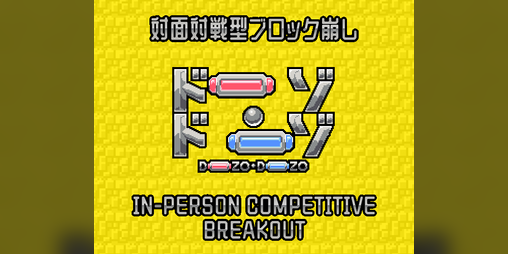
User reviews (0)