
 简体中文
简体中文 English
Website review
This review may include AI-generated content and is not individually verified. Domain, certificate and other facts come from the observed data on this page.
What is HANDZ?
HANDZ is a library of 3D hand models, poses, objects and accessories, offered by HANDZ. It is aimed at people who need hand imagery for marketing, game or app design without modelling hands from scratch. The models are rigged and rendered as PNG files, and the premium tier also includes editable Blender source files.
What you get
- A free version with 2 rigged hand models (male and female), 25 poses each, 4 objects, 3 sleeves and 900 PNG files.
- A premium version with 23 rigged hands covering male, female, chibi, alien, robot, zombie, pig, turtle and dragon claw variants, 76 poses, 40 objects, 22 accessories, 19 sleeves and around 7,000 PNG files.
- Both tiers include a Blender beginner tutorial; premium adds the source
.blendfiles and skin/colour customisation.
Who it fits
- App and UI designers who need realistic hand gestures for mockups, onboarding screens or marketing shots.
- Game and 3D artists who want pre-rigged hands they can restyle rather than build.
- Anyone producing social or ad visuals who needs a consistent hand style across many images.
The main trade-off is scope versus control. The free pack is enough to test whether the style suits your project, but its pose and accessory range is narrow. Premium is the practical choice if you need variety or want to recolour and recombine models in Blender, since the PNGs alone are fixed once rendered.
A useful next step: download the free version and try compositing two or three of its PNG hands into a real layout you are working on. If the poses and lighting fit, premium is a straightforward upgrade; if you need a specific gesture or skin tone that the free set lacks, check the premium contents list before buying.
What is included in the free version of HANDZ compared to the premium version?
The free version is a working starter set; the premium version is a full production library. Both are built around the same idea, so you can test your workflow before paying.
Free version
- 2 rigged 3D hand models (male and female)
- 25 poses for each hand
- 4 objects (UI elements, megaphone, star)
- 3 sleeves (basic sleeve, jumper, suit)
- 900 PNG files of 3D hands
- A Blender beginner tutorial
Premium version ($29, per the page)
- Everything in the free version, plus:
- Source Blender files (
.blend) - 23 rigged hands, including male, female, chibi, alien, robot, zombie, pig, turtle and dragon claw
- 76 poses covering UI hand movements and iPhone/iWatch/Samsung mockups
- 40 objects (UI elements, star, money, key, card, iPhone, iPad, drink cup, and more)
- 22 accessories (smart and classic watches, wristbands, rings, bracelets, bandage, and more)
- 19 sleeves (suit, jumpers, military, leather, rocker, chef, biologist, tattooed, and more)
- 7,000 PNG files
- The Blender beginner tutorial
The practical difference is range and editability. The free pack gives you enough to build a simple mockup or test whether the style fits your brand. The premium pack matters when you need variety in one project — for example, a product page that shows a phone in different hands, or a game UI with several character types — and when you want to recolor skin, sleeves or objects yourself in Blender rather than using pre-rendered PNGs.
Quick decision guide:
| Your situation | Sensible choice |
|---|---|
| One landing page, one or two hand gestures | Free version |
| Need to match a specific skin tone or brand color | Premium (source files) |
| Multiple characters or non-human hands | Premium |
| Just checking the art style | Free version |
If you only need a single pointing or waving hand, download the free version first and see whether the render quality and pose angles work at your layout size. If you find yourself needing a second skin tone, a different sleeve, or a hand holding an object, the premium pack becomes the cheaper option than sourcing those separately.
HANDZ is part of a wider set of 3D libraries from the same maker, including character, avatar and icon packs, so if your project grows beyond hands, it is worth checking whether a combined library fits better.
How can I use HANDZ 3D hand models in marketing, games, or app design projects?
HANDZ is a library of pre-rendered 3D hand images plus rigged Blender models, aimed at people who need hands for mockups, UI, ads or prototypes without modeling them from scratch. The free tier gives you 2 rigged hands (male and female), 25 poses each, a few objects and sleeves, and 900 PNGs; the paid tier expands this to many more hand types, poses, objects, accessories and roughly 7,000 PNGs, plus the source Blender files. For practical use:
- Marketing and social assets: drop PNGs of hands holding a phone, card, cup or megaphone into ad layouts, blog headers or email banners. Hands holding devices are the standard way to show an app screen or a product in context, and pre-rendered PNGs save a photoshoot.
- App and web UI: use hands for onboarding illustrations, empty states, tooltips and feature callouts ("tap here", "swipe"). Consistent hand style across screens reads as one design system rather than a pile of stock images.
- Games: the rigged Blender models and pose sets suit menu art, store screenshots, loading screens or in-game UI prompts. Full character animation is a different job; treat these as a starting point you can re-pose and re-render.
- Mockups and presentations: iPhone, iPad and watch mockup poses are useful for pitching a design before the real screenshots exist.
Free vs. premium, in practice
| Need | Free version | Premium version |
|---|---|---|
| Quick static mockups | 900 PNGs, 2 hands, 25 poses | 7,000 PNGs, many hand types, 76 poses |
| Editing or re-posing | Not included | Source Blender files |
| Variety (chibi, robot, animal claws) | No | Yes |
| Props and accessories | A few objects, 3 sleeves | 40 objects, 22 accessories, 19 sleeves |
The trade-off is straightforward: the free pack is enough to test whether the style fits your brand, but the moment you need a specific skin tone, a non-human hand, or a pose that matches your exact composition, the source files and larger pose set become the reason to pay. If you only ever need one or two images, a single photoshoot or a stock subscription may be simpler than learning Blender.
A concrete starting point
Suppose you are launching a budgeting app. Pick a hand holding a phone or card from the PNG set, place it beside your headline, and keep the same hand and lighting across your landing page, app store screenshots and onboarding. If the pose does not match, that is your signal to move to the Blender files and adjust it yourself.
For a broader illustration system, the same maker offers character and avatar libraries that pair stylistically with these hands: HANDZ, CHARACTERZ, AVATARZ, ICONZ and Animalz. Check each site's own licensing terms before commercial use, since that determines whether a given asset can ship in a client project or a game build.
What file formats and software are supported by HANDZ 3D hand models?
HANDZ ships its 3D hand models as PNG renders plus Blender source files, so "supported software" depends on which version you take. The free version gives you ready-to-use PNG images; the premium version adds the editable .blend files, which is what makes the library workable inside a 3D tool rather than just a design app.
What you actually get
| Asset type | Free version | Premium version |
|---|---|---|
| PNG renders | 900 files | 7,000 files |
Blender source files (.blend) |
Not included | Included |
| Rigged models | 2 (male & female) | 23 (incl. chibi, alien, robot, zombie, animal claws) |
| Poses | 25 per model | 76 |
| Objects & accessories | 4 objects, 3 sleeves | 40 objects, 22 accessories, 19 sleeves |
| Tutorial | Blender beginner tutorial | Blender beginner tutorial |
Which format for which job
- PNG only (free tier): drop-in images for slide decks, landing pages, social posts, app mockups or Figma/Photoshop comps. No 3D software needed, but you're locked to the poses and angles already rendered.
- PNG + Blender files (premium): the practical choice if you need a specific hand gesture, a custom skin tone, or a camera angle that isn't in the render set. You edit in Blender, re-render, and export to whatever your pipeline needs.
Because the page only names Blender as the source format, treat Blender as the confirmed editing path. If your team works in Cinema 4D, Maya or Unity, plan on importing the .blend (or exported FBX/OBJ from Blender) and doing your own conversion and re-rigging checks — that's general 3D workflow advice, not a feature HANDZ advertises.
A concrete decision criterion
Pick the free pack if you need stock hand imagery for 2D layouts and can live with two hand types and 25 poses. Pay for premium if any of these is true: you need diverse skin tones or non-human hands, you need a pose that doesn't exist in the render set, or your deliverable requires an editable 3D asset rather than a flat image.
Next step: download the free version first and test whether the PNG poses cover your actual layouts. If you find yourself needing even one custom gesture, the source files are the deciding factor. Related 3D libraries from the same studio include CHARACTERZ for characters and ICONZ for icons, useful if you want a consistent 3D look across a whole project.
Can I customize the skin color and accessories of the 3D hand models in HANDZ?
Yes. HANDZ is built around customization: the page shows a range of skin tones (including several emoji-style swatches) and says you can use "any color skin you can think of." Accessories are also part of the library, with the premium version listing 22 accessories (watches, wristbands, rings, bracelets, bandages) and 19 sleeve types (suit, jumper, military, leather, rocker, chef, biologist, tattooed, and more). If you want to change colors or combine parts beyond the presets, the premium pack includes source Blender .blend files, so you can edit materials and assemble your own variations.
The main trade-off is free versus premium. The free version gives you 2 rigged hand models (male and female), 25 poses each, 4 objects, 3 sleeves, and 900 PNG files. The premium version expands this to 23 rigged hands (including chibi, alien, robot, zombie, pig, turtle, and dragon claw), 76 poses, 40 objects, 22 accessories, 19 sleeves, and 7,000 PNG files, plus the source Blender files. The page lists premium at $29.
H3 Practical decision guide
- If you only need a few standard hand gestures in PNG form and don't need to recolor or swap accessories, the free version may be enough.
- If you need diverse skin tones, many accessory combinations, or non-human hands, premium is the relevant tier.
- If your workflow is Blender-based and you want full control over colors and combinations, the source files in premium are the deciding factor.
- If you work only in Figma, Photoshop, or a similar tool, the large PNG set may matter more than the Blender files.
A concrete scenario: a product team building an onboarding illustration needs a hand holding a phone, with a skin tone matching their brand's diverse audience and a sleeve that fits a professional context. They could pick a rendered PNG from the premium library, or open the Blender file, change the material color, swap the sleeve, and export a new PNG. A solo designer making a quick blog graphic might instead grab a free PNG and skip the editing step.
For related 3D asset libraries from the same maker, you can compare HANDZ with the character and avatar libraries mentioned on the page, though the hand library is the one focused specifically on hands and hand accessories.
What other 3D asset libraries are available from the creators of HANDZ?
The HANDZ site points to three sibling libraries from the same creators, covering characters, avatars and icons rather than hands.
- CHARACTERZ — a large library of diverse 3D characters, advertised as more than 100,000,000 combinations with 9,000+ pre-rendered PNG files. Best if you need full-body people for marketing pages, blog art or app onboarding.
- AVATARZ — a diverse 3D avatar library with 400M+ combinations, a Blender generator and a step-by-step customization tutorial. Suited to profile pictures, community features or account UI where you need many distinct faces.
- ICONZ — 333+ 3D icons in various angles and materials, with custom icon orders available. Useful for feature sections, pricing pages and navigation where flat icons feel too plain.
- Animalz — a library of cute 3D animals, handy for playful empty states, error screens or children's products.
These are described on the HANDZ page itself, so treat the combination counts as the creators' own marketing figures rather than neutral benchmarks.
How to choose
| Need | Library |
|---|---|
| Full characters in scenes | CHARACTERZ |
| Many distinct user faces | AVATARZ |
| Consistent small graphics | ICONZ |
| Friendly, non-human accents | Animalz |
A practical next step: if your project already uses HANDZ hands, pick the sibling library that matches the same body or object style so gestures and characters look like they belong together. If you only need one or two characters, a smaller free set from elsewhere may be enough — for example Blender's own asset bundles or a general library like Icons8 — before committing to a paid pack.
 Namecheap
 Cloudflare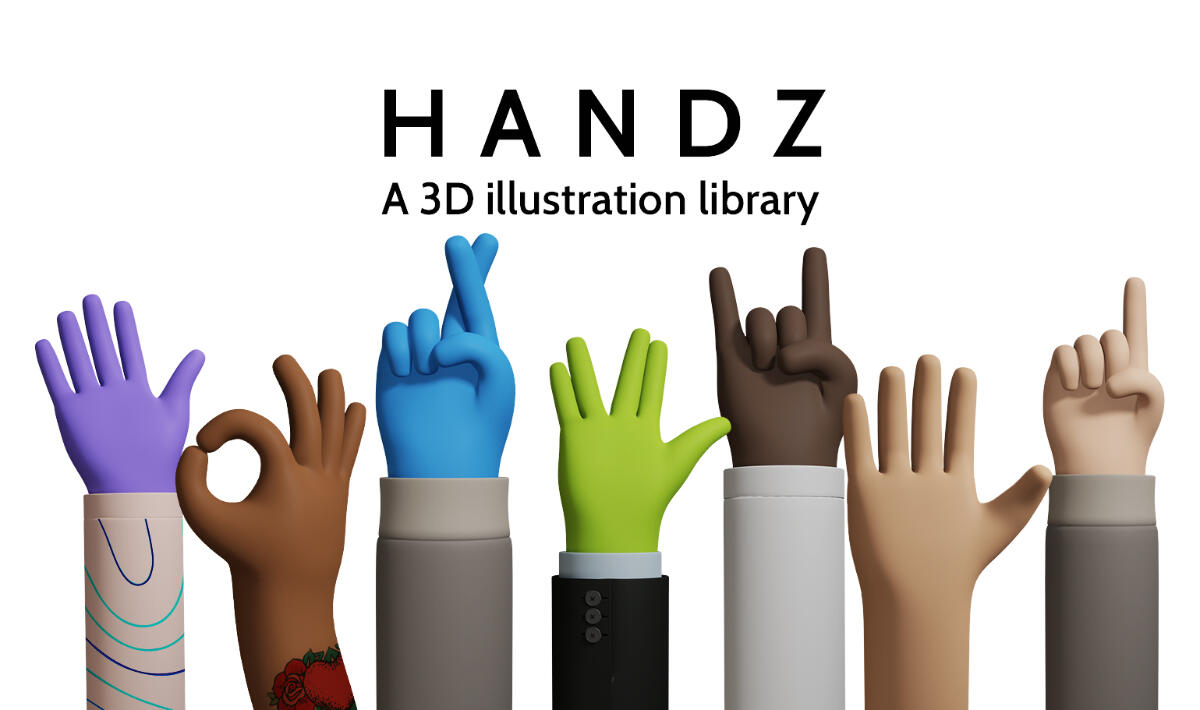
User reviews (0)