
 简体中文
简体中文
hausmann.com
Since 1955, Hausmann has been the leading manufacturer of Medical Tables and Rehab Equipment. Build custom Athletic Training Tables and Taping Stations today.
At a glance
- Category
- Other
- Language
- English
- Paid-content signal
- Paid contentObserved
- Registered
- 1996
- Hosting
- DigitalOcean, LLCInferred
- HTTPS certificate trusted
- PassedObserved
- Last updated
Related questions
More questions →What Is Hausmann Industries and What Does hausmann.com Offer?
Hausmann Industries is an American manufacturer of medical tables, rehabilitation equipment, and athletic training room furniture, operating since 1955. Its website, hausmann.com, serves as a product catalog and customization hub for facilities looking to furnish athletic training rooms, rehab clinics, and medical spaces. If you're a trainer, athletic director, or facility manager sourcing treatment tables, taping stations, or rehab furniture, this site is built for you.
What Hausmann Industries Makes
The company's core product lines center on durable equipment for sports medicine and rehabilitation settings:
- Treatment tables — used for examinations, therapy, and recovery
- Rehabilitation furniture — supporting physical therapy and recovery workflows
- Athletic training tables and taping stations — designed for daily use in training rooms
- PROTEAM™ furniture — a line offering versatile configurations for training facilities
The site emphasizes American-made manufacturing and durability, positioning its products for high-traffic, performance-oriented environments.
Key Features on hausmann.com
Beyond browsing products, the site offers several tools for buyers and facility planners:
| Feature | What It Does |
|---|---|
| 3D Builder | Lets you design Pro-Option Tables and Taping Stations step by step, customizing frame, accents, and upholstery |
| Facility Design | A service for planning your training room layout |
| Track Your Order | Order status lookup for existing purchases |
| Get a Quote | Request pricing for products |
The 3D Builder is particularly useful if you need equipment that matches a specific aesthetic or functional requirement — you can configure options visually before committing to a purchase.
Who This Site Is For
hausmann.com targets:
- Athletic trainers outfitting a training room
- Facility managers planning a rehab or medical space
- Procurement teams sourcing durable treatment and rehab furniture
- Anyone needing custom configurations of tables or taping stations
If you're looking for standard consumer furniture or home medical equipment, this isn't the right fit — Hausmann focuses on professional-grade, facility-scale solutions.
How to Get Started
- Browse products to see standard configurations of tables, taping stations, and rehab furniture.
- Use the 3D Builder if you need customization — it walks you through frame, accent, and upholstery choices.
- Request a quote for pricing on specific items.
- Explore Facility Design if you're planning a full training room setup.
- Track an existing order if you've already purchased.
Pricing isn't listed directly on the site; you'll need to request a quote to get numbers. The 3D Builder and Facility Design services are aimed at buyers who want a tailored solution rather than off-the-shelf products.
Bottom Line
hausmann.com is the online home of a long-established American manufacturer specializing in athletic training, rehab, and medical furniture. It's a practical resource if you're equipping a professional facility and want durable, customizable equipment — especially if you value the ability to design your setup before buying. Start with the product catalog, then use the 3D Builder or quote request to move toward a purchase.
How to Track Your Order or Request a Quote on hausmann.com
Hausmann Industries' site provides two direct actions for buyers and existing customers: Get A quote for pricing on treatment tables, rehab furniture, and athletic training equipment, and Track Your Order for orders already placed. Both appear as primary calls to action on the homepage, so you can reach either without digging through menus.
Request a Quote on hausmann.com
Use this path when you are evaluating equipment and need pricing before purchasing.
- Open hausmann.com.
- Select Get A quote (shown as a main call to action near the top of the homepage).
- Provide the product and facility details the quote form asks for.
Hausmann's catalog covers durable treatment tables, rehabilitation furniture, and athletic training solutions, so a quote request can cover a single item or a full training room build-out. If you already know the configuration you want, the 3D Builder lets you design a Pro-Options Table or Taping Station step by step before you request pricing.
When a quote makes more sense than browsing products
- You need current pricing, which is not published as a price list on the pages reviewed.
- You are specifying multiple pieces for one facility.
- You want a customized frame, accent, or upholstery combination from the Forged Aluminum line.
Track an Order on hausmann.com
Use this path if you have already placed an order and want its status.
- Open hausmann.com.
- Select Track Your Order.
- Enter the order details the tracking page requests.
Track Your Order is listed alongside Get A quote in the homepage calls to action, so it is reachable from the landing page rather than only from a footer link.
Which Entry Point Do You Need?
| Your situation | Action to take |
|---|---|
| Need pricing before buying | Get A quote |
| Want to configure a Pro-Options Table or Taping Station first | 3D Builder, then request a quote |
| Already ordered and checking status | Track Your Order |
| Exploring the full product range | Browse Athletic Training Room Furniture, including the PROTEAM™ line |
Common Sticking Points
- No published price list. Pricing is handled through the quote request, so expect a response rather than an instant number.
- Custom builds add a step. If you customize through the 3D Builder, complete the design before requesting the quote so the request reflects the exact configuration.
- Order tracking needs order identifiers. Have your order information ready before starting the tracking flow.
Hausmann has manufactured American-made rehab and medical equipment since 1955, and the site's quote and tracking tools are aimed at facilities specifying or receiving that equipment.
What Is Hausmann's PROTEAM Furniture Line for Athletic Training Rooms?
Hausmann's PROTEAM™ line is a collection of athletic training room furniture—specifically athletic tables and taping stations—designed for versatility in training facilities. According to Hausmann, the line is built to provide "the versatility every trainer wants, and every facility needs." You can choose from standard product configurations or build your own customized version.
What the PROTEAM Line Includes
Based on Hausmann's product description, the PROTEAM furniture line covers two main categories:
- Athletic tables — treatment and training tables for athletic training rooms
- Taping stations — dedicated stations for taping and preparation
These fall under Hausmann's broader catalog of "durable treatment tables, rehabilitation furniture, and athletic training solutions."
Standard Configurations vs. Custom Builds
Hausmann presents two paths for outfitting a training room:
| Option | What It Means |
|---|---|
| Standard configurations | Pre-set product configurations of athletic tables and taping stations |
| Build your own | Customize a Pro-Option Table or Taping Station using the 3D Builder |
The 3D Builder is a step-by-step design tool that Hausmann says lets you "get the exact product you are looking for in just a few clicks." It's specifically tied to the Pro-Options Table and Taping Stations.
Customization Options
Hausmann highlights a "Forged Aluminum line" as an addition to athletic training rooms. According to the site, you can customize:
- The frame
- Accents
- Upholstery
The stated goal is "creating a cohesive and professional look" across a facility.
Who This Is For
The PROTEAM line is aimed at athletic trainers and facility managers looking to upgrade or outfit a training room. Hausmann positions it as a way to bring a training room to "best-in-class" status, with the choice between ready-made configurations and custom builds depending on your needs.
Where to Start
If you're evaluating the line, Hausmann's site offers:
- View Products — to browse the PROTEAM furniture range
- Build Your Own / 3D Builder — to design a custom Pro-Options Table or Taping Station
- Get A Quote — to request pricing for your facility
- Facility Design — a service for planning your space
Hausmann has manufactured American-made rehab and medical equipment since 1955, which provides context for the line's positioning around durability and longevity.
How Hausmann's 3D Builder Works for Custom Pro-Options Tables and Taping Stations
Hausmann's 3D Builder is a step-by-step online design tool for configuring Pro-Options Tables and Taping Stations to your exact specifications. You use it when a standard configuration won't fit your training room — whether you need a specific frame finish, accent color, or upholstery to match your facility. The builder walks you through each option in sequence and produces a product configuration in a few clicks, which you can then take to a quote request.
What the 3D Builder lets you customize
Based on Hausmann's own product pages, the builder covers three main areas of the product:
- Frame — the structural base of the table or taping station
- Accents — the trim and detail elements that finish the look
- Upholstery — the padding and covering material
This matches the customization scope described for the Hausmann Forged Aluminum line, where you can "customize the frame, accents, and upholstery, creating a cohesive and professional look." The same design logic applies to the Pro-Options Table and Taping Station configurations.
How the step-by-step process works
The builder is structured as a guided sequence rather than a single form. According to Hausmann, it "allows for step-by-step design to get the exact product you are looking for in just a few clicks."
The practical flow looks like this:
- Enter the builder from the Pro-Options Table page or the main 3D Builder entry point.
- Select your product type — Pro-Options Table or Taping Station.
- Work through each option group in order — frame, then accents, then upholstery.
- Review the resulting configuration as the builder assembles your selections.
- Submit for a quote using the "Get A quote" path once your configuration is complete.
Each step narrows the configuration, so the final result reflects a specific combination rather than a generic product. The "few clicks" framing suggests the option set is curated — you're choosing from defined finishes and materials, not specifying arbitrary dimensions or one-off fabrication.
When to use the builder vs. a standard configuration
Hausmann offers both paths, and the right one depends on your situation:
| Your situation | Better path |
|---|---|
| Standard training room, no specific finish requirements | Standard product configurations |
| Need to match existing facility colors or branding | 3D Builder |
| Multiple tables/stations that must look consistent | 3D Builder (same selections across units) |
| Unsure what options exist | 3D Builder (to see the full option set) |
| Need a fast quote on a common setup | Standard configuration + quote request |
The builder is most valuable when visual cohesion matters — for example, a training room where the tables, taping stations, and other furniture need to share a frame finish and upholstery color. If you're furnishing a single room with no existing design constraints, a standard configuration may get you to a quote faster.
What the builder does not do
The 3D Builder is a configuration and visualization tool, not a purchasing or pricing engine. Hausmann's site routes configured products toward a quote request rather than a direct checkout. That means:
- You won't see a final price inside the builder — pricing comes through the quote process.
- The builder doesn't replace a conversation about lead times, shipping, or facility-specific requirements.
- Custom selections may affect availability, so confirm timing when you request the quote.
Practical tips before you start
- Gather your facility's color references first. If you're matching existing equipment or team colors, have those on hand so your frame, accent, and upholstery selections are deliberate rather than approximate.
- Configure one unit fully, then replicate. If you're ordering multiple tables or stations, complete one configuration and note each selection so the rest match.
- Use the builder to explore, not just to order. Even if you end up choosing a standard configuration, stepping through the options shows you what's available and what a custom version would look like.
- Request the quote with your configuration attached. The builder output is the input to Hausmann's quote process — the more complete your configuration, the more specific the quote you'll get back.
For facilities that need training room furniture to look and function as a set, the 3D Builder is the fastest way to define that set before committing to a quote.
How to Choose the Right Athletic Training Table or Taping Station for Your Facility
Choose based on three things: how many athletes you treat at once, whether you need a fixed or mobile setup, and how much visual consistency matters across the room. Hausmann Industries builds American-made rehab and medical equipment and, since 1955, has supplied athletic training rooms with treatment tables, taping stations, and training room furniture. Its current lineup lets you start from a standard configuration or design a custom piece, so the practical decision is usually "standard vs. custom" rather than "which brand."
Start with the product type
Hausmann groups its athletic training room offering into two main categories:
- Athletic tables — treatment and taping surfaces used for assessment, treatment, and pre-practice prep.
- Taping stations — dedicated stations for taping and wrapping, often used in higher-traffic rooms.
The company's PROTEAM™ furniture line is described as providing "the versatility every trainer wants, and every facility needs," and is available in standard product configurations of athletic tables and taping stations — or you can build your own.
If your room runs a high volume of athletes through a short pre-practice window, taping stations matter more. If your work is more assessment- and treatment-heavy, athletic tables carry more of the load. Most facilities need a mix.
Decide between standard and custom
This is the core trade-off. Hausmann offers both paths, and the right one depends on your constraints:
| Factor | Standard configuration | Custom build |
|---|---|---|
| Lead time and complexity | Simpler — pick from existing setups | More steps — design decisions required |
| Fit to an odd room layout | May need compromise | Can be matched to the space |
| Visual consistency across the room | Limited to stock finishes | Frame, accents, and upholstery can be coordinated |
| Best for | New or straightforward rooms | Renovations, branded facilities, mixed-use spaces |
If your room is a standard rectangle with predictable traffic, a stock configuration is usually the faster route. If you're fitting into an existing layout, matching a school color scheme, or furnishing a room that has to look cohesive, custom is worth the extra design time.
Use the 3D Builder for custom work
Hausmann's 3D Builder is the tool for the custom path. According to the site, it "allows for step-by-step design to get the exact product you are looking for in just a few clicks," and it's specifically set up for customizing a Pro-Option Table and Taping Stations.
The customizable elements called out on the site are:
- Frame
- Accents
- Upholstery
The stated goal is a "cohesive and professional look" — so treat the builder as a way to lock in a consistent finish across multiple pieces, not just to design one table in isolation. If you're ordering several units for one room, design them together so the frame and upholstery choices match.
Hausmann also promotes a Forged Aluminum line as an addition to athletic training rooms, with the same frame/accent/upholstery customization. If durability and a modern look are priorities, that line is the one to look at first.
Check whether you need facility design help
If you're furnishing or renovating a whole room rather than replacing one table, Hausmann offers a Facility Design service. This is the right entry point when you don't yet know how many stations fit, where they should go, or how the room should flow. Use it before committing to individual product configurations — layout decisions constrain product choices, not the other way around.
A practical sequence
- Count your peak usage. How many athletes need taping or treatment in your busiest 30 minutes? That sets the number of stations.
- Map the room. Note wall space, power, storage, and traffic paths. This tells you fixed vs. mobile and how many units actually fit.
- Pick standard or custom. Standard if the layout is simple; custom if you need to match a space, a color scheme, or a multi-unit look.
- If custom, use the 3D Builder and design all units in one session so frame, accents, and upholstery stay consistent.
- If it's a whole-room project, start with Facility Design before ordering individual pieces.
- Request a quote. Hausmann's site routes purchasing through a "Get A quote" action rather than direct online checkout, so plan for a quote-and-order cycle rather than instant purchase.
Common sticking points
- Designing pieces one at a time. Customizing each table separately tends to produce mismatched finishes. Design the set together.
- Skipping layout planning. Ordering the right number of tables for the wrong room layout wastes both.
- Assuming online checkout. The site's primary call to action is a quote request, so build in time for that step.
- Ignoring the frame choice. Frame, accents, and upholstery are all customizable — frame is the structural and visual anchor, so decide it first.
For a single replacement table in a standard room, go straight to a stock configuration and request a quote. For a new or renovated training room, start with Facility Design, then use the 3D Builder to finalize the custom pieces.
Website Overview
Identifiable technologies and additional version or configuration signals make the service easier to fingerprint, which may help targeted scanners narrow their checks. An established domain and managed infrastructure suggest continuity of operations and may support dependable delivery, although neither guarantees service quality.
Domain and Registration
Registered in 1996, this domain has about 30 years of history. That suggests continuity, although ownership and purpose may have changed. Transfer-protection status is present, helping reduce the risk of unauthorized domain transfers. The domain uses the common .com extension, which is not an independent safety signal.
DNS and Email
Nameservers are provided by dnsmadeeasy.com, indicating managed DNS hosting. MX records point to the Microsoft 365 email service. No CNAME was found; the observed records resolve directly to addresses. SPF and DMARC are configured. DKIM status is unknown. TXT records include verification markers for Microsoft. Such markers may also remain after a service stops being used.
TLS and Certificates
The public key uses EC with 256 bits. The server supplied a complete certificate chain. No organization name is present in the certificate; the available fields are consistent with domain validation. The certificate was issued by Let's Encrypt, commonly associated with automated certificate services. The certificate's total validity is about 89 days, consistent with a short renewal cycle.
HTTP and Browser Security
The response lacks these common security headers: CSP, Permissions-Policy. No X-Powered-By header was found, reducing one common source of backend fingerprinting information. No obvious internal addresses or debug information were found in the headers. The Server header identifies nginx without an exact version. No explicit CDN or WAF marker was found in the response headers.
Technology Stack Analysis
The public page identifies WordPress 7.1.3, jQuery, Google Tag Manager, Google Analytics, nginx, with exact versions exposed for 1 technologies. These details can narrow vulnerability checks, although exposure alone is not a vulnerability.
Search and Social Sharing
The Generator tag identifies WordPress 7.1.3, making the publishing system easier to fingerprint. Twitter Card metadata is configured. JSON-LD includes Organization data, helping describe the organization as an entity. The title has 56 characters, within a common display range. A meta description is present, with 158 characters.
Hosting and Email
 DigitalOcean, LLC
 Microsoft 365
 Secaucus, New Jersey, United States
Inferred
162.243.203.20
Secaucus, New Jersey, United States
Inferred
162.243.203.20
Registration details
| Registrar | Network Solutions, LLC |
|---|---|
| Registered | 1996-04-08 |
| Expires | 2029-04-09 |
| Domain status | client transfer prohibited |
| Nameservers | ns10.dnsmadeeasy.com、ns11.dnsmadeeasy.com、ns12.dnsmadeeasy.com、ns13.dnsmadeeasy.com、ns14.dnsmadeeasy.com、ns15.dnsmadeeasy.com |
| DNSSEC | unsigned |
DNS records
| Type | Name | Value | TTL | Priority |
|---|---|---|---|---|
| A | hausmann.com | 162.243.203.20 | 1800 | — |
| MX | hausmann.com | hausmann-com.mail.protection.outlook.com | 900 | 0 |
| NS | hausmann.com | ns10.dnsmadeeasy.com | 86400 | — |
| NS | hausmann.com | ns11.dnsmadeeasy.com | 86400 | — |
| NS | hausmann.com | ns12.dnsmadeeasy.com | 86400 | — |
| NS | hausmann.com | ns13.dnsmadeeasy.com | 86400 | — |
| NS | hausmann.com | ns14.dnsmadeeasy.com | 86400 | — |
| NS | hausmann.com | ns15.dnsmadeeasy.com | 86400 | — |
| TXT | hausmann.com | MS=ms63019376 | 3600 | — |
| TXT | hausmann.com | cisco-ci-domain-verification=1b6e0921a0769575f81387cc40fd31570544a7bd6262df461b7e286a878cd291 | 3600 | — |
| TXT | hausmann.com | v=spf1 ip4:70.111.143.10 mx include:spf.protection.outlook.com ~all | 3600 | — |
| DMARC | _dmarc.hausmann.com | v=DMARC1; p=quarantine; pct=100; rua=mailto:[email protected]; fo=1 | 3600 | — |
TLS and certificates
HTTP response headers
| Header | Value |
|---|---|
| content-type | text/html; charset=UTF-8 |
| server | nginx |
| strict-transport-security | max-age=31536000; includeSubDomains |
| x-frame-options | SAMEORIGIN |
| x-content-type-options | nosniff |
| referrer-policy | strict-origin-when-cross-origin |
Identified technologies
Pages, Search and Sharing
| Meta description | Since 1955, Hausmann has been the leading manufacturer of Medical Tables and Rehab Equipment. Build custom Athletic Training Tables and Taping Stations today. |
|---|---|
| Canonical URL | https://hausmann.com/ |
| Language | English (default) |
| Twitter Card | summary_large_image |
Social Sharing Preview
11 fields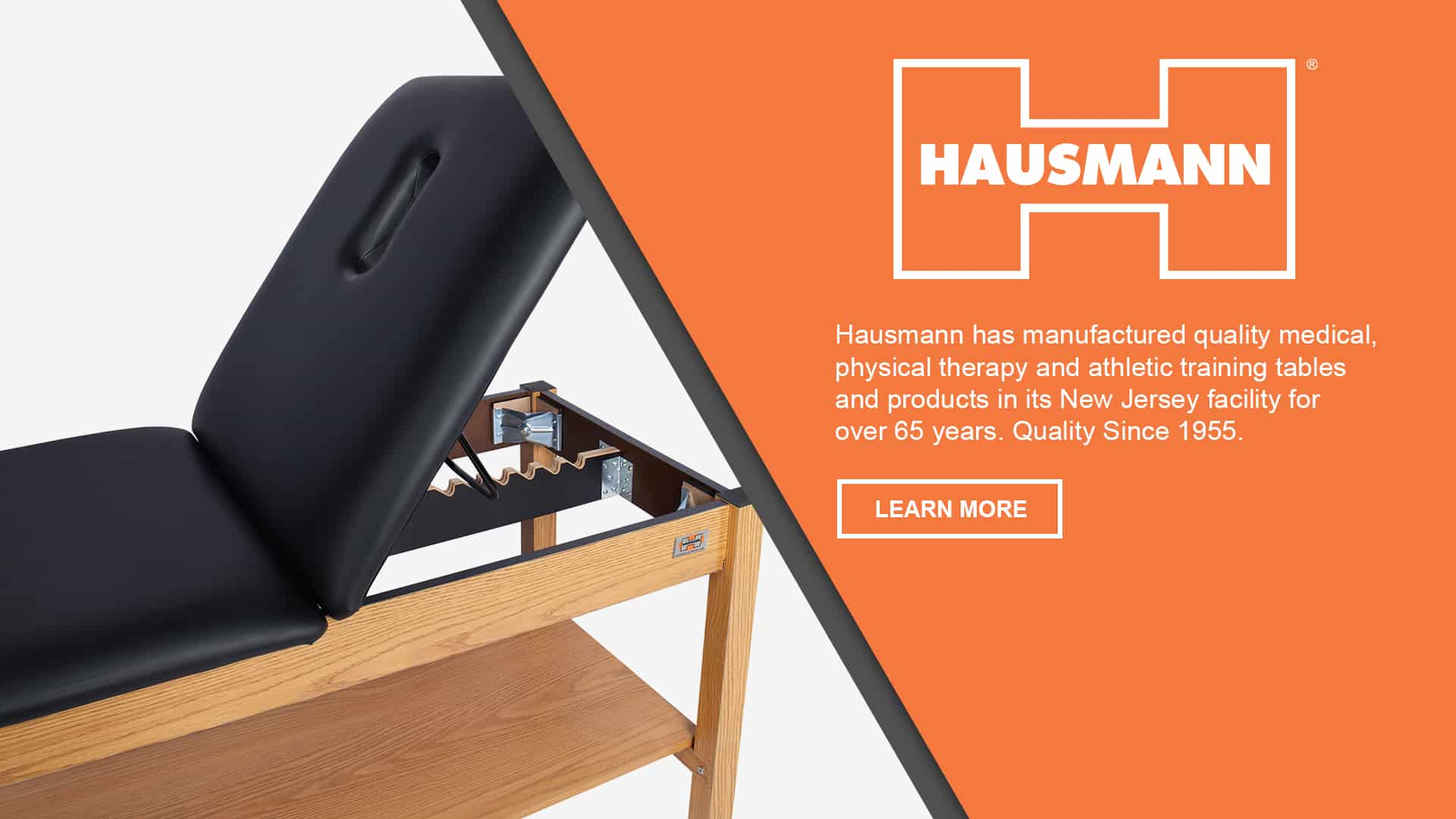
robots.txt (opens in a new tab)
5 rulesAll bots 1 allowed · 4 disallowed
- Allow
/wp-admin/admin-ajax.php - Disallow
/wp-content/uploads/wc-logs/ - Disallow
/wp-content/uploads/woocommerce_transient_files/ - Disallow
/wp-content/uploads/woocommerce_uploads/ - Disallow
/wp-admin/
No matching rules.
Sitemaps
1Recent Updates
- Website images
- Screenshots
- Network details
- Website Technologies
- Pages and Search Information
- HTTP Response Information
- TLS and certificates
- DNS Information
- Domain Registration
- Website profile
- Website Description
- Website Name
- Website profile
- Website Description
- Website Name
User reviews (0)