Website profiles · Technology insights · Alternatives

humaaans.com

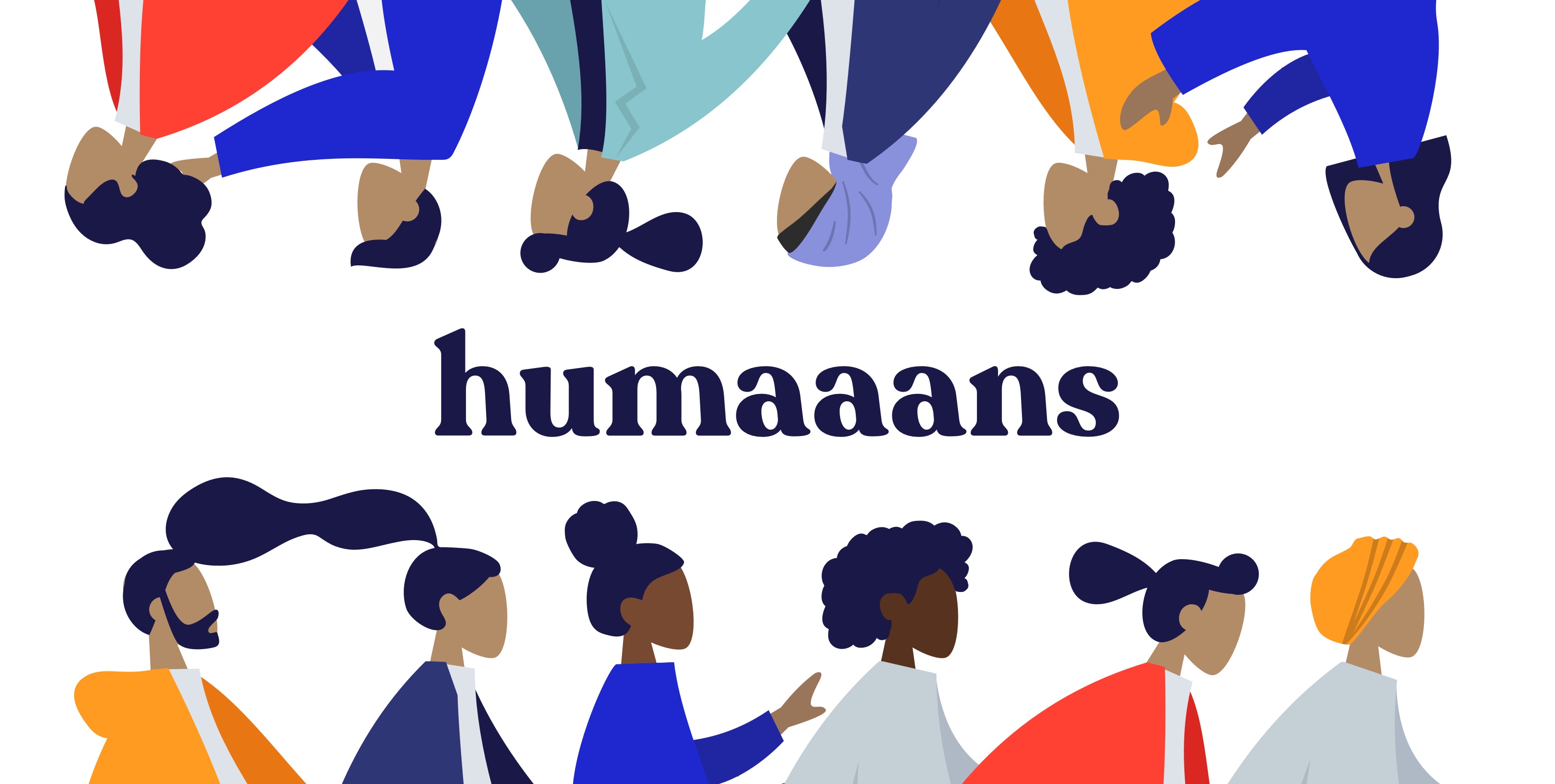
Mix-&-match illustrations of people with a design library for InVIsion Studio and Sketch.

Paid content
Visit website
Profile views 9 Outbound visits 3 Normal
Humaaans Full homepage screenshot

At a glance

Category
Design & Creativity
Language
English
Paid-content signal
Paid contentObserved
Registered
2018
Hosting
CloudflareInferred
HTTPS certificate trusted
PassedObserved
Last updated

Website review

This review may include AI-generated content and is not individually verified. Domain, certificate and other facts come from the observed data on this page.

What is Humaaans?

Humaaans is a free, mix-and-match illustration library of people, made by Pablo Stanley. Instead of handing you fixed pictures, it gives you separate vector parts — bodies, hairstyles, tops, and pants — that you combine into your own figures. The site describes the elements as "like legos made out of flesh... and vectors," and the page evidence shows support for InVision Studio and Sketch.

What you can actually do with it

  • Build a person: swap hairdos, tops, and pants, then rotate and position each part.
  • Fit a mood or context: the library is pitched at empty, error, and success states, landing pages, onboarding screens, grids, and invitations.
  • Set a scene: add background ambience around the figure rather than using it as a lone cutout.
  • Start from a template: useful if you need a layout quickly instead of assembling from scratch.

Who it suits

It fits product designers, marketers, and anyone producing UI mockups, slide decks, or social graphics who needs human figures without commissioning artwork. The trade-off is consistency: because you assemble parts yourself, results depend on your own eye for proportion and color. It also won't match a brand with a strict, custom illustration style, and a scene built from a template can look familiar if many others use the same starting point.

Licensing and next step

The page states the illustrations are CC0 Public Domain, free for commercial or personal use, with downloads and use alongside Blush. If you need more variety beyond this library, the creator points to Lummi at Lummi. A practical first step: pick one real screen you're working on — an empty state or onboarding page — and build a single figure that matches its tone before committing to a whole set.

How do I customize the illustrations in Humaaans?

You customize Humaaans by treating each illustration as a set of separate vector parts rather than a finished picture. The library is built around mix-and-match elements: you swap hairdos, tops, and pants, and you can rotate or reposition body parts to build a new pose. The site describes the pieces as "like legos made out of flesh... and vectors," and the workflow starts from a template so you are not assembling a person from nothing.

What you can change

  • Hair, tops, and pants: the three named swap categories, so the fastest customization is an outfit and hairstyle change.
  • Body and pose: rotate and position the elements to adjust how someone stands, sits, or gestures.
  • Scene and context: place your remixed person into a template for onboarding screens, grids, or empty, error, and success states.

How to approach it in practice

Start with a template that matches your use case, then change one variable at a time. If you are building an empty state, pick a template, swap the outfit to fit your brand's tone, and adjust the pose so the figure looks toward your call-to-action rather than away from it. For a team or onboarding page, reuse the same base body across several figures and vary only hair and clothing; that keeps a set visually consistent without making everyone identical.

The trade-off is control versus speed. Templates get you to a usable result quickly, but heavy repositioning can make limbs look unnatural if you rotate joints past plausible angles. If you need a very specific pose, expect to spend more time nudging parts than swapping outfits.

Tools and licensing

The page says the illustrations are made for InVision Studio and Sketch, with a demo made in InVision Studio, and that they can be used with Blush. It also states the files are CC0, free for commercial or personal use, by Pablo Stanley. That makes Humaaans a reasonable fit when you want a human figure without commissioning custom artwork.

If you want a different illustration style for the same kind of job, Lummi is the related free-illustration library the page points to.

A useful next step: download the library, open one template in your design tool, and duplicate the artboard before you start moving parts. Keeping an untouched copy makes it easy to compare your remix against the original and to reuse the same figure across several screens.

What file formats and design tools are compatible with Humaaans?

Humaaans is built for vector-based design work rather than as a general image library. From the page evidence, the library is intended for use with InVision Studio and Sketch, and the illustrations are described as vectors, so you should expect editable vector assets rather than fixed flat images.

The page also mentions downloading and using the assets with Blush, and the demo was made with InVision Studio. In practice, that means the workflow is: open or import the vector files in a compatible design tool, then remix hairdos, tops, and pants, rotate and position elements, and assemble scenes or templates for onboarding, empty/error/success states, and landing pages.

If you use a different tool, check whether it can open or import the file type you download before committing to Humaaans for a project. For a quick test, download one figure, open it in your main design tool, and try recoloring and moving a single element. If that works, the library is compatible enough for your workflow; if not, treat it as a Sketch/InVision Studio-oriented resource rather than a universal one.

Can I use Humaaans illustrations for commercial projects?

Yes. Humaaans is released under a CC0 Public Domain license and is described as free for commercial or personal use, so you can put the illustrations into client work, marketing pages, products and other revenue-generating projects.

H3 Practical implications

  • No attribution required under CC0. You are not obligated to credit Pablo Stanley, though doing so is a courtesy.
  • Remixing is expected. The library is built around swapping hairdos, tops, pants and poses, so adapting figures to match a brand is part of normal use.
  • You still own your judgment calls. CC0 covers the illustrations, not third-party trademarks, fonts or photos you combine with them.

H3 A concrete scenario

Suppose you run a small SaaS product and need artwork for an empty-state screen, a success message and an onboarding slide. You open Humaaans, pick a template, adjust the body, clothing and scene elements, export, and drop the result into your app. Because the license is CC0, you can ship that to paying customers without a separate commercial license or royalty payment.

H3 Decision criteria

  • Choose Humaaans when you want editable vector people you can restyle to fit a brand palette or product tone.
  • Look elsewhere when you need photographic realism or highly specific cultural representation.
  • If you need more variety, the same creator points to Lummi at Lummi for additional free illustrations.

Next step: confirm the license terms on the download page before publishing, since that is the version that governs your use.

How do I create a scene or background using Humaaans elements?

Humaaans is built for exactly this: you assemble people from separate vector parts, then arrange them against a backdrop you provide. The library supplies the figures and props—not a finished scene—so "creating a scene" means composing layers in your design tool.

The basic workflow

  1. Pick a base body. Choose a pose that matches the mood of your scene—standing, sitting, walking, gesturing.
  2. Swap the parts. Change the hairdo, top, and pants to fit the character. Each element is a separate object, so you can mix any combination.
  3. Rotate and position. Nudge limbs, tilt heads, and shift elements until the figure reads naturally rather than stiffly.
  4. Build the environment around them. Add your own background shapes, furniture, or abstract color blocks behind and in front of the figure.
  5. Layer for depth. Put some elements behind the person and some in front—a desk edge, a plant, a speech bubble—so the figure sits in the space instead of floating on it.
  6. Group and reuse. Once a scene works, group it and save it as a template for onboarding screens, empty states, or repeated slides.

Practical scene ideas

  • Empty, error, and success states: one figure plus a simple prop (a box, a broken plug, a checkmark) communicates the state without text.
  • Hero or landing-page scenes: two or three figures at different scales suggest a crowd or a team.
  • Onboarding and grids: repeat a template across screens with small variations in pose and clothing.
  • Casual or personal projects: invitations, family cards, or playful graphics—the style tolerates humor.

Decisions that shape the result

Choice Effect
Number of figures One reads as a focused message; three or more read as a group or crowd
Scale contrast Varying sizes create depth and a sense of foreground/background
Prop density Sparse scenes feel calm and corporate; busy scenes feel lively and editorial
Background contrast Flat, muted backdrops keep the figures legible; patterned backdrops add energy but can compete

A useful next step: sketch the scene as three flat rectangles—background, midground, foreground—then place the Humaaans figure in the midground. That single habit prevents the most common problem, which is a character pasted onto a background with no spatial relationship to it.

For a concrete reader scenario: if you're designing an empty-state screen for a project-management app, place one seated figure at a desk in the midground, a laptop shape in front, and a soft color block behind. Swap the top and hair to match your brand's tone, group the whole thing, and reuse it across empty, loading, and error screens with only the prop changed.

The library is free for commercial and personal use under a CC0 public-domain license, so you can adapt scenes without attribution worries.

Where can I find more free illustrations like Humaaans?

For more free, mix-and-match illustration libraries in the same spirit as Humaaans, start with the sources below. Humaaans itself is released under CC0 and free for commercial or personal use, so anything you find should ideally match that level of freedom for client work.

  • Lummi — mentioned directly on the Humaaans page as a source for more free illustrations; useful if you want a broader catalog after exhausting the mix-and-match pieces.
  • Blush — also referenced on the page as a tool for using Humaaans; it hosts multiple illustration styles you can customize.
  • Open Peeps — a hand-drawn, mix-and-match people library by the same designer, Pablo Stanley; strong for landing pages and empty states.
  • unDraw — a large set of flat, recolorable SVG illustrations with a permissive license; good for onboarding and error states.
  • Storyset — customizable scenes and characters; helpful when you need consistent visuals across a product.

A practical next step: check the license on each site before downloading. CC0 means no attribution is required, but some libraries ask for credit or restrict resale. If you need editable vector parts (hair, tops, pants) rather than flat scenes, prioritize Open Peeps and Humaaans; if you need ready-made scenes, unDraw and Storyset will save time.

Related questions

More questions →
What Design Use Cases Does Humaaans Support?

Humaaans is a mix-and-match illustration library of people, made by Pablo Stanley and usable with Blush, InVision Studio, and Sketch. It fits design situations where you need human figures you can rearrange rather than a fixed illustration: empty, error, and success states; landing pages and onboarding flows; grid layouts and templates; and scene-style visuals. The library is released under CC0 Public Domain and is described as free for commercial or personal use, so you can drop the figures into client work as well as personal projects.

Core use cases

Empty, error, and success states

The library is explicitly positioned for adding life to “empty, error, or success states.” Because you can swap hairdos, tops, and pants, the same base figure can be adapted to match the tone of each state instead of reusing one static asset across the whole product.

Landing pages

Humaaans is intended to make landing pages “look dope” — useful when a hero section or feature block needs a human element without commissioning custom art.

Onboarding and templates

The site offers templates as starting points, and suggests using them on onboardings, grids, or empty/error/success states. Starting from a template is the fastest route if you don’t want to assemble figures from individual parts.

Scene-style content

“Make a Sceeene” covers adding ambience to content. You can rotate and position elements freely, so figures can be composed into a small scene rather than placed as a single isolated character.

Everyday and personal projects

The site lists invitations, and even a tattoo, as possible uses — a reminder that the license doesn’t restrict you to product UI.

How the mix-and-match mechanic shapes use cases

What you can change Why it matters for a use case
Hairdos, tops, pants Match a figure to a brand, season, or state without new art
Rotate and position elements Build scenes and non-standard layouts, not just centered characters
Start from a template Skip assembly for onboarding, grid, and state screens

The site describes the parts as “like legos made out of flesh… and vectors,” which is the practical point: the value is recombination, so use cases that need several related figures benefit most.

Choosing Humaaans for a project

Pick Humaaans when you need multiple human figures that share one visual style and you’re willing to assemble or adapt them yourself. It’s a weaker fit when you need a single finished, highly specific illustration that isn’t built from the library’s body, clothing, and hair parts.

Two conditions to check before committing:

  • License: the page states CC0 Public Domain and free commercial or personal use — confirm this against your own project requirements.
  • Tooling: the library is described for use with InVision Studio and Sketch, and with Blush. Verify your design tool is supported before building a workflow around it.

If you want more free illustrations beyond this set, the site points to Lummi as a related source.

How to Mix and Match Humaaans Illustrations

Humaaans is a free, CC0-licensed vector illustration library by Pablo Stanley for building custom people illustrations. You mix and match hairdos, tops, pants, and body parts, then rotate and position them like vector Lego. It works with InVision Studio and Sketch, and the site also notes you can use it with Blush. Because the license is CC0 Public Domain, you can use the results for commercial or personal projects.

What you need before starting

  • A vector editing tool that can open the Humaaans source files. The site specifically names InVision Studio and Sketch, and mentions Blush as another way to use the library.
  • The Humaaans library files themselves. The site offers a download and describes the assets as free for commercial or personal use under CC0.
  • A rough idea of the scene you want: a single character, a group, or a full illustration for a landing page, onboarding screen, or empty/error/success state.

Step-by-step: build a character

1. Start from a template or a base body

The site suggests starting with a template. Templates are aimed at onboardings, grids, and empty/error/success states, so they give you a pre-arranged scene you can edit rather than a blank canvas. If you only need one person, start from a base human body instead.

2. Design the human body

The library lets you "design the humaaan body." This means choosing the base body shape and proportions before layering clothing on top. Treat the body as the foundation: get the pose and proportions right first, because swapping clothes later is easier than re-posing a finished figure.

3. Change the hairdos, tops, and pants

This is the core of the mix-and-match workflow. The site lists three swappable categories:

  • Hairdos — change the hairstyle to change the character's look.
  • Tops — swap shirts, jackets, and similar upper-body pieces.
  • Pants — swap lower-body clothing.

Because these are separate vector elements, you can combine any hair with any top and any pants. That is what makes the same base body produce many different characters.

4. Rotate and position the elements

The site describes the elements as "like legos made out of flesh... and vectors." You can rotate and position them however you like. In practice this means:

  • Rotating an arm or leg to create a new pose.
  • Moving elements to adjust posture or spacing.
  • Repositioning parts to fit a scene rather than a single standing figure.

5. Make a scene

Once a character is assembled, you can "make a sceeene" by adding ambience to your content. The site lists example uses:

  • Adding life to empty, error, or success states.
  • Making landing pages look better.
  • Designing invitations (the site jokes about "your family's beerday invitations").
  • Onboardings, grids, and template-based layouts.

What you can realistically produce

Goal What to combine
One custom character Base body + chosen hair + top + pants
A posed figure Same parts, then rotate and reposition limbs
A scene Multiple characters + ambience elements
A UI state illustration A template for empty/error/success states

Common sticking points

  • Treating it as a single flat image. The value comes from editing separate parts. If you flatten too early, you lose the ability to swap hair or clothing.
  • Skipping the body step. Changing the body after dressing the figure means re-fitting the clothing. Set the body first.
  • Forgetting the license is permissive. CC0 Public Domain means commercial and personal use are both allowed, so you do not need to negotiate rights for a client project. Attribution is not required by the license as described, though crediting Pablo Stanley is a reasonable courtesy.
  • Assuming it is a web app. The library is described as a design library for InVision Studio and Sketch, with Blush as another option. Plan to work inside a vector tool, not a browser-based character builder.

Quick answer on reuse

If your question is whether you can use Humaaans in commercial work: yes. The site states the illustrations are free for commercial or personal use under a CC0 Public Domain license, made by Pablo Stanley. The same mix-and-match files that let you build a character are the files you are licensed to use.

What is Humaaans?

Humaaans is a mix-and-match illustration library of vector people, made by Pablo Stanley. You can swap hairstyles, tops, and pants, then rotate and reposition the parts to build your own figures. It is designed for use with InVision Studio, Sketch, and Blush, and it is released under a CC0 Public Domain license, free for commercial or personal use.

What you can actually do with it

The library is built around a simple idea: the human body is assembled from separate vector pieces, so you can remix them instead of drawing from scratch. The site describes the parts as "like legos made out of flesh... and vectors."

You can:

  • Change the hairdos, tops, and pants to create different characters.
  • Rotate and position elements however you like, so poses are not fixed.
  • Build scenes by adding a bit of ambience to your content.
  • Start from a template rather than a blank canvas.

Where it fits in a design workflow

Humaaans is aimed at the places where a product or page feels empty or impersonal. According to the site, it works well for:

Use case Example
Empty, error, or success states Adding a figure to a screen that would otherwise be blank
Landing pages Making a page "look dope" instead of text-only
Onboardings and grids Starting from a template for structured layouts
Personal projects Invitations, or "maybe a tattoo? No judgement ;)"

Tools and license

  • Works with: InVision Studio, Sketch, and Blush.
  • License: CC0 Public Domain — free for commercial or personal use.
  • Made by: Pablo Stanley.
  • More free illustrations: the site points to Lummi.

How to get started

  1. Open Humaaans in your design tool of choice (InVision Studio, Sketch, or Blush).
  2. Pick a template if you want a head start, or begin with a base body.
  3. Swap the hair, top, and pants to define your character.
  4. Rotate and position the elements to set the pose.
  5. Place the figure into your empty state, landing page, or scene.

Because the parts are separate vectors, the main thing to watch is keeping proportions consistent when you rotate or reposition pieces — the flexibility that makes remixing easy is also what lets a figure look off if the parts are moved too far out of alignment.

Where to Download Humaaans and Find More Free Illustrations

You can download Humaaans directly from humaaans.com. The site presents the library as a mix-and-match illustration set of people, offered under a CC0 Public Domain license and described as free for commercial or personal use. The same page also points to two related resources: you can use the illustrations with Blush, and the author, Pablo Stanley, recommends Lummi for more free illustrations.

What Humaaans actually is

Humaaans is a mix-and-match illustration library of people, built for design tools. The site describes it as usable with InVision Studio and Sketch, and the demo shown on the page was made with InVision Studio.

The core idea is modularity. The page describes the elements as "like legos made out of flesh... and vectors," meaning you assemble a figure from separate parts rather than editing one flat drawing.

What you can customize

According to the site, the library supports:

  • Changing hairdos, tops, and pants — the "Create your own remix" section
  • Designing the human body — rotating and positioning elements however you like
  • Building scenes — adding ambience to your content
  • Starting from a template — for onboardings, grids, or empty/error/success states

Where to get it

Entry point What it gives you
humaaans.com The main download for the illustration library
Blush Use the Humaaans illustrations through Blush
Lummi The author's recommendation for more free illustrations

The site lists a Gumroad payment platform signal, so if you encounter a paid or gated option during download, treat it as a separate offering rather than assuming the whole library is free — the page itself states the illustrations are free for commercial or personal use under CC0.

License and attribution

The page states the work is released under a CC0 Public Domain License and is free for commercial or personal use. It credits Pablo Stanley as the maker. CC0 generally means you are not required to attribute, but crediting the author is still a reasonable practice if you want to point others to the source.

Design use cases the site names

The page suggests using Humaaans for:

  • Empty, error, or success states
  • Landing pages
  • Invitations (the site jokes about "your family's beerday invitations")
  • Onboarding flows
  • Grids

Practical notes

  • The site was made with Webflow, which is only relevant if you are inspecting how the page itself was built — it does not affect how you use the illustrations.
  • If you want more free illustrations after Humaaans, the page explicitly directs you to Lummi.
  • If you prefer working inside a design tool rather than downloading files, the Blush route is the one the site names.
Can I use Humaaans illustrations for commercial projects?

Yes. Humaaans illustrations are released under a CC0 Public Domain license and the site states they are free for commercial or personal use. You can download them and use them in client work, products, marketing pages, and other commercial projects without paying a fee or providing attribution.

What the license allows

The Humaaans site labels the library CC0 Public Domain License and says it is "Free for commercial or personal use." CC0 is a public domain dedication, which means the creator (Pablo Stanley) has waived copyright and related rights to the extent allowed by law.

In practical terms, that covers:

  • Commercial use — client projects, paid products, landing pages, ads, internal business materials
  • Personal use — invitations, side projects, personal sites
  • Modification — remixing bodies, hairdos, tops, and pants, then using the result
  • No attribution required — crediting Pablo Stanley is optional, not a condition of use

What you can actually build with it

The library is designed for mix-and-match assembly rather than fixed scenes:

  • Change the hairdos, tops, and pants to create your own remix
  • Rotate and position elements — the site describes the parts as "legos made out of flesh... and vectors"
  • Use templates for onboardings, grids, or empty/error/success states
  • Add ambience to content with scene elements

The site lists example uses including error and success states, landing pages, birthday invitations, and even tattoos.

Tools and formats

The illustrations are built for design tools:

  • InVision Studio and Sketch are named as the design library targets
  • A demo is noted as made with InVision Studio
  • The site also references Blush as a way to use the library

If you work in a different tool, you would need to confirm format compatibility yourself — the page evidence only names InVision Studio and Sketch.

Practical notes before you ship

  • CC0 covers the illustrations, not your whole project. Your own text, logos, and other assets keep their own licensing.
  • Keep a record of the license. Even without an attribution requirement, saving the license statement with your project files is useful if a client or platform asks.
  • Check the source page for updates. Licensing statements can change; the CC0 label is what the site currently states.
  • Third-party names are trademarks. InVision Studio, Sketch, Blush, and Webflow are referenced as tools and platforms, not as part of the license grant.

Bottom line

If your question is simply "can I use these commercially," the answer is yes — CC0, free for commercial or personal use, no attribution required. Download the assets, remix them as needed, and use them in your project.

Website Overview

An established domain and managed infrastructure suggest continuity of operations and may support dependable delivery, although neither guarantees service quality.

Domain and Registration

Registered in 2018, this domain has about 7 years of history. That suggests continuity, although ownership and purpose may have changed. Transfer-protection status is present, helping reduce the risk of unauthorized domain transfers. The registrar is GoDaddy.com, LLC, a widely used domain service provider. The domain uses the common .com extension, which is not an independent safety signal.

DNS and Email

Nameservers are provided by GoDaddy, indicating managed DNS hosting. No CNAME was found; the observed records resolve directly to addresses. No MX record was found. A conventional explicit inbound-mail route is not configured. DNSSEC signatures were not detected, so this additional DNS authenticity protection is not confirmed. The lowest observed DNS TTL is 3600 seconds.

TLS and Certificates

The public key uses EC with 256 bits. The server supplied a complete certificate chain. No organization name is present in the certificate; the available fields are consistent with domain validation. The certificate was issued within the Google Trust Services cloud or CDN ecosystem. The certificate's total validity is about 90 days, consistent with a short renewal cycle.

HTTP and Browser Security

The response lacks these common security headers: CSP, X-Content-Type-Options, Referrer-Policy, Permissions-Policy, clickjacking protection. No X-Powered-By header was found, reducing one common source of backend fingerprinting information. The cf-ray response header indicates a CDN or caching proxy in the delivery path. No obvious internal addresses or debug information were found in the headers. The Server header identifies cloudflare without an exact version.

Technology Stack Analysis

The public page identifies Webflow, Google Analytics, Cloudflare without precise versions, leaving fewer clues for version-specific scanning.

Search and Social Sharing

The Generator tag identifies Webflow, making the publishing system easier to fingerprint. No homepage canonical URL was detected. If duplicate URLs exist, consolidation may be less explicit. Twitter Card metadata is configured. The title has 42 characters, within a common display range. A meta description is present, with 89 characters.

Hosting and Email

DNSGoDaddy
HostingCloudflare
EmailUnknown
Approximate IP geolocation (inferred; a CDN or proxy may differ from the origin server) United States flagUnited States Inferred 198.202.211.1

Registration details

RDAP / WHOIS

RegistrarGoDaddy.com, LLC
Registered2018-11-07
Expires2026-11-07
Domain statusclient delete prohibited、client renew prohibited、client transfer prohibited、client update prohibited
Nameserversns25.domaincontrol.com、ns26.domaincontrol.com
DNSSECunsigned

DNS records

DNS

TypeNameValueTTLPriority
Ahumaaans.com198.202.211.13600—
NShumaaans.comns25.domaincontrol.com3600—
NShumaaans.comns26.domaincontrol.com3600—

TLS and certificates

TLS / SSL

AssessmentNormal configuration
Supported protocolsTLSv1.2、TLSv1.3
Negotiated protocolTLSv1.3
Certificate subjecthumaaans.com
IssuerGoogle Trust Services
Valid until2026-12-14T08:47 · Remaining when checked: 69 days
Verification detailsCertificate trust: Passed · Hostname match: Passed

HTTP response headers

HTTP

HeaderValue
content-typetext/html; charset=utf-8
servercloudflare
strict-transport-securitymax-age=31536000

Identified technologies

WebflowGoogle AnalyticsCloudflare

Pages, Search and Sharing

Meta descriptionMix-&-match illustrations of people with a design library for InVIsion Studio and Sketch.
Canonical URLNot detected
LanguageEnglish (default)
Twitter Cardsummary_large_image

No robots.txt found

User reviews (0)

  • No reviews yet.