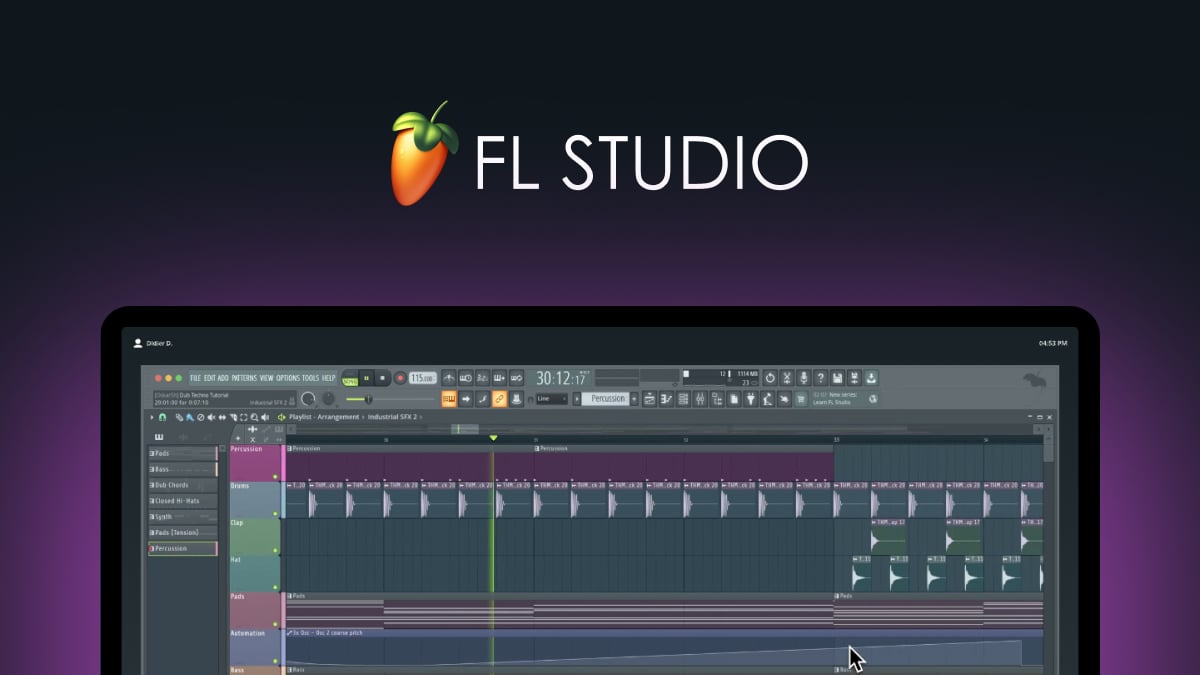
Website profiles · Technology insights · Alternatives

image-line.com

Paid content

Categories: Music & Audio

FL Studio is the all-in-one DAW used by millions to produce, mix, and master music. From $99 with Lifetime Free Updates. Download the free trial today.

Visit website

Updated: 2026-10-07 07:03 Language: English (default) Access: Normal

Profile views 7 Outbound visits 1
FL Studio – Music Production Software Full homepage screenshot
Editorial Review

Website Review

What is FL Studio?

FL Studio is a digital audio workstation (DAW) from Image-Line: software for recording, arranging, producing, mixing, and mastering music on Windows and macOS. It is known for its pattern-based sequencer, step sequencer, and piano roll, and it ships with a large set of built-in instruments and effects. One of its distinguishing policies is that a license includes lifetime free updates, and a free trial is available so you can test it before buying. Editions differ in which bundled plugins and features they include, so the right choice depends on what you already own and what you plan to produce.

A practical next step is to compare editions side by side on FL Studio and note which bundled instruments you actually need, since that is usually the main reason to move up a tier rather than a difference in core editing. If you are unsure, start with the free trial, finish one short project, and see whether you hit limits in the plugins or in your own workflow.

How much does FL Studio cost and what's included in each edition?

FL Studio is sold as a one-time purchase with lifetime free updates rather than a subscription, and the official FL Studio pricing page lists a free trial plus several paid editions that differ mainly in which instruments, effects and audio-recording features are unlocked.

How the editions generally differ

Edition tier Typical audience What you gain as you move up
Entry-level (Fruity) Beginners, beatmakers working mostly "in the box" Core sequencing, step sequencer, basic instruments and effects; limited audio recording
Producer Most serious hobbyists and small studios Full playlist/arrangement workflow, audio recording and editing, more generators and effects
Signature / All-Plugins bundles Producers who want a large built-in sound and effect library Bundled flagship synths and effects, so fewer third-party purchases
Full bundle (Everything) Professionals and studios The complete Image-Line instrument and effect collection

The practical trade-off is upfront cost versus how much you'd otherwise spend on third-party plugins. If you mostly use your own VSTs, an entry or Producer tier is usually enough; if you want a large stock library, the higher bundles can be cheaper than buying equivalents separately. The free trial is the sensible first step, since it lets you test the workflow before choosing a tier.

For current prices and the exact plugin lists per edition, check FL Studio directly, since edition contents and pricing change between releases.

Can I try FL Studio for free before buying it?

Yes. FL Studio offers a free trial you can download and use before paying, and the download page at FL Studio is the official starting point.

H3 What the trial lets you do The trial is the full software, not a cut-down demo. You can produce, arrange, mix and experiment with the included instruments and effects, and projects you save during the trial open normally once you buy. The practical catch is that you cannot reopen saved projects in the trial after closing them, so treat it as a hands-on evaluation rather than a free working environment.

H3 How to get the most from it

  • Pick one real task: build a short track from scratch, or recreate a drum pattern you already know.
  • Test the parts you will actually rely on — piano roll, step sequencer, mixer routing, automation.
  • Check how it feels on your machine: CPU load with several instruments, audio latency with your interface.
  • Try your own workflow: recording vocals or guitar, using MIDI controllers, exporting a mixdown.

H3 Who this suits If you write electronic or beat-driven music, the pattern-based workflow tends to click quickly. If you mainly record live bands and edit audio, spend your trial time on the playlist and mixer before deciding — that is where the fit matters most.

H3 Next step Download the trial, give yourself a fixed window (a week or two), and finish one complete track. If you reach the end and only the save limitation is stopping you, that is your signal to buy. Before purchasing, compare editions on the official pricing page at Pricing so you know which tier matches the features you used most.

What is the difference between Producer Edition and Signature Bundle?

The Signature Bundle is the larger package: it includes everything in Producer Edition plus a broader set of instruments, effects and extra content. Producer Edition is the mid-tier option that covers the core workflow — recording, arranging, mixing and mastering — for people who mainly need a capable DAW rather than a big plugin library.

FL Studio publishes a side-by-side comparison of editions on its pricing page, which is the reliable place to confirm exactly which plugins sit in each tier, since bundle contents change between versions.

How to choose

  • Pick Producer Edition if you already own third-party instruments and effects, or you mainly record audio and mix. You get the full production environment without paying for plugins you may not use.
  • Pick Signature Bundle if you want to start with a wide built-in palette — synths, sample-based instruments and effects — and would otherwise buy several of them separately. Bundling usually works out cheaper than buying the same plugins individually, but only if you'll actually use them.

A practical test: list the specific plugins you need in your first six months. If most of that list falls inside Signature, the bundle is the better buy; if you'd only use one or two of the extras, Producer plus a couple of targeted purchases is leaner.

Both editions sit under the same lifetime free updates policy, so upgrading later is possible — you're not locked out of the higher tier by starting lower. If you're unsure, run the free trial first and note which stock plugins you keep reaching for before committing.

How does the Lifetime Free Updates policy work for FL Studio?

FL Studio’s Lifetime Free Updates policy means a one-time purchase of a license includes ongoing access to future versions of the software, rather than requiring you to buy each major release again. The official site presents this as a core part of the offer, alongside a free trial and paid editions.

In practice, that matters most for people who expect to keep producing over several years. If you buy a license, you can keep using the current version and install later releases when they arrive, without a separate upgrade fee. The main trade-off is that the policy applies to FL Studio itself; it does not automatically include every optional add-on, plugin or third-party product that Image-Line or other companies may sell separately. You still need compatible hardware and an operating system that the newer version supports.

A practical next step is to compare editions on the official pricing page before buying, because the lifetime update benefit is tied to the edition you choose and what it includes. If you are unsure, start with the free trial, learn the workflow, then decide which edition matches the features you actually use. For detailed edition differences, see FL Studio Pricing.

Is FL Studio suitable for beginners or does it require music production experience?

FL Studio is suitable for beginners, but it is not the gentlest starting point. It is a full digital audio workstation (DAW): a program for recording, arranging, editing, mixing and exporting music. New users can learn it without prior production experience, especially with tutorials and the free trial, but they should expect to spend time learning the interface and basic workflow.

The main beginner hurdle is the pattern-based workflow. FL Studio centres on the Channel Rack and Step Sequencer, which makes drum programming quick, but it differs from the track-and-timeline layout of many other DAWs. A complete beginner may initially find that unfamiliar, while someone who has used another DAW will adapt faster.

Who it suits

  • Absolute beginners: Workable if you are willing to follow structured tutorials and start with simple beats or loops.
  • Bedroom producers and beatmakers: The step sequencer and pattern workflow are well suited to electronic music, hip-hop and loop-based production.
  • Users moving from another DAW: Concepts like mixing, MIDI and automation transfer, so the learning curve is shorter.
  • People who want to try before committing: The free trial lets you explore the software before deciding whether the workflow suits you.

Practical trade-offs

Consideration What it means for a beginner
Pattern-based workflow Fast for beats, but different from linear DAWs
Large feature set Powerful, but potentially overwhelming at first
Free trial Lets you test the interface before buying
Edition differences Features vary by edition, so check what you need before choosing

If you are unsure, download the free trial and spend a few sessions recreating a simple song: one drum pattern, one bass line and one melody. If that process feels manageable, FL Studio is a reasonable beginner choice. If the pattern system feels confusing, compare it with a more linear DAW before committing. Official details and edition comparisons are available at FL Studio.

Related questions

More questions →
Does FL Studio Include Free Updates?

Yes. FL Studio is sold with Lifetime Free Updates, so a purchased license includes future versions of the software at no additional cost. The official site states this alongside a starting price of $99, and the current release is FL Studio 2026. The condition that matters: this applies to a purchased license, not to the free trial, and the exact terms should be confirmed on the official pricing page before you buy.

What "Lifetime Free Updates" covers

When you buy an FL Studio license, you are buying into the edition you selected — not a subscription that expires. Image-Line's own description of the product lists "Lifetime Free Updates" as part of what you get, which means new releases such as FL Studio 2026 are delivered to existing license holders rather than sold as a separate upgrade.

This is the main reason the long-term cost comparison works differently for FL Studio than for DAWs sold on subscription or paid major-version upgrades. You pay once for the edition, and version upgrades are included going forward.

What it does not mean

  • It does not mean everything Image-Line sells is free. Plugins, sound packs, and some add-on instruments may be separate purchases.
  • It does not mean the free trial converts into a license. The trial lets you evaluate the software; updates as a licensed owner follow from the purchase.
  • It does not mean your edition changes. Buying Producer Edition does not later grant you Signature Bundle content — edition differences are about what is included, not about update access.

Why this matters for cost

If you are comparing DAWs over several years, the update policy is often the largest hidden variable. A one-time purchase with included version updates front-loads the cost and then flattens it. A subscription spreads the cost but never stops. A paid-upgrade model looks cheap at entry and adds a recurring decision every major release.

FL Studio sits in the first category. The relevant question is therefore not "how much does the next version cost" but "which edition do I buy once."

Checking the current terms

Terms can change, and the pricing page is the authoritative source. Before purchasing:

  1. Open the official pricing page at image-line.com/fl-studio/pricing.
  2. Use the "Compare Editions" view to see what each tier includes.
  3. Confirm the Lifetime Free Updates statement as it applies to the edition you are considering.
  4. Check whether any payment plan you intend to use — such as the Rent-to-Own Plus option announced for eligible users — carries its own conditions.

The site also offers a free trial, which is the practical way to confirm the software runs well on your system before committing to a license.

Quick answers

Do I pay again for FL Studio 2026 if I already own a license? No — version releases are covered by Lifetime Free Updates for licensed owners.

Does the free trial include updates? The trial is for evaluation; update entitlement follows a purchased license.

Are all Image-Line products included? No. The update policy applies to FL Studio itself; separate plugins and content may be sold independently.

Where do I verify this? The official pricing and edition comparison pages on image-line.com.

What Is FL Studio on image-line.com?

image-line.com is the official website of Image-Line, the company behind FL Studio — a digital audio workstation (DAW) used to produce, mix, and master music. If you want to know whether this is the right software to download or buy, the short answer is: it's a full music production environment, sold starting at $99 with Lifetime Free Updates, and a free trial is available to evaluate it before paying.

What FL Studio actually is

FL Studio is the software itself, not a service or a marketplace. On image-line.com you'll find it described as "the world's favorite music creation software" and "the all-in-one DAW used by millions to produce, mix, and master music."

That means it covers the whole production chain in one program:

  • Producing — composing and arranging parts using instruments, samples, and MIDI.
  • Mixing — balancing levels, applying effects, and shaping the sound of a track.
  • Mastering — preparing the finished track for release.

The site also notes that FL Studio 2026 is out, so the current version is the 2026 release.

What you can do on the site

The website serves three practical purposes:

  1. Download the free trial — so you can test the software before committing to a purchase.
  2. Compare and buy editions — the pricing page includes a "Compare Editions" view, and the homepage points to upgrades such as Producer Edition and Signature Bundle.
  3. Upgrade an existing license — if you already own a lower edition, the site provides upgrade paths.

Pricing and licensing: what's confirmed

Item Detail from the site
Starting price From $99
Updates Lifetime Free Updates
Trial Free trial available to download
Payment option Rent-to-Own Plus — monthly payments for eligible users in supported countries and currencies
Editions referenced Producer Edition, Signature Bundle (as upgrade targets)

Two conditions are worth noting. First, the $99 figure is a starting price, not a flat price for everything — the edition you choose determines what you pay, which is why the site offers a comparison page. Second, Rent-to-Own Plus is described as available to "eligible users across the countries and currencies we sell in," so availability depends on where you are and what currency you use.

Who it's for

FL Studio fits you if you want a single program that takes a track from an initial idea through to a finished master, and you'd rather pay once with ongoing free updates than subscribe indefinitely. The free trial makes it low-risk to check whether the workflow suits you before spending anything.

It's less obviously the right fit if you only need a narrow tool — for example, simple audio editing rather than full production — since the editions are built around the complete production workflow.

How to get started

  1. Go to image-line.com.
  2. Download the free trial to test the software.
  3. Open the pricing page and use "Compare Editions" to see which edition matches what you need.
  4. If the upfront cost is the obstacle, check whether Rent-to-Own Plus is available in your country and currency.
  5. Buy or start the payment plan, then use the upgrade paths (Producer Edition, Signature Bundle) later if you outgrow your edition.

The main thing to verify before buying is which edition contains the features you actually need — the comparison page exists precisely because the editions differ, and the $99 entry point doesn't represent every option.

Can You Pay for FL Studio in Monthly Installments?

Yes. FL Studio offers Rent-to-Own Plus, a payment option that lets you pay for the software through simple monthly payments instead of paying the full price upfront. According to Image-Line's announcement, Rent-to-Own Plus is live for all eligible users across the countries and currencies they sell in. If you're eligible, you can choose this option at checkout and spread the cost over time.

What Rent-to-Own Plus Is

Rent-to-Own Plus is Image-Line's installment payment program for FL Studio. Rather than paying the entire license price in one transaction, you make monthly payments until the cost is covered. The announcement describes it as "simple, monthly payments" and positions it as an alternative to paying the full price upfront.

The key details from the source:

  • Monthly payments — you pay in installments rather than a lump sum.
  • Eligibility required — the program is available to "all eligible users."
  • Region-limited — availability depends on the countries and currencies Image-Line sells in.
  • Edition choice — the announcement references choosing between editions (Producer Edition is named), so the plan you pick affects what you're paying toward.

Who Can Use It

Rent-to-Own Plus is not automatically available to everyone. Two conditions apply:

  1. You must be an eligible user. Image-Line states the program is live "for all eligible users," which means eligibility is determined by their criteria — not something you can assume.
  2. Your country and currency must be supported. The program covers "the countries and currencies we sell in." If Image-Line doesn't sell in your region or currency, the option may not appear.

Because eligibility and currency support are the two gates, the practical step is to check before you commit to a plan.

How to Check Eligibility and Start

  1. Go to the FL Studio pricing page at image-line.com/fl-studio/pricing.
  2. Open the Compare Editions view to see which edition you want (for example, Producer Edition or Signature Bundle).
  3. Proceed toward checkout for your chosen edition.
  4. Look for the Rent-to-Own Plus option. If it appears, you're eligible and your currency is supported. If it doesn't, the program isn't available for your region or account.

The expected result: you either see the monthly payment option and can select it, or you don't — in which case you'd pay the standard price.

Rent-to-Own Plus vs. Paying Upfront

Consideration Rent-to-Own Plus Pay Full Price Upfront
Payment structure Monthly installments One-time payment
Upfront cost Lower initial outlay Full license price at once
Eligibility Required (users, countries, currencies) Standard purchase
Best for Spreading cost over time Avoiding ongoing payments

Choose Rent-to-Own Plus if you're eligible and prefer smaller recurring payments over a single large one. Choose the upfront purchase if the installment option isn't available to you, or if you'd rather not carry monthly payments.

Common Questions

Does Rent-to-Own Plus cost more overall? The source doesn't state whether the total exceeds the upfront price. Check the pricing page for the specific terms of your edition.

Can I pick any edition? The announcement references choosing between editions, with Producer Edition named as an example. Confirm which editions are covered when you check out.

What if I'm not eligible? The option won't appear. You'd pay the standard price for your chosen edition.

Is there a free trial first? Yes — Image-Line offers a free trial, so you can evaluate FL Studio before committing to either payment path.

What to Do Next

If monthly payments matter to you, start at the pricing page and check whether Rent-to-Own Plus appears for your edition and region. That single check tells you whether installments are an option — and if they are, you can pick your edition and begin. If they aren't, the free trial lets you test the software while you decide on an upfront purchase.

How Can I Try FL Studio Before Buying?

You can try FL Studio before buying by downloading the free trial from image-line.com. The trial lets you explore the DAW, check that it runs well on your computer, and get a feel for the workflow before you commit to a purchase. FL Studio is the all-in-one DAW used to produce, mix, and master music, and paid editions start from $99 with Lifetime Free Updates.

Downloading the Free Trial

The trial is available directly from the official site. The general steps are:

  1. Go to image-line.com and open the FL Studio download page.
  2. Download the installer for your operating system (Windows or macOS).
  3. Run the installer and launch FL Studio.
  4. Confirm the trial opens and that your audio device and MIDI hardware are recognized.

Expected result: FL Studio launches in trial mode so you can start a project, load instruments and effects, and test your setup.

What to Check During the Trial

Use the trial period to answer the questions that matter for your own setup:

  • Compatibility: Does FL Studio run smoothly on your machine, and does it detect your audio interface, MIDI keyboard, and any plugins you already own?
  • Workflow: Does the pattern-based sequencing, mixer, and piano roll fit how you like to work?
  • Sound and features: Can you get the results you want from the included instruments and effects?

This is the practical reason to trial first: it's the cheapest way to find out whether the software suits your hardware and habits before spending anything.

Trial Limitations and Editions

The trial is a way to evaluate FL Studio, not a substitute for a license. Confirm the current trial limitations on the official site, since these can change between versions. The site notes that FL Studio 2026 is out, so check the trial against the current release.

When you're ready to buy, the pricing page includes a Compare Editions view so you can line up what each tier includes. Editions start from $99, and purchases include Lifetime Free Updates. If paying upfront isn't ideal, the site also lists Rent-to-Own Plus, which lets eligible users pay through simple monthly payments across the countries and currencies Image-Line sells in.

Common Snags

  • Trial vs. paid features: Don't assume everything you see in the trial behaves identically to a licensed copy — verify the limitations on the official site.
  • Plugin and hardware detection: If your interface or controller isn't recognized, sort that out during the trial rather than after buying.
  • Edition choice: If you're unsure which edition fits, use the Compare Editions page before purchasing rather than guessing.
Which FL Studio Edition Should I Choose?

FL Studio is sold as a one-time purchase with Lifetime Free Updates, and the edition you pick depends on what you actually need to finish tracks. The official pricing page lists entry pricing from $99, and the two most commonly discussed upgrade targets are Producer Edition and Signature Bundle. If you only need to sketch ideas and export audio, the cheapest tier can be enough; if you record live audio, use advanced automation, or want a broader stock plugin set, Producer Edition is the usual starting point; if you want the largest bundled content and instrument collection, Signature Bundle is the top practical step for most producers. Compare the exact feature lists on the pricing page before buying, because the differences are feature-based, not just price-based.

Start with the free trial, then decide

The site offers a free trial download, which is the lowest-risk way to test whether the workflow fits you before paying. Use it to check:

  • Whether the step sequencer and playlist approach matches how you write music.
  • Whether your audio interface and MIDI controller work without extra setup.
  • Whether the stock plugins you rely on are included in the edition you're considering.

If the trial workflow feels natural, the edition question becomes mostly about which features you'll actually use.

The three practical tiers

Tier Best for What pushes you up a tier
Entry (from $99) Beat sketching, loops, basic production, exporting audio You need audio recording, more mixing tools, or fuller plugin access
Producer Edition Most serious hobbyists and small studios You want more instruments, effects, and bundled content
Signature Bundle Producers who want the widest stock toolkit You'd otherwise buy several add-ons separately

The pricing page includes a "Compare Editions" view, which is the authoritative place to check exactly which features and plugins sit in each tier. Don't rely on secondhand lists, since bundled content changes between releases.

How to choose based on your workflow

Ask these questions in order:

  1. Do you record live audio (vocals, guitar, hardware synths)? If yes, you likely need Producer Edition or higher.
  2. Do you rely heavily on stock instruments and effects? If you'd rather not buy third-party plugins immediately, a higher bundle saves money over time.
  3. Are you mainly making beats in the box? The entry tier can carry you a long way before you hit its limits.
  4. Do you plan to upgrade later? FL Studio's Lifetime Free Updates apply to your edition, and upgrades are available, so starting lower and moving up is a normal path.

Upgrade paths and payment options

The site highlights "Upgrade to Producer Edition" and "Upgrade to Signature Bundle" as the standard next steps. It also announced Rent-to-Own Plus, which lets eligible users pay through monthly installments across the countries and currencies Image-Line sells in. If upfront cost is the blocker, check whether Rent-to-Own Plus is available in your region on the pricing page.

Common mistakes to avoid

  • Buying the top tier first. If you're new, you may not use the extra content for months. Start where your workflow demands.
  • Assuming all plugins are in every edition. They aren't. Verify on the comparison page.
  • Ignoring the trial. It's free and answers most "will I like this" questions faster than any review.

Bottom line

Choose the entry tier if you're sketching and exporting; choose Producer Edition if you record audio or want a fuller stock toolkit; choose Signature Bundle if you want the broadest bundled content and would otherwise buy add-ons. Confirm the current feature split and pricing on the official Compare Editions page, and use the free trial first if you're unsure.

Website Overview

An established domain and managed infrastructure suggest continuity of operations and may support dependable delivery, although neither guarantees service quality. Page metadata, canonical configuration and social previews work together to provide more consistent search and sharing presentation.

Domain and Registration

Registered in 1996, this domain has about 29 years of history. That suggests continuity, although ownership and purpose may have changed. The domain uses the common .com extension, which is not an independent safety signal.

DNS and Email

Nameservers are provided by Cloudflare, indicating managed DNS hosting. MX records point to the Google Workspace email service. No CNAME was found; the observed records resolve directly to addresses. SPF and DMARC are configured. DKIM status is unknown. TXT records include verification markers for Google, Meta, Microsoft. Such markers may also remain after a service stops being used.

TLS and Certificates

The public key uses EC with 256 bits. The server supplied a complete certificate chain. No organization name is present in the certificate; the available fields are consistent with domain validation. The certificate was issued within the Google Trust Services cloud or CDN ecosystem. The certificate's total validity is about 90 days, consistent with a short renewal cycle.

HTTP and Browser Security

X-Powered-By exposes backend information: IL STATIC. The response lacks these common security headers: HSTS, X-Content-Type-Options, Referrer-Policy, Permissions-Policy. The cf-ray response header indicates a CDN or caching proxy in the delivery path. No obvious internal addresses or debug information were found in the headers. The Server header identifies cloudflare without an exact version.

Technology Stack Analysis

The public page identifies Alpine.js, Google Tag Manager, Cloudflare without precise versions, leaving fewer clues for version-specific scanning.

Search and Social Sharing

JSON-LD includes Organization data, helping describe the organization as an entity. The title has 37 characters, within a common display range. A meta description is present, with 151 characters. The observed directives allow indexing and link following. No Generator meta tag is publicly exposed.

Hosting and Email

DNSCloudflare
HostingCloudflare
EmailGoogle Workspace
Location United States flagUnited States 2606:4700::6810:5f36

User reviews (0)

  • No reviews yet.

Pages, Search and Sharing

Meta descriptionFL Studio is the all-in-one DAW used by millions to produce, mix, and master music. From $99 with Lifetime Free Updates. Download the free trial today.
Canonical URLhttps://www.image-line.com
LanguageEnglish (default)
Twitter CardNot detected
All bots 0 allowed · 0 disallowed

Registration details RDAP / WHOIS

RegistrarNameWeb BVBA
Registered1996-11-07
Expires2026-11-06
Domain statusactive
Nameserversamber.ns.cloudflare.com、cleo.ns.cloudflare.com
DNSSECunsigned

DNS records

TypeNameValueTTLPriority
Awww.image-line.com104.16.95.54297—
Awww.image-line.com104.16.96.54297—
AAAAwww.image-line.com2606:4700::6810:5f36162—
AAAAwww.image-line.com2606:4700::6810:6036162—
MXimage-line.comaspmx.l.google.com3001
MXimage-line.comalt1.aspmx.l.google.com3005
MXimage-line.comalt2.aspmx.l.google.com3005
MXimage-line.comaspmx2.googlemail.com30010
MXimage-line.comaspmx3.googlemail.com30010
NSimage-line.comamber.ns.cloudflare.com86400—
NSimage-line.comcleo.ns.cloudflare.com86400—
TXTimage-line.comMS=B9EA1B2A6267464CB2D00B0F572B16B8739FC854300—
TXTimage-line.comanthropic-domain-verification-emsz8h=BN0i3pnqW7jrh2RAtiEbXmzxC300—
TXTimage-line.comdocusign=1409c412-47b4-41a3-a90a-9e99161c9053300—
TXTimage-line.comfacebook-domain-verification=rm3o2x9154c6sm9mltfxxhb5i51rpa300—
TXTimage-line.comgoogle-site-verification=4O-Uy0h-eDpCaIIPvKvd2jOCSb3bJ1fDegQa1T41XSk300—
TXTimage-line.comgoogle-site-verification=9esCDnlzCKiV-5w0_mkbAD5n2Up3YBNSDr5tQ84sekM300—
TXTimage-line.comgoogle-site-verification=ONRP7EsQq9gBGl2qhM7CmSJfoK4tnZ7Xb9FfhTolGvc300—
TXTimage-line.comgoogle-site-verification=k4kRWNSWBqw7mMfT6ykgYIRyMQmYndwaBWwpnS30KHQ300—
TXTimage-line.comgoogle-site-verification=xNqoQFWcuuMQDhpIn7FzGrfqkYJeQ1Fd-86XPCsSqas300—
TXTimage-line.comgoogle-site-verification=zDoyU5hHM2f-DXWCMmAYgG7smXAEabF4pgB9wpetGS0300—
TXTimage-line.comv=spf1 ip4:173.193.55.146 ip4:169.55.5.73 ip4:169.55.5.79 ip4:169.55.5.71 ip4:169.55.5.72 ip4:92.247.80.0/27 ip4:52.118.190.203 include:_spf.google.com -all300—
DMARC_dmarc.image-line.comv=DMARC1; p=reject; rua=mailto:[email protected]300—

TLS and certificates

AssessmentNormal configuration
Supported protocolsTLSv1.2、TLSv1.3
Negotiated protocolTLSv1.3
Certificate subjectwww.image-line.com
IssuerGoogle Trust Services
Valid until2026-10-26T13:14 · Remaining when checked: 33 days
Verification detailsCertificate trust: Passed · Hostname match: Passed

HTTP response headers

HeaderValue
content-typetext/html; charset=UTF-8
cache-controlpublic, must-revalidate, max-age=7200, no-store
servercloudflare
content-security-policyframe-ancestors 'self' https://*.image-line.com

Identified technologies

Alpine.jsGoogle Tag ManagerCloudflare

Recent Updates

  • Website profile
  • HTTP Response Information
  • Website images
  • Screenshots
  • Website Technologies
  • Pages and Search Information